1
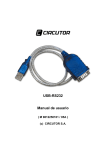
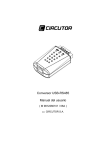
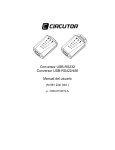
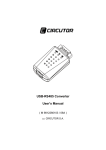
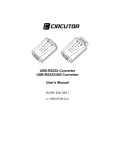
USB-RS232
User’s manual
________
( M 9812250103 / 05A )
(c) CIRCUTOR S.A.
INDEX
1.- Introduction ......................................................................3
2.- Features ............................................................................3
3.- System requirements.......................................................3
4.- Package contents.............................................................3
2.- Controllers installation ....................................................4
6.- Certifications ....................................................................7
1.- Introduction
How to find a lightest way to contact your PDA to the USB port on your
Mac or PC? USB Serial Converter operates as a bridge between one
USB port and standard RS232 Serial port. You just easily hook the
cable into PC or Hub’s port, and it can connect any RS-232 devices or
DB-9 Male connector, such as PDA, scanner, printer, …
2.- Features
Compliant with the USB 1.1 version specification
Support RS232 serial interface
Support 500 kbps data transfer rate
USB suspend condition
Plug & play compatible
USB host device drivers available
Draw its power from USB connection – no require of extra power
adapter
3.- System requirements
IBM – Compatible PC & MAC
MS Windows 98SE, ME, 2000, XP & MAC 9.1 or higher
Available USB port
64 Mb RAM or above
Pentium 233 MHz or higher
4.- Package contents
USB Serial Converter 1 pcs
Software CD 1 pcs
2.- Controllers installation
B232 Series
________
1. Connect USB-RS232 converter into the USB port of your computer
first.
2. Under Windows 98/2000/Me/XP, put disk drivers into the floppy disk
driver, it will automatically install the USB-RS232 driver software
into your computer by following the steps as below:
3. This wizard searches for new drivers for USB Device
4. What do you want Windows to do?
5. Select Searching locations for new driver
6. Windows is now ready to install the best driver
7. Windows has finished installing the software
8. Make sure if the driver software installation is finished
Connect converter into the USB port of the computer and then Click
"Start" ->"Settings" -> "Control Panel" -> "System" ->"Device Manager"
to see if there are " existe "CIRCUTOR USB-RS232/422/485 (COMx)"
at Ports.
6.- Certifications
FCC
This equipment has been tested and found to comply with part 15 of
the FCC Rules.
Operation is subject to the following two conditions:
This device may not cause harmful interference.
This device must accept any interference received.
Including interference that may cause undesired operation.
CE- Certificate
This equipment is in compliance with the requirements of the following
regulations:
EN 55 022 : CLASS B