Download User Guide - Telefonguru
Transcript
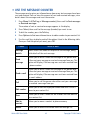
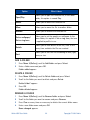
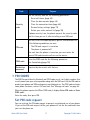
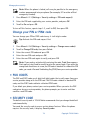
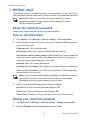
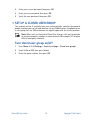
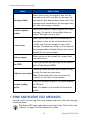
Enter letters and numbers IN 123 MODE You can access the following special characters only in 123 mode. There are two places you can use these characters: • At the start screen, when you dial a phone number • At the number prompt, when you add a new entry to the contact list Action Character’s Function Press * to enter *. Use this character to send command strings to the network. Contact your service provider for details. Press * twice to enter +. Use this character as a prefix for dialing international numbers. Press * three times to enter p. Use this character to create a pause that occurs when dialing a number. Numbers entered to the right of this special character are automatically sent as touch tones after a 2.5-second pause. Press * four times to enter w. Use this character to create a wait; digits to the right of the w are not sent until you press the Talk key. • PREDICTIVE TEXT INPUT Predictive text input allows you to write messages much faster than the ABC mode. With predictive text input, you only need to press each number key once for each letter. Your phone uses a built-in dictionary to predict or guess what you are writing. You can also add new words to the dictionary. Note: Predictive text input may not be available for all languages. It is not available for adding contacts to the contact list. Select a language and turn on predictive text 1 Press Menu 01-1-1 (Messages > Text messages > Create message). 2 Press Options, scroll up to Predictive text, then press Select. 3 Scroll to the language you want, then press Select. T9 prediction on appears. 32 Copyright © 2003 Nokia