1
A.
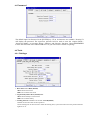
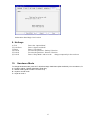
Machine Name: Computer Name after NET CLONE
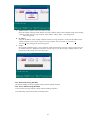
Setup the sending computer name and the receiving computer name. If the Computer Name of the sending
computer is ABC, the receiving computer will be ABC1, ABC2, ABC3…after using [Auto
Allocation] option.
B.
IP Address:
Setup the IP address of the sending computer and the receiving computers. If setup the IP address of the
sending computer to be 192.168.1.1, the receiving computer will be 192.168.1.2, 192.168.1.3,
192.168.1.4, after using [Auto Allocation] option.
C.
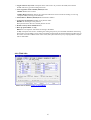
Group:
Group name used during login. Only computers in this selected group can login. Many groups can be set
for separate purposes. If the NET CLONE is setup Group to be A, the receiving computer will be in the
same group A after using [Auto Allocate] option.
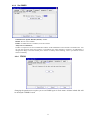
5.2.3 Restart Receiving Machine
Restart the standby receiving computers along with the sending computer.
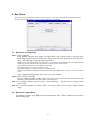
5.2.4 Power Off Receiving Machine
Power off the receiving computers along with the sending computers.
Press EXIT key will Exit from NET CLONE function.
16