1
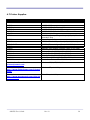
3.7.3 Printer Font Commands – Character Set
Command String
ESC - ‘F’ – 1
ESC - ‘F’ – 2
ESC - ‘U’ - ‘1’
ESC - ‘U’ - ‘0’
Printer Action
Selects International character set
Selects PC Line Draw character set
Enable emphasized print.
Disable emphasized print.
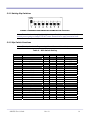
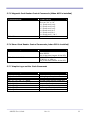
Table 5 shows the International and PC Line Character sets from 32 through 255.
Table 5: International and PC Line Draw Character Set
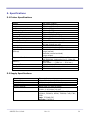
3.7.4 Printer Graphic Commands
Command String
ESC - ‘a’ – n
ESC - ‘J’ – n
ESC - ‘P’ - ‘#’
ESC - ‘P’ - ‘$’
ESC - ‘V’ - n1 – n2
ESC - ‘v’ - n1 – n2
ANDES3 User’s Guide
Printer Action
Select dot line spacing between printed lines.
Graphic Line Feed command
Select Online mode, characters printed as received.
Select Buffer mode, characters are printed on (^ D)
8-bit Graphic command
RLE Compressed Graphic command
Rev 1.0
21