1
Mobile Partner install user guide
Mobile Partner install user guide
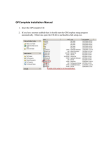
Step 1. Open the “Mobile Partnrt.zip”.
2015-1-26
第 1 页, 共 7 页
Mobile Partner install user guide
Step 2. Double click Mobile Partner. The “Welcome to the Mobile
Partner Installer” page will be displayed.
Step 3. Click the “Continue” button, the “Software license
agreement” page will be displayed. And you can select the
language, then read the license.
2015-1-26
第 2 页, 共 7 页
Mobile Partner install user guide
Finish Read, click the “Continue” button, the prompt window will be
displayed.
2015-1-26
第 3 页, 共 7 页
Mobile Partner install user guide
Step 4. If you agree, click “Agree”, the installation page will be
displayed.
Click Install, you need enter the administrator permission for install.
2015-1-26
第 4 页, 共 7 页
Mobile Partner install user guide
Srep 5. Enter the user name and password, and click the “Install
Software” button, the Mobile Partner will be install.
2015-1-26
第 5 页, 共 7 页
Mobile Partner install user guide
Step 6. Click “Close” button, the Mobile Partner will autorun.
2015-1-26
第 6 页, 共 7 页
Mobile Partner install user guide
2015-1-26
第 7 页, 共 7 页