1
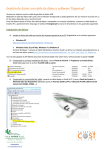
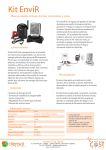
From http://rxtx.qbang.org OR Run the installer provided. It places RXTX.jar and the appropriate RXTXSerial into the appropriate jre directories. See http://rxtx.qbang.org/wiki/index.php/Installation 2 Setup the CurrentCost Hardware normally. The monitor should display your data and clock correctly. 3 Connect your CurrentCost EnviR monitor through USB interface You may need the Windows drivers from http://currentcost.com/software-downloads.html 4 Check the COM port number of your USB interface In Windos under System control panel, Device Manager 5 Modify the CCDriver.bat file if you need to, as follows java -jar "CCDriver_1.0.jar" arg0 arg1 arg2 where arg0 is your COM port e.g. COM7, dev/tty arg1 is a filename for text storage or “sql” for mysql storage arg2 is a mysql connection string if arg1 is “sql” e.g. java -jar "CCDriver_1.0.jar" COM7 sql jdbc:mysql://localhost:3306/awesomedb e.g. java -jar "CCDriver_1.0.jar" COM7 ccdata.txt 6 Run the .bat file. CCDriver automatically creates the MySQL database and tables for storing data. You should almost immediately start receiving data from the monitor.