1
MAIN MENU
8.9 Audio
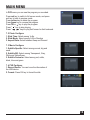
1. Press AUDIO key to enter into the Audio window.
2. Press
keys to select between Left-Left,
Right-Right and Left-Right.
3. Changing the audio mode is only connected with
the current channel, not all the channels.
4. Press EXIT key to close this window.
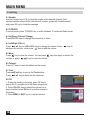
8.10 Recall
Press
key to switch the current channel to the previous channel.
8.11 Info
Press INFO key to enter into the information window
8.12 FAV
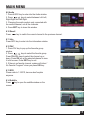
1. Press FAV key to pop up the favourite group
window.
2. Press
keys to select the favorite group.
Press CH+,CH- keys to select the channel up or
down. Press OK key at the selected channel to view
it in full-screen. Press EXIT key to exit.
3. If there is no favorite channel, system will inform “
No Favorite Program!” when you press FAV key.
8.13 EDV
Please refer to 1.2 EPG, here we don’t explain
anymore.
8.14 Subtitle
Press
key to open the subtitle window on the
screen.
17