1
KX-TS880EX.book
Page 1
Tuesday, November 23, 2010
3:41 PM
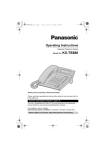
Operating Instructions
Integrated Telephone System
Model No.
KX-TS880EX
Thank you for purchasing a Panasonic product.
This unit is compatible with Caller ID. You must subscribe to the appropriate
service offered by your service provider/telephone company.
Please read these operating instructions before using the unit and save them for
future reference.
KX-TS880EX.book
Page 2
Tuesday, November 23, 2010
3:41 PM
Table of Contents
Introduction
Accessory information................3
For your safety ...........................4
Important safety instructions ......4
For best performance.................4
Other information .......................5
Specifications .............................5
Preparation
Controls......................................6
Display .......................................7
Battery installation and
replacement ...............................8
Connections ...............................9
Symbols used in these
operating instructions ...............10
Setting up the unit before
use ........................................... 11
Making/Answering Calls
Making calls .............................12
Answering calls ........................13
Useful features during a call.....14
Dial lock....................................15
One-Touch Dialler
One-touch Dialler .....................16
Speed Dialler
Speed Dialler............................18
Phonebook
Phonebook ...............................19
Chain dial .................................20
Programming
Programmable settings ............21
Special instructions for
programmable settings.............23
Caller ID Service
Using Caller ID service.............24
Caller list ..................................25
2
Useful Information
Optional headset ..................... 27
Desk mount setup.................... 28
Wall mount setup ..................... 29
Troubleshooting ....................... 31
Index
Index........................................ 33
KX-TS880EX.book
Page 3
Tuesday, November 23, 2010
3:41 PM
Introduction
For your future reference
We recommend keeping a record of the following information to assist with any
repair under warranty.
Serial No.
Date of purchase
(found on the bottom of the unit)
Name and address of dealer
Attach your purchase receipt here.
Note:
≥ This equipment is designed for use on Portugal, Spain, Italy, Netherlands,
Belgium and Cyprus analogue telephone network.
≥ In the event of problems, you should contact your equipment supplier in the
first instance.
≥ For use on other countries, please contact your equipment supplier.
Declaration of Conformity:
≥ Panasonic System Networks Co., Ltd. declares that this equipment is in
compliance with the essential requirements and other relevant provisions of
Radio & Telecommunications Terminal Equipment (R&TTE) Directive 1999/5/EC.
Declarations of Conformity for the relevant Panasonic products described in this
manual are available for download by visiting:
http://www.doc.panasonic.de
Contact to Authorised Representative:
Panasonic Testing Centre
Panasonic Marketing Europe GmbH
Winsbergring 15, 22525 Hamburg, Germany
Accessory information
Supplied accessories
No.
1
Accessory item
Quantity
1
Handset
2
Handset cord
1
3
Telephone line cord
1
2
1
3
3
KX-TS880EX.book
Page 4
Tuesday, November 23, 2010
3:41 PM
Introduction
For your safety
To prevent severe injury and loss of
life/property, read this section
carefully before using the product to
ensure proper and safe operation of
your product.
WARNING
Installation
≥ To prevent the risk of fire or electrical
shock, do not expose the product to rain
or any type of moisture.
Operating safeguards
≥ Do not disassemble the product.
≥ Do not spill liquids (detergents,
cleansers, etc.) onto the telephone line
cord plug, or allow it to become wet at
all. This may cause a fire. If the
telephone line cord plug becomes wet,
immediately pull it from the telephone
wall jack, and do not use.
≥ Excessive sound pressure from
earphones and headphones can cause
hearing loss.
CAUTION
Installation and location
≥ Never install telephone wiring during an
electrical storm.
≥ Never install telephone line jacks in wet
locations unless the jack is specifically
designed for wet locations.
≥ Never touch uninsulated telephone wires
or terminals unless the telephone line
has been disconnected at the network
interface.
≥ Use caution when installing or modifying
telephone lines.
≥ This product is unable to make calls
when:
s the dial lock feature is turned on.
s the call restriction feature is turned on
(only phone numbers stored in the
unit as emergency numbers can be
called.)
Battery
≥ We recommend using the batteries
noted on page 8.
≥ Do not mix old and new batteries.
4
Important safety
instructions
When using your product, basic safety
precautions should always be
followed to reduce the risk of fire,
electric shock, and injury to persons,
including the following:
1. Do not use this product near water, for
example, near a bathtub, washbowl,
kitchen sink or laundry tub, in a wet
basement or near a swimming pool.
2. Avoid using a telephone (other than a
cordless type) during an electrical
storm. There may be a remote risk of
electric shock from lightning.
3. Do not use the telephone to report a
gas leak in the vicinity of the leak.
4. Use only the batteries indicated in this
manual. Do not dispose of batteries in a
fire. They may explode. Check with
local codes for possible special disposal
instructions.
SAVE THESE
INSTRUCTIONS
For best performance
Environment
≥ The product should be kept free from
excessive smoke, dust, high
temperature, and vibration.
≥ The product should not be exposed to
direct sunlight.
≥ Do not place heavy objects on top of the
product.
≥ The product should be kept away from
heat sources such as radiators, cookers,
etc. It should not be placed in rooms
where the temperature is less than 0°C
or greater than 40°C. Damp basements
should also be avoided.
Routine care
≥ Wipe the outer surface of the product
with a soft moist cloth.
≥ Do not use benzine, thinner, or any
abrasive powder.
KX-TS880EX.book
Page 5
Tuesday, November 23, 2010
3:41 PM
Introduction
Penalties may be applicable for
incorrect disposal of this waste, in
accordance with national legislation.
Other information
Notice for product disposal,
transfer, or return
≥ This product can store your private/
confidential information. To protect your
privacy/confidentiality, we recommend
that you erase information such as
phonebook, one-touch dial, speed dial or
caller list entries from the memory before
you dispose of, transfer, or return the
product.
Information for Users on Collection
and Disposal of Old Equipment and
used Batteries
1
2
3
Cd
These symbols (1, 2, 3) on the
products, packaging, and/or
accompanying documents mean that
used electrical and electronic products
and batteries should not be mixed with
general household waste. For proper
treatment, recovery and recycling of
old products and used batteries,
please take them to applicable
collection points, in accordance with
your national legislation and the
Directives 2002/96/EC and 2006/66/
EC. By disposing of these products
and batteries correctly, you will help to
save valuable resources and prevent
any potential negative effects on
human health and the environment
which could otherwise arise from
inappropriate waste handling.
For more information about collection
and recycling of old products and
batteries, please contact your local
municipality, your waste disposal
service or the point of sale where you
purchased the items.
For business users in the
European Union
If you wish to discard electrical and
electronic equipment, please contact
your dealer or supplier for further
information.
Information on Disposal in other
Countries outside the European
Union
These symbols (1, 2, 3) are only
valid in the European Union. If you
wish to discard these items, please
contact your local authorities or dealer
and ask for the correct method of
disposal.
Note for the battery symbol
This symbol (2) might be used in
combination with a chemical symbol
(3). In this case it complies with the
requirement set by the Directive for
the chemical involved.
Specifications
Power source:
From telephone line
From 3 AA (LR6, R6, UM-3) batteries
Dimensions (H x W x D):
Approx. 93 mm k 172 mm k 220 mm
Mass (Weight):
Approx. 550 g
Operating conditions:
0 °C–40 °C, 20 %j80 % relative air
humidity (dry)
Note:
≥ Design and specifications are subject to
change without notice.
≥ The illustrations in these instructions
may vary slightly from the actual product.
5
KX-TS880EX.book
Page 6
Tuesday, November 23, 2010
3:41 PM
Preparation
Controls
l/
C
ABC
2
GHI
5
PQRS
7
8
/
R
P
1
4
u
P/a
DEF
3
JKL
MNO
6
TUV
0
WXYZ
9
R
T
s/ W
X/Y
OK
k
{P/a} (page 14, 15)
:
{T} (page 14)
2
{l/ } (page 11, 16, 18,
21, 23)
;
{s/W} (page 12, 13, 16, 18, 25,
27)
3
{R} (page 12)
<
Navigator key ({3}, {4}, {2},
{1}) (page 19, 20, 25)
=
{OK} (page 11, 18, 21, 23, 25)
>
One-touch dial buttons
(page 16)
?
Dial key buttons/memory
station numbers (page 18)
@
RINGER selector (page 13)
1
4
{C} (page 12, 18, 19, 20, 23)
5
{
6
{P} (page 13)
7
Display (page 7)
8
RINGER indicator (page 13)
9
{R} (page 14)
/
} (page 16, 18)
How to use the Navigator key and {OK} button
This key has five active areas that are indicated by arrows and {OK}.
OK
≥ Pressing the up and down arrows allows you to enter the Caller List
and scroll through the function menu.
≥ Pressing the right and left arrows allows you to enter the Phonebook
and move the cursor when entering items. The right arrow also use
to select the desired item.
≥ The {OK} button is used to select and confirm desired item.
Throughout this Operating Instructions, the navigator key is indicated by the
arrows {4}, {3}, {2} or {1} and {OK}.
6
KX-TS880EX.book
Page 7
Tuesday, November 23, 2010
3:41 PM
Preparation
Display
Display items
Item
Meaning
The dial lock mode is set (page 15).
You have checked this caller information, answered the call or called
back the caller from the caller list (page 25).
The phone line is in speakerphone call mode (page 12).
The display flashes when the battery power is low. To replace the
batteries, see page 8.
P
{P} was pressed while dialling or storing phone numbers.
F
{R} was pressed while storing phone numbers.
#
{#} was pressed while dialling.
W
The phone line is in headset call mode.
7
KX-TS880EX.book
Page 8
Tuesday, November 23, 2010
3:41 PM
Preparation
Battery installation and
replacement
Installing the batteries
Replacing the batteries
If “
” flashes, the battery power is
low. Install new batteries as soon as
possible. If batteries are not replaced
even after the “
” is displayed, the
unit may not work properly.
≥ Store the desired items in the
phonebook, because after the battery
replacement, the information stored in
the redial list will be cleared.
1
Press down in the direction of the
arrow and open the cover (1).
2
Install the batteries in the proper
order as shown (2), matching the
correct polarity.
3
Close the battery cover.
≥ After battery installation, the unit will
reset and “Set clock” will always
display until the time is set.
≥ To set the clock, see page 11.
≥ Batteries are not included with the unit.
≥ Install three high quality “AA” size
Alkaline (LR6) or Manganese (R6, UM-3)
batteries. We recommend to use
Panasonic batteries.
Battery life is:
jabout six months when using Alkaline
batteries.
jabout three months when using
Manganese batteries.
≥ Battery life may depend on usage
conditions and ambient temperature.
≥ Make sure batteries were inserted
properly inphase to ensure the
functionality of this unit.
THE UNIT MAY NOT WORK
PROPERLY WITHOUT BATTERIES.
8
1
Disconnect the telephone line
cord from the unit.
2
Press down in the direction of the
arrow and open the cover.
3
Replace the batteries with new
ones using correct polarity (+, –),
and close the cover.
4
Connect the telephone line cord
to the unit.
Battery precautions:
The batteries should be used
correctly, otherwise the unit may be
damaged by battery leakage.
≥ Do not mix different types of batteries.
≥ Do not charge, short-circuit,
disassemble, heat or dispose of in fire.
≥ Remove all the batteries when
replacing.
Note:
≥ If you do not install the batteries or if
the battery power is low, the display will
become blank. Readjust the time after
the battery replacement.
≥ Replace all the batteries every six
months if using Alkaline batteries, or
misoperation may occur. (When you
use Manganese batteries, replace all
of them every three months.)
≥ Do not use nickel-cadmium batteries.
KX-TS880EX.book
Page 9
Tuesday, November 23, 2010
3:41 PM
Preparation
Connections
Connect the handset cord (1) to the handset and the unit. Connect the
telephone line cord until it clicks into the unit and telephone line jack (2).
After line connection, lift the handset to check for a dial tone.
1
2
DSL /ADSL filter *
(Not supplied)
To single-line
telephone jack
≥ Use only a Panasonic handset for KX-TS880EX.
≥ Use only the supplied telephone line cord. Using another telephone line cord may not
allow the unit to work properly.
≥ KX-TS880EX is not designed to be used with rotary (pulse dialling) services.
* For DSL/ADSL service users
Please attach a DSL /ADSL filter (contact your DSL /ADSL provider) to the
telephone line between the unit and the telephone line jack in the event of the
following:
s noise is heard during conversations.
s Caller ID features do not function properly.
9
KX-TS880EX.book
Page 10
Tuesday, November 23, 2010
3:41 PM
Preparation
Symbols used in these operating instructions
Symbol
{
Meaning
}
Proceed to the next operation.
“”
The words in quotations indicate the menu on the display.
Example: “Save phonebook ?”
{4} / {3}: “ ”
10
The words in the brackets indicate button names on the unit.
>
Press {4} or {3} to select the words in quotations.
Example: {4} / {3}: “Off”
KX-TS880EX.book
Page 11
Tuesday, November 23, 2010
3:41 PM
Preparation
Setting up the unit
before use
6
Display language
You can select “English” (English),
“Español” (Spanish), “Italiano”
(Italian), “Português” (Portuguese),
“ΕΛΛΗΝΙΚ Α” (Greek) and
“Nederlands” (Dutch) as the display
language.
The default setting is “English”
(English).
1
{l/ } > {4} / {3}: “Change
language?” > {OK}
2
{4} / {3}: Select the desired
setting > {OK} > {l/ }
Date and time
1
{l/ } > {4} / {3}:
“Set clock ?” > {OK}
2
Enter the current year by
selecting 2 digits.
Example: 2010
{1} {0}
≥ You can select the year from 2000
to 2099.
3
4
{OK}
5
{OK}
Enter the current hour and minute
by selecting 2 digits for each.
Example: 9:30
{0} {9} {3} {0}
Press {#} to select “AM”, “PM” or
24-hour clock.
Display
Option
AM
AM
PM
PM
(Blank display)
24-hour
clock
≥ Each time you press {#}, the
selection will change on the display.
7
8
{OK}
9
{OK} > {l/
Enter the current day and month
by selecting 2 digits for each.
Example: 15 July
{1} {5} {0} {7}
}
≥ If the date and time are entered
wrong, “ERROR” will be displayed and
you cannot continue with the setting.
Enter the correct date and time.
For Caller ID service users
(page 24)
If a time display service is available
with the Caller ID service:
≥ The Caller ID information will re-set the
clock after the ring if:
s the adjusted time and/or date is
incorrect.
s the time adjustment set to ON.
≥ If numbers between 0000 and 0059,
or 1300 and 2359 are entered, the
time will automatically set using the
24-hour clock. Skip steps 6 and 7,
and go to step 8.
11
KX-TS880EX.book
Page 12
Tuesday, November 23, 2010
3:41 PM
Making/Answering Calls
Making calls
1
Lift the handset and dial the
phone number.
2
When you finish talking, place the
handset on the cradle.
Making a call using the redial list
The last 20 phone numbers dialled
are stored in the redial list.
1
2
{s/W} > Dial a phone number.
OR
Dial a phone number > {s/W}
≥ Speak alternately with the other
party.
≥ If you have misdialled, press
{s/W} and start again from step 1.
2
When you finish talking, press
{s/W}.
Note:
≥ For best performance, use the
speakerphone in a quiet environment.
If necessary, adjust the speaker volume.
≥ You can switch to the handset by lifting it
up. To switch back to the speakerphone,
press {s/W} and place the handset on
the cradle.
Adjusting the handset or the
speaker volume
Press {4} or {3} repeatedly while
talking.
≥ “o” shows one level.
{4} / {3}: Select the desired
phone number.
≥ You can also scroll through the list
by pressing {R}.
≥ To exit the list, press {l/
}.
Using the speakerphone
1
{R}
3
Lift the handset or press {s/W}
to start calling.
Automatic redial:
If you use the speakerphone when
redial and the other party’s line is
engaged, the unit will automatically
redial the number up to 15 times.
While the unit is waiting to redial,
“Waiting redial” will be
displayed.
While the unit is redialling, mute is
automatically turn on.
≥ Automatic redial is cancelled when {R}
is pressed.
≥ If mute does not turn off after the line is
connected, press {T}.
Erasing a number in the redial list
1
2
3
{R}
{4} / {3}: Select the desired
phone number.
{C}
≥ If “No items stored” is displayed,
the list is empty.
4
12
{l/
}
KX-TS880EX.book
Page 13
Tuesday, November 23, 2010
3:41 PM
Making/Answering Calls
Pause (for PBX/long distance
service users)
A pause is sometimes required when
making calls using a PBX or long
distance service. When storing a
calling card access number and/or
PIN in the phonebook, one-touch dial
or speed dial, a pause is also needed.
Example: If you need to dial the line
access number “9” when making
outside calls with a PBX:
1
2
3
Adjusting the unit ringer volume
You can select the ringer volume to
HIGH, LOW or OFF. The default
setting is HIGH.
{9} > {P}
Dial the phone number.
Lift the handset or press
{s/W} to start calling.
Note:
OFF
HIGH
LOW
RINGER
≥ A 3.5 second pause is inserted each
time {P} is pressed. Repeat as needed
to create longer pauses.
Answering calls
When a call is being received, the unit
rings, the ringer indicator flashes
quickly and “Incoming call” is
displayed. You can answer a call by
simply lifting the handset.
Using the speakerphone
1
2
{s/W}
When you finish talking, press
{s/W}.
Note:
≥ The ringer indicator will flash when
someone picks up or hangs up another
phone connected to the same phone
line. This is normal.
13
KX-TS880EX.book
Page 14
Tuesday, November 23, 2010
3:41 PM
Making/Answering Calls
Useful features during
a call
Hold
This feature allows you to put an
outside call on hold.
1
Press {P /a} during an outside
call.
≥ If using the handset, you can place
it on the cradle.
≥ During the hold, both party will hear
music. For cancelling music, see
page 21.
2
To release hold, lift the handset if
the handset is on the cradle.
OR
Press {P /a} if the handset is off
the cradle.
OR
Press {s/W} if using the
speakerphone.
Note:
≥ If another phone is connected to the
same line, you can also take the call by
lifting its handset.
Mute
While mute is turned on, you can hear
the other party, but the other party
cannot hear you.
1
2
During an outside call, press {T}.
To return to the conversation,
press {T}.
Recall
{R} allows you to use the special
features of your host PBX such as
transferring an extension call, or
accessing optional telephone services.
Note:
≥ To change the recall time, see page 21.
14
For call waiting service
users
To use call waiting, you must first
subscribe to the call waiting service of
your service provider/telephone
company. This feature allows you to
receive calls while you are already
talking on the phone. If you receive a
call while on the phone, you will hear
a call waiting tone.
1
2
Press {R} to answer the 2nd call.
To switch between calls, press
{R}.
Note:
≥ Please contact your service provider/
telephone company for details and
availability of this service in your area.
KX-TS880EX.book
Page 15
Tuesday, November 23, 2010
3:41 PM
Making/Answering Calls
Dial lock
This feature prohibits making outside
calls.
The default setting is OFF.
Important:
≥ When dial lock or call restriction
(page 23) is turned on, only phone
number stored as emergency
numbers (numbers stored with a # at
the beginning of the name) can be
dialled. We recommend storing
emergency numbers in the
phonebook, one-touch dial or speed
dial before using this feature.
≥ When dial lock is turned on, you cannot
store, edit, or erase the emergency
numbers begin with # in the phonebook,
one-touch dial and speed dial.
To turn the dial lock on/off
1
{P /a}
≥ “
2
” flashes on the display.
Enter the unit password
(default “1111”) > {OK}
Note:
≥ If dial lock is turned on, the unit displays
“ ”.
≥ “DIAL LOCKED” will be displayed if the
dial buttons are pressed before/after:
s lifting the handset.
s pressing {s/W}.
15
KX-TS880EX.book
Page 16
Tuesday, November 23, 2010
3:41 PM
One-Touch Dialler
One-touch Dialler
You can store up to 20 phone
numbers in the one-touch dial buttons
(10 numbers in UPPER memory
locations and 10 numbers in LOWER
memory locations). Do not press any
one-touch dial buttons before storing
to prevent misoperation.
Note:
≥ If a phone number is stored in a one-touch
dial button which already contains a phone
number, the old number will be erased.
≥ To store a number as an emergency
number, see page 19.
UPPER memory locations
Storing phone numbers
1
2
3
Press the one-touch dial button.
Lift the handset or press {s/W}.
When you finish talking, place the
handset on the cradle or press
{s/W}.
LOWER memory locations
Storing phone numbers
1
{l/ } > {4} / {3}: “Save
one touch ?” > {OK}
2
Enter the party’s name
(15 characters max.) > {OK}
3
Enter the party’s phone number
(32 digits max.) > {OK}
4
{ / } > Press a
one-touch dial button.
≥ A long beep sounds.
1
{l/ } > {4} / {3}: “Save
one touch ?” > {OK}
5
2
Enter the party’s name
(15 characters max.) > {OK}
Erasing a stored number
3
Enter the party’s phone number
(32 digits max.) > {OK}
4
Press a one-touch dial button.
}
}
1
{ / } > Press the
one-touch dial button.
2
{C} > {OK}
≥ A long beep sounds.
≥ A long beep sounds.
5 {l/
Note:
{l/
Dialling a stored number
1
2
Lift the handset or press {s/W}.
Erasing a stored number
3
1
2
When you finish talking, place the
handset on the cradle or press
{s/W}.
OR
≥ We recommend you program an
emergency number in the EMERGENCY
button.
Press a one-touch dial button.
{C} > {OK}
≥ A long beep sounds.
Dialling a stored number
1
2
3
OR
16
Lift the handset or press {s/W}.
Press the one-touch dial button.
When you finish talking, place the
handset on the cradle or press
{s/W}.
1
2
3
{ / } > Press the
one-touch dial button.
{ / } > Press the
one-touch dial button.
Lift the handset or press {s/W}.
When you finish talking, place the
handset on the cradle or press
{s/W}.
KX-TS880EX.book
Page 17
Tuesday, November 23, 2010
3:41 PM
One-Touch Dialler
Index card
Use the index card to record the
names/phone numbers stored to the
one-touch dial buttons.
Cover
Index
Card
17
KX-TS880EX.book
Page 18
Tuesday, November 23, 2010
3:41 PM
Speed Dialler
Speed Dialler
Dialling a stored number
You can store up to 10 numbers in the
memory stations. The dialling buttons
{0} to {9} function as memory station
numbers. Do not press any memory
stations before storing to prevent
misoperation.
1
Lift the handset or press
{s/W}.
2
{ / } > Press the memory
station number ({0} to {9}).
3
When you finish talking, place the
handset on the cradle or press
{s/W}.
Note:
≥ If a phone number is stored in a dialling
button which already contains a phone
number, the old number will be erased.
≥ To store a number as an emergency
number, see page 19.
OR
1
{ / } > Press the memory
station number ({0} to {9}).
Storing phone numbers
2
Lift the handset or press
{s/W}.
1
{l/ } > {4} / {3}: “Save
speed dial?” > {OK}
3
2
Enter the party’s name
(15 characters max.) > {OK}
When you finish talking, place the
handset on the cradle or press
{s/W}.
3
Enter the party’s phone numbers
(32 digits max.) > {OK}
4
Press a memory station number
({0} to {9}).
≥ A long beep sounds.
5
{l/
}
Erasing a stored number
1
{ / } > Press a memory
station number ({0} to {9}) for the
phone number to be erased.
2
{C} > {OK}
≥ A long beep sounds.
18
KX-TS880EX.book
Page 19
Tuesday, November 23, 2010
3:41 PM
Phonebook
Phonebook
The phonebook allows you to make
calls without having to dial manually.
You can add 50 names and phone
numbers.
Adding entries
1
2
{l/
}
{4} / {3} > “Save phonebook ?”
> {OK}
≥ The display will show the number of
stored items.
3
4
Enter the party’s name
(15 characters max.) > {OK}
Enter the party’s phone number
(32 digits max.) > {OK}
≥ To add other entries, repeat from
step 2.
≥ If the display shows “Phonebook
}
full” in step 2, press {l/
to exit the list. To erase other stored
items from the phonebook, see
page 20.
5
{l/
}
To store emergency numbers
Emergency numbers are numbers
stored in the phonebook, one-touch
dial and speed dial that can be dialled
even when dial lock (page 15) or call
restriction (page 23) is turned on.
To store a number as an emergency
number, add # at the beginning of the
party’s name except the number at
EMERGENCY button.
Character table for entering names
Key
Character
{1}
& ' ( ) , - . / 1
{2}
a b c A B C 2
{3}
d e f D E F 3
{4}
g h i G H I 4
{5}
j k l J K L 5
{6}
m n o M N O 6
{7}
p q r s P Q R S 7
{8}
t u v T U V 8
{9}
w x y z W X Y Z 9
{0}
0 Space
{£}
;
{#}
#
≥ To enter another character that is located
on the same dial key, press {1} to move
the cursor to the next space.
Correcting a mistake
Press {2} or {1} to move the cursor
to the character or number you want
to erase, then press {C}. Enter the
appropriate character or number.
≥ Press and hold {C} to erase all
characters or numbers.
19
KX-TS880EX.book
Page 20
Tuesday, November 23, 2010
3:41 PM
Phonebook
Finding and calling a
phonebook entry
Editing entries
1
Press {2} or {1} to enter the
phonebook list.
Scrolling through all entries
2
1
{4} / {3}: Select the desired
entry > {OK}
Press {2} or {1} to enter the
phonebook list.
3
2
{4} / {3}: Select the desired
entry.
Edit the name if necessary
(15 characters max.: page 19)
> {OK}
4
Edit the phone number if
necessary (32 digits max)
> {OK} > {l/ }
≥ Item with # at the beginning will be
displayed with first priority if dial lock
(page 15) or call restriction
(page 23) is turned on.
3
Lift the handset or press {s/W}
to start calling.
Erasing entries
1
Press {2} or {1} to enter the
phonebook list.
Searching by first character
(alphabetically)
2
{4} / {3}: Select the desired
entry > {C} > {OK}
1
Press {2} or {1} to enter the
phonebook list.
3
2
Press the dial key ({0}j{9}, {£}
or {#}) which contains the
character you are searching for
(page 19).
Chain dial
≥ A beep sounds.
≥ Press the same dial key repeatedly
to display the first entry
corresponding to each character
located on that dial key.
≥ If there is no entry corresponding to
the character you selected, the next
entry is displayed.
{l/
}
This feature allows you to dial phone
numbers in the phonebook while you
are on a call. This feature can be used,
for example, to dial a calling card
access number or bank account PIN
that you have stored in the phonebook,
without having to dial manually.
1
3
{4} / {3}: Scroll through the
phonebook if necessary.
During an outside call, press {2}
or {1}.
2
4
Lift the handset or press {s/W}
to start calling.
{4} / {3}: Select the desired
entry > {OK}
Note:
20
≥ When storing a calling card access
number and your PIN in the phonebook
as one phonebook entry, press {P} to
add pauses after the number and PIN as
necessary (page 13).
KX-TS880EX.book
Page 21
Tuesday, November 23, 2010
3:41 PM
Programming
Programmable settings
You can customize the unit by programming the following features.
Make sure that the handset is on the cradle and “
displayed.
” or “W” is not
Programming by scrolling through the display menus
1
2
3
{l/
}
{4} / {3}: Select the desired item in main menu > {OK}
{4} / {3}: Select the desired setting > {OK}
≥ This step may vary depending on the feature being programmed.
≥ To exit the operation, press {l/
} or wait for 60 seconds.
Note:
≥ In the following table, < > indicates the default settings.
≥ The current item or setting is highlighted on the display.
Main menu
Sub-menu
Setting
Page
Save phonebook ?
j
j
19
Save one touch ?
j
j
16
Save speed dial?
Program ?
j
Change password?
j
<1111>
j
Call restrict ?
18
23
23
Set recall time?*1 900/ 700/ 600/ 400/300/
250/ 200/ 160/ 110/ 100/ 90/
80
<100>
Set dial mode ?*2 Tone
<Tone>
LCD contrast ?*3
Set clock ?
Change language?
j
j
oooo/ooo/oo/o
< oo>
j
Set hold music ?*4 On/Off
<On>
j
Time adjustment?*5 On/Off
<On>
j
j
j
English/Español/
Italiano/Português/
ΕΛΛΗΝΙΚ Α/Nederlands
<English>
11
11
21
KX-TS880EX.book
Page 22
Tuesday, November 23, 2010
3:41 PM
Programming
*1 The recall time (ms) depends on your telephone exchange or host PBX.
Contact your PBX supplier if necessary.
*2 The dialling mode is fixed to “Tone”.
*3 “o” shows one level. To make the display clearer, set to high level.
*4 You can set music play during the hold.
*5 If the Caller ID time and date display service is available in your area, this
feature allows the unit to automatically adjust the date and time setting when
caller information is received. To use this feature, set the date and time first.
22
KX-TS880EX.book
Page 23
Tuesday, November 23, 2010
3:41 PM
Programming
Special instructions for
programmable settings
Call restriction
You can restrict the unit from dialling
phone numbers beginning with
specified digit(s) (1 digit or 2 digits).
Phone numbers with the restricted
leading digits cannot be dialled out,
except the emergency numbers (#)
stored in the phonebook, one-touch
dial and speed dial.
≥ When call restriction is turned on, you
cannot store, edit, or erase the emergency
numbers begin with # in the phonebook,
one-touch dial and speed dial.
5
Changing the unit password
Important:
≥ If you change the password, please
make note of your new password. The
unit will not reveal the password to you. If
you forget your password, consult your
nearest Panasonic service center.
1
2
3
{l/
4
Enter the current 4-digit password
(default: “1111”) > {OK}
{l/
}
{4} / {3}: “Program ?” > {OK}
}
{4} / {3}: “Program ?” > {OK}
{4} / {3}: “Change
password?” > {OK}
≥ If you have entered the wrong
password, “ERROR” and “----” will
be displayed. Enter the correct
password.
Setting the call restriction
1
2
3
Press and hold {C} > {OK}
> {l/ }
5
Enter the new 4-digit password >
{OK} > {l/ }
{4} / {3}: “Call restrict ?”
> {OK}
≥ If you have not changed the unit
password (default: 1111), go to
step 5.
4
5
Enter the unit password > {OK}
Enter the number(s) (1 digit or 2
digits) you want to restrict
({0} to {9}) > {OK}
> {l/ }
Erasing the restricted number
1
2
3
{l/
}
{4} / {3}: “Program ?” > {OK}
{4} / {3}: “Call restrict ?”
> {OK}
≥ If you have not changed the unit
password (default: 1111), go to
step 5.
4
Enter the unit password > {OK}
23
KX-TS880EX.book
Page 24
Tuesday, November 23, 2010
3:41 PM
Caller ID Service
Using Caller ID service
Missed calls
Important:
If a call is not answered, the unit treats
the call as a missed call. The display
shows the number of missed calls,
while the unit is not in use. This lets
you know if you should view the caller
list to see who called while you were
away. If you have entered the caller
list before and there is no new missed
call coming in after that, number of
missed calls will not be displayed in
standby mode.
≥ This unit is Caller ID compatible. To use
Caller ID features, you must subscribe to
Caller ID service. Contact your service
provider / telephone company for details.
Caller ID features
When an outside call is being
received, the name and phone
number is displayed.
Caller information for the last 50
callers is logged in the caller list from
the most recent call to the oldest.
When the 51st call is received, the
oldest call is deleted.
≥ If the unit cannot receive caller
information, the following is displayed:
s “Out of area”: The caller dialled
from an area which does not provide
Caller ID service.
s “Private caller”: The caller
requested not to send caller
information.
s “Long distance”: The caller made a
long distance call.
≥ If the unit is connected to a PBX system,
caller information may not be received
properly. Contact your PBX supplier.
≥ If the batteries installed in the unit have
expired, Caller ID services will not be
available.
24
≥ If there are unviewed missed calls,
number of missed calls will be displayed
when you enter the caller list.
Private name display
When caller information is received
and it matches a phone number
stored in the phonebook, one-touch
and speed dial, the stored name is
displayed and logged in the caller list.
KX-TS880EX.book
Page 25
Tuesday, November 23, 2010
3:41 PM
Caller ID Service
Caller list
Important:
≥ Make sure the unit’s date and time
setting is correct (page 11).
Viewing the caller list and
calling back
Erasing selected caller
information
1
Press {4} or {3} to enter the
caller list.
2
{4} / {3}: Select the desired
entry.
3
{C}
≥ A long beep sounds.
1
Press {4} or {3} to enter the
caller list.
4
2
Press {4} to search from the
most recent call, or {3} to search
from the oldest call.
Erasing all caller
information
3
To call back, lift the handset or
press {s/W}.
To exit, press {l/ } .
1
2
Note:
≥ If the item has already been viewed or
answered, “
” is displayed.
≥ If “No items stored” is displayed in
step 1, the caller list is empty.
Editing a caller’s phone
number before calling back
1
Press {4} or {3} to enter the
caller list.
2
{4} / {3}: Select the desired
entry > {OK} or {1}.
3
Add or erase digits to the
beginning of the number as
necessary.
4
{l/
}
{C}
“All erase ?” > {OK}
≥ A long beep sounds.
3
{l/
}
Storing caller information
into the phonebook
1
Press {4} or {3} to enter the
caller list.
2
{4} / {3}: Select the desired
entry > {OK} or {1}.
≥ Edit the number if necessary.
3
{OK}
≥ If there is name information for the
caller, go to step 5.
4
≥ To add a digit, press the desired dial
key.
≥ To erase a digit, press {C} or {#}.
Enter the party’s name (15
character max.: page 19) >
{OK}
5
“4Phonebook?” > {OK}
To call back, lift the handset or
press {s/W}.
6
≥ A long beep sounds.
{l/
}
25
KX-TS880EX.book
Page 26
Tuesday, November 23, 2010
3:41 PM
Caller ID Service
Storing caller information
into the one touch dial
1
Press {4} or {3} to enter the
caller list.
2
{4} / {3}: Select the desired
entry > {OK} or {1}.
≥ Edit the number if necessary.
3
{OK}
≥ If there is name information for the
caller, go to step 5.
4
Enter the party’s name
(15 character max.: page 19)
> {OK}
5
Press {4} > “43One touch?”
> {OK}
6
Press a one-touch dial button.
≥ If a phone number is stored in a
one-touch dial button which already
contains a phone number, the old
number will be erased.
≥ A long beep sounds.
7
{l/
}
Storing caller information
into the speed dial
1
Press {4} or {3} to enter the
caller list.
2
{4} / {3}: Select the desired
entry > {OK} or {1}.
≥ Edit the number if necessary.
3
{OK}
≥ If there is name information for the
caller, go to step 5.
4
Enter the party’s name
(15 character max.: page 19)
> {OK}
5
Press {4} twice > “3Speed
dial?” > {OK}
26
6
Press a memory station number
({0} to {9})
≥ If a phone number is stored in a
dialling button which already
contains a phone number, the old
number will be erased.
≥ A long beep sounds.
7
{l/
}
KX-TS880EX.book
Page 27
Tuesday, November 23, 2010
3:41 PM
Useful Information
Optional headset
Plugging the optional headset into the unit allows a hands-free phone
conversation. Please use only a Panasonic KX-TCA94EX.
Connecting the optional headset to the unit
Connect the optional headset to the headset jack as shown below.
Headset
Jack
If you want to have a normal conversation, disconnect the headset.
Making/answering calls
Make sure to install the batteries.
1
Press {s/W} to make or answer a call.
OR
Dial the number and press {s/W} to make a call.
≥ If you misdial during pre-dialling, press {C} and enter the correct number. Then press
{s/W} for dialling.
2
To hang up, press {s/W}.
To adjust the headset receiver volume (4 levels):
While using the headset, press {3} or {4}.
≥ During a conversation using the headset, you cannot switch the call to the handset by
lifting it off the cradle.
≥ If you disconnect the optional headset during a conversation with the handset on the
cradle, the call will be switched to the speakerphone.
≥ During a conversation using the speakerphone, you can switch the call to the headset by
connecting the headset.
27
KX-TS880EX.book
Page 28
Tuesday, November 23, 2010
3:41 PM
Useful Information
Desk mount setup
This unit can be used in 2 positions.
Low desk position (default)
High desk position
s You can adjust the wall mount adaptor to slope this unit.
s Changing to the high desk position.
1. Press the tab in the direction of the arrow
(1), then remove the wall mount adaptor
(2).
B
A
A
2. To attach the wall mount adaptor to high
(
), push it in the direction of arrows
((1) and (2)) as shown.
A
A
B
B
A
B
A
A
28
B
A
B
KX-TS880EX.book
Page 29
Tuesday, November 23, 2010
3:41 PM
Useful Information
Wall mount setup
This unit can be mounted on a wall phone plate.
1
Pull down the handset hook
until it locks, so the tabs holds
the handset.
2
Press the tabs in the direction of the arrows (1), then remove the wall mount
adaptor (2).
A
A
Low desk position
3
A
A
High desk position
Tuck the telephone line cord
inside the wall mount adaptor,
and push it in the direction of
the arrow.
29
KX-TS880EX.book
Page 30
Tuesday, November 23, 2010
3:41 PM
Useful Information
4
Drive screws (not
included) into the wall
using the wall
template below.
Connect the
telephone line cord.
Mount the unit, and
then slide it down.
Screws
8.3 cm
Hooks
To single-line
telephone jack
To temporarily set the handset down during a
conversation, place it as shown in this picture.
Wall Template
8.3 cm
30
KX-TS880EX.book
Page 31
Tuesday, November 23, 2010
3:41 PM
Useful Information
Troubleshooting
Problem
Cause/solution
The unit does not work.
≥ Check the connections (page 9).
≥ Remove the batteries and reinstall them to reset
the unit.
The unit does not ring.
≥ The RINGER selector is set to OFF. Set to HIGH
or LOW (page 13).
The display is blank.
≥ Install new batteries (page 8).
LCD display response is slow.
≥ Change LCD contrast setting to higher level
(page 21).
≥ Batteries are running low.
Install or replace the batteries.
You cannot dial.
≥ Check the dial tone. If there is no dial tone,
check the connections (page 9).
≥ Dial lock is turned on. To turn it off, see page 15.
≥ The dialled number is restricted. To cancel, see
page 23.
The other party suddenly
cannot hear your voice during
a conversation.
≥ {T} may have been pressed during the
conversation.
To cancel, press {T} again (page 14).
You cannot program items
such as the dialling mode.
≥ Programming is not possible when:
s the handset is off the cradle.
s viewing caller information.
s “
” is displayed.
s “W” is displayed.
≥ Do not pause for over 60 seconds while
programming.
Caller information is not
displayed.
≥ You need to subscribe to Caller ID service.
Consult your service provider/telephone
company for details.
≥ Install or replace the batteries.
≥ If your unit is connected to any additional
telephone equipment such as a Caller ID box or
cordless telephone line jack, plug the unit
directly into the wall jack.
≥ If you use a DSL /ADSL service, we recommend
connecting a DSL /ADSL filter between the unit
and the telephone line jack. Contact your DSL /
ADSL provider for details.
≥ Other telephone equipment may be interfering
with your phone. Disconnect it and try again.
Number of missed calls does
not display during standby
mode.
≥ You have entered the caller list before and there
is no new missed call coming in after that.
If there are unviewed missed calls, number of
missed calls will be displayed when you enter
the caller list.
31
KX-TS880EX.book
Page 32
Tuesday, November 23, 2010
3:41 PM
Useful Information
Problem
Cause/solution
You cannot store a name and
phone number in memory.
≥ Programming is not possible when:
s the handset is off the cradle.
≥
≥
≥
≥
≥
s “
” is displayed.
s “W” is displayed.
Check that the batteries are installed in the unit
and the battery power is not low.
Do not pause for over 60 seconds while storing.
Do not enter a phone number more than 32
digits long.
When using the dial lock (page 15) or call
restriction feature (page 23), you cannot store
emergency numbers (#).
If “Phonebook full” is displayed, erase other
stored items from the phonebook memory
(page 20).
While programming or
searching, the unit starts to
ring and stops the program/
search.
≥ A call is being received. Answer the call and
start again after hanging up.
The display exits the caller list.
≥ Do not pause for over 60 seconds while
searching.
You cannot redial by pressing
{R}.
≥ If the last number dialled was more than 32
digits long, the number will not be redialled
correctly.
Information stored in the redial
list is erased.
≥ If “
” flashes, replace the batteries as soon
as possible. Otherwise, information stored in the
redial list will be erased. Store the desired item
in the phonebook, one-touch dial or speed dial
memory before the battery replacement.
Liquid damage
Problem
Cause/solution
Liquid or other form of
moisture has entered the unit.
≥ Disconnect the telephone line cord from the unit.
Remove the batteries from the unit and leave to
dry for at least 3 days. After the unit is
completely dry, reconnect the telephone line
cord. Insert the batteries.
Caution:
≥ To avoid permanent damage, do not use a microwave oven to speed up the drying
process.
32
KX-TS880EX.book
Page 33
Tuesday, November 23, 2010
3:41 PM
Index
Index
A
Accessories: 3
Answering calls: 13
B
Battery: 8
C
Call restriction: 23
Call waiting: 14
Caller ID service: 24
Caller list: 25
Chain dial: 20
Connections: 9
Controls: 6
D
Date and time: 11
Desk mount setup: 28
Dial lock: 15
Display: 7
DSL/ADSL service users: 9
H
Headset: 27
Hold: 14
I
Index card: 17
L
LOWER memory: 16
M
Making calls: 12
Mute: 14
N
Navigator key: 6
O
One-touch Dialler: 16
P
Password: 23
Pause: 13
Phonebook: 19
R
Recall: 14
Redial: 12
S
Speed Dialler: 18
T
Troubleshooting: 31
U
UPPER memory: 16
V
Volume
Handset: 13
Ringer: 13
W
Wall mount setup: 29
33
KX-TS880EX.book
34
Page 34
Tuesday, November 23, 2010
3:41 PM
KX-TS880EX.book
Page 35
Tuesday, November 23, 2010
3:41 PM
35
KX-TS880EX.book
Page 36
Tuesday, November 23, 2010
3:41 PM
Sales department
π España
Panasonic Iberia, S.A.
Teléfono atención usuario:
902 15 30 60
www.panasonic.es
Teléfono del servicio de atención al cliente:
902 15 30 60
π Italiana
Panasonic Italia S.p.a.
Viale dell’Innovazione, 3 - 20126 MILANO
http://www.panasonic.it
servizio clienti: 02-67.07.25.56
π Belgique
België
Panasonic Belgium
Branch of Panasonic Marketing
Europe GmBH
Brusselsesteenweg 502
1731 ZELLIK
Tel: 070-223011
www.panasonic.be
π Nederland
Panasonic Nederland
Europalaan 30
5232 BC’s-Hertogenbosch
Tel: 073-6402 802
Fax: 073-6402 812
website: www.panasonic.nl
Reparaties:
E-Care Repair Services
Fruitweg 34
2321 DH Leiden
Tel: 071-5723 439
Fax: 071-5323 438
Homepage: www.panasonic.nl
E-mail: [email protected]
Telefoonnummer klantenservice Nr.:
073-6402 802
π Portugal
Prosonic S.A.
Rua Rui Teles Palhinha
N°3 - Leião
2744-015 Porto Salvo PORTUGAL
Tel: 214257800
www.prosonic.pt
Número de telefone da assistência a
clientes: 214257700
Panasonic System Networks Co., Ltd.
1-62, 4-chome, Minoshima, Hakata-ku, Fukuoka 812-8531, Japan
Copyright:
This material is copyrighted by Panasonic System Networks Malaysia Sdn. Bhd.,
and may be reproduced for internal use only. All other reproduction, in whole or
in part, is prohibited without the written consent of Panasonic System Networks
Malaysia Sdn. Bhd.
© Panasonic System Networks Malaysia Sdn. Bhd. 2010
PNQX2842ZA FM1210NK0