1
Optidrive ODV-2 User Guide Revision 1.00
Optidrive HVAC Start Up Guide
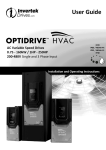
OPTIDRIVE HVAC (Frame Sizes 4 to 7).
Mechanical Mounting
Information can be found on page 9,
section 3.5.
HVAC Display
(Status, Diagnostics, and Programming)
Keypad Operation can be found on
page 13, section 5.1
Control Terminal
Configuration based on factory settings
Safe Torque Off (STO)
Link the terminals as shown above
through the emergency stop circuit
contacts
Supply Voltage
Run / Stop 10K Pot
Close the switch to run (enable)
Open the switch to stop
Motor Cable
For correct cable size, see Technical
Data on page 34, section 11.4.
Observe the maximum permissible
motor cable length.
For Motor cable lengths > 50 metres, an
output filter is recommended.
Use a screened (shielded cable). The
shield should be bonded to earth at
both ends.
Fuses or MCB
Check Drive
Rating info on
Page 34,
section 11.4
PE
L1 L2 L3
AC Supply Connection
200 – 240 Volts + / - 10%
380 – 380 Volts + / - 10%
Check Drive Rating info on Page
34, section 11.2
2
M
www.invertek.co.uk
Motor Connection
Check for Star or Delta Connection.
Enter the Motor Nameplate Data into
the drive Parameters as follows:
Motor Rated Voltage: P1-07
Motor Rated Current: P1-08
Motor Rated Frequency: P1-09
Motor Rated Speed (Optional): P1-10
Optidrive ODV-2 User Guide Revision 1.00
Optidrive HVAC Start Up Guide
OPTIDRIVE HVAC (Frame Sizes 2 and 3).
Mechanical Mounting
Information can be found on page 8,
section 3.4.
HVAC Display
(Status, Diagnostics, and Programming)
Applies to Switched version only
In-built Controls:
Potentiometer (Frequency control)
Forward/Off/Reverse Selector
Power On / Off
Keypad Operation can be found on
page 13, section 5.1.
Control Terminal
Configuration based on factory settings
Safe Torque Off (STO)
Link the terminals as shown above
through the emergency stop circuit
contacts
Applies to non-switched version only
Fuses or MCB
Run / Stop 10K Pot
Check Drive
Rating info on
page 31,
section 11.4.
Close the switch to run (enable)
Open the switch to stop
Motor Cable Sizes
Check the rating information on page
31, section 11.4.
PE
L1 L2 L3
AC Supply Connection
200 – 240 Volts + / - 10%: 1 / 3 Phase
380 – 380 Volts + / - 10%: 3 Phase
M
Check the drive rating information on
page 31, section 11.2.
Motor Connections
Check for Star or Delta connection
according to the motor voltage rating
page 11, section 4.5.
Motor Nameplate Details
Motor Rated Voltage: P1-07
Motor Rated Current: P1-08
Motor Rated Frequency: P1-09
Motor Rated Speed (Optional): P1-10
www.invertek.co.uk
3
Optidrive ODV-2 User Guide Revision 1.00
Declaration of Conformity:
Invertek Drives Ltd hereby states that the Optidrive ODP-2 product range conforms to the relevant safety provisions of the Low Voltage
Directive 2006/95/EC and the EMC Directive 2004/108/EC and has been designed and manufactured in accordance with the following
harmonised European standards:
EN 61800-5-1: 2003
Adjustable speed electrical power drive systems. Safety requirements. Electrical, thermal and energy.
EN 61800-3 2nd Ed: 2004
Adjustable speed electrical power drive systems. EMC requirements and specific test methods
EN 55011: 2007
Limits and Methods of measurement of radio disturbance characteristics of industrial, scientific and
medical (ISM) radio-frequency equipment (EMC)
Specifications for degrees of protection provided by enclosures
EN60529 : 1992
Electromagnetic Compatibility
All Optidrives are designed with high standards of EMC in mind. All versions suitable for operation on Single Phase 230 volt and Three Phase
400 volt supplies and intended for use within the European Union are fitted with an internal EMC filter. This EMC filter is designed to reduce
the conducted emissions back into the supply via the power cables for compliance with harmonised European standards.
It is the responsibility of the installer to ensure that the equipment or system into which the product is incorporated complies with the EMC
legislation of the country of use. Within the European Union, equipment into which this product is incorporated must comply with the EMC
Directive 2004/108/EC. When using an Optidrive with an internal or optional external filter, compliance with the following EMC Categories, as
defined by EN61800-3:2004 can be achieved:
Drive Type / Rating
1 Phase, 230 Volt Input
ODV-2-x2xxx-xxBxx
Cat C1
No additional filtering required
Use shielded motor cable
EMC Category
Cat C2
Cat C3
3 Phase, 400 Volt Input
ODV-2-x4xxx-xxAxx
Note
Use External Filter OD-Fx34x
No additional filtering required
Use screened motor cable
For motor cable lengths greater than 100m, an output dv / dt filter must be used, please refer to the Invertek Stock Drives
Catalogue for further details
All rights reserved. No part of this User Guide may be reproduced or transmitted in any form or by any means, electrical or mechanical
including photocopying, recording or by any information storage or retrieval system without permission in writing from the publisher.
Copyright Invertek Drives Ltd © 2011
All Invertek Optidrive HVAC units carry a 2 year warranty against manufacturing defects from the date of manufacture. The manufacturer
accepts no liability for any damage caused during or resulting from transport, receipt of delivery, installation or commissioning. The
manufacturer also accepts no liability for damage or consequences resulting from inappropriate, negligent or incorrect installation, incorrect
adjustment of the operating parameters of the drive, incorrect matching of the drive to the motor, incorrect installation, unacceptable dust,
moisture, corrosive substances, excessive vibration or ambient temperatures outside of the design specification.
The local distributor may offer different terms and conditions at their discretion, and in all cases concerning warranty, the local distributor
should be contacted first.
The contents of this User Guide are believed to be correct at the time of printing. In the interest of a commitment to a policy of continuous
improvement, the manufacturer reserves the right to change the specification of the product or its performance or the contents of the User
Guide without notice.
This User Guide is for use with version 1.00 Firmware.
User Guide Revision 1.00
Invertek Drives Ltd adopts a policy of continuous improvement and whilst every effort has been made to provide accurate and up to date
information, the information contained in this User Guide should be used for guidance purposes only and does not form the part of any
contract.
4
www.invertek.co.uk
1.
Optidrive ODV-2 User Guide Revision 1.00
Introduction ..................................................................................................................................................................... 6
1.1.
2.
2.1.
2.2.
3.
Parameter Set Overview ................................................................................................................................................................................................ 17
Parameter Group 1 – Basic Parameters ......................................................................................................................................................................... 17
Digital Input Functions ................................................................................................................................................... 19
8.1.
9.
General ........................................................................................................................................................................................................................... 15
Parameters .................................................................................................................................................................... 17
7.1.
7.2.
8.
Keypad Layout and Function .......................................................................................................................................................................................... 13
Drive Operating Displays ................................................................................................................................................................................................ 13
Accessing and Changing Parameter Values .................................................................................................................................................................... 13
Resetting Parameters to Factory Default Settings .......................................................................................................................................................... 14
Resetting Parameters to User Default Settings .............................................................................................................................................................. 14
Changing the Language on the OLED Display ................................................................................................................................................................. 15
Selecting between Hand and Auto Control .................................................................................................................................................................... 15
Commissioning............................................................................................................................................................... 15
6.1.
7.
Grounding the Drive ....................................................................................................................................................................................................... 10
Wiring Precautions ......................................................................................................................................................................................................... 10
Incoming Power Connection .......................................................................................................................................................................................... 10
Drive and Motor Connection .......................................................................................................................................................................................... 11
Motor Terminal Box Connections ................................................................................................................................................................................... 11
Control Terminal Wiring ................................................................................................................................................................................................. 12
Control Terminals Connection Diagram ......................................................................................................................................................................... 12
Control Terminal Connections ........................................................................................................................................................................................ 12
Managing the Keypad .................................................................................................................................................... 13
5.1.
5.2.
5.3.
5.4.
5.5.
5.6.
5.7.
6.
General ............................................................................................................................................................................................................................. 8
Before Installation ............................................................................................................................................................................................................ 8
UL Compliant Installation ................................................................................................................................................................................................. 8
Mechanical dimensions and mounting – Frame Sizes 2 & 3 ............................................................................................................................................. 8
Mechanical dimensions and mounting – Frame Size 4 - 7 ................................................................................................................................................ 9
Guidelines for mounting ................................................................................................................................................................................................... 9
Electrical Installation...................................................................................................................................................... 10
4.1.
4.2.
4.3.
4.4.
4.5.
4.6.
4.7.
4.8.
5.
Drive model numbers ....................................................................................................................................................................................................... 7
Identifying the Drive by Model Number ........................................................................................................................................................................... 7
Mechanical Installation .................................................................................................................................................... 8
3.1.
3.2.
3.3.
3.4.
3.5.
3.6.
4.
Important safety information ........................................................................................................................................................................................... 6
General Information and Ratings ..................................................................................................................................... 7
Digital Input Configuration Parameter P1-13 ................................................................................................................................................................. 19
Extended Parameters ..................................................................................................................................................... 20
9.1.
9.2.
9.3.
9.4.
9.5.
9.6.
9.7.
9.8.
9.9.
Parameter Group 2 - Extended parameters ................................................................................................................................................................... 20
Parameter Group 3 – PID Control ................................................................................................................................................................................... 25
Parameter Group 4 – High Performance Motor Control ................................................................................................................................................ 26
Parameter Group 5 – Communication Parameters ........................................................................................................................................................ 26
Parameter Group 6 – Advance Feature configuration .................................................................................................................................................... 26
Parameter Group 7 – Reserved (not available) .............................................................................................................................................................. 26
Parameter Group 8 – HVAC Function Specific Parameters ............................................................................................................................................. 27
Parameter Group 9 – Advance drive control logic configuration ................................................................................................................................... 28
Parameter Group 0 – Monitoring Parameters (Read Only) ............................................................................................................................................ 29
10. Serial communications ................................................................................................................................................... 32
10.1.
10.2.
RS-485 communications ................................................................................................................................................................................................. 32
Modbus RTU Communications ....................................................................................................................................................................................... 32
11. Technical Data ............................................................................................................................................................... 34
11.1.
11.2.
11.3.
11.4.
Environmental ................................................................................................................................................................................................................ 34
Input voltage ranges ....................................................................................................................................................................................................... 34
Maximum supply ratings for UL compliance .................................................................................................................................................................. 34
Output Power and Current ratings ................................................................................................................................................................................. 34
12. Troubleshooting............................................................................................................................................................. 36
12.1.
Fault messages ............................................................................................................................................................................................................... 36
13. HVAC Specific Feature Setup (Menu 8) ........................................................................................................................... 38
13.1.
13.2.
13.3.
13.4.
13.5.
13.6.
13.7.
13.8.
13.9.
Pump Staging – DOL Cascade ......................................................................................................................................................................................... 38
Pump Staging – Multiple Drive Cascade ......................................................................................................................................................................... 39
Maintenance Interval Set-up and Reset ......................................................................................................................................................................... 40
Load Profile Monitoring Function ................................................................................................................................................................................... 41
Pump Clean Function ..................................................................................................................................................................................................... 42
Pump Stir Function ......................................................................................................................................................................................................... 44
Bypass Control Function ................................................................................................................................................................................................. 44
Fire Mode Function ........................................................................................................................................................................................................ 46
Motor Pre-Heat Function and DC Injection .................................................................................................................................................................... 48
14. PID Control Applications ................................................................................................................................................ 50
14.1.
14.2.
14.3.
Overview ........................................................................................................................................................................................................................ 50
PID Function Set-up ........................................................................................................................................................................................................ 50
Application Example ....................................................................................................................................................................................................... 53
15. Parameter Change Tables .............................................................................................................................................. 54
www.invertek.co.uk
5
Optidrive ODV-2 User Guide Revision 1.00
1. Introduction
1.1. Important safety information
Please read the IMPORTANT SAFETY INFORMATION below, and all Warning and Caution information elsewhere.
Danger : Indicates a risk of electric shock, which, if not
Danger : Indicates a potentially hazardous situation
avoided, could result in damage to the equipment and
other than electrical, which if not avoided, could result
possible injury or death.
in damage to property.
This variable speed drive product (Optidrive) is intended for professional incorporation into complete equipment or systems as part
of a fixed installation. If installed incorrectly it may present a safety hazard. The Optidrive uses high voltages and currents, carries a
high level of stored electrical energy, and is used to control mechanical plant that may cause injury. Close attention is required to
system design and electrical installation to avoid hazards in either normal operation or in the event of equipment malfunction. Only
qualified electricians are allowed to install and maintain this product.
System design, installation, commissioning and maintenance must be carried out only by personnel who have the necessary
training and experience. They must carefully read this safety information and the instructions in this Guide and follow all
information regarding transport, storage, installation and use of the Optidrive, including the specified environmental limitations.
Do not perform any flash test or voltage withstand test on the Optidrive. Any electrical measurements required should be carried
out with the Optidrive disconnected.
Electric shock hazard! Disconnect and ISOLATE the Optidrive before attempting any work on it. High voltages are present at the
terminals and within the drive for up to 10 minutes after disconnection of the electrical supply. Always ensure by using a suitable
multimeter that no voltage is present on any drive power terminals prior to commencing any work.
Where supply to the drive is through a plug and socket connector, do not disconnect until 10 minutes have elapsed after turning off
the supply.
Ensure correct earthing connections. The earth cable must be sufficient to carry the maximum supply fault current which normally
will be limited by the fuses or MCB. Suitably rated fuses or MCB should be fitted in the mains supply to the drive, according to any
local legislation or codes.
Do not carry out any work on the drive control cables whilst power is applied to the drive or to the external control circuits.
Within the European Union, all machinery in which this product is used must comply with Directive 98/37/EC, Safety of Machinery.
In particular, the machine manufacturer is responsible for providing a main switch and ensuring the electrical equipment complies
with EN60204-1.
The level of integrity offered by the Optidrive control input functions (excluding the ‘Safe Torque Free Input’) – for example
stop/start, forward/reverse and maximum speed, is not sufficient for use in safety-critical applications without independent
channels of protection. All applications where malfunction could cause injury or loss of life must be subject to a risk assessment and
further protection provided where needed.
The driven motor can start at power up if the enable input signal is present.
The STOP function does not remove potentially lethal high voltages. ISOLATE the drive and wait 10 minutes before starting any
work on it. Never carry out any work on the Drive, Motor or Motor cable whilst the input power is still applied.
The Optidrive can be programmed to operate the driven motor at speeds above or below the speed achieved when connecting the
motor directly to the mains supply. Obtain confirmation from the manufacturers of the motor and the driven machine about
suitability for operation over the intended speed range prior to machine start up.
Do not activate the automatic fault reset function on any systems whereby this may cause a potentially dangerous situation.
The Optidrive ODP-2 has an Ingress Protection rating of IP55, and are intended for indoor use only
When mounting the drive, ensure that sufficient cooling is provided. Do not carry out drilling operations with the drive in place,
dust and swarf from drilling may lead to damage.
The entry of conductive or flammable foreign bodies should be prevented. Flammable material should not be placed close to the
drive
Relative humidity must be less than 95% (non-condensing).
Ensure that the supply voltage, frequency and no. of phases (1 or 3 phase) correspond to the rating of the Optidrive as delivered.
Never connect the mains power supply to the Output terminals U, V, W.
Do not install any type of automatic switchgear between the drive and the motor
Wherever control cabling is close to power cabling, maintain a minimum separation of 100 mm and arrange crossings at 90 degrees
Ensure that all terminals are tightened to the appropriate torque setting
Do not attempt to carry out any repair of the Optidrive. In the case of suspected fault or malfunction, contact your local Invertek
Drives Sales Partner for further assistance.
6
www.invertek.co.uk
Optidrive ODV-2 User Guide Revision 1.00
2. General Information and Ratings
2.1. Drive model numbers
200-240V ±10% - 1 Phase Input
kW Model
With Filter
ODV-2-22075-1KF1N
ODV-2-22150-1KF1N
ODV-2-22220-1KF1N
200-240V ±10% - 3 Phase Input
kW Model Number
With Filter
ODV-2-22075-3KF1N
ODV-2-22150-3KF1N
ODV-2-22220-3KF1N
ODV-2-32040-3KF1N
ODV-2-42055-3KF1N
ODV-2-42075-3KF1N
ODV-2-42110-3KF1N
ODV-2-52150-3KF1N
ODV-2-52185-3KF1N
ODV-2-62022-3KF1N
ODV-2-62030-3KF1N
ODV-2-62037-3KF1N
ODV-2-62045-3KF1N
ODV-2-72055-3KF1N
ODV-2-72075-3KF1N
ODV-2-72090-3KF1N
380-480V ±10% - 3 Phase Input
kW Model Number
With Filter
ODV-2-24075-3KF1N
ODV-2-24150-3KF1N
ODV-2-24220-3KF1N
ODV-2-24400-3KF1N
ODV-2-34055-3KF1N
ODV-2-34075-3KF1N
ODV-2-44110-3KF1N
ODV-2-44150-3KF1N
ODV-2-44185-3KF1N
ODV-2-44220-3KF1N
ODV-2-54300-3KF1N
ODV-2-54370-3KF1N
ODV-2-54450-3KF1N
ODV-2-64055-3KF1N
ODV-2-64075-3KF1N
ODV-2-64090-3KF1N
ODV-2-64110-3KF1N
ODV-2-74132-3KF1N
ODV-2-74160-3KF1N
kW
HP Model
With Filter
HP
Output
Current (A)
Frame
Size
0.75
1.5
2.2
ODV-2-22010-1HF1N
ODV-2-22020-1HF1N
ODV-2-22030-1HF1N
1
2
3
4.3
7
10.5
2
2
2
kW
HP Model Number
With Filter
HP
Output
Current (A)
Frame
Size
0.75
1.5
2.2
4.0
5.5
7.5
11
15
18.5
22
30
37
45
55
75
90
ODV-2-22010-3HF1N
ODV-2-22020-3HF1N
ODV-2-22030-3HF1N
ODV-2-32050-3HF1N
ODV-2-42075-3HF1N
ODV-2-42100-3HF1N
ODV-2-42150-3HF1N
ODV-2-52020-3HF1N
ODV-2-52025-3HF1N
ODV-2-62030-3HF1N
ODV-2-62040-3HF1N
ODV-2-62050-3HF1N
ODV-2-62060-3HF1N
ODV-2-72075-3HF1N
ODV-2-72100-3HF1N
ODV-2-72120-3HF1N
1
2
3
5
7.5
10
15
20
25
30
40
50
60
75
100
120
4.3
7
10.5
18
25
39
46
61
72
90
110
150
180
202
240
300
2
2
2
3
3
4
4
5
5
5
6
6
6
6
7
7
kW
HP Model Number
With Filter
HP
Output
Current (A)
Frame
Size
0.75
1.5
2.2
4
5.5
7.5
11
15
18.5
22
30
37
45
55
75
90
110
132
160
ODV-2-24010-3HF1N
ODV-2-24020-3HF1N
ODV-2-24030-3HF1N
ODV-2-24050-3HF1N
ODV-2-34075-3HF1N
ODV-2-34100-3HF1N
ODV-2-44150-3HF1N
ODV-2-44200-3HF1N
ODV-2-44250-3HF1N
ODV-2-44300-3HF1N
ODV-2-54040-3HF1N
ODV-2-54050-3HF1N
ODV-2-54060-3HF1N
ODV-2-64075-3HF1N
ODV-2-64100-3HF1N
ODV-2-64150-3HF1N
ODV-2-64160-3HF1N
ODV-2-74200-3HF1N
ODV-2-74250-3HF1N
1
2
3
5
7.5
10
15
20
25
30
40
50
60
75
100
150
160
200
250
2.2
4.1
5.8
9.5
14
18
25
30
39
46
61
72
90
110
150
180
202
240
300
2
2
2
2
3
3
4
4
4
4
5
5
5
6
6
6
6
7
7
2.2. Identifying the Drive by Model Number
Each drive can be identified by its model number, shown below. The model number is on the shipping label and the drive nameplate. The
model number includes the drive and factory fitted options.
www.invertek.co.uk
7
Optidrive ODV-2 User Guide Revision 1.00
3. Mechanical Installation
3.1. General
•
•
•
•
•
•
The Optidrive should be mounted in a vertical position only on a flat, flame resistant vibration free mounting using the integral holes.
The Optidrive must be installed in a pollution degree 1 or 2 environment only.
Do not mount flammable material close to the Optidrive
Ensure that the minimum cooling air gaps, as detailed in section 3.6 are left clear
Ensure that the ambient temperature range does not exceed the permissible limits for the Optidrive given in section 11.1
Provide suitable clean, moisture and contaminant free cooling air sufficient to fulfil the cooling requirements of the Optidrive
according to section 11.2
3.2. Before Installation
•
•
•
Carefully Unpack the Optidrive and check for any signs of damage. Notify the shipper immediately if any exist.
Check the drive rating label to ensure it is of the correct type and power requirements for the application.
Store the Optidrive in its box until required. Storage should be clean and dry and within the temperature range –40°C to +60°C
3.3. UL Compliant Installation
Note the following for UL-compliant installation:
•
The drive can be operated within an ambient temperature range as stated in section 11.1
•
Installation in a pollution degree 2 environmant is permissible
•
UL Listed ring terminals / lugs must be used for all bus bar and grounding connections
3.4. Mechanical dimensions and mounting – Frame Sizes 2 & 3
Drive
Size
A
mm
257.0
310.0
B
in
10.12
12.20
mm
220.0
276.5
D
in
8.67
10.89
mm
200.0
251.5
E
in
7.87
9.90
mm
28.5
33.4
2
3
Control Terminal Torque Settings of 0.5 Nm (4.5 lb-in)
Power Terminal Torque Settings of 1 Nm (9 lb-in)
8
F
in
1.12
1.31
mm
238
256
G
in
9.37
10.08
www.invertek.co.uk
mm
188.0
210.5
H
in
7.40
8.29
mm
176.0
197.5
I
in
6.93
7.78
mm
4.2
4.2
J
in
0.17
0.17
mm
8.5
8.5
in
0.33
0.33
Optidrive ODV-2 User Guide Revision 1.00
3.5. Mechanical dimensions and mounting – Frame Size 4 - 7
Drive
Size
4
5
6
7
A
B
C
D
E
F
G
H
I
mm
in
mm
in
mm
in
mm
in
mm
in
mm
in
mm
in
mm
in
mm
in
440
540
865
1280
17.32
21.26
34.06
50.39
418
515
830
1245
16.46
20.28
32.68
49.02
423
520
840
1255
16.65
20.47
33.07
49.41
8
8
10
10
0.315
0.315
0.394
0.394
230
270
340
370
9.06
10.63
13.39
14.57
173
235
290
330
6.81
9.25
11.42
12.99
110
175
200
200
4.33
6.89
7.87
7.87
4.25
4.25
5.5
5.5
0.167
0.167
0.217
0.217
7.5
7.5
11
11
0.295
0.295
0.433
0.433
3.6. Guidelines for mounting
•
•
•
•
Before mounting the drive, ensure that the chosen location meets the environmental condition requirements for the drive shown in
section 11.1
The drive must be mounted vertically, on a suitable flat surface
The minimum mounting clearances as shown in the table below must be observed
The mounting site and chosen mountings should be sufficient to support the weight of the drives
Drive
X
Y
Size
Above &
Either
Below
Side
4
5
6
7
mm
in
mm
in
200
200
200
200
7.87
7.87
7.87
7.87
10
10
10
10
0.394
0.394
0.394
0.394
Note :
Typical drive heat losses are 3% of operating load
conditions.
Above are guidelines only and the operating ambient
temperature of the drive MUST be maintained at all
times.
www.invertek.co.uk
9
Optidrive ODV-2 User Guide Revision 1.00
4. Electrical Installation
4.1. Grounding the Drive
This manual is intended as a guide for proper installation. Invertek Drives Ltd cannot assume responsibility for the compliance or
the non-compliance to any code, national, local or otherwise, for the proper installation of this drive or associated equipment. A
hazard of personal injury and/or equipment damage exists if codes are ignored during installation.
This Optidrive contains high voltage capacitors that take time to discharge after removal of the main supply. Before working on
the drive, ensure isolation of the main supply from line inputs. Wait ten (10) minutes for the capacitors to discharge to safe
voltage levels. Failure to observe this precaution could result in severe bodily injury or loss of life.
Only qualified electrical personnel familiar with the construction and operation of this equipment and the hazards involved
should install, adjust, operate, or service this equipment. Read and understand this manual and other applicable manuals in
their entirety before proceeding. Failure to observe this precaution could result in severe bodily injury or loss of life.
4.1.1. Grounding Guidelines
The ground terminal of each Optidrive should be individually connected DIRECTLY to the site ground bus bar (through the filter if installed).
Optidrive ground connections should not loop from one drive to another, or to, or from any other equipment. Ground loop impedance must
confirm to local industrial safety regulations. To meet UL regulations, UL approved ring crimp terminals should be used for all ground wiring
connections.
The drive Safety Ground must be connected to system ground. Ground impedance must conform to the requirements of national and local
industrial safety regulations and/or electrical codes. The integrity of all ground connections should be checked periodically.
4.1.2. Protective Earth Conductor
The Cross sectional area of the PE Conductor must be at least equal to that of the incoming supply conductor.
4.1.3. Safety Ground
This is the safety ground for the drive that is required by code. One of these points must be connected to adjacent building steel (girder, joist),
a floor ground rod, or bus bar. Grounding points must comply with national and local industrial safety regulations and/or electrical codes.
4.1.4. Motor Ground
The motor ground must be connected to one of the ground terminals on the drive.
4.1.5. Ground Fault Monitoring
As with all inverters, a leakage current to earth can exist. The Optidrive is designed to produce the minimum possible leakage current whilst
complying with worldwide standards. The level of current is affected by motor cable length and type, the effective switching frequency, the
earth connections used and the type of RFI filter installed. If an ELCB (Earth Leakage Circuit Breaker) is to be used, the following conditions
apply: •
A Type B Device must be used
•
The device must be suitable for protecting equipment with a DC component in the leakage current
•
Individual ELCBs should be used for each Optidrive
4.1.6. Shield Termination (Cable Screen)
The safety ground terminal provides a grounding point for the motor cable shield. The motor cable shield connected to this terminal (drive
end) should also be connected to the motor frame (motor end). Use a shield terminating or EMI clamp to connect the shield to the safety
ground terminal.
4.2. Wiring Precautions
Connect the Optidrive according to section 4.3 and 4.4, ensuring that motor terminal box connections are correct. There are two connections
in general: Star and Delta. It is essential to ensure that the motor is connected in accordance with the voltage at which it will be operated. For
more information, refer to section 4.5 Motor Terminal Box Connections.
It is recommended that the power cabling should be 4-core PVC-insulated screened cable, laid in accordance with local industrial regulations
and codes of practice.
4.3. Incoming Power Connection
•
•
•
•
•
•
•
•
•
10
For a single phase supply, power should be connected to L1/L, L2/N.
For 3 phase supplies power should be connected to L1, L2, and L3. Phase sequence is not important.
For compliance with CE and C Tick EMC requirements, a symmetrical shielded cable is recommended.
A fixed installation is required according to IEC61800-5-1 with a suitable disconnecting device installed between the Optidrive and
the AC Power Source. The disconnecting device must conform to the local safety code / regulations (e.g. within Europe, EN60204-1,
Safety of machinery).
The cables should be dimensions according to any local codes or regulations. Guideline dimensions are given in section 11.4.
Suitable fuses to provide wiring protection of the input power cable should be installed in the incoming supply line, according to the
data in section 11.4. The fuses must comply with any local codes or regulations in place. In general, type gG (IEC 60269) or UL type T
fuses are suitable; however in some cases type aR fuses may be required. The operating time of the fuses must be below 0.5
seconds.
Where allowed by local regulations, suitably dimensioned type B MCB circuit breakers of equivalent rating may be utilised in place of
fuses, providing that the clearing capacity is sufficient for the installation.
When the power supply is removed from the drive, a minimum of 30 seconds should be allowed before re-applying the power. A
minimum of 10 minutes should be allowed before removing the terminal covers or connection.
The maximum permissible short circuit current at the Optidrive Power terminals as defined in IEC60439-1 is 100kA.
www.invertek.co.uk
•
•
•
Optidrive ODV-2 User Guide Revision 1.00
An optional Input Choke is recommended to be installed in the supply line for drives where any of the following conditions occur:o The incoming supply impedance is low or the fault level / short circuit current is high
o The supply is prone to dips or brown outs
o An imbalance exists on the supply (3 phase drives)
o The power supply to the drive is via a busbar and brush gear system (typically overhead Cranes).
In all other installations, an input choke is recommended to ensure protection of the drive against power supply faults. Part numbers
are shown in the table.
Optidrive HVAC models in frame sizes 4 to 7 are factory fitted with an Input choke as standard.
Supply
Frame Size
AC Input Inductor
230 Volt
2
OD-IL221-IN-I55
1 Phase
2
OD-IL-263-IN-I55
230 / 400 Volt
3 Phase
3
OD-IL-363-IN-I55(1)
(1) : Not for use on 400V, 7.5kW, FS3 units
4.4. Drive and Motor Connection
•
•
•
•
•
•
The motor should be connected to the Optidrive U, V, and W terminals using a suitable 3 or 4 core cable. Where a 3 core cable is
utilised, with the shield operating as an earth conductor, the shield must have a cross sectional area at least equal to the phase
conductors when they are made from the same material. Where a 4 core cable is utilised, the earth conductor must be of at least
equal cross sectional area and manufactured from the same material as the phase conductors.
The motor earth must be connected to one of the Optidrive earth terminals.
For compliance with the European EMC directive, a suitable screened (shielded) cable should be used. Braided or twisted type
screened cable where the screen covers at least 85% of the cable surface area, designed with low impedance to HF signals are
recommended as a minimum. Installation within a suitable steel or copper tube is generally also acceptable.
The cable screen should be terminated at the motor end using an EMC type gland allowing connection to the motor body through
the largest possible surface area
Where drives are mounted in a steel control panel enclosure, the cable screen may be terminated directly to the control panel using
a suitable EMC clamp or gland, as close to the drive as possible.
For IP55 drives, connect the motor cable screen to the internal ground clamp
4.5. Motor Terminal Box Connections
Most general purpose motors are wound for operation on dual voltage supplies. This is indicated on the nameplate of the motor
This operational voltage is normally selected when installing the motor by selecting either STAR or DELTA connection. STAR always gives the
higher of the two voltage ratings.
Incoming Supply Voltage
Motor Nameplate Voltages
230
230 / 400
Connection
Delta
400
400 / 690
400
230 / 400
www.invertek.co.uk
Star
11
Optidrive ODV-2 User Guide Revision 1.00
4.6. Control Terminal Wiring
•
•
•
•
All analog signal cables should be suitably shielded. Twisted pair cables are recommended.
Power and Control Signal cables should be routed separately where possible, and must not be routed parallel to each other
Signal levels of different voltages e.g. 24 Volt DC and 110 Volt AC, should not be routed in the same cable.
Maximum control terminal tightening torque is 0.5Nm
4.7. Control Terminals Connection Diagram
Control Terminal Designations and Default Function Assignments
+24 Volt Control Circuit Supply
or external 24 Volt Power Supply
Stop / Run (Enable)
Programmable Relay Output
Drive Healthy
Analog Ref / Preset Speed 1
Remote Control / Local Control
Programmable Relay Output
Drive Running
Programmable Analog Output
Programmable Analog Inputs
Output Speed
Output Current
External Safety Circuit for Safe
Torque Off function
4.8. Control Terminal Connections
1
2
3
4
5
6
7
8
9
10
11
12
13
+24V
DI 1
DI 2
DI 3
+10V
AI 1
0V
AO1
0V
AI 2
AO2
STO+
STO-
14
15
16
17
18
RL1-C
RL1-NO
RL1-NC
RL2-A
RL2-B
12
Main Terminal Strip
+ 24V User Output (Input)
100mA User Output or +24V back up supply.
Input 1
Digital 8 – 30 Volt DC
Input 2
Digital 8 – 30 Volt DC
Input 3
Digital 8 – 30 Volt DC
+ 10 Volt User Output
10mA for user potentiometer
Input 4
Digital 8 - 30V DC / Analog Input 1, -10 to +10V, 0 / 4 to 20mA
0 Volt Common
Output 1
1st Analog / Digital Output, 0 to 10V, 4 to 20mA or +24VDC Digital
0 Volt Common
Input 5
Digital 8 - 30V DC / Analog Input 2, 0 to 10V, 0 / 4 to 20mA or Motor PTC
Output 2
2nd Analog / Digital Output, 0 to 10V, 4 to 20mA or +24VDC Digital
Drive hardware inhibit
“Safe” 24V input - must be linked to ext +24 Volt (18 – 30 Volt) DC to enable power stage
Inhibit 0V input
0V return for the 24V “Safe” (STO)
Additional Terminal Strip
Relay Output 1 Common
Relay contacts, 250V AC, 30V DC, 5A
Relay Output 1 NO
Relay contacts, 250V AC, 30V DC, 5A
Relay Output 1 NC
Relay contacts, 250V AC, 30V DC, 5A
Relay Output 2 Common
Relay contacts, 250V AC, 30V DC, 5A
Relay Output 2 NO
Relay contacts, 250V AC, 30V DC, 5A
www.invertek.co.uk
Optidrive ODV-2 User Guide Revision 1.00
5. Managing the Keypad
The drive is configured and its operation monitored via the built in keypad and OLED display.
5.1. Keypad Layout and Function
OLED Display
Main Displayed Parameter
Shows which of the selectable
parameters is currently being shown on
the main display, e.g. Motor Speed,
Motor Current etc.
Control Keypad
Provides access to the drive parameters,
and also allows control of the drive
when Hand operation is selected.
Navigate Button
Used to display real-time information, to
access and exit parameter edit mode
and to store parameter changes
Operating Information
Provides a real time display of key
operating information, e.g. output
current and power
Start Button
When in Hand mode, used to Start the
drive.
Up Button
Used to increase speed in real-time
mode or to increase parameter values in
parameter edit mode
Stop / Reset Button
Used to reset a tripped drive.
When in Hand mode, used to Stop the
drive.
Down Button
Used to decrease speed in real-time
mode or to decrease parameter values
in parameter edit mode
Hand Button
Used to place drive in Hand (keypad)
mode.
Auto Button
Used to place drive in Auto (Remote)
mode.
5.2. Drive Operating Displays
Displayed when the Safe Torque
Off function is activate
Displayed when the drive power
is applied, motor stopped
Drive operating, display showing
output information
Drive trip display showing trip
condition
5.3. Accessing and Changing Parameter Values
Hold navigate button in for >1
sec
Use up and down keys to scroll to
required parameter.
Presss / release navigate button
when required parameter shown
www.invertek.co.uk
Use up and down keys to edit
parameter value.
13
Optidrive ODV-2 User Guide Revision 1.00
5.4. Resetting Parameters to Factory Default Settings
Hold down the Up, Down, Start and
Stop keys for >2s
The display shows P-Def. Drive is
returned to factory settings. Press
the Stop key
Note: Parameters cannot be defaulted whilst P2-39=1 (parameter set locked).
5.5. Resetting Parameters to User Default Settings
The current parameter settings of the drive can be stored internally within the drive as the standard default settings. This does not affect the
procedure for returning the drive to factory default settings as described above.
P6-29 (Save user parameters as default) can be enabled (set to 1) to invoke a parameter save of the current parameter values as the standard
defaults for the drive. Parameter menu group 6 can only be accessed with advanced security level access (Default P1-14=201).
Hold down the Up, Down, and Stop
keys for >2s
The display shows P-Def. Drive is
returned to User Standard settings.
Press the Stop key
Note: Parameters cannot be defaulted whilst P2-39=1 (parameter set locked).
14
www.invertek.co.uk
Optidrive ODV-2 User Guide Revision 1.00
5.6. Changing the Language on the OLED Display
Hold down the Start, Navigate, and
Up keys for >1s
Use the Up and Down arrows to
select a language. Press the
Navigate button to select.
5.7. Selecting between Hand and Auto Control
A = Auto
H = Hand
The active control source is shown on the
OLED display.
Use the Hand and Auto buttons on the
keypad to switch between control sources
Hand mode permits drive control directly
from the drive keypad.
Auto mode control source is configured
with Parameter P1-12 (Control Mode)
6. Commissioning
6.1. General
The following guidlines apply to all applications
6.1.1. Entering the motor nameplate information
Optidrive HVAC uses the information from the motor nameplate to
•
Operate the motor with the best possible efficiency level
•
Protect the motor against possible damage due to operation in overload condition
In order to acheive this, the Optidrive requires that the following information from the motor nameplate is entered into the parameters :P1-07 Motor Rated Voltage. This is the operating voltage for the motor in it’s present wiring configuration (Star or Delta). The maximum
output voltage from the Optidrive can never exceed the incoming supply voltage.
P1-08 Motor Rated Current. This is the full load current of the motor from the nameplate
P1-09 Motor Rated Frequency. This is the standard operating frequency of the motor, generally 50 or 60Hz
P1-10 Motor Rated Speed. This parameter can optionally be set to the RPM shown on the motor nameplate. When this parameter is entered,
all speed related parameters in the drive are displayed in RPM. When the parameter is set to zero, all speed related parameters are displayed
in Hz.
6.1.2. Minimum and Maximum Frequencies / Speeds
Optidrive HVAC units are factory set to operate the motor from zero up to base speed (50 or 60Hz output). In general, this operating range is
suitable for a wide range of requirements, however in some cases it may be desired to adjust these limits, e.g where the maximum speed of a
www.invertek.co.uk
15
Optidrive ODV-2 User Guide Revision 1.00
fan or pump may provide excessive flow, or where operation below a certain speed is never required. In this case, the following parameters
can be adjusted to suit the application :P1-01 Maximum Frequency. In general this should match the motor rated frequency. If operation above this frequency is desired,
confirmation from the motor manufacturer, and the manufacturer of any connected fan or pump should be sought that this is permissable,
and will not cause damage to the equipment.
P1-02 Minimum Frequency. A suitable minimum can be set to prevent the motor operating at low speed, which may cause the motor to
overheat. In some applications, such as a pump circulating water through a boiler, it may be necessary to set a speed to ensure the boiler does
not run dry during operation.
16
www.invertek.co.uk
Optidrive ODV-2 User Guide Revision 1.00
7. Parameters
7.1. Parameter Set Overview
The Optidrive HVAC Parameter set consists of 9 groups as follows:
•
Group 1 – Basic Parameter Set
•
Group 2 – Extended Parameter Set
•
Group 3 – User PID Control Parameter Set
•
Group 4 – Motor Control Parameters
•
Group 5 – Field Bus Communications Parameter Set
•
Group 6 – Reserved (Advanced Features: See advanced user guide)
•
Group 7 – Reserved (Not Available)
•
Group 8 – HVAC Specific Functions Parameter Set
•
Group 9 –Advanced Drive Control Logic (Advanced Features: See advanced user guide)
•
Group 0 –Monitoring and Diagnostic Parameters (Read Only)
When the Optidrive is reset to factory defaults, or is in its factory supplied state, only Group 1 Parameters can be accessed. In order to allow
access to parameters from the higher level groups, P1-14 must be set to the same value as P2-40 (Default setting = 101). With this setting,
parameter groups 1 – 5 and group 8 can be accessed, along with the first 39 parameters in Group 0. These parameters are listed in the tables
below.
For advanced parameter access, P1-14 can be set to the same value as P6-30 (Default setting = 201) , which allows access to all parameter
groups and ranges. Advanced parameter descriptions are listed in the advanced user guide.
Values given in brackets () are default settings for horsepower rated drive models.
7.2. Parameter Group 1 – Basic Parameters
P1-01
P1-02
P1-03
P1-04
P1-05
P1-06
P1-07
P1-08
Maximum Frequency / Speed Limit
Minimum
P1-02
Maximum
120.0
Units
Hz / Rpm
Default
50.0 (60.0)
Maximum output frequency or motor speed limit – Hz or rpm.
If P1-10 >0, the value entered / displayed is in Rpm
Minimum Frequency / Speed Limit
Minimum
0.0
Maximum
P1-01
Units
Hz / Rpm
Default
0.0
Minimum speed limit – Hz or RPM.
If P1-10 >0, the value entered / displayed is in Rpm
Acceleration Ramp Time
Minimum
0.0
Maximum
6000.0
Units
Seconds
Default
30.0
Acceleration ramp time from 0 to base speed (P-1-09) in seconds.
Deceleration Ramp Time
Minimum
0.0
Maximum
6000.0
Units
Seconds
Default
30.0
Deceleration ramp time from base speed (P1-09) to standstill in seconds. When set to zero, fastest possible ramp time without trip is
activated
Stopping mode
Minimum
0
Maximum
1
Units
Default
0
0 : Ramp To Stop. When the enable signal is removed, the drive will ramp to stop, with the rate controlled by P1-04 as described
above.
1 : Coast to Stop. When the enable signal is removed the motor will coast (freewheel) to stop
Energy optimiser
Minimum
0
Maximum
1
Units
Default
0
0 : Disabled
1 : Enabled. When enabled, the Energy Optimiser attempts to reduce the overall energy consumed by the drive and motor when
operating at constant speeds and light loads. The output voltage applied to the motor is reduced. The Energy Optimiser is intended
for applications where the drive may operate for some periods of time with constant speed and light motor load.
Motor rated voltage
Minimum
0
Maximum
250 / 500
Units
Volts
Default
230 / 400 (460)
This parameter should be set to the rated (nameplate) voltage of the motor (Volts)
Motor rated current
[Drive
Drive Rated
100% of drive rated current
Maximum
Minimum
Units
Amps
Default
Dependant]
P1-09
Current
This parameter should be set to the rated (nameplate) current of the motor
Parameter Range: Frame size 2,
min 10% to max 100% of drive rated current
Frame size 3 to 7, min 20% to max 100% of drive rated current
Motor rated frequency
Minimum
25
Maximum
120
Units
Hz
Default
This parameter should be set to the rated (nameplate) frequency of the motor
www.invertek.co.uk
in Amps
50 (60)
17
P1-10
P1-11
Optidrive ODV-2 User Guide Revision 1.00
Motor rated speed
Minimum
0
Maximum
7200
Units
Rpm
Default
0
This parameter can optionally be set to the rated (nameplate) rpm of the motor. When set to the default value of zero, all speed
related parameters are displayed in Hz, and the slip compensation for the motor is disabled. Entering the value from the motor
nameplate enables the slip compensation function, and the Optidrive display will now show motor speed in estimated rpm. All speed
related parameters, such as Minimum and Maximum Speed, Preset Speeds etc will also be displayed in Rpm.
V/F Mode Voltage Boost
Minimum
0.1
Maximum
15 – 30%
Units
%
Default
0.5 – 2.5%
[Drive Dependant]
P1-12
P1-13
P1-14
18
[Drive Dependant]
Voltage boost is used to increase the applied motor voltage at low output frequencies, in order to improve low speed and starting
torque. Excessive voltage boost levels may result in increased motor current and temperature, and force ventilation of the motor may
be required.
An automatic setting (Auto) is also possible, whereby the Optidrive will automatically adjust this parameter based on the motor
parameters measured during an auto-tune (See Parameter P4-02).
Primary Control Source
Minimum
0
Maximum
5
Units
Default
0
0: Terminal Control. The drive responds directly to signals applied to the control terminals.
1: Uni-directional Keypad Control. The drive can be controlled in the forward direction only using the internal or remote Keypad
2: Bi-directional Keypad Control. The drive can be controlled in the forward and reverse directions using the internal or remote
Keypad. Pressing the keypad START button toggles between forward and reverse.
3: PID Control. The output frequency is controlled by the internal PID controller.
4: Fieldbus Control by the selected Fieldbus (Group 5 Parameters)
5: Slave Mode. The drive acts as a Slave to a connected Optidrive operating in Master Mode
Digital inputs function select
Minimum
0
Maximum
13
Units
Default
1
Defines the function of the digital inputs. When set to 0 the inputs are user defined using group 9 parameters or the PLC software
function in the OptiTools Studio software package. When set to a value other than 0 the digital input configuration is defined by
digital input definition table (see section 8.1)
Extended Menu Access code
Minimum
0
Maximum
30000
Units
Default
0
Parameter Access Control. The following settings are applicable :
P1-14 <> P2-40 and P1-14 <> P6-30: Allows access to Parameter Group 1 only
P1-14 = P2-40 (101 default): Allows access to Parameter Groups 0 – 5 and group 8
P1-14 = P6-30 (201 default): Allows access to Parameter Groups 0 - 9
www.invertek.co.uk
Optidrive ODV-2 User Guide Revision 1.00
8. Digital Input Functions
8.1. Digital Input Configuration Parameter P1-13
P1-13
*(2)
0
Local (Hand)
Control Function
N/A
*(3)
1
2
Analog Input 2
3
4
5
6
Preset Speeds
7
8
*(3)
9
*(3)
10
11
12
13
Keypad Speed
Reference
Digital Input 1
(Terminal 2)
Digital Input 2
(Terminal 3)
Digital Input 3 Analog Input 1
(Terminal 4)
(Terminal 6)
Analog Input 2
(Terminal 10)
All functions User defined in Menu 9 or configured through PLC function in OptiTools studio software
suite.
O: Normal Operation
O: Stop
O: Remote Ctrl
C: Preset 1 / PI Set-point
Analog In 1
Analog In 2
C: Run / Enable
C: Local Ctrl
2
O: No Function
O: Stop (Disable)
O: Remote Ctrl
Analog In 1
Analog In 2
C: Momentary Start C: Run Permit
C: Local Ctrl
O: Stop
O: Forward
O: Remote Ctrl
Analog In 1
Analog In 2
C: Run / Enable
C: Reverse
C: Local Ctrl
*(1)
O: Remote Ctrl
O: Stop
O: Fire Mode
Analog In 1
Analog In 2
* (1)
C: Normal Operation
C: Local Ctrl
C: Run / Enable
O: Stop
O: Preset Speed 1
O: Remote Ctrl
O: Ext Trip
Analog In 1
C: Run / Enable
C: Preset Speed 2
C: Local Ctrl
C: Normal Operation
O: No Function
O: Stop (Disable)
O: Remote Ctrl
O: Preset 1
Analog In 1
C: Momentary Start C: Run Permit
C: Local Ctrl
C:Preset 2l
O: Stop
O: Forward
O: Remote Ctrl
O: Preset 1
Analog In 1
C: Run / Enable
C: Reverse
C: Local Ctrl
C:Preset 2
*(1)
O: Stop
O: Fire Mode
O: Remote Ctrl
O: Preset 1
Analog In 1
* (1)
C: Run / Enable
C: Normal Operation
C: Local Ctrl
C:Preset 2
O: Normal Operation
O: Stop
O: Remote Ctrl
C: Preset 1 / PI Set-point
Analog In 1
Analog In 2
C: Run / Enable
C: Local Ctrl
2
O: Normal Operation
O: Stop
O: Remote Ctrl
O: Ext Trip
C: Preset 1 / PI Set-point
Analog In 1
C: Run / Enable
C: Local Ctrl
C: Normal Operation
2
O: No Function
O: Stop (Disable)
O: Remote Ctrl
Analog In 1
Analog In 2
C: Momentary Start C: Run Permit
C: Local Ctrl
O: Stop
O: Forward
O: Remote Ctrl
Analog In 1
Analog In 2
C: Run Fwd
C: Reverse
C: Local Ctrl
*(1)
O: Stop
O: Fire Mode
O: Remote Ctrl
Analog In 1
Analog In 2
* (1)
C: Run Fwd
C: Normal Operation
C: Local Ctrl
Notes
When Input 3 is Closed:
Speed Reference =
Analog Input 2
Start Command = Input 1
In PI Mode, Analog Input
1 must be used for
feedback
When Input 3 is Closed:
Speed Reference =
Preset Speed 1 / 2
Start Command = Input 1
When Input 3 is Closed:
Speed Reference =
Keypad
Start Command =
Determined by P2-37
Notes
*(1): Logic shown is as per the default setting. Fire mode logic can be configured through parameter P8-09.
*(2): Default setting for P1-13 = 1
*(3): When the drive is in PID control (P1-12 = 3) and digital preset reference is selected (P3-05 = 0) then P1-13 can be set to 1, 9, or 10 to allow
selection between two independent digital references using digital input 2. Digital preset reference 1 and 2 are set in P3-06 and P3-15
respectively.
Note: “Motor thermistor trip” connection is via analog input 2 and is configured by parameter P2-33 (Ptc-th). The “External trip” input is no
longer utilised for the thermistor input (this is different to the ODP drive and E2 drive).
www.invertek.co.uk
19
Optidrive ODV-2 User Guide Revision 1.00
9. Extended Parameters
9.1. Parameter Group 2 - Extended parameters
P2-01
P2-02
P2-03
P2-04
P2-05
P2-06
P2-07
P2-08
P2-09
P2-10
Note:
20
Preset Speed 1
Minimum
-P1-01
Maximum
P1-01
Units
Hz / Rpm
Default
5.0
Preset speed 1 is selected by configuring P1-13 to an option that permits logic selection, by using the user defined logic
configuration parameters in menu 9 (P9-21 to P9-23), or selection configured through the drive PLC function using the OptiTools
Studio Suite PC software.
Preset Speed 2
Minimum
-P1-01
Maximum
P1-01
Units
Hz / Rpm
Default
10.0
Preset speed 2 is selected by configuring P1-13 to an option that permits logic selection, by using the user defined logic
configuration parameters in menu 9 (P9-21to P9-23), or selection configured through the drive PLC function using the OptiTools
Studio Suite PC software.
Preset Speed 3
Minimum
-P1-01
Maximum
P1-01
Units
Hz / Rpm
Default
25.0
Preset speed 3 is selected using the user defined logic configuration parameters in menu 9 (P9-21 – P9-23), or selection configured
through the drive PLC function using the OptiTools Studio Suite PC software.
Preset Speed 4
Minimum
-P1-01
Maximum
P1-01
Units
Hz / Rpm
Default
50.0 (60.0)
Preset speed 4 is selected using the user defined logic configuration parameters in menu 9 (P9-21 – P9-23), or selection configured
through the drive PLC function using the OptiTools Studio Suite PC software.
Preset Speed 5 (Pump Clean Speed 1)
Minimum
-P1-01
Maximum
P1-01
Units
Hz / Rpm
Default
0.0
Preset speed 5 is automatically reference by the clean function when this function is enabled. See section 13.5, Pump clean
function. When clean function is disabled Preset speed 5 can be selected as per normal operation and is selected using the user
defined logic configuration parameters in menu 9 (P9-21 to P9-23), or selection configured through the drive PLC function using the
OptiTools Studio Suite PC software.
Preset Speed 6 (Pump Clean Speed 2)
Minimum
-P1-01
Maximum
P1-01
Units
Hz / Rpm
Default
0.0
Preset speed 6 is automatically reference by the clean function when this function is enabled. See section 13.5, Pump clean
function. When clean function is disabled Preset speed 6 can be selected as per normal operation and is selected using the user
defined logic configuration parameters in menu 6 (P9-21 to P9-23), or selection configured through the drive PLC function using the
OptiTools Studio Suite PC software.
Preset Speed 7 (Boost Speed 1 / Pump Stir Speed)
Minimum
-P1-01
Maximum
P1-01
Units
Hz / Rpm
Default
0.0
Preset speed 7 is automatically referenced by the start / stop boost function, or the Pump Stir Function, when these functions are
enabled. See section 13.6, Pump Stir function and section 14, PID control applications. When HVAC functions are disabled Preset
speed 7 can be selected as per normal operation and is selected using the user defined logic configuration parameters in menu 6
(P9-21 – P9-23), or selection configured through the drive PLC function using the OptiTools Studio Suite PC software.
Preset Speed 8 (Boost Speed 2)
Minimum
-P1-01
Maximum
P1-01
Units
Hz / Rpm
Default
0.0
Preset speed 8 is automatically reference by the start / stop boost function when this function is enabled. See section 14, PID
control applications. When boost function is disabled Preset speed 8 can be selected as per normal operation (and is selected using
the user defined logic configuration parameters in menu 6 (P9-21 to P9-23), or selection configured through the drive PLC function
using the OptiTools Studio Suite PC software.
Skip Frequency Centre Point
Minimum
P1-02
Maximum
P1-01
Units
Hz / Rpm
Default
0.0
Skip Frequency Band Width
Minimum
0.0
Maximum
P1-01
Units
Hz / Rpm
Default
0.0
The Skip Frequency function is used to prevent continuous operation of a motor within a defined output frequency bandwidth.
Parameter P2-09 defines the centre point of the skip frequency band, and is used in conjunction with P2-10 to set the bandwidth.
The Optidrive output frequency will ramp through the defined band at the rate set in P1-03 and P1-04, but will not maintain any
output frequency within the defined output band. Whilst the frequency reference applied to the drive is within the band, the
Optidrive output frequency will remain at the upper or lower limit of the band until a valid speed reference is detected.
www.invertek.co.uk
P2-11
Note:
P2-12
P2-13
Note:
P2-14
Optidrive ODV-2 User Guide Revision 1.00
Analog Output 1 (Terminal 8) Function Select
Minimum
0
Maximum
11
Units
Default
8
Digital Output Mode. Logic 1 = +24V DC
0 : Drive Enabled (Running). Logic 1 when the Optidrive is enabled (Running)
1: Drive Healthy. Logic 1 When no Fault condition exists on the drive
2 : At Target Frequency (Speed). Logic 1 when the output frequency matches the set-point frequency
3 : Output Frequency > 0.0. Logic 1 when the motor runs above zero speed
4 : Output Frequency >= Limit. Logic 1 when the motor speed exceeds the adjustable limit
5 : Output Current >= Limit. Logic 1 when the motor current exceeds the adjustable limit
6 : Reserved. No Function
7 : Analog Input 2 Signal Level >= Limit. Logic 1 when the signal applied to the Analog Input 2 exceeds the adjustable limit
Analog Output Mode (Format set in P2-12)
8 : Output Frequency (Motor Speed). 0 to P-01
9 : Output (Motor) Current. 0 to 200% of P1-08
10 : Reserved. No Function
11 : Output (Motor) Power. 0 to 150% of drive rated power
When using settings 4 – 7, parameters P2-16 and P2-17 are used to control the output behaviour. The output will switch to Logic 1
when the selected signal exceeds the value programmed in P2-16, and return to Logic 0 when the signal falls below the value
programmed in P2-17.
Analog Output 1 (Terminal 8) Format
Minimum
Maximum
Units
Default
U 0-10
U 0-10 = 0 to10V,
U 10-0 = 10 to 0V,
A 0-20 = 0 to 20mA
A 20-0 = 20to 0mA
A 4-20 = 4 to 20mA
A 20-4 = 20 to 4mA
Analog Output 2 (Terminal 11) Function Select
Minimum
0
Maximum
11
Units
Default
9
Digital Output Mode. Logic 1 = +24V DC
0 : Drive Enabled (Running). Logic 1 when the Optidrive is enabled (Running)
1 : Drive Healthy. Logic 1 When no Fault condition exists on the drive
2 : At Target Frequency (Speed). Logic 1 when the output frequency matches the set-point frequency
3 : Output Frequency > 0.0. Logic 1 when the motor runs above zero speed
4 : Output Frequency >= Limit. Logic 1 when the motor speed exceeds the adjustable limit
5 : Output Current >= Limit. Logic 1 when the motor current exceeds the adjustable limit
6 : Reserved. No Function
7 : Analog Input 2 Signal Level >= Limit. Logic when the signal applied to the Analog Input 2 exceeds the adjustable limit
Analog Output Mode (Format set in P2-14)
8 : Output Frequency (Motor Speed). 0 to P-01
9 : Output (Motor) Current. 0 to 200% of P1-08
10 : Reserved. No Function
11 : Output (Motor) Power. 0 to 150% of drive rated power
When using settings 4 – 7, parameters P2-19 and P2-20 are used to control the output behaviour. The output will switch to Logic 1
when the selected signal exceeds the value programmed in P2-19, and return to Logic 0 when the signal falls below the value
programmed in P2-20.
Analog Output 2 (Terminal 11) Format
Minimum
Maximum
Units
Default
U 0-10
U 0-10 = 0 to10V.
U 10-0 = 10 to 0V,
A 0-20 = 0 to 20mA
A 20-0 = 20to 0mA
A 4-20 = 4 to 20mA
A 20-4 = 20 to 4mA
www.invertek.co.uk
21
P2-15
Note:
P2-16
P2-17
Note:
P2-18
Note:
P2-19
P2-20
Note:
P2-21
P2-22
Note:
P2-23
22
Optidrive ODV-2 User Guide Revision 1.00
User Relay 1 Output (Terminals 14, 15 & 16) Function select
Minimum
0
Maximum
7
Units
Default
1
Selects the function assigned to Relay Output 1. The relay has normally open and normally closed contacts. Logic 1 indicates the
relay is active, and therefore the normally open contact is closed (terminals 14 and 15 will be linked together) and the normally
closed contact is opened (terminals 14 and 16 will no longer be connected together).
0 : Drive Enabled (Running). Logic 1 when the motor is enabled
1 : Drive Healthy. Logic 1 when power is applied to the drive and no fault exists
2 : At Target Frequency (Speed). Logic 1 when the output frequency matches the set-point frequency
3 : Output Frequency > 0.0 Hz. Logic 1 when the drive output frequency to the motor is exceeds 0.0Hz
4 : Output Frequency >= Limit. Logic 1 when the motor speed exceeds the adjustable limit
5 : Output Current >= Limit. Logic 1 when the motor current exceeds the adjustable limit
6 : Reserved. No Function
7 : Analog Input 2 Signal Level >= Limit. Logic 1 when the signal applied to the Analog Input 2 exceeds the adjustable limit
8 : Reserved. No Function
9 : Fire Mode Active. Logic 1 when the drive in running in Fire Mode (Fire Mode input is active).
10 : Maintenance Due. Logic 1 when Maintenance Timer expires indicating that Maintenance is now due.
11 : Drive Available. Logic 1 when drive is in Auto-mode, no trips are present, and the safety circuit is enabled indicating that drive
is ready for automatic control.
When using settings 4 – 7, parameters P2-16 and P2-17 are used to control the output behaviour. The output will switch to Logic 1
when the selected signal exceeds the value programmed in P2-16, and return to Logic 0 when the signal falls below the value
programmed in P2-17.
Adjustable Threshold 1 Upper Limit (Analog Output 1 / Relay Output 1)
Minimum
P2-17
Maximum
200
Units
%
Default
100.0
Adjustable Threshold 1 Lower Limit (Analog Output 1 / Relay Output 1)
Minimum
0
Maximum
P2-16
Units
%
Default
0.0
P2-16 and P2-17 are used in conjunction with settings 4 – 7 of Parameters P2-11 & P2-15.
User Relay 2 Output (Terminals 17 & 18) Function select
Minimum
0
Maximum
8
Units
Default
0
Selects the function assigned to Relay Output 2. The relay has two output terminals, Logic 1 indicates the relay is active, and
therefore terminals 17 and 18 will be linked together.
0 : Drive Enabled (Running). Logic 1 when the motor is enabled
1 : Drive Healthy. Logic 1 when power is applied to the drive and no fault exists
2 : At Target Frequency (Speed). Logic 1 when the output frequency matches the set-point frequency
3: Output Frequency > 0.0 Hz. Logic 1 when the drive output frequency to the motor is exceeds 0.0Hz
4 : Output Frequency >= Limit. Logic 1 when the motor speed exceeds the adjustable limit
5 : Output Current >= Limit. Logic 1 when the motor current exceeds the adjustable limit
6 : Reserved. No Function
7 : Analog Input 2 Signal Level >= Limit. Logic 1 when the signal applied to the Analog Input 2 exceeds the adjustable limit
8 : Assist Pump 1 Control (DOL1) . See section 13.1, Pump staging –DOL Cascade.
9 : Fire Mode Active. Logic 1 when the drive in running in Fire Mode (Fire Mode input is active).
10 : Maintenance Due. Logic 1 when Maintenance Timer expires indicating that Maintenance is now due.
11 : Drive Available. Logic 1 when drive is in Auto-mode, no trips are present, and the safety circuit is enabled indicating that drive
is ready for automatic control.
When using settings 4 – 7, parameters P2-19 and P2-20 are used to control the output behaviour. The output will switch to Logic 1
when the selected signal exceeds the value programmed in P2-19, and return to Logic 0 when the signal falls below the value
programmed in P2-20.
Adjustable Threshold 1 Upper Limit (Analog Output 2 / Relay Output 2)
Minimum
P2-20
Maximum
200
Units
%
Default
100.0
Adjustable Threshold 1 Lower Limit (Analog Output 2 / Relay Output 2)
Minimum
0
Maximum
P2-19
Units
%
Default
0.0
P2-19 and P2-20 are used in conjunction with settings 4 – 7 of Parameters P2-11 & P2-15.
Display Scaling Factor
Minimum
0.000
Maximum
30.000
Units
Default
0.000
Display Scaling Source
Minimum
0
Maximum
2
Units
Default
0
Source value used when custom units are to be shown on the drive display.
0: Motor Speed
1: Motor Current
2: Analog Input 2
P2-21 & P2-22 allow the user to program the Optidrive display to show an alternative output unit scaled from an existing parameter
(for example, to display conveyer speed in metres per second based on the output frequency).
This function is disabled if P2-21 is set to 0. If P2-21 is set >0, the variable selected in P2-22 is multiplied by the factor entered in P221, and is shown on the drive display whilst the drive is running.
Zero Speed Holding Time
Minimum
0.0
Maximum
60.0
Units
Seconds
Default
0.2
Determines the time for which the drive output frequency is held at zero when stopping, before the drive output is disabled
www.invertek.co.uk
Optidrive ODV-2 User Guide Revision 1.00
P2-24
P2-25
P2-26
P2-27
P2-28
P2-29
P2-30
P2-31
P2-32
P2-33
Effective switching frequency
Minimum
4kHz
Maximum
[Drive
Dependant]
Units
kHz
Default
[Drive
Dependant]
Effective power stage switching frequency. Higher frequencies reduce audible noise from the motor, and improve the output
current waveform, at the expense of increased drive losses.
Note: De-rating of the drive output current may be required when increasing P2-24 beyond the minimum setting.
Fast Deceleration Ramp Time
Minimum
0.0
Maximum
30.0
Units
Seconds
Default
0.0
This parameter allows an alternative deceleration ramp down time to be programmed into the Optidrive.
Fast Deceleration ramp is selected Automatically in the case of a mains power loss if P2-38 = 2.
When ramp rate in P2-25 is set to 0.0, the drive will coast to stop.
Fast deceleration ramp can also be selected using the user defined logic configuration parameters in menu 9 (P9-02), or selection
configured through the drive PLC function using the OptiTools Studio Suite PC software.
Spin Start Enable
Minimum
0
Maximum
1
Units
Default
1
0 : Disabled
1 : Enabled. The drive will attempt to determine if the motor is already rotating on start up and to detect rotational speed and
direction. The drive will begin control of the motor from its current (detected) speed. A short delay may be observed when starting
the drive whilst the spin start function is completed.
Standby Mode Timer
Minimum
0.0
Maximum
250.0
Units
s
Default
0.0
This parameter defines the time period, whereby if the drive operates at minimum speed for greater than the set time period, the
Optidrive output will be disabled, and the display will show stndby. The function is disabled if P2-27 = 0.0.
Slave Speed Scaling Control
Minimum
0
Maximum
3
Units
Default
0
Active in Keypad mode (P1-12 = 1 or 2) and Slave mode (P1-12=4) only. The keypad reference can be multiplied by a preset scaling
factor or adjusted using an analog trim or offset.
0 : Disabled. No scaling or offset is applied.
1 : Actual Speed = Digital Speed x P2-29
2 : Actual Speed = (Digital Speed x P2-29) + Analog Input 1 Reference
3 : Actual Speed = (Digital Speed x P2-29) x Analog Input 1 Reference
Slave Speed Scaling Factor
Minimum
-500.0
Maximum
500.0
Units
%
Default
100.0
Slave speed scaling factor used in conjunction with P2-28.
Analog Input 1 (Terminal 6) Format
Minimum
Maximum
Units
Default
U 0-10
U 0-10 = 0 to 10 Volt Signal (Uni-polar)
U 10-0 = 10 to 0 Volt Signal (Uni-polar)
-10-10 = -10 to +10 Volt Signal (Bi-polar)
A 0-20 = 0 to 20mA Signal
t 4-20 = 4 to 20mA Signal, the Optidrive will trip and show the fault code 4-20F if the signal level falls below 3mA
r 4-20 = 4 to 20mA Signal, the Optidrive will ramp to preset speed 4 if the signal level falls below 3mA
t 20-4 = 20 to 4mA Signal, the Optidrive will trip and show the fault code 4-20F if the signal level falls below 3mA
r 20-4 = 20 to 4mA Signal, the Optidrive will ramp to preset speed 4 if the signal level falls below 3mA
Analog Input 1 scaling
Minimum
0.0
Maximum
500.0
Units
%
Default
100.0
P2-31 is used to scale the analog input prior to being applied as a reference to the drive. For example, if P2-30 is set for 0 – 10V, and
the scaling factor is set to 200.0%, a 5 volt input will result in the drive running at maximum speed (P1-01)
Analog Input 1 Offset
Minimum
-500.0
Maximum
500.0
Units
%
Default
0.0
P2-32 defines an offset for the analog input, as a percentage of the full range of the input. A positive offset is deducted from the
incoming analog signal and a negative offset is added to the signal. For example, if P2-30 is set for 0 – 10V, and the analog offset is
set to 10.0%, then 1 volt (10% of 10V) will be deducted from the incoming analog reference prior to it being applied.
Analog Input 2 (Terminal 10) Format
Minimum
Maximum
Units
Default
U 0-10
U 0-10 = 0 to 10 Volt Signal (Uni-polar)
U 10-0 = 10 to 0 Volt Signal (Uni-polar)
Ptc-th = Motor PTC Thermistor Input
A 0-20 = 0 to 20mA Signal
t 4-20 = 4 to 20mA Signal, the Optidrive will trip and show the fault code 4-20F if the signal level falls below 3mA
r 4-20 = 4 to 20mA Signal, the Optidrive will ramp to preset speed 8 if the signal level falls below 3mA
t 20-4 = 20 to 4mA Signal, the Optidrive will trip and show the fault code 4-20F if the signal level falls below 3mA
r 20-4 = 20 to 4mA Signal, the Optidrive will ramp to preset speed 8 if the signal level falls below 3mA
www.invertek.co.uk
23
P2-34
P2-35
P2-36
P2-37
P2-38
P2-39
P2-40
24
Optidrive ODV-2 User Guide Revision 1.00
Analog Input 2 scaling
Minimum
0.0
Maximum
500.0
Units
%
Default
100.0
P2-34 is used to scale the analog input prior to being applied as a reference to the drive. For example, if P2-34 is set for 0 – 10V, and
the scaling factor is set to 200.0%, a 5 volt input will result in the drive running at maximum speed (P1-01)
Analog Input 2 Offset
Minimum
-500.0
Maximum
500.0
Units
%
Default
0.0
P2-35 defines an offset for the analog input, as a percentage of the full range of the input. A positive offset is deducted from the
incoming analog signal and a negative offset is added to the signal. For example, if P2-33 is set for 0 – 10V, and the analog offset is
set to 10.0%, then 1 volt (10% of 10V) will be deducted from the incoming analog reference prior to it being applied.
Start Mode Select / Automatic Restart
Minimum
Maximum
Units
Default
Auto-0
Defines the behaviour of the drive relating to the enable digital input and also configures the Automatic Restart function.
Edge-r : Following Power on or reset, the drive will not start if Digital Input 1 remains closed. The Input must be closed after a
power on or reset to start the drive.
Auto-0 : Following a Power On or Reset, the drive will automatically start if Digital Input 1 is closed.
Auto-1 to Auto-5 : Following a trip, the drive will make up to 5 attempts to restart at 20 second intervals. The drive must be
powered down to reset the counter. The numbers of restart attempts are counted, and if the drive fails to start on the final attempt
the drive will trip with the fault and will require the user to manually reset the drive.
Keypad Mode Restart Speed
Minimum
0
Maximum
3
Units
Default
1
This parameter is only active when P1-12 = 1 or 2 (keypad Mode)
0 : Minimum Speed. Following a stop and restart, the drive will always initially run at the minimum speed P1-02
1 : Previous Operating Speed. Following a stop and restart, the drive will return to the last keypad set-point speed used prior to
stopping
2 : Current Running Speed. Where the Optidrive is configured for multiple speed references (typically Hand / Auto control or Local /
Remote control), when switched to keypad mode by a digital input, the drive will continue to operate at the last operating speed
3 : Preset Speed 4. Following a stop and restart, the Optidrive will always initially run at Preset Speed 4 (P2-04)
Mains Loss Ride Through / Stop Function
Minimum
0
Maximum
2
Units
Default
0
Controls the behaviour of the drive in response to a loss of mains power supply whilst the drive is enabled.
0: Mains Loss Ride Through. The Optidrive will attempt to continue operating by recovering energy from the load motor. Providing
that the mains loss period is short, and sufficient energy can be recovered before the drive control electronics power off, the drive
will automatically restart on return of mains power
1: Coast To Stop. The Optidrive will immediately disable the output to the motor, allowing the load to coast or free wheel. When
using this setting with high inertia loads, the Spin Start function (P2-26) may need to be enabled
2: Fast Ramp To Stop. The drive will ramp to stop at the rate programmed in the Fast deceleration time P2-25
Parameter Access Lock
Minimum
0
Maximum
1
Units
Default
0
0 : Unlocked. All parameters can be accessed and changed
1 : Locked. Parameter values can be displayed, but cannot be changed
Extended Parameter Access Code Definition
Minimum
0
Maximum
9999
Units
Default
101
Defines the access code which must be entered in P1-14 to access parameter groups above Group 1
www.invertek.co.uk
Optidrive ODV-2 User Guide Revision 1.00
9.2. Parameter Group 3 – PID Control
P3-01
P3-02
P3-03
P3-04
P3-05
P3-06
P3-07
P3-08
P3-09
P3-10
P3-11
P3-12
P3-13
PID Proportional Gain
Minimum
0.1
Maximum
30.0
Units
Default
1.0
PID Controller Proportional Gain. Instantaneous error between the feedback and the set-point in the PID controller is multiplied by
P3-01 to produce the output from the PID controller. Higher values of proportional gain produce a larger change in the drive output
frequency in response to changes in the PID set-point or feedback signals. Too high a value can cause instability
PID Integral Time Constant
Minimum
0.0
Maximum
30.0
Units
Seconds
Default
1.0
PID Controller Integral Time. Accumulated error in the PID control. Uses accumulated errors between set-point and feedback signals
to influence the output from the PID controller. P3-02 is the time constant for accumulating error. Larger values provide a more
damped response. Lower values result is a faster system response but may result in instability.
PID Differential Time Constant
Minimum
0.00
Maximum
1.00
Units
Seconds
Default
0.0
PID Differential Time Constant. The Differential time constant references the rate of change of the feedback signal over time and
works to slow the rate of change of the PID controller, particularly as it approached the set-point. Setting a shorter time will
decrease overshoot but slow down response and may lead to instability.
Note: P3-03 is set to 0 by default which disables the differential time constant. Care must be taken when adjusting this value
outside of its default value.
PID Operating Mode
Minimum
0
Maximum
1
Units
Default
0
0 : Direct Operation. Use this mode if an increase in the feedback signal should result in an decrease in the motor speed
1 : Inverse Operation. Use this mode if an increase in the feedback signal should result in a increase in the motor speed
PID Reference (Set-point) Source Select
Minimum
0
Maximum
2
Units
Default
0
Selects the source for the PID Reference / Set-point
0 : Digital Preset Set-point. P3-06 is used
1 : Analog Input 1 Set-point
2 : Analog Input 2 Set-point
PID Digital Reference (Set-point)
Minimum
0.0
Maximum
100.0
Units
%
Default
0.0
When P3-05 = 0, this parameter sets the preset digital reference (set-point) used for the PID Controller
PID Controller Output Upper Limit
Minimum
P3-08
Maximum
100.0
Units
%
Default
100.0
Limits the maximum value output from the PID controller
PID Controller Output Lower Limit
Minimum
0.0
Maximum
P3-07
Units
%
Default
0.0
Limits the minimum output from the PID controller
PID Output Limit Control
Minimum
0
Maximum
3
Units
Default
0
0 : Digital Output Limits. The output range of the PID controller is limited by the values of P3-07 & P3-08
1 : Analog Input 1 Provides a Variable Upper Limit. The output range of the PID controller is limited by the values of P3-08 & the
signal applied to Analog Input 1
2: Analog Input 1 Provides a Variable Lower Limit. The output range of the PID controller is limited by the signal applied to Analog
Input 1 & the value of P3-07
3: PID output Added to Analog Input 1 Value. The output value from the PID Controller is added to the speed reference applied to
the Analog Input 1
PID Feedback Signal Source Select
Minimum
0
Maximum
1
Units
Default
0
0 : Analog Input 2
1 : Analog Input 1
Maximum PID Error to Enable Ramps
Minimum
0.0
Maximum
25.0
Units
%
Default
0.0
Defines a threshold PID error level, whereby if the difference between the set-point and feedback values is less than the set
threshold, the internal ramp times of the drive are disabled. Where a greater PID error exists, the ramp times are enabled to limit
the rate of change of motor speed on large PID errors, and react quickly to small errors.
Setting to 0.0 means that the drive ramps are always enabled. This parameter is intended to allow the user to disable the drive
internal ramps where a fast reaction to the PID control is required, however by only disabling the ramps when a small PID error
exists, the risk of possible over current or over voltage trips being generated are reduced.
PID Feedback Value Display Scaling Factor
Minimum
0.000
Maximum
50.000
Units
Default
0.000
Applies a scaling factor to the displayed PID feedback, allowing the user to display the actual signal level from a transducer, e.g. 0 –
10 Bar etc.
PID Feedback Wake Up Level
Minimum
0.0
Maximum
100.0
Units
%
Default
0.0
Sets a programmable level whereby if the drive enters standby mode whilst operating under PID control, the selected feedback
signal must fall below this threshold before the drive will return to normal operation.
www.invertek.co.uk
25
P3-14
Optidrive ODV-2 User Guide Revision 1.00
Standby Active Speed
Minimum
0.0
Maximum
P1-01
Units
Hz / Rpm
Default
0
Determines the level at which the drive will enter into standby mode. P2-27 must be set with a value (time) for standby function to
be active. Drive enters standby mode if motor speed remains below the level set in P3-14 for the time period set in P2-27.
9.3. Parameter Group 4 – High Performance Motor Control
P4-02
Incorrect adjustment of parameters in menu group 4 can cause unexpected behaviour of the motor and any connected
machinery. It is recommended that these parameters are only adjusted by experienced users.
Motor Parameter Auto-tune Enable
Minimum
0
Maximum
1
Units
Default
0
When set to 1, the drive immediately carries out a non-rotating auto-tune to measure the motor parameters for optimum control
and efficiency. Following completion of the auto-tune, the parameter automatically returns to 0.
9.4. Parameter Group 5 – Communication Parameters
P5-01
P5-03
P5-04
P5-05
P5-06
P5-07
Drive Fieldbus Address
Minimum
0
Maximum
63
Units
Default
1
Sets the fieldbus address for the Optidrive
Modbus RTU / BACnet Baud rate
Minimum
9.6
Maximum
115.2
Units
kbps
Default
115.2
Sets the baud rate when Modbus or BACnet communications protocols are used
Range: 9.6kbps, 19.2kpbs, 38.4kpbs, 57.6kpbs, or 115 kbps
Modbus / BACnet Data Format
Minimum
Maximum
Units
Default
n-1
Sets the expected Modbus or BACnet telegram data format as follows
n-1 : No Parity, 1 stop bit
n-2 : No parity, 2 stop bits
0-1 : Odd parity, 1 stop bit
E-1 : Even parity, 1 stop bit
Communications Loss Timeout
Minimum
0.0
Maximum
5.0
Units
seconds
Default
1.0
Sets the watchdog time period for the communications channel. If a valid telegram is not received by the Optidrive within this time
period, the drive will assume a loss of communications has occurred and react as selected below (P5-07)
Communications Loss Action
Minimum
0
Maximum
3
Units
Default
0
Controls the behaviour of the drive following a loss of communications as determined by the above parameter setting (P5-06).
0: Trip & Coast To Stop
1: Ramp to Stop Then Trip
2: Ramp to Stop Only (No Trip)
3: Run at Preset Speed 4
Fieldbus Ramp Control
Minimum
0
Maximum
1
Units
Default
0
Selects whether the acceleration and deceleration ramps are control directly via the Fieldbus, or by internal drive parameters P1-03
and P1-04.
0 : Disabled. Ramps are control from internal drive parameters
1 : Enabled. Ramps are controlled directly by the Fieldbus
9.5. Parameter Group 6 – Advance Feature configuration
Menu group 6 parameters are detailed in the advanced user guide. They can be accessed through the drive keypad by setting advanced
security level access (P1-14 = 201) or through the OptiTools Studio software suite.
9.6. Parameter Group 7 – Reserved (not available)
Menu group 7 parameters are not used by the HVAC drive and serve no function in drive set-up / configuration.
26
www.invertek.co.uk
Optidrive ODV-2 User Guide Revision 1.00
9.7. Parameter Group 8 – HVAC Function Specific Parameters
P8-01
P8-02
Note:
P8-03
P8-04
P8-05
Note:
P8-06
P8-07
P8-08
Note:
P8-09
P8-10
Note:
Stir Function Interval Timer
Minimum
0
Maximum
6000
Units
mins
Default
0
Period of inactivity (drive is standby mode) that will trigger the drive stir function.
Stir Activity Timer
Minimum
1
Maximum
6000
Units
Secs
Default
10
Set the time period that the stir function will be active once triggered (excludes time for deceleration to stop)
For full detail of Stir function configuration see section 13.6, Pump Stir Function, or contact your local Invertek distributor
Pump Clean Function Configuration
Minimum
0
Maximum
3
Units
Default
0
This parameter configures the drive conditions that will cause activation of the automatic pump clean function.
0 = Disabled
1 = Active on Start up Only. The pump cleaning function operates every time the pump is started.
2 = Active on start up and over-torque detection. The pump cleaning function operates every time the pump is started, and also
in the event that the drive detects a possible pump blockage during normal operation. This requires the Load Profile Monitoring
function to be active and commissioned for correct operation, see parameter P8-06.
3 = Active on over-torque detection only. The pump cleaning function operates only when a possible pump blockage is detected
during normal operation. This requires the Load Profile Monitoring function to be active and commissioned for correct operation,
see parameter P8-06.
Note: The pump clean function can also be activated by digital input configured in group 9 parameters.
Clean Time Interval
Minimum
0
Maximum
600
Units
Secs
Default
0
Sets the time period for the operation of the pump cleaning cycle. When bi-directional pump cleaning is selected, the time
interval is used twice, once in each direction.
Pump Clean Function Ramp Time
Minimum
0.0
Maximum
6000
Units
Secs
Default
30
Independent ramp rate used only for the pump automatic cleaning function (see P8-03) when the motor is Accelerated as part of
the cleaning cycle.
For full detail of Clean function configuration see section 13.5, Pump Clean Function, or contact your local Invertek distributor
Load Profile Monitoring Function Enable
Minimum
0
Maximum
3
Units
Default
0
This parameter enables the Load Profile Monitoring Function (load current monitoring), which can be used to detect belt failure in
belt driven fan applications, or Dry Pump, Pump Blockage or broken impeller in Pump applications.
0: Disabled
1: Low Load Detection Enabled (Belt Failure / Dry Pump / Broken Impeller)
2: High Load Detection Enabled (Pump Blockage)
3: Low and High Current Detection
Adjustment of parameter P8-06 (<>0) will cause the drive to automatically run the motor through its programmed frequency
range upon the next drive enable (input enable). Ensure the application is in a suitable condition to allow the motor to run
safely through its frequency range prior to enabling this feature.
Load Profile Monitoring Function Bandwidth
Minimum
0.1
Maximum
50.0
Units
Amps
Default
1.0
Parameter sets a bandwidth around the Load profile generated by P8-06. If P8-06 has been set to an appropriate value to detect
an over /under load condition and the drive operates outside of the bandwidth set in P8-07 for a period longer than that defined
by P8-08 then the drive will trip. Value entered in P8-07 is the value between the normal current and the trip level, hence total
bandwidth for the function is 2 x P8-07.
Load Profile Monitoring Function Trip Delay
Minimum
0
Maximum
60
Units
Secs
Default
0
Parameter sets a time limit for the Load profile generated by P8-06. If P8-06 has been set to an appropriate value to detect an
over /under load condition and the drive operates outside of the bandwidth set in P8-07 for a period longer than that defined by
P8-08 and then the drive will trip.
For full detail of Load Profile Monitoring function configuration see section 13.4, Load Profile Monitoring Function, or contact
your local Invertek distributor
Fire Mode Logic
Minimum
0
Maximum
1
Units
Default
0
When Fire mode is assigned to a digital input on the drive then the logic configuration for the input is set by P8-09 to allow
normally open or normally closed activation. Default behaviour is for Input logic off (0) to activate fire mode (Open activation).
Input configuration for Fire mode is set by parameter P1-13 or can be user defined by the setting of P9-32.
0 : Open Activation
1 : Closed Activation
Fire Mode Speed
Minimum
-P1-01
Maximum
P1-01
Units
Hz / Rpm
Default
5
Sets the operational frequency of the drive when Fire Mode is selected. Drive will maintain operation at this frequency until the
fire mode signal is removed or the drive is no longer able to sustain operation.
For full detail on the Fire mode function see section 13.8, Fire Mode Function, or contact your local Invertek distributor
www.invertek.co.uk
27
P8-11
P8-12
P8-13
Note:
P8-14
P8-15
P8-16
P8-17
P8-18
P8-19
P8-20
Note:
Optidrive ODV-2 User Guide Revision 1.00
Bypass Mode on Fault (Enable)
Minimum
0
Maximum
1
Units
Default
0
Parameter configures the drive to switch to bypass mode automatically should a trip occur on the drive. When enabled the drive
standard relays 1 and 2 are dedicated to bypass control and cannot be assigned other functions.
0 = Disabled
1 = Enabled
Bypass mode of Fire Enable
Minimum
0
Maximum
1
Units
Default
0
Parameter configures the drive to switch to bypass mode automatically should an input to the drive be configured for Fire Mode
operation and that input becomes active. When enabled the drive standard relays 1 and 2 are dedicated to bypass control and
cannot be assigned other functions.
0 = Disabled
1 = Enabled
Bypass Contactor Changeover Time
Minimum
0
Maximum
30
Units
Secs
Default
2
Parameter active when Bypass function is enabled. Parameter P8-05 sets a time delay or changeover time between the switching
of the drive relays controlling the bypass circuitry.
Care must be taken when setting P8-13 to ensure that drive and DOL contactors are not switched in circuit simultaneously.
Both Mechanical and Electrical interlocking of drive and DOL contactors to regional standards are recommended in configuring
the Bypass function.
For full detail on the Bypass Mode function see section 13.7, Bypass Control Function, or contact your local Invertek distributor
Pump Staging Function Select
Minimum
0
Maximum
2
Units
Default
0
Parameter enables the pump staging (cascade) function on the drive
0 = Disabled
1 = Single VFD with DOL Cascade (max 4 DOL pumps)
2 = Multiple Drive Cascade Master Drive (Only valid when drive set to Optibus master address, P5-01 = 1)
Pump Staging DOL Pump Availability
Minimum
0
Maximum
4
Units
Default
0
Parameter valid when P8-14 is set to 1 or 2 to enable Pump Staging Function. P8-15 set the number of DOL pumps (P8-14 = 1) or
network slave drives (P8-14 = 2) that are available in the Pump Staging application. Setting the value to 0 disables Pump Staging.
Pump Staging Duty Switch Over Time
Minimum
0
Maximum
1000
Units
Hours
Default
0
In order to balance run time (duty) on each pump in the Pump staging application and to ensure periodic operation of each pump
P8-16 can be set with a time limit for pump switch over. When set to a value other than 0 (disabled) the operation of each staging
pump will be cycled to ensure the difference in duty between each pump does not exceed the time set in P8-16
Pump Staging DOL Switch In Speed
Minimum
P8-18
Maximum
P1-01
Units
Hz / RPM
Default
0
HVAC Optidrive upper speed Staging threshold. When the drive output increases beyond this threshold the next Staging pump is
switch on. The Pump staging settle time must then expire before additional staging pumps can be brought on or off line. Priority
for Staging pump switch on is always given to the pump with lowest run time accumulated.
Pump Staging DOL Switch Out Speed
Minimum
0
Maximum
P8-17
Units
Hz / RPM
Default
0
HVAC Optidrive lower speed Staging threshold. When the drive output decreases below this threshold one of the Staging pumps
currently operating is switch off. The Pump staging settle time must then expire before additional staging pumps can be brought
on or off line. Priority for Staging pump switch off is always given to the pump with highest run time accumulated.
Pump Staging System Settle Time
Minimum
10
Maximum
600
Units
Secs
Default
10
Parameter sets a time delay for pump staging whereby, following switch in or switch out of a staging pump, further pumps are not
permitted to be switched in or out until this time period has elapsed. This parameter should be set to allow adequate settle time
between staging pump transitions.
Pump Staging Master Clock Reset
Minimum
0
Maximum
1
Units
Default
0
Master drive in pump staging monitors and maintains duty run times for all available staging pumps. All clocks are available to
view in P0-20. P8-20 provides the master reset to all run time clocks used for Pump Staging Function (all clocks set to 0).
For full detail of Pump Staging function configuration see section 13.1 and 13.2, or contact your local Invertek distributor
9.8. Parameter Group 9 – Advance drive control logic configuration
Menu group 9 parameters are detailed in the advanced user guide. They can be accessed through the drive keypad by setting advanced
security level access (P1-14 = 201) or through the OptiTools Studio software suite.
28
www.invertek.co.uk
Optidrive ODV-2 User Guide Revision 1.00
9.9. Parameter Group 0 – Monitoring Parameters (Read Only)
P0-01
P0-02
P0-03
P0-04
P0-06
P0-07
P0-08
P0-09
P0-10
P0-11
P0-12
P0-13
P0-14
P0-16
P0-17
P0-20
P0-21
P0-22
P0-23
Analog Input 1 Applied Signal Level
Minimum
-100.0
Maximum
100.0
Units
%
Default
Displays the signal level applied to analog input 1 (Terminal 6) after scaling and offsets have been applied.
Analog Input 2 Applied Signal Level
Minimum
0.0
Maximum
100.0
Units
%
Default
Displays the signal level applied to analog input 2 (Terminal 10) after scaling and offsets have been applied.
Digital Input Status
Minimum
00000
Maximum
11111
Units
Binary
Default
Displays the status of the drive inputs, including the extended I/O module (if fitted).
1st Entry: 00000 ... 11111. Drive digital Input status. MSB represents digital input 1 / LSB representing digital input 5.
2nd Entry: E 000 ... E 111. Drive Extended (option) Input status. MSB represents digital input 6 / LSB representing digital input 8.
Pre Ramp Speed Controller Reference
Minimum
-P1-01
Maximum
P1-01
Units
Hz / Rpm
Default
Displays the set point reference input applied to the drive internal speed controller
Digital Speed Reference (Motorised Pot)
Minimum
-P1-01
Maximum
P1-01
Units
Hz / Rpm
Default
Displays the value of the drive internal Motorised Pot (used for keypad) speed reference
Fieldbus Communication Speed Reference
Minimum
-P1-01
Maximum
P1-01
Units
Hz / Rpm
Default
Displays the set-point being received by the drive from the currently active Fieldbus interface.
PID Reference (Set-point)
Minimum
0.0
Maximum
100.0
Units
%
Default
Displays the set-point input to the PID controller.
PID Feedback Level
Minimum
0.0
Maximum
100.0
Units
%
Default
Displays the Feedback input signal to the PID controller
PID Controller Output
Minimum
0.0
Maximum
100.0
Units
%
Default
Displays the output level of the PID controller
Applied Motor Voltage
Minimum
0
Maximum
Units
V
Default
Displays the instantaneous output voltage from the drive to the motor
Cascade Function Timer
Minimum
Maximum
Units
Hrs
Default
Run Time values for variable speed and DOL pumps used in cascade function. 5 entry log.
0 = Master, 1 = DOL1, 2 = DOL2, 3 = DOL3, 4 = DOL4
Clocks can be reset through P8-20, Master Clock Reset.
Trip History Log
Minimum
Maximum
Units
%
Default
Displays the last four fault codes for the drive. Refer to section 12.1 for further information
Motor Magnetising Current (Id)
Minimum
Maximum
Units
A
Default
Displays the motor magnetising Current, providing an auto tune has been successfully completed.
DC Bus Voltage Ripple Level
Minimum
Maximum
Units
Vrms
Default
Displays the level of ripple present on the DC Bus Voltage. This parameter is used by the Optidrive for various internal protection
and monitoring functions.
Motor Stator Resistance (Rs)
Minimum
Maximum
Units
Ohms
Default
Displays the measured motor stator resistance, providing an auto tune has been successfully completed.
DC Bus Voltage
Minimum
0
Maximum
1000
Units
Volts
Default
Displays the instantaneous DC Bus Voltage internally within the drive
Drive Temperature
Minimum
0
Maximum
Units
°C
Default
Displays the Instantaneous Heatsink Temperature measured by the drive
Time to Next Maintenance
Minimum
Maximum
Units
Hours
Default
Displays the current time period remaining before the next maintenance becomes due. Maintenance interval is based on the value
entered in P6-24 (Maintenance Time Interval) and the elapsed time since the maintenance interval was enabled or reset.
Operating Time Accumulated With Heatsink Temperature Above 80°C
Minimum
0
Maximum
Units
HH:MM:SS
Default
Two entry display: First display shows hours. Second display shows minutes and seconds
Displays the amount of time in hours and minutes that the Optidrive has operated for during its lifetime with a heatsink
temperature in excess of 80°C. This parameter is used by the Optidrive for various internal protection and monitoring functions.
www.invertek.co.uk
29
P0-24
P0-25
P0-26
P0-27
P0-28
P0-29
P0-30
P0-31
P0-32
P0-33
P0-34
P0-35
P0-36
P0-37
30
Optidrive ODV-2 User Guide Revision 1.00
Operating Time Accumulated With Ambient Temperature Above 80°C
Minimum
0
Maximum
Units
HH:MM:SS
Default
Two entry display: First display shows hours. Second display shows minutes and seconds
Displays the amount of time in hours and minutes that the Optidrive has operated for during its lifetime with an ambient
temperature in excess of 80°C. This parameter is used by the Optidrive for various internal protection and monitoring functions.
Rotor Speed (Estimated)
Minimum
Maximum
Units
Hz
Default
Displays the estimated rotor speed of the motor.
Energy Consumption kWh Meter
Minimum
0
Maximum
999.9
Units
kWh
Default
Two entry display: First display shows user resettable meter (reset with P6-23). Second display shows none resettable value.
Displays the amount of energy consumed by the drive in kWh. When the value reaches 1000, it is reset back to 0.0, and the value of
P0-27 (MWh meter) is increased.
Energy Consumption MWh Meter
Minimum
0
Maximum
65535
Units
MWh
Default
Two entry display: First display shows user resettable meter (reset with P6-23). Second display shows none resettable value.
Displays the amount of energy consumed by the drive in MWh.
Software Version and Checksum
Minimum
Maximum
Units
Default
Displays the software version of the drive
Four entry display: First display –
IO Version
Second display – IO Checksum
Third display –
DSP Version
Fourth display – DSP Checksum
Drive Type
Minimum
Maximum
Units
Default
Displays the type details of the drive
Three entry display:
First display –
Frame size and input voltage level
Second display – Power rating
Third display –
Output Phase Count
Drive Serial Number
Minimum
Maximum
Units
Default
Displays the unique serial number of the drive.
Dual entry display: First display –
Serial number (MSB)
Second display – Serial number (LMSB)
Drive Lifetime Operating Time
Minimum
0
Maximum
Units
HH:MM:SS
Default
Two entry display: First display shows hours. Second display shows minutes and seconds
Displays the total operating time of the drive.
Drive Run Time Since Last Trip (1)
Minimum
0
Maximum
99999H
Units
HH:MM:SS
Default
Two entry display: First display shows hours. Second display shows minutes and seconds
Displays the total operating time of the drive since the last fault occurred. Run-time clock stopped by drive disable (or trip), reset on
next enable only if a trip occurred. Reset also on next enable after a drive power down.
Drive Run Time Since Last Trip (2)
Minimum
0
Maximum
99999H
Units
HH:MM:SS
Default
Two entry display: First display shows hours. Second display shows minutes and seconds
Displays the total operating time of the drive since the last fault occurred. Run-time clock stopped by drive disable (or trip), reset on
next enable only if a trip occurred (under-volts not considered a trip) – not reset by power down / power up cycling unless a trip
occurred prior to power down.
Drive Run Time Since Last Disable
Minimum
0
Maximum
99999H
Units
HH:MM:SS
Default
Two entry display: First display shows hours. Second display shows minutes and seconds
Displays the total operating time of the drive since the last Run command was received.
Drive Internal Cooling Fan Total Operating Time
Minimum
0
Maximum
99999H
Units
HH:MM:SS
Default
Displays the total operating time of the Optidrive internal cooling fans.
Two entry display: First display shows user resettable time (reset with P6-22). Second display shows none resettable time.
This is used for scheduled maintenance information
DC Bus Voltage Log (256ms)
Minimum
Maximum
Units
Default
Diagnostic log for DC bus voltage. Values logged every 256mS with 8 samples total. Logging suspended on drive trip.
DC Bus Voltage Ripple Log (20ms)
Minimum
Maximum
Units
Default
Diagnostic log for DC bus voltage ripple. Values logged every 20mS with 8 samples total. Logging suspended on drive trip.
www.invertek.co.uk
P0-38
P0-39
P0-40
Note:
P0-41
P0-42
P0-43
P0-44
P0-45
P0-46
Note
P0-49
P0-51
P0-52
Optidrive ODV-2 User Guide Revision 1.00
Heatsink Temperature Log (30s)
Minimum
Maximum
Units
Default
Diagnostic log for heatsink temperature. Values logged every 30S with 8 samples total. Logging suspended on drive trip.
Ambient Temperature Log (30s)
Minimum
Maximum
Units
Default
Diagnostic log for drive ambient temperature. Values logged every 30S with 8 samples total. Logging suspended on drive trip.
Motor Current Log (256ms)
Minimum
Maximum
Units
Default
Diagnostic log for Motor Current. Values logged every 256mS with 8 samples total. Logging suspended on drive trip.
The above parameters (P0-36 to P0-40) are used to store the history of various measured levels within the drive at various regular
time intervals prior to a trip. The values are frozen when a fault occurs and can be used for diagnostic purposes – see section for
further information.
Critical Fault Counter – Over Current
Minimum
0
Maximum
Units
Default
0
Critical Fault Counter – Over Voltage
Minimum
0
Maximum
Units
Default
0
Critical Fault Counter – Under Voltage
Minimum
0
Maximum
Units
Default
0
Critical Fault Counter – Over Temperature
Minimum
Maximum
Units
Default
0
Critical Fault Counter – Brake Transistor Over Current
Minimum
Maximum
Units
Default
0
Critical Fault Counter – Ambient Over Temperature
Minimum
Maximum
Units
Default
0
These parameters (P0-41 to P0-46) contain a record of how many times certain critical faults have occurred during a drives
operating lifetime. This provides useful diagnostic data
Modbus RTU / BACnet Communication Error Counter
Minimum
0
Maximum
Units
Default
0
This parameter is incremented every time an error occurs on the Modbus RTU communication link. This information can be used
for diagnostic purposes.
Fire Mode Start Time
Minimum
Maximum
Units
Hours
Default
Parameter contains a start time for the last Fire Mode event (see section 13.8 – Fire Mode Function). Value recorded in P0-51 is
taken from Drive Lifetime Operating Time parameter (P0-31)
Fire Mode Active Minutes
Minimum
Maximum
Units
Hours
Default
Parameter contains a record of the number of minutes that the drive has been run in Fire Mode (see section 13.8 – Fire Mode
Function).
www.invertek.co.uk
31
Optidrive ODV-2 User Guide Revision 1.00
10.Serial communications
10.1. RS-485 communications
Optidrive HVAC has an RJ45 connector located within the wiring enclosure of the drive. This connector allows the user to set up a drive
network via a wired connection. The connector contains two independent RS485 connections, one for Invertek’s Optibus Protocol and one for
Modbus RTU / BACnet. Both connections can be used simultaneously.
The electrical signal arrangement of the RJ45 connector is shown as follows:
Not Used
Not Used
0 Volt
Optibus / Remote Keypad / PC Connection Optibus / Remote Keypad / PC Connection +
+24 Volt Remote Keypad Power Supply
RS 485- Modbus RTU / BACnet
RS 485+ Modbus RTU / BACnet
The Optibus data link is used for the Master / Slave function (refer to the Advanced User Guide for further information). Up to 62 slaves can be
connected to one master drive.
The Modbus interface allows connection to a Modbus RTU network as described below.
10.2. Modbus RTU Communications
10.2.1. Modbus Telegram Structure
The Optidrive HVAC2 supports Master / Slave Modbus RTU communications, using the 03 Read Holding Registers and 06 Write Single Holding
Register commands. Many Master devices treat the first Register address as Register 0; therefore it may be necessary to convert the Register
Numbers detail in section 0 by subtracting 1 to obtain the correct Register address. The telegram structure is as follows:-
32
Command 03 – Read Holding Registers
Master Telegram
Length
Slave Response
Slave Address
1 Byte
Slave Address
Function Code (03)
1 Byte
Starting Address
1st Register Address
2 Bytes
1st Register Value
No. Of Registers
2 Bytes
2nd Register Value
CRC Checksum
2 Bytes
Etc...
CRC Checksum
1
1
2
2
Length
Byte
Byte
Bytes
Bytes
2
Bytes
Command 06 – Write Single Holding Register
Master Telegram
Length
Slave Response
Slave Address
1 Byte
Slave Address
Function Code (06)
1 Byte
Function Code (06)
Register Address
2 Bytes
Register Address
Value
2 Bytes
Register Value
CRC Checksum
2 Bytes
CRC Checksum
1
1
2
2
2
Length
Byte
Byte
Bytes
Bytes
Bytes
www.invertek.co.uk
Optidrive ODV-2 User Guide Revision 1.00
10.2.2. Modbus Control & Monitoring Registers
The following is a list of accessible Modbus Registers available in the Optidrive HVAC.
•
Registers 1 and 2 can be used to control the drive providing that Modbus RTU is selected as the primary command source (P1-12 = 4)
•
Register 4 can be used to control the acceleration and deceleration rate of the drive providing that Fieldbus Ramp Control is enabled
(P5-07 = 1)
•
Registers 6 to 24 can be read regardless of the setting of P1-12
Register
Upper Byte
Lower Byte
Read
Notes
Number
Write
Command Control Word
R/W
Command control word used to control the Optidrive when operating with Modbus
RTU. The Control Word bit functions are as follows :Bit 0 : Run/Stop command. Set to 1 to enable the drive. Set to 0 to stop the drive.
nd
1
Bit 1 : Fast stop request. Set to 1 to enable drive to stop with 2 deceleration ramp.
Bit 2 : Reset request. Set to 1 in order to reset any active faults or trips on the drive.
This bit must be reset to zero once the fault has been cleared.
Bit 3 : Coast stop request. Set to 1 to issue a coast stop command.
2
Command Speed Reference
R/W
Set-point must be sent to the drive in Hz to one decimal place, e.g. 500 = 50.0Hz
3
Command Torque Reference
R/W
Set-point must be sent to the drive in % to one decimal place, e.g. 2000 = 200.0%
Command Ramp times
R/W
This register specifies the drive acceleration and deceleration ramp times used when
4
Fieldbus Ramp Control is selected (P5-08 = 1) irrespective of the setting of P1-12. The
input data range is from 0 to 60000 (0.00s to 600.00s)
Error code
Drive status
R
This register contains 2 bytes.
The Lower Byte contains an 8 bit drive status word as follows :Bit 0 : 0 = Drive Disabled (Stopped), 1 = Drive Enabled (Running)
6
Bit 1 : 0 = Drive Healthy, 1 = Drive Tripped
The Upper Byte will contain the relevant fault number in the event of a drive trip.
Refer to section 12.1 for a list of fault codes and diagnostic information
7
Output Frequency
R
Output frequency of the drive to one decimal place, e.g.123 = 12.3 Hz
8
Output Current
R
Output current of the drive to one decimal place, e.g.105 = 10.5 Amps
9
Output Torque
R
Motor output torque level to one decimal place, e.g. 474 = 47.4 %
10
Output Power
R
Output power of the drive to two decimal places, e.g.1100 = 11.00 kW
11
Digital Input Status
R
Represents the status of the drive inputs where Bit 0 = Digital Input 1 etc
20
Analog 1 Level
R
Analog Input 1 Applied Signal level in % to one decimal place, e.g. 1000 = 100.0%
21
Analog 2 Level
R
Analog Input 2 Applied Signal level in % to one decimal place, e.g. 1000 = 100.0%
22
Pre Ramp Speed Reference
R
Internal drive frequency set-point
23
DC bus voltages
R
Measured DC Bus Voltage in Volts
24
Drive temperature
R
Measured Heatsink Temperature in °C
10.2.3. Modbus Parameter Access
All User Adjustable parameters (Groups 1 to 5) are accessible by Modbus, except those that would directly affect the Modbus
communications, e.g.
•
P5-01 Drive Fieldbus Address
•
P5-03 Modbus RTU Baud Rate
•
P5-04 Modbus RTU Data Format
All parameter values can be read from the drive and written to, depending on the operating mode of the drive – some parameters cannot be
changed whilst the drive is enabled for example.
When accessing a drive parameter via Modbus, the Register number for the parameter is the same as the parameter number,
E.g. Parameter P1-01 = Modbus Register 101.
Modbus RTU supports sixteen bit integer values, hence where a decimal point is used in the drive parameter, the register value will be
multiplied by a factor of ten,
E.g. Read Value of P1-01 = 500, therefore this is 50.0Hz.
For further details on communicating with Optidrive using Modbus RTU, please refer to your local Invertek Sales Partner.
www.invertek.co.uk
33
Optidrive ODV-2 User Guide Revision 1.00
11.Technical Data
11.1. Environmental
Ambient temperature range Operational
: -10 … 40°C
: Max 50°C with derating
: -40 °C … 60 °C
: 1000m
: 1% per 100m above 1000m
: Maximum 2000m with UL approval
: Maximum 4000m without UL approval
: < 95% (non condensing)
Storage
Max altitude for rated operation
Derating above 1000m
Relative Humidity
11.2. Input voltage ranges
Depending upon model and power rating, the drives are designed for direct connection to the following supplies:
Model Number
ODV-2-x2xxx-1xxxx
ODV-2-x2xxx-3xxxx
ODV-2-x4xxx-3xxxx
Supply Voltage
200 – 240 Volts + 10% / -15%
380 – 480 Volts +10% / - 15%
Phases
1
3
3
Frequency
50 – 60Hz
All Optidrive HVAC units have phase imbalance monitoring. A phase imbalance of > 3% will result in the drive tripping. For input supplies
which have supply imbalance greater than 3% (typically the Indian sub- continent & parts of Asia Pacific including China) Invertek Drives
recommends the installation of input line reactors. Alternatively, the drives can be operated as a single phase supply drive with 50% de-rating.
11.3. Maximum supply ratings for UL compliance
Drive rating
Maximum supply voltage
Maximum supply short-circuit current
230V ratings
240V rms (AC)
5kA rms (AC)
0.37kW (0.5HP) to 18.5kW (25HP)
230V ratings
240V rms (AC)
10kA rms (AC)
22kW (30HP) to 90kW (120HP)
400/460V/600V ratings
500V/600V rms (AC)
5kA rms (AC)
0.75kW (1.0HP) to 37kW (50HP)
400/460V/600V ratings
500V/600V rms (AC)
10kA rms (AC)
45kW (60HP) to 132kW (175HP)
400/460V/600V ratings
500V/600V rms (AC)
18kA rms (AC)
160kW (210HP)
All the drives in the above table are suitable for use on a circuit capable of delivering not more than the above specified maximum shortcircuit Amperes symmetrical with the specified maximum supply voltage.
For more details about the drive power rating/size information, please refer to the latest Optidrive brochure.
11.4. Output Power and Current ratings
The following tables provide the output current rating information for the various Optidrive HVAC models. Invertek Drives always recommend
that selection of the correct Optidrive is based upon the motor full load current at the incoming supply voltage.
200 – 240 Volt (+ / -10%) 1 Phase Input, 3 Phase Output
kW
0.75
1.5
2.2
34
HP
1
2
3
Frame
Size
2
2
2
Nominal
Input
Current
Amps
10.5
16.2
23.8
Fuse
Or
MCB
(type B)
Amps
16
16
25
Supply
Cable
Size
Nominal
Output
Current
mm2
1.5
1.5
4
Amps
4.3
7
10.5
110%
Output
Current
60 secs
Amps
4.73
7.7
11.55
www.invertek.co.uk
Motor
Cable
Size
mm2
1.5
1.5
1.5
AWG
14
14
14
Max
Motor
Cable
Length
m
100
100
100
Optidrive ODV-2 User Guide Revision 1.00
200 – 240 Volt (+ / - 10%) 3 Phase Input, 3 Phase Output
kW
HP
Frame
Nominal
Fuse
Size
Input
Or
Current
MCB
(type B)
Amps
Amps
0.75
1.5
2.2
4
5.5
7.5
11
15
18.5
22
30
37
45
55
75
90
1
2
3
5
7.5
10
15
20
25
30
40
50
60
75
100
120
2
2
2
3
3
4
4
5
5
5
6
6
6
6
7
7
5.7
8.4
13.7
17.3
25
46.6
54.1
69.6
76.9
92.3
116.9
150.2
176.5
211
251
301
10
16
20
32
40
50
63
80
80
100
125
160
200
250
315
315
380 – 480 Volt (+ / - 10%) 3 Phase Input, 3 Phase Output
kW
HP
Frame
Nominal
Fuse
Size
Input
Or
Current
MCB
(type B)
Amps
Amps
Supply
Cable
Size
2
Amps
110%
Output
Current
60 secs
Amps
1.5
2.5
4
6
6
10
16
25
25
35
50
70
90
120
120
170
4.3
7
10.5
18
24
39
46
61
72
90
110
150
180
202
248
312
4.73
7.7
11.55
19.8
26.4
42.9
50.6
67.1
79.2
99
121
165
198
222.2
272.8
343.2
Supply
Cable
Size
Nominal
Output
Current
110%
Output
Current
60 secs
Amps
mm
2
mm
Nominal
Output
Current
Amps
Motor
Cable
Size
2
mm
1.5
1.5
1.5
2.5
4
10
10
16
16
25
35
55
70
90
120
170
AWG
Max
Motor
Cable
Length
m
14
14
14
12
10
8
6
4
4
2
1/0
2/0
3/0
4/0
-
100
100
100
100
100
100
100
100
100
100
100
100
100
100
100
100
Motor
Cable
Size
2
mm
AWG
Max
Motor
Cable
Length
m
0.75
1
2
3.1
6
1
2.2
2.42
1
14
100
1.5
2
2
4.8
6
1
4.1
4.51
1
14
100
2.2
3
2
7.2
10
1.5
5.8
6.38
1.5
14
100
4
5
2
10.8
16
2.5
9.5
10.45
1.5
12
100
5.5
7.5
3
13.3
20
2.5
14
15.4
2.5
12
100
7.5
10
3
18.5
20
4
18
19.8
2.5
10
100
11
15
4
26.5
25
4
24
26.4
4
8
100
15
20
4
32.9
50
6
30
33
6
6
100
18.5
25
4
46.6
50
10
39
42.9
10
6
100
22
30
4
54.1
63
16
46
50.6
10
4
100
30
40
5
69.6
80
25
61
67.1
16
2
100
37
50
5
76.9
80
25
72
79.2
16
2
100
45
60
5
92.3
100
35
90
99
25
1
100
55
75
6
116.9
125
50
110
121
35
2/0
100
75
100
6
150.2
160
70
150
165
55
3/0
100
90
150
6
176.5
200
90
180
198
70
100
110
160
6
217.2
250
120
202
222.2
90
100
132
200
7
255.7
315
120
240
264
120
100
160
250
7
302.4
315
170
300
330
170
100
Note
• The maximum motor cable length stated applies to using a screened motor cable. When using an unscreened cable, the maximum cable
length limit is increased by 50%. When using the Invertek Drives recommended output choke, the maximum cable length limited can be
increased by 100%
• The PWM output switching from any inverter when used with a long motor cable length can cause an increase in the voltage at the motor
terminals, depending on the motor cable length and inductance. The rise time and peak voltage can affect the service life of the motor.
Invertek Drives recommend using an output choke for motor cable lengths of 50m or more to ensure good motor service life
• For UL compliant installation, use Copper wir4 with a minimum insulation temperature rating of 75°C
www.invertek.co.uk
35
Optidrive ODV-2 User Guide Revision 1.00
12.Troubleshooting
12.1. Fault messages
Fault Code
no-Flt
O-I
No.
00
03
I.t-trp
04
PS-trp
05
O-Volt
06
U-Volt
07
O-t
08
U-t
09
P-def
10
E-trip
11
SC-Obs
12
Flt-dc
13
P-Loss
14
h O-I
15
th-Flt
data-F
16
4-20F
18
data-E
19
36
17
OLED Message
No Fault
Description
No Fault
Corrective Action
Displayed in P0-13 if no faults are recorded in the log
Over current trip
Instantaneous over current on Fault Occurs on Drive Enable
drive output.
Check the motor and motor connection cable for phase – phase and phase –
earth short circuits.
Check the load mechanically for a jam, blockage or stalled condition
Ensure the motor nameplate parameters are correctly entered, P1-07, P108, P1-09.
Reduced the Boost voltage setting in P1-11
Increase the ramp up time in P1-03
If the connected motor has a holding brake, ensure the brake is correctly
connected and controlled, and is releasing correctly
Over load trip
Drive has tripped on overload Check to see when the decimal points are flashing (drive in overload) and
after delivering >100% of
either increase acceleration rate or reduce the load.
value in P1-08 for a period of
Check motor cable length is within the limit specified for the relevant drive
time.
in section 11.4
Ensure the motor nameplate parameters are correctly entered in P1-07, P108, and P1-09
Check the load mechanically to ensure it is free, and that no jams, blockages
or other mechanical faults exist
Power stage trip
Instantaneous over current on Refer to fault 3 above
drive output.
Over voltage
Over voltage on DC bus
The value of the DC Bus Voltage can be displayed in P0-20
A historical log is stored at 256ms intervals prior to a trip in parameter P0-36
This fault is generally caused by excessive regenerative energy being
transferred from the load back to the drive. When a high inertia or over
hauling type load is connected.
If the fault occurs on stopping or during deceleration, increase the
deceleration ramp time P1-04.
If operating in PID control, ensure that ramps are active by reducing P3-11
Under voltage
Under voltage on DC bus
This occurs routinely when power is switched off.
If it occurs during running, check the incoming supply voltage, and all
connections into the drive, fuses, contactors etc.
Over temperature trip
Heatsink over temperature
The heatsink temperature can be displayed in P0-21.
A historical log is stored at 30 second intervals prior to a trip in P0-38
Check the drive ambient temperature
Ensure the drive internal cooling fan is operating
Ensure that the required space around the drive as shown in section 3.6 has
been observed, and that the cooling airflow path to and from the drive is
not restricted
Reduce the effective switching frequency setting in parameter P2-24
Reduce the load on the motor / drive
Under temperature trip Drive Under temperature
Trip occurs when ambient temperature is less than -10°C. The temperature
must be raised over -10°C in order to start the drive.
Load default
Factory Default parameters
Press STOP key, the drive is now ready to be configured for the required
parameters
have been loaded
application. Four button default – see section 5.4
External trip
Digital Input External trip
E-trip requested on control input terminals. Some settings of P1-13 require a
normally closed contact to provide an external means of tripping the drive in
the event that an external device develops a fault. If a motor thermistor is
connected check if the motor is too hot.
Optibus serial comms
Communications Fault
Communications lost with PC or remote keypad. Check the cables and
fault
connections to external devices
Excessive DC ripple
Excessive DC Ripple on
The DC Bus Ripple Voltage level can be displayed in parameter P0-16
Internal DC bus
A historical log is stored at 20ms intervals prior to a trip in parameter P0-37
Check all three supply phases are present and within the 3% supply voltage
level imbalance tolerance.
Reduce the motor load
If the fault persists, contact your local Invertek Drives Sales Partner
Input phase loss
Input phase missing trip
Drive intended for use with a 3 phase supply, one input phase has been
disconnected or lost.
Instant over current
Instantaneous over current on Refer to fault 3 above
drive output.
Thermistor Fault
Faulty thermistor on heat-sink. Refer to your Invertek Sales Partner.
I/O processor data
error
4-20mA signal out of
range
Internal memory fault.
M/C processor data
error
Internal memory fault.
4-20mA Signal Lost
Parameters not saved, factory defaults are reloaded.
If problem reoccurs, refer to your IDL Authorised Distributor.
The reference signal on Analog Input 1 or 2 (Terminals 6 or 10) has dropped
below the minimum threshold of 3mA when signal format is set to 4-20mA.
Check the signal source and wiring to the Optidrive terminals.
Parameters not saved, factory defaults are reloaded.
If problem reoccurs, refer to your IDL Authorised Distributor.
www.invertek.co.uk
Optidrive ODV-2 User Guide Revision 1.00
Fault Code
U-Def
No.
20
OLED Message
Description
User Parameter Default User Parameter Defaults
Corrective Action
User Parameter default has been loaded. Press the Stop key. Three button
default – see section 5.5
The connected motor PTC device has caused the drive to trip (analog input 2
configured for PTC device).
Check and if necessary, replace the drive internal cooling fan
F-Ptc
21
Motor PTC over heat
Motor PTC Over Temperature
FaN-F
O-heat
22
Cooling Fan Fault
Cooling Fan Fault
23
Ambient Temperature
High
Ambient Temperature too
High
O_torq
24
Exceed max torque
Over-Current Error
U_torq
25
Output torque too low
Under-Current Error
Out-F
AtF-01
26
Drive Output Fault
Drive output fault
40
Autotune fail 1
AtF-02
41
Autotune fail 2
AtF-03
42
Autotune fail 3
AtF-04
43
Autotune fail 4
AtF-05
44
Autotune fail 5
Sc-t01
50
Modbus Comms fault
Sc-t03
52
Option Module Fault
Sc-t04
53
IO Card Comms fault
Measured motor stator resistance varies between phases. Ensure the motor
is correctly connected and free from faults. Check the windings for correct
resistance and balance.
Measured motor stator resistance is too large. Ensure the motor is correctly
connected and free from faults. Check that the power rating corresponds to
the power rating of the connected drive.
Measured motor inductance is too low. Ensure the motor is correctly
Autotune Failed
connected and free from faults.
Measured motor inductance is too large. Ensure the motor is correctly
connected and free from faults. Check that the power rating corresponds to
the power rating of the connected drive.
Measured motor parameters are not convergent. Ensure the motor is
correctly connected and free from faults. Check that the power rating
corresponds to the power rating of the connected drive.
Modbus communication error A valid Modbus telegram has not been received within the watchdog time
detected
limit set in P5-05
Check the network master / PLC is still operating
Check the connection cables
Increase the value of P5-05 to a suitable level
Fitted communication Module Internal communication to the inserted Communications Option Module has
Fault
been lost. Check the module is correctly inserted
IO card comms trip
Internal communication to the inserted I/O Option Module has been lost.
Check the module is correctly inserted
The measured temperature around the drive is above the operating limit.
Ensure the drive internal cooling fan is operating
Ensure that the required space around the drive as shown in sections 3.6
has been observed, and that the cooling airflow path to and from the drive
is not restricted
Increase the cooling airflow to the drive
Reduce the effective switching frequency setting in parameter P2-24
Reduce the load on the motor / drive
Current Monitoring Function has detected current levels above the normal
operating condition for the application.
Check mechanical load has not changed and that the load is not jammed or
stalling.
For pump application check for potential pump blockage
For fan applications check airstream to and from the fan is not restricted
Current Monitoring Function has detected current levels below the normal
operating condition for the application.
Check for mechanical breakages causing loss of load (e.g belt break).
Check motor has not become disconnected from the drive.
Drive output fault, refer to your IDL Authorised Distributor
www.invertek.co.uk
37
Optidrive ODV-2 User Guide Revision 1.00
13. HVAC Specific Feature Setup (Menu 8)
The Optidrive HVAC has several features inbuilt into the drive standard operating software that are specific to HVAC applications. The majority
of parameters used in enabling and configuring these functions are contained within menu 8. Section 13 is an explanation of the purpose and
operation of each of these functions and guidelines on how each one is configured.
13.1. Pump Staging – DOL Cascade
Summary:
The below illustration shows the use of a Optidrive HVAC unit as the controller in a DOL pump staging system. The Master pump in this
configuration is controlled from the output of the Optidrive HVAC in variable speed mode with direct relay control of up to four DOL slave
pumps as shown below.
Relay 1 on the standard I/O terminals of the Drive (T14 & T15) cannot be used as part of the DOL control but is freely programmable to other
functions through parameter P2-15. Relay 2 on the standard I/O terminals of the Drive (T17 & T18) can be used as the DOL control for the first
slave pump. Relay 2 is set to DOL control by setting parameter P2-18 = 8, or can be used for an alternative function by setting a value other
than 8.
For staging configurations with more than one slave pump an optional extended I/O option module will be required. Options modules are
available allowing up to 3 further slave DOL pumps (giving a maximum of 4 DOL slave pumps) to be connected. Intermittent switching relays
may be required if the contactor voltage or current requirement is outside of the specification of the drive relays (see section 4.8, Control
Terminal Connections).
The system output sensor is connected to the Optidrive HVAC analog input 1 or 2 (T6 or T10) and is selected as the feedback to the drive PID
controller. See parameter menu 3 for PID configuration parameters and feedback selection.
Operational Overview:
The pump staging with DOL cascade function is enabled by setting parameter P8-14=1 (Pump staging function select). In addition, the value of
P8-15, ‘Pump staging DOL pump availability’ must be set with the number of Slave DOL pumps available (to a value other than 0).
The Optidrive HVAC Drive runs the master pump in variable speed control. The number of Slave DOL pumps available in the system is
configured by parameter P8-15. At a predefined level the slave DOL pumps are brought on-line in sequence to assist the Master variable speed
pump. Switch on sequence is defined by the pump run time clocks (monitored and maintained by the Optidrive HVAC) with the least run time
pump switched in first. A pre-defined settle time (Set in P8-19) is observed before any further pumps are switched in or out of the system. This
allows the system to reach a steady operating state before additional pump requirements are assessed. Pump switch off is done at a
predefined level in the sequence of least run time.
The maximum difference in run time between DOL slave pumps can be limited by setting the ‘Pump Staging Duty Switch Over Time’ parameter
(P8-16). When a value is entered into P8-16 the Optidrive HVAC will automatically switch off the DOL slave pump with the longest run time and
switch in the pump with the shortest run time once the difference in run times set in P8-16 is exceeded. When P8-16 is set to 0 pump switchover based on run time is disabled and switch over is determined only by the threshold limits (demand based).
Duty run time clocks are available to view in P0-12. Clocks are reset by setting parameter P8-20 ‘Pump Staging Master Clock Reset’ to 1 (reset).
38
www.invertek.co.uk
Optidrive ODV-2 User Guide Revision 1.00
Quick Setup Overview:
•
•
•
•
•
•
•
•
•
Set Basic parameters P1-01 to P1-10. Energy Optimiser P1-06 must remain disabled.
Set Parameter P1-14= 101 to allow access to extended parameters
In Menu 3, Configure parameters for the PID Control
If drive relay 2 is used as part of the slave DOL cascade then set P2-18 = 8
Set parameter P8-14=1 to enable the Pump staging – DOL cascade function
Set the number of DOL slave pumps available in the system (not including Master VFD pump) in P8-15
Set Optidrive HVAC operating speed limits used to activate / deactivate DOL slave pumps as follows:
o P8-17: Pump Staging DOL Switch In Speed – Threshold to bring in DOL Slave pump
o P8-18: Pump Staging DOL Switch Out Speed – Threshold to switch out DOL Slave pump
Set a pump staging settle time (minimum 10 seconds) in P8-19. The time entered in P8-19 must be sufficient for the PID feedback
signal from the system output sensor to settle to a steady level.
If the duty run times between DOL slave pumps are to be balanced then the maximum permissible difference in hours should be
entered in P8-16.
13.2. Pump Staging – Multiple Drive Cascade
Summary:
The below illustration shows the use of a Optidrive HVAC units as the controllers in a variable speed pump staging system. All pumps in this
configuration are controlled the Optidrive HVAC units in variable speed mode with co-ordination and communication carried out over the built
in RS485 communications link as shown below.
Drives can be connected using the RJ45 data cables and the RS485 Data Cable Splitter as shown above up to a maximum of 5 drives. Part
numbers are as follows:
Product Code
OPT-RJ45SP
OPT-J4505
OPT-J4510
OPT-J4530
Description
RJ45 Splitter Box 1 – 2 Way
RJ45 to RJ45 RS485 Data Cable, 0.5m
RJ45 to RJ45 RS485 Data Cable, 1m
RJ45 to RJ45 RS485 Data Cable, 3m
Each motor / pump in this configuration is controlled by a dedicated HVAC drive (one drive per pump). All drives run in variable speed mode
with the speed reference passed across the communications network.
One drive in the system is denoted the ‘Network Master’. The Network Master has the Feedback sensor input connected to it along with the
input set-point control, and uses its PID function to generate the operating speed for the system. The ‘Network Master’ provides an enable
status and speed reference to the other drives on the network.
Operational Overview:
The pump staging with multiple drive cascade function is enabled by setting parameter P8-14=2 (Pump staging function select) on the network
master drive only. All drives other than the network master drive must be set to communications slaves by setting parameter P1-12= 5 ‘slave
mode).
www.invertek.co.uk
39
Optidrive ODV-2 User Guide Revision 1.00
In addition, the value of P8-15 on the network master, ‘Pump staging DOL pump availability’ must be set with the number of additional drives
available in the system (slave drives), excluding the master (set to a value other than 0). The master drive must be set to drive address 1
(default), with the addresses of the slave drives set in sequence to subsequent addresses (2. 3. 4. 5...). Addresses are set within P5-01.
When the system is enabled the master drive will check the run time clocks for all drives in the network which are stored and maintained
within menu 0 of the master drive. The first available drive with the lowest run time is automatically run first. At a predefined level additional
drives / pumps are brought on-line in sequence to assist the running pumps. Switch on sequence is always defined by the pump run time
clocks of the available drives (monitored and maintained by the master drive) with the least run time pump switched in first. A pre-defined
settle time (Set in P8-19) is observed before any further pumps are switched in or out of the system. This allows the system to reach a steady
operating state before additional pump requirements are assessed. Pump switch off is done at a predefined level in the sequence of least run
time.
Maximum and minimum speed and Ramp times for each drive in the network are determined by the individual setting on each drive (P1-01 to
P1-04).
The maximum difference in run time between drives / pumps can be limited by setting the ‘Pump Staging Duty Switch Over Time’ parameter
(P8-16). When a value is entered into P8-16 the network master drive will automatically switch off the drive / pump with the longest run time
and switch in the drive / pump with the shortest run time once the difference in run times set in P8-16 is exceeded. When P8-16 is set to 0
pump switch-over based on run time is disabled and switch over is determined only by the threshold limits (demand based).
Duty run time clocks are available to view in P0-12 of the network master drive. Clocks are reset by setting parameter P8-20 ‘Pump Staging
Master Clock Reset’ to 1 (reset) on the network master drive.
The Network Master will assume that any drive not responding to network messaging is currently unavailable (powered off / RS485
disconnected). The Network master will continue to poll drives that are offline but will not attempt to run the drive until communication is reestablished.
When any drive, including the network master, enters into a trip condition it will be temporarily suspended from operation and the system will
maintain operation with the remaining available drives. When a drive is reset from a trip condition it will automatically become available for
selection by the network master.
The enable input (T1 – T2) to the network master is deemed to be the enable for the complete system and causes system operation to start or
stop. Individual enable inputs (T1 – T2) on the network slave drives provide an inhibit input that prevent operation of that particular drive.
Quick Setup Overview:
On all HVAC Drives
•
•
Set Basic parameters P1-01 to P1-10 on all drives in the system. Energy Optimiser P1-06 must remain disabled.
Set Parameter P1-14= 101 to allow access to extended parameters
On the Network Master
•
•
•
•
•
•
•
In Menu 3, Configure parameters for the PID Control
Ensure the network serial address in P5-01 is left as default (1)
Set parameter P8-14=2 to enable the Pump staging – Multiple Drive Cascade function
Set the number of network slave pumps available in the system (not including Network Master VFD) in P8-15
Set Optidrive HVAC operating speed limits used to activate / deactivate network slave pumps as follows:
o P8-17: Pump Staging Assist Switch In Speed – Threshold to bring in assist pump
o P8-18: Pump Staging Assist Switch Out Speed – Threshold to switch out assist pump
Set a pump staging settle time (minimum 10 seconds) in P8-19. The time entered in P8-19 must be sufficient for the PID feedback
signal from the system output sensor to settle to a steady level.
If the duty run times between all available drives / pumps are to be balanced then the maximum permissible difference in hours
should be entered in P8-16.
On the Network Slaves
•
•
Set the drives to network slaves by setting P1-12 = 5
Set the network serial address in P5-01 to unique addresses is sequence, starting at address 2 (2, 3, 4, 5...)
13.3. Maintenance Interval Set-up and Reset
The Optidrive HVAC has a maintenance interval timer function with visible display indication and configurable output points to allow the
programmer to set-up routine maintenance schedules / intervals for the machine / system and to indicate maintenance due to the machine
operator. The maintenance interval is calculated from the ‘Drive hours run clock’ and is hence an indication of the operational use of the drive
system rather than a basic calendar based timer function.
Operational Overview:
The maintenance interval is enabled and configured by parameter P6-24, Service Interval Timer. When P6-24 is set to 0 the maintenance
interval timer is disabled. The maintenance interval (P6-24) is set in hours between 1 and 60000 (default 5000 hours). Access to parameter
menu 6 is permitted only when the advanced security level password is entered into P1-14 (default password 201). The maintenance interval
timer is initiated when a valid value is entered into P6-24. The time remaining until maintenance becomes due is stored and displayed in
parameter P0-22 (Time Left to Next service).
When the maintenance interval expires (P0-22 reaches 0) the Optidrive HVAC can indicate maintenance due on the machine in the following
ways:
• The maintenance symbol is automatically displayed on the OLED display
(alternating with drive communications address in top right corner.
• One of the drive relay outputs can be configured for indication of
maintenance due,
• A warning bit in the drive communications status words is set (see associated communications guide).
40
www.invertek.co.uk
Optidrive ODV-2 User Guide Revision 1.00
The following parameters are used to configure the relay drive outputs to represent Service Due.
Parameter Number
P2-15
P2-18
Parameter Description
Relay output 1 function select
Relay output 2 function select
Terminal
14 / 15
16 / 17 / 18
Value set
10
10
When the maintenance interval has expired and the scheduled service has been completed the service interval timer is reset by setting P6-25 =
1, Reset Service Indicator. The timer for the next service interval starts from the point at which the previous indication was reset. Advanced
security access is required (default P1-14 = 201) in order to access the Reset Service Indicator parameter.
Quick Setup Overview:
Maintenance Interval Set-up
•
•
•
Set Parameter P1-14 = 201 to allow access to advanced parameters in menu 6
Set the number of hours between services in parameter P6-24, Service Timer Interval (Default 5000).
If a drive output is required to indicate that maintenance is due then configure the output based on the table above (P2-15 or P2-18
= 10).
Maintenance Interval Reset
•
•
Set Parameter P1-14 = 201 to allow access to advanced parameters in menu 6
Set parameter P6-25 = 1, Reset Service Indicator to reset the Maintenance Timer Interval.
13.4. Load Profile Monitoring Function
The Load Profile Monitoring Function provides under and over torque protection to the driven load. Practical applications for the function
might include Belt Snap detection, Motor Stall detection, Pump Blockage, or Pump Dry Run protection.
The Load Profile Monitoring Function uses a standard operating torque profile stored in memory and the drive current is continuously
compared to the standard profile during operation. Should operating current / torque deviate outside of the standard profile for a specified
period of time then a trip will be generated within the drive. The Optidrive HVAC uses 5 measured points on the frequency versus current
operating curve in order to model normal operation.
A graphical representation of the Load Profile Monitoring Function is shown below:
Operational Overview:
In order to use the Load Profile Monitoring Function the standard (normal) operating profile of the drive current versus speed must be
established. Set-up of the Load Profile Monitoring Function and the standard operating profile is normally performed as the final step in
commissioning the system.
The standard operating profile is established within the drive using an automatic measurement sequence. The automatic measurement
sequence is activated when the Load Profile Monitoring Function is enabled (P8-06 changed from 0). When the drive is first run, following
enable of the Load Profile Monitoring Function, the drive output will be ramped to the maximum frequency setting (P1-01) with 5 evenly
spaced current measurements recorded. The drive will then return to the normal set-point operating speed. In order to repeat the automatic
measurement sequence the Load Profile Monitoring Function must be disabled (P8-06 = 0) and re-enabled (P8-06 <> 0).
Caution: The automatic measurement sequence over-rides the normal drive set-point speed and the drive will run the motor up to
maximum frequency (P1-01). Ensure that the system is in a suitable condition to operate through the programmed speed range.
www.invertek.co.uk
41
Optidrive ODV-2 User Guide Revision 1.00
Maximum Frequency / Speed parameter (P1-01) and Minimum Frequency / Speed parameter (P1-02) can be adjusted following execution of
the automatic measurement sequence without affecting the results obtained during the automatic measurement sequence. When operating
outside of the maximum and minimum speed range the function is disabled.
When setting parameter P8-06 to activate the Load Profile Monitoring Function a value is set that instructions the Optidrive HVAC unit to trip
on detection of under-current (P8-06=1), over-current (P8-06=2), or combination of both under-current or over-current (P8-06=3).
A detection tolerance for the Load Profile Monitoring Function is set within parameter P8-07. Parameter P8-07 (Load Profile Monitoring
Function Bandwidth) is set as a current (amps) value and is then applied to the standard operating profile stored within the drive to allow for
acceptable variations in the motor current measurement. The value entered is applied symmetrically to the nominal current value so totally
bandwidth is 2 x P8-07.
In addition to a bandwidth of tolerance being applied to the standard operating profile (P8-07) a trip delay or time limit can also be specified
for operation on the drive within the over torque or under torque regions. This time is set within parameter P8-08 (Load Profile Monitoring
Function Trip Delay). This parameter can be set to avoid nuisance tripping whilst the load is in a temporary or transitional state.
The Optidrive HVAC will trip immediately on detecting an under / over torque condition for a time period greater than that set in P8-08 and
will disable output to the motor with coast to stop. The trip will be displayed on the OLED display and can be reset by pressing the Keypad
STOP key.
The Optidrive HVAC can be set to run an automatic pump cleaning function once the Load Profile Monitoring Function has detected an overtorque condition. See section 13.5, Pump Clean Function for more information.
Trip Codes:
O_torq : Over-Torque Level Detected resulting in drive trip (Fault code 24)
U_torq : Under-Torque Level Detected resulting in drive trip (Fault code 25)
Quick Setup Overview:
•
•
•
•
•
•
•
•
Read Caution note associated with this function (above)
Set the maximum and minimum speed limits for the drive (P1-01 & P1-02).
Set Basic parameters P1-03 to P1-10. Energy Optimiser P1-06 must remain disabled.
Set Parameter P1-14 = 101 to allow access to advanced parameters in menu 8
Enable the Load Profile Monitoring Function by setting P8-06
o 0: Disabled
o 1: Low Load Detection Enabled (Belt Failure / Dry Pump / Broken Impeller)
o 2: High Load Detection Enabled (Pump Blockage)
o 3: Low and High Current Detection
Set an acceptable tolerance bandwidth in P8-07. Set a high bandwidth initially and monitor current during normal operation to
determine tighter levels if required.
Enable the drive and allow the automatic measurement sequence to run.
Should some nuisance tripping occur Increase the Load Profile Monitoring Function Trip Delay in P8-08. If tripping still occurs then
repeat the automatic measurement sequence.
13.5. Pump Clean Function
The Pump cleaning function is used to remove blockages from a pump. The pump clean function can be manually triggered by a digital input or
can be triggered automatically on start up, or when the drive detects an over-torque condition (due to blockage forming).
When the Pump cleaning cycle is activated the Optidrive HVAC will perform a predefined motion profile (cleaning cycle) in order to attempt to
remove the blockage.
Operational Overview:
The pump cleaning function is enabled or disabled and its automatic triggering defined by parameter P8-03 Pump Cleaning Function
Configuration. Options included for parameter P8-03 include:
0. Disabled
1. Pump cleaning function activated on drive start up
2. Pump cleaning function activated on drive start up or over-torque detection
3. Pump cleaning function activated on over-torque detection
If either option 1 or option 2 is selected for P8-03 then the drive will run the pump cleaning cycle immediately on drive enable (enable
command given of digital input 1, drive terminal 2). Once the pump cleaning cycle is complete the drive will return to normal set-point control.
If either option 2 or option 3 is selected for P8-03 then the Load Profile Monitoring function must be set-up in order to detect an over-torque
condition. Set up the Load Profile Monitoring function as per the instructions in this guide. Please see section 13.4 – Load Profile Monitoring
Function. When the Pump cleaning function is triggered from an over-torque condition then the drive does not go into an over-torque trip
following an over torque condition but instead automatically runs the pump clean function. On exiting the pump clean function the drive will
return to its normal operating set-point. If any further over-torque events occur within 60 seconds of a pump clean function finishing then this
will then cause an over-torque trip.
Further attempts to clean the pump (up to a maximum of 5 attempts) can be programmed through the Automatic Trip Reset function (see P236 – Start Mode Select). When auto-restarting from an over-torque trip the drive will automatically run the pump clean function provided the
pump clean function is enabled.
42
www.invertek.co.uk
Optidrive ODV-2 User Guide Revision 1.00
If a digital input is assigned to this function then it will activate the pump clean sequence regardless of the setting of parameter P8-03 (Pump
Cleaning Function Configuration). When the Pump Clean Function is initiated via an input to the drive, the drive will ramp immediately from its
current operation speed to the first speed defined by the pump clean cycle using applicable ramp rates.
The digital input assignment for the pump cleaning function is defined through P9-42 – Clean trigger input edge. Menu 9 can only be accessed
using the advanced level security access (default P1-14 – 201). Set P9-42 with the value associated with the digital input to be used.
The Pump Cleaning cycle is defined by setting two segment speeds, a ramp time (used for acceleration and deceleration), and a segment time
in the following parameters:
Parameter Number
P2-05
P2-06
P8-04
P8-05
Description
Clean Speed 1
Clean Speed 2
Pump Cleaning Function Time Interval
Pump Cleaning Function Ramp Time
If either of the two Pump Cleaning Speeds are set to zero then that segment of the cleaning cycle is disabled. Pump cleaning speeds can be set
with positive or negative values to allow forward or reverse motion to be performed and two stage or bidirectional profiles to be created. The
Acceleration ramp for the pump clean function is determined by setting P8-05. The deceleration ramp rate is determined by the standard
deceleration ramp parameter P1-04.
Caution: Always ensure that the pump is suitable for reverse operation before applying a negative speed reference to either Clean
Speed 1 or Clean Speed 2 (P2-05 & P2-06).
An example of the Pump cleaning profile is shown below.
When the Pump Cleaning function is completed the drive returns immediately to the current set-point speed. Return to normal operating
speed is done using the standard ramp settings (P1-03 / P1-04). Segment execution time (set in P8-04) encompasses the time taken to
accelerate the motor to the cleaning speed but does not include the ramped return to normal operating speed.
Quick Setup Overview:
•
•
•
•
•
•
•
If the Pump Cleaning function is to be triggered by an over-torque condition then section 13.4, Load Profile Monitoring Function
must be commissioned prior to set-up of the Pump Clean function.
Set Basic parameters P1-01 to P1-10. Energy Optimiser P1-06 must remain disabled.
Set Parameter P1-14 = 101 to allow access to advanced parameters in menu 8
Set the segment speed for each cleaning segment in parameters P2-05 and P2-06
Enable the Pump Clean function by setting P8-03. Setting of P8-03 is not necessary if the Pump Clean function is activated only by a
digital input.
o 0: Disabled
o 1: Activated on enable (Pump start up)
o 2: Activated on enable (Pump start up), or operation in Over-torque region
o 3: Activated by operation in Over-torque region
Set the segment time for the cleaning cycle in parameter P8-03. This is the time to run each cleaning segment, including acceleration.
Set a ramp time for the Pump Clean function is P8-05. This is the ramp rate to use in accelerating to Pump Clean Speed 1 and Pump
Clean Speed 2.
www.invertek.co.uk
43
Optidrive ODV-2 User Guide Revision 1.00
13.6. Pump Stir Function
The Pump Stir function is used to trigger the pump to run following a period of inactivity. When the motor has remained inoperable for a predefined time a user defined motion profile is carried out on the pump. The function is active when the drive is in PID mode and the timer
activated by the drive entering into ‘standby’. The function is used to prevent pump blockage or pump degradation caused by sustained
periods of pump inactivity. The function might also be used for fan applications to prevent degradation of bearing lubricants.
Operational Overview:
The time period to trigger the pump Stir function is entered into parameter P8-01 (Stir Function Integral Timer). When the drive enters into
standby mode (see PID control, section 14) an internal timer is started. When the timer exceeds the user defined time limit set in P8-01 a
preset motion profile is activated. When function execution is completed the drive returns immediately to standby mode. The internal
function timer is reset by the drive exiting standby mode or on completion of the pump Stir function.
The motion profile is set within two parameters. Parameter P8-02 (Stir Activity Timer) sets the time that the pump is to be operated and P2-07
(Preset Speed 7 – Pump Stir Speed) sets the speed that the pump will be accelerated to and operate at during the stir cycle. The stir activity
time includes the time take to accelerate to speed but not the time to decelerate back to stop.
The motion profile for the Pump Stir function is shown below:
Setting either the Stir Function Interval Time (P8-01) or the Stir Activity Timer (P8-02) to 0 disables the Pump Stir function. This function is
disabled at default.
Quick Setup Overview:
•
•
•
•
•
•
Set Basic parameters P1-01 to P1-10.
Set Parameter P1-14 = 101 to allow access to advanced parameters in menu 8
Set the PID control menu 3 parameters (see section 14)
Set the Pump Stir Speed required in parameter P2-07
Set the Time to elapse in standby before the Pump Stir Function is triggered in parameter P8-01.
Set the time to run the Pump Stir Function in parameter P8-02
13.7. Bypass Control Function
The Bypass Control function allows the motor to be operated either from the Optidrive HVAC (variable speed control) or direct on line on the
incoming supply (fixed speed). Bypass control requires external components and connection in creating the bypass system that are not
provided as part of the Optidrive HVAC and are the responsibility of the system designer.
Caution: Circuit examples provided in this manual are for guidance only. System design, installation, commissioning and
maintenance must be carried out only by personnel who have the necessary training and experience. The system must be installed
only by qualified electrical persons and in accordance with local and national regulations and codes of practice.
The bypass control function with the Optidrive HVAC allows the drive to switch in the bypass circuit automatically should the drive trip on a
fault condition, should Fire Mode be activated (see section 13.8 - Fire Mode function) or manually via an input to the drive.
Invertek Drives Ltd recommended the use of a three contactor bypass arrangement in implementing a bypass circuit. Mechanical as well as
electrical inter-locking is recommended to guard against contactor failure and to prevent damage to the system in such events.
Operational Overview:
The basic configuration for a three contactor bypass circuit is shown below.
Mechanical Interlocking is shown between the Bypass contactor and the Drive Output contactor. Electrical Interlocking is also recommended
between the Bypass and Drive Output contacts using auxiliary contacts on each device.
Caution: The supply voltage for the coil of the contactors must not exceed the rating for the drive control relays contacts (250V AC /
30V DC @ 5A)
44
www.invertek.co.uk
Optidrive ODV-2 User Guide Revision 1.00
The main selector switch selects between the following modes.
•
System Off
: Drive is powered off; Bypass contactor is off
•
Bypass Control
: Drive is powered off; Bypass contactor is on, motor running from bypass supply
•
Drive Control
: Drive is powered on; Bypass or Drive Output contactor selection is controlled by the drive
When the Main Selector Switch is set to Drive Control, the drive input contactor is switched in such that the drive will power up. Selection of
the two motor output contactors is controlled by the drive dependent on the settings provided to the drive by the user. When Optidrive HVAC
control is selected the drive can co-ordinate bypass or drive control based on the settings and running conditions of the drive.
The two drive control relays (relay 1 and relay 2) are automatically configured when Bypass Mode is enabled. Relay 1 is configured for bypass
control and is connected directly to the Bypass contactor. Relay 2 is configured for drive control and is connected directly to the Drive Output
Contactor. Under normal operation the drive will close relay 2, bringing in the Drive Output contactor, and operation of the motor will be as
per the logic and speed reference configuration of the drive.
The drive will switch off the Drive Output contactor (relay 2) and switch in the Bypass contactor (relay 1) if one of the bypass control functions
is enabled and the logic to trigger that function becomes true. Bypass control functions include:
•
Bypass on Fault
•
Bypass on Fire Mode
•
Bypass on Input
Drive will switch to bypass if a trip condition prevents the drive from operating the
motor
Drive will switch to bypass if the Fire Mode function is assigned to a digital input and
that input becomes true (can be open active or close active)
Drive will switch to bypass if a digital input is assigned to bypass control (through
menu 9) and that input becomes true.
Note: A combination of bypass conditions is permitted.
www.invertek.co.uk
45
Optidrive ODV-2 User Guide Revision 1.00
Bypass on Fault.
Bypass Mode on Fault is enabled by setting parameter P8-11=1 (enabled). Once enabled the drive will switch to bypass mode in the event of a
trip or fault occurring on the drive. When a trip occurs the drive will immediately open the drive output contactor (drive output already
disabled due to trip), wait a time (defined by P8-13) and then close the bypass contactor. The motor will remain under Bypass control until the
enable/run input is removed from the drive (drive control terminal 2) at which point the Bypass contactor will be opened. When the
run/enable input is closed again the drive will attempt to run under drive control (drive output contactor closed).
It is required that Spin Start (P2-26) be enabled for this function.
Bypass on Fire Mode.
Bypass on Fire Mode is enabled by setting parameter P8-12=1 (enabled). Once enabled, the drive will switch to bypass mode in the event of
the fire mode input becoming active (true). Fire Mode should be configured (see section 13.8. Fire Mode Function) and an input assigned
either through parameter P1-13 or through menu 9 (P9-32) prior to enabling Bypass on Fire Mode.
When the Fire Mode input becomes true the drive will immediately disable its output and open the drive output contactor, wait a time
(defined by P8-13) and then close the bypass contactor. The motor will remain under bypass control until the fire mode input is deactivated.
When the Fire Mode input is deactivated the bypass contactor will be opened, there will be a short delay (defined by P8-13) and the Drive
Output contactor will close. Provided the enable input is still present then the drive will take over operation of the motor.
It is required that Spin Start (P2-26) be enabled for this function.
Bypass on Input
Bypass mode on Input is enabled by assigning a bypass trigger input in menu 9. Set parameter P9-13 (Bypass Trigger Input) to one of the
available digital inputs. Once an input is assigned the drive will switch to bypass mode in the event of that input becoming active (true).
When the bypass trigger input becomes true the drive will immediately disable its output and open the drive output contactor, wait a time
(defined by P8-13) and then close the bypass contactor. The motor will remain under bypass control until the bypass trigger input is
deactivated. When the bypass trigger input is deactivated the bypass contactor will be opened, there will be a short delay (defined by P8-13),
the Drive Output contactor will close and the drive will take over operation of the motor.
If the enable input is removed from the drive then the drive will switch off whichever of the two output contactors is currently on. When the
drive is re-enabled the drive will look at the status of the bypass input to determine which of the output contactors to operate.
It is required that Spin Start (P2-26) be enabled for this function.
In all modes of operation the time period between one of the output contactors switching off and the other switching on is defined by
parameter P8-13 (Bypass Contactor Changeover Time). This parameter should be set with a value that ensures the first contactor has time to
clear prior to an attempt being made to switch in the second contactor. Additional mechanical or electrical inter-locking should also be
provided.
The Drive OLED display will show the following indication whenever bypass mode is activated by the Optidrive HVAC control.
Quick Setup Overview:
•
•
•
•
•
•
•
Set Basic parameters P1-01 to P1-10.
Set Parameter P1-14 = 201 to allow access to advanced parameters in menu 8 & 9
Set time delay between switch over of output contactors to safe limit in parameter P8-13 (default 2S).
If Bypass required on Fault:
Set bypass mode of fault P8-11 to 1 (Enabled)
If Bypass required on Fire:
Go through Fire mode set up procedure (section 13.6) prior to enabling Fire Mode Bypass Function.
Set bypass mode of fault P8-12 to 1 (Enabled)
If Bypass required on Input:
Set bypass trigger input parameter P9-43 to an available digital input
Note: To set menu 9 parameters P1-13 must be set to 0 and input functions programmed manually.
13.8. Fire Mode Function
The Fire Mode function is designed to ensure continuous operation of the Optidrive HVAC until either the Fire Mode input is removed or the
drive is no longer capable of sustaining operation. It is used in applications where an input is provided to the drive from a fire control system in
the event of a fire in the building and drive operation is required to be maintained for the longest possible period in order to clear smoke or
maintain air quality within that building.
Operational Overview:
The Fire Mode function is a dedicated digital input function within the Optidrive HVAC control software. An input can be assigned to activate
the drive Fire Mode function in one of the following ways:
46
www.invertek.co.uk
•
•
Optidrive ODV-2 User Guide Revision 1.00
P1-13
: Fire Mode can automatically be configured on digital input 2 by selecting values 4, 8, or 13 in parameter P1-13. (see
section 8.1 – Digital input configuration parameter.
P9-32
: Fire Mode input source can be set via P9-32 to an available digital input. Advanced level security (default P1-14 = 201) is
required to access menu 9 parameters
The fire mode function is enabled once an input is assigned to activate fire mode.
The logic selection for the fire mode input is configured through parameter P8-09 – Fire Mode Logic Select. It can be set to open active (0) or
close active (1). The default setting is open active such that the loss of the input signal to the digital input will cause the fire mode function to
activate.
The speed of operation of the Optidrive HVAC whilst in fire mode is defined by parameter P8-10 – Fire Mode Speed. This can be set to any
value up to maximum speed (P1-01) in either the forward or reverse direction.
When an input is configured to trigger Fire Mode and that input is activated all other inputs to the drive are ignored. Other inputs to the drive
only become active again once the Fire Mode input is removed.
Caution: Digital input functions (including the Run / Stop and Forward / Reverse input functions) are disabled whilst fire mode is
active. The drive can only be stopped by removal of the fire mode input or by disconnection of the mains power to the drive.
The following display is used to show when the drive is operating in Fire Mode:
‘Fire Mode’
[Alternating with
Output Frequency]
Trips ignored whilst drive is in Fire Mode:
Display
O-t
U-t
Th-FLt
E-trip
4-20 F
Ph-Ib
P-Loss
SC-trp
I_t-trp
Trip
Heatsink Over-Temperature
Drive Under Temperature
Faulty Thermistor on Heat-sink
External Trip
4-20mA fault
Phase Imbalance
Input Phase Loss Trip
Comms Loss Trip
Accumulated overload Trip
Trips not ignored whilst drive is in Fire Mode:
Display
O-Volt
U-Volt
h O-I
O-I
Out-F
Trip
Over Voltage on DC Bus
Under Voltage on DC Bus
Fast Over-current Trip
Instantaneous over current on drive output
Drive output fault, Output stage trip
In order to automatically reset the drive from one of the trips that is not ignored by Fire Mode, P2-36 (Start mode select / automatic restart)
must be set to Auto-1, Auto-2, Auto-3, Auto-4, or Auto-5 depending on the number of automatic resets the user wishes to perform. Note
that there is a time delay of 20 seconds between each reset attempt.
Fire Mode operation is recorded in menu 0 for reference. Fire Mode start time is recorded to parameter P0-51 – Fire Mode Start Time. This
value is referenced to the drive life time hour’s clock so it can be seen how recent the Fire Mode operation occurred.
The period of time that the drive has operated in Fire Mode is recorded in parameter P0-52 – Fire Mode Active Minutes.
Caution: Operation in Fire Mode may affect the warranty period offered on the Optidrive HVAC, or in some cases void the warranty
provided. Please contact your authorised Invertek distributor for more information.
One of the drive relay outputs can be set to indicate when the drive is running on fire mode. To set relay 1 to indicate fire mode operation set
parameter P2-15 = 9. To set relay 2 to indicate fire mode operation set parameter P2-18 = 9.
Quick Setup Overview:
•
•
•
•
Set Basic parameters P1-01 to P1-10.
Set Parameter P1-14 = 201 to allow access to advanced parameters in menu 8 & 9
Set the logic required for the Fire Mode Trigger input in P8-09: 0 = Open Active, 1 = Close Active.
Set the required speed for the drive to operate at whilst in Fire Mode in parameter P8-10
Either
www.invertek.co.uk
47
•
•
•
Optidrive ODV-2 User Guide Revision 1.00
Set parameter P1-13 to a value that activates Fire Mode selection on digital input 2 (4, 8, or 13).
Or
Set parameter P9-32 to an available digital input value. Note, P1-13 must be set to 0. Any other digital inputs required must also be
configured through menu 9.
If required, set either P2-15 or P2-18 = 9 to configure output relay 1 or output relay 2 to indicate fire mode active.
13.9. Motor Pre-Heat Function and DC Injection
The Optidrive HVAC can be set to inject DC voltage into the motor on a start or stop condition, or can be set to maintain magnetising voltage
across the motor whilst the speed reference to the drive is set to zero. Applying voltage to the motor creates a circulating current in the motor
windings which in turn heats the motor and prevent moisture forming on the surface of the motor. Formation of moisture on the motor might
be due to the motor operating in humid conditions or in low ambient temperature, or motor temperature change (specifically cool down)
causing condensation to form.
Operational Overview: Setting up DC Injection braking on Start or Stop
The function uses the DC Injection parameters on either starting or stopping the motor in order to create a current and maintain an
appropriate temperature within the motor prior to starting or post stopping. Parameters for configuring the DC Injection are contained in
menu 6. Access to level 6 requires advanced level security access (Default P1-14=201). The level of DC Injection Voltage applied to the motor is
set in parameter P6-18 (DC Injection Braking Voltage). The current can be monitored by changing the OLED display to show Amps (cycle the
display to show Amps by pressing the Navigate button).
Caution: Always confirm the maximum acceptable current level that can be applied to the stationary motor prior to configuring the
DC Injection function. It may be necessary to contact the motor manufacturer to confirm acceptable levels for operation. Check
operation of the drive to ensure current levels are within the specified limited.
The time to apply DC Injection Voltage on motor starting is set by parameter P6-11 (Speed Hold Time on Enable). The time to apply DC
Injection Voltage on motor stopping is set by parameter P6-12 (Speed Hold Time on Disable). The value set in either P6-11 or P6-12 represents
the time in seconds that DC Injection Braking will be applied (maximum of 250 secs). The function is then activated by the Enable / Disable
input (generally configured as digital input 1 – control terminal 2) going to an enable (start) or disable (stop) condition.
The speed for the Speed Hold Time on Enable is set in Preset Speed 7 (P2-07) and the speed for the Speed Hold Time on Disable is set in Preset
Speed 8 (P2-08). These parameters must be set to 0 for the DC Injection function.
Note: Preset Speed 7 (P2-07) and Preset Speed 8 (P2-08) are also used as Boost Speeds within the PID function (see section 14) and hence
DC Injection cannot be used when the PID controller is enable (P1-12=3).
Ramp to Stop should be enabled (P1-05=0) and appropriate ramp rates set in P1-03 and P1-04. The timing diagram for the DC Injection
function is shown below.
Danger: The output from the drive to the motor will remain active whilst DC Injection braking is applied. Always disconnect
power to the drive and wait 10 minutes before work is carried out to the drive or motor.
Quick Setup Overview: Setting up DC Injection Braking on Start or Stop
•
•
•
•
•
•
•
•
Set Basic parameters P1-01 to P1-10.
Ensure P1-05 is set to 0, Ramp to Stop. Ensure appropriate ramp rates are set in P1-03 and P1-04.
Set Parameter P1-14 = 201 to allow access to advanced parameters in menu 6
Set Preset Speed 7 and 8 (P2-07 & P2-08) to 0 Hz
Set the DC Injection Braking Time required on Start in parameter P6-11.
Set the DC Injection Braking Time required on Stop in parameter P6-12.
Set the DC Injection Braking Voltage to apply in P6-18.
Monitor current levels on the drive display and motor temperature to ensure they remain within the motor manufacturers specified
limits.
Operational Overview: Setting up DC Injection Braking on zero speed reference
48
www.invertek.co.uk
Optidrive ODV-2 User Guide Revision 1.00
The function uses the Boost Voltage on the drive reaching zero speed in order to create a current and maintain an appropriate temperature
within the motor. The drive Standby Mode must be disabled so that the drive output is not automatically put into Standby following a period
of operation with zero speed reference.
The level of DC Injection Voltage applied to the motor is set in parameter P1-11 (V/F Boost Voltage). The current can be monitored by changing
the OLED display to show Amps (cycle the display to show Amps by pressing the Navigate button).
Caution: Always confirm the maximum acceptable current level that can be applied to the stationary motor prior to configuring the
voltage Boost function. It may be necessary to contact the motor manufacturer to confirm acceptable levels for operation. Check
operation of the drive to ensure current levels are within the specified limited.
The time set in the Standby Mode parameter (P2-27) must be 0. This will disable Standby Mode and ensure Boost Voltage is applied whilst the
drive is enabled with zero speed reference.
Ramp to Stop should be enabled (P1-05=0) and appropriate ramp rates set in P1-03 and P1-04.
If an input is required to activate motor stop with voltage boost then a digital input can be set to Preset Speed 1 (see section 8.1) and the
Preset Speed 1 value (P2-01) set to 0Hz.
Quick Setup Overview: Setting up DC Injection braking on zero speed reference
•
•
•
•
•
•
•
Set Basic parameters P1-01 to P1-10.
Ensure P1-05 is set to 0, Ramp to Stop. Ensure appropriate ramp rates are set in P1-03 and P1-04.
Set Parameter P1-14 = 101 to allow access to advanced parameters in menu 2
Set parameter P2-27 = 0 to disable drive Standby Mode (default)
If a digital input is required to activate motor stop with V/F Boost Voltage then ensure P1-13 is set to 1 (default). Digital input 2
(control terminal 3) is now configured for this function. Ensure P2-01 = 0.
Set the Boost Voltage to apply in P1-11.
Monitor current levels on the drive display and motor temperature to ensure they remain within the motor manufacturers specified
limits.
www.invertek.co.uk
49
Optidrive ODV-2 User Guide Revision 1.00
14.PID Control Applications
14.1. Overview
The PID Controller is a mathematical function designed to automate adjustments within a system and to eliminate the need for the machine
operator to continuously pay attention to machine operation and to make manual adjustments. For a drive this generally means adjusting the
motor speed automatically to try and maintain a specific measured value from a measurement sensor in the system, with the set-point being
provided directly to the drive. For example, when the Optidrive HVAC is controlling a pump it might be required to maintain a pressure which
is proportional to the speed the drive runs the motor. The required pressure (known as the set-point) is provided to the drive. The
measurement sensor is connected to the drive analog input and provides a measurement (known as the feedback) of the current system
pressure. The PID function in the drive compares the set-point and feedback and changes motor speed in order to increase or decrease the
feedback to match the set-point. Should the set-point change then the drive will react by again changing motor speed is order to match the
feedback signal to the new set-point value.
The difference between the set-point and feedback signals in real time is known as the PID error. PID represents P -Proportional, I - Integral, D
– Derivative and describes the three basic mathematical functions applied to the error signal, using the calculated sum as the reference for
controlling the motor speed. By adjusting values associated with the P, I, and D functions the programmer can configure how dynamically the
drive responds to the PID error and how stable the system output (motor speed) is able to be maintained. Achieving best possible dynamic
response and maintaining system stability by adjusting the values used by the P, I, and D functions is known as ‘tuning the PID control’.
Caution: Adjusting values for the PID controller can result in dynamic response from the motor or introduce instability into the
motor speed control. Tuning of the PID controller should only be attempted by experienced engineers.
The Optidrive HVAC has a full 3 term PID controller function for control of motor speed. The PID Set-point can be a digital or analog reference
provided to the drive. Feedback is via one of the two analog inputs contained with the drive standard control terminals. All values are treated
as % internally by the drive to assist in simple set up. PID control is enabled when P1-12 = 3. A block diagram of the Drive internal PID control
function is shown below.
14.2. PID Function Set-up
14.2.1. PID Set-point (Reference) Selection
The set-point for the PID controller can be a fixed digital or a variable analog signal. Set-point selection is set by parameter P3-05 (PID
Reference Source Select). Either analog input 1 (control terminal 6) or input 2 (terminal 10) can be configured to provided the set-point. The
format for the analog reference can be configured within the drive with all standard formats included. P2-30 configures the signal format for
analog input 1 and P2-33 configures the signal format for analog input 2.
A digital reference can also be provided in parameter P3-06 (PID digital reference) and P3-05 set to reference this value (P3-05=0). A second
digital reference is provided by P3-15 (PID digital reference 2) and a digital input configured to switch between the two digital references (see
P1-13 and section 8 – digital input functions). When no digital selection is configured then the PID digital reference is always provided by P306. The reference value for the PID controller can be viewed in the read only parameter P0-08 – User PID reference.
The digital references for the PID function (P3-06 and P3-15) can provided fixed set-points to the PID function or could be manipulated through
serial communication or via the drive PLC functions.
14.2.2. PID Feedback Selection
The feedback for the PID controller can be configured to either variable analog input signal. Clearly, if an analog reference is used to provide
the PID Set-point then it can’t be used for feedback. Selection for PID feedback is set by parameter P3-10 (PID Feedback Signal Source Select).
Either analog input 1 (control terminal 6) or input 2 (terminal 10) can be configured to provided the Feedback. The format for the analog
feedback can be configured within the drive to match the feedback sensor with all standard formats included. P2-30 configures the signal
format for analog input 1 and P2-33 configures the signal format for analog input 2.
50
www.invertek.co.uk
Optidrive ODV-2 User Guide Revision 1.00
14.2.3. PID Operating Mode Selection
For default operation the drive response to an increase in feedback signal is to decrease motor speed and vice versa to adjust the feedback
signal back to the set-point. This is referred to as ‘Direct Mode’ PID control. For example when pressure increases in a pumping system and the
feedback signal increases then the drive response is to slow the pump to reduce the pressure. This mode of operation is the default drive
behaviour and can be selected by setting P3-04=0 (User PID operating mode = Direct Mode).
The alternative operating mode is when an increase in feedback signal requires an increase in motor speed. This is referred to as ‘Inverse
mode’ PID control. For example on a condenser fan control where the feedback signal increases with the load on the condenser increases and
the fan is reduced to operate at a higher speed. This mode of operation can be selected by setting P3-04=1 (User PID operating mode = Inverse
mode).
PID operating mode selection is summarised in the following table.
Parameter P3-04 Setting
0
Mode Selected
Direct Mode
1
Inverse Mode
Feedback Behaviour
Signal Increases
Signal decreases
Signal Increases
Signal decreases
Motor Behaviour
Speed decreases
Speed increases
Speed increases
Speed decreases
14.2.4. PID Controller Output Limits
The output from the PID controller can be limited by settings within the drive unassociated with the maximum and minimum speed limits set
in drive parameters P1-01 and P1-02. This means that different maximum and minimum values can be applied when the drive switches from
PID control to a preset speed (via digital input) or variable limits can be applied. Parameter P3-09 – PID Output Limit Control sets the method
used for determining the PID output limits. The following options are available.
Parameter P3-09
0
1
2
3
Description
Digital preset limit value (P3-07 and P3-08) will be used to limit PID controller output
Analog input 1 (terminal 6) will be used as the maximum output limit
Analog input 1 (terminal 6) will be used as the minimum output limit
Analog input 1 (terminal 6) will be used as an offset value and added to the PID controller output
The basic PID block diagram shown in section 14.1 shows the limits applied when P3-09 is set to 0. When other values are set for P3-09 the
limits for the PID output are defined by the methods listed in the table above.
When P3-09=0 (default) the limits are set digitally by parameters P3-07 and P3-08 and limits for the PID controller are calculated as follows.
Upper Limit = P3-07 * P1-01: (A value of 100% limits the maximum speed of the PID controller to the maximum speed limit defined in P1-01).
Lower Limit = P3-08 * P1-01
14.2.5. PID Controller Ramp Rates
The drive standard ramp rates, as defined by P1-03 and P1-04 are normally active whilst the drive operates in PID mode. P3-11 (Maximum PID
error to enable ramps) can be set to define a threshold PID error level, whereby ramps are enabled or disabled based on the magnitude of the
PID error. If the difference between the set-point and feedback values is less than the threshold set in P3-11 then the internal ramp times of
the drive are disabled. Where a greater PID error exists, the ramp times are enabled. This allows the rate of change of motor speed on large
PID errors to be limited, whilst smaller errors are reacted to quickly. Setting P3-11 to 0 means that the drive ramps are always enabled.
Caution: Care must be taken in adjusting P3-11. Disabling the ramps may cause the motor to react dramatically to larger errors in
the PID control and tuning of the PID controller might be adversely effected.
14.2.6. PID Controller Gains values and Tuning
As with any PID controller, the response and behaviour of the system is controlled by the Proportional Gain (P3-01), the Integral Time Constant
(P3-02) and the Differential Time Constant (P3-03). Correct setting of these parameters is essential for stable and reliable system operation.
There are many methods and text books available explaining how these terms work and how they can be tuned, and so only a brief summary is
given below.
P3-01 Proportional Gain: Range 0.1 to 30.0, Default Setting 1.0
Proportional gain acts as a multiplier of the difference between the Feedback and Set-point signals. The PID controller firstly determines the
PID Error, assuming direct operation
PID Error = PID Set-point – PID Feedback
The proportional gain is then used to multiply this error. If the Integral and Differential Time constants are both set to zero,
PID Output = Proportional Gain x (PID Set-point – PID Feedback)
A large value of P-gain will cause a greater change in output frequency for a small difference between the Feedback and Set-point. If the value
is too large, the system is likely to be unstable, and motor output speed will often overshoot the set-point. Higher values are acceptable on
dynamic applications requiring fast response. Lower values should be used for slower responding systems, such as fan and pump control
applications. If the system tends to overshoot, reducing the P gain will have an effect of reducing the overshoot.
P3-02 Integral Time Constant: Range 0.0 to 30.0, Default Setting 1.0
The integral time constant is a time based function, which modifies the output of the PID controller based on the change in PID Error over a
defined time period. The effect of the Integral Time Constant is always to try to reduce the PID Error towards zero (so that Feedback = Setwww.invertek.co.uk
51
Optidrive ODV-2 User Guide Revision 1.00
point). For dynamic systems which respond quickly, the value will need to be shorter. Slow response systems, such as temperature control
applications will require a correspondingly longer time setting.
P3-03 Differential Time Constant: Range 0.00 to 1.00, Default 0.00
The differential time constant is also a time based function, this time modifying the PID output based on changes in the Set-point. In most
applications, leaving the setting of P3-03 at zero will give good results.
The user has to adjust the PID control parameters (P-gain, I-gain and D-gain) in P3-01, P3-02 and P3-03 respectively to get the best
control performance. The values will vary dependent on system inertia and the time constant (rate of change) of the system being
controlled.
14.2.7. PID Sleep and Wake Functions
The Optidrive HVAC can be programmed to disable its output when running in PID mode when the speed output to the motor falls below a
programmed value. This is referred to a Sleep or standby mode. Generally fan and pump applications perform little useful work at the lower
end of the speed range and the sleep function allows the drive to save energy during periods of low system efficiency by shutting off the
output to the motor. The level for sleep mode is programmed in parameter P3-14. A time period is also applied to the sleep function such that
the sleep function must remain below the value set in P3-14 for the period programmed in P2-27 (standby mode timer) before the sleep
function is activated. Sleep mode is disabled if P2-27 = 0.
Once the Optidrive HVAC enters into sleep mode a separate wake up mode can be applied for the drive. The wake mode level is used to trigger
the drive returning out of sleep mode to normal operation. Setting different thresholds for the sleep and wake levels allows boundaries to be
set that stop the drive continuous entering in and out of sleep mode and the settings to be optimised to maximise efficiency. Wake up level is
set in parameter P3-13 – PID feedback wake up level and is set as a percentage of the feedback signal such that when the feedback signal
reaches a specified level the drive is triggered out of sleep mode and the PID controller re-enabled.
14.2.8. PID Boost Cycle on Sleep and Wake
The Optidrive HVAC can be programmed to execute a pre-defined boost cycle on entering or exiting sleep mode. This feature could be used to
boost pump pressure prior to drive entering sleep mode so the drive is able to maintain sleep mode status for a greater period (prevent
frequent switching in and out of switch mode. The boost on wake could be used to execute a cycle that quickly returns the system to normal
operating status prior to entering back into PID control.
The pump wake up boost is enabled when the speed hold time on enable P6-11 is set to a value other than 0. P6-11 contains the time that the
drive will run the boost function on wake. The speed for the boost function on wake is set in preset speed 7 (P2-07). The timing diagram below
gives an example of the set-up and motion profile for the Boost on wake function.
The pump sleep boost is enabled when the speed hold time on disable P6-12 is set to a value other than 0. P6-12 contains the time that the
drive will run the boost function before entering sleep mode. The speed for the boost function on sleep is set in preset speed 8 (P2-08). The
timing diagram below gives an example of the set-up and motion profile for the Boost on sleep function.
52
www.invertek.co.uk
Optidrive ODV-2 User Guide Revision 1.00
The execution time for both the sleep and wake boost functions (P6-11 and P6-12) include the time taken to accelerate to the boost speed (P207 and P2-08) but not the time to accelerate or decelerate once the boost function ends. This is shown in the timing diagrams.
When boost on sleep in activated the Optidrive HVAC will automatically run the boost on sleep function whenever the drive is stopped /
disabled. When boost on wake is activated the boost on wake function is automatically run whenever the drive is started / enabled.
14.3. Application Example
Using a Optidrive HVAC to control pressure in a simple pump system
The diagram for the pump system is shown below.
The Optidrive HVAC is to maintain pressure at the output of the pump to the set-point value and to maintain that set-point as different output
values are opened and closed.
Firstly the Pressure sensor is connected to the drive second analog input (terminal 10). The following parameter changes are made to
configure the HVAC unit to accept the feedback signal from the sensor.
•
P3-10 = 0 (default): Sets the PID feedback source as analog input 2
•
P2-33 = t 4-20: Sets analog input 2 to accept a 4-20mA reference and to trip on loss of signal.
Next the set-point signal from the control system is connected to drive analog input 1 (terminal 6). The following parameter changes are made
to configure the HVAC unit to accept the set-point signal from the control system.
•
P3-05 = 1: Sets the PID set-point source as analog input 1
•
P2-30 = U 0-10 (default): Sets analog input 1 to accept a 0-10V reference
Lastly active PID control on the drive, configure and tune the PID settings.
•
Set P1-12 = 3: Sets the drive control to PID mode (enables the PID controller)
•
Set P3-04 = 0 (default): Select Direct control mode. As the feedback signal falls (pressure drops), the speed of the pump is increases
and vice versa.
•
Starting from the default values suitable value for the P-gain, I-gain and D-gain are adjusted to give best performance in P3-01, P3-02
and P3-03 respectively.
Adding Sleep and Wake thresholds to the pump system
With the pump system shown above the design of the pump is such that it is performing very little useful work when run below 20Hz. The
drive is required to shut off the pump if pump speed falls below 20Hz for longer than 1 minute. The pump must start up again when the
feedback error increases above 10%. The following settings are made to the drive.
•
P3-14 = 20Hz: Standby level. Standby function is activated when the drive goes below 20HZ for longer than the time set in P2-27
•
P2-27 = 60s: Standby timer. Standby function is activated when the drive goes below P3-14 for longer than 60 seconds.
•
P3-13 = 10%: Drive will wake when PID error increases beyond 10%.
www.invertek.co.uk
53
Optidrive ODV-2 User Guide Revision 1.00
15.Parameter Change Tables
The following tables can be used to enter parameter changes made to the drive as a result of commissioning and to provide future reference.
P1-01
P1-02
P1-03
P1-04
P1-05
P1-06
P1-07
P1-08
P1-09
Max Speed Limit
Min Speed Limit
Acceleration Ramp Time
Deceleration Ramp Time
Stop Mode
Energy Optimiser
Motor Rated Voltage
Motor Rated Current
Motor Rated Frequency
P3-03
P3-04
P3-05
P3-06
P3-07
P3-08
P3-09
P3-10
P3-11
P1-10
Motor Rated Speed
P3-12
P1-11
P1-12
P1-13
P1-14
P2-01
P2-02
P2-03
P2-04
P2-05
P2-06
P2-07
P2-08
P2-09
P2-10
P2-11
P2-12
P2-13
P2-14
P2-15
P2-16
P2-17
P2-18
P2-19
P2-20
P2-21
P2-22
P2-23
P2-24
P2-25
P2-26
P2-27
P2-28
P2-29
P2-30
P2-31
P2-32
P2-33
P2-34
P2-35
P2-36
P2-37
P2-38
P2-39
V/F Voltage Boost
Control Mode
Digital Inputs Function Select
Extended Menu Access Code
Preset Speed 1
Preset Speed 2
Preset Speed 3
Preset Speed 4
Preset Speed 5/ Clean Speed 1
Preset Speed 6/ Clean Speed 2
Preset Speed 7/ Boost Speed 1
Preset Speed 8/ Boost Speed 2
Skip Frequency Centrepoint
Skip Frequency Band
Analog Output 1 Function Select
Analog Output 1 Format
Analog Output 2 Function Select
Analog Output 2 Format
User Relay 1 Output Function Select
User Relay 1 Upper Limit
User Relay 1 Lower Limit
User Relay 2 Output Function Select
User Relay 2 Upper Limit
User Relay 2 Lower Limit
Display Scaling Factor
Display Scaling Source
Zero Speed Holding Time
Effective Switching Frequency
Fast Deceleration Ramp Time
Spin Start Enable
Standby Mode
Slave Speed Scaling Control
Slave Speed Scaling Factor
Analog Input 1 Format
Analog Input 1 Scaling
Analog Input 1 Offset
Analog Input 2 Format
Analog Input 2 Scaling
Analog Input 2 Offset
Start Mode Select
Keypad Restart Speed
Mains Loss Stop Control
Parameter Lock
Extended Parameter Access Code
Definition
User Pid Proportional Gain
User PID Integral Time Constant
P3-13
P3-14
P3-15
P4-02
P5-01
P5-03
P5-04
P5-05
P5-06
P5-07
P5-08
P6-01
P6-02
P6-03
P6-04
P6-10
P6-11
P6-12
P6-18
P6-22
P6-23
P6-24
P6-25
P6-26
P6-27
P6-28
P6-29
P6-30
P7-01
P7-04
P7-11
P7-12
P8-01
P8-02
P8-03
P8-04
P8-05
P8-06
P8-07
P8-08
P8-09
P8-10
P8-11
User PID Differential Time Constant
User PID Operating Mode
User PID Reference Select
User PID Digital Reference
User PID Controller Output High Limit
User PID Controller Output Low Limit
User PID Output Control
User PID Feedback Select
PID Error To Enable Ramps
PID Feedback Value Display Scaling
Factor
PID Feedback Wake-Up Level
Standby Active Speed
2nd User PID Digital Reference
Motor Parameter Auto-Tune
Fieldbus Drive Address
Modbus / Bacnet Baudrate
Modbus / Bacnet Data Format
Comms Loss Timeout
Communications Loss Action
Field-Bus Ramp Control
Any-Bus Output Process Data 4
Firmware Upgrade Enable
Auto Thermal Management
Auto-Reset Delay Time
User Relay Hysteresis Band
Enable PLC Operation
Speed Hold Time On Enable
Speed Hold Time On Disable
DC Injection Braking Voltage
Reset Cooling Fan Run-Time
Reset kWh Meter
Service Time Interval
Reset Service Indicator
Analog Output 1 Scaling
Analog Output 1 Offset
P0-80 Display Value Index
Save User Parameters As Default
Level 3 Access Code
Rs Value
Magnetizing Current
Pulse Width Minimum Limit
V/F Mode Magnetising Period
Stir Interval Time
Stir Active Time
Clean Function Setup
Clean Time Setup
Clean Ramp Time
Current Monitor Mode Enable
Current Bandwidth
Current Monitor Trip Delay Time
Fire Mode Logic
Fire Mode Speed
Bypass Mode On Fault
P8-12
Bypass Mode On Fire
P8-13
P8-14
Bypass Contactor Change Over Time
Pump Staging Function Select
P2-40
P3-01
P3-02
54
www.invertek.co.uk
Optidrive ODV-2 User Guide Revision 1.00
P8-15
P8-16
P8-17
P8-18
P8-19
P8-20
P9-01
P9-02
P9-03
P9-04
P9-05
P9-06
P9-07
P9-08
P9-09
P9-10
P9-11
P9-12
P9-13
P9-14
DOL Pump Availability Number
Enabled Switch Over Time
DOL Bring In Speed
DOL Cut Off Speed
Pump Settle Time
Master Clock Reset
Enable Input Source
Fast Stop Input Source
Run (FWD) Input Source
Run (REV) Input Source
Latch Function Enable
Reverse Enable
Reset Input Source
External Trip Input Source
Terminal Ctrl Overide Source
Speed Source 1
Speed Source 2
Speed Source 3
Speed Source 4
Speed Source 5
P9-17
P9-18
P9-19
P9-20
P9-21
P9-22
P9-23
P9-28
P9-29
P9-32
P9-33
P9-34
P9-35
P9-36
P9-37
P9-38
P9-39
P9-41
P9-42
P9-43
P9-15
Speed Source 6
P9-44
P9-16
Speed Source 7
www.invertek.co.uk
Speed Source 8
Speed Select Input 0
Speed Select Input 1
Speed Select Input 2
Preset Speed Select Input 0
Preset Speed Select Input 1
Preset Speed Select Input 2
Remote Up Input Source
Remote Down Input Source
Fire Mode Input Source
Analog Output 1 Source
Analog Output 2 Source
Relay 1 Control Source
Relay 2 Control Source
Scaling Source Control
PID Reference Source
PID Feedback Source
Relay 3, 4, 5 Function Select
Clean Trigger Input (Edge)
Bypass Trigger Input
PID 2nd Digital Reference Selection
Input
55