1
19
Figure 17: Save current settings as a default template.
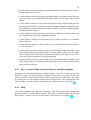
Figure 18: Help menu.
6.15 Quit
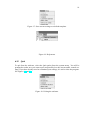
To quit from the software, select the Quit option from the system menu. You will be
prompted to make sure you want to quit and possibly lose the current traffic control settings. If you have already saved or committed your settings, it is safe to close the program.
See Figures 19 and 20.
Figure 19: Exiting the software.