1
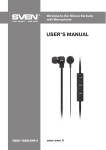
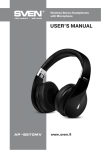
Wireless Stereo Headphones
with Microphone
USER’S MANUAL
AP-B470MV
www.sven.fi
ENG
User’s Manual
ap-b470mv
seb 26 BK
Congratulations on your purchase of the SVEN stereo headphones!
COPYRIGHT
© 2014. SVEN PTE. LTD. Version 1.0 (V 1.0).
This Manual and information contained in it are copyrighted. All rights reserved.
APPLICATION
SVEN AP-B470MV wireless stereo headphones with microphone are designed for operation with PC, notebooks and other mobile devices by means of data transfer via
Bluetooth protocol. They can be also used in internet telephony, during video conferences, in multimedia applications, in interactive games, for speech recognition and
foreign language teaching.
PACKAGE CONTENTS
• Stereo headphones – 1 pc
• Detachable audio cable – 1 pc
• USB power cord to micro USB – 1 pc
• User’s Manual – 1 pc
• Warranty card – 1 pc
SAFETY PRECAUTIONS
• Don’t use the stereo headphones while driving.
• Don’t use the stereo headphones at high volume for a long period of time (more
than 15 minutes), as this may cause hearing impairment.
SPECIAL FEATURES
• 2.1 Bluetooth wireless signal transmission
• Track switching control possibility
• Call acceptance function
• Wired/wireless audio signal transmission
• Built-in player for audio files from Micro SD card
• Built-in FM tuner
• Battery peration time up to 10 hours
• Radius of operation up to 10 m
1
ENG
Wireless Stereo Headphones
with Microphone
DESCRIPTION
a
: micro SD card slot
b
: headphones on/off and call control button
c Control joystick
d MODE button
e LED indicator
f : micro USB jack for battery charging
g MIC: microphone
h IN: audio cable jack
CONNECTION AND OPERATION
Attention! The built-in battery must be
charged completely prior to the headphones application.
a
b
c
g
h
d
e
f
Fig. 1. Headphones description
Headset charging
• Connect the headset to a USB port of
PC or USB charger using USB/micro USB
cable (included). During battery charging the indicator e is red.
• When the device is charged in full, the indicator e lights up blue.
• There is a short periodic double beep signal when the battery charge level is low and
the LED indicator e will be blue or red alternately.
• The battery is used in the headphones as an integral part of the device, therefore do
not try to extract or replace it, because this can result in the warranty cancellation or
the device damage.
Device turning on/off
• In order to turn on the headset, press and hold the button b before you hear a beep
signal. When the device is turned on, the LED indicator e will start blinking blue. In
order to turn off the device, press once more and hold the button b before you hear
a beep signal. When the device is turned off, the LED indicator e will blink red.
Control buttons
When connected to a telephone:
• in order to receive an incoming call press the button b; press the button b once
again to finish the call;
• when the button b is pressed shortly twice, the call function of the last number
dialed* is switched on;
2
ENG
User’s Manual
ap-b470mv
seb 26 BK
• when the button b is pressed shortly 3 times, the call rejection function* is switched
on*;
• long displacement of the joystick c (+/-) – change of the volume level;
• short displacement of the joystick c ( , ) – switching between musical tracks of
the media player of a connected device**, switching of musical files from micro SD memory cards, switching of radio stations in FM tuner mode;
• short press of the joystick c ( ) Playback/Pause of the media player of a connected
device**, track forward/track from the beginning, previous track**.
* Depending on telephone/smartphone configuration.
** Depending on a program of the media player.
MODE button
When the MODE button d is pressed shortly, the headset switches sequentially to the
following modes: Bluetooth; MP3 player; FM tuner; IN.
Bluetooth technology
• Wireless data transfer via the Bluetooth protocol enables to connect wireless headphones to compatible devises. Maximum radius of action of data transfer is 10 m.
Such obstacles as walls or other electronic devices can interfere with the signal
transfer.
Headset to a device interfacing
• It is necessary first to interconnect the device with a signal source (see the connection diagram in Fig. 2) to transfer signals via Bluetooth. To do this, turn on the headset,
without releasing the button b waigt for starting the search mode – the LED indicator e
will alternate blue light with red one.
• It is necessary to select the search mode of devices with Bluetooth on a signal
source (telephone, notebook, smartphone, etc.). “SVEN AP-B470MV” massage will
be displayed on the screen which is to be connected to*.
• If connection is successful, there will be a short beep signal in the headphones; the
search mode indication on the headphones is over. If no devices is connected, the
search mode will be turned off automatically in three minutes and the headphones will
go to the standby mode. If the device interfacing has been failed, it is necessary to
switch the system in the search mode once more (turn off and on)**.
• The indicator f on the headphones blinks blue shortly during the data exchange
with a device connected via Bluetooth.
3
ENG
Wireless Stereo Headphones
with Microphone
* You might have to enter “0000” code to connect some models of devices via Bluetooth.
** If the item has been already registered in the device list of a source, then the second search
mode activation is not obligatory. Choose the item name “SVEN AP-B470MV” and the “connect”
command on the source.
PC
Phone
Headphones
Fig. 2. Connection diagram
FM mode
• Select FM tuner mode by pressing shortly the button d. After pressing the button
( ) of the joystick, the tuner will enter the avtoscan mode, and the LED indicator e
will blink blue. After scanning completion, the first scanned radio station will start to
operate automatically. With joystick buttons ( ) and ( ) select a desired radio station.
МР3 player mode
Attention! The file system of a micro SD carrier is FAT32. Maximum volume is
32 GB. It is not recommended to use the micro SD Ultra Speed.
• Insert the micro SD carrier into appropriate slot. If the headset is in turned on position,
the playback will start automatically. Playback/Pause modes are switched over with
the help of the button ( ) on the joystick. Tracks can be controlled by joystick buttons
( ) and ( ). Next track/previous track.
The use in the wired mode
• The device can be used as stereo headphones, if you connect them to a sound source
with the included cable via jack h. In this case it is not necessary to turn on/off them.
However, in this mode control elements and the microphone on the cup will not be
active.
4
ENG
User’s Manual
ap-b470mv
seb 26 BK
TECHNICAL SPECIFICATIONS
Parameter, measurement unit
Value
Sensitivity, dB
Frequency range, Hz
Impedance, Ohm
headphones: 105 ± 3; microphone: -58 ± 2
headphones: 20 – 20,000; microphone: 30 – 16,000
Membrane, mm
Connection type
Bluetooth supported profiles
Radius of operation, m
Operation time, h
Connector type
Ø 40
2.1 Bluetooth + EDR
HSP, HFP, A2DP, AVRCP
up to10
up to10
Cable lenght, m
1.2
Weight, g
190
16
Ø 3.5 mm (3 pin) plug
Notes:
• Technical specifications given in this table are supplemental information and
cannot give occasion to claims.
• Technical specifications and package contents are subject to change without
notice due to the improvement of SVEN production.
Technical support is on www.sven.fi.
5
Wireless Stereo Headphones
with Microphone
Модель: AP-B470MV
Импортер в России: ООО «СКАНДИТРЕЛ», 111024,
РФ, г. Москва, ул. Авиамоторная, д. 65, стр. 1.
Уполномоченная организация в России:
ООО «РТ-Ф», 105082, г. Москва, ул. Фридриха
Энгельса, д. 75, стр. 5.
Условия гарантийного обслуживания смотрите
в гарантийном талоне или на сайте www.sven.fi.
Гарантийный срок: 12 мес. Срок службы: 2 года.
Производитель: «СВЕН ПТЕ. Лимитед»,
176 Джу Чиат Роуд, № 02-02, Сингапур, 427447.
Произведено под контролем «Свен Скандинавия
Лимитед», 48310, Финляндия, Котка,
Котолахдентие, 15. Сделано в Китае.
Manufacturer: SVEN PTE. LTD, 176 Joo Chiat Road,
№ 02-02, Singapore, 427447. Produced under the
control of Oy Sven Scandinavia Ltd. 15, Kotolahdentie,
Kotka, Finland, 48310. Made in China.
® Registered Trademark of Oy SVEN
Scandinavia Ltd. Finland.
AP-B470MV