1
ENG
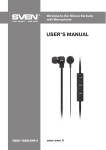
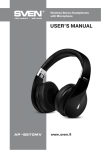
Wireless Stereo Headphones
with Microphone
DESCRIPTION
a
: micro SD card slot
b
: headphones on/off and call control button
c Control joystick
d MODE button
e LED indicator
f : micro USB jack for battery charging
g MIC: microphone
h IN: audio cable jack
CONNECTION AND OPERATION
Attention! The built-in battery must be
charged completely prior to the headphones application.
a
b
c
g
h
d
e
f
Fig. 1. Headphones description
Headset charging
• Connect the headset to a USB port of
PC or USB charger using USB/micro USB
cable (included). During battery charging the indicator e is red.
• When the device is charged in full, the indicator e lights up blue.
• There is a short periodic double beep signal when the battery charge level is low and
the LED indicator e will be blue or red alternately.
• The battery is used in the headphones as an integral part of the device, therefore do
not try to extract or replace it, because this can result in the warranty cancellation or
the device damage.
Device turning on/off
• In order to turn on the headset, press and hold the button b before you hear a beep
signal. When the device is turned on, the LED indicator e will start blinking blue. In
order to turn off the device, press once more and hold the button b before you hear
a beep signal. When the device is turned off, the LED indicator e will blink red.
Control buttons
When connected to a telephone:
• in order to receive an incoming call press the button b; press the button b once
again to finish the call;
• when the button b is pressed shortly twice, the call function of the last number
dialed* is switched on;
2