1
Spectralink 7520 and 7540 User Guide
3
Scroll to Inbox and press Select.
4
Scroll to the desired message and press Select.
5
Press Options.
6
Scroll to Reply and press Select.
7
Scroll to Template and press Select.
8
Scroll to the desired template and press Options.
9
Scroll to Select and press Select.
10 If relevant, write additional text.
11 Press Options.
12 Scroll to Send and press Select. Then press Send.
Calling the Phone that Sent a Message:
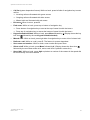
You can call back the phone that sent a message, when a
is displayed in the status bar. You
can do this when a message arrives, and when you are in the message inbox:
1
Press Menu to enter main menu.
2
Scroll to Message, and press Select.
3
Scroll to Inbox and press Select.
4
Scroll to the desired message and press Select.
5
Press
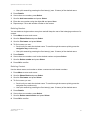
Forwarding a Message
1
Press Menu to enter main menu.
2
Scroll to Messages and press Select.
3
Scroll to Inbox and press Select.
4
Scroll to the desired received message and press Select.
5
Press Options.
6
Scroll to Forward and press Select.
7
Press Send and then enter the recipient’s number or press Search to find the recipients
number.
8
To find a name you can:
— Scroll until you reach the desired name. To scroll through the names quickly press the
navigation key continuously.
— Use quick search by pressing the first letter(s) (max. 5 letters) of the desired name.
9
Press Select
10 If more than one number: scroll to desired number.
14158600 Version 10.0
March, 2014
46