1
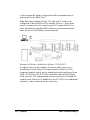
Additionally, it is possible to replace the serial interface RS232 by
tunnelling the traffic between a PC with the Galaxy Gold software
and the Galaxy control panel over a local area network (LAN) via
the connected controller. In such cases you should in Galaxy Gold
create a TCP/IP-connection with the controllers IP address and port
number 4900.
Galaxy in the alarm tree
If Galaxy control panels and connected controllers have been added
in the Installation tree window, these units will automatically
appear in the Alarm tree view. In the alarm tree it is then possible to
add Galaxy alarm zones and set alarm group settings for that zone.
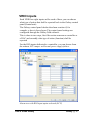
In ARX ACCESS it is possible to choose if a controller shall act as
a virtual RIO, or VRIO. In such cases the controller communicates
with the Galaxy system in the same way as a traditional Galaxy
RIO.
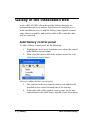
Add Galaxy zone
To add a Galaxy zone, do the following:
1.
Highlight the Galaxy control panel that the zone shall
belong to.
2.
Then select the option Add in the windows menu bar, and
click Galaxy zone.
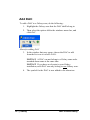
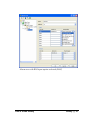
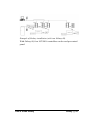
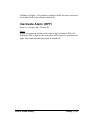
Menu for adding Galaxy zone
3.
The symbol for the zone is now added to the alarm tree on
the left hand side of the window.
10 • Galaxy
User's Guide Galaxy