1
CHAPTER 3. SOFTWARE INSTALLATION |
5
Note 1
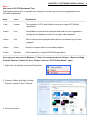
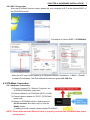
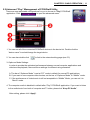
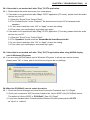
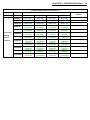
Star Level in PC2TV Benchmark Tool
The following star level is to evaluate your computer, and then give you some suggestions to run
PC2HDwifi application.
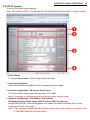
Stars
Level
Explanation
-----------------------------------------------------------------------------------------------------------------------------------------1 star
Lowest
The capability of CPU and Graphic are poor to support PC2HDwifi
application.
2 stars
Low
Acceptable for picture/music playback and web surf, but suggested to
downgrade the desktop resolution to support video playback.
3 stars
Fair
Fair for picture/music playback and web surf; sometimes lag for video
playback.
4 stars
Good
Smooth to support web surf and video playback.
5 stars
Excellent
Great capability to support PC2HDwifi application.
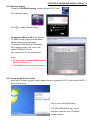
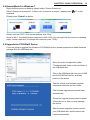
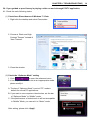
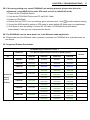
-----------------------------------------------------------------------------------------------------------------------------------------If you get poor star level in Windows 7 / Vista, it is recommended to Choose a “Basic and High
Contrast Themes” instead of “Aero Themes” and run “PC2TV Benchmark” again.
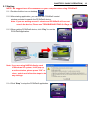
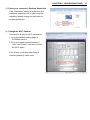
1. Right click the desktop and select Personalize.
2. Choose a “Basic and High Contrast
Themes” instead of “Aero Themes”.
3. Close the window.