1
Chapter 2: Operation
DSC call logs
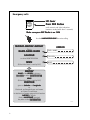
To display a DSC call log in the DSC CALL LOGS, do as follows:
1. Press the soft key SETUP. If it is not in the display, press the soft key MORE
until SETUP appears.
2. Press the arrow soft key
or
to advance to DSC CALL LOGS.
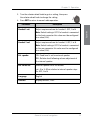
3. Turn the selector wheel knob to go to a setting, then press
the selector wheel knob to view a log.
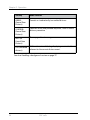
DSC call log
Description
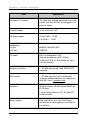
Received Distress
Shows a log of up to 20 received distress calls.
Transmitted Calls
Shows a log of up to 20 transmitted calls.
Received Calls
Shows a log of all received non distress calls.
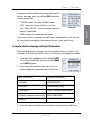
Use the soft keys NEXT and PREV to leaf through all logs.
4. Press EXIT to return to normal radio operation.
DSC setup
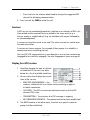
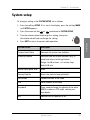
To change a setting in the DSC SETUP, do as follows:
1. Press the soft key SETUP. If it is not in the display, press the soft key MORE
until SETUP appears.
2. Press the arrow soft key
or
to advance to DSC SETUP.
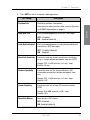
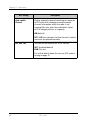
3. Turn the selector wheel knob to go to a setting, then press
the selector wheel knob to change the setting.
38
DSC calls