1
USER MANUAL
MANUALE UTENTE
M-BTP50.B
M-BTP50.W
Manuale di istruzioni M-BT50 red_ ENG-IT.indd 1
13/09/2013 10.00.00
Table of contents
EN Warranty
Specifications
Product overview
Charge the battery
Indicator LED status
Switch On/Off
Pairing and connecting with a Bluetooth device
Re-connecting with a Bluetooth device
Disabling the Bluetooth connection
Adjust the Volume
Listen to music
Auxiliary input
USB charging port
Product care
Package contents
IT
Garanzia
Specifiche
Panoramica del prodotto
Caricare la batteria
Stato indicatori LED
Accensione e spegnimento
Pairing e connessione ad un dispositivo Bluetooth
Connessione con un dispositivo Bluetooth
Disattivazione della connessione Bluetooth
Regolare il volume
Ascoltare la musica
Ingresso ausiliario
Porta USB di ricarica
Cura del prodotto
Contenuto della confezione
3
3
4
5
5
5
6
6
6
6
7
7
8
8
8
9
9
10
11
11
11
12
12
12
12
13
13
14
14
14
-2-
Manuale di istruzioni M-BT50 red_ ENG-IT.indd 2
13/09/2013 10.00.00
EN
Warranty
Thank you for purchasing this Macrom product. Should your product need warranty service,
please return it to the shop where you buy it or to the Macrom distributor in your country.
The warranty does not cover damage due to improper use and or installation, incorrect
connections to power supply and audio video sources, exposure to excessive humidity,
unauthorized repair attempts or modifications.
Specifications
M-BTP50 can play music from a compatible music player. The operating range is within
10 meters. M-BTP50 is compliant with the following Bluetooth® specifications: Bluetooth
V4.0 with aptX® Technology and supports A2DP profile. Auxiliary audio input 3,5 mm audio
connector. Power supply input AC 100-240V ~ 50/60Hz. M-BTP50 includes a USB port on the
back to allow you to charge a mobile device (5V DC - 0.5 A).
-3-
Manuale di istruzioni M-BT50 red_ ENG-IT.indd 3
13/09/2013 10.00.00
EN
Product overview
Volume down
Power ON/OFF/Play/Pause
Volume up
Battery indicator LED
Bluetooth indicator LED
DC IN16V
Auxiliary Input
USB port
-4-
Manuale di istruzioni M-BT50 red_ ENG-IT.indd 4
13/09/2013 10.00.01
EN
Charge the battery
Connect the supplied AC adapter to the back of M-BTP50. Plug
the supplied AC adapter into a wall power outlet to begin charging
M-BTP50’s internal battery. The battery indicator LED is steady
orange while charging and will turn off when the battery is fully
charged. For a faster charge please remember to power off the
unit before charging the battery. Full charge time is approx 4
hours.
DC IN16V
Indicator LED status
Bluetooth indicator LED
- Blinking blue LED: Bluetooth on with no connection (ready to pair).
- Solid blue LED: Bluetooth paired and connected.
Battery indicator LED
- Orange LED: Charging (When plugged into a wall outlet)
- Red LED: Low battery (When running on the built-in battery)
Switch On/Off
To switch ON, press and hold the
key about 3 seconds
until the speaker prompts 2 ascending tone and the Bluetooth
indicator LED starts blinks.
To switch OFF, press and hold the
key about 3 seconds until
the speaker prompts 4 descending tone and the Bluetooth
indicator LED will shut off.
-5-
Manuale di istruzioni M-BT50 red_ ENG-IT.indd 5
13/09/2013 10.00.02
EN
Pairing and connecting with a Bluetooth device
Power on the M-BTP50. The blue LED blinks. From the Bluetooth function of the device to
be paired search for new device named “M-BTP50”. Select it and if requested enter “0000”
passcode. When pairing is completed successfully the pairing indicator LED is blue steady
and the unit prompts two tones. If the pairing procedure is not successful, please switch off
the unit and repeat the above steps. The specific pairing procedure may vary, so please refer
to your device user manual for further information.
Re-connecting with a Bluetooth device
Every time the unit is switched on, it will connect to the last connected device automatically
and the unit prompts two tones when is connected.
Disabling the Bluetooth connection
To unpair a Bluetooth device that is already connected, turn off bluetooth connection on the
connected device. The M-BTP50 will be in pairing mode.
Adjust the Volume
To adjust the unit volume while listening to music press the volume up or down keys.
-6-
Manuale di istruzioni M-BT50 red_ ENG-IT.indd 6
13/09/2013 10.00.03
EN
Listen to music
Connect the unit to a compatible music player that supports A2DP profile. To play or pause
music from the unit short press
key.
Auxiliary input
To connect a device to the auxiliary input use the cable provided with the unit. If a connector
is plugged in the auxiliary input the Bluetooth function is automatically disabled. Bluetooth
functions is automatically resumed when the connector is removed from the auxiliary input.
-7-
Manuale di istruzioni M-BT50 red_ ENG-IT.indd 7
13/09/2013 10.00.04
EN
USB charging port
M-BTP50 includes a USB port on the back to allow you to charge a mobile device. Plug
M-BTP50 into a wall outlet and then connect your device to the USB port using USB cable (not
included).
Note: The charging of mobile devices using the USB port is only allowed if the M-BTP50
is plugged into a wall outlet.Power output of the USB port is 500mA. Media devices that
require more power may not charge through this USB port.
Product care
Please remember that your Macrom product is an electronic device, and so needs to be
treated with care.
Do not subject it to mechanical shock or vibrations.
Do not subject it to eccessive heat.
Keep it away from water and excessively humid areas.
Keep it away from high electromagnetic fields.
There are no user-serviceable parts inside. Opening the product or try to repair it will
terminate the warranty.
Package contents
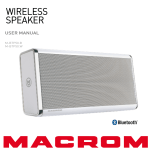
M-BTP50 wireless speaker.
Power supply: AC 100-240V ~ 50/60Hz - DC OUT 16V/1.8 A.
Auxiliary audio cable with 3.5 mm jack connectors.
Carrying case.
User manual.
-8-
Manuale di istruzioni M-BT50 red_ ENG-IT.indd 8
13/09/2013 10.00.04