1
User Manual
Notice:
1. Do not power on if antenna s are not connected.
2. The functional coverage is greatly affected if antennas are not installed
correctly. Do ensure the antennas are properly connected before usage.
3. When power on, keep away from computer, notebook PC, television, audio
and AM/FM radio to prevent interferences.
4. The normal operational temperature is about 6 5 ° C. If the temperature is
higher than the above, turn off the power immediately and contact local
agent for help.
5. Its functional coverage will depends on the location and strength of the
ambient mobile phone base stations.
6. Placing the device on higher position for better coverage. 2 meters height
is recommended.
7. The Ni-MH rechargeable battery has estimated 500 times recharge cycles.
Please contact the local agent to replace battery if it is not rechargeable.
Accessories:
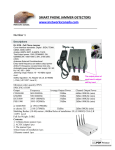
Main unit x 1pcs
Power adapter x 1pcs
Car charger x 1pcs
Omni antenna x 6pcs
Omni antenna
Main unit
AC Power adapter
Car charger
Default
Default::
Frequency bands
Output port
Frequency
Band 1
GSM 900
925 -960MHz
Band 2
GSM 1800
MHz
1800 - 188
88MHz
Band 3
3G
2110 - 2170MHz
Band 4
4G WIMAX
2620 - 2690MHz
Band 5
4G LTE
Band 6
L1
GPS
GPSL1
Mhz
725-770
725-770Mhz
00 - 160
0MHz
15
1500
600MHz
DC
12
V) & Car Charge (DC
12
V)
Power supply: AC Charge (AC220V(AC220V-DC
DC12
12V
DC12
12V
-20
Shielding Radius: (1
(1-20
-20)) meters@-75dBm still depends on the strength signal in given area.
Dimension: (width, height, length) 126x76x35mm and not include antennas
� Install steps:
1. Please charge battery at least 4 hours before first-time use.
2. Turn off power switch before charging. Charging indicator shall lights on RED when
charging the battery , the indicator will turn to GREEN color while finished.
3.Please install antennas and tight up
according to the number indicator.
Kindly refer to the picture below .
4. Turn on the power switch and the Po
wer LED shall light in Green and the LED
of each band will turn on, too .
5. Don’t suggest using while charging.
( The operational temperature may too high about 7 5 ° C normally.)
Function Introduction:
� Each band could be chosen operating or not.
1. Find the dip switch on the side of the device as below left picture.
OFF
ON
The number indicators are corresponding to the number of antennas.
2. Six arrows toward from OFF to ON (default), by dip switching ON →OFF, each band
could be disable.
3. The corresponding LED indicator shall be turn off.
Step 1. Be sure the power is off.
Dip switching the 5&6 arrow from ON → OFF.
Step 2. Disconnect the sixth antenna (No.5&6) and cover the connector
with the hat.
By finished two steps allow to do step 3.
Step 3. Turn ON the power.
The device could be operated without band 1220MHz& 2100MHz
Step 4. The LED will indicate that which band is operating.
OFF
ON
LED turns on which indicate operating.
You can following these steps to turn ON or OFF each Jam band you want.