1
Contents
1
2
EBKGUI Overview ....................................................................................................................1
Installation.................................................................................................................................2
2.1 Installing the eLux-EBKGUI-CD ...........................................................................................2
2.2 Defining the EBKGUI Application.........................................................................................3
2.3 Defining the EBKViewer Application ....................................................................................3
3
Starting the EBKGUI.................................................................................................................4
3.1 First Start..............................................................................................................................4
4
Elements of EBKGUI ................................................................................................................6
4.1 Toolbar .................................................................................................................................6
4.2 Menus ..................................................................................................................................7
4.2.1
„File“ Menu .................................................................................................................7
4.2.2
„Edit“ Menu .................................................................................................................8
4.2.3
„Build“ Menu ...............................................................................................................8
4.2.4
„Settings“ Menu ..........................................................................................................8
4.2.5
„Log“-Menu .................................................................................................................9
4.2.6
„Tools“ Menu ..............................................................................................................9
4.2.7
„Help“Menu.................................................................................................................9
4.3 The Context Menus............................................................................................................10
4.3.1
The Workspace Viewer Context Menu .....................................................................10
4.3.1.1
The EPM Context Menu ...................................................................................10
4.3.1.2
The Context Menu of a File ..............................................................................10
4.3.2
The File Browser Context Menu ...............................................................................11
4.3.2.1
The Context Menu Folder.................................................................................11
4.3.2.2
The Context Menu of a File ..............................................................................11
4.4 Workspace Browser ...........................................................................................................11
4.5 The Properties Editor .........................................................................................................13
4.6 The File Browser ................................................................................................................14
4.7 Build ...................................................................................................................................15
4.8 The Output Window ...........................................................................................................16
5
The Editors .............................................................................................................................17
5.1 Requires- and Conflicts Editor ...........................................................................................18
5.1.1
An Example ..............................................................................................................19
5.2 Licence Editor ....................................................................................................................20
5.3 The Editors for Description-, Pre/PostInstall, Pre/PostUninstall and Comment ................20
5.4 The Containers Editor ........................................................................................................21
5.5 The Installoption Editor ......................................................................................................21
6
Creating a New Workspace ....................................................................................................22
7
Adding New Objects to a Workspace .....................................................................................23
7.1 Creating an EPM................................................................................................................23
7.2 Creating an FPM ................................................................................................................23
8
Creating a Folder ....................................................................................................................24
9
Creating a Symbolic Link ........................................................................................................25
10 EBKGUI Preferences..............................................................................................................27
10.1 The Global Tab.................................................................................................................27
10.2 The Build Tab ...................................................................................................................30
10.3 The EPM/FPM Tab...........................................................................................................31
10.4 Invalid Preferences...........................................................................................................32
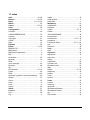
11 Index .......................................................................................................................................33
EBKGUI User Manual
Build # 4