1
13.7.1
Choosing between MP3 and mp3PRO
If you buy the mp3PRO plugin, you can choose which format you want to use to
encode your files.
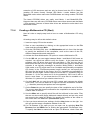
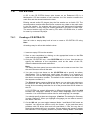
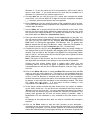
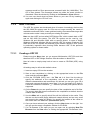
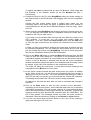
1. Select the audio file you want to encode on the hard disk or on a CD.
2. Choose mp3RP as the output format and click on the Settings button.
3. Check the mp3PRO checkbox if you want to encode the file in mp3PRO
format, or uncheck it if you want to create an ordinary MP3 file.
4. Choose the quality and bitrate settings you want.
5. Click on the OK button to close the dialog box.
6. Click on the GO button to start the encoding process.
You can find detailed information about converting audio files in the sections
'Encoding Audio CDs' and 'Encoding tracks that are on hard disk'.
MP3 settings
To choose a setting, click on the button next to the pull-down list and select the
option you want.
Encoding audio files in MP3 format is always lossy. The encoding process uses
psychoacoustic models to remove those parts of the audio file which are judged
to be inaudible. Most people find it hard to tell the difference between encoded
MP3 files and the original versions, provided that the files were encoded at a
sufficiently high bit rate. However, it is inevitable that a certain amount of
acoustic information will be lost. The amount of information lost depends
primarily on two factors. These are the bit rate of the MP3 file and the quality of
the psychoacoustic model used to reduce the amount of data.
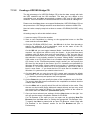
When you encode a file in MP3 format, the following settings are available:
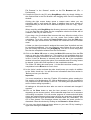
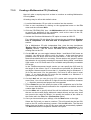
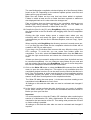
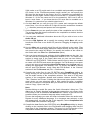
Encoding quality: The quality of the psychoacoustic model used by Nero is
excellent. There must, of course, be a compromise between the complexity
of the model and the processing time needed. Depending on the use to
which the MP3 file will be put, the quality of the encoding (that is, of the
acoustic models) can be set to fast, medium and highest. If you choose the
highest quality, the encoding process on a PII350 will be approximately 1X
speed, that is 3 minutes of music will be encoded in 3 minutes. If you choose
the fast setting, the encoding process will be up to 8 times as fast with the
hardware specified above. The sound quality of the fast setting is very good.
It is perfectly adequate for most uses.
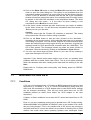
Constant bitrate: The bit rate for MP3 files can be constant or variable. At a
constant bit rate, the piece of music will be transmitted at XXX kbit per
second. At the standard bit rate of 128 kbit/s the quality will be almost that of
a CD.
Variable bitrate: The bit rate for MP3 files can be constant or variable. The
variable bit rate (VBR) is dependent on the dynamics and frequency range of
the data. The encoded bit rate is always as low as possible without it having
a negative effect on the signal. The encoder increases or decreases the bit
rate depending on the complexity of the output signal. This ensures the best
possible compromise between quality and compression rate.
Nero
Additional modules* • 120