1
 User Guide for Assistant Toolbar
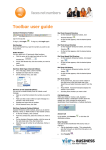
www.wemtel.co.uk 020 8740 6000 The integrated toolbar enables users to make and accept telephone calls and change telephone settings from within Microsoft Outlook and Microsoft Internet Explorer, as well as Mozilla Firefox. Once the toolbar is installed on your desktop, it will appear when opening either the Microsoft Outlook or Microsoft Internet Explorer applications. Note: you may hide the toolbar by rightclicking in the toolbar area and deselecting the “Telephony Toolbar Call Control” and/or the “Telephony Toolbar Services” options.
Installing the Toolbar 1) Select the Toolbar from the Downloads section of the www.wemtel.co.uk website. 2) Install the software (you will be required to close Microsoft Outlook and Microsoft Internet Explorer. 3) Enter your Username and Password by pressing the “Options” icon on your toolbar, then select “Account”. 4) Click to Save the Username and Passwords. 5) On the General option, click “Auto Login” and then click “Apply”. 6) All icons should now light up and become active. If not, please click the green login button or check the Username and Password are correct. Using “Click‐to‐Dial” The toolbar enables you to “Click‐to‐Dial” any phone number in your Microsoft Outlook Contacts database or a number displayed on a web page. 1) Microsoft Outlook: After positioning on or opening a Contact, your “Dial Contact” button is active. By using the drop‐down box, you may scroll to any www.wemtel.co.uk 020 8740 6000 number in your Microsoft Outlook Contact and click to dial. 2) Microsoft Internet Explorer or
Mozilla Firefox: Highlight any telephone number displayed on a web page, right click with your mouse, and select “Dial”. CommPilot Express for Premium
Package Users Only
CommPilot Express is a Premium Office feature which allows you to pre‐configure four profiles to control your inbound calls. These profiles can be set up via the Web Portal or the Toolbar. Your profile may be quickly changed using the web or voice portals, or from the Toolbar. Available CommPilot Express profiles include: Available–In Office Activate when you are working from your desk where your phone is located. Available–Out of Office
Activate when you are working away from your desk for an extended period of time. Busy––Activate when you are temporarily unavailable to take calls (e.g., you are in a meeting). Unavailable
Activate when outside of business hours, or when you are on vacation. None Use when no special treatment of your calls is required. Toolbar Controls Answer Answer calls
Hold Place a call on hold
Voicemail Send an incoming call to voicemail. Click this button to connect to your voice mailbox. Blind/Consult Transfer Blind or consultation transfer of calls 3‐Way Conference Initiate or end a 3‐way conference End End a call Call Line Selector Selects call line via
drop‐down list www.wemtel.co.uk 020 8740 6000