1
SmartPro S51 User Guide
Please view SmartPro Installation Guide for instructions on how to install SmartPro
software.
Kit Contents
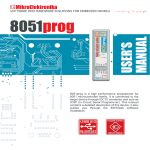
SmartPro S51 Kit consists of:
• SmartPro S51 Programmer
• SmartPro Software
• USB Cable (optional)
Device Programming
Device programming using SmartPro S51 programmer along with SmartPro software is
very simple and involves following steps.
Hardware Setup
DIP Switch Settings
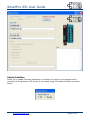
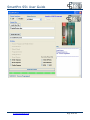
There is a DIP switch on SmartPro S51 which must be configured properly to program a
device as shown below.
Table below shows the valid settings of the DIP switch.
DIP
Switch
AT89S2051,
AT89S4051
1
2
3
4
OFF
ON
OFF
ON
AT89S51,
AT89S52,
AT89S8253
OFF
OFF
OFF
OFF
AT25XXX
SPI
EEPROM
OFF
OFF
OFF
ON
DIP switch should be configured prior to connecting the programmer to the computer.
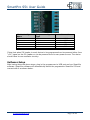
Device Insertion/Connection
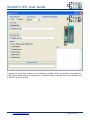
Insert the device to be programmer either in the provided Zif socket on the programmer or
connect using SIL (Single in Line) Header for ISP programming. The connections for the SIL
header are shown below.
www.protosmart.co.uk
Page 3 of 10