Transcript
NGOs – How Climate Asia's research
can help you
Climate Asia’s data portal provides accurate information for NGOs to use to help
people. Below are examples of questions you may have and how you can use the
data portal to find the information that we think will be interesting for you.
What are people's biggest concerns?
Here are the steps to take to find out how people across the region are feeling
about climate change:
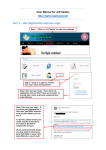
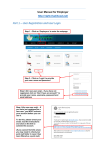
• Go to the map and select 'Region'.
• Select 'Context'.
• Choose 'People’s worries'.
• You can further refine results by selecting variables from the drop-down lists.
What actions are people already taking?
•
•
•
•
Go to the map and select the country you are interested in – eg 'India'.
Select 'Audience' and then choose 'Current responses to specific changes'.
Select the question you are interested in – eg 'Responses – water availability'.
Scroll down the variable list and select for example 'Resources', which refines
the data by people's level of income.
What actions are people willing to take?
•
•
•
•
Go the map and select the country you are interested in – eg 'Bangladesh'.
Select 'Audience' and then choose 'Changes made and willingness to change
livelihood/lifestyle'.
Select the question you are interested in, eg 'Willingness to make changes to
lifestyle'.
Scroll down the variable list and select for example 'Type of area'.
What will motivate them to act?
•
•
•
Go the map and select the country you are interested in, eg 'Vietnam'.
Select 'Audience' and then choose, for example, 'Motivators that encourage
people to respond'.
Select the question you are interested in, for example 'To make/save more
money'.
What is the best communication channel?
You can use the research to find out what information and channels will suit your
audience.
• Go the map and select the country you are interested in, eg ‘Nepal’.
• Select ‘Communication’ and then choose ‘Content preferences’.
• Select the question you are interested in, eg ’Ways people would like to
receive information on changes in the environment’.
• Scroll down the variable list and choose, for example, ‘Gender’ and ’Age’.