1
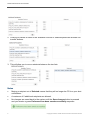
Alert Preferences User Guide Introduction Alerts are generated for Summary Care Record (SCR) accesses where the relationship created between the user and patient is self-claimed, or when the user accesses the SCR in an emergency or for legal reasons. This document is intended to assist Privacy Officers in customising their alert notification preferences according to the organisation(s) they are currently associated with. In addition to this it also describes how to: Suppress the delivery of different types of alert notifications Add further NHS recipients who will also receive the alert notifications Check your registered email address using Care Identity Service 1. Log in with your smartcard and select the Privacy Officer (PO) role for the organisation for which you wish to receive alert notifications. 2. From the NHS Spine Portal select Launch Care Identity Service. Select My Profile and under Contact Details, select the Modify Contact Details button. 3. The email address displayed is the one which will receive the alert notifications. Enter or update the email address as necessary. Note: the email address must be a ‘nhs.net’, ‘nhs.uk’, ‘gov.uk’, ‘mod.uk’, ‘police.uk’ or cjsm.net’ email address. Then click the Update contact button. Launch the Alert Preferences dialog screen 1. Log in with your smartcard and select the Privacy Officer (PO) role for the organisation for which you wish to receive alert notifications. 2. From the NHS Spine Portal select Alert Viewer 3. Within the Spine Alert Service select Alert Preferences from the menu at the top of the screen. The Alert Preferences dialog screen will be displayed 3 Copyright © 2015, Health and Social Care Information Centre.