1
Aleph One
PC Cards
User Guide
Aleph One
PC Cards for Acorn
computers
User Guide
© Copyright 1995 Aleph One Limited, Cambridge, England
Issue 6 September 1995
Neither the whole nor any part of the information contained in, or the
product described in, this manual may be adapted or reproduced in any
material or electronic form without the prior written consent of the
copyright holder.
This product and its documentation are supplied on an as is basis and
no warranty as to their suitability for any particular purpose is either
made or implied. Aleph One Limited will not accept any claim for
damages howsoever arising as a result of use or failure of this product.
Your statutory rights are not affected.
Aleph One PC Cards are not intended for use in any medical appliance,
device or system in which the failure of the product might reasonably
be expected to result in personal injury.
The Aleph One PC Expansion Card was created by:
Laurie van Someren
Alex van Someren
Nick van Someren
Ian Harvey
Dean Murphy
Carol Atack
Wookey
Dave Knell
Fred Dart and FTDI
Project manager
Senior programmer
Programmer
Documentation
Documentation and technical support
Hardware engineer, expansion cards
ASIC design, second processor cards
Made possible by: VLS11 Technology Inc, Cyrix, AMD,
United Microcircuit Corp. All trade marks acknowledged.
Aleph One Limited, The Old Courthouse, Bottisham, Cambridge,
England, CB5 9BA
Telephone:
Fax:
Email:
WWW:
01223 811679
01223 812713
[email protected]
http://www.aleph1.co.uk/com/aleph1/
Contents
1 Introduction 5
1.I Late-breaking information 5
1.2 Registering your card 5
1.3 About this User Guide 6
1.4 Contents of the PC Card package 6
2 Installing PC Cards 7
2.1 Installing Risc PC second processor cards 7
2.2 Installing PC Expansion Cards 8
3 Installing support software 10
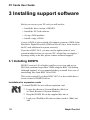
3.1 Installing DOSFS 10
3.2 Installing the PC Card software 11
4 Using !PCConfig 13
4.1 Configuring your PC card 13
4.2 Disc setup 14
4.3 Memory 18
4.4 Printing 19
4.5 Serial port 20
4.6 Display 21
4.7 Start-up options 22
4.8 PC/RISC OS 23
4.9 Booting 24
4.10 Updating your configuration 24
4.11 Using direct IDE drives 25
4.12 Direct SCSI access 27
4.13 About !PCConfig 28
5 Using your PC Card 30
5.1 Starting the PC Card 30
5.2 Using the PC Card 32
5.3 Closing down the PC 33
Aleph One Ltd
3
PC Cards User Guide
5.4 Resetting the PC card 33
5.5 Configuring your PC 33
5.6 Moving files between RISC OS and DOS 34
5.7 Changing partition size 36
5.8 Using Microsoft Windows 38
5.9 Using DR-DOS with Windows 3.1 39
5.10 Installing the Aleph One Windows driver 39
5.11 Configuring the Windows driver 42
5.12 Using extended/expanded memory from DOS 44
6 PC card devices 47
6.1 PC cards themselves 47
6.2 Keyboard 48
6.3 Mouse 49
6.4 Numeric coprocessor 50
6.5 PC memory 51
6.6 Video 53
6.7 PC Expansion card serial and parallel ports 56
6.8 Floppy drives 57
6.9 Sound 58
6.10 Network cards 60
6.11 CD-ROM 60
6.12 Other devices 63
7 Printing from the PC card 64
8 Troubleshooting 67
8.1 Using trace information 67
8.2 Common problems 68
Appendix AConfiguration 73
A.1 Advanced configuration options 73
A.2 Enabling advanced configuration options 73
A.3 Editing advanced configuration options 74
A.4 Advanced configuration options 75
Appendix BExpansion card sound 82
Index 85
4
Aleph One Ltd
Introduction
1 Introduction
Congratulations on your purchase of an Aleph One PC Card for
your Acorn RISC Computer. These cards allow your Acorn
computer to execute programs designed for IBM-compatible
computers efficiently. There are two different types of PC cards:
• Expansion cards are suitable for all Acorn computers with a
vacant 16-bit expansion slot, including the A7000, A5000,
A540, A300 and A400 series, and the A3000 (with an external
box). They have their own memory, IDE hard drive interface
and parallel and serial ports, and use a 16-bit bus.
Software for expansion cards has the suffix e.
• Second processor cards are suitable only for RiscPC computers
and are fitted in the second processor slot. They use the Open
Bus to share resources and devices equally with the host
machine and have a 32-bit bus.There are two versions of the
second processor card, Mark I and Mark II.
Software for second processor cards has the suffix l.
1.1 Late-breaking information
Supplied with your PC Card software is a text file, README. This
contains information which was received too late to include in this
User Guide. Please read this file before you install your card – it
may contain information about changes in procedures, or additional
facilities which are not described in this document.
1.2 Registering your card
It is vital that you complete and return the registration card supplied
with your PC Expansion Card. YOU WILL NOT RECEIVE ANY
SOFTWARE UPDATES UNLESS YOU DO. All updates to the
core
Aleph One Ltd
5
PC Cards User Guide
PC software are free; simply return your program disc for updating
regularly.
Some optional software extensions, such as networking software,
are charged for.
1.3 About this User Guide
This User Guide covers the installation and setup of both
expansion and second processor cards and their software.
Where there are differences in procedures between the two card
variants, these are clearly marked in the text which follows, with
both text and logos in the margin:
• Information specific to second processor cards is shown by the
RiscPC logo, as only RiscPCs can currently host these cards.
• Information specific to expansion cards is shown by an Aleph
One logo:
This User Guide does not attempt to teach you how to use DOS
and Windows. If you are new to using PCs and their operating
systems, we recommend that you buy one of the many books
available on the subject, in addition to the manuals supplied with
those products.
1.4 Contents of the PC Card package
Your Aleph One PC card package should consist of the following:
items in addition to these instructions:
• PC card (in anti-static bag), either an expansion card or second
processor card as labelled on the box.
• Floppy disc containing PC support software.
• User Guide.
• Registration card.
In addition, the expansion card package contains the following:
• Bag containing blank back panel, T-piece and screws
If any of these items seem to be missing or damaged please
contact your supplier.
6
Aleph One Ltd
Installing PC Cards
2 Installing PC Cards
This chapter describes the installation procedures for both types of
PC cards. Please follow the relevant section for your card.
• Remember to check the README file on the software disc for
details of changes to the installation procedure.
2.1 Installing Risc PC second processor cards
The PC second processor card fits in the vacant processor slot
inside your computer. If you are not confident about installing the
card please contact your supplier for assistance. Note that neither
Aleph One nor Acorn Computers accept any liability for damage
done to your computer during the installation of internal upgrades.
• Switch off the computer and unplug it from the electricity
supply at the wall before starting the installation process.
• Do not reconnect the electricity supply to the computer
until you have completed the installation and replaced the
computer's top cover.
Once you have switched off and unplugged your computer from
the electricity supply:
1 Remove the top cover of your computer, following the
instructions in Part 3: Inside the computer in the Welcome
Guide.
2 Remove the card from its packaging, taking care not to touch
any connector pins.
3 Find the rear processor socket on the motherboard.
It is important that the PC card is placed in the rear
socket of the two sockets, for proper cooling and fitting.
If your ARM processor is in the rear slot, move it to the
front slot.
Aleph One Ltd
7
PC Cards User Guide
4 Push the card down firmly until it is seated on its socket.
5 Replace the computer's top cover. You may now reconnect the
computer to the electricity socket at the wall.
Heat and power issues
486 processor chips generate a lot of heat. Thus you should ensure
that the cooling fan in your computer can do its job.
The airflow inside the computer goes from right to left (viewed
from the front), so make sure that:
• The sides of the computer are kept clear, so that air can
circulate.
• If you are using the computer in tower configuration (on its
side), the feet must be fitted and the surface must be hard (ie
not carpet). The computer should be right hand side down so
that natural convection assists rather than opposes the airflow
generated by the fan.
2.2 Installing PC Expansion Cards
The PC expansion card is a single-width expansion card which
may be fitted to any vacant expansion slot in your computer. In all
models except the A3000 the card fits within the computer's case;
the A3000 requires an external box to contain the expansion card:
please consult the fitting instructions supplied with the box.
• Switch off the computer and unplug it from the electricity
supply at the wall before starting the installation process.
• Do not reconnect the electricity supply to the computer
until you have completed the installation and replaced the
computer's top cover.
To fit the card to computers other than the A3000:
1 Remove the computer's top cover.
2 Insert the card into a vacant expansion card slot. Make sure
that the card is firmly seated in its backplane connector.
3 Once you are sure that the card is firmly connected to the
backplane, fasten the card to the rear of the case with the two
8
Aleph One Ltd
Installing PC Cards
screws supplied.
4 If necessary, use the blank panel and T-piece supplied to fill
any vacant space left in the back panel by fitting the card, for
example if the PC expansion card is the only card fitted.
5 Replace the top cover and switch the computer back on.
If you are in any way unhappy about performing this task yourself
then please contact your Acorn dealer for assistance.
Checking that expansion cards are correctly installed
Check that your PC expansion card is correctly installed with the
following procedure:
1 Switch to the RISC OS command line by pressing function key
F12.
2 Type PODULES at the Supervisor * prompt
3 You should see the message Podule X: Aleph One PC
Card (Rev 2) where X is the number of the slot in which
the card is fitted.
If this message does not appear then try the card in another slot
before consulting your dealer for further instructions.
Aleph One Ltd
9
PC Cards User Guide
3 Installing support software
Before you can use your PC card you will need to:
• Install the latest version of DOSFS
• Install the PC Card software.
• Set up a DOS partition.
• Install a copy of DOS
A copy of DOS is also required; all common versions of DOS (from
Microsoft, Digital Research, IBM and Novell) have been tested on
the PC card and found to operate correctly.
If you have RISC OS 2, you may need to update some of your
system modules before you can run !PC. Aleph One can supply a !
Sysmerge utility to do this: please contact technical support.
3.1 Installing DOSFS
DOSFS (version 0.49 or higher) enables you to view and access
DOS disc partitions larger than 32MB using the RISC OS desktop.
Although optional, it is recommended that you install it for ease of
transferring files from RISC OS to DOS.
This is not required if you have RISC OS 3.6 or later which have a
recent version of DOSFS built in.
Installation for expansion cards
To install DOSFS for use with an expansion card:
1 Locate the directory !System.Modules (likely to
be !Boot.Resources.!System.Modules).
2 Drag the DOSFS file on the supplied disc into it.
3 Load your !DeskBoot file into an editor (such as !Edit) and
add
10
Aleph One Ltd
Installing support software
the following line:
RMLoad $. !System.Modules.DOSFS
4 Save the updated !DeskBoot file.
Installation for second processor cards
To install DOSFS for use with a second processor card:
1 Open the root directory of your hard disc, containing the !
Boot directory.
2 Locate the file !Boot on the floppy supplied by Aleph One
and drag it on to the root directory filer window.
3 The contents of the file will be added to your existing !Boot
structure.
This procedure also installs PCSleep. This utility program ensures
that the PC card is put into a low-power sleep mode on start-up. !
PC puts the PC card into sleep mode on exit.
3.2 Installing the PC Card software
The procedure for installing the PC card support software is the
same for both expansion cards and second processor cards.
To install the software:
1 Make a backup copy of the PC software and keep the
original somewhere safe.
2 Write-protect your copy and use that from now on.
3 Drag the !PC and !PCConfig applications into a suitable
directory on your hard disc, perhaps a directory called PC.
4 You may need other files from the Drivers directory on the
PC software disc. These are DOS files and can be copied to
your DOS partition after you have set it up and decided
what you need. Read the later chapters on Windows, sound
support, CD-ROM support and using the mouse to
determine which files you need and where you should install
them.
Aleph One Ltd
11
PC Cards User Guide
5
12
Once you have copied the files, you must remove the PC
software disc from the drive and reset your computer before
running !PC. This enables you to use the !PCConfig utility to
set up your PC.
Aleph One Ltd
Using !PCConfig
4 Using !PCConfig
Once you have pysically installed the PC Card and copied its
software on to your hard drive you will need to:
• Set up a DOS partition on your hard drive, to store PC
programs and files.
• Configure the software for use with the particular system setup
you have.
To do this you should use the !PCConfig utility program.
4.1 Configuring your PC card
Setting configuration options
To configure your PC card:
1 Make sure that you have removed the installation floppy and
reset the computer.
2 Double-click on !PCConfig.
The program will load on to the icon bar.
3 Click Select on the PCConfig icon on the icon bar.
Aleph One Ltd
13
PC Cards User Guide
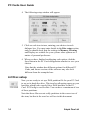
4 The following setup window will appear:
5 Click on each icon in turn, entering your choices in each
dialogue box. You must enter details in the Disc setup section,
and you should check that the settings in Memory, Printing
and Display are suitable for your system: other options are a
matter of personal preference.
6 When you have finished configuring each option, click the
Save button in the PC Card configuration window to save your
choices.
Note that the window has different options for different PC
Cards, and future versions of the software may also look
different from the examples here.
4.2 Disc setup
Now you are ready to set up a DOS partition file for your PC Card
to use as its hard disc drive. This involves allocating space on your
hard disc which looks exactly like a DOS hard disc to the PC
Card. !PCConfig is used for this. You can have a maximum of two
of these partitions.
Note that these files are not really partitions in the correct use of
the term, but that is the word we will use in this document.
14
Aleph One Ltd
Using !PCConfig
Deciding on partition size
You need to spend a moment deciding how much space to allocate
to the PC Card before creating the drives, as you cannot change the
size of the drive without losing all the data on it.
• If you will only be using DOS then a partition as small as
10MB might be sufficient, although 30MB is sensible.
• If you are using Windows then about 40MB should be viewed
as a minimum, and 100Mb is typical.
The amount of PC software that you intend to install is obviously
significant — remember that PC software, especially for Windows,
takes up much more disk space than RISC OS software.
• Aleph One PC cards allow the use of DOS partition files up to
512MB in size. The version of DOS FS built into RISC OS 3.10
and 3.5 does not let the RISC OS Filer support partitions larger
than 32MB, so while the PC card can access larger partitions
RISC OS cannot see them directly or display them on the
desktop.
To view these larger partitions from the desktop you need to
install an updated version of DOSFS, version 0.49 (or later).
This is built into RISC OS 3.6. See Installing DOSFS on
page 10.
Setting up your PC storage disc
To set up your PC storage:
1 Click Select on the Disc setup icon in the PC Card
Aleph One Ltd
15
PC Cards User Guide
configuration window.
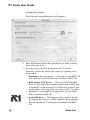
The following setup dialogue box will appear:
2 Enter the number of hard disc partitions you want: you may
have either one or two.
3 You may keep your DOS partition in one of several
locations. Choose the option you require by clicking on its
radio button:
• Partition is the usual option — a big file on your RISC OS
disk, with the rest of the disc still available to RISC OS.
• DOS format SCSI device — This is a real DOS-format
fixed or removeable disk completely devoted to DOS, that
a normal PC could also read. It is only really useful if you
need to move very large files between your PC Card and a
normal PC, for example on Syquest discs. It is no faster
than a normal partition file.
• Local IDE drive — This option is only available for the
PC Expansion card. It is a DOS-formatted drive plugged
directly into the PC Card and not accessible from RISC
OS
16
Ltd
Aleph One
Using !PCConfig
at all. For details on setting this up, see the following
section Using direct IDE drives on page 25.
4 Select the type of drive you need, then read the appropriate
section below.
DOS partition files
1 Specify the complete filename for where you want the partition
file. The default is:
ADFS::4.$.drive C
If you already have a partition just drag its icon to the
filename window, and then click OK or Save.
2 To create the new partition click Create.
A further sub-dialog will appear with the name of the file to
create:
3 Make sure the Initialise ready for use option is ticked, to
format the partition when it is created. If you do not do this,
you will need to format the partition using DOS before you can
use it to store PC files.
4 Specify the partition size you want in megabytes. Click the up
arrows to increase each digit or the down arrows to reduce it.
5 Click Create.
The partition will be created (and formatted if required), the
Aleph One Ltd
17
PC Cards User Guide
dialogue box will close and you will return to the Disc
setup dialogue.
6 Click OK in the Disc Setup dialogue box, and Save in the
main PCconfig dialogue box, to confirm these settings.
You must do this for !PC to be able to recognise the
partition.
4.3 Memory
•
The PC Expansion Card has its own RAM onboard so it does
not have this option.
This option defines how much RAM second processor PC cards
can use, that is, how much memory the PC itself will have. Note
that not all values are possible and the PC card approximates to
the nearest (lower) value: see PC memory on page 51.
To set the memory allocated to the PC card:
1 Click Select on the Memory icon.
The following dialogue box is displayed:
2 The configuration software examines your computer setup
and shows you how much memory you have, how much is
free, and how much memory is allocated for the display.
3 Click the Up or Down arrows to set the amount of memory the
18
Aleph One Ltd
Using !PCConfig
PC card can use.
This value does not include the memory allocated for display (
VideoRAM), or the memory used by !PC itself. Obviously you
need enough RAM in your host machine to run RISC OS and !
PC, and still allocate the VideoRAM and PCRAM values
specified. See PC memory on page 51 for details.
4 Click OK to return to the main PC config window.
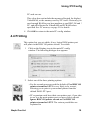
4.4 Printing
This option lets you set which, if any, logical DOS printer port
will print via the RISC OS printer stream. To set this:
1 Click on the Printing icon in the main PC config
window. The following dialogue box appears:
2 Select one of the three printing options:
• For the second processor card the default of Use RISC OS
printer stream for LPT1 is very likely to be correct,
allowing you to print to your normal printer from the
default DOS LPT1 port. .
• PC expansion cards have their own printer port; if you plan
to use it as the main printer port you may wish to choose
Ignore RISC OS printer stream or Use RISC OS
printer stream for LPT2. The various possibilties are
explained in
Aleph One Ltd
19
PC Cards User Guide
the chapter Printing from the PC card on page 64.
3 Second processor cards have a further option, Allow PC
Card to access parallel port directly. Tick this option if you
want to PC card to use parallel port peripherals such as tape
streamers, network or sound adaptors which need to make
unconventional use of the port. Note that while !PC is loaded
the parallel port will not be available to RISC OS if you select
this option.
4 Click OK to confirm your choices and return to the main PC
config window.
4.5 Serial port
This option, for second processor cards only, enables the PC
second processor card to use the serial port of the host computer,
for example to use a modem.
To do this in a compatible way the !PC must take complete control
of the ports while it is loaded. Note that while !PC is loaded the
specified 'direct' port is not available to RISC OS.
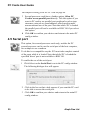
To enable the use of the serial port:
1 Click Select on the Serial Port icon in the PC config window.
The following dialogue box will appear:
2 Click in the box so that a tick appears if you want the PC card
to be able to access the serial port.
3 Click OK to confirm your choices and return to the main PC
config window.
20
Aleph One Ltd
Using !PCConfig
4.6 Display
The Windows driver ARMDRV.DRV can use any RISC OS screen
mode for the Windows display. This screen mode is set with this
option.
The choice of colour depth and resolution may be restricted by the
display capabilities of your computer. If you cannot display 16
million colours in RISC OS, you will not be able to do so in
Windows, either.
The PC display contents need to be stored in memory. With the PC
Card this memory actually resides in the Acorn host computer.
Here you can specify a value for how much memory you want to
devote to this. This memory is added to the Wimpslot used by the !
PC
application. Thus the total RISC OS memory used by the PC Card
is:
• For expansion cards, !PC Wimpslot + VideoRAM
• For second processor cards, !PC Wimpslot + VideoRAM +
PCRAM
To set the display options:
1 Click Select on the Display icon in the PC configuration
window.
The following dialogue box will be displayed:
2 Click the list button at the right of the Colours option to
display a list of colour depths. Pick the one you want by
clicking Select
Aleph One Ltd
21
PC Cards User Guide
on it, bearing in mind the display capabilities of your computer.
3 Click the list button at the right of the Resolutions option to
display a list of screen resolutions. Pick the one you want.
4 Tick the Palette option if you want to use a redefinable palette
in 256-colour modes. This is recommended for compatibility.
5 When you have made your choices, the configuration software
suggests a suitable amount of memory to use. You can increase
or decrease this amount by using the arrows in the Memory to
use for video (KB) option.
Note that there is a small speed gain to be had by devoting
extra memory beyond what is actually required, in the range
15 to 60% extra. Only do this if you have memory to spare:
the Suggested memory allocation box will give a typical
maximum figure. Note also that the value given here is not
related to the amount of Video RAM in your machine (see
page 44).
6 Click OK to confirm your choices and return to the main PC
config window.
•
Changes in this area are likely — check the Win_readme and
Readme files for the latest information.
4.7 Start-up options
This option defines what happens when you start the !PC
application. It can start up to the icon bar, ready to be clicked on to
actually start the PC card booting, or it can boot the PC Card
straight away, either in single tasking (Full screen), or multitasking
(Window) mode.
To set this option:
1 Click Select on the Start-up icon in the PC configuration
22
Aleph One Ltd
Using !PCConfig
window.
The following dialogue box will be displayed:
2 Choose the option you require.
3 Click OK to confirm your choices and return to the main PC
config window.
4.8 PC/RISC OS
The option allows you to decide which of the mouse or keyboard
functions can be used to switch between single- and multi-tasking
modes. See Switching between PC Card modes on page 32 for
details of the switching process.
1 Click Select on the Start-up icon in the PC configuration
window.
The following dialogue box will be displayed:
2 Choose the option you require.
Aleph One Ltd
23
PC Cards User Guide
• If you disable both switching modes by choosing Do not
allow return to RISC OS then there really is no way
back once you are using the PC in single tasking mode.
• You may want to disable the mouse switching by choosing
Alt-Break returns to RISC OS so that inadvertent
middle-mouse button use will not pop you back to RISC
OS.
3 Click OK to confirm your choices and return to the main PC
config window.
4.9 Booting
This option must be on when you install DOS the first time you use
the card, as DOS must be booted from a floppy to install it. After
that, set it OFF for convenience and for virus protection.
To set this option:
1 Click Select on the Booting icon in the PC Card configuration
window.
The following dialogue box will be displayed:
2 Click the button so that a tick appears to allow booting from a
floppy disc. You must tick this option in order to install DOS.
3 Click OK to confirm your choices and return to the main PC
config window.
4.10 Updating your configuration
As you work with your PC card you may wish to change the
configuration you have to reflect changes in your computer setup or
way of working.
24
Aleph One Ltd
Using !PCConfig
There are also additional configuration options available. In most
cases you will not need to use them, but if you have an unusual
combination of hardware, or experience problems with software
you are trying to use, it may be worth fine-tuning your setup.
Some expansion-card specific options are also accessed via this
option.
Details of advanced configuration options and when you should
use them are given in Appendix A.
Editing your configuration
To update your configuration options:
1 Load the !PCConfig program.
2 Click Select on the PCConfig icon on the icon bar, or choose
Main configuration from the Open menu.
3 The configuration window will be displayed and you can open
any section to update or change your choices.
4 Remember to click Save when you have finished editing your
choices, and to quit and reload !PC so that your changes come
into effect.
Obsolete options on update
Note that if you receive a software update some of the options may
have become obsolete. These will produce a warning:
Unknown option xxxxxxx
the first time you use the new version of !PCConfig, but once you
have saved the settings this will not happen again, as these old
options will have been removed from the Config file.
4.11 Using direct IDE drives
Expansion Cards permit up to two IDE hard disks to be connected
directly to the PC card itself. You may prefer to get your dealer to
help you install and set up this drive.
If you have two drives, they must be configured as 'master and
slave'. Details of the link settings needed can be obtained from
your
Aleph One Ltd
25
PC Cards User Guide
drive supplier.
• Even if you have a hard drive connected to your PC card, you
may want to set up a PC partition accessible from the PC
desktop, for ease of moving files back and forth between the
two environments. This partition need not be your boot drive.
Setting up an IDE drive
To set up an IDE drive do the following:
1 Install the hard disk in a spare drive bay in your computer. The
disk must be fixed to a suitable mounting bracket inside the
computer.
2 Connect the drive to the connector JP1 on the PC Expansion
Card using a 40-way ribbon connector. Ensure that pin I on the
IDE drive connector and pin I of the JP1 connector (at the top
right of the connector, nearest the 486 chip on the card) match
up, otherwise both card and drive may be damaged.
3 Ensure that the link in the block of 3x5 pins furthest from the
SIMM is not to the right, that is, it is either not present or set to
the left.
4 Run !PCConfig.
5 Enter the drive characteristics in the window which appears.
26
Aleph One Ltd
Using !PCConfig
You may need to consult the drive datasheet or your supplier
for the relevant information. Note that your version of DOS
may restrict the sector size to 17 and the number of cylinders
to less than 1024.
Specifying start up time
You may need to specifiy the option Start-up time for IDE drives
if your drive is slower to start up than average. (And if you have a
quick drive then you can probably reduce the default to save a bit of
time). This gives the time in tenths of a second that the PC card
waits on power up before trying to access the drive. This is because
the drive only starts to spin up the first time !PC is started, and it
cannot be used until it is up to speed.
If this value is too low then you may see error messages such as
Drive not working orNo boot drive available
before it boots, and it may not boot at all.
• Go to the line in the !PCconfig window Startup time for IDE
drives (x 0.1 sec).
• Enter a revised value.
The value must be a number between 0 and 140, that is,
between 0 and 14 seconds. The default value is 21, that is 2.
1 seconds.
Fitting a drive activity light
It is possible to fit an LED to the PC Card via jumper J10. This
allows you to set up a front-panel LED so that you can see when the
drive is being accessed. Note that if you do this, the LED will
always be on before !PC is run for the first time, and will only give
a reliable reading when you are actually running !PC.
4.12 Direct SCSI access
If you have an Acorn SCSI adapter, or an alternative which supports
the same SWIs (check with your SCS1 adapter supplier), you can
use direct SCSI support. The aim of this is to allow SCS1 hard disks
which have been formatted and used on a PC to be read and written
Aleph One Ltd
27
PC Cards User Guide
to by the PC Card.
If you want to connect a PC-formatted SCS1 disk, you should:
1 Select the DOS format SCSI drive radio button.
2 Enter the device number, that is, the drive's number on your
SCSI chain.
3 The software will configure itself automatically to the shape of
the drive.
• You may experience desktop problems because R1SC OS
thinks that this disc is a SCSIFS drive which it cannot read
properly. To cure this, the PC hard disk should have its SCS1
ID set to a higher number than any other R1SC OS drive on the
SCSI chain, and you should use:
*Configure SCSIFSdiscs n
to reduce the number of disks by one (that is n should be the
number of discs present on the SCSI chain minus one).
4.13 About !PCConfig
!PCConfig is used to set the options for !PC specifically to suit
your installation.
!PCConfig reads and writes to a text file called Config inside !
PC. It is possible to edit this directly: see Appendix A Configuration on
page 73.
If you have more than one configuration file
!PCConfig normally finds the Config file itself, but if you have
more than one copy of !PC, or don't follow these instructions, or
have an unusual setup, it is possible that it will get it wrong. !
PCConfig finds the config file it wants by using the environment
variable Diva$Dir. This is set by the !Boot and !run files of !
PC. This means that if you have more than one copy of !PC on
your system the one that will be configured is:
• The last one run, or if !PC has not been run:
28
Aleph One Ltd
Using !PCConfig
• The first one seen by the filer (This is why you must reset after
copying !PC and !PCConfig to the hard disk, as the one on the
floppy was the first one seen, but not the one you want to
configure).
Further configuration options
Finally, the advanced options displayed by !PCConfig are
controlled by a file called ConfData inside !PCConfig. Normally
only options that people are likely to need or want to change are
displayed, but there are many others.
• For details of these options and how to display them, see
Appendix A.
Aleph One Ltd
29
PC Cards User Guide
5 Using your PC Card
Once you have
• Installed the PC Card hardware
• Installed the !PC and !PCConfig programs
• Used !PCConfig to set up a hard disc partition or to enter
details of your IDE or SCS1 PC-format hard disc
• Checked any other setup requirements and additional options in
!PCConfig which apply to your system
you are ready to start using your PC Card.
5.1 Starting the PC Card
The first time you run !PC, you should insert your DOS boot/install
floppy and ensure that the Enable Boot from floppy
option in !PCConfig is on. DOS stands for Disk Operating System
and loads from disk rather than being in ROM as RISC OS is. Once
DOS is installed onto a hard disc you do not need a boot floppy
disc again.
1 Run !PC by double-clicking Select on its icon.
2 !PC will start up. Exactly what you see varies according to the
Start up option that you selected in !PCConfig. In all cases
the !PC icon appears on the icon bar like any other RISC OS
application.
• If you selected Start up on Icon bar as your start up option,
then nothing more will happen immediately.
You have the choice of clicking on the icon (to start
multitasking or Window mode), or selecting Single task
30
Aleph One Ltd
Using your PC Card
from the icon bar menu to start single tasking (or Full
Screen) mode.
• If you selected Start up in a RISC OS window then it starts up
into multi-tasking mode immediately. This starts as a black
window.
• If you selected Start up in full screen then it starts up into
single-tasking immediately. This starts as a completely black
screen.
Starting up the PC
You should now see the PC Card startup messages:
Aleph One Universal PC Card BIOS
followed by a message showing the type of processor and cache
detected:
• for expansion cards:
CPU Type
: 486SLC
CPU Cache : Enabled
• for Mark I second processor cards:
CPU Type
: Cx486DX/DX2
CPU Cache : WriteBack
then the following messages:
Total RAM : 4096K
Main RAM
: 640K
Extended RAM: 3072K
After these messages will be messages showing that a numeric
coprocessor has been detected where one is present.
• Other, future, cards may display slightly different messages.
If these messages do not appear then refer to Troubleshooting on
page 67.
Next you should see the message:
Booting from floppy disc
You should be able to go on to install DOS.
Aleph One Ltd
31
PC Cards User Guide
• If things do not go as they should then check the
Troubleshooting chapter and Readme file for relevant details.
5.2 Using the PC Card
The PC card can be used in either single- or multi-tasking modes.
It is easy to change from one mode to the other and back. The
configuration options Start up and PC/RISC OS affect the
initial mode and control of mode changes.
• In single-tasking mode the full speed of the PC is available
but the R1SC OS desktop is suspended whilst using the PC.
This is the usual mode of operation.
• In multi-tasking mode the PC runs in a window whilst other
R1SC OS applications are also running; this means the PC
must share the ARM processor and consequently runs more
slowly.
• There is a third state, Freeze. This occurs if the PC window
is closed in multi-tasking mode or if Freeze is selected from
the icon bar menu.
Switching between PC Card modes
When running in a window (multi-tasking mode) a double click
will cause the PC to switch to single-tasking mode; you may
return to the Desktop by pressing Menu (the middle mouse
button) or ALT+BREAK as described in the next section.
If you close the window while the PC is in multi-tasking mode
you can return to the PC Card by either clicking Select on the PC
icon on the icon bar or choosing Single Task from the icon bar
menu.
Multi-tasking mode provides a menu within the window (selected
with the middle mouse button) which allows the screen to be
saved in sprite (ie !Paint) and text (ie !Edit) formats. Note that
some PC applications use text-only or graphics-only display
modes which will prevent data saving in one or other format; in
this case the menu options will be grey and cannot be selected.
32
Aleph One Ltd
Using your PC Card
5.3 Closing down the PC
Make sure that you have saved any PC files you are working on
before quitting.
• It is important to exit Windows completely before quitting, by
quitting any programs open and then quitting Windows.
• Wait until all files are written by waiting for the C> prompt to
reappear. Quitting the PC while it is writing files will result in
corruption of the data on your drive.
To exit from the PC:
1 Press Menu (the middle mouse button) or the ALT and
BREAK keys simultaneously.
This will return you to multi-tasking mode.
2 Choose Quit from the PC application's icon bar menu.
5.4 Resetting the PC card
Reset the PC card using the traditional key combination
CTRL+ALT+DEL. This is sometimes referred to as a warm boot or
soft reset in PC parlance. A cold boot or hard reset is achieved by
quitting and restarting !PC.
• You must reboot the PC if you have changed your PC's
CONFIG.SYS or AUTOEXEC.BAT files (for example by
installing new software) and wish the alterations to come into
effect.
5.5 Configuring your PC
When the PC starts up under DOS two important files affect its
configuration. These are CONFIG.SYS and AUTOEXEC.BAT.
These must be in the root directory for DOS to be able to work. If
these files are not found, DOS will ask you to confirm the time and
date.
CONFIG.SYS sets up the DOS operating system, by defining the
data structures which determine how many files can be open, what
Aleph One Ltd
33
PC Cards User Guide
languages can be displayed, and what device drivers are installed
to access memory, CD-ROMs, etc. It is consulted by DOS when
the system (in this case the PC card) starts up.
AUTOEXEC.BAT is a standard batch file (see your DOS manual)
which contains executable DOS commands. It is read by the
system after CONFIG.SYS, once DOS is running. It is here that
any standard programs which you always want to be run are started
(for example mouse drivers, disk recovery utilities). Environment
variables are also specified here.
Setting up these files is beyond the scope of this user guide, and
will generally be done for you by the installation programs of
DOS, Windows etc. The only reason that you are likely to have to
edit these files youself is for installing a CD-ROM driver on some
versions of DOS. Refer to your DOS manual or any book about
DOS for further details.
Editing DOS text and system files
Note that DOS and R1SC OS use different line feeds in text files so
you must be very careful if editing DOS text files with a R1SC OS
editor such as !Edit. The [0D] at the end of each line is required for
DOS to understand the file. DO NOT JUST TYPE THIS IN.
These characters represent the control character <CR> which is hex
0D, not the four characters '[', '0', 'D', ']'.
You should generally edit DOS files with a DOS editor. Failing
that, use a RISC OS editor that can edit DOS files correctly. If you
must use !Edit then copy the [0D] from another line to the end of
any lines that you add.
5.6 Moving files between RISC OS and DOS
Transferring supplied drivers
A number of optional software items are supplied with the !PC
software. The exact drivers supplied are likely to change with
future releases, but currently consist of:
• Mouse driver.
34
Aleph One Ltd
Using your PC Card
• CD-ROM driver and DOS extensions.
• Sound utilities.
• Windows driver.
These drivers are described in the relevant sections of this manual,
but there are some general principles associated with the transfer
from the RISC OS !PC floppy to the DOS environment which we
explain here.
Drivers are found in the Drivers directory on the PC card software
disc (which is actually a Spark archive, as this preserves the
complete DOS filenames). Within this archive are subdirectories for
each driver set.
These files need to be transferred to your DOS partition. This is
usually most easily done on the R1SC OS desktop if you have RISC
OS 3, (or using !MultiFS or similar if you have RISC OS 2). Note
that if your partition is bigger than 32MB then you must install the
new DOSFS module supplied in order to access it (see Installing
DOSFS on page 10).
1 Double-click on your DOS partition icon.
This will open it up just like any other directory.
2 Double-click on the Drivers archive/directory. This will open it
up .
3 Drag files from the relevant directory inside Drivers to your
DOS partition.
You are now using DOSFS to read from and write to your
DOS partition file. This is completely independent of the PC
Card.
4 The Windows drivers are installed by Windows and are put in
the Windows/System directory automatically.
5 Most other drivers can be placed where you want to put them.
The mouse driver (AMOUSE.COM) and CDROM driver (
A1CD.SYS) are best put into your DOS directory, or the
Aleph One Ltd
35
PC Cards User Guide
root directory, so that they are easily found by DOS.
Utility files like SNDTST.EXE can go wherever you like.
General file transfer
It is convenient to be able to transfer files from R1SC OS to DOS
and back on the Desktop. However, there are some restrictions to
what you can do. It is always safe to read files (drag files out) from
DOS, but you must never write into (drag files into) the DOS
partition whilst !PC is running. You will corrupt your disc.
To read files from DOS you must:
1 Close the !PC window (or choose Freeze from the !PC icon
bar menu) before opening the DOS partition.
2 Copy files in the usual way.
Note that you must copy a file, not move it, as this involves
writing to the DOS drive (when the moved file is deleted).
To write files to the DOS partition you must:
1 Close your PC applications
2 Quit !PC, before opening the DOS partition.
3 Move, copy, or delete files in the usual way.
Note that these restrictions do not apply to floppy discs, which can
be freely written to, both from the desktop and from DOS, although
the directories in DOS and RISC OS may not stay in sync.
• When using floppies, take care to dismount DOS format
floppies by choosing Dismount from the floppy drive icon bar
menu. If you do not dismount the disc in this way it is likely
that some data will not be written to it as expected.
5.7 Changing partition size
If you run out of disk space in your DOS partition, you have three
options:
• Use the disk compression software suppplied with DOS 6 or
36
Aleph One Ltd
Using your PC Card
later. This has the disadvantages that the compressed drive
cannot be usefully read from the RISC OS Desktop and that
there is an increased risk of data loss if corruption occurs.
• Increase the partition size.
• If you have only one partition, simply create a further partition
using !PCConfig
To increase the partition size you have to create a new partition
file; it is not possible to change the size of an existing partition
file.
Unless you have space for both the old and the new partitions, you
must back up all your data, delete the old partition, create the new
one, and reinstall your data.
However, if you have space for both partitions, then it is much
easier and quicker to transfer the data using DOS. The details of
this operation will vary according to whether you have one or two
partitions, and their names, but here is the principle. You create
the new larger, partition, copy all the data from the old partition to
it, then make the PC card use the new partition. Once this is done
you can delete the old partition.
To create a new partition
1 Use !PCConfig to create a new partition file of the required
size as drive D, but call it NewDrv_C. If you have a second
partition file already, make sure that the new one you are
creating has a different name, otherwise you will overwrite
your existing file.
2 Start up !PC. Your old file is drive C:, the new one drive D:
3 Use DOS's XCOPY or Windows file manager to copy
everything from drive C: to drive D:
4 Quit !PC.
5 Use !PCConfig to use NewDrv_C as drive C:, and not to use
drive D:.
6 Run !PC. You should now have the new partition file as Drive
C:, however it will not yet be bootable, so you must boot from
a DOS floppy, run fdisk, and make the primary partition
active.
Aleph One Ltd
37
PC Cards User Guide
7 Once you can boot from the new drive, delete the old Drive_C
partition, and if you had an earlier second partition, drag it back
to !PCConfig.
8 If you wish, rename NewDry_C to Drive_C and update !
PCConfig to reflect this change.
5.8 Using Microsoft Windows
In order to use the Aleph One PC cards with Windows 3.1 or
Windows 3.11 you must choose the Custom Installation option
during the Windows installation process. This allows you to select "
VGA (version 3.0)" or the Aleph One Windows Driver for the
display driver. The other defaults are correct, with the possible
exception of Keyboard. Check Keyboard on page 48 for the correct
setting for your host computer.
After making these selections you can proceed with the installation.
Windows may be used with the PC card in any of its modes
supported by your hardware combination. Note that at least 3MB
RAM is required to run Windows in Enhanced Mode and more is
recommended. No special setup is required to run Windows 3.0—
simply follow the Windows installation procedure (you will need to
have about 4MB of disc space free).
If you have Windows 3.11 or Windows for Workgroups 3.11 then
we recommend that you turn on 32 bit file access in the control
panel 386 Enhanced (See your Windows manual or Help). This
gives a very significant improvement in disk cacheing performance.
• For details on installing Windows 95 or OS/2 please see the
Readme file.
• If you have an A300 or A400 series machine which does not
have a high density floppy drive, you will need to use 720K
floppy discs to install Microsoft Windows. Contact Microsoft
on 0181 614 8000 to exchange your discs.
38
Aleph One Ltd
Using your PC Card
5.9 Using DR-DOS with Windows 3.1
If you are using the DR-DOS operating system and you wish to run
Windows 3.1 you must ensure that you have a copy of DR-DOS
dated April 1992 or later. Contact Novell, the publishers of DRDOS directly for information on how to obtain a DR-DOS upgrade
if you do not possess the relevant version. From the UK, phone 00
353 145 909 55 for upgrade information.
If you are running an older copy of DR-DOS you will see the
following error message if you attempt to run Windows 3.1:
Fault in extended memory manager
5.10 Installing the Aleph One Windows driver
The enhanced Windows Driver provides a substantial increase in
speed for many common Microsoft Windows drawing functions,
by using the ARM processor as a graphics coprocessor. It supports
16, 256, 32 thousand and 16 million colours in any resolution that
your system can display. It replaces the standard VGA driver
VGA.DRV. It also gives full palette support on Risc PCs.
Note that the Windows driver cannot display modes beyond those
normally available with your hardware. For example, Acorn
computers older than the Risc PC cannot display more than 256
colours without additional hardware. Also the 256 colours
supported are not the same 256 colours that a PC would have, so
on these systems it is not always possible to reproduce colours
accurately.
The driver supplied is called ARMDRV.DRV.
The driver can be installed:
• Using Windows Setup. For most users we recommend that you
use Windows Setup, either during the initial installation, or
after Windows is installed.
• Manually, as detailed below. If you are an experienced
Windows/DOS user then it is quicker to use the manual
method, but you must be sure that your existing installation is
for VGA
Aleph One Ltd
39
PC Cards User Guide
(Version 3.0), otherwise you will have the wrong 386-grabber
installed and your display will not work properly.
After installing the driver you need to use !PCConfig to specify the
RISC OS mode that the driver will use.
The OEMSETUP/INF file supplied with this version of the
Windows driver has to assume a particular version of Windows
when prompting for floppies. This version assumes version 3.11 (of
both Windows and Windows for Workgroups). If you have a
different version (3.1, 3.0, or 95), or even a version supplied by a
manufacturer other than Microsoft, then some of the files required
may be on different floppies (particularly vddvga30 . 386, which is
on disk1 for v3.1, and disk2 for v3.11).
If this is the case, insert the disk containing the requested file (
shown in the bottom right of the setup screen), rather than the
prompted disk. Setup will then proceed.
Using Setup when installing Windows
1 Copy the ARMDRV.DRV and OEMSETUP.INF files to a dos
format floppy disk, as detailed in Moving files between RISC
OS and DOS on page 34. This disc will henceforth be referred
to as the Aleph One Windows Driver floppy.
2 Start to install Windows, using the Custom Installation option.
3 When you get to the screen that displays your settings, do not
choose the VGA(Version 3.0) display option. Instead, choose
Other display (Requires disk from OEM)... from the bottom
of the list.
4 Insert the Aleph One Windows driver floppy into the drive, as
prompted.
5 Press Return to accept the default path of A:\, or type in the
drive letter if you have placed the disk in a different drive.
6 Select the driver Configurable ARM Driver (4, 8, 16, 32bpp).
7 Continue with the installation, supplying disks as prompted.
You may find that some files are not on the requested disk,
40
Aleph One Ltd
Using your PC Card
but on a different one.
Using Setup after Windows is installed
You can change the display driver at any time by running Windows
Setup either from DOS (with your Windows directory as the
current directory) or from within Windows. You will also need to
do this if you receive updated versions of the Windows drivers.
1 Open the Windows Setup program (it should be in the Main
program group.
2 Select Change System Settings... from the Options menu:
3 Click on the Display option to show the list of display options.
Do not choose the VGA (Version 3.0) display option. Instead,
choose Other display (Requires disk from OEM)... from
the bottom of the list.
4 A further dialogue box will appear:
5 Insert the Aleph One Windows driver floppy into the drive, as
prompted.
6 Press Return to accept the default path of A:\, or type in the
Aleph One Ltd
41
PC Cards User Guide
drive letter if you have placed the disk in a different drive.
7 Select the driver.
8 Continue with the installation, supplying disks as prompted.
You may find that some files are not on the requested disk, but
on a different one, as not all Windows releases have all the
files distributed in exactly the same way(see above). If so,
insert the disk containing the required file, rather than
the specified disk.
You will have to restart Windows for the changes to take effect.
Installation by hand
Note that you must have installed Windows with the VGA (
Version 3.0) video option before doing this, otherwise DOS boxes
in Windows will not work.
To install the driver:
1 Copy the driver file (ARMDRV.DRV) into your PC'
s \WINDOWS\SYSTEM directory.
2 Load the file SYSTEM.IN1 (in your PC's
\W1NDOWS directory) into a text editor or
SYSED1T.
3 Find the line in the [boot] section which reads:
display.drv=vga.drv
and replace it with the line:
display.drv=armdrv.drv
To change the description as well as the driver (not necessary, but
recommended) you also need to change the display.dry line in the
[boot.description] section of the SYSTEM.INI file to:
display.drv=ConfigurableARMDriver(4,8,16,32bpp)
5.11 Configuring the Windows driver
You need to specify the mode for the Windows Driver to use. This
can be either a decimal RISC OS mode number (for RISC OS 2 and
42
Aleph One Ltd
Using your PC Card
3 machines), or a Risc PC style mode specifier (for R1SC OS 3.5 or
later) of the form x640y480c 16.
Note that, unlike the RISC OS Display Manager, spaces aren't
allowed, and currently neither are the optional eigen and refresh
values. Here are the strings used to represent the different colour
depths:
BitsPerPixel
Palette
Colours
String
4
Fixed
16
c16
8
Fixed
256
c256
8
Definable
256
c256p
16
Fixed
32 thousand
c32K
Fixed
16 million
cl6M
32
For example:
x640y480c16M
denotes a 640x480 display in 16 million colours
On pre-Risc PC Acorn computers you just specify a mode number.
If you have extra hardware (such as a colour card) fitted then you
can specify the extra modes supplied by this hardware.
Some example modes:
Modes
Resolution
Colours
Memory
needed
Memory
recommended
12
640x256
16
80K
256K
15
640x256
256
160K
256K
27
640x480
16
150K
256K
28
640x480
256
300K
400K
31
800x600
16
235K
300K
39
896x352
16
154K
256K
40
896x352
256
308K
400K
Aleph One Ltd
43
PC Cards User Guide
Allocating RAM for video modes
You must allocate enough RAM for a mode. To find out how much
memory a mode uses:
1 Change to it on the desktop.
2 Use the Task Manager to display the Screen Memory value.
Note that:
• You can allocate more than is needed for the specified mode.
The extra is used to speed up blitting, by keeping the data in
ARM memory. Blitting happens when the screen is repainted
on removing a dialog box or menu in Windows. For small
modes (640x480) then up to 60% extra is useful. For bigger
modes less is needed, down to about 15% for big modes (1280x
1024). The percentage decreases because a typical dialogue box
takes up less screen area in a bigger screen mode. The !
PCConfig application suggests 25% extra by default, and will
not let you enter less than the minimum necessary.
• The UseWindowFE advanced configuration option (Allow
desktop operation in !PCConfig) must be switched on if it
appears, otherwise the Windows driver cannot claim this first
256K video area and thus cannot operate. You will get a
Windows driver needs at least nnnK error if
UseWindowFE is turned OFF, no matter what value is given
for VideoRAM.
5.12 Using extended/expanded memory from DOS
This section explains the way PCs and the PC card handle memory
beyond the standard 640K, and the different terms used by PC
software to describe different areas of memory.
Modern version of DOS shield the user from memory allocation
matter quite well, so you shouldn't need to read this section unless
interested, or in case of difficulty.
If you have more than 1MB of RAM you will need either a memory
manager to access the full memory. All modern version of DOS (5
44
Aleph One Ltd
Using your PC Card
or later) include such software, and numerous third-party utilities
also exist. The DOS installation process should install this into
your CONFIG.SYS file for you.
The rest of this section provides technical information about PC
memory handling, and examples of manual CONFIG.SYS settings
for typical extended memory use.
• Conventional memory is memory from 0 to 640K (00000h to
9FFFFh). This is the RAM used for DOS and for programs.
• Upper memory is memory between 640K and 1MB (A0000h
to FFFFFh). This area is used for video memory (A0000h to
BFFFFh – although it is not all used if you do not use VGA
graphics modes), and for the BIOS (F4000h to FFFFFh).
• High memory is the first 64K-16bytes above 1MB (100000h to
10FFF0h). This can be accessed only if you have more than
1MB of RAM, and needs a memory manager such as HIMEM.
SYS which can control the 'a20' address line.
• Extended memory is memory above 1MB. This obviously only
exists on cards with more than 1MB of RAM, and needs a
memory manager to make it available to programs that can use
it.
• Expanded memory is not directly acessible by the CPU – it
can only be accessed by additional hardware, although some
memory managers (Expanded Memory eMulators) can make
extended memory available as expanded memory to programs
that need it.
If you have a version of DOS earlier than 5 and more than 1MB of
RAM you will need a third party memory manager, or to upgrade
to either:
• MS-DOS 5 and 6, PC-DOS 6, which have two primary
memory managers: HIMEM.SYS and EMM386.EXE. HIMEM.
SYS is an extended memory manager which simply allows the
RAM above 1M to be accessed. EMM386.EXE allows this
memory to be used as expanded memory and/or it allows upper
memory blocks to be used for DOS and its device drivers.
• DR-DOS 5 or 6/Novell DOS 7, which have one primary
Aleph One Ltd
45
PC Cards User Guide
memory manager: EMM386.SYS which does all of the above.
Memory managers must be installed before other device drivers in
the CONFIG.SYS file. See your DOS manual for details on how to
do this. Versions of DOS before version 5 do not include memory
managers, although Windows 3.0 or later comes with H1MEM.
SYS.
Example CONFIG.SYS settings for extended memory use
Use these to enable extended memory and load DOS into upper
memory, thus maximizing the amount of conventional memory
available for programs.
• Note that your installation program will make these settings for
you. If you are unsure about what you are doing it is better to
stick with the default settings.
DR-DOS 5 or 6:
DEVICE=EMM386 /FRAME=NONE /ROM=F400-ffff
/BDOS=AUTO HIDOS=ON
MS-DOS 5:
DEVICE=HIMEM.SYS
DEVICE=EMM386.EXE i=C000-F3FF noems
DOS=HIGH,UMB
The above assume that no expanded memory is required.
46
Aleph One Ltd
PC card devices
6 PC card devices
PC Cards have two sorts of hardware.
• Real – items which are physically present on the card.
• Hosted – items which are shared with the host computer.
Which devices are which depends on the sort of PC card you
have. The keyboard, mouse, floppy and video are hosted for all
PC cards. The hard disk usually is, any extra devices like CDROMs and sound cards also will be.
• On the second processor card everything except the
coprocessor is hosted hardware.
• On the Expansion card the memory, serial port(s), parallel
port, and optionally the coprocessor, and local hard drive are
real hardware.
We will describe all the hardware options here. Particularly, we
describe anything that differs from a typical PC because it is
hosted. In general devices can be treated exactly as they would on
an equivalent PC, so if there are no specific instructions here, just
follow the instuctions in your DOS or device documentation.
6.1 PC cards themselves
PC expansion cards
The PC expansion card consists of a 486SLC or 486SLC2
processor, a single-chip PC motherboard, RAM and several
peripheral interfaces: IDE connector, serial port, parallel printer
port and the Acorn computer interface. Several hardware upgrades
are possible; they are discussed below.
Aleph One Ltd
47
PC Cards User Guide
Second processor cards
Second processor cards consist of a CPU and an AS1C which
includes the functionality of a PC motherboard chipset and the
interface to the Acorn Open Bus. It also has level 2 cache RAM on
board.
• The Mark I Aleph One second processor PC Card uses a Cyrix
DX40, DX2/66 or DX2/80 CPU. These CPUs are used in writeback cache mode and operate at 5V. Note that the write-back
cacheing is extremely important to the performance of the chip,
and other CPUs which do not have this facilty will go much
more slowly, (an Intel DX2/66 for example will go at about one
third the speed of a Cyrix DX2/66). Thus chip upgrades are not
possible unless faster 5V write-back cache chips are produced.
• The Mark 1I Aleph One second processor PC card can take a
wide range of 3.3-5V processors. Note that processor upgrades
must be handled by Aleph One as changes are required to the
CPU core voltage, CPU interface voltage, BIOS support, CPU
speed, AS1C speed, and a large number of links. Attempts to
change processors without a complete understanding of the
details is very likely to damage expensive components.
6.2 Keyboard
When installing DOS or Windows you will probably have to specify
the keyboard that you are using. This varies depending which Acorn
Computer your PC Card is installed in.
• If the host machine is a Risc PC then the keyboard should be
configured as UK/English.
• If the host machine is any of the older Acorn computers (
A5000, A3000, A400, A300) then the keyboard should be
configured as a United States keyboard.
• If you have a foreign keyboard on any host machine (eg
German), then you should indicate it when installing software.
48
Aleph One Ltd
PC card devices
6.3 Mouse
The host computer's mouse is emulated for the PC Card as a Bus
Mouse. Installation software will usually set this up for you.
To use the mouse under DOS you need a mouse driver suitable for
bus mice. A modern version of DOS will install a suitable one for
you, usually called MOUSE.COM.
Note that if you have previously used the Acorn PC Emulator/PC
Soft then you must remove all copies of the AMOUSE.COM
supplied with that as it is incompatible with Aleph One PC cards.
Aleph One mouse driver
Only if you wish to save memory, or if you do not have a mouse
driver supplied with your version of DOS, is there any need to use
the supplied Aleph One mouse driver (AMOUSE.COM). This is a
simple driver with minimal functionality so it takes up very little
DOS memory. To install this:
1 Copy AMOUSE/COM from the Drivers/Mouse directory on
the !PC software floppy to your DOS partition (see Moving
files between RISC OS and DOS on page 34).
2 Invoke the driver by typing AMOUSE at the DOS prompt.
3 Normally you would want to add the AMOUSE command to
your AUTOEXEC.BAT file so that it is always executed on
startup.
Using the mouse with Windows
To use the mouse under Windows you need do nothing more than
accept the defaults when installing Windows.
Using the mouse in multi-tasking mode
When running in multi-tasking mode, you will see up to two mouse
pointers on your computer screen: the RISC OS pointer and the PC
pointer (either DOS or Windows, depending on the software you are
running).
The mouse can only drive one pointer at a time, so you should
Aleph One Ltd
49
PC Cards User Guide
choose Connect mouse from the PC card menu inside the PC card
window. This will allow the PC pointer to be used.
To reconnect the R1SC OS pointer, click Menu.
When the mouse is connected to the PC pointer, you will not be
able to switch from multi-tasking to single-tasking mode by
double-clicking: reconnect the mouse to the RISC OS pointer first
by clicking Menu.
6.4 Numeric coprocessor
Some DOS programs using floating-point numbers will require a
numeric coprocessor to run; many others will simply run faster if a
numeric coprocessor is fitted. There is no equivalent to the
Floating Point Emulator for DOS programs, so you may have to
have one of these chips to run certain programs at all.
Coprocessors are automatically detected by the software and you
need take no action to ensure their use.
PC expansion cards
An optional 387SX numeric coprocessor may be added simply by
plugging it into the vacant socket on the PC card. It must be
inserted in a static-free environment and in the correct orientation
— you should therefore ask your dealer to do this for you if you
are in any way uncertain about the procedure.
• If you perform this upgrade for yourself be warned that Aleph
One will not entertain warranty claims for incompetent fitting.
Be sure to use a 387SX numeric coprocessor rated at no less speed
than the main 486 processor; this will normally be 25MHz but a
33MHz or 40 MHz chip will also work.These speeds will also work
with the clock-doubled 486/50 card, because the PC Card speed is
still 25MHz.
Check carefully that the bevelled corner of the chip mates with the
same corner of the socket before pushing it home: once fitted, a
special tool is required to remove it.
50
Aleph One Ltd
PC card devices
Second processor cards
The Cyrix DX CPUs have a coprocessor built in (that is the
meaning of the DX appellation). There is therefore no need to add
an extra chip to perform this function.
6.5 PC memory
It is useful to understand the the various areas of memory involved
in the PC card. There is the memory that the PC thinks it has – the
PC RAM. This is the biggest block by far. Then there is the
memory used in the host by the !PC application, and supporting
items such as video modes and device support modules (
Directparallel, etc).
The PC RAM is described below.
The !PC application itself uses about 420K in the host. VideoRAM
is a minimum of 256K, rising with big modes and space reserved
for blitting. See Allocating RAM for video modes on page 44 for
details of the VideoRAM allocation.
PC expansion card memory
The PC Expansion card does not share its PC memory with the
host computer. It has its own on board which can only be used by
the PC Expansion card.
The PC expansion card uses RAM in the form of a single 32-bit
S1MM. This must have the following general characteristics in
order to operate correctly:
• 72-pin SIMM format
• 32- or 36-bit memory width (either will work, 32-bit is cheaper)
• access time of 70nS or less
• Memory capacity of 512K x32 (2MB), 1MB x32 (4MB),
2MB x32 (8MB) or 4MB x32 (16MB).
• 8MB SIMMs must be of the 16- or 20- chip variety. More
modem 4-chip S1MMs cannot be used.
It is recommended that you fit at least 4MB in order to run
Windows and applications.
Aleph One Ltd
51
PC Cards User Guide
To change memory, first remove the existing SIMM by freeing the
retaining clips at either end and prying up the SIMM. Now alter the
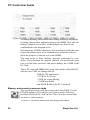
memory jumpers next to JP15 so that jumpers are fitted in the
combinations in the diagram above.
Note that some S1MMs which have ICs mounted on both sides may
require the jumper posts to be trimmed down with side cutters to
allow the jumper to clear the rear of the SIMM.
You may prefer to have memory upgrades performed by your
dealer. If you perform the upgrade yourself you should take great
care to avoid static electricity and not to damage the S1MM or the
PC Card.
Thus a PC card with 4MB RAM, using video mode x800y600c256
with an extra 250K for blitting will use:
420K for !PC application
+ 472K for PC screen
+ 250K for screen blitting
= 1142K host RAM
and 4096K RAM on the PC Card itself
Memory and second processor cards
The second processor cards do not have their own RAM. Use the
PCRAM option in !PCconfig to specify how much of the host
machine's RAM the PC card can use. This value does not include
any host or video memory.
Thus a PC card with 4MB RAM, and using video mode
52
Aleph One Ltd
PC card devices
x800y600c256 with an extra 250K for butting will use:
4,096K for PC RAM
+ 420K for !PC application
+ 472K for PC screen
+ 250K for screen butting
= 5,238K of host RAM.
The PCRAM setting is used to define how big the memory of the
PC is. Enter a value in Mbytes – do not enter the M on the end).
Typical values are 4, 8, 12, 16.
You can specify any value you like, but the PC card can only handle
a limited number of chunks of memory so the number must be
rounded to the nearest achievable value, and it always rounds down.
The smallest possible memory is 1 (1MB), and the largest is 32(
32MB). Given these criteria the possible sizes of actual memory
are:
• 1MB, 2MB, 3MB, 4MB, 5MB, 6MB, 7MB, 8MB.
• 10MB, 12MB, 14MB, 16MB, 20MB, 24MB, 28MB, 32MB.
Of course, the host machine must have enough RAM to supply the
PC card's requirements.
6.6 Video
The PC display depends on the capabilities of the host computer.
The PC card cannot display more colours than the host hardware. It
can display bigger modes than the host, but only in a window in
multi-tasking mode. Under Windows the PC card can display any
mode the host can display, using the Aleph One Windows driver
supplied (see Installing the Aleph One Windows driver on page 39).
There is a certain amount of complexity in the translation of PC
video modes to RISC OS video modes. Most of the time you need
not concern yourself with this, but for some software you may need
to refer to this section to determine the capabilities of the PC Card/
host combination.
Aleph One Ltd
53
PC Cards User Guide
Supported modes
Under DOS the standard VGA modes (including EGA and CGA)
are supported, plus one SVGA mode and a couple of others. A list
of all the supported modes is given below.
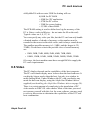
Mode 27 is used for VGA: 640x480x16 graphics display in DOS.
Mode 31 is used for SVGA 800x600x16 graphics display in DOS.
(DOS mode 6Ah). The standard DOS text screen (80x25) is
actually 640x400 pixels. There is no such mode under R1SC OS so
640x480 is used instead. This results in 40 unused pixels at the top
and bottom of the display, making it a bit more 'letterboxy' than a
typical PC display.
•
Note that the default definitions of modes 27 and 31 for the
AKF60 monitor give a slow refresh rate (60Hz) and thus a
flickery display. We recommend that you edit the monitor
definition file to comment out the slow 640x480 and 800x600
modes. Contact Aleph One if your are unsure about this.
Matching modes
!PC does it best to match DOS modes to RISC OS modes, but is
limited to the modes that can be displayed under R1SC OS 3.1. If
the host is a Risc PC, then !PC has more flexibility as the set of
available modes is not fixed by the operating system, but contained
in a monitor definition file which is read at boot time. It is possible
to add modes to this file if you know the abilities of your monitor
and the file format. You will need a copy of the Acorn applicaiton !
Makemodes, available from Acorn.
If a mode !PC doesn't know how to handle is selected, it will
always check with R1SC OS to see if such a mode can be
displayed. If the mode cannot be displayed then !PC reverts to
multitasking, and displays the mode in a window of the correct
size.
Games under DOS
DOS games often select odd-shaped modes, thus causing problems
with !PC. If you find that a game reverts to multi-tasking and you
have a Risc PC:
54
Aleph One Ltd
PC card devices
1 Use the Save sprite feature (see Switching between PC Card
modes on page 32) to save a copy of the screen.
2 Load this into !Paint to find the size and colour depth of the
screen.
3 Create a suitably shaped mode to enable you to use the
software in single-tasking mode.
'Auto' monitortype
If your monitor type is set to Auto then the PC card software
cannot tell what modes it can single-task in. So if WinDrvMode
is set to 31, and you are not already in mode 31, it will revert to
multitasking.
To stop this happening, change your monitortype to reflect
the actual type of your monitor.
Standard DOS modes
Mode 0 (CGA/EGA/VGA)
Mode 1 (CGA/EGA/VGA)
Mode 2 (CGA/EGA/VGA)
Mode 3 (CGA/EGA/VGA)
Mode 4 (CGA/EGA/VGA)
Mode 5 (CGA/EGA/VGA)
Mode 6 (CGA/EGA/VGA)
Mode 7 (Mono/EGA/VGA)
40x25 text
40x25 text
80x25 text
80x25 text
320x200 4-colour graphics
320x200 4-colour graphics
640x200 mono graphics
80x25 text
Modes 8-0Ch are not officially defined
Mode 0Dh (EGA/VGA)
Mode 0Eh (EGA/VGA)
Mode 0Fh (EGA/VGA)
Mode 10h (EGA/VGA)
Mode 11h (VGA)
Mode 12h (VGA)
Mode 13h (VGA)
320x200 16-colour graphics
640x200 16-colour graphics
640x350 mono graphics
640x350 16-colour graphics
640x480 mono graphics
640x480 16-colour graphics
320x200 256-colour graphics
SuperVGA modes
Mode 6Ah (SVGA)
Aleph One Ltd
800x600 16-colour graphics
55
PC Cards User Guide
Unusual modes
360x480, 256 colours
Obtained when programmers edit
the VGA registers
On RISC OS 3.5, !PC will also support other modes obtained by
messing round with VGA registers, provided they are supported by
the display and fit into one of the following categories:
• 16-colour graphics, using 4 video planes as VGA, up to 524288
pixels
• 256-colour graphics, based on mode 13h, up to 65536 pixels
• 256-colour graphics using Plane Mask / Read Plane Select
registers (as 360x480x256 mode), up to 262144 pixels
Many games use unusual screen modes achieved in unusual ways,
so there will still be some software that will not work.
6.7 PC Expansion card serial and parallel ports
Second processor cards
This card does not have its own ports. It must use the host machine'
s. In general these will behave exactly as the equivalent ports on a
normal PC, but in a few instances it is possible for the hosted
nature of the ports to cause different behaviour. Timing-critical
devices using interrupts may find that the increased interrupt
latency is a problem, and serial performance may not be as fast as
expected.
In practice, parallel port devices such as network adaptors, sound
adaptors, IDE interfaces can be expected to work, and serial
devices at speeds of up to 28,800bps.
To use the host serial or parallel port you must specify these
options in !PCConfig. See Printing on page 19 and Serial port on
page 20 for details.
Expansion cards
The Aleph One PC Expansion cards are equipped with their own
serial and parallel interfaces. These interfaces behave exactly like
the first serial port (COM1) and parallel port (LPT1) on a PC.
56
Aleph One Ltd
PC card devices
You can send and receive data over both interfaces, allowing
dongles and modems to be used straightforwardly.
Be sure to select Single-tasking (full-screen) mode when using the
serial or parallel interfaces to achieve reliable operation. In multitasking mode it is possible for other RISC OS applications to
interfere with the PC application and cause errors.
Serial and parallel port upgrade for expansion cards
It is possible to fit a second serial port and enhanced serial/parallel
controller to expansion cards. The enhanced parallel port allows
greater throughput with parallel port devices, and the enhanced
serial port is buffered for improved high-speed comms.
The second serial port will appear to PC software as COM2. This
port uses interrupt three, so you need to change the interrupt used
by the mouse from its default of 3. You will need to use the
Advanced configuration dialogue, and possibly to edit the !
PCconfig file ConfData (see A.2 Enabling advanced configuration
options on page 73), and change the BUSMouselnt setting (see
Interrupt number for bus mouse on page 80).
• Note that if you change this then your mouse driver must be
able to use the new value. 5 is a good choice, unless this
interrupt is already being used for networking.
6.8 Floppy drives
Normally !PC will find and use the host computer's floppy drive
without you doing anything. Drive 0 will appear to the PC as drive
A: and drive 1 (if present) will appear as PC drive B:.
If you have a non-standard size drive, or have added external
drives (for example 5.25"), it is possible that !PC will fail to
identify the size or density of the drive correctly. In this case you
must use the Floppy option in the !PC config file to specify the
drive capacity. (See Floppy drive size on page 80).
Backup via floppy drive
Because the floppy disk drive is hosted, and has a different floppy
Aleph One Ltd
57
PC Cards User Guide
controller to a 'real PC', software which tries to use the floppy
controller directly will not work. This means that floppy protection
schemes involving strangely formatted sectors will not work, and
neither will backup applications. This includes MSBackup,
Fastback, Norton Backup, and PCTools Backup, which all require
direct floppy control.
We recommend that you use PKZIP v2 for floppy backup instead.
Other programs that attempt to access the floppy hardware directly
are operating systems other than DOS/Windows, such as OS/2,
Linux, and Windows NT.
High density drives
If your Acorn computer is equipped with a built-in high-density
disc drive (eg A5000 and Risc PC) you can format, read and write
high-density (1.44MB) DOS discs directly. Other models of Acorn
computers can neither read nor write such discs without a hardware
upgrade.
Suitable upgrades that have been tested are high density drives
from Beebug/R1SC developments and The Serial Port/Arxe.
6.9 Sound
There are two distinct types of PC sound output hardware:
• The basic PC speaker.
• A sound card, such as SoundBlaster.
These are achieved in different ways. The most basic possible 'PC
beep' is actually passed over to the host in software, so this needs
no additional hardware (although if extra shells are loaded in DOS
you will not hear it).
Second processor cards
For second processor cards the best results are obtained from the
Minnie 16-bit audio card by ESP, and adding the SoundBlaster
Emulation software. This presents complete SoundBlaster
hardware to the PC so that all Windows and much DOS software
can be
58
Aleph One Ltd
PC card devices
expected to work in 8 or 16 bits. The hardware is £60 plus VAT:
software prices are not currently available — contact Aleph One.
• The 16-bit hardware is built into all Risc PC 700 series models.
• Alternatively, you can fit a parallel port sound adapter.
PC speaker sound — expansion cards
The Aleph One PC cards (except for the Mark I second processor
card) generate sound from the on-board PC motherboard chip in
the same way as a normal PC does. In order to hear this sound
through the host computer's loudspeaker you must link the two
sound systems together using a cable. We can supply you with a
suitable cable for £5 plus VAT. Details of how to construct and
connect a cable are given in Appendix B.
To play .WAV files under Windows you will need the SPEAKER.
DRV speaker driver from Microsoft. This is now included in this
release as a DOS self-extracting archive in the file SPEAK/EXE.
Copy this to a DOS floppy disc or a hard disc directory and run it
to extract the files. Then read the text files for details of installing
the driver. This file is not included with Mark I second processor
cards as there is no speaker output.
SoundBlaster sound on expansion cards
To get SoundBlaster sound from an expansion card you will need
to fit a parallel port sound adaptor. There are several available.
The Audio-port by Media Vision Inc. The output is 8-bit mono 222kHz, so the sound quality is not particularly high, but sufficient
for many applications. It has an internal speaker and a 3.5mm jack
socket, a microphone socket for digitising sound and a Windows 3.
1 device driver which gives SoundBlaster, Adlib and
ThunderBoard compatibility under Windows in Enhanced mode. It
supports DOS applications running under Windows, but not DOS
applications on their own. It can be obtained from companies
supplying the PC market, at about £60 plus VAT.
The Logitech AudioMan is a similar 8-bit device with a built in
microphone.
Aleph One Ltd
59
PC Cards User Guide
This has instructions tailored for use with the Risc PC. It has a
built-in unidirectional microphone, and records at 11Khz. It is an
8-bit mono device, and plays at 22KHz. Drivers for playing .
WAV files under Windows are supplied. There is no DOS
support. It costs £85. Desktop Laminations: PO Box 332
BRISTOL, BS99 7XL (0117 979 9979).
The Port.able Sound Plus from Digispeech Inc. supports 8 or 16
bits per channel and filetypes such as DVI(IMA), ADPCM, OK1
ADPCM and SoundBlaster ADPCM. It can generate simultaneous
synthesised music and digitised audio playback with multiple
voices. Sockets are provided for stereo audio output to
headphones (3.5 mm), audio input from CD-ROM, and a (
supplied) mono loudspeaker plus microphone unit. DOS and
Windows device drivers are included. It can be obtained from, for
example, Innovative Communications Ltd, Kinetic Business
Centre, Theobald Street BOREHAMWOOD WD6 4SE. Tel 0181
953 0948 at about £120 plus VAT.
6.10 Network cards
If you have an Ethernet card in your Acorn computer then this can
be presented to the PC software as an NE2000 PC Ethernet card,
using the Network Links software supplied by Aleph One. This
means that you can then run all common PC networking systems
alongside your Acorn network (over the same cabling if desired).
Novell Netware, Windows for Workgroups and Internet TCP/IP
are all possible, as well as some others.
Contact Aleph One to discuss your requirements.
6.11 CD-ROM
Any CD-ROM attached to the host computer can be used by the
PC Card. All you need to do is install the supplied device driver (
A1CD.SYS), and install the CD-ROM extensions. These are
supplied with modern versions of DOS, and are also supplied with
our software in case you have an old version of DOS.
60
Aleph One Ltd
PC card devices
It is also possible to fit an IDE CD-ROM drive to the expansion
card's 1DE connector, but note that the drive will not be available
to the host computer.
Installing CD-ROM extensions
To install CD-ROM extensions:
1 First you need to transfer the device driver to your DOS
partition. (see section Moving files between RISC OS and DOS
on page 34.)
2 Add the device driver to your CONF1G.SYS file.
3 Add the CD-ROM extensions to DOS.
4 Set the number of CDROM drives.
5 Restart RISC OS and the PC Card to effect the changes made.
CD-ROM driver
Copy the A 1CD.SYS file from the Drivers . CDROM directory on
the release floppy to the root directory of your hard drive (It doesn'
t have to go there, but these instructions assume that for simplicity)
. If your DOS is DRDOS (any version), or another DOS before
version 6 then you will not have MSCDEX.EXE and must copy
that from the release floppy too. Use the copy of MSCDEX.EXE
supplied with your DOS in preference, where you have one.
• Novell DOS 7 is supplied with the alternative NWCDEX.EXE
which will also work (it uses DPMI — see your manual).
Adding the device driver
To add the CD-ROM device driver:
1 If you have PC Emulator/PC Soft CD-ROM support
configured in CONF1G.SYS then you must remove that driver,
as it is incompatible with the PC card.
2 Add this line to your CONFIG.SYS file
DEVICE=A1CD.SYS /D:name
where name is the name of your CD-ROM device. It must
Aleph One Ltd
61
PC Cards User Guide
be the same as that used in the MSCDEX line, but can be
something different if you like.
It is important to do this with a DOS editor, or understand
the potential difficulties of not doing so (see Editing DOS
text and system files on page 34).
Note that the /D does not imply that the CDROM will appear as
drive D:; it will take the next available drive letter, which is usually
D: if you have one partition, or E: if you have two.
Adding the CD-ROM extensions
Your DOS installation routine may well do this for you. If not here
are the instructions for doing it yourself.
1 Add the line
MSCDEX /D:MSCD000
to your AUTOEXEC.BAT file. Put this near the begining
of the AUTOEXEC.BAT file, as the later commands may
run something like DOSSHELL or WINdows, which would
mean that this command would not be executed until you
quit from them.
Be careful about linefeeds (see Editing DOS text and
system files on page 34).
2 You must alter the R1SC OS configuration for CD-ROM
drives to indicate that a CD-ROM drive is present. Note that
the RISC OS CDFS does not require this, so you may not
already have it correctly set, but !PC does require it and will
not work without it, displaying the error message:
No CD-ROM drives working
3 Recent versions of CDFS will let you configure the drive from
the icon bar. Click Menu on the CD-ROM icon, then choose
Configure, Drives, and enter the number of CD-ROM drives
you have (usually one).
If your software does not have this option you must do it
62
Aleph One Ltd
PC card devices
from the Supervisor (*) prompt by entering:
Configure CDFSDiscs 1
(or more if you have several CD-ROM drives) and then
press CTRL+BREAK to bring the new configuration into
effect. Note that this syntax is for an Acorn SCSI card. The
exact command may be different for your SCS1 card, for
example CDROMDrives, CDROMDiscs. You can use
status at the command line to look through the settings to
find the right name for your SCS1 card.
4 Once everything is set up and R1SC OS restarted, you can run
!PC. You should see something like the following lines:
A1CD.SYS: CD-ROM driver for PC Cards
V1.1 (C) Aleph One Ltd. 1994
1 drive(s) available
MSCDEX Version 2.23
Copyright (C) Microsoft Corp. 1986-1993.
All rights reserved.
Drive E: = Driver MSCD000 unit 0
• See Troubleshooting on page 67 if this doesn't happen.
6.12 Other devices
If you want to use some other device from the PC Card, such as a
M1DI card, then you will need a driver for that card from the card
manufacturer to make it look like an equivalent PC card (in this
case a PC M1D1 card). You may then also need PC-side drivers
for the impersonated card.
This is how the NE2000 network card and SoundBlaster cards
work.
Aleph One provides a developers' kit to enable these drivers to be
written.
Aleph One Ltd
63
PC Cards User Guide
7 Printing from the PC card
There are a range of ways in which your PC Card can be
configured to print. These cater for all the possible combinations of
host, card and printer. To give this flexibility is necessarily a little
complex. Here we explain how to do what you want.
Printing from expansion cards
With a PC expansion card you have two possible printer ports –
one on the PC card, and one on the host computer. DOS also
recognises two logical printer streams caled LPT1 and LPT2 (Line
PrinTer). PRN is a synonym for LPT1.
The Printing option in !PCConfig allows you to control the
connection between these logical printer streams & physical printer
ports.
• Ignore RISC OS printer streamconnects the LPT1 print
stream to the connector on the PC Card and disables LPT2.
• Use RISC OS printer stream for LPT1 connects the LPT1
print stream to the RISC OS printer stream and connects the
LPT2 print stream to the connector on the PC Card.
• Use RISC OS printer stream for LPT2 connects the LPT1
print stream to the connector on the PC Card, and connects the
LPT2 print stream to the R1SC OS printer stream.
The port on the PC Expansion Card itself is 'real PC' hardware and
thus is bidirectional, so any parallel port device can be plugged in
here, for example dongles, sound cards, Ethernet adaptors. Note that
some devices, when plugged in here, can cause the PC Card's selftests to fail, thus disabling this port.
If this happens to you then you need to use the SETPRN utility in
the Drivers.Printer directory on the release floppy. The
Readme_prn file explains how to use it.
64
Aleph One Ltd
Printing from the PC card
The port on the host computer for some Acorn computers,
including A300 and A400 series and A3000, can only send data, so
it can generally only be used for printing, not dongles etc.
However, using this port has the advantage that you don't have to
move the printer from one socket to another when printing from
both R1SC OS and DOS.
For the typical configuration, with one printer which is plugged into
the host computer, set Use RISCOS printer Stream to LPT1.
Printing from second processor cards
The second processor card does not have its own parallel port, so it
uses the host port. You have a choice of two ways of doing this.
• Connecting the port bidirectionally, exactly as if it were a
real printer port, which stops R1SC OS from using it whilst !
PC is running
• Use RISC OS Printer Stream, which connects a PC card print
stream to the host computer's print stream.
These methods are mutually exclusive. You must not use both at
once as the printer output can only go to one place.
If a bidirectional connection is made, DOS port LPT I becomes
the host computer's parallel port.
See Printing on page 19 for details of how to select these options
using !PCConfig.
Selecting the printer driver in DOS/Windows
Once the printer streams are assigned you just have to use the
appropriate logical stream from DOS/Windows. Most applications
will default to LPT1, so if you have configured this to be
connected to the host printer stream (the default) then printing
will automatically come out on your existing printer.
DOS does not need to have a printer driver selected, but Windows
and some applications (for example WordPerfect for DOS) do.
Just pick the driver for your printer.
Aleph One Ltd
65
PC Cards User Guide
TurboDrivers
If you have a Computer Concepts TurboDriver then it affects your
PC Card printing.
With second processor cards you cannot use the parallel port for
bidirectional work as both the 'dongled' cable and its software are
likely to corrupt data.
The TurboDriver queues data on the R1SC OS print stream (as
opposed to data sent to a RISC OS printer driver), which can make
printing with the TurboDriver installed much slower than without
it. The best solution is to fit a printer switch so that RISC OS prints
through the turbodriver cable, and the PC Card prints through a
normal lead.
Network printing
Because of the differing ways in which DOS and R1SC OS handle
printing it is currently impossible to print from the PC card via
RISC OS across a network.
As this User Guide went to press a solution to this difficulty was
under discussion. If you need to print in this way, contact Aleph
One for up-to-date information.
Direct laser printing
Direct laser printers attached to the Acorn computer (eg ArcLaser,
Laser Direct) can be used when printing via the Acorn computer is
selected and the direct laser printer is configured with an Epsoncompatible printer emulator. Consult the documentation supplied
with your direct laser printer for more information.
66
Aleph One Ltd
Troubleshooting
8 Troubleshooting
Like any 1BM-compatible computer the PC card may fail to run
some DOS applications perfectly. Utility programs which drive PC
hardware directly and games are the most notorious culprits. While
we have made every effort to support such software it is impossible
to guarantee that every program in the world will work.
If you do have a problem with software, first read the 'Limitations'
section on the Readme file supplied with your software to check
that what you are trying to do is possible.
8.1 Using trace information
Often if you have a problem you can use the PC card's trace
information to work out exactly why it won't go (eg Direct SCS1
support, 'PC Card did not reset' error.)
1 To enable this error reporting you need to select the Generate
Debug information option using PCConfig's advance
configuration window.
2 The output from this will appear all over the screen, so it is
best re-directed to a file. You do this by editing the !PC !Run
file. The last line starts the !PC application with something
like:
Run <Diva$Dir>.!Runimage
Put a | char at the beginning of this line to comment it out
and remove the comment from the beginning of the line
above:
|Run<Diva$Dir>.!RunImage><Diva$Dir>.
TraceFile
3 Now rerun !PC to repeat the problem you had. Then close !PC,
and examine the Tracefile inside the !PC application to see if it
contains any useful error reports. The presence of messages
there does not automatically mean that something is wrong; it
Aleph One Ltd
67
PC Cards User Guide
will always contain status reports about the Windows driver
mode, SCS1 support etc.
8.2 Common problems
PC Card did not reset
PC Card not found
Sometimes you just get a completely blank screen on starting !PC.
The first message means exactly what it says. It can be caused by a
number of things.
• Wrong !PC application for hardware. This sometimes also
causes the second messageYou can check the version and
expected hardware of the !runimage file by changing to the !PC
directory on the command line and then typing
!runimage ?
This will report:
16-bit ASIC (Elvis)
for an expansion card or:
Risc PC 486 Coprocessor Card
for a second processor card.
• If the SIMM memory on an expansion card is missing, broken,
not making proper connection, or wrongly configured.
• A genuine hardware fault.
PC card not responding - probably crashed
Again this means exactly what it says. The PC card and the host
communicate regularly. If the host gets no response when it expects
one it waits about four seconds and then issues this messge. This is
the equivalent of a 'hang' on a normal PC. It is usually due to a
software incompatibilty on the PC card. In most cases a normal PC
would also have crashed at this point.
HIMEM gives 'cannot control A20Gate' error
This will happen if you have the L1 cache option set incorrectly on
68
Aleph One Ltd
Troubleshooting
a Mark I card. It should be 2. See Appendix A for details, and
change the setting to be correct.
No boot drives available
DOS needs to boot from disk. For this it needs two hidden files in
specific places on the drive. If these are not present you will get
this error message. You will also get this if the DOS partition is not
marked 'active'.
Normally this happens because you have created a drive and then
run !PC without installing DOS onto that drive. It can also happen
if !PC has not recognised your hard drive (which may be bootable),
so it is actually looking at the floppy drive and being unable to boot
from that (because there is no disc in it).
Cannot install DOS to hard drive
You have created a drive_c partition, but when you try to install
DOS is says there is no hard drive, or only gives you the option of
installing to a floppy disc.
This can happen for a number of reasons to do with the way !
PCconfig operates. It is possible for !PCConfig to have edited the
wrong config file, or for you to have forgotten to save the settings,
or (if you dragged a drive name into the box and made no other
changes) for the drive name not to have been recorded.
To check that !PC is really looking for the DOS partition name you
expect, look at the Config file inside !PC. At the bottom of the file
should be a line (or two) like:
HD0-File-Name adfs::4.$.drive_c
If the filename is blank or different from your drive then either go
back to !PCconfig, reading Configuring your PC card on page 13
carefully, and try again, or put in the name with the text editor,
being very careful to get it right.
Problems with Windows
There are innumerable ways of 'breaking your Windows', but a
couple are specific to the PC Card:
Aleph One Ltd
69
PC Cards User Guide
Wrong version of ARMDRV
If you have upgraded your !PC, but not your ARMDRV in the
WINDOWS/SYSTEM directory then a message like:
Wrong version of ARMDRV. Found ARMDRV
1.80, requires ARMDRV 1.94
will flash up momentarily in the black screen after the Windows
banner before the screen is cleared on the return to DOS. Putting the
right version (from your release disk) in the right place should fix
this.
Failure to perform a Custom Install
If you did an 'express' install, or selected VGA display drivers then
you will get a set of drivers that won't work. Install Windows again,
following the instructions in Installing the Aleph One Windows
driver on page 39.
CD-ROM errors
CD-ROM drive is not recognised
This is usually due to some combination of
• Editing the CONF1G.SYS or AUTOEXEC.BAT files with a
RISC OS editor so that the linefeeds are wrong.
• Not setting CDROMdiscs/ CDROMdrives to the correct value.
• Putting MSCDEX into the AUTOEXEC.BAT file so late that it
is not executed.
• Not powering up the CDROM drive (check it works from
R1SC OS first).
ERROR! Invalid line in CONFIG.SYS
Means some of the text following DEVICE=A1CD.SYS is
incorrect. Currently you may only have the phrase /D: name after
this. name is the name by which MSCDEX will know the device
driver; it should be no more than 8 characters long. If you do not
have /D: name the name will default to MSCD000.
ERROR! Cannot find Aleph One BIOS services
70
Aleph One Ltd
Troubleshooting
You are trying to run A lCD.SYS on a system which is not an
Aleph One PC card, for example a normal DOS system or the
Acorn PC emulator.
ERROR! No CD-ROM drives working
The !PC application has been unable to find any working CDROM drives. This may be because the drive is switched off, or the
Acorn CD filing system and driver (CDFS) is not loaded, or you
have not configured at least one CD-ROM drive as noted above.
If you turn trace messages on then a reason for the failure should
be produced (see Using trace information on page 67).
Direct SCSI problems
First try turning on the trace messages (see start of this chapter).
You should get a reason for the non-appearance of the drive in the
Tracefile.
Here is what the messages mean:
SCSI_Reserve failed, device X
!PC has been unable to 'reserve' the SCSI drive ('X' is the device
ID), most often because it is in use by something else (usually
R1SC OS).You need to make the direct access drive the one with
the highest SCSI ID (apart from the host) and then
*Configure SCSIFSdiscs n
where n is the number of SCSI drives you have excluding the
direct-access drive. Note that different interfaces may have slightly
different names from SCS1FSdiscs for the number of drives.
SCSI_Op (Read) failed, device X
SCSI_Op (Write) failed, device X
!PC has been unable to read or write to the drive using the
SCSI_Op SWI. It will always use standard 10-byte SCS1 Read or
Write commands; you should check that the drive supports these.
SCSI Initialise 2 failed on device X
The device did not respond to the SCSI Initialise SWI. This
Aleph One Ltd
71
PC Cards User Guide
uses the SCS1 Inquire command to read parameters about the
drive. It usually indicates a basic problem with connections to the
drive.
Warning: SCSI device X is type %d (not
direct-access)
!PC checks the device type found using the Inquire command. If
this is not type 0 (direct-access, usual for hard disks), it gives this
warning but continues to attempt to use it. Using non-direct-access
devices is not tested and not guaranteed to work.
SCSI device X has bad sector size NNN
For use with MS-DOS, SCS1 disks should be formatted to a sector
size of 512 bytes. Unfortunately, R1SC OS uses 1024 byte sectors)
. The drive needs a low-level format to change this — this will
need to be done on a PC or using special software under R1SC OS.
72
Aleph One Ltd
Troubleshooting
Appendix A Configuration
A.1 Advanced configuration options
!PCconfig includes a wide range of options for customising your PC
setup. In most cases you will not need to change these, but you may
have specific requirements or a set of hardware which makes this
necessary.
A.2 Enabling advanced configuration options
Should you want to add any of these options to the !PCConfig
advanced configuration window, you will need to edit the
ConfData text file inside the !PCConfig application.
To do this:
1 Shift double-click on the !PCconfig application icon in the filer
window.
2 Open the ConfData file using a text editor such as !Edit.
You will see that it contains a list of options and settings.
Options are prevented from appearing in the !PCConfig
window by a # character at the start of the title string.
3 Removing the # from an option will enable the option for
configuration with !PCConfig.
4 When you have enabled or disabled the required settings, save
the updated file.
5 Next time you load !PCconfig the revised set of options will
appear in the Advanced configuration window. Change the
settings you want, and click the OK button to confirm and save
your changes.
Aleph One Ltd
73
PC Cards User Guide
A.3 Editing advanced configuration options
To update your configuration options:
1 Load the !PCConfig program.
2 Choose Advanced configuration from the Open menu.
3 A warning box will appear, telling you not to change options
without instructions from the Readme file. Click OK.
4 The advanced configuration window will be displayed and
you can open any section to update or change your choices:
5 Remember to click Save when you have finished editing your
choices, and to quit and reload !PC so that your changes come
into effect.
Adding options to the advanced configuration window
Not all the available options are displayed automatically in the
Advanced configuration window.
74
Aleph One Ltd
Troubleshooting
However, all are stored in !PC Config's ConfData file.
To add hidden options to the advanced configuration window:
1 Shift double-click on !PCConfig to open its directory.
2 Load the text file ConfData into a text editor.
3 Each item is listed in the file. Hidden items have a # character
in from of their item name.
4 Delete the # character from the options you want to appear.
5 Save the edited file.
6 Reload !PC Config.
The hidden options will now appear in the file.
You can also edit the configuration directly by opening the file
Config inside !PC.
A.4Advanced configuration options
The entries in this section have the title of the option as it
appears in the !PCconfig window.
Enable VGA mode support
Config line:
VGA Attached On|Off
Default setting: on
• All RISC PCs support VGA resolutions so this option does not
appear for second processor cards.
Expansion card users should select Enable VGA mode support if
their monitor is capable of displaying a VGA screen.
If you do not have a monitor capable of displaying VGA modes (
Monitortype 1,3 or 4 required) then the PC Card will revert to
multitasking mode if a VGA or EGA mode is selected.
If you want to operate in single-tasking mode you should turn this
option off, which will mean that CGA modes are always used and
the PC Card will be able to remain in single-tasking mode. The
VGA display requires an extra 512K of RAM to operate: check that
Aleph One Ltd
75
PC Cards User Guide
you have enough free RAM under R1SC OS before making this
configuration.
Video retrace emulation
Config line:
RetraceEmulation 0|1|2
Default setting: Normal (0)
The three options here are Normal, Fast A, and Fast B. Normal is
the default.
This option controls how the PC Card software emulates the
Vertical and Horizontal Retrace registers found on VGA cards.
These registers are used by very old software to avoid rewriting
screen memory whilst it is being displayed (which caused snow on
XT-vintage display systems). They are also used by games for
things like synchronisation and generating pseudo-random
numbers. For a perfect emulation the PC Card would have to spend
its entire time updating these registers, so a compromise in
necessary. Three possible options are given.
If you have trouble with very old software that uses CGA or EGA
modes and displays extremly slowly, then try changing this setting.
Also if you get division by 0 errors or other failures with games it
is worth trying changing this setting to see if it helps. 0 is most
compatible, while 1 and 2 may make DOS software run faster.
Allow desktop operation
Config line:
UseWindowFE On|Off
Default setting: on
Select Allow desktop operation if you want to be able to run the
PC in multi-tasking mode on the R1SC OS desktop or if you want
to use the Windows driver. The default setting is On.
Turning it off disables the multitasking option where the PC card
runs in a window on the RISC OS desktop. It saves a few K of
memory. The only reason for turning it off is if you are very short
of memory under RISC OS and only want to run DOS software.
76
Aleph One Ltd
Troubleshooting
Shrink PC window to fit screen
Config line:
ScaleToFit On|Off
Default setting: off
Select Shrink PC window to fit screen if you want to scale the
PC screen to fit your screen..
• This option causes the window front-end to attempt to keep the
R1SC OS window the same size regardless of PC display mode
or R1SC OS mode. The best way to understand this effect is to
try it in several PC and several R1SC OS modes.
Maths Coprocessor present
Config line:
Coprocessor on|off
Default setting: on
This option is auto-detecting. You may explicitly set this to Off to
over-ride the auto-detection.
Use low-resolution font for text modes
Config line:
UseLoResText On|Off
Default setting: off
If your monitor is not VGA or better, you may prefer to use Lowresolution text which is designed to be easier to read on lowresolution screens. If you are using a multi-frequency monitor you
should not select this option.
Use MDA (monochrome) video mode
Config line:
InitInMono On|Off
Default setting: off
Select this option if you need to work in monochrome (MDA)
mode on the PC. You will only need this option for extremely old
software that cannot run in colour. This option may be
discontinued in the future.
Aleph One Ltd
77
PC Cards User Guide
Use powersaving features
Config line:
PowerSaving On|Off
Default setting: on
This option uses the powersaving features of the 386 and 486
CPUs on all Aleph One PC cards, to make significant heat and
power savings when in multitasking mode and when frozen. There
is no performance penalty so this option should always be on.
Generate debug messages
Config line:
Trace On|Off
Default setting: off
This line is used to turn on trace information when you have a
problem with running software. See the Troubleshooting chapter
(section 8 on page 67) for details.
Level 1cache
Config line:
L1Cache 0|1|2|3
Default setting: autodetecting
L1 cache controls the processor's internal (Level 1) cache.
Level 1 cache depends on whether the CPU has a write back or a
write through cache. It should be set to:
• writeback for Mark I second processor cards.
• writethrough for expansion cards
This option should be correctly set when you receive your software
and it never needs to be changed, so it does not appear in !PCcon
fig. You only need to reset this option if you lose or damage your
configuration file, or attempt to use this software with an Acorn PC
card or a later Aleph One card.
Level 2 cache
Config line:
L2Cache 0|1|2|3
Default setting: autodetecting
78
Aleph One Ltd
Troubleshooting
• This option is irrelevant to expansion cards.
L2 cache controls the external (Level 2) cache.
The correct settings depend on your hardware.
Level 2 cache should be set to:
• 1 for Mark I second processor cards.
• 2 for Mark II second processor cards.
This option should be correctly set when you receive your software
and it never needs to be changed, so it does not appear in !
PCconfig. You only need to reset this option if you lose or damage
your configuration file, or attempt to use this software with an
Acorn PC card or a later Aleph One card.
Cache size
Config line:
L2Size n
Default setting: 256
This option governs the size of the level 2 cache in second
processor cards. It is irrelevant to expansion cards.
The correct setting depends on hardware but can be between 32K
and 512K.
TI486SXL2 clock-doubling enabled
Config line:
ClkEnabled On|Off
Default setting: depends on hardware
This option, for second processor cards only, must be on if a
TI486SXL2 processor is installed.
ASIC features disable
Config line:
ASICoptions 0|1|2
Default setting: 0
where
Aleph One Ltd
0
1
2
normal
disable small write buffer
disable large write buffer
79
PC Cards User Guide
This option, for second processor cards only, can be used to disable
ASIC features. Any setting other than normal will slow down your
PC card.
Floppy drive size
Config line:
Floppy0|1 360|720|1200|1440
Default setting: 0 ( autodetecting)
These settings specify the type of floppy drive fitted. Default lets
the PC application work it out for itself. This works in all except
exceptional configurations. If this does not work then you need to
give one of the other values:
3.5" double density (720K)
3.5" high density (1.44M)
5.25" double density (360K)
5.25" high density (1.2M)
720
1440
360
1200
Interrupt number for NE2000 card
Config line:
NE2000Int n
Default setting: 5
This option specifies the interrupt that the NE2000 Emulation will
use if you are using the network drivers. See the network driver
documention for details, and Network cards on page 60. Usual
value is 5.
Enable bus mouse emulation
Config line:
Busmouse on|off
Default setting: on
This enables or disables the emulation of the Acorn mouse as a
DOS bus mouse. It should be left on unless you wish to use a serial
mouse plugged into the PC card, or need to release the interrupt for
some other use.
Interrupt number for bus mouse
Config line:
80
BusMouselnt n
Aleph One Ltd
Troubleshooting
Default setting: 3
This specifies the interrupt that the bus mouse emulation will use.
If you are using the supplied AMOUSE/COM driver (4th Dec
1992), then you must leave this at 3. The MOUSE/COM supplied
with Windows can use interrupts 2,3 or 5.
Aleph One Ltd
81
PC Cards User Guide
Appendix B Expansion card
sound
Constructing a sound cable
To make your own cable you will require:
Qty Item
1
2-pin 0.1" female socket (for example, molex)
1
10-pin (2x5) female socket
2
25cm lengths low-voltage wire (ideally Red & Black)
1
47K (or 500K variable) 0.25W resistor
1
Soldering iron or crimp tool
1 Make up a cable with a socket at each end joined by the two
lengths of wire. Connect the resistor in series with the Red
wire, ie the signal not the ground.
2 Twist the wires together along their length. You should end up
with something which looks like this:
3 Fit one end of the cable over the sound plug on the PC card.
Attach Black to Ground (furthest from the JP5 label)and Red
to Output (closest to the JP5 label). The location of the plug on
the
82
Aleph One Ltd
Troubleshooting
PC Card is shown below:
4 Fit the other end of the cable onto the host computer's Auxiliary
Audio Connector. This consists of two rows of five pins located
on the main circuit board towards the rear of the computer. The
exact arrangement varies according to which kind of computer
Aleph One Ltd
83
PC Cards User Guide
you have.
5 Ensure that the Output of the PC card connects to the Input of
the computer via the resistor and that the two Grounds are also
connected together.
6 Now test your work. You can use the file SNDTST/EXE
supplied on the !PC disc (after copying it to a DOS disk or
partition), or use a sound generating application under DOS or
Windows.
84
Aleph One Ltd
Index
Index
Symbols
!Edit 32, 34, 73
!Makemodes 54
!Paint 32
!PCconfig
further options 73
.WAV 59
Numerics
32 bit file access 38
486SLC 47
A
Advanced configuration 25
Aleph One mouse driver 49
Allocating RAM for video modes 44
Allow desktop operation 76
ARMDRV
errors 70
ARMDRV.DRV 39
ASIC features disable 79 Auto
monitortype 55 AUTOEXEC.
BAT 33, 34
B
Back up via floppy drive 57
Buffers
disabling 79
Bus mouse emulation 80
Busmouselnt 80
C
Cables
sound 82
Cache
configuring 78
Aleph One Ltd
Cache size 79
CD-ROM
device drivers 61
drivers 61
errors 70
extensions 62
CGA 76
Checking installation 7
Choosing modes 32
Closing down the PC 33
ConfData 73
CONFIG.SYS 33, 46
errors 70
Configuration 33
advanced 25
expansion cards 25
updating 24
Configuring the cache 78
Conventional memory 45
Coprocessor 50
Coprocessors 77
numeric 50
D
Desktop operation 76
Device drivers
CD-ROM 61
Direct laser printing 66
Direct SCSI access 27
Direct SCS1 problems 71
DOS
editing text and system files 34
games on screen 54
screen modes 55
DOS boxes and Windows 38
85
PC Cards User Guide
DOS partition files 17
DOS software
monochrome 77
DOSFS 15, 35
DR-DOS 45
and Windows 39
Drivers
Windows 76
selecting printer 65
E
Editing
configuration 24
DOS text files 34
EGA 76
Emulation
bus mouse 80
Enable boot from floppy 25
Enable VGA mode support 75
Errors
CD-ROM 70
SCS1 71
Windows 69
et TCP 60
Exiting Windows
Quitting Windows
Shutting down the PC 33
Expanded memory 44, 45
Expansion cards
configuration 25
coprocessors 50
installing 8
memory 51
printing 64
serial and parallel port upgrade 57
Extended memory 44, 45
Extensions
CD-ROM 62
F
File transfer 36
86
Files
editing DOS 34
transferring between RISC OS and
DOS 34
Floppy drive
and backup utilities 57
high density 58
G
Games under DOS
screen modes 54
Generating trace files 67
Grabbing screens 32
H
High memory 45
High-density floppy drives 57, 58
I
IDE drives
using direct 25
Initialise in monochrome 77
Installing
expansion cards 8
Risc PC second processor cards 7
support software 10
Windows 40
Installing the card 7
Installing the PC Card software 11
Interrupts
busmouse 80
networking 80
K
Keyboard 48
L
Low resolution text 77
M
Making a sound cable 59
Matching screen modes 54
Maths Coprocessor present 77
Aleph One Ltd
Index
MDA 77
Memory
expanded 44
expansion cards 51
extended 44
second processor cards 52
video modes 44
Memory to use for Video 21
Microsoft Windows
driver software 39
Enhanced Mode 38
installing 38
quitting 33
running DOS programs under 38
Modes
CGA and EGA 76
DOS screen 55
matching screen 54
odd 56
SuperVGA 55
switching between 32
Monitortype
auto 55
Monochrome operation 77
Mouse
and Windows 49
bus mouse emulation 80
interrupts 80
multi-tasking 49
setting up 49
Moving files
between RISC OS and DOS 34
MS-DOS 5 45
Multi-tasking
using mouse 49
Multi-tasking operation 32
enabling 76
N
NE2000 63
NE2000 interrupt 80
Aleph One Ltd
Network cards 60
Networking
interrupts 80
Networks
printing 66
Novell Netware 60
0
Obsolete options on update 25
Odd modes 56
OS/2 38
P
Parallel port 56
Partition size 15
PC
quitting 33
resetting 33
starting up 31
PC Card
modes 32
PC card
package contents 6
PC expansion card hardware 47
PC speaker sound 59
Powersaving 78
Printing
direct lasers 66
from expansion cards 64
from second processor cards
65
network 66
selecting drivers 65
TurboDrivers 66
PrintScreen 32
Processors
486SLC 47
TI486SXL2 79
Producing trace files 67
Q
Quitting the PC 33
87
PC Cards User Guide
R
Resetting the PC 33
RISC OS 57
returning to the desktop 32
Risc PC
installing cards 7
S
Screen grabbing 32
Screen modes
matching 54
Screens
capturing 32
SCSI
errors 71
Second processor cards
CPU 48
installing 7
memory 52
printing 65
using host ports 56
Second processors
cache 78
Serial and parallel port upgrade 57
Serial port 56
Shrink PC window to fit screen 77
Shutting down the PC 33
SIMMs
choosing 51
Single-tasking operation 30
and using ports 57
switching to 32
Size
DOS partition 15
Size of PC window 77
Software
installing 11
Sound
constructing a cable 82
PC speaker 59
Sound cable 59
88
SoundBlaste 63
SoundBlaster
adaptors 59
SPEAKER.DRV 59
Starting the PC expansion card 30
Starting up the PC 31
SuperVGA modes 55
Support software 10
Switching modes 32
System files
DOS 34
T
Text files
DOS 34
TI486SXL2
clock-doubling enabled 79
Trace 78
Trace information 67
Transferring
files between RISC OS and DOS 34
Troubleshooting 67
CD-ROM 70
SCSI 71
Windows 69
TurboDrivers 66
U
Updating
configuration 24
Updating your system 10
Upgrades
ports 57
Upper memory 45
Use low-resolution font for text modes 77
Use powersaving features 78
Using Setup after Windows is installed 41
Using Setup when installing Windows 40
Using the PC card 13
V
VGA 75
Aleph One
Ltd
Index
Video 53
Video modes
memory 44
Video retrace emulation 76
W
Windows 38
driver software 39
errors 69
exiting 33
installing 40
manual installation 42
printer drivers 65
updating with Setup 41
using mouse with 49
Windows 3.11 38
Windows 95 38
Windows driver 76
Windows for Workgroups 3.11 38, 60
Aleph One Ltd
89
Aleph One Limited
The Old Courthouse
Bottisham
Cambridge
CB5 9BA
Telephone: 01223 811679
Fax: 01223 812713
Email: support@ alephl.co.uk