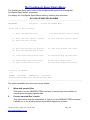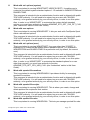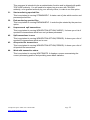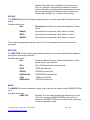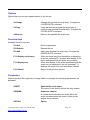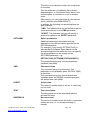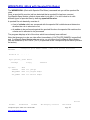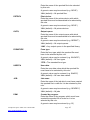
1
Spool Admin User Guide Version V6R1M0 2010 Table of Contents Introduction ........................................................................................... 6 Why Choose CoolSpools Spool Admin? ............................................7 What’s new in this release? .................................................................7 What was new in Version 2 of CoolTools? .........................................8 Prerequisites ......................................................................................... 9 Upgrade Notes .................................................................................... 10 License Keys ....................................................................................................... 10 Warning/Disclaimer ............................................................................................. 11 Minimum OS/400 Release Level ......................................................................... 11 Product Library.................................................................................................... 11 Memo to Users..................................................................................................... 12 If you are migrating from Version 1 of CoolTools ............................................... 12 Installation ........................................................................................... 14 Maintenance ........................................................................................ 15 Using CoolSpools Spool Admin ........................................................ 16 Concepts .............................................................................................................. 16 Spooled File Monitors ......................................................................................... 16 Spooled File Rules ............................................................................................. 16 Spooled File Scripts ........................................................................................... 17 Spooled File Transactions .................................................................................. 17 Transaction Rule Steps ...................................................................................... 18 Authorities ........................................................................................................... 19 The CoolSpools Spool Admin Menu .................................................................. 20 WRKSPLFPDM (Work with Spooled Files PDM-style) ...................................... 23 Working with Spooled Files in Interactive Mode .............................................. 31 Options ................................................................................................................. 32 Standard options ................................................................................................. 33 User-defined options .......................................................................................... 34 Function keys ...................................................................................................... 34 Working with Spooled Files in Batch Mode ...................................................... 36 IMPADMDTA command ...................................................................................... 37 WRKSTDOPT (Work with Standard Options) .................................................... 38 Options ............................................................................................................... 39 Function keys ..................................................................................................... 39 Attributes ............................................................................................................ 41 Function keys ..................................................................................................... 42 WRKUSROPT (Work with User Options) ........................................................... 43 Options ............................................................................................................... 43 Function keys ..................................................................................................... 44 Attributes ............................................................................................................ 45 Setting up CoolSpools Spool Admin to process spooled files automatically 47 Using the Wizard ................................................................................................ 47 Manual Setup ..................................................................................................... 47 Create spooled file monitors ............................................................................... 47 Create spooled file scripts .................................................................................. 47 Create spooled file rules ..................................................................................... 48 Start Spooled File Monitoring ............................................................................. 48 Checking Spooled File Processing ..................................................................... 48 Resolving errors ................................................................................................. 48 WRKSPLMON (Work with Spooled File Monitors) ............................................ 49 Options ............................................................................................................... 49 Function keys ..................................................................................................... 50 Attributes ............................................................................................................ 50 Other commands for working with spooled file monitors ............................... 51 CRTSPLMON (Create Spooled File Monitor) ..................................................... 51 CHGSPLMON (Change Spooled File Monitor)................................................... 51 CPYSPLMON (Copy Spooled File Monitor) ....................................................... 51 DLTSPLMON (Delete Spooled File Monitor) ...................................................... 52 WRKSPLSCP (Work with Spooled File Scripts)................................................ 53 Options ............................................................................................................... 54 Function keys ..................................................................................................... 54 Attributes ............................................................................................................ 54 Other commands for working with scripts ....................................................... 54 CRTSPLSCP (Create Spooled File Script) ......................................................... 54 CHGSPLSCP (Change Spooled File Script) ...................................................... 54 CPYSPLSCP (Copy Spooled File Script) ........................................................... 55 DLTSPLSCP (Delete Spooled File Script) .......................................................... 55 RUNSPLSCP (Run Spooled File Script) ............................................................ 55 WRKSPLSCPE (Work with Spooled File Script Entries) .................................. 56 Options ............................................................................................................... 57 Function keys ..................................................................................................... 57 Parameters ......................................................................................................... 57 Other commands for working with script entries ............................................. 59 ADDSPLSCPE (Add Spooled File Script Entry) ................................................. 59 CHGSPLSCPE (Change Spooled File Script Entry) ........................................... 59 CPYSPLSCPE (Copy Spooled File Script Entry) ............................................... 59 RMVSPLSCPE (Remove Spooled File Script Entry) .......................................... 60 WRKSPLRUL (Work with Spooled File Rules) .................................................. 61 Options ............................................................................................................... 62 Function keys ..................................................................................................... 62 Parameters ......................................................................................................... 62 Other commands for working with rules ........................................................... 66 CRTSPLRUL (Create Spooled File Rule) ........................................................... 66 CHGSPLRUL (Change Spooled File Rule) ........................................................ 67 CPYSPLRUL (Copy Spooled File Rule) ............................................................. 67 DLTSPLRUL (Delete Spooled File Rule) ............................................................ 67 CoolSpools Spool Admin Jobs .......................................................................... 68 Work Management ............................................................................................. 68 Jobs .................................................................................................................... 68 STRMONSPLF (Start Monitoring Spooled Files) .............................................. 70 Parameters ......................................................................................................... 70 ENDMONSPLF (End Monitoring Spooled Files) ............................................... 71 STRPRCJOB (Start Processing Jobs) ............................................................... 71 Parameters ......................................................................................................... 71 ENDPRCJOB (End Processing Jobs) ................................................................ 72 Parameters ......................................................................................................... 72 WRKSPLTRN (Work with Spooled File Transactions) ..................................... 73 Parameters ......................................................................................................... 73 Options ............................................................................................................... 74 Function keys ..................................................................................................... 75 Positioners.......................................................................................................... 75 Data .................................................................................................................... 76 Transaction Details............................................................................................. 77 Transaction Error Details .................................................................................... 79 Other commands for working with transactions .............................................. 81 CRTSPLTRN (Create Spooled File Transaction) ............................................... 81 Parameters ......................................................................................................... 81 DLTSPLTRN (Delete Spooled File Transaction) ................................................ 83 Parameters ......................................................................................................... 83 WRKTRNSTS (Work with Transaction Status) .................................................. 85 Function keys ..................................................................................................... 85 Data .................................................................................................................... 86 Substitution variables ......................................................................................... 88 CoolSpools Spool Admin Log File..................................................................... 90 Introduction CoolSpools Spool Admin (previously known as “CoolTools”) provides spooled file management and distribution functionality for the CoolSpools suite of programs. CoolSpools Spool Admin provides: The ability to create spooled file monitors, which are processes which detect the arrival of spooled files on specified output queues in a ready status and then carry out user-defined actions against those spooled files. The facility to define spooled file rules which determine what actions are applied to which spooled files. The means to specify spooled file scripts which determine a sequence of operations to be applied to a spooled file. WRKSPLFPDM (Work with Spooled Files PDM-style), a command which provides a simple and familiar but powerful and flexible way of operating on sets of selected spooled files. When run interactively, WRKSPLFPDM is similar to the PDM commands WRKLIBPDM, WRKOBJPDM and WRKMBRPDM, but whereas those commands allow you to work with libraries, objects and members respectively, WRKSPLFPDM provides the equivalent functionality in relation to spooled files. RUNSPLFCMD (Run Spooled File Commands), a command which provides similar functionality to WRKSPLFPDM, but without a user interface The ability to customize the standard options provided by WRKSPLFPDM and RUNSPLFCMD (i.e. you can determine what command string is run when, for example, a user selects option 10 against a spooled file). Control over authority to options and command parameters within WRKSPLFPDM. For example, you can manage user authorities to each individual CoolSpools Spool Admin user-defined option and standard options. CoolSpools Spool Admin dovetails with CoolSpools Spool Converter which converts spooled files to stream files in a variety of formats such as PDF and Excel. With CoolSpools Spool Admin and CoolSpools Spool Converter together, it’s easy to create electronic documents from multiple spooled files automatically. If you also have CoolSpools Email, you can email them too! CoolSpools Spool Admin User Guide V6R1 www.ariadnesoftware.co.uk Page: 6 Why Choose CoolSpools Spool Admin? Let’s look at some possible uses for CoolSpools Spool Admin. If you’ve got CoolSpools Spool Converter, you’ll know how much your company can save in time and money and effort by replacing paper with electronic documents such as PDFs. Maybe you’re now converting your business reports to PDF format every night rather than printing them so they can be emailed to your users or customers or published on your website or intranet. With CoolSpools Spool Admin , you can make this even easier by detecting every time a spooled file is created on a given output queue and automatically applying one or more actions to that spooled file. But what about the hundreds or even thousands of archived spooled files you’ve accumulated over previous years and which you’d now like to convert? CoolSpools Spool Admin can help you here too. Using the various criteria available, you can easily use WRKSPLFPDM or RUNSPLFCMD to select sets of related spooled files to work with and convert them all to PDF format in a single batch job. Or maybe you’d like a way of saving your spooled files every night so they don’t have to be kept online all the time and clutter up your disk? With WRKSPLFPDM and CoolSpools Spool Converter you can easily save an entire output queue in CoolSpools Spool Converter’s highly compressed archive stream file format by running a single command. These archives can then be backed off to tape or even burnt to CD using a cheap and simple CD writer on an attached PC. If you need them back later, you just load them off the CD on to the system i using FTP or a network drive and restore them. Or perhaps you’re just looking for an even better way to manage your spooled files online than WRKSPLF? With WRKSPLFPDM you can: Select spooled files by spooled file name Select spooled files by output queue Select spooled files created between a range of dates Repeat options PDM-style using F13 Apply PDM-style user-defined options to sets of selected spooled files Use substitution variables in user-defined options What’s new in this release? New Automatic spooled file processing setup wizard Simplifies setting automatic processing of spooled files Guides you through the steps required and prompts for selection of output queues to watch, spooled files to select and actions to perform Available from SPOOLADMIN menu option 20, CFGSPLMON command or WRKSPLFPDM option 34. Integration with CoolSpools Spool Converter enhancements CoolSpools Spool Admin has been updated with several new standard options that take advantage of new features within CoolSpools Spool Converter: CoolSpools Spool Admin User Guide V6R1 www.ariadnesoftware.co.uk Page: 7 18=Convert to XML 19=Convert to Excel using a map 28= Email spooled file as XML 29= Email spooled file as Excel using a map 31=Send spooled file using TCP/IP (LPR) 32=View spooled file text (allows displaying of spooled files that DSPSPLF can’t handle e.g. *USERASCII) 33=Design report definition What was new in Version 2 of CoolTools? Highlights of Version 2 of CoolTools included: Extension of the number of available WRKSPLFPDM options from 12 to 99. The ability to customize WRKSPLFPDM standard options 01-99 at the system-level or for individual users. This replaces the facility previously available in V1 to define system and user defaults. Greatly enhanced control over user capabilities and option security, using registered functions. It is now possible to control who has access to what system features at the level of individual users and groups. These features cover standard WRKSPLFPDM options, user-defined options, CoolSpools parameters and other aspects as well. These new features replace the capabilities by user class that were definable in V1. New options for setting up automatic processing of spooled files. As soon as a spooled file is created on a particular output queue with a status of “ready”, it can be detected and processed. What processing should be performed can be specified for each type of spooled file by defining spooled file rules. Spooled file scripts to allowing the definition of a simple sequential list of actions to be performed on a spooled file. New WRKSPLFPDM options for selecting spooled files by: spooled file number; age range in days; status; spooled file type. Discontinuation of support for user-defined options defined in a PDM options file. All user-defined options must be defined using the WRKUSROPT function. Withdrawal of support for WRKSYSCTL. The functions previously provided by WRKSYSCTL are now available from WRKSTDOPT and/or WRKREGFNC. CoolSpools Spool Admin User Guide V6R1 www.ariadnesoftware.co.uk Page: 8 Prerequisites OS/400 V5R3M0 or higher. 20 Mb of system i disk space. For spooled file conversion: CoolSpools Spool Converter For email options: CoolSpools Email CoolSpools Spool Admin User Guide V6R1 www.ariadnesoftware.co.uk Page: 9 Upgrade Notes Please read the following notes carefully before upgrading to CoolSpools Spool Admin V6R1M0 from an earlier version of CoolTools, CoolSpools Spool Admin or CoolSpools PLUS. CoolSpools Spool Admin was previously available as both a standalone module called CoolTools and also as part of the complete CoolSpools PLUS suite. Now, CoolSpools Spool Admin is packaged as a product option (option 3) of CoolSpools V6R1M0. To determine which version of CoolSpools PLUS or CoolTools you are running, check the name of the library in which the SNDCMNMSG command object you are using resides, e.g.: DSPOBJD OBJ(WRKSPLFPDM) OBJTYPE(*CMD) The library name corresponds to the product and version shown in the table below: Product Library Name Licensed Program Id Version SPLTLSV1R1 1SPLTLS CoolTools Version 1 SPLTLSV2R1 2SPLTLS CoolTools Version 2 COOLSPV5R1 5COOLSP CoolSpools PLUS V5R1M0 If your command is in a library other than those shown, you are either running an unsupported, unlicensed version or have moved or copied the command object from its original location. Contact [email protected] for assistance. License Keys You are entitled to upgrade to V6R1M0 of CoolSpools Spool Admin free of charge if: the machine on which you wish to run CoolSpools Spool Admin V6R1M0 has a valid license for an earlier version of CoolTools or CoolSpools PLUS and you are either in your first 12 months’ maintenance period after purchase or have paid your latest annual maintenance invoice. If you wish to upgrade, you can simply download the software from www.ariadnesoftware.co.uk and install it according to the instructions contained in the “Installation” section of this User Guide. However, if you licensed an earlier version of CoolTools or CoolSpools PLUS, you will need to request a license key for the new version. Simply e-mail [email protected] and ask for your key for V6R1M0 of CoolSpools Spool Admin. Please quote your system serial number(s) and processor group code(s) in your e-mail. These are shown at the top of the WRKLICINF screen. CoolSpools Spool Admin User Guide V6R1 www.ariadnesoftware.co.uk Page: 10 Without a license key, CoolSpools Spool Admin V6R1M0 will allow you a 30-day grace period and will then no longer run. If you have not paid your annual maintenance invoice, and if you need longer than 30 days to test CoolSpools Spool Admin V6R1M0, we will, on request, send you a temporary license key to extend the trial period. If you require additional temporary license keys to assist with testing CoolSpools Spool Admin V6R1M0, or if you run into any problems during your testing, please do not hesitate to contact us at [email protected]. Warning/Disclaimer We recommend strongly that all production applications are re-tested thoroughly using the new version in your development environment before you switch over to running the new version in your production environment. All CoolSpools versions are packaged as separate licensed programs and install into different libraries. This means that all versions of CoolSpools can coexist and run alongside one another on the same machine. You can switch an application from using one version to using another simply by changing the library list of the job to include the appropriate version library or by specifying a different library name when you run the command. Hence it is quite a simple matter to test your applications using the new version while continuing to run the older version in production. Please note that while ariadne makes every effort to ensure that CoolSpools functions in the same way with the same parameters from one version to the next, it is not possible to guarantee this. This is why you should re-test your applications against a new version before going live with it as it is possible that in some cases different parameter settings will be necessary to obtain the same results as before. ariadne software accepts no responsibility for any damage, expense or loss of income incurred as a result of unforeseen and unwanted effects resulting from installing new versions of its software or applying PTFs. Minimum OS/400 Release Level The minimum OS/400 release level required to run V6R1M0 of CoolSpools Spool Converter is OS/400 V5R3M0. If you are running OS/400 V5R2M0 or an earlier version of OS400, you will not be able to install V6R1M0 of CoolSpools Spool Admin. Product Library All product options of CoolSpools V6R1M0 install into the single product library COOLSPV6R1. This means that you no longer have to manage multiple product libraries for the separate modules that made up CoolSpools PLUS V5R1M0 (CoolSpools Database, CoolSpools Email, CoolSpools Spool Converter etc.) You will probably need to change library lists in job descriptions and other system objects in order to pick up the new version of the code rather than the old. This change of library name has the advantage that it allows you to run both V6R1M0 and the earlier versions on the same machine. You are therefore able to test V6R1M0 before CoolSpools Spool Admin User Guide V6R1 www.ariadnesoftware.co.uk Page: 11 swapping your production applications over to the new version, as we strongly advise you to do. Memo to Users Please refer to the Memo to Users for important information about changes you need to take account of before migrating to CoolSpools Spool Admin from an earlier version of CoolTools or CoolSpools PLUS. If you are migrating from Version 1 of CoolTools WRKSPLFPDM standard options The default standard WRKSPLFPDM option numbers, and command strings that underlie them, have both changed. However, since CoolSpools Spool Admin now gives you total control over the definition and availability of these options, allowing you to customize them as you wish: You can use the WRKSTDOPT command to modify the system-supplied option descriptions and command strings, or to define new options; This can be done either at system-level, or for each individual user; You can use the WRKREGFNC command to define who has access to which options If you decide to use the options as supplied with V2 of CoolSpools Spool Admin, you should warn your users that the options have changed. Alternatively, review the options as supplied and amend as appropriate to your environment. WRKSPLFPDM user-defined options V2 does not support the use of user-defined options specified in a PDM options file. This has proved necessary in order to allow enhancement of this area of the system, e.g. the use of registered functions to control access to user-defined functions. A utility (CVTPDMOPT) is supplied to facilitate the conversion of options defined in a PDM options file to CoolSpools Spool Admin user-defined options so they can be used with V2. WRKSYSCTL (Work with System Controls) V2 does not support the use of the WRKSYSCTL (Work with System Controls) command. Its functions are provided, in a much enhanced way, by the WRKSTDOPT and WRKREGFNC commands: The “Capabilities by User Class” feature is replaced by the use of registered functions (defined with WRKREGFNC) which allow control over the use of WRKSPLFPDM standard and user-defined options, and CoolSpools parameters, at the level of individual users and groups. CoolSpools parameter defaults are definable separately for each individual WRKSPLFPDM standard option through the use of the WRKSTDOPT command. CoolSpools Spool Admin User Guide V6R1 www.ariadnesoftware.co.uk Page: 12 The command string underlying each standard option can be defined at a system level or by individual user. A conversion utility (CVTAUT) is provided to allow you to set up Version 2 authorities based on the way your capabilities by user class were defined in Version 1. Users with Limited Capabilities Version 1 of CoolTools prevented users with LMTCPB(*YES) specified for their user profile from running commands on the WRKSPLFPDM command line. In Version 2, you can manage authority to the ARIADNE_ALW_LMTCPB_CMD registered function to determine whether a user with LMTCPB(*YES) can run any commands from the WRKSPLFPDM command line. If a user is not authorized to this function, and the user has LMTCPB(*YES) specified on their user profile, the user will not be able to run any commands from the WRKSPLFPDM command line (as per Version 1). However, if a user is authorized to this function, and the user has LMTCPB(*YES) specified on their user profile, the user will be able to run commands from the WRKSPLFPDM command line, but only those commands with ALWLMTUSR(*YES) specified. CoolSpools Spool Admin User Guide V6R1 www.ariadnesoftware.co.uk Page: 13 Installation Refer to the Installation Guide for instructions. CoolSpools Spool Admin User Guide V6R1 www.ariadnesoftware.co.uk Page: 14 Maintenance Refer to the Maintenance Guide for instructions. CoolSpools Spool Admin User Guide V6R1 www.ariadnesoftware.co.uk Page: 15 Using CoolSpools Spool Admin Concepts Before you can configure CoolSpools Spool Admin to process spooled files automatically, it is necessary to understand some concepts upon which the design of CoolSpools Spool Admin is based. Spooled File Monitors A spooled file monitor is a job which monitors for the arrival of spooled files in a ready status on one or more specified output queues. The spooled file monitor is thus the mechanism whereby CoolSpools Spool Admin detects spooled files that it needs to process. Technically, spooled file monitors rely upon a feature of AS/400 output queues which allow you to associate a data queue with an output queue. If an output queue has a data queue associated with it, every time a spooled file arrives on that output queue in a ready status, a message is sent to the associated data queue. The CoolSpools Spool Admin spooled file monitor reads messages from the data queue as they are created and can thus detect spooled files that need to be processed very quickly and with very little load on the system. It is important to note that messages are sent to the data queue only in respect of spooled files that have a status of RDY (Ready). If the spooled file is created with a status of HLD (Held), no message is sent to the data queue and the spooled file monitor job will not detect the new spooled file. This provides a means whereby you can easily manage which spooled files are processed by CoolSpools Spool Admin and which are not. However, if you have existing applications which create spooled files in a “Held” status, and you wish to have CoolSpools Spool Admin process those spooled files automatically, you will need to change the application to create them in a “Ready” status instead, for example by changing printer files from HOLD(*YES) to HOLD(*NO). Alternatively, rather than using a spooled file monitor to process spooled files automatically as they are created, you could run WRKSPLFPDM or RUNSPLFCMD periodically to process batches of spooled files with a “Held “ status. Spooled File Rules Once a spooled file monitor job has detected that a spooled file has been created, CoolSpools Spool Admin needs to know what to do with it. You tell it what to do with different types of spooled files by defining spooled file rules. A spooled file rule basically consists of: A set of criteria which are compared with the spooled file’s attributes and determine whether the rule is selected or not An action to be performed against the spooled file when the spooled file matches the criteria and is selected to be processed The action to be performed can be one of the following: CoolSpools Spool Admin User Guide V6R1 www.ariadnesoftware.co.uk Page: 16 Run a standard option. These are similar to the standard options available from the WRKSPLFPDM and RUNSPLFCMD commands and cover the basic spooled file operations such as *HLD (Hold the spooled file), *RLS (Release the spooled file) and *DLT (Delete the spooled file), as well as those that require other ariadne products to be installed such as converting the spooled file to PDF, Excel etc. using CoolSpools or emailing it using CoolSpools and CoolSpools Email. Run a user-defined option. User-defined options are defined using the WRKUSROPT command. The user-defined option can include substitution variables which are replaced at run time with the actual corresponding spooled file attributes, e.g. &J is replaced with the name of the job which created the spooled file. Run a command. You can specify a single ad hoc command to be run against the spooled file in question. Again, substitution variables are supported. Run a script. You can run a CoolSpools Spool Admin spooled file script against the spooled file (see below). Spooled File Scripts A spooled file script provides a way of specifying a group of actions which will occur together in specified sequence. Each individual action is defined as a spooled file script entry which can be: a standard spooled file option a user-defined option a command string a call to another script. Each spooled file script consists of between zero or more script entries (maximum 9,999). Spooled File Transactions A data queue is a volatile storage area. It has the great advantage that data can be written to and read from a data queue very quickly and with minimal system overhead. However, once an entry has been removed from a data queue, it has been lost permanently and cannot be recovered. In order to provide a robust and reliable system for managing spooled file, CoolSpools Spool Admin therefore uses a combination of data queues and database files. Data queues are used to notify processes of events that have occurred (such as the creation of a new spooled file) in an efficient manner. However, as soon as a process has been notified of an event, it will save the information it has received in a database file in order to ensure that this information is not lost, and that it can be managed subsequently. One example of this is the creation of spooled file transactions. Each time a new spooled file is created and detected by a spooled file monitor, the monitor will create a spooled file transaction record in a database file. This spooled file transaction record can then be used to manage the operations that are required to be applied to the spooled file subsequently. CoolSpools Spool Admin User Guide V6R1 www.ariadnesoftware.co.uk Page: 17 Transaction Rule Steps Each spooled file transaction will be analyzed by CoolSpools Spool Admin according to the spooled file rules that have been defined. Where the spooled file in question matches the criteria for a rule, CoolSpools Spool Admin will select the rule and will perform the corresponding action or actions that the rule defines on the spooled file. Each action to be performed against a spooled file as a result of a spooled file rule having been selected in relation to a spooled file transaction is called a transaction rule step. CoolSpools Spool Admin User Guide V6R1 www.ariadnesoftware.co.uk Page: 18 Authorities This system of authorities is based upon the concept of user function registration which is a feature of the system i operating system (see http://publib.boulder.ibm.com/infocenter/system i/v5r3/index.jsp) and is thus highly secure. User authority to registered functions are stored securely as part of the system i user profile and can be saved and restored like other system i authorities. CoolSpools Spool Admin uses these features to determine which users are able to: run WRKSPLFPDM standard options (e.g. who can select option 4=Delete against a spooled file) run WRKSPLFPDM user-defined options (e.g. if you define an option MV to move a spooled file to a different output queue, who can run that option) use the various parameters of the different CoolSpools’ commands (e.g. whether a particular user can modify the default value of the FROMEMAIL parameter of the CVTSPLPDF command) select certain specially controlled CoolSpools features (e.g. the “Delete after sending” option of the EMAILOPT parameter). Each of these features will be identified by means of a named registered function. Authority to particular features can then be set at the level of: “Default” (*PUBLIC) authority Group profile authority Individual user authority CoolSpools Spool Admin WRKREGFNC (Work with Registered Functions) command provides a convenient means of managing these CoolSpools Spool Admin authorities, although it is also possible to manage them through the IBM-supplied commands and APIs, if preferred (e.g. WRKFCNUSG). CoolSpools Spool Admin User Guide V6R1 www.ariadnesoftware.co.uk Page: 19 The CoolSpools Spool Admin Menu The CoolSpools Spool Admin menu is the simplest starting point for working with CoolSpools Spool Admin commands. You display the CoolSpools Spool Admin menu by entering this command: GO COOLSPV6R1/SPOOLADMIN --------------------------------------------------------------------------------SPOOLADMIN CoolSpools - Spooled File Admin Menu Select one of the following: 1. Work with spooled files 2. Process spooled files in batch 11. Work with std. options (system) 13. Work with std. options (user) 12. Work with user options 21. Work with spooled file monitors 23. Work with spooled file rules 22. Work with spooled file scripts 31. Start monitoring spooled files 32. End monitoring spooled files 41. Unprocessed splf transactions 43. All splf transactions 42. Splf transactions in error 44. Work with transaction status Selection or command ===> F3=Exit F4=Prompt F9=Retrieve F13=Information Assistant F12=Cancel F16=AS/400 main menu --------------------------------------------------------------------------------- The options available from this menu are as follows: 1 Work with spooled files. This option runs the WRKSPLFPDM command. It provides an online facility for selecting and managing spooled files. 2 Process spooled files in batch This option will prompt the submission of a job to run the RUNSPLFCMD command. It allows you to run a job to perform spooled file operations in batch. CoolSpools Spool Admin User Guide V6R1 www.ariadnesoftware.co.uk Page: 20 11 Work with std. options (system) This is equivalent to running WRKSTDOPT USER(*SYSDFT). It enables you to customize the default system standard options 1-12 available in WRKSPLFPDM and RUNSPLFCMD. This command is intended to be an administrator function and is shipped with public *EXCLUDE authority. You will need to be signed on as a user with *ALLOBJ authority, or be granted authority by your security officer, in order to run this option. Also, in order to run WRKSTDOPT to customize the system default standard options, you must have authority to function ARIADNE_STD_OPT_SYS_DFT_CHG (see “Authorities” earlier in this User Guide). 12 Work with user options This is equivalent to running WRKUSROPT. It lets you work with CoolSpools Spool Admin user-defined options. This command is intended to be an administrator function and is shipped with public *EXCLUDE authority. You will need to be signed on as a user with *ALLOBJ authority, or be granted authority by your security officer, in order to run this option. 13 Work with std. options (user) This is equivalent to running WRKSTDOPT for a user other than *SYSDFT. It enables you to customize the default system standard options 1-12 available in WRKSPLFPDM and RUNSPLFCMD for a particular user (by default, the current user). This command is intended to be an administrator function and is shipped with public *EXCLUDE authority. You will need to be signed on as a user with *ALLOBJ authority, or be granted authority by your security officer, in order to run this option. Also, in order to run WRKSTDOPT to customize the standard options for a user other than yourself, you must have authority to function ARIADNE_STD_OPT_OTH_USR_CHG (see “Authorities” earlier in this User Guide). 21 Work with spooled file monitors This is equivalent to running WRKSPLMON. It provides a facility for managing spooled file monitors. This command is intended to be an administrator function and is shipped with public *EXCLUDE authority. You will need to be signed on as a user with *ALLOBJ authority, or be granted authority by your security officer, in order to run this option. 22 Work with spooled file scripts This is equivalent to running WRKSPLSCP. This is where you create, change and delete spooled file scripts and their entries. This command is intended to be an administrator function and is shipped with public *EXCLUDE authority. You will need to be signed on as a user with *ALLOBJ authority, or be granted authority by your security officer, in order to run this option. 23 Work with spooled file rules This is equivalent to running WRKSPLRUL. This lets you manage spooled file rules. CoolSpools Spool Admin User Guide V6R1 www.ariadnesoftware.co.uk Page: 21 This command is intended to be an administrator function and is shipped with public *EXCLUDE authority. You will need to be signed on as a user with *ALLOBJ authority, or be granted authority by your security officer, in order to run this option. 31. Start monitoring spooled files This is equivalent to running STRMONSPLF. It starts a set of jobs which monitor and process spooled files. 32. End monitoring spooled files This is equivalent to running ENDMONSPLF. It ends the jobs started by the previous option. 41. Unprocessed splf transactions This is equivalent to running WRKSPLTRN OPTION(*UNPRC). It shows you a list of spooled file transactions which have not yet been processed. 42. Splf transactions in error This is equivalent to running WRKSPLTRN OPTION(*ERROR). It shows you a list of spooled file transactions which are in error. 43. All spooled file transactions This is equivalent to running WRKSPLTRN OPTION(*ERROR). It shows you a list of all spooled file transactions. 44. Work with transaction status This is equivalent to running WRKTRNSTS. It displays a screen summarizing the current processing position and providing some basic statistics. CoolSpools Spool Admin User Guide V6R1 www.ariadnesoftware.co.uk Page: 22 WRKSPLFPDM (Work with Spooled Files PDM-style) The WRKSPLFPDM (Work with Spooled Files PDM-style) command lets you operate on sets of related spooled files interactively or in batch. The first group of command parameters provides selection criteria you can use to define the spooled files you want to work with or process. To run WRKSPLFPDM, enter this command: COOLSPV6R1/WRKSPLFPDM USER The USER (User) parameter allows you to select spooled files based on the user profile of the user who created them. Possible values are: *CURRENT (Default) Only files created by the user running this command are selected. *ALL Files created by all users are selected. user-name Specify a user name. Only files created by that user name are selected. SPLFNAME The SPLFNAME (Spooled File Name) parameter allows you to select spooled files by spooled file name. Possible values are: *ALL (Default) Spooled files are selected irrespective of their name. generic*-splf Specify the generic name of the spooled files to be listed. A generic name is a character string that contains one or more characters followed by an asterisk (*). splf-name Specify a spooled file name. Only files with that spooled file name are selected. PRTDEV The PRTDEV (Printer device) parameter allows you to select spooled files based on the printer device with which they are associated. Possible values are: *ALL (Default) Spooled files are selected irrespective of the printer device with which they are associated. prtdev-name Specify a printer device name. Only files on the device output queue for the specified printer device will be selected. OUTQ The OUTQ (Output queue) parameter allows you to select spooled files based on the output queue with which they are associated. If a printer device output queue is specified, this is equivalent to specifying the printer device name on the previous parameter. CoolSpools Spool Admin User Guide V6R1 www.ariadnesoftware.co.uk Page: 23 Possible values are: *ALL (Default) Spooled files are selected irrespective of the output queue with which they are associated. outq-name Specify an output queue name. Only files on the output queue will be selected. FORMTYPE The FORMTYPE (Form type) parameter allows you to select spooled files based on their form type. Possible values are: *ALL (Default) Spooled files are selected irrespective of their form type. *STD Only spooled files with the standard form type are selected. form_type Specify a form type. Only files with this form type will be selected. USRDTA The USRDTA (User Data) parameter allows you to select spooled files based on their user data attribute. Possible values are: *ALL (Default) Spooled files are selected irrespective of their user data attribute. user_data Specify the user data attribute. Only files with this user data attribute will be selected. JOB The JOB (Job) parameter allows you to select spooled files based on the job with which they are associated. Possible values are: *ALL (Default) Spooled files are selected irrespective of the job with which they are associated. * The current job. Only spooled files associated with the current job are selected. qual-job-name Enter a full qualified job name. Only spooled files associated with this job are selected. *ANY Can be used for the user id and job number components of the fully qualified job name to indicate that CoolSpools Spool Admin should select jobs based on the job name alone and ignore the user id and/or job number. SPLNBR The SPLNBR (Spooled File Number) parameter allows you to select spooled files based on their spooled file number. CoolSpools Spool Admin User Guide V6R1 www.ariadnesoftware.co.uk Page: 24 Possible values are: *ALL (Default) Spooled files are selected irrespective of their spooled file number. spl_nbr Specify the spooled file number. Only files with this spooled file number will be selected. FROMDATE The FROMDATE (From Date) parameter allows you to select spooled files based on their creation date. Possible values are: *EARLIEST (Default) Spooled files are selected irrespective of how early their creation date is. from_date Specify the earliest creation date. Only files with a creation date equal to or after this date will be selected. TODATE The TODATE (To Date) parameter allows you to select spooled files based on their creation date. Possible values are: *LATEST (Default) Spooled files are selected irrespective of how recent their creation date is. to_date Specify the latest creation date. Only files with a creation date equal or prior to this date will be selected. AGERANGE The AGERANGE (Age Range) parameter allows you to select spooled files based on their creation date, but, rather than entering specific dates on the FROMDATE and TODATE parameters, you may enter an age range in days. This is often more convenient for automated operations than specifying a date range. Possible values are: *ALL (Default) Spooled files are selected irrespective of how long ago they were created. *MIN The value *MIN for the “from” element of the range indicates that there is no lower limit for the age range, i.e. that spooled files will be included so long as they are more recent than the upper limit. *MAX The value *MAX for the “to” element of the range indicates that there is no upper limit for the age range, i.e. that spooled files will be included so long as they are older than the lower limit. age_range Enter an age range in days. Spooled files are selected based on their creation date. If the current date minus the creation date falls in this range of days, the spooled file will be selected. The calculation of the number of days is CoolSpools Spool Admin User Guide V6R1 www.ariadnesoftware.co.uk Page: 25 based on the date alone and takes no account of the time. For example, a spooled file created one minute before midnight on one day will be considered to be one day old if processed by CoolSpools Spool Admin one minute after midnight (i.e. only two minutes later). STATUS The STATUS (Spooled File Status) parameter lets you select spooled files based on their status. Possible values are: *ALL (Default) Spooled files are selected irrespective of their status. *READY Spooled files are selected if their status is “ready”. *HELD Spooled files are selected if their status is “held”. *SAVED Spooled files are selected if their status is “saved”. The remaining parameters appear only if F9 or F10 is pressed when the command is prompted. DEVTYPE The DEVTYPE (Printer device type) parameter allows you to select spooled files based on their printer device type attribute. Possible values are: *ALL (Default) Spooled files are selected irrespective of their printer device type attribute. *SCS Only *SCS spooled files are selected. *IPDS *IPDS spooled files. *AFPDS *AFPDS spooled files. *AFPDSLINE *AFPDSLINE spooled files. *LINE *LINE spooled files. *USERASCII *AFPDS spooled files. MODE The MODE (Run mode) parameter allows you to specify the mode in which WRKSPLFPDM runs. Possible values are: *JOBTYPE CoolSpools Spool Admin User Guide V6R1 www.ariadnesoftware.co.uk (Default) The run mode is determined by the type of job. If the job running the WRKSPLFPDM command is a batch job, WRKSPLFPDM runs in batch mode, otherwise it runs in interactive mode. Page: 26 *BATCH WRKSPLFPDM runs in batch mode. If the job running the WRKSPLFPDM command is an interactive job, WRKSPLFPDM runs as it would do if the job were a batch job, in other words the spooled file list is not displayed and the option supplied on the OPTION parameter is automatically applied to each spooled file selected. OPTION The OPTION (Batch processing option) parameter allows you to specify the option which will be processed against each selected spooled file when the command is run in batch. This parameter is mandatory when the command is run in batch and is ignored if it is run interactively. Possible values are: *NONE (Default) No option is specified. This is invalid if the command is submitted to batch. In batch mode, an option is required otherwise WRKSPLFPDM has nothing to do. option Specify either one of the standard options available when the command is run interactively, or a user-defined option. Refer to the section on the WRKSPLFPDM command above for a list of the standard options supplied with CoolSpools Spool Admin. These standard options may be customized using the WRKSTDOPT command. User-defined options are defined using the WRKUSROPT command and, like PDM user-defined options, can include substitution variables. OPTPARM The OPTPARM (Option parameters) parameter enables you to supply additional command parameters for use with the batch processing option specified on the OPTION parameter. Possible values are: *NONE (Default) There are no additional parameters. parameters Specify additional parameters which will be used in addition to the basic parameters associated with the option defined on the OPTION parameter. For example: WRKSPLFPDM USER(*CURRENT) SPLFNAME(QPJOBLOG) OPTION(3) OPTPARM(‘outq(joblogs)’) If run in batch mode, this command selects all spooled files for the current user called QPJOBLOG and runs option 2 (Change spooled file attributes) against each of them in CoolSpools Spool Admin User Guide V6R1 www.ariadnesoftware.co.uk Page: 27 turn. The attribute which is changed is specified on the OPTPARM parameter: the spooled files are moved to output queue JOBLOGS. Substitution variables (see p88) may be used on this parameter, for example: WRKSPLFPDM … MODE(*BATCH) OPTION(20) OPTPARM(‘tostmf(&f.pdf) emailto((&m &e *PRI))’) All spooled files selected by this command will have option 20 (Send PDF) applied to each of them in turn. The stream file name will be the name of the spooled file (as denoted by substitution variable &F) with an extension of .PDF. The stream files will be emailed to the email address of the user who created the spooled file (as denoted by substitution variables &M and &E). CMD The CMD (Command) parameter enables you to specify a full command which will be run against each selected spooled file when WRKSPLFPDM is run in batch mode. This parameter cannot be used at the same time as the OPTION parameter. You may tell WRKSPLFPDM what to do with each spooled file selected either by using a standard or user-defined option on the OPTION parameter or by specifying a full command on the CMD parameter, but not both. The main advantage of using the CMD parameter over the OPTION parameter is that the command you enter will be syntax checked and prompting is available by use of the F4 command. This also allows access to the command help text. Substitution variables may be used on most parameters (see p88). However, due to constraints imposed by the OS/400 command processor and prompter, substitution variables cannot be entered on the FROMFILE, JOB and SPLNBR parameters. Instead, you should use the special value *SLT on those parameters to denote that the command is to be applied to the selected spooled file. For example: WRKSPLFPDM … MODE(*BATCH) CMD(‘CVTSPLPDF FROMFILE(*SLT) TOSTMF(’’/home/&U/&F.PDF’’) JOB(*SLT) SPLNBR(*SLT) STMFOPT(*REPLACE)’) Here, the specified CVTSPLPDF command will be run against each selected spooled file. *SLT is specified for each of the FROMFILE, JOB and SPLNBR parameters to indicate that the spooled file to be processed is the one currently selected by CoolSpools Spool Admin. The stream file created will be named the same as the spooled file (as indicated by &F) and will be placed in the user’s home directory (assuming it is named the same as the user profile, which is denoted by &U). CoolSpools Spool Admin User Guide V6R1 www.ariadnesoftware.co.uk Page: 28 ERRACN The ERRACN (Error action) parameter allows you to control how CoolSpools Spool Admin behaves when the processing of an option against a spooled file ends in error. Possible values are: *STOP (Default) If the processing of an option against a spooled file ends in error, CoolSpools Spool Admin will not process any further options and will immediately report the error. In interactive mode, the user will see an error message specific to the failed option in the message subfile followed by message SPL9998 indicating that an error occurred and that option processing was aborted. In batch mode, message SPL9998 is issued as an escape message and the job will end abnormally unless this message is monitored by a calling application. *CONTINUE If the processing of an option against a spooled file ends in error, CoolSpools Spool Admin will process any further options and will not report the error until all requested options have been attempted. In interactive mode, the user will see a message specific to the options attempted in the message subfile followed by message SPL9999 indicating that one or more errors occurred while processing options. In batch mode, message SPL9999 is issued as an escape message and the job will end abnormally, but only after all requested options have been attempted. LOG The LOG (Log options?) parameter allows you to specify whether option processing is logged in the CoolSpools Spool Admin log file. Possible values are: *JOBTYPE (Default) Logging is determined by the job type, interactive or batch. In batch, options will be logged. Interactively, options are not logged. *YES Option processing is logged. *NO Option processing is not logged. When logging of option processing is active, CoolSpools Spool Admin writes a record to log file ST_SPLLOG every time an option is processed against a spooled file. This information provides a useful audit trail for keeping track of what has happened to a spooled file and can be used to drive applications which manage spooled files. For example, an archiving application could check the log file to ensure that a spooled file has been successfully saved before deleting the spooled file. CoolSpools Spool Admin User Guide V6R1 www.ariadnesoftware.co.uk Page: 29 JOBD The JOBD (Job description) parameter allows you to specify the job description which is used to submit option processing to batch when F19 is pressed in interactive mode. Possible values are: *USRPRF (Default) The job description associated with the user profile of the user running the WRKSPLFPDM command is used. jobd_name Specify the job description to be used. CoolSpools Spool Admin User Guide V6R1 www.ariadnesoftware.co.uk Page: 30 Working with Spooled Files in Interactive Mode When WRKSPLFPDM is run in interactive mode, it selects spooled files according to the selection criteria defined on the command parameters and then displays the resulting list on screen for you to work with. The screen looks something like this. The actual option text will depend on whether the standard options have been customized or not. --------------------------------------------------------------------------------CoolSpools Spool Admin V2R1M0 - Work with Spooled files PDM-style ARIADNE1 Type options, press Enter. 1=SNADS send 2=Change 3=Hold 4=Delete 5=Display 6=Release 7=Messages 8=Attributes 9=Status 10=PDF... File Opt File Job User Form Data Type Sts User Number Nbr ST_LICFNCR SL_BUILD ARIADNE 158805 75 *STD RDY ST_WRKSPLD ST_BUILD ARIADNE 158808 48 *STD RDY ST_USROPTD ST_BUILD ARIADNE 158808 49 *STD RDY ST_STDOPTD ST_BUILD ARIADNE 158808 50 *STD RDY ST_WRKMOND ST_BUILD ARIADNE 158808 51 *STD RDY ST_WRKRULD ST_BUILD ARIADNE 158808 52 *STD RDY ST_WRKSCPD ST_BUILD ARIADNE 158808 53 *STD ST_WRKSCED ST_BUILD ARIADNE 158808 54 *STD RDY RDY More... Parameters or command ===> F3=Exit F5=Refresh F7=Defaults F8=Select F11=View 2 F12=Cancel F13=Repeat F14=Subset F15=Sort date F24=More keys -------------------------------------------------------------------------------- Pressing F11 displays View 2 showing additional information for the same spooled files. CoolSpools Spool Admin User Guide V6R1 www.ariadnesoftware.co.uk Page: 31 --------------------------------------------------------------------------------CoolSpools Spool Admin V2R1M0 - Work with Spooled files PDM-style ARIADNE1 Type options, press Enter. 1=SNADS send 2=Change 3=Hold 4=Delete 5=Display 6=Release 7=Messages 8=Attributes 9=Status 10=PDF... Queue or Creation Creation Nbr of Current Library Date Time Page ST_LICFNCR PRT01 QUSRSYS 17/02/06 00.18.26 56 5 ST_WRKSPLD PRT01 QUSRSYS 17/02/06 00.34.05 25 5 ST_USROPTD PRT01 QUSRSYS 17/02/06 00.34.07 11 5 ST_STDOPTD PRT01 QUSRSYS 17/02/06 00.34.08 14 5 ST_WRKMOND PRT01 QUSRSYS 17/02/06 00.34.09 12 5 ST_WRKRULD PRT01 QUSRSYS 17/02/06 00.34.10 12 5 ST_WRKSCPD PRT01 QUSRSYS 17/02/06 00.34.11 6 5 ST_WRKSCED PRT01 QUSRSYS 17/02/06 00.34.12 10 5 Opt File Device Pages Pty More... Parameters or command ===> F3=Exit F5=Refresh F7=Defaults F8=Select F11=View 1 F12=Cancel F13=Repeat F14=Subset F15=Sort date F24=More keys ------------------------------------------------------------------------------ Options Two types of option can be input against items in the list: Standard options. These include the normal spooled file operations such as 3=Hold, 4=Delete, 6=Release as well as special options requiring other ariadne software such as 10=PDF (Convert to PDF using CoolSpools) and 20=Email PDF (Convert to PDF using CoolSpools and email using CoolSpools Email). Standard options can be customized using the WRKSTDOPT command. User-defined options. Any entry in the option field which is not recognized as a standard option will be interpreted as a user-defined option. User-defined options are created with WRKUSROPT. CoolSpools Spool Admin User Guide V6R1 www.ariadnesoftware.co.uk Page: 32 - Whether a given user has authority to run a particular standard or user-defined option is controlled by the user’s authority to the appropriate registered function. Refer to the “Authorities” section for further details. Standard options The following standard options are shipped with CoolSpools Spool Admin but can be customized using the WRKSTDOPT command. The underlying command strings are available to view in database file ST_STDOPT. Standard Options as supplied when CoolSpools Spool Admin first installed Opt 1 Text 'Description' Send spooled files using SNADS ?SNDNETSPLF ?*FILE(&f) ?*JOB(&n/&u/&j) ?*SPLNBR(&s) 2 Change Spooled File CHGSPLFA FILE(&f) JOB(&n/&u/&j) SPLNBR(&s) 3 Hold spooled file HLDSPLF FILE(&f) JOB(&n/&u/&j) SPLNBR(&s) 4 Delete spooled file DLTSPLF FILE(&f) JOB(&n/&u/&j) SPLNBR(&s) 5 Display spooled file DSPSPLF FILE(&f) JOB(&n/&u/&j) SPLNBR(&s) 6 RLSSPLF FILE(&f) JOB(&n/&u/&j) SPLNBR(&s) 26 Release spooled file Display spooled file messages Work with spooled file attributes Work with printing status Convert spooled file to PDF Convert spooled file to Excel Convert spooled file to HTML Convert spooled file to CSV Convert spooled file to Text Convert spooled file to RTF Convert spooled file to TIFF Convert spooled file to spooled file Email spooled file as a PDF Email spooled file as Excel Email spooled file as HTML Email spooled file as CSV Email spooled file as Text Email spooled file as RTF Email spooled file as TIFF 30 Save spooled file &C/CVTSPLSPLF FROMFILE(&F) TOFILE(&F) JOB(&N/&U/&J) SPLNBR(&S) &C/CVTSPLPDF FROMFILE(&F) TOSTMF('&F_&N_&U_&J_&S.&X') JOB(&N/&U/&J) SPLNBR(&S) STMFOPT(*REPLACE) EMAIL(*YES) &C/CVTSPLXLS FROMFILE(&F) TOSTMF('&F_&N_&U_&J_&S.&X') JOB(&N/&U/&J) SPLNBR(&S) STMFOPT(*REPLACE) EMAIL(*YES) &C/CVTSPLHTML FROMFILE(&F) TOSTMF('&F_&N_&U_&J_&S.&X') JOB(&N/&U/&J) SPLNBR(&S) STMFOPT(*REPLACE) EMAIL(*YES) &C/CVTSPLCSV FROMFILE(&F) TOSTMF('&F_&N_&U_&J_&S.&X') JOB(&N/&U/&J) SPLNBR(&S) STMFOPT(*REPLACE) EMAIL(*YES) &C/CVTSPLTXT FROMFILE(&F) TOSTMF('&F_&N_&U_&J_&S.&X') JOB(&N/&U/&J) SPLNBR(&S) STMFOPT(*REPLACE) EMAIL(*YES) &C/CVTSPLRTF FROMFILE(&F) TOSTMF('&F_&N_&U_&J_&S.&X') JOB(&N/&U/&J) SPLNBR(&S) STMFOPT(*REPLACE) EMAIL(*YES) &C/CVTSPLTIFF FROMFILE(&F) TOSTMF('&F_&N_&U_&J_&S.&X') JOB(&N/&U/&J) SPLNBR(&S) STMFOPT(*REPLACE) EMAIL(*YES) &C/SAVSPLF FROMFILE(&F) TOSTMF('&F_&N_&U_&J_&S.&X') JOB(&N/&U/&J) SPLNBR(&S) STMFOPT(*REPLACE) 50 Run script &C/RUNSPLSCP SPLFNAME(&F) JOB(&N/&U/&J) SPLNBR(&S) 7 8 9 10 11 12 13 14 15 16 17 20 21 22 23 24 25 Normal Command String &C/WRKSPLFMSG MSGQ(&W/&V) WRKSPLFA FILE(&f) JOB(&n/&u/&j) SPLNBR(&s) &C/WRKPRTSTS FILE(&f) JOB(&n/&u/&j) SPLNBR(&s) &C/CVTSPLPDF FROMFILE(&F) TOSTMF('&F_&N_&U_&J_&S.&X') JOB(&N/&U/&J) SPLNBR(&S) STMFOPT(*REPLACE) &C/CVTSPLXLS FROMFILE(&F) TOSTMF('&F_&N_&U_&J_&S.&X') JOB(&N/&U/&J) SPLNBR(&S) STMFOPT(*REPLACE) &C/CVTSPLHTML FROMFILE(&F) TOSTMF('&F_&N_&U_&J_&S.&X') JOB(&N/&U/&J) SPLNBR(&S) STMFOPT(*REPLACE) &C/CVTSPLCSV FROMFILE(&F) TOSTMF('&F_&N_&U_&J_&S.&X') JOB(&N/&U/&J) SPLNBR(&S) STMFOPT(*REPLACE) &C/CVTSPLTXT FROMFILE(&F) TOSTMF('&F_&N_&U_&J_&S.&X') JOB(&N/&U/&J) SPLNBR(&S) STMFOPT(*REPLACE) &C/CVTSPLRTF FROMFILE(&F) TOSTMF('&F_&N_&U_&J_&S.&X') JOB(&N/&U/&J) SPLNBR(&S) STMFOPT(*REPLACE) &C/CVTSPLTIFF FROMFILE(&F) TOSTMF('&F_&N_&U_&J_&S.&X') JOB(&N/&U/&J) SPLNBR(&S) STMFOPT(*REPLACE) You can also enter certain standard options in the following form, but be aware that the function performed CoolSpools Spool Admin User Guide V6R1 www.ariadnesoftware.co.uk Page: 33 by these standard options could differ from that implied by the mnemonic if the option commands have been customized: *SND=standard option 1 (Send spooled file using SNADS) *CHG=standard option 2 (Change spooled file attributes) *HLD=standard option 3 (Hold spooled file) *DLT=standard option 4 (Delete spooled file) *DSP=standard option 5 (Display spooled file) *RLS=standard option 6 (Release spooled file) *MSG=standard option 7 (Display spooled file messages) *ATR=standard option 8 (Display spooled file attributes) *STS=standard option 9 (Display print status) The text description and the command string that is run when the option is selected can be modified using the WRKSTDOPT command. It is possible to customize standard options at two levels: System defaults. Changes made at system default level affect all users who have not customized the own individual standard options User. Individual users may customize standard options for their own use. User-defined options One of the most powerful features that WRKSPLFPDM has to offer is its ability to process user-defined options and commands that contain substitution variables. User-defined options can be input against spooled files in the list that is shown when WRKSPLFPDM is run in interactive mode, just as you might enter a PDM user-defined option against an item in a PDM list. Alternatively, user-defined options can be specified on the OPTION parameter which determines the processing that WRKSPLFPDM or RUNSPLFCMD runs against a set of spooled files when it runs in batch mode. Finally, user-defined options can be selected as the action to be performed when a spooled file rule is applied to a spooled file. Function keys Available function keys are: F3=Exit Exit the application. F4=Prompt Prompt a command or option. F5=Refresh Refresh the list. F7=Defaults Change the standard option definitions. Standard option details specified here are saved by user and are separately definable for each user. CoolSpools Spool Admin User Guide V6R1 www.ariadnesoftware.co.uk Page: 34 For a user to be able to change a standard option, the user must be authorized to registered function ARIADNE_STD_OPT_nn_CHG, where nn is the standard option number. F11=View 1/View 2 Toggles the display between the View 1 and View 2. F12=Cancel Return to the previous screen. F13=Repeat Repeats an option input against the list to the end of the list (as per PDM). F14=Subset Modify the selection criteria to select a different set of spooled files. F15=Sort by date Sort the display by date (if not already sorted by date). Displays a date positioner to allow you to position the display by date. F16=Sort by name Sort the display by name (if not already sorted by name). Displays a name positioner to allow you to position the display by name. F17=Top Position the display to the top of the list. F18=Bottom Position the display to the end of the list. F19=Submit Submits a job to runs the option in batch. F20=Prompt/Submit Prompts the command in the same way as F4, then submits a job to runs the option in batch in the same was as F19. F23=More options Displays additional standard options. F24=More keys Displays additional function keys CoolSpools Spool Admin User Guide V6R1 www.ariadnesoftware.co.uk Page: 35 Working with Spooled Files in Batch Mode The RUNSPLFCMD (Run Spooled File Commands) command is identical to WRKSPLFPDM when run in batch mode, i.e. it selects a set of spooled files and runs an option or command against each of those spooled files, but has no user interface. It is basically provided as an alternative to WRKSPLFPDM because some users were uncomfortable with the concept of a “work-with” command which had no user interface! Parameters are identical to WRKSPLPDM except that the option to run in “interactive” mode is removed. CoolSpools Spool Admin User Guide V6R1 www.ariadnesoftware.co.uk Page: 36 IMPADMDTA command You can use the IMPADMDTA (Import Admin Data) command supplied with CoolSpools Spool Admin V6R1M0 to migrate CoolSpools Spool Admin user setup data from CoolTools. This provides a means of preserving data that you have set up such as spooled file rules, monitors and scripts, tailored standard options and user-defined options. Restrictions The files in the from- and to-libraries must not be in use at the time when this command is run. Command parameters are as follows: FROMLIB Specifies the library from which the data is to be imported. Options are: SPLTLSV2R1 SPLTLSV1R1 COOLSPV5R1 name The CoolTools V2R1M0 product library The CoolTools V1R1M0 product library The CoolSpools PLUS V5R1M0 product library Specify the name of the library where the data is held. REPLACE Specifies whether data in the target files will be replaced if they are not empty. Options are: *NO The data is not replaced. The command will fail if the target files already contain data. *YES Any data in the target files will be overwritten. CoolSpools Spool Admin User Guide V6R1 www.ariadnesoftware.co.uk Page: 37 WRKSTDOPT (Work with Standard Options) The WRKSTDOPT (Work with Standard Options) command lets you customize the standard options used by the WRKSPLFPDM and RUNSPLFCMD commands, and which can be also be used as actions triggered by spooled file rules. This command is intended to be an administrator function and is shipped with public *EXCLUDE authority. You will need to be signed on as a user with *ALLOBJ authority, or be granted authority by your security officer, in order to run this option. The following authority considerations apply (see “Authorities” earlier in this User Guide): In order to run WRKSTDOPT to customize the system default standard options, you must have authority to function ARIADNE_STD_OPT_SYS_DFT_CHG In order to run WRKSTDOPT to customize the standard options for a user other than yourself, you must have authority to function ARIADNE_STD_OPT_OTH_USR_CHG In order to customize a particular option, you must have authority to registered function ARIADNE_STD_OPT_nn_CHG where nn is the option number (two digits 01-12) The program displays the twelve possible standard options. CoolSpools Spool Admin V2R1M0 - Work with Standard Options ARIADNE1 Options for . . *SYSDFT System defaults Type options, press Enter. 2=Change Opt Option 5=Display Text 01 Send spooled files using SNADS 02 Change Spooled File 03 Hold spooled file 04 Delete spooled file 05 Display spooled file 06 Release spooled file 07 Display spooled file messages 08 Work with spooled file attributes 09 Work with printing status 10 Email spooled file using CoolSpools 11 Convert spooled file using CoolSpools 12 Save spooled file using CoolSpools CoolSpools Spool Admin User Guide V6R1 www.ariadnesoftware.co.uk Page: 38 The “Options for” header field indicates at what level you are customizing the standard options: User-level (user name shown) Any customization made at this level will only affect the running of the standard option in question for the user concerned. System defaults (*SYSDFT) Any customization made at this level will apply system-wide and will affect the running of the standard option in question for all users who do not have a personal customized version of that standard option. For example, standard option 10 is supplied with the command string set to: CVTSPLPDF FROMFILE(&F) TOSTMF('&F_&N_&U_&J_&S.&X') JOB(&N/&U/&J) SPLNBR(&S) STMFOPT(*REPLACE) You may well decide that, for safety’s sake, you would like the default value of the STMFOPT parameter to be *NONE rather than *REPLACE. You could change the defined command string for option 10 in WRKSTDOPT at *SYSDFT level and the new value would then be used by all users thereafter, However, if an individual user decided that he or she would prefer, for the sake of convenience, to have STMFOPT default to *REPLACE, and that user had authority to modify the standard option in question., he/she could modify the command string just for his or her personal usage by running WRKSTDOPT *CURRENT. Options Options that can be input against entries in the list are: 2=Change 5=Display Change the standard option. The changes you make will affect: Only the specified user in question if the USER parameter of the WRKSTDOPT command specified a user profile (was not *SYSDFT) All users who do not have customized options of their own if the WRKSTDOPT(*SYSDFT) was specified. Display the standard option. Function keys Available function keys are: F3=Exit CoolSpools Spool Admin User Guide V6R1 www.ariadnesoftware.co.uk Exit the application. Page: 39 F5=Refresh Refresh the list. F10=Normal command Display the command string used when the standard option is run without prompting (F4). F11=Prompted command When the list is showing the command string associated with the user-defined option, pressing F11 displays the descriptive text instead. F12=Cancel Return to the previous screen. CoolSpools Spool Admin User Guide V6R1 www.ariadnesoftware.co.uk Page: 40 Attributes When a standard option is being created or changed, a screen similar to this one is displayed: Change Standard Option Option . . . . . . . . . Text 'description' Heading text . . . . . . . . . 10 Convert spooled file to PDF 10=PDF Confirmation required . . N Normal command CVTSPLPDF FROMFILE(&F) TOSTMF('&F_&N_&U_&J_&S.&X') . . . . . JOB(&N/&U/&J) SPLNBR(&S) STMFOPT(*REPLACE) F3=Exit F4=Prompt F12=Cancel F14=Default PgDn=Prompted command The following attributes are definable: Text ‘description’ A piece of text associated with the user-defined option and intended to describe its purpose or function. Heading text A short description of the option which will appear in the option lines at the top of the WRKSPLFPDM screen. Confirmation required Whether you will be prompted for confirmation before the option is run (as is normal with option 4=Delete). CoolSpools Spool Admin User Guide V6R1 www.ariadnesoftware.co.uk Page: 41 Normal command The command string the system is to run when the option is applied to a spooled file. The string can contain substitution variables (see p88). When defining the command string, F4 can be pressed to prompt the command. The command defined here is the “normal” command which is run when the option is entered and F4 is not pressed to prompt it. Prompted command The command string the system is to run when the option is entered against a spooled file and F4 is pressed to prompt it. The string can contain substitution variables (see p888). The command string must start with the prompt character “?”. If a ? is not supplied, CoolSpools Spool Admin will add it for you. You may also specify selective prompting characters before any parameters which you wish to protect from input, hide, supply defaults for etc. See the CL Programming Guide for details of the selective prompt characters that can be used. Function keys Available function keys are: F3=Exit Exit the application. F4=Prompt Prompt the command string. F12=Cancel Return to the previous screen. F14=Default If defining a user-level customized command, F14 replaces the command string with the current system default command. If defining a system default command, F14 replaces the command string with the system-supplied command string. F15=Copy normal When displaying the prompted command string, F15 copies the normal command string to the prompted command string and adds the necessary ? at the beginning. PgUp=Normal When displaying the prompted command, Page Up switches to displaying the “normal” command. PgDn=Prompted Command When displaying the “normal” command, Page Down switches to displaying the prompted command. CoolSpools Spool Admin User Guide V6R1 www.ariadnesoftware.co.uk Page: 42 WRKUSROPT (Work with User Options) The WRKUSROPT (Work with User Options) command lets you define user-defined options which can be used in conjunction with the WRKSPLFPDM and RUNSPLFCMD commands, and which can be also be used as actions triggered by spooled file rules. The program displays a list of existing user-defined options. CoolSpools Spool Admin V2R1M0 - Work with User-defined Options ARIADNE1 Position to . . . . . Type options, press Enter. 2=Change Opt Option 3=Copy 4=Delete 5=Display Text CR Create spooled file transaction CS CoolSpools Bottom F3=Exit F5=Refresh F6=Add F11=Display command F12=Cancel Options Options that can be input against entries in the list are: 2=Change Change the user-defined option 3=Copy Copy the selected user-defined option to create a new user-defined option. CoolSpools Spool Admin User Guide V6R1 www.ariadnesoftware.co.uk Page: 43 4=Delete Delete the user-defined option. 5=Display Display the user-defined option. Function keys Available function keys are: F3=Exit Exit the application. F5=Refresh Refresh the list. F6=Create Create a new user-defined option. F11=Display command When the list is showing the descriptive text associated with the user-defined option, pressing F11 displays the command string instead. F11=Display text When the list is showing the command string associated with the user-defined option, pressing F11 displays the descriptive text instead. F12=Cancel Return to the previous screen. CoolSpools Spool Admin User Guide V6R1 www.ariadnesoftware.co.uk Page: 44 Attributes When a user-defined option is being created or changed, a screen similar to this one is displayed: Create User-Defined Option Type choices, press Enter. Option . . . . . . . . . Text 'description' Command string F3=Exit . . . *BLANK . . . . . F4=Prompt F12=Cancel The following attributes are definable: Text ‘description’ A piece of text associated with the user-defined option and intended to describe its purpose or function. Command string The command string the system is to run when the option is applied to a spooled file. The string can contain substitution variables (see p888). CoolSpools Spool Admin User Guide V6R1 www.ariadnesoftware.co.uk Page: 45 When defining the command string, F4 can be pressed to prompt the command. CoolSpools Spool Admin User Guide V6R1 www.ariadnesoftware.co.uk Page: 46 Setting up CoolSpools Spool Admin to process spooled files automatically Using the Wizard The simplest and easiest way to set up CoolSpools Spool Admin to process spooled files automatically is to use the Automatic spooled file processing setup wizard. The wizard can be accessed in several ways: 1. By taking option 20 from the CoolSpools Spool Admin Menu 2. By running command CFGSPLMON (Configure Spooled File Monitoring) 3. By using WRKSPLFPDM to locate a sample spooled file of the type you want to set up automatic processing for, and taking option 34 against it. The Wizard simplifies the setting up of automatic processing of spooled files by guiding you through the steps required and prompting for selection of output queues to watch, spooled files to select and actions to perform. Manual Setup Alternatively, you can follow these steps. Create spooled file monitors Using the WRKSPLMON or CRTSPLMON commands, or CoolSpools Spool Admin menu option 21, define one or more spooled file monitors. Each spooled file monitor will detect new spooled files being created with a status of “ready” on one or more output queues by associating a data queue with those output queues and waiting for messages to arrive on the data queue. It is possible to specify up to 20 output queues to be monitored by a single spooled file monitor (more than 20 is be possible if a generic output queue name or *ANY is specified). However, it should be borne in mind that using a single spooled file monitor to detect messages generated for multiple output queues could mean that the spooled file monitor job might become a bottleneck if the volume of spooled files being created is large, since all spooled file messages will be processed by a single monitor job. Better throughput may be achieved by defining a separate monitor for each output queue, unless the number of output queues to be monitored is large, in which case the number of monitor jobs might become excessive. A balance must be struck between having too many messages being processed by each monitor job and having too many monitor jobs. Create spooled file scripts It is likely that, for every spooled file that you wish to process, you will want a set of actions to be carried out against that spooled file. The simplest way in which to define a set of actions of this kind is to create a spooled file script. Use the WRKSPLSCP or CRTSPLSCP commands, or option 22 from the CoolSpools Spool Admin menu, to define spooled file scripts and their entries. If you are going to use spooled file scripts, they must be created prior to trying to refer to them in a spooled file rule. CoolSpools Spool Admin User Guide V6R1 www.ariadnesoftware.co.uk Page: 47 Create spooled file rules You must now define the rules which tell CoolSpools Spool Admin what to do for each spooled file that is created. Use the WRKSPLRUL or CRTSPLRUL commands, or select option 23 from the CoolSpools Spool Admin menu, to define spooled file rules. If you wish to specify rules that work on an exception basis, this is possible by using the “rule priority” and “no error action” attributes together with OPTION(*NONE). For example, assume you do not wish to process any spooled files created by a system user profile (identified as a user profile starting with a Q, e.g. QSECOFR, QSYSOPR, QPGMR etc.). By assigning a high rule priority, you ensure that this rule is processed before any more specific rules. By specifying NOERRACN(*STOP), you indicate that once the rule has been selected, no other rules should be processed against the spooled file. And by entering OPTION(*NONE), you tell CoolSpools Spool Admin not to take any action against the spooled file. So, the following command defines a rule which would exclude from processing all spooled files created by users whose name starts with a Q: CRTSPLRUL USER(Q*) RULEPY(1) OPTION(*NONE) NOERRACN(*STOP) Start Spooled File Monitoring Once you have defined your monitor, scripts and rules, you must start the CoolSpools Spool Admin jobs before spooled file processing will take place. Use the STRMONSPLF command or select option 31 from the CoolSpools Spool Admin menu to start the CoolSpools Spool Admin jobs. Checking Spooled File Processing In order to check the progress of CoolSpools Spool Admin processing, to ensure that backlogs and bottlenecks are not developing, and to resolve any errors that may have occurred, you should use the WRKTRNSTS and WRKSPLTRN commands, or select options 41-44 from the CoolSpools Spool Admin menu periodically. Resolving errors If an error occurs during the processing of a transaction, and that error is not ignored (because it was included in the list of errors to be ignored on the IGNMSGID parameter of the CRTSPLRUL, ADDSPLSCPE commands etc.), CoolSpools Spool Admin will flag the transaction, and the transaction rule step in relation to which the error occurred, as being “in error”. Transactions that are flagged as being “in error” will not be retried until you tell CoolSpools Spool Admin to do so by selecting option 1 against them in the WRKSPLTRN display list. This will remove the error flag and make the transaction available for processing again. Processing of the transaction will restart from the first transaction rule step which was not successfully processed already CoolSpools Spool Admin User Guide V6R1 www.ariadnesoftware.co.uk Page: 48 WRKSPLMON (Work with Spooled File Monitors) The WRKSPLMON (Work with Spooled File Monitors) command lets you define spooled file monitors. A spooled file monitor is a job which monitors for the arrival of spooled files in a ready status on one or more specified output queues. The spooled file monitor is thus the mechanism whereby CoolSpools Spool Admin detects spooled files that it needs to process. See Page 16 for a further discussion of what a spooled file monitor is and what it does. The program displays a list of the various monitors which are already defined. Note that changes to spooled file monitors do not take effect until CoolSpools Spool Admin jobs are restarted. CoolSpools Spool Admin V2R1M0 - Work with Spooled File Monitors ARIADNE1 Position to . . . . . Type options, press Enter. 2=Change Opt Monitor 3=Copy 4=Delete Text DUMPS Monitor for QEZDEBUG JOBLOGS Monitor for QEZJOBLOG QPRINT Monitor for QPRINT Bottom F3=Exit F5=Refresh F6=Add F11=Display outqs F12=Cancel Options Options that can be input against entries in the list are: CoolSpools Spool Admin User Guide V6R1 www.ariadnesoftware.co.uk Page: 49 2=Change Change the spooled file monitor. Prompts the CHGSPLMON command. 3=Copy Copy the selected spooled file monitor to create a new spooled file monitor. Prompts the CPYSPLMON command. 4=Delete Delete the spooled file monitor. Function keys Available function keys are: F3=Exit Exit the application. F5=Refresh Refresh the list. F6=Create Create a new spooled file monitor. Prompts the CRTSPLMON command. F11=Display outqs When the list is showing the descriptive text associated with the user-defined option, pressing F11 displays the output queues processed by the spooled file monitor. F11=Display text When the list is showing the output queues associated with the spooled file monitor, pressing F11 displays the descriptive text instead. F12=Cancel Return to the previous screen. Attributes When a spooled file monitor is being created or changed, the following attributes are definable: Spooled file monitor name The name by which the monitor will be identified. Output queue Specify one or more output queues which this spooled file monitor will govern. The monitor job will use the data queue specified below to detect spooled files being created on the specified output queue(s) with a status of “Ready”. If you specify a generic name (e.g. QPRINT*) or *ANY for either the output queue name or output queue library, any entries that appear on the data queue which match these names will be selected for processing. Data queue CoolSpools Spool Admin User Guide V6R1 www.ariadnesoftware.co.uk Specify the name of the data queue to be used to detect spooled files being created on the output queues listed above. Page: 50 The default is *OUTQ, which indicates that the data queue already associated with the output queue(s) defined above will be used. This value is not permitted if the list of output queue names includes *ANY or a generic name. The special value *OUTQNAME indicates that CoolSpools should use a data queue of the same name as the output queue specified. This value is not permitted if more than one output queue is specified or if the output queue name is *ANY or a generic name. The special value *OUTQLIB for the data queue library indicates that CoolSpools should use a data queue in the same library as the output queue specified. This value is not permitted if more than one output queue is specified or if the output queue name is *ANY or a generic name. Change outq, if required Whether CoolSpools Spool Admin is permitted to change the attributes of the output queue(s) specified if this is necessary. CoolSpools Spool Admin will need to modify the output queue(s) if the data queue specified is not already associated with the output queue(s). Create data queue, if required Whether CoolSpools Spool Admin is permitted to create the data queue if it does not already exist. Data queue attributes The attributes to be used when creating the data queue, if it does not already exist. Display the help text associated with the CRTDTAQ command for details. Text ‘description’ The descriptive text to be associated with the spooled file monitor. Other commands for working with spooled file monitors As well as using the WRKSPLMON command to work with spooled file monitors, you can manage spooled file monitors from the command line or from a program using the following commands: CRTSPLMON (Create Spooled File Monitor) Creates a new spooled file monitor. CHGSPLMON (Change Spooled File Monitor) Changes a spooled file monitor, CPYSPLMON (Copy Spooled File Monitor) Copies a monitor to create a new monitor. CoolSpools Spool Admin User Guide V6R1 www.ariadnesoftware.co.uk Page: 51 DLTSPLMON (Delete Spooled File Monitor) Deletes a monitor. CoolSpools Spool Admin User Guide V6R1 www.ariadnesoftware.co.uk Page: 52 WRKSPLSCP (Work with Spooled File Scripts) The WRKSPLSCP (Work with Spooled File Scripts) command lets you define spooled file scripts. A spooled file script provides a way of specifying a group of actions which will occur together in specified sequence. Each individual action is defined as a spooled file script entry which can be: a standard spooled file option a user-defined option a command string a call to another script. Each spooled file script consists of between zero or more script entries (maximum 9,999). The program displays a list of the various scripts which are already defined. Note that changes to scripts take effect immediately if CoolSpools Spool Admin jobs are active. CoolSpools Spool Admin V2R1M0 - Work with Spooled File Scripts ARIADNE1 Position to . . . . . Type options, press Enter. 2=Change Opt Script 3=Copy 4=Delete 8=Work with script entries Text DUMPS Process dumps JOBLOGS Process joblogs Bottom CoolSpools Spool Admin User Guide V6R1 www.ariadnesoftware.co.uk Page: 53 F3=Exit F5=Refresh F6=Create F12=Cancel Options Options that can be input against entries in the list are: 2=Change Change the spooled file script. Prompts the CHGSPLSCP command. 3=Copy Copy the selected spooled file script to create a new spooled file script. Prompts the CPYSPLSCP command. 4=Delete Delete the spooled file script. 8=Work with script entries Work with the script entries for the specified script.. Prompts the WRKSPLSCPE command. Function keys Available function keys are: F3=Exit Exit the application. F5=Refresh Refresh the list. F6=Create Create a new spooled file script. Prompts the CRTSPLSCP command. F12=Cancel Return to the previous screen. Attributes When a spooled file script is being created or changed, the following attributes are definable: Spooled file script name The name by which the script will be identified. Text ‘description’ The descriptive text to be associated with the spooled file script. Other commands for working with scripts As well as using the WRKSPLSCP command to work with scripts, you can manage scripts from the command line or from a program using the following commands: CRTSPLSCP (Create Spooled File Script) Creates a new spooled file script. CHGSPLSCP (Change Spooled File Script) Changes a spooled file script, CoolSpools Spool Admin User Guide V6R1 www.ariadnesoftware.co.uk Page: 54 CPYSPLSCP (Copy Spooled File Script) Copies a script to create a new script. DLTSPLSCP (Delete Spooled File Script) Deletes a script. RUNSPLSCP (Run Spooled File Script) Runs a script against a specified spooled file. If no script name is supplied, you will be prompted to select one. The OVRPARM parameter can be used to override command parameters associated with script entries. CoolSpools Spool Admin User Guide V6R1 www.ariadnesoftware.co.uk Page: 55 WRKSPLSCPE (Work with Spooled File Script Entries) The WRKSPLSCPE (Work with Spooled File Script Entries) command lets you define spooled file script entries. A spooled file script provides a way of specifying a group of actions which will occur together in specified sequence. Each individual action is defined as a spooled file script entry which can be: a standard spooled file option a user-defined option a command string a call to another script. Each spooled file script consists of between zero or more script entries (maximum 9,999). You can run this command by taking option 8 against a script in the WRKSPLSCP (Work with Spooled File Scripts) display or by running the WRKSPLSCPE command itself from the command line. It you run WRKSPLSCPE itself from the command line, you must specify the name of the script whose entries you wish to work with on the SCRIPT parameter. The program displays a list of the script entries which are already defined for the specified script. Note that changes to scripts take effect immediately if CoolSpools Spool Admin jobs are active. CoolSpools Spool Admin V2R1M0 - Work with Splf Script Entries ARIADNE1 Script name . : JOBLOGS Process joblogs Position to . . Type options, press Enter. 2=Change Opt 3=Copy 4=Remove Seq Text 100 Hold the spooled file 400 Delete the spooled file Bottom F3=Exit F5=Refresh F6=Add CoolSpools Spool Admin User Guide V6R1 www.ariadnesoftware.co.uk F11=Display text F12=Cancel Page: 56 Options Options that can be input against entries in the list are: 2=Change Change the spooled file script entry. Prompts the CHGSPLSCPE command. 3=Copy Copy the selected spooled file script entry to create a new spooled file script entry. Prompts the CPYSPLSCPE command. 4=Remove Remove the spooled file script entry. Function keys Available function keys are: F3=Exit Exit the application. F5=Refresh Refresh the list. F6=Add Add a new spooled file script entry. Prompts the ADDSPLSCPE command. F11=Display script entry When the script entry text description is displayed in the list, pressing F11 displays brief details of the action associated with the script entry instead. F11=Display text When brief details of the action associated with the script entry is displayed in the list, pressing F11 displays the script entry text description instead. F12=Cancel Return to the previous screen. Parameters When a spooled file script entry is being added or changed, the following parameters are definable: SCRIPT Spooled file script name. The name of the script to which the entry relates. SEQNBR Sequence number. A number which identifies the entry within the script and determines the order in which script entries are processed. OPTION CoolSpools Spool Admin User Guide V6R1 www.ariadnesoftware.co.uk Option. Page: 57 The action to be carried out when the script entry is executed. This can either be a CoolSpools Spool Admin standard option, a CoolSpools Spool Admin userdefined option, a command or a call to another script. Alternatively, you can enter either a user-defined option (defined using WRKUSROPT). In addition, the following two special options are also available: *CMD. This indicates that you will define an ad hoc command to be run on the CMD parameter. *SCRIPT. This indicates that you will specify a script to be called on the SCRIPT parameter. OPTPARM Option parameters. Additional parameters associated with the standard or user-defined option specified on the OPTION parameter. For example, if you specify OPTION(*CHG) to indicate that CoolSpools Spool Admin should change the spooled file attributes, you can specify the actual attributes to be change on the OPTPARM parameter, e.g.: OPTION(*CHG) OPTPARM(‘OUTQ(QPRINT)’) The parameter string may include substitution variables (see p888). CMD Command to run. The command string to be executed. This parameter is only available when OPTION(*CMD) is specified. The command string may include substitution variables where the OS/400 command prompter will accept them (see p888). SCRIPT Script name. The name of another script to be run. A script may not run itself. TEXT Text ‘description’. The descriptive text to be associated with the spooled file script. NOERRACN No error action. The action to be taken when the action is executed without an error (i.e. no escape message is issued). CoolSpools Spool Admin User Guide V6R1 www.ariadnesoftware.co.uk Page: 58 *CONTINUE (default). Processing continues with the next script entry. *STOP. No further processing of script entries occurs. ERRACN Error action. The action to be taken when the action is executed and an error occurs (i.e. an escape message is issued). *STOP (default).. No further processing of script entries occurs. *CONTINUE. Processing continues with the next script entry. The error is ignored. IGNMSGID Ignore message ids A list of up to 100 message identifiers. If an error is reported and the error message identifier is in this list, the error will be ignored and processing will continue as if no error had occurred. For example, if you wish to hold spooled files, you can specify: OPTION(*HLD) IGNMSGID(CPF3337) and if the spooled file is already held, the error message CPF3337, which results when you try to hold a spooled file which is already held, will be ignored. Note that since the sequence number acts as the identifier for a script entry within a script as well as determining the sequence in which entries are processed, it is not possible to change the sequence number of a script entry once it has been created. Instead, if you wish to change the sequence number of a script entry, you should copy the existing script entry to a new script entry with the required sequence number, then remove the original script entry. Other commands for working with script entries As well as using the WRKSPLSCPE command to work with script entries, you can manage script entries from the command line or from a program using the following commands: ADDSPLSCPE (Add Spooled File Script Entry) Adds a script entry to a script. CHGSPLSCPE (Change Spooled File Script Entry) Changes a script entry, CPYSPLSCPE (Copy Spooled File Script Entry) Copies a script entry to create a new script entry. CoolSpools Spool Admin User Guide V6R1 www.ariadnesoftware.co.uk Page: 59 RMVSPLSCPE (Remove Spooled File Script Entry) Removes a script entry from a script. CoolSpools Spool Admin User Guide V6R1 www.ariadnesoftware.co.uk Page: 60 WRKSPLRUL (Work with Spooled File Rules) The WRKSPLRUL (Work with Spooled File Rules) command lets you define spooled file rules. Once a spooled file monitor job has detected that a spooled file has been created, CoolSpools Spool Admin needs to know what to do with it. You tell it what to do with different types of spooled files by defining spooled file rules. A spooled file rule basically consists of: A set of criteria which are compared with the spooled file’s attributes and determine whether the rule is selected or not An action to be performed against the spooled file when the spooled file matches the criteria and is selected to be processed The program displays a list of the rules which have already been defined. Note that changes to rules can take effect immediately (if ACTIVATE(*IMMED) is specified) and CoolSpools Spool Admin jobs are active, or only when the CoolSpools Spool Admin jobs are restarted (if ACTIVATE (*DLY) is specified or the CoolSpools Spool Admin jobs are not active). CoolSpools Spool Admin V2R1M0 - Work with Spooled File Rules ARIADNE1 Position to . . . . . Type options, press Enter. 2=Change 3=Copy Opt Rule 4=Delete Text JOBLOGS Rule for joblogs PGM_DUMPS Rule for program dumps SVC_DUMPS Rule for service dumps Bottom F3=Exit F5=Refresh F6=Add CoolSpools Spool Admin User Guide V6R1 www.ariadnesoftware.co.uk F11=Display criteria F12=Cancel Page: 61 Options Options that can be input against entries in the list are: 2=Change Change the spooled file rule. Prompts the CHGSPLRUL command. 3=Copy Copy the selected spooled file rule to create a new spooled file rule. Prompts the CPYSPLRUL command. 4=Delete Delete the spooled file rule. Function keys Available function keys are: F3=Exit Exit the application. F5=Refresh Refresh the list. F6=Create Create a new spooled file rule. Prompts the CRTSPLRUL command. F11=Display criteria When the rule text description is displayed in the list, pressing F11 displays brief details of the criteria associated with the rule instead. F11=Display text When brief details of the criteria associated with the rule are displayed in the list, pressing F11 displays the rule text description instead. F12=Cancel Return to the previous screen. Parameters When a spooled file rule is being created, copied or changed, the following parameters are definable: RULE Spooled file rule name. The name by which the rule will be identified. USER User. Enter the name of the user who created the spooled files to be selected by this rule. A generic name may be entered (e.g. Q*) *ALL (default) = All users SPLFNAME CoolSpools Spool Admin User Guide V6R1 www.ariadnesoftware.co.uk Spooled file name. Page: 62 Enter the name of the spooled file to be selected by this rule. A generic name may be entered (e.g. QSYS*) *ALL (default) = All spooled files. PRTDEV Print device. Enter the name of the printer device with which spooled files must be associated to be selected by this rule. A generic name may be entered (e.g. QSYS*) *ALL (default) = All printer devices. OUTQ Output queue. Enter the name of the output queue with which spooled files must be associated to be selected by this rule. A generic name may be entered (e.g. QPRINT*) *ALL (default) = All output queues. *ANY = Any output queue in the specified library. FORMTYPE Form type. Enter the form type which the spooled file must have to be selected by this rule. A generic value may be entered (e.g. INVOICE*) *ALL (default) = All form types *STD = The standard form type. USRDTA User data. Enter the user data value which the spooled file must have to be selected by this rule. A generic value may be entered (e.g. SALES*) *ALL (default) = All user data values. JOB Job name. Enter the name of the job which must have created the spooled file in order for it to be selected by this rule. A generic name may be entered (e.g. QPADEV*) *ALL (default) = All jobs PGM Created by program. Enter the name of the program which must have created the spooled file in order for it to be selected by this rule. A generic name may be entered (e.g. Q*) CoolSpools Spool Admin User Guide V6R1 www.ariadnesoftware.co.uk Page: 63 *ALL (default) = All programs *ANY = Any program in the specified library DEVTYPE Printer device type Enter the printer device type attributes which the spooled file must have in order for it to be selected by this rule. *ALL (default) = All types *SCS = SCS (SNA Character String) *IPDS = IPDS (Intelligent Printer Data Stream) *AFPDS = AFP (Advanced Function Printing Data Stream). *AFPDSLINE = Mixed AFP and line data *LINE = Line data *USERASCII = ASCII data stream NBRPAGES Number of pages. Enter the range in which the spooled file’s number of pages attribute must fall in order for this rule to be selected. *ALL (default ) = Any number of pages The upper value of the range can be specified as *MAX = no upper limit. SPLFSIZE Spooled file size (Kb) Enter the range in which the spooled file’s data size attribute must fall in order for this rule to be selected. The value is measured in kilobytes (1024 bytes). *ALL (default ) = Any size The upper value of the range can be specified as *MAX = no upper limit. RULEPTY Rule priority A value between 1 and 9999 controlling the order in which rules will be processed when more than one is selected. The lower the priority, the earlier the rule will be processed. Default = 5000. OPTION Option. The action to be carried out when the rule is executed. CoolSpools Spool Admin User Guide V6R1 www.ariadnesoftware.co.uk Page: 64 This can either be a CoolSpools Spool Admin standard option, a CoolSpools Spool Admin userdefined option, a command or a call to another script. Alternatively, you can enter a CoolSpools Spool Admin user-defined option (defined using WRKUSROPT). In addition, the following two special options are also available: *CMD. This indicates that you will define an ad hoc command to be run on the CMD parameter. *SCRIPT. This indicates that you will specify a script to be called on the SCRIPT parameter. OPTPARM Option parameters. Additional parameters associated with the standard or user-defined option specified on the OPTION parameter. For example, if you specify OPTION(*CHG) to indicate that CoolSpools Spool Admin should change the spooled file attributes, you can specify the actual attributes to be change on the OPTPARM parameter, e.g.: OPTION(*CHG) OPTPARM(‘OUTQ(QPRINT)’) The parameter string may include substitution variables (see p888). CMD Command to run. The command string to be executed. This parameter is only available when OPTION(*CMD) is specified. The command string may include substitution variables where the OS/400 command prompter will accept them (see p888). SCRIPT Script name. The name of a spooled file script to be run. TEXT Text ‘description’. The descriptive text to be associated with the spooled file script. NOERRACN No error action. The action to be taken when the option, script or command is executed without an error (i.e. no escape message is issued). *CONTINUE (default). Processing continues with the next rule. CoolSpools Spool Admin User Guide V6R1 www.ariadnesoftware.co.uk Page: 65 *STOP. No further processing of rules occurs. ERRACN Error action. The action to be taken when the option, script or command is executed and an error occurs (i.e. an escape message is issued). *STOP (default).. No further processing of rules occurs. *CONTINUE. Processing continues with the next rule. The error is ignored. ACTIVATE When to activate changes Whether the changes should be activated immediately or only when CoolSpools Spool Admin jobs are restarted. *IMMED (default). The changes take effect immediately. If CoolSpools Spool Admin jobs are currently active, the processing of spooled files will begin to use the new rules from now onwards. *DLY. The changes will not take effect immediately. If CoolSpools Spool Admin jobs are currently active, the processing of spooled files will continue using the rules that existed when the jobs started or when the last set of rule changes was activated. IGNMSGID Ignore message ids A list of up to 100 message identifiers. If an error is reported and the error message identifier is in this list, the error will be ignored and processing will continue as if no error had occurred. For example, if you wish to hold spooled files, you can specify: OPTION(*HLD) IGNMSGID(CPF3337) and if the spooled file is already held, the error message CPF3337, which results when you try to hold a spooled file which is already held, will be ignored. Other commands for working with rules As well as using the WRKSPLRUL command to work with rules, you can manage rules from the command line or from a program using the following commands: CRTSPLRUL (Create Spooled File Rule) Creates a spooled file rule CoolSpools Spool Admin User Guide V6R1 www.ariadnesoftware.co.uk Page: 66 CHGSPLRUL (Change Spooled File Rule) Changes a spooled file rule CPYSPLRUL (Copy Spooled File Rule) Copies a spooled file rule to create a new spooled file rule. DLTSPLRUL (Delete Spooled File Rule) Deletes a spooled file rule. CoolSpools Spool Admin User Guide V6R1 www.ariadnesoftware.co.uk Page: 67 CoolSpools Spool Admin Jobs Work Management In order to detect and process spooled files, CoolSpools Spool Admin needs a number of jobs to be started. All of these jobs use a job description called COOLSPOOLS SPOOL ADMIN. When first installed, this job description is configured to use a job queue called COOLSPOOLS SPOOL ADMIN, which feeds into a subsystem called COOLSPOOLS SPOOL ADMIN. If you wish to run these jobs in a different subsystem, you will need to modify the COOLSPOOLS SPOOL ADMIN job description to use a different job queue, or add a job queue entry for the COOLSPOOLS SPOOL ADMIN job queue to a different subsystem. Job description COOLSPOOLS SPOOL ADMIN is also configured so that jobs run under user profile QSYSOPR. If this is inappropriate to your environment, you can change the job description so that they use a different user profile. However, you must ensure that the user profile you select has all the necessary authorities. This should include spool and job control special authorities. It is important to realize that no spooled file processing will occur unless these CoolSpools Spool Admin jobs are active. You should therefore consider including the startup of these jobs in your system startup procedures. There are two possible approaches to this: a) Include the STRMONSPLF command in your system startup program and specify STRSBS(*YES) RLSJOBQ(*YES) to ensure that the COOLSPOOLS SPOOL ADMIN subsystem has been started and the COOLSPOOLS SPOOL ADMIN job queue released. Note that if you are running the CoolSpools Spool Admin jobs in a different subsystem or submitting them to a different job queue, you will need to ensure that this subsystem is active and the job queue released manually, as CoolSpools Spool Admin will no longer be responsible for controlling that aspect of the system. b) A job description called ST_STARTUP is supplied with CoolSpools Spool Admin. This is intended for use with an auto-start job. If you add an auto-start job to the COOLSPOOLS SPOOL ADMIN subsystem description or another subsystem description, specify this job description and the CoolSpools Spool Admin jobs will start automatically when the subsystem is started. For example: ADDAJE SBSD(COOLSPOOLS SPOOL ADMIN ) JOB(ST_STARTUP) JOBD(ST_STARTUP) You then need to ensure that the subsystem is started as part of your system startup procedures. Jobs There are three types of job which CoolSpools Spool Admin runs and needs to be active in order to process spooled files successfully, Control CoolSpools Spool Admin User Guide V6R1 www.ariadnesoftware.co.uk A single CoolSpools Spool Admin Control Job submits communicates with and manages all of Page: 68 the other CoolSpools Spool Admin jobs. It is submitted when you run STRMONSPLF. Its name is ST_CTLSPLR. Monitor One CoolSpools Spool Admin Monitor Job will be started for each spooled file monitor that has been defined. The purpose of these jobs is to monitor for spooled file messages on the associated data queue and create spooled file transactions to be processed. The monitor jobs have the same name as the spooled file monitor definition the job is implementing. For example, if you create a spooled file monitor called JOBLOGS, the job which monitors for spooled files using this definition will be called JOBLOGS too. Processor One or more CoolSpools Spool Admin Processor Jobs will be started by the CoolSpools Spool Admin Control Job. The number of processor jobs that is started initially is determined by the value of the NBRPRCJOBS parameter of the STRMONSPLF command which started the Control Job. Basically, these jobs represent a pool of resources which is available to process spooled file transactions which are waiting to be worked on. The optimum number of processor jobs will depend on the capacity of your machine. The default for NBRPRCJOBS is 4. If you find that spooled file transactions are not being processed quickly enough, and appear to be waiting to be processed, you should try starting a larger number of processor jobs. Eventually there will come a point where the extra load on the system of starting an additional processor job will outweigh the benefit of having that additional job available for work. The point where this will be reached depends on many factors and is most likely to be determined by trial and error. You can start additional processor jobs and end processor jobs that are no longer required using the STRPRCJOB and ENDPRCJOB commands. These commands provide a more convenient way of managing the number of available processor jobs than the STRMONSPLF and ENDMONSPLF commands, which start and end all spooled file activity. The processor jobs are called ST_PRCSPLR, CoolSpools Spool Admin User Guide V6R1 www.ariadnesoftware.co.uk Page: 69 STRMONSPLF (Start Monitoring Spooled Files) The STRMONSPLF (Start Monitoring Spooled Files) command starts the CoolSpools Spool Admin jobs which monitor and process spooled files. Unless these jobs are active, no spooled files will be processed by CoolSpools Spool Admin. See the section on CoolSpools Spool Admin Jobs for a discussion of the different types of jobs and their importance. Parameters When a spooled file rule is being created, copied or changed, the following parameters are definable: NBRPRCJOBS Number of processing jobs The number of processing jobs to start initially. See the section on CoolSpools Spool Admin jobs for a discussion of processing jobs and how to determine the optimum number to run simultaneously. Additional processing jobs can be started, and unwanted jobs ended, by means of the STRPRCJOB and ENDPRCJOB commands respectively. STRSBS Start subsystem Whether CoolSpools Spool Admin should start the COOLSPOOLS SPOOL ADMIN subsystem if it is not already active. *YES= Yes, start the subsystem. *NO = No, do not start the subsystem. When first installed, CoolSpools Spool Admin is configured to submit CoolSpools Spool Admin jobs to the COOLSPOOLS SPOOL ADMIN job queue. The CoolSpools Spool Admin job queue is configured to feed into the COOLSPOOLS SPOOL ADMIN subsystem. In order for CoolSpools Spool Admin jobs to run, the job queue must be released and the subsystem must be started. If you have modified this configuration, it is your responsibility to ensure that the appropriate job queue has been released and the appropriate subsystem started. RLSJOBQ Release job queue Whether CoolSpools Spool Admin should release the COOLSPOOLS SPOOL ADMIN job queue if it is held. CoolSpools Spool Admin User Guide V6R1 www.ariadnesoftware.co.uk Page: 70 *YES= Yes, release the job queue. *NO = No, do not release the job queue. When first installed, CoolSpools Spool Admin is configured to submit CoolSpools Spool Admin jobs to the COOLSPOOLS SPOOL ADMIN job queue. The CoolSpools Spool Admin job queue is configured to feed into the COOLSPOOLS SPOOL ADMIN subsystem. In order for CoolSpools Spool Admin jobs to run, the job queue must be released and the subsystem must be started. If you have modified this configuration, it is your responsibility to ensure that the appropriate job queue has been released and the appropriate subsystem started. ENDMONSPLF (End Monitoring Spooled Files) The ENDMONSPLF (End Monitoring Spooled Files) command ends the CoolSpools Spool Admin jobs which monitor and process spooled files. Unless these jobs are active, no spooled files will be processed by CoolSpools Spool Admin. See the section on CoolSpools Spool Admin Job for a discussion of the different types of jobs and their importance. Once this command has been run, the control and monitor jobs will end almost immediately. Processing jobs which are not currently working on a transaction will also end almost immediately. However, processing jobs which are working on a transaction will attempt to complete the current transaction step before ending. If this step does not complete within 10 minutes, the job will end abnormally. The transaction step will be restarted from the beginning the next time the CoolSpools Spool Admin jobs are started. You should bear this in mind when defining spooled file rules and scripts. STRPRCJOB (Start Processing Jobs) The STRPRCJOB (Start Processing Jobs) command starts one or more CoolSpools Spool Admin processing jobs. See the section on CoolSpools Spool Admin Jobs for a discussion of the different types of jobs and their importance. Parameters NBRPRCJOBS Number of processing jobs The number of processing jobs to start. See the section on CoolSpools Spool Admin jobs for a discussion of processing jobs and how to determine the optimum number to run simultaneously. CoolSpools Spool Admin User Guide V6R1 www.ariadnesoftware.co.uk Page: 71 ENDPRCJOB (End Processing Jobs) The ENDPRCJOB (End Processing Jobs) command ends one or more CoolSpools Spool Admin processing jobs. See the section on CoolSpools Spool Admin Jobs for a discussion of the different types of jobs and their importance. Parameters NBRPRCJOBS Number of processing jobs The number of processing jobs to end. See the section on CoolSpools Spool Admin jobs for a discussion of processing jobs and how to determine the optimum number to run simultaneously. CoolSpools Spool Admin User Guide V6R1 www.ariadnesoftware.co.uk Page: 72 WRKSPLTRN (Work with Spooled File Transactions) The WRKSPLTRN (Work with Spooled File Transactions) command lets you work with spooled file transactions and provides a convenient place to carry out a number of operational tasks related to spooled file processing, such as ensuring that no errors have occurred and resolving any errors that have occurred. CoolSpools Spool Admin V2R1M0 - Work with Spooled File Transactions ARIADNE1 Unprocessed Transactions Position to date/time . . . . Total: 1244 Position to transaction . . . E Type options, press Enter. 1=Resubmit 4=Delete B r 5=Display 8=Errors u r --- Creation --- Trn Nbr Status Time s o Splf Name Job User Date y r 3076 Received QPJOBLOG QBATCH QSYS 12/10/04 20:10:38 * 3075 Selected QPJOBLOG ST_WRKTRNR ARIADNE 12/10/04 19:03:16 * 2964 Selected QPJOBLOG P000000271 QSYSOPR 12/10/04 17:18:13 * 2963 Selected QPJOBLOG P000000272 QSYSOPR 12/10/04 17:18:11 * 2962 Selected QPJOBLOG P000000270 QSYSOPR 12/10/04 17:18:06 * 2960 Selected QPJOBLOG P000000268 QSYSOPR 12/10/04 17:18:02 * 2959 Selected QPJOBLOG P000000262 QSYSOPR 12/10/04 16:45:34 * 2958 Selected QPJOBLOG P000000263 QSYSOPR 12/10/04 16:45:34 * 2957 Selected QPJOBLOG P000000264 QSYSOPR 12/10/04 16:45:34 * 2956 Selected QPJOBLOG P000000261 QSYSOPR 12/10/04 16:45:23 * More... F3=Exit F5=Refresh F9=Reverse F10=Errors only F12=Cancel F13=Repeat F17=Top F18=Bottom F11=All Parameters OPTION Option Determines what type of information is displayed initially. *UNPRC (default). All unprocessed transactions are displayed. Transactions which have been deleted or which completed normally are not displayed. CoolSpools Spool Admin User Guide V6R1 www.ariadnesoftware.co.uk Page: 73 *ALL. All available transactions are displayed irrespective of status. *ERROR. Transactions where an error has occurred are displayed. The program displays a list of transactions selected according to the OPTION parameter. Options Options that can be input against entries in the list are: 1=Resubmit Resubmit the transaction. If a transaction has not been fully processed because of an error, this option allows you to tell CoolSpools Spool Admin to retry the transaction. When an error occurs during the processing of a transaction, and that error is not ignored (because it was included in the list of errors to be ignored on the IGNMSGID parameter of the CRTSPLRUL, ADDSPLSCPE commands etc.), CoolSpools Spool Admin will flag the transaction, and the transaction rule step in relation to which the error occurred, as being “in error”. Transactions that are flagged as being “in error” will not be retried until you tell CoolSpools Spool Admin to do so by selecting option 1 against them in this list. This will remove the error flag and make the transaction available for processing. Processing of the transaction will restart from the first transaction rule step which was not successfully processed already. 4=Delete Delete the transaction. Once deleted, the transaction cannot be processed. Only select this option if you are sure that you do not wish to process the spooled file concerned (for example, if the spooled file itself is no longer in the system). 5=Display Display the transaction. Details of the spooled file transaction, including its origin, status and any rules selected to be processed are shown. 8=Errors Display errors. Details of the errors that have occurred while processing the spooled file transaction are shown. CoolSpools Spool Admin User Guide V6R1 www.ariadnesoftware.co.uk Page: 74 Function keys Available function keys are: F3=Exit Exit the application. F5=Refresh Refresh the list. F9=Reverse Toggles the display between showing transactions in ascending chronological order and descending chronological order. F10=Errors only When displaying unprocessed transactions or all transactions, switches to showing errors only. F10=Unprocessed only When displaying transactions in error, switches to showing unprocessed transactions. F11=Errors only When displaying unprocessed transactions or all transactions, switches to showing errors only. F11=Unprocessed only When displaying all transactions, switches to showing unprocessed transactions. F11=All When displaying unprocessed transactions or transactions in error, switches to showing all transactions. F12=Cancel Return to the previous screen. F13=Repeat Repeat an option to the end of the list. F17=Top Position the display to the top of the list F18=Bottom Position the display to the bottom of the list Positioners The display can be positioned using the following positioner fields: Position to date/time Enter either a date or a date and a time to position the list to the first transaction where the transaction creation date is: Greater than or equal to the given date/time (if the list is in ascending order) Less than or equal to the given date/time (if the list is in descending order) Or Position to transaction CoolSpools Spool Admin User Guide V6R1 www.ariadnesoftware.co.uk Enter a transaction number to position the list to the first entry where the transaction number is: Page: 75 Greater than or equal to the given number (if the list is in ascending order) Less than or equal to the given number (if the list is in descending order) Data The “Total” displayed at the top of the screen is the current number of transactions in the system of the type selected, i.e. transactions in error, unprocessed transactions or all transactions. The data displayed in the list is as follows: Transaction number The unique identifier for the spooled file transaction. Status The status of the spooled file transaction. Values are: Received. The data queue message related to the spooled file in question has been received and a transaction created. Selected. CoolSpools Spool Admin has selected the rules to be processed but has not yet fully executed those rules. Completed. Processing has completed normally. Deleted. The transaction has been manually deleted and will not be processed. Splf Name The name of the spooled file to which the transaction relates. Job Name The name of the job which created the spooled file to which the transaction relates. User The name of the user profile which created the spooled file to which the transaction relates. Creation date/time The date and time the spooled file transaction was created. Busy A flag indicating whether the spooled file is currently being processed. * = Busy. Blank = not busy. Error A flag indicating whether processing of the spooled file generated errors which have not been cleared. * = Errors exist. Blank = no errors exist. CoolSpools Spool Admin User Guide V6R1 www.ariadnesoftware.co.uk Page: 76 Available function keys are: F3=Exit Exit the application. F5=Refresh Refresh the list. F12=Cancel Return to the previous screen F13=Splf attr Displays the attributes of the spooled file. F14=Splf job Displays the job that created the spooled file. F15=Proc job Displays the job that is processing or most recently processed the spooled file transaction. Transaction Details When option 5=Display is selected against a spooled file transaction in the list, the Transaction Details screen is shown. The screen displays the following information. Transaction number The unique identifier for the spooled file transaction. Transaction status The status of the spooled file transaction. Values are: Splf name/job/number Received. The data queue message related to the spooled file in question has been received and a transaction created. Selected. CoolSpools Spool Admin has selected the rules to be processed but has not yet fully executed those rules. Completed. Processing has completed normally. Deleted. The transaction has been manually deleted and will not be processed. The name of the spooled file to which the transaction relates. The details of the job which created the spooled file to which the transaction relates. The number of the spooled file to which the transaction relates. Trns creation date/time The date and time the spooled file transaction was created. Dtaq msg received date/time The date and time the data queue message was received. Transaction created by job The details of the job that created this transaction. Processing started date/time The date and time processing of the transaction started. If this transaction has been processed CoolSpools Spool Admin User Guide V6R1 www.ariadnesoftware.co.uk Page: 77 more than once, this is the most recent occasion on which processing started. Processing ended date/time The date and time processing of the transaction ended. If this transaction has been processed more than once, this is the most recent occasion on which processing ended. The screen also shows the number of seconds that elapsed between the start and end of processing. Last processed by job The job which processed the transaction. If this transaction has been processed more than once, this is the job which processed the transaction most recently. If rules have been selected to be processed, the screen also lists the transaction rule steps that will be processed or have been processed, and the order in which they will be processed or have been processed. The list includes: Seq. Nbr. The sequence number of the transaction rule step. This consists of two parts. The first part is derived from the rule priority. The second part is a sequential allocated number which distinguishes between actions generated by the same rule. Together they determine the order in which actions are applied to the spooled file. Rule The name of the rule which has been selected. Script The name of the script to be processed, if any. Seq The sequence number of the script entry, if any. Status The status of the transaction rule step. Values are: Ready. The transaction rule step is ready to be processed but has not yet been processed. Completed. The transaction rule step has been processed without errors. Error. One or more errors occurred during the processing of the transaction rule step. Ignored. This transaction rule step has not been processed because a previous transaction rule step completed without error and the NOERRACN attribute was set top *STOP. Deleted. The transaction has been manually deleted and will not be processed. CoolSpools Spool Admin User Guide V6R1 www.ariadnesoftware.co.uk Page: 78 Processing start date/time The date and time processing of this transaction rule step started, on the most recent occasion. Entering a 5 against an entry in the list displays the details of the rule step. Information shown includes: Trans. Nbr The transaction number Sequence Nbr. The sequence number of the transaction rule step. This consists of two parts. The first part is derived from the rule priority. The second part is a sequential allocated number which distinguishes between actions generated by the same rule. Together they determine the order in which actions are applied to the spooled file. Status The status of this transaction rule step. Proc. Started The date and time processing of the rule step started, on the most recent occasion. Proc. Ended The date and time processing of the rule step ended, on the most recent occasion. Proc. Time The total time required to process the step, in seconds. Rule name The name and description of the rule which was selected to created the rule step. Script The name and description of the script which was being run as part of this rule step (if any). Script entry The name and description of the script entry which was being run as part of this rule step (if any). Command string The command string that was executed. This is the final command string after replacement of substitution variables and after conversion of option codes to command strings. Transaction Error Details When option 8=Errors is selected against a spooled file transaction in the main list, the Transaction Error Details screen is shown. The screen displays the following information. Transaction number The unique identifier for the spooled file transaction. Spooled file name The name of the spooled file to which the transaction relates. Spooled file job The details of the job which created the spooled file to which the transaction relates. CoolSpools Spool Admin User Guide V6R1 www.ariadnesoftware.co.uk Page: 79 Spooled file number The number of the spooled file to which the transaction relates. The screen then shows a banner indicating how many errors exist in total and the number in the set of errors of the details shown in the latter part of the screen. Where more than one error exists, pressing Enter displays the next error. Error number The unique identifier of the error. Error reported by job The details of the job which reported the error. Error reported at date/time The date and time that the error was reported. Error context The rule number and sequence number that was being processed when the error occurred. If a script was being run, the script name and script entry number are also shown. Error message id The message identifier associated with the error. Error message text The text associated with the error message. CoolSpools Spool Admin User Guide V6R1 www.ariadnesoftware.co.uk Page: 80 Other commands for working with transactions As well as using the WRKSPLTRN command to work with transactions, you can also use the following transaction-related commands. CRTSPLTRN (Create Spooled File Transaction) This command can be used to generate a spooled file transaction for a spooled file. It is intended to be used primarily in two sets of circumstances: System initialization. You can use CRTSPLTRN to import existing spooled files into CoolSpools Spool Admin for processing when the system is first being set up. Spooled files which were created prior to the installation of CoolSpools Spool Admin can be brought into the system this way. Spooled files created with a “held” status. CoolSpools Spool Admin transactions are only created automatically for spooled files which are created with a “ready” status. If your spooled files are created with a “held” status, they can be brought into CoolSpools Spool Admin periodically using this command. CRTSPLTRN imports a single spooled file into CoolSpools Spool Admin. In order to import a batch of spooled files into CoolSpools Spool Admin, use RUNSPLFCMD along with CRTSPLTRN. For example, the following command would select all spooled files on output queue QPRINT created in the last 7 days with a status of “held” and would run CRTSPLTRN to import the spooled file into CoolSpools Spool Admin. RUNSPLFCMD USER(*ALL) OUTQ(QPRINT) AGERANGE(0 7) STATUS(*HELD) CMD(CRTSPLTRN SPLFNAME(*SLT) JOB(*SLT) SPLNBR(*SLT)) ERRACN(*CONTINUE) Note the use of ERRACN(*CONTINUE) : this ensures that if an error occurs (e.g. if the spooled file is already in CoolSpools Spool Admin ), processing continues and the error is ignored. Parameters SPLFNAME Spooled file name The name of the spooled file to be imported. The special value *SLT should be used only when CRTSPLTRN is being run from within another CoolSpools Spool Admin function (e.g. WRKSPLFPPDM, or RUNSPLFCMD). It indicates that the CRTSPLTRN command should use the name of the currently selected spooled file. JOB CoolSpools Spool Admin User Guide V6R1 www.ariadnesoftware.co.uk Job Page: 81 The qualified name of the job that created the spooled file. The special value *SLT should be used only when CRTSPLTRN is being run from within another CoolSpools Spool Admin function (e.g. WRKSPLFPPDM, or RUNSPLFCMD). It indicates that the CRTSPLTRN command should use the details of the job that created the currently selected spooled file. RPTMODE Reporting mode Whether this command should send a completion message when the command completes normally. Since this command is often used (in conjunction with WRKSPLFPDM or RUNSPLFCMD) to carry out a mass import of spooled files into CoolSpools Spool Admin , having the command send a message for each spooled file can cause a large number of messages to be sent to the joblog. You can avoid this by specifying RPTMODE(*QUIET). *VERBOSE (default) = a completion message is sent. *QUIET = no completion message is sent. CoolSpools Spool Admin User Guide V6R1 www.ariadnesoftware.co.uk Page: 82 DLTSPLTRN (Delete Spooled File Transaction) This command can be used to delete both processed and (optionally) unprocessed spooled file transactions. It provides a database purge facility. Parameters USER User The USER (User) parameter allows you to select spooled file transactions based on the user profile of the user who created the corresponding spooled file. Possible values are: *CURRENT (Default) Only files created by the user running this command are selected. *ALL Files created by all users are selected. user-name Specify a user name. Only files created by that user name are selected. SPLFNAME Spooled file name The name of the spooled file whose transactions are to be deleted. AGERANGE Age Range The age range parameter allows you to select spooled file transactions based on the creation date of the corresponding spooled file. Possible values are: *ALL (Default) Spooled files are selected irrespective of how long ago they were created. *MIN The value *MIN for the “from” element of the range indicates that there is no lower limit for the age range, i.e. that spooled files will be included so long as they are more recent than the upper limit. *MAX The value *MAX for the “to” element of the range indicates that there is no upper limit for the age range, i.e. that spooled files will be included so long as they are older than the lower limit. age_range Enter an age range in days. Spooled files are selected based on their creation date. If the current date minus the creation date falls in this range of days, the spooled file will be selected. The calculation of the number of days is based on the date alone and takes no account of the time. CoolSpools Spool Admin User Guide V6R1 www.ariadnesoftware.co.uk Page: 83 For example, a spooled file created one minute before midnight on one day will be considered to be one day old if processed by CoolSpools Spool Admin one minute after midnight (i.e. only two minutes later). DLTUNPRC Delete unprocessed Whether unprocessed transactions should be deleted. *NO (default) = Do no delete unprocessed transactions. *YES = Delete unprocessed transactions. RGZPFM Reorganize physical files Whether CoolSpools Spool Admin should try to reorganize your physical files after processing deletions. *NO (default) = Do no reorganize physical files. *YES = Reorganize physical files. Note that reorganizing files could take a significant amount of time to complete if you have many records in the file. The system will be unavailable while reorganization is in progress. You must ensure that sufficient time is available for the reorganization to complete. If you are planning to delete several sets of records, specify RGZPFM(*NO) for all but the last set. CoolSpools Spool Admin User Guide V6R1 www.ariadnesoftware.co.uk Page: 84 WRKTRNSTS (Work with Transaction Status) The WRKTRNSTS (Work with Transaction Status) command displays a summary of the current processing position and provides some basic statistics. CoolSpools Spool Admin V2R1M0 - Transaction Status ARIADNE1 Control job . . . . . : Monitors active : 3 033104/QSYSOPR/ST_CTLSPLR Status: Monitors defined : Processors active: --------------------------Total . . . : 4830 3 Transaction Volumes Unprocessed : -------------------------- *ACTIVE 1 ----------------------------521 Transaction Statistics In error . : 7 --------------------------- Last 1-24 24-48 48-96 96-168 Hour hrs ago hrs ago hrs ago hrs ago 38 3192 6 1594 0 : 2158 0 0 0 0 Data size (Mb): 3.4 0.0 0.0 0.0 0.0 Processed . . : 0 2709 6 1593 0 Unprc no error: 38 476 0 0 0 . . : 0 7 0 0 0 Deleted . . . : 0 0 0 1 0 Avg. time (s) : 0.000 87.361 4.295 13.965 0.000 Created . . . : Nbr of pages In error F3=Exit F5=Refresh F18=Work with transactions F12=Cancel F15=Work with jobs F21=Command line Function keys Available function keys are: F3=Exit Exit the application. F5=Refresh Refresh the list. F12=Cancel Return to the previous screen. F15=Work with jobs Runs WRKACTJOB SBS(sbsd_name), where sbsd_name is the name of the subsystem in which CoolSpools Spool Admin User Guide V6R1 www.ariadnesoftware.co.uk Page: 85 the control job is running. This provides a convenient way of checking the various CoolSpools Spool Admin jobs that are running. F18=Work with transactions Runs WRKSPLTRN to allow you to view and work with transactions at a detailed level. Initially, only unprocessed transactions are displayed. F21=Command line Provides a command line. Data The data displayed is as follows: Control job The name, user and number of the current or most recent CoolSpools Spool Admin control job. Status The status of the current or most recent control job. Monitors active The number of currently active monitor jobs. Monitors defined The number of monitors which are defined. Normally, the number of active monitor jobs and the number of monitors defined should be the same. If these numbers differ, this could be because a new monitor has recently been defined, or an old monitor deleted, and the spooled file jobs have not been restarted since. Alternatively, it could indicate a problem with a monitor job. Processors active The number of processor jobs currently active. If this number is zero, no spooled file will be processed. Too low a number could result in poor throughput. Transaction Volumes Total The total number of transactions in the system. If this number is high (e.g. in excess of 10,000), you should consider running DLTSPLTRN to delete unwanted processed transactions. Unprocessed The number of transactions which have not been processed. This includes both transactions not yet processed and those where processing was attempted but could not be completed due to an error. CoolSpools Spool Admin User Guide V6R1 www.ariadnesoftware.co.uk Page: 86 In error The number of transactions where processing was attempted but could not be completed due to an error. Transaction Statistics The statistics display the numbers of transactions falling into different categories according to 5 different time periods: Transactions created in the last hour Transactions created between 1 and 24 hours ago Transactions created between 24 and 48 hours ago Transactions created between 48 and 96 hours ago Transactions created between 96 and 168 hours ago Created The total number of transactions created in the time period. Nbr of pages The number of pages in the spooled files associated with the transactions counted in the above total. Data size (Mb) The data size in Megabytes of the spooled files associated with the transactions counted in the above total. Processed Of the total created in the time period, how many have been successfully processed. Unprc. no error Of the total created in the time period, how many have not yet been processed, but not because an error occurred. In error Of the total created in the time period, how many have not yet been processed because an error occurred. Deleted Of the total created in the time period, how many have been manually deleted (using WRKSPLTRN option 4) Avg. time (s) The average time taken to complete processing of a transaction in the time period, measured in seconds. . CoolSpools Spool Admin User Guide V6R1 www.ariadnesoftware.co.uk Page: 87 Substitution variables When you create a user-defined option, you can include substitution variables. The following substitution variables are recognized by CoolSpools Spool Admin and are converted at run time as shown below. For example, you could define an option PD to run CoolSpools CVTSPLPDF command to convert spooled files to PDF format with a particular set of parameters: PD = CVTSPLPDF FROMFILE(&F) TOSTMF(&F_&D_&T.&X) JOB(&N/&U/&J) SPLNBR(&S) STMFOPT(*REPLACE) When this option is selected against a spooled file, CoolSpools Spool Admin will replacethe substitution variables as per the table below. The TOSTMF parameter specifies that the stream file that is created should be the spooled file name followed by an underscore, then the creation date of the spooled file, another underscore, then the creation time of the spooled file, a period and the extension appropriate for PDF (PDF). Substitution Variable At run time, CoolSpools Spool Admin replaces the variable with… &A The user data attribute of the spooled file &B Number of copies attribute of the spooled file &C Product library of the command. For example, &C/CVTSPLPDF converts to COOLSPV6R1/CVTSPLPDF. &D The date the spooled file was created. The format of this date is determined by the date format attribute of the job running the command. &E The email address of the user that created the spooled file, as derived from the system distribution directory &F The name of the spooled file. &G Form type of the spooled file &H (Currently unused) &I The current user profile &J The name of the job that created the spooled file &K The message key of the current spooled file message (if the spooled file is waiting for a message to be replied to) CoolSpools Spool Admin User Guide V6R1 www.ariadnesoftware.co.uk Page: 88 &L (Currently unused) &M The name of the user who created the spooled file, as derived from the system distribution directory. &N The job number of the job that created the spooled file &O The user profile which owns the spooled file. &P The printer device to which the spooled file is allocated. &Q The output queue where the spooled file is currently located. &R The output queue library. &S The spooled file number &T The time the spooled file was created in *HMS format (HHMMSS). &U The user of the job that created the spooled file &V The message queue associated with the writer to which the spooled file is currently allocated. &W The library of the message queue associated with the writer to which the spooled file is currently allocated. &X The file extension appropriate to the file format selected, e.g. PDF for TOFMT(*PDF), XLS for TOFMT(*XLS), TXT for TOFMT(*TEXT) etc. &Y Date spooled file was opened in YYYYMMDD format &Z User-defined data of the spooled file CoolSpools Spool Admin User Guide V6R1 www.ariadnesoftware.co.uk Page: 89 CoolSpools Spool Admin Log File Logging of spooled file options is activated if you specify LOG(*JOBTYPE) (the default) when you run WRKSPLFPDM in batch mode, or if you specify LOG(*YES) and run WRKSPLFPDM in either batch or interactive mode. Spooled files processed by spooled file monitors and processing jobs are not logged in the CoolSpools Spool Admin log file since similar information is available from the CoolSpools Spool Admin spooled file transactions file ST_SPLTRN. When the logging of spooled file options is active, CoolSpools Spool Admin writes a record to the log file ST_SPLLOG for every option it processes against a spooled file. This can be useful for a variety of purposes: As a permanent audit trail of actions taken against spooled files To drive subsequent processing. For example, an archiving application might decide whether to delete a spooled file by first checking the log file to ensure that the spooled file was successfully saved As a source of statistics Each log record represents an option processed against a spooled file by the WRKSPLFPDM command. Each log record contains the following information: Field Name SPLFNAME Field Type CHAR(10) Description The name of the spooled file to which the option was applied. SPLFJOB CHAR(10) The name of the job in which the spooled file was created. SPLFUSER CHAR(10) The user who created the spooled file. SPLFJOBNBR CHAR(6) The number of the job in which the spooled file was created. SPLFSPLNBR BINARY(4) The spooled file number in the job. SPLFJOBID CHAR(16) The system internal identifier for the job in which the spooled file was created. SPLFINTID CHAR(16) The system internal identifier for the spooled file. OPTION CHAR(2) The option processed. OPTTIME TIMESTAMP The date and time at which processing of the option completed. OPTJOB CHAR(10) The name of the job in which the option was processed. OPTUSER CHAR(10) The user name of the job in which the option was processed. OPTJOBNBR CHAR(6) The number of the job in which the option was processed. OPTRESULT CHAR(1) Whether processing completed successfully or not. 1=Ended without error. 0=Ended in error. CoolSpools Spool Admin User Guide V6R1 www.ariadnesoftware.co.uk Page: 90