1
100 MM GRAPHICS RECORDER: USER GUIDE
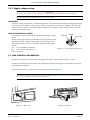
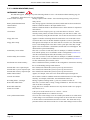
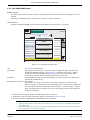
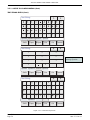
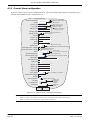
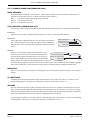
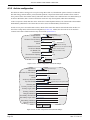
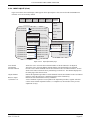
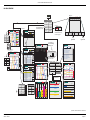
4.7.4 Message category
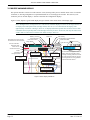
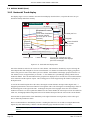
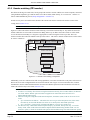
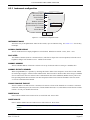
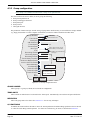
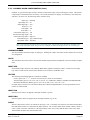
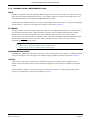
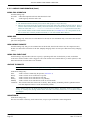
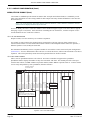
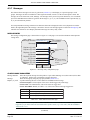
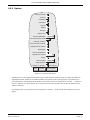
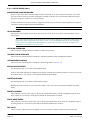
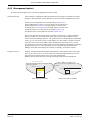
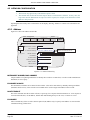
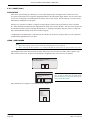
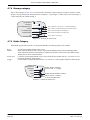
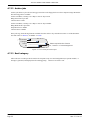
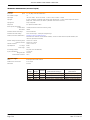
One or more messages (section 4.3.7), can be directed to the display (where it appears in a pop-up window), to both
groups or to a specified group. Messages must be contiguous - e.g. messages 2, 3 and 4 may be sent, but messages 1,
3 and 4 cannot be sent without message 2.
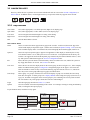
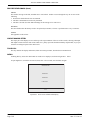
Job Number
Category
Send Message(s) to
Group
First Message
Last Message
1
Message
Specified Group
Select 'Display', 'All groups', or 'Specified Group'
1) group 1
Select Group (if 'Specified Group' selected above)
Message 1
Select first message of message list
Message 12
Select final message of message list
On Active
Select Active or Inactive
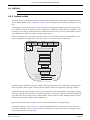
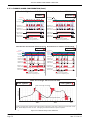
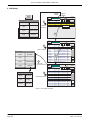
Figure 4.7.4 Message job menu layout
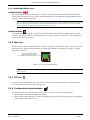
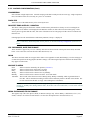
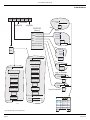
4.7.5 Maths Category
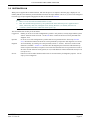
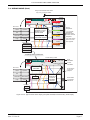
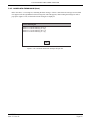
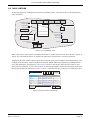
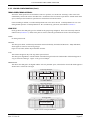
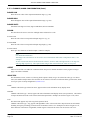
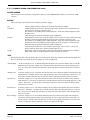
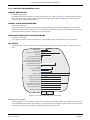
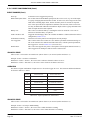
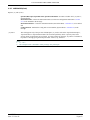
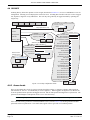
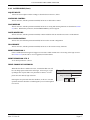
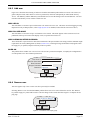
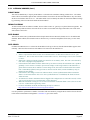
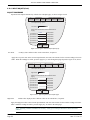
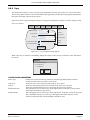
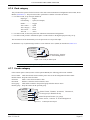
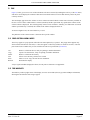
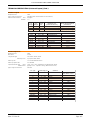
If the Maths option is fitted (section 3 of the Options Manual), the following jobs become available
Reset
Disable
Switch to B
Trigger
Sets the selected maths channel value to zero.
Stops historical functions such as Fvalue, Stopwatch and Rolling Average from accumulating further
values. When the function is subsequently re-enabled, the function re-starts from its pre-disabled value.
'Disable' has no effect on other functions.
Causes the relevant maths channel to copy source B instead of its normal source A - see section 3.1.4 of
the Options manual for further details.
Used to initiate a 'Sample and hold' function - see section 3.1.4 of the Options manual for further details.
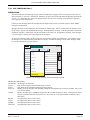
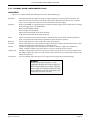
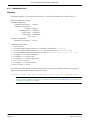
Job Number
Category
Action
Math
On
1
Math
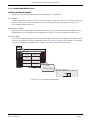
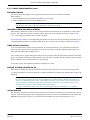
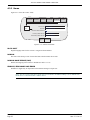
Select 'Reset', 'Disable'
'Switch to B' or 'Trigger'
Reset
Math 1
Select Required Maths channel
Active
Select 'Active', 'Inactive',
or 'Acknowledgement'
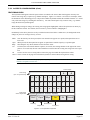
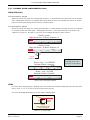
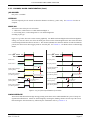
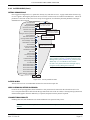
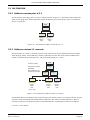
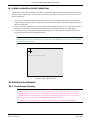
Figure 4.7.5 Maths job menu layout
User Guide
Page 92
HA027271
Issue 12 Mar 04