1
user_manual_col_v2
13/1/08
14:32
Page 1
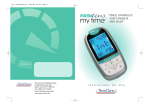
itouch Easy and
itouch Plus User’s Guide
Includes Setup and
troubleshooting information
for your itouch Easy and Plus
Intelligent TENS
TensCare Ltd, 9 Blenheim Road, Longmead Business Park,
Epsom, Surrey KT19 9BE, UK Tel +44(0) 1372 723434
Email: [email protected] www.tenscare.com
user_manual_col_v2
13/1/08
14:32
Page 3
Contents
i-touch Accessories
The i-touch is supplied complete:
Available from www.tenscare.com
1 x i-touch TENS Pain Relief Unit (Easy or Plus)
1 x 2 in 1 lead wire for both channels
1 x Pack of 4, 50 x 50mm, Self-adhesive Electrode pads
2 x AA 1.5v (Type LR6) batteries
1 x Instruction Manual
1 x Storage Pouch with belt clip
Belt clip for all i-touch units
Worldwide Distribution.
user_manual_col_v2
13/1/08
14:32
Page 1
Operating Instructions
Page No
Before Use
1
Introduction
2
Cautions & Warnings
3
Side effects
4
Complications
5
General Precautions and Advice
1
2
2
2
2
Patient Information
6
How TENS works
7
The Different Programmes
8
Which programme to use
9
When to use TENS
10
Controls
11
Using your I-touch
4
5-6
7
8
9-14
15-25
Further Information
12
Positioning the electrode pads
13
Applying the electrode pads
14
Removal & storage of electrode pads
15
Battery removal and replacement
16
Cleaning
17
Troubleshooting
18
Guarantee
19
Consumables and servicing
20
WEE
21
Technical Specifications
22
Programmes
23
EMC Statement
26-27
28
29
30
31
31
31
32
32
33
34
35
user_manual_col_v2
13/1/08
14:32
Page 1
1. INTRODUCTION
The i-touch Easy and Plus TENS units represent a new and controllable way of
delivering better pain relief to the user. The units are for home and professional use.
i-touch EASY features:One Touch Memory Start
On start up, at the touch of only ONE button, the i-touch remembers and returns to
the last settings. It also gently ramps up to around 75% of the last intensity level
used. This takes into account accommodation that the body may have experienced
Comfort Strength Control
Gives a known and reproducible stimulation. CSC monitors skin and electrode pad
resistance and adjusts the output to maintain a constant current, which is linked to
intensity steps of 0.5mA, allowing for maximum comfort
2 in 1 Lead Connection
Unique single plug connection for both channels which simplifies lead connection
and management during use
• 8 Medically proven programmes
• Backlit LCD screen for easy reading
• Sculptured keypad with easy recognition keys, especially beneficial for
anybody with limited use of the hands.
i-touch PLUS features:
• All the features of the “EASY” plus the following:
• Customised Settings: Choice of a wide range of settings with the ability to
store and remember the selection
• Usage Diary : Facility that remembers how long, what strength and what
settings have been used
• 24 Hour Clock
• 3 Daily Alarm Settings: Which can be used as medication reminders
1
2. CAUTIONS & WARNINGS
Do not use TENS :
• if you have a heart pacemaker or
have a heart rhythm problem
• if you have epilepsy
• during the first three months
of pregnancy
• when driving or operating machinery
• if you are suffering from acute,
feverish or infectious diseases
• to mask or relieve undiagnosed pain.
!
Do not place electrode pads :
• on the carotid arteries at the front of
the neck
• over the eyes
• across the front of the head
• on the abdomen at anytime when
pregnant
• near malignant tumours
Do not start your TENS treatment until
the cause of pain has been diagnosed.
If you are in any doubt about any of
these warnings please consult your
medical adviser.
3. SIDE EFFECTS
There are no known side effects from TENS use and long-term TENS use is
not harmful.
4. COMPLICATIONS
The following points are worth noting: DO NOT • ignore any allergic reaction to the electrode pads: If a skin irritation develops,
discontinue use and consult a doctor or medical professional.
• apply electrode pads to broken skin.
• apply electrode pads to skin which does not have normal sensation.
If the skin is numb, too great a strength may be used, which could result in a
local inflammation.
continued overleaf
2
user_manual_col_v2
13/1/08
14:32
Page 3
5. GENERAL PRECAUTIONS AND ADVICE
6. HOW “TENS” WORKS
Do not • immerse your TENS unit in water or place it close to excessive heat or
attempt to open up the TENS unit. Such actions will negate the guarantee.
• mix old, new or different types of batteries. Be sure to dispose of old
batteries safely.
Do
• remove batteries from your TENS machine if the unit is unlikely to be used for
a long period.
TENS stands for Transcutaneous Electrical Nerve Stimulation.
TENS is recommended throughout the world by pain clinics and physiotherapy
departments. Not only does TENS reduce your pain, it can also help you to
reduce your need for painkillers. TENS is a means of stimulating your body's own
natural defences against pain. The electrode pads are usually placed near the
source of the pain. TENS sends a very small electric current through the skin
which works in two ways:Pain Gate
Stimulating the sensory nerves, which carry touch and temperature signals. These
nerves go to the same connections in the spine as the nerves carrying pain. A
strong sensory signal will block the pain signal travelling up the spine to the brain.
This is known as the “Pain Gate”.
In the Pain Gate mode TENS only provides relief while it is switched on.
The effect may start to wear off after 1-2 hours. You can stop for an hour and then
repeat the treatment later. You can use TENS several times a day for as long as you
like, provided that you do not have the strength high enough to produce muscle
contractions.
Endorphin Release
At low frequency settings, and slightly stronger output, TENS drives the motor
nerves to produce a small repetitive muscle contraction. This is seen by the brain
as exercise, and this promotes the release of Endorphin - your body's own natural
pain killer. The relief builds up and normally takes about 40 minutes to reach a
maximum level which can last for hours.
Most people will achieve a reduction in pain. Some find that their pain goes away
completely while they are using TENS. Some users only feel better after repeated
use, and over a long time period.
3
4
user_manual_col_v2
13/1/08
14:32
Page 5
Pr
A
Method
Med Freq,
Low Width
Pain Gate
Sensation
Tingling/Pins and needles sensation.
Increase strength slowly until sensation is strong
but comfortable.
Application
Most types of acute and
chronic pain
B
Low Freq,
Med Width,
Endorphin
Pulsing or tapping sensation associated with
muscle contractions. Increase the strength to a
level that just produces muscle activity.
Chronic pains such as
back pain & arthritis, but
not for injured muscles
C
Burst,
Pain Gate and
Endorphin
Stimulus is delivered in bursts, i.e. a group of
pulses rather than a single pulse. You will get
muscle activity at a lower strength and so should
find it more comfortable.
Chronic pains such as
back pain & arthritis, but
not for injured muscles
D
Low Freq,
Med Width,
Endorphin
Similar to B, but at a Freq specifically
recommended for nausea, travel sickness and
morning sickness (see body map for position of
electrode pads).
Chronic pain, nausea,
travel sickness, and
morning sickness but not
for injured muscles
Constant and Burst Modes
Constant mode is when the sensation is continuous, as against Burst mode when
the sensation is as its name implies, repeatedly on and off.
E
Med Freq, Med
Width,
Pain Gate
Similar to A, but with deeper penetration and a
stronger feel. It is more likely to produce muscle
contractions at a lower strength
Most types of acute and
chronic pain
Modulation Modes
Modulation is when either the frequency or pulse width sweep across a range of
settings. This enables the body to receive many different signals and can be very
beneficial and lessen any effect of accommodation. See programmes F and G.
F
Med Freq, Med
Width, Width
Modulation
Pain Gate
Similar to E but, with the pulse
width modulating continuously, this gives a
pleasant slow relaxing massage sensation.
Most types of acute and
chronic pain
G
Freq Modulation,
Med Width
Pain Gate
This constantly modulates the frequency
between 20 and 100 Hz over 12secs.
The continuous change helps prevent
accommodation occurring.
Most types of acute and
chronic pain
H
Han Stimulation
Low and High
Freq. Pain Gate
and Endorphin
This gives 3 seconds of tapping, followed by 3
seconds of tingling. The strength is adjusted
automaticalkeep the stimulation comfortable as
the frequency changes
Chronic pains such as
back pain & arthritis, but
not for injured muscles
7. THE DIFFERENT PROGRAMMES
Each programme has its own combination of Frequency and Pulse Width settings
which allow for different sensations through the pads and suppress pain in
different ways. The i-touch Plus TENS contains the same 8 preset programmes plus
the facility to set customised programmes.
Frequency (measured in Hz - pulses per second)
A frequency of 110 Hz is good at blocking pain signals from reaching the brain.
A low frequency of 4 or 10 Hz allows for the release of endorphins, the body's
natural morphine-like substances.
Pulse Width (measured in μS - millionths of a second)
The i-touch TENS units offer a range of pulse widths from 50 to 250 μS. Depending
on the pulse width the feeling through the pads will vary.
Han Stimulation
Professor Han in China found in his research studies. that alternating very low
(2Hz) and medium (110Hz) frequency gave best pain relief. See programme H.
5
6
user_manual_col_v2
13/1/08
14:32
Page 7
8. WHICH PROGRAMME TO USE
9. WHEN TO USE TENS
When using the i-touch TENS unit for the first time, you should start with
Programme A. Most people find the soft tingling/pins-and-needles sensation
produced by this programme the most comfortable. The unit will start in
Programme A when first switched on.
TENS can be used for as long as is necessary. Continuous treatment is fine, but
electrode pads should be repositioned regularly (at least every 12 hours) to allow
the skin to be exposed to the air.
The most effective programme varies from one person to another therefore It is
important to try the different programmes.
When you have found the programme which suits you best, the i-touch TENS will
remember it, and automatically return to it the next time the unit is switched on.
The Endorphin Release modes work better when the strength is high enough to
cause small muscle contractions. Best results are achieved at between 20 and
40 minutes.
After treatment there maybe a residual tingling (pins and needles) sensation or a
numbness of the skin for a few minutes, but this is normal.
The i-touch units are fitted with intensity regulators that increase and decrease the
intensity in 0.5mA steps which allows for a soft and comfortable sensation.
Increase the strength slowly until you have a strong but comfortable feeling.
During the treatment the body acclimatises to the feeling through the pads
therefore, to keep the sensation constant, increases in intensity will be necessary.
N.B. Chronic Pain is pain that continues or recurs over a prolonged period. Acute
Pain is severe pain following an accident, trauma or surgery.
7
8
user_manual_col_v2
13/1/08
14:32
Page 9
10. CONTROLS iTOUCH EASY
10. CONTROLS iTOUCH PLUS
7
1.
2.
3.
4.
5.
6.
7.
ON/Ch1 Strength Up
Ch2 Strength Up
OFF/Ch1 Strength Down
Ch2 Strength Down
Programme Selector
Timer Selector
Keypad Lock
7
1
5
2
1
5
2
3
6
4
3
6
4
8
12
9
9
1.
2.
3.
4.
5.
6.
7.
8.
9.
10.
11.
12.
13.
ON/Ch1 Strength Up
Ch2 Strength Up
OFF/Ch1 Strength Down
Ch2 Strength Down
Programme Selector
Timer Selector
Keypad Lock
Mode Select Up
Mode Select Down
Range Adjustment Up
Range Adjustment Down
Set
Clock Functions
10
13
11
10
user_manual_col_v2
13/1/08
14:32
Page 11
Button “5”: Program Selector
The i-touch easy has 8 medically proven
programmes, A,B,C,D,E,F,G and H. When the unit is
FIRST switched on it will automatically go to
Programme A. On future occasions, when switched
on it will default to the programme last used. Each
time the “P” button is pressed and released, the
programme changes, the letter is shown on the LCD
in the top left corner, and the strength level reverts
back to zero. For choice of Programmes
see section 7.
10. CONTROLS
Button “1” ON / Channel 1 Strength up
To switch unit on: Press and hold down for 3 seconds
To increase intensity: Press and hold down until required
intensity is achieved. No sensation will be felt through
the pads until the intensity has reached at least the 2.5mA level.
Press and release to increase in 0.5mA steps
One Touch Memory Start
When switched on the unit will automatically start in the
programme which was being used when it was switched off.
The strength increases to about 75% of the intensity
that was being used when the unit was switched off.
This simplifies start up dramatically.
To stop the increase in strength at any time, press any key once.
Button “2” Channel 2 Strength up
To increase strength: Press and hold down until required strength is
achieved. Press and release to increase in 0.5mA steps
Button “3” OFF/Channel 1 Strength down
To lower the strength, press and release to decrease on 2.0mA steps.
Press and hold down the button for 3 seconds and the unit will
switch off. Alternatively, press the left-hand button until the LCD
screen displays 0, any further press will switch the unit off.
Button “4” Channel 2 Strength down
To decrease strength: Hold down button and strength will
decrease continuously in 0.5mA steps
11
Time
remaining
Lock Button
Button “6”: Time Selector
The unit when switched on will default to the
“Timer OFF” meaning that the unit will run
continuously. In order to activate the timer and
control the time of the treatment to 15, 30, 45 or 60
minutes press and release the button. Keep pressing
the button until the required time is displayed on the
screen. During use the unit counts down the minutes
set and switches off when it reaches zero. Return to
main screen by pressing any other key.
Button “7”: Keypad lock
The LOCK BUTTON, on the right side of the unit, can
be used to lock all controls except for the intensity
down button.
To activate, press and hold down the button for 3
seconds until LOCK is displayed on the screen.
Repeat to deactivate.
12
user_manual_col_v2
13/1/08
14:32
Page 13
10. iTOUCH PLUS ADDITIONAL CONTROLS
Button “8”: Mode Select Up
To activate, select programmes “M or N”.
Press Mode Up to cycle through FREQ (frequency)
/ PULS (pulse width) / CONST (constant)
10. iTOUCH PLUS ADDITIONAL CONTROLS (continued)
Button “13” Clock/Alarm/Diary
Press this key to enter Time menu for clock, alarm, and
diary functions:
CLOCK: The i-touch has a 24 hour clock.
Button “9”: Mode Select Down
As with Mode Select Up but in reverse
Button “10” Range Adjustment Up
Press to sweep up through range of mode displayed
ALARM: The unit has 3 separate alarms that can be set daily.
They can be used a medication alarms.
To set time and alarms refer to section 11.14.
DIARY: A record will be kept of the use of the units usage in hours
and average strength in mA.
Button “11” Range Adjustment Down
Press to sweep down through range of mode displayed
Button “12” Set
When the required mode or range has been chosen press the SET
button to save the setting. Once saved the relevant screen display
will stop flashing. Repeat procedure to save other settings
13
14
user_manual_col_v2
13/1/08
14:32
Page 15
11. USING YOUR I-TOUCH
11. USING YOUR I-TOUCH (continued)
11.1 Insert batteries
11.4 Split wire as required
Remove Battery compartment cover by pressing
down on the top edge of the cover with three
fingers, and then sliding it downwards and off.
Ensure that battery polarity matches the diagram in
the compartment
Split the wires apart as required. Each pair of wires
is fitted with a toggle in stop the wires being split
too far.
11.6 Place electrode pads on skin
Ensure that the ribbon goes behind the batteries to
aid future removal.
Having attached the pads to the 2 in 1 Leadwire
place the pads on the skin. See section 12 on pad
positioning. Always check unit is OFF before
attaching pads
11.2 Connect Mono Leadwire
Insert the Mono lead plug into the base of the unit.
Please note that it has been designed to only insert
one way.
Hold for 3
seconds
11.7 ON/OFF Sounder
When the unit is switched ON an audible “Beep”
will be heard
11.3 Attach electrode pads to Mono Lead
At the other end of the Mono Leadwire (not the unit
end) the lead wire splits into four pin ends, 2 white
and 2 black. Push the pin ends into the pigtail ends
of the electrode pads.
15
When the unit is switched OFF an audible double
“Beep” will be heard
Hold for 3
seconds
or reduce
below 00.0
NOTE:
Always check unit is OFF before removing pads
16
user_manual_col_v2
13/1/08
14:32
Page 17
11. USING YOUR I-TOUCH (continued)
11. USING YOUR I-TOUCH (continued)
Strength 11.8 Strength Adjustment
Strength is displayed in mA
Stronger • Press and release for 0.5mA step
Weaker
CH1
CH2
• Press and hold down to increase continuously
• After holding for 3 seconds, rate of
increase accelerates
• Release and press again for fine adjustment
• Press and release Down arrow to reduce in 2mA steps
on Ch1, or press and hold to scroll down on Ch2.
NOTE: After your first use, Easy Start will automatically adjust the strength to
about 75% of what you last used. Press any key to stop the increase. If the pads
are not attached properly, the display will flash PADS when strength intensity
increases beyond 5.0 mA.
11.10 Key Pad Lock
Hold for 3
seconds
To prevent an accidental change to the settings, the
key pad may be locked.
Press the side button and hold for 3 seconds.
When LOCK is displayed, only the DOWN in intensity
keys will operate.
Repeat to remove LOCK
11.11 Treatment Timer
i-Touch has a built-in treatment timer.
Programme
Pulse width
Frequency
Channel 2
Strength
Channel 1
Strength
17
11.9 Programme Selection
Press the P button
In Easy, the display cycles through A,B,C,D,E,F,G,H,A
etc. In Plus, the display cycles through
A,B,C,D,E,F,G,H,M,N,A etc
In each programme, the Pulse Width (μS) And
Frequency (Hz) are shown. For further information
on choosing programmes go to section 7.
Press the timer key until TIMER is displayed.
Press again to change settings : OFF/15/30/45/60/OFF
The display counts down from the time set to zero,
then the unit switches OFF
TIMER OFF display means that the unit will run
continuously until switched off.
Press any button to return to main display.
18
user_manual_col_v2
13/1/08
14:32
Page 19
12. i-TOUCH PLUS
12. i-TOUCH PLUS (continued)
The i-touch PLUS has been fitted with a sliding front which when slid up reveals a
second keypad.
Select Mode
NB: The i-touch EASY does NOT have a sliding front nor a second keypad. Do NOT
try to force open an i-touch EASY, as this would negate the guarantee.
To access second keypad simply slide open unit
Press mode up
or
Press mode down
Push the top layer of your itouch until you hear a
click. To close the unit push the top layer in reverse.
Top line of display changes between: FREQ/PULS/CONST
The Mode selected flashes
12.1 Manual Settings
The Plus offers the option of entering “customised programmes” into the unit and
having them stored. This can be beneficial when treating specific pains where the
recommended settings are not within the 8 preset programmes or if a specific
sensation is preferred.
Programme
19
FREQ adjusts frequency (Hz) from 2 to 150 (Tapping to tingling)
PULS adjusts pulse width (μS) from 50 to 250 (Higher the setting the more
muscle contraction)
CONST/BURST changes between continuous and intermittent stimulation.
Select programme M or N
Use the up and down buttons to alter the setting
There are two manual programmes: M and N.
Once set both programmes can be saved and
altered as required.
When you have the desired setting, press SET button to save.
If no key is pressed for 6 seconds, display returns to main screen.
20
user_manual_col_v2
13/1/08
14:32
Page 21
12. i-TOUCH PLUS (continued)
12. i-TOUCH PLUS (continued)
12.2 Program Lock
12.3 Clock Functions
To lock program N or M so that the user cannot alter settings
Set Time
Press
Press
+
and hold for 3 seconds until LOC M is displayed.
After 2 secs, LOC M disappears, but reappears if
Mode button is pressed
Cycle through:
CLOCK/ALM1/ALM2/AL3/ MEM/LCD
Repeat to unlock.
Clock time is shown as 00 00 at the bottom of
display. The first block is flashing for HOURS.
Select CLOCK.
Use
to adjust HOURS,
To lock program selected so that the user cannot change program
Press
and
and hold for 3 seconds until LOC P is displayed.
After 2 seconds LOC P disappears, but reappears if P
button is pressed.
+
21
Repeat to unlock
After you press SET, the second block, MINUTES,
starts flashing. Repeat adjustment.
If required, use mode up to move between hours
and minutes.
to save
to move
between
hours and
minutes
NOTE: Each time the batteries are removed, the clock
will stop. Normally this will only lose a few seconds.
If the unit is left without batteries for longer, you will
need to reset the time.
22
user_manual_col_v2
13/1/08
14:32
Page 23
12. i-TOUCH PLUS (continued)
12. i-TOUCH PLUS (continued)
Wait 6 seconds, or press any key on the outer keypad to return to the main screen.
12.5 LCD Backlight
If you do not wish to display the clock, press mode again.
Centre line will display: ON
The LCD has a backlight which automatically turns on whenever a key is pressed.
To turn this function OFF:-
Use
Press
to select OFF and press SET to save.
Cycle through: CLOCK/ALM1/ALM2/AL3/MEM/LCD
Select LCD
Default is ON
12.4 Set Alarms
Press
Use
to select OFF. Use
to save.
Cycle through to ALM 1
Default centre line shows OFF.
Backlight will turn off 10 seconds after last key press
Use
to select ON, then press
Alarm time is shown as 00 00 at the bottom of display.
The first block is flashing. Adjust and set in the same way as CLOCK.
Set ALM 2 and ALM 3 in the same way.
Press any key on the outer keypad to return to normal display.
23
24
user_manual_col_v2
13/1/08
14:32
Page 25
12. i-TOUCH PLUS (continued)
13. POSITIONING THE ELECTRODE PADS
Electrode pads must always be used in pairs, so that the
signal can flow in a circuit.
12.6 Usage Memory
Your i-touch Plus has a memory which records how many hours it has been used in
each Program and the average intensity in mA. This does not include periods when
the pads are detached and the PADS warning shows.
To display this;Press
Cycle through: CLOCK/ALM1/ALM2/AL3/MEM/LCD to MEM
Electrode pads should be placed around where the pain is
being felt.
Try different positions until you find the best for you.
The following pictures overleaf show where to place the electrode pads for a
range of common complaints.
For those symptoms not illustrated apply the electrode pads around the source of
the pain or seek advice from your medical adviser.
Use
to select the Program number :- A/B/C etc
13.1 Applying the electrode pads
•
•
•
On the centre line of the display The bottom line of display shows:To reset the memory to zero:While MEM is showing, press and hold both keys for 3 seconds until
bottom line shows 000 000.
+
Press any key on the outer keypad to return to normal display.
•
•
•
•
•
25
Switch off the unit before applying electrode pads.
Electrode pads should only be used by one person.
Gel pads need to be tacky. If the gel is allowed to dry out a local inflammation
might result (Section 14 covers electrode pads care).
Clean the skin where you will place the electrode pads with soap and water,
then rinse and dry. Electrode pad life will be shortened if applied to dirty or
greasy skin.
Connect the unit lead wires to the short pigtail wires coming from the
electrode pads.
Peel the electrode pads from their protective plastic shield and place
on the skin.
CAUTION Do not pull on the electrode pad pigtail wire as this can break it.
Keep the plastic shield to store the electrode pads on between use.
26
user_manual_col_v2
13/1/08
14:33
Page 27
13. POSITIONING THE ELECTRODE PADS (continued)
13. POSITIONING THE ELECTRODE PADS (continued)
13.2 PAD WARNING DISPLAY
i-touch monitors the condition of the pads during use and the quality of the
connection to the body.
If the pads lose their conductivity or come partly away from the body then the
“PADS” alarm with be displayed.
Lower Back
Neck and Shoulder
Sciatica
When the pad alarm is triggered, the Comfort Strength Control facility will
automatically lower the intensity to a comfortable level. This takes away the
possibility of any electrical shocks, however small.
If the alarm is triggered due to the pads coming away partly from the body, then
when they are put back the intensity will automatically return to the original level.
The “PADS” alarm does not function on either channel when the intensity level is
below 5.0mA.
27
Shoulder
Knee
Elbow
Ankle
Wrist
Leg
28
user_manual_col_v2
13/1/08
14:33
Page 29
14. REMOVAL AND STORAGE OF ELECTRODE PADS
15. BATTERY REMOVAL AND REPLACEMENT
•
•
The screen will display “ BATT” when the batteries the batteries need to
be changed.
Turn off the unit before removing the electrode pads.
Do not peel off by pulling on the electrode pad wire as this can break the wire.
Storage
Electrode pads are water-based and may dry out. Between uses they should be
stored on the plastic shield in their resealable bag and kept in a cool place out of
direct sunlight.
Battery type
ONLY use either 1.5 AA alkaline batteries or NiMH AA rechargeable batteries.
NEVER attempt to recharge an alkaline battery - There is a risk of explosion.
DO NOT mix batteries of different types.
Electrode pads life
The life of an electrode pads varies depending on skin conditions and skin
preparation. In the very best circumstances electrode pads might last about 30
applications but they will need to be replaced when they are no longer tacky.
When installing new batteries follow instructions as shown in section 11.2.
Ensure that the batteries are fitted the right way round, observing + and - signs on
the battery and the battery compartment.
Dried-out electrode pads
If the electrode pad gel becomes dry it is best to dispose of these pads and use
a new set. The i-touch uses universal 50x50mm self adhesive pads, normally
available in packs of 4.
In case of emergency when no other pads are available, spray the gel with a
fine mist of water or apply a single pea-sized drop of water to the gel and spread
around with fingertip. Leave the electrode pads for about 10 minutes until they
recover some of their tackiness.
Over-wet electrode pads
If by adding too much water, the electrode pad gel becomes too soft and sticky,
place the electrode pads in a refrigerator for a few hours, sticky side up.
Very hot weather
In very hot weather the gel on the electrode pads can become too soft. In such
cases place the pads, still on the their plastic liners and in their bag into a fridge
until they return to their normal condition.
29
Storage
If the unit is unlikely to be used for a long period remove the batteries and store in
a dry place away from direct sunlight and not in contact with metal objects.
Disposal
Always dispose of batteries, and the i-touch unit itself, in accordance with local
government guidelines.
Never put batteries in a fire nor try to disassemble them.
Do not attempt to revive alkaline batteries by heating, charging or any other means.
Warning
• Keep batteries out of the reach of small children.
• If battery leakage occurs and comes in contact with the skin or eyes, wash
thoroughly with lots of water.
• Seek medical advice immediately if you believe a battery has been swallowed.
30
user_manual_col_v2
13/1/08
14:33
Page 31
16. CLEANING
18. GUARANTEE (continued)
The case and lead wires can be cleaned by wiping with a damp cloth and a
solution of mild soap and water. Wipe dry.
Do not immerse your TENS machine in water.
Do not use any other cleaning solution other than soap and water.
Please note that the Guarantee is invalidated if:
i) incorrect batteries have been fitted.
ii) if the unit has been immersed in water, maltreated or tampered with.
17. TROUBLESHOOTING
19. CONSUMABLES AND SERVICING
If your TENS machine is not working properly please check the following:
Replacement electrode pads, new batteries and lead wires are available from your
supplier or distributor (see back cover for contact details), by mail order from
TensCare, by telephone using a credit or debit card, or through our website.
BATTERIES:
i) Have they been fitted correctly?
ii) Do they need replacing?
PADS:
If PADS signal is flashing:i) Have you applied both electrode pads (two per lead wire) to ensure a
complete circuit?
ii) Are the lead wires properly connected at both ends?
If the above review has failed to resolve your problem, call TensCare or your local
dealer (address on back cover) for advice.
20. DISPOSAL OF WASTE ELECTRICAL AND
ELECTRONIC PRODUCTS (WEEE)
18. GUARANTEE
A new law in force from July 2007 will mean that you'll need to dispose of
anything electrical or electronic at a collection facility, instead of in your domestic
waste. New products are now being marked with the symbol to remind you.
Your local council or retailer will be able to tell you where your nearest facility is.
The collection facilities will send items for treatment, recovery and recycling,
so by using them you'll help to save resources and minimise the effects on
the environment.
Tenscare provides a warranty to the original purchaser that this product will be free
of defects in the material, components and workmanship for a period of 2 years from
the date of purchase (invoice date). If a fault develops return the unit to TensCare
together with a copy of your invoice and details of the problem. The guarantee does
not cover the batteries, electrode pads or mono leadwire.
31
Accessories/Spares
The following replacement parts may be ordered from Tenscare.
Electrode pads
Part No E-CM5050
Patient Lead:
Part No L-IT
Optional single channel lead
Part No L-IT-1
Batteries:
Part No B-AA
32
user_manual_col_v2
13/1/08
14:33
Page 33
21. TECHNICAL SPECIFICATION
waveform
Amplitude (over 500 ohm load)
Output plug
Channels
Batteries
Weight
Dimensions
Safety Classification
Operating Model
Environmental Specifications:
Operating:
Storage:
TYPE BF EQUIPMENT
!
Asymmetrical Bi-Phasic
70mA zero to peak +ve in steps of 0.5mA
Constant current over 500-1500 Ohm
Constant voltage when PADS signal shows.
Fully shielded: touch proof mini USB
Dual Channel
2 x AA Alkaline (Two AA batteries) OR
rechargeable NiMH
90 gms without batteries
110*53*30 mm
Internal power source. Type BF
Designed for continuous use.
No special moisture protection.
Ordinary protection
Temperature range:0 to 35C
Humidity: 20 to 65% RH
Temperature range: 0 to 55C
Humidity:10 to 90% RH
Equipment providing a degree of
protection against electric shock,
with isolated applied part.
This symbol on the unit means “ Refer to
Instruction Manual”
21. TECHNICAL SPECIFICATION (continued)
SN
Serial Number
It is compliant with WEEE
Manufacturer
CE marking with identification number
of Notified body
22. PROGRAMMES
Program
A
B
C
D
E
F
G
H
M
N
Output
Constant
Constant
Burst
Constant
Constant
Modulated SD
Modulated
Mixed
Manual
Manual
Frequency Hz
110
4
2 bursts of 100Hz per sec
10
110
110
20-110
2Hz/110Hz
2-150Hz
2-150Hz
Pulse Width μS
50
200
200
200
50-250
200
200/100μS
50-250μS
50-250μS
F - Pulse width modulates from 50μS up to 250μS and back in 12 seconds, whilst
intensity modulates from level set down 70% and back.
G - Frequency modulates from 20Hz -100Hz and back in 12seconds.
H - Alternate 3 seconds at 2Hz, 3 seconds at 110Hz.
NB The electrical specifications are nominal and subject to variation from the listed
values due to normal production tolerances
33
34
user_manual_col_v2
13/1/08
14:33
Page 35
23. EMC STATEMENT
The device has been tested and homolgated in accordance with EN 60601-1-2
for EMC. This does not guarantee in any way that the device will not be affected
by electromagnetic interference. Avoid using the device in high electromagnetic
environments.
35