1
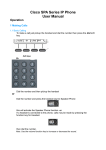
User Guide Keypad Activation To use Keypad on the telephone rather than Voice Activation Pickup receiver OR Press the voicemail button Dial 7000 Enter your voicemail pin then press # Press 0 Activate Voicemail on/ off ON Press the button under the Fwd indicator (bottom of screen on left hand side) twice. 1st Flashing Fwd (indicates request for an ex number or 7000 please remember the system stores the last inputted number) 2nd Steady Fwd (The display should now display CFWD and or FWD) OFF Press the button under the Fwd indicator (bottom of screen on left hand side) once. Press the Cancel button on the right to turn off divert. Re record Greeting Pickup receiver OR Press the voicemail button Dial 7000 Enter your voicemail pin then press # Say Personal Options Press 2 for Greetings Select 1 for Personal Greeting Press 1 after beep record your greeting message when finished press # Press 1 to Accept (recording) Press 2 to Rerecord Press 3 to delete and use the default greeting To cancel press * and return to Personal Options Select 2 for Message when you are away (Temporary Message) Press 1 after beep record your greeting message when finished press # Press 1 to Accept (recording) Press 2 to Rerecord Press 3 to delete and use the default greeting To cancel press * and return to Personal Options Select 3 Change Name Press 1 after beep record your greeting message when finished press # Press 1 to Accept (recording) Press 2 to Rerecord Press 3 to delete and use the default greeting To cancel press * and return to Personal Options To turn on the temporary message on or off press 1 at Personal Options main menu. Manage voicemail messages Pickup receiver Press the voicemail button OR Dial 7000 Enter your voicemail pin then press # Your will be given a verbal list of options say the option you want (Voicemail) Your voicemail messages will be played then you will be given a number of options which you verbally activate Play Next Message Delete Message Call Sender Reply Main Menu More Options You can select to use the keypad by pressing 0 (list of key options are below) Redirect to Voicemail Press the button under the Fwd indicator (bottom of screen on left hand side) You will see a flashing icon next to the Fwd indicator Press the button under the Fwd indicator again. (The display should now display CFWD and FWD). Redirect to another extension number Press the button under the Fwd indicator (bottom of screen on left hand side) You will see a flashing icon next to the Fwd indicator enter the extension number that you wish to forward to. Press the button under the Fwd indicator again. Please remember to reset the redirect back to voicemail 7000 once you have finished. Reset pin password Pickup receiver Press the voicemail button OR Dial 7000 Enter your voicemail pin then press # Say Personal Options Press 3 for Pin Change Enter new pin plus # Re enter new plus # Pin Accepted message will play Voicemail Options Listen to Voicemail messages Listen to Email messages Calendar Options Find a Contact To Create a Voice message To Change Personal Options Turn off automatic reply’s To repeat menu Key 1 Key 2 Key 3 Key 4 Key 5 Key 6 Key 7 Key 0 Once you have selected an option please follow the verbal instructions Personal Options Menu Turn on greeting activation Key 1 Temporary message Greetings Key 2 Message 1 Main Message. Message 2 When Away. Temporary Message 3 Name Change Pin Key 3 Touch phone interface Key 4 Change Time Zone Key 5 Change Time Format Key 6 Return to main Menu Key * Once you have selected an option please follow the verbal instructions To turn on the temporary message on or off press 1 at Personal Options main menu. Log in to Voicemail from another location Ring your extension when your voicemail message starts press the * key on the keypad You will be prompted for you voicemail password. If it is not your voicemail box press the * key again and you will be prompted to enter your ex number Useful Information Voicemail Button Release Call Hands Free Volume Increase Volume Decrease Mute / Secrecy Quite out of directory Full Button List