1
UNIVERSAL HEADSET USER GUIDE
Contents
Introduction
3
Features
4
Connection
5
Adjustment
6
Safety
7
Introduction
Thank you for purchasing this product.
Your new headset has been developed using the latest technology,
designed for comfort and freedom of movement.
This headset is very easy to use and setup, although to get the best from
your new purchase, we recommend you read this user guide carefully
before using the headset for the first time.
Unpacking
Remove your headset from its packaging and ensure that along with this
user guide, you have the correct specified accessories.
Retain the headset box for storage of your unit, and also in the unlikely
event that it needs to be returned for servicing or repair.
Warning
Ensure that all electrical connections (including extension leads and interconnections
between pieces of equipment) are properly made and in accordance with the relevant
manufacturers instructions.
Do not continue to operate the equipment if you are in any doubt about it working
normally, or if it is damaged in any way. Disconnect from your telephone equipment
and consult your dealer.
Do not allow electrical equipment to be exposed to rain or moisture.
Never push anything into holes, slots or any other opening on your headset as this
could result in fatal electrical shock.
Do not open the headset housing as doing so will void the warranty.
Never guess or take chances with electrical equipment.
Telephone headsets are capable of producing high levels of sound. Prolonged
exposure to high sound levels can cause damage to hearing.
3
Headset Features
Adjustable Headband
Ear Cushion
Microphone
Clothing Clip
Quick Disconnect
4
Connecting Your Headset
Does your desk phone have a dedicated headset connection port?
If it does, simply connect your headsets Quick Disconnect cable to your
chosen bottom lead (not supplied), then connect the bottom lead to the
dedicated port on your desk phone.
If you find that when the headset is connected to the phone it is not working
as expected then it is very likely you are using an incompatible bottom lead.
There are various bottom leads available, these are all designed to connect
your headset to specific brands of desk phone, ensuring whatever your
setup, your headset will be compatible.
Please contact your dealer to attain the correct bottom lead for your desk
phone.
Note: All bottom leads are supplied as an accessory at additional cost.
What to do if your desk phone does not support a dedicated headset
connection port:
Your desk phone requires an external headset amplifier. If you already have
a headset amplifier, read through the units setup guide and connect your
headset accordingly.
In the event that you do not have a headset amplifier, please contact the
supplier of this headset (details found on rear of user guide). They will be
able to provide the correct amplifier for your headset and desk phone.
Using the Quick Disconnect Lead
Your headset may be equipped with a Quick Disconnect allowing you to
move away from your desk (disconnecting the 2 connectors) without losing
the call.
5
Adjusting the Headband
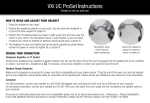
Place the headset receiver to your ear(s), if using a single ear headset you
should set the T-bar above your other ear.
Adjust the headband until it is comfortable, ideally ensuring there is virtually
no pressure felt on the ear(s)
Most headsets can be worn on either side. To change the microphone side,
simply rotate the microphone boom 180 degrees to the other side.
Adjusting the Microphone Boom
To avoid low or distorted sound, and to provide clear and crisp telephone
calls, the microphone should be positioned within 30-40mm of your mouth.
The microphone boom arm will move in a variety of directions to ensure the
best fit.
Adjusting the Clothing clip
Your new headset is supplied with a clothing clip to allow comfortable fitting
of your headset without the cable getting caught or inadvertently pulled.
The clothing clip should be fastened at a comfortable level, ensuring there
is sufficient slack on the cable allowing free movement of your head without
disturbing the headset position.
6
Safety
For your own safety, this product should only be used with CE ACA and
RoHS approved equipment. Using this headset with non approved
equipment can void this products warranty.
Maintenance
To gain optimal performance, hygiene and life-span from you headset,
replace all consumable items; - ear foam cushion, microphone foam (if
applicable) and microphone filter every 6 months.
Environmental notice
This headset has been made to CE, RoHS and WEEE standards. In the
interest of recycling raw materials, please do not dispose of this headset in
the household waste at the end of its useful life. Disposal can take place at
approved recycling or disposing locations in accordance with local
regulations.
7