1
VXi UC ProSet Instructions
Simple to set up and use.
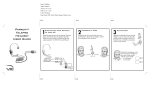
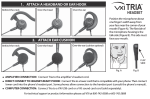
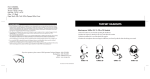
HOW TO WEAR AND ADJUST YOUR HEADSET
1. Place the headset on your head.
2. Position the speaker(s) directly on your ear(s). You can slide the headband in
or out of the side support for proper fit.
3. Position the microphone about one finger’s width away from your face near the
center of your mouth. The microphone boom is quite flexible, so you can bend
it toward your mouth as needed for optimum sound quality and a custom fit.
4. The headband is also very flexible and can be easily adjusted by gently flexing
outward to loosen or inward to tighten for a custom fit.
CHOOSE YOUR CONNECTION
Microphone boom
easily flexes for
proper positioning.
Gently flex headband
outward or inward to
loosen or tighten fit.
Telephone Amplifier or CT Switch
Connect your headset to the amplifier or switch headset cord. Be sure the other end of this cord is plugged into the headset port on the amplifier
or switch—just look for a headset icon.
If necessary, consult your amplifier or switch user guide to locate the port.
Headset-Ready Telephone
Make sure the headset is connected to a lower cord that is compatible with your phone system.* Plug the end of the lower cord into the headset
port on your telephone. Some phones allow for connection to the handset port. Please consult your telephone user manual for more information.
Computer
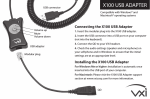
For USB connection, connect your headset to a VXi X200 USB adapter cord, and plug the X200 cord into a USB port on your computer.
For soundcard connection, connect your headset to a VXi QD 1030 cord, and insert the cord’s plugs into the microphone and speaker ports on
your computer.
*To access our interactive phone and lower cord compatibility guide, visit us on-line at www.vxicorp.com > Resources > Phone Compatibility.
If you need additional technical assistance or product information, please call VXi Technical Support, toll-free at (800) 742-8588.
VXi Warranty
1. VXi warrants that your product will be free from defects in material and workmanship for two (2) years from
the date of purchase. If, during the first two years from the date of purchase, your product fails to work due
to a defect in material or workmanship, VXi will repair or replace the product, at its election, free of charge.
Without a proof of purchase, the warranty period begins on the date of manufacture.
2. The foregoing limited warranty does not cover equipment failure attributable to accident, improper operation,
misuse, abuse, or any cause other than defects in the materials or workmanship of VXi’s products.
3. VXi’s obligations under this warranty are limited to repair or replacement (at our option) of any defective
part returned to VXi at the customer’s expense. Returned products require a Return Authorization (RA) number
that may be obtained online at www.vxicorp.com/customer-care/ or by calling VXi’s After Market Services
team at (603) 609-1000. Products returned to VXi for repair under this warranty will be return shipped to the
customer at VXi’s expense.
4. THIS LIMITED WARRANTY IS IN LIEU OF ALL OTHER WARRANTIES, EXPRESS OR IMPLIED, INCLUDING THE IMPLIED WARRANTIES OF
MERCHANTABILITY AND FITNESS FOR A PARTICULAR PURPOSE. Some jurisdictions do not permit the exclusion of implied warranties
and the foregoing exclusions may not apply to you.
5. In no event shall VXi be responsible for any other damages, including direct, indirect, special, incidental, consequential, or other damages
for breach of this or any other warranty, express or implied.
For more information regarding VXi’s warranty, please visit our website at www.vxicorp.com/customer-care/
271 Locust Street | Dover, NH 03820 | Toll Free: (800) 742-8588 | Phone: (603) 742-2888 | www.vxicorp.com
203093A 09/11