1
MGC Manager
User’s Guide Vol. I
Version 8.0
Copyright © 2006 Polycom, Inc.
All Rights Reserved
Catalog No. DOC2064G
Version 8.0
Proprietary and Confidential
The information contained herein is the sole intellectual property of Polycom, Inc. No distribution, reproduction or unauthorized
use of these materials is permitted without the expressed written consent of Polycom, Inc. Information contained herein is subject
to change without notice and does not represent a commitment of any type on the part of Polycom, Inc. Polycom and Accord are
registered trademarks of Polycom, Inc.
Notice
While reasonable effort was made to ensure that the information in this document was complete and accurate at the time of
printing, Polycom, Inc., cannot assume responsibility for any errors. Changes and/or corrections to the information contained in
this document may be incorporated into future issues.
Portions, aspects and/or features of this product are protected under United States Patent Law in accordance with the claims of
United States Patent No: US 6,300,973; US 6,496,216; US 6,757,005; US 6,760,750; and US 7,054,620.
PATENT PENDING
Regulatory Notices
United States Federal Communication
Commission (FCC)
Canadian Department of Communications (EC)
Part 15: Class A Statement. This equipment has
been tested and found to comply with the limits for a
Class A digital device, pursuant to Part 15 of the FCC
Rules. Test limits are designed to provide reasonable
protection against harmful interference when the
equipment is operated in a commercial environment.
This equipment generates, uses, and can radiate
radio-frequency energy and, if not installed and used
in accordance with the instruction manuals, may
cause harmful interference to radio communications.
Operation of this equipment in a residential area is
likely to cause harmful interference, in which case the
user will be required to correct the interference at his
or her own expense.
Polycom Inc., declares that the MGC-50 and
MGC-100 with NET-2/4/8 cards are in conformity with
the following relevant harmonized standards:
Part 68: Network Registration Number. This
equipment is registered with the FCC in accordance
with Part 68 of the FCC Rules. This equipment is
identified by the FCC registration number.
If requested, the FCC registration Number and REN
must be provided to the telephone company.
Any repairs to this equipment must be carried out by
Polycom Inc., or our designated agent. This
stipulation is required by the FCC and applies during
and after the warranty period.
EN 60950: 1992 Including Amendments 1,2,3 & 4
EN 55022: 1994
EN 50082: 1997
Following the provisions of the Council Directive
1999/EC on radio and telecommunication terminal
equipment and the recognition of its conformity.
Notice: The Industry Canada label identifies certified
equipment. This certification means that the
equipment meets telecommunication network
protective, operational and safety requirements as
prescribed in the appropriate Terminal Equipment
Technical Requirements document(s). The
Department does not guarantee the equipment will
operate to the user's satisfaction.
Before installing this equipment, users should ensure
that it is permissible to be connected to the facilities
of the local telecommunications company. The
equipment must also be installed using an acceptable
method of connection. The customer should be
aware that compliance with the above conditions may
not prevent degradation of service in some situations.
Repairs to certified equipment malfunctions, may give
the telecommunications company causes to request
the user to disconnect the equipment.
Users should ensure for their own protection that the
electrical ground connections of the power utility,
telephone lines and internal metallic water pipe
system, if present, are connected together. This
precaution may be particularly important in rural
areas.
Caution: Users should not attempt to make such
connections themselves, but should contact the
appropriate electric inspection authority, or
electrician, as appropriate.
MGC Manager User’s Guide - Volume I
Table of Contents
Before You Begin . . . . . . . . . . . . . . . . . . . . . . . . . . . . . . . . . . 1-1
System Requirements ...........................................................................1-1
Prerequisites .........................................................................................1-1
About the MGC Manager User’s Guides .............................................1-2
MGC Manager User’s Guide - Volume I ..............................1-2
MGC Manager User’s Guide - Volume II .............................1-3
MGC Manager User’s Guide - VoicePlus Edition ................1-5
Conventions .........................................................................................1-6
MGC Manager Overview . . . . . . . . . . . . . . . . . . . . . . . . . . . . 2-1
MCU Management ...............................................................................2-2
MGC System Main Features ................................................................2-3
Universal Transcoding .................................................................2-3
Dynamic Continuous Presence (CP) ............................................2-4
Multiple Switching Modes ...........................................................2-6
IVR-Enabled Conferencing ..........................................................2-6
Attended Conferencing ..........................................................2-7
Encryption ....................................................................................2-7
Single Dial Entry Queue ...............................................................2-8
Additional Video Features ............................................................2-8
Conferencing Capabilities and Options ...............................................2-9
Conference Reservations Features ...............................................2-9
Conference Setup Features ...........................................................2-9
Conference Management and Monitoring Features ...................2-10
MGC Hardware Enhancements .........................................................2-11
Connectivity ...............................................................................2-11
Scalable Architecture .................................................................2-11
Reliability ...................................................................................2-11
Maintenance ...............................................................................2-12
MGC Manager Basics . . . . . . . . . . . . . . . . . . . . . . . . . . . . . . . 3-1
Starting the MGC Manager Application ..............................................3-1
i
Table of Contents
The MGC Manager Main Window ..................................................... 3-2
Additional Windows .................................................................... 3-4
Participants Queue Window .................................................. 3-6
MGC Main Window View Modes ...................................................... 3-7
Selecting the View Mode ............................................................. 3-7
Showing and Hiding the Toolbars ............................................... 3-9
Showing and Hiding the Status Bar ........................................... 3-10
Showing and Hiding the Memory Indicators ............................. 3-10
Resizing the Window Panes ...................................................... 3-11
Multiple Window Display ......................................................... 3-12
The MGC Manager Main Menu ........................................................ 3-13
The MGC Manager Toolbars ............................................................ 3-14
Main Toolbar ............................................................................. 3-14
Conference Toolbar ................................................................... 3-15
Participant Toolbar .................................................................... 3-16
Participants Queue Toolbar ....................................................... 3-18
Participant Queue Filter Toolbar ............................................... 3-18
Q&A Toolbar ............................................................................. 3-19
Connecting to an MCU ..................................................................... 3-21
Using Default Templates to Start a Conference ................................ 3-25
Reservation Templates ............................................................... 3-25
Default Reservation Templates .................................................. 3-25
Viewing Conference Lists ................................................................. 3-29
Loading the User Defined Default Set to the MGC
Manager Application ......................................................................... 3-31
Commands Shortcut Keys ................................................................. 3-33
Disconnecting an MCU ..................................................................... 3-36
Automating the Login Process .......................................................... 3-37
Defining Conferences and Participants . . . . . . . . . . . . . . . . 4-1
About Conferences .............................................................................. 4-1
Scheduled Conferences ................................................................ 4-2
On Going Conferences .......................................................... 4-2
Reservations .......................................................................... 4-3
ii
MGC Manager User’s Guide - Volume I
On-demand (Reservation-less) Conferencing ..............................4-3
Ad Hoc Conferencing ............................................................4-3
Meeting Rooms ......................................................................4-3
Conference Types .........................................................................4-4
Single-dial Entry Queue .........................................................4-5
Attended and Unattended Conferences ........................................4-5
Unattended Conference ..........................................................4-6
Conference Media Types ..............................................................4-7
Audio Only Conferences ........................................................4-7
Video Conferences .................................................................4-7
Video Conference Settings ...........................................................4-7
Video Session Types ..............................................................4-7
Video Quality Parameters ......................................................4-9
Additional Video Conference Types ...................................4-10
Conference Types by Media ................................................4-13
Conference Media Type According to MCU Configuration ......4-14
Configuration Guidelines .....................................................4-16
About Participants ..............................................................................4-17
Participant Roles .........................................................................4-17
Participant Connection Types ....................................................4-18
Defining On Going Conferences .......................................................4-19
Preparatory Tasks .......................................................................4-19
Defining a New Audio Only Conference ...................................4-19
Defining a New On Going Video Conference ...........................4-20
Completing the Conference Definition ................................4-66
Resolving Scheduling Conflicts ...........................................4-66
Connecting to an On Going Conference ............................................4-69
Defined ISDN Participants Dial-in .............................................4-69
Defined H.323 Participants Dial-in ............................................4-70
Simple Dial-In Settings (No Gatekeeper) ............................4-70
Simple Dial-In Settings (With Gatekeeper) .........................4-71
Advanced Dial-In .................................................................4-72
Conference Access for Undefined Dial-in Participants .............4-74
iii
Table of Contents
Conference Direct Dialing and Access ............................... 4-74
Direct Conference Dialing and Access Via IVR ................. 4-76
Conference Access via Entry Queue ................................... 4-77
Conference Access for Dial-Out Participants ............................ 4-83
Defining Participant Properties ......................................................... 4-84
ISDN/ATM/MPI/T1-CAS Participant Definition ..................... 4-89
IP (H.323 and SIP) Participant Definition ............................... 4-100
Quality of Service for IP Participants ............................... 4-109
Monitoring Conferences . . . . . . . . . . . . . . . . . . . . . . . . . . . . . 5-1
General Monitoring ............................................................................. 5-2
Using the Main Window Panes for Monitoring .......................... 5-3
Listing Conference Properties ............................................... 5-4
Viewing On Going Conference Status .................................. 5-4
Listing On Going Conference Participants in the Status Pane .... 5-7
Listing On Going Conference Participants in the Monitoring
Pane .............................................................................................. 5-8
Monitor Pane Information ......................................................... 5-10
Additional Participant Statuses ........................................... 5-21
Participant’s Audio Status ................................................... 5-22
Participant’s Video Status ................................................... 5-24
Monitor Filter ............................................................................. 5-25
Monitoring All Conferences ...................................................... 5-27
Secure Conference Mode ........................................................... 5-28
Secure Conference Icons ..................................................... 5-29
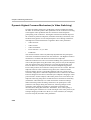
Dynamic Highest Common Mechanism (in Video Switching) . 5-30
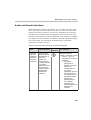
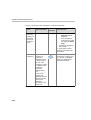
Audio and Visual Indications .................................................... 5-31
Noisy Line Detection and Automatic Muting ........................... 5-33
Viewing the Participants Queue ................................................ 5-34
Viewing Site Names in Video ................................................... 5-36
Conference Level Monitoring ........................................................... 5-37
Participant Level Monitoring ............................................................ 5-41
Displaying Participant Properties .............................................. 5-41
Monitoring ISDN/ATM/MPI/T1-CAS Participants ............ 5-42
iv
MGC Manager User’s Guide - Volume I
Monitoring IP (H.323 and SIP) Participants ........................5-57
Monitoring Gateway Sessions ...........................................................5-77
Operations Performed During On Going Conferences . . . . 6-1
Overview ..............................................................................................6-2
Participant Level Operations ................................................................6-5
Connecting and Reconnecting Dial-Out Participants ...................6-5
Changing the Participant Connection Type (Dial-In/Dial-Out) ...6-6
Changing the Participant's Line Rate Before Connection ............6-7
Disconnecting and Deleting Participants ...................................6-10
Changing the Properties of a Disconnected Participant .............6-12
Naming Undefined Dial-in Participants .....................................6-13
Moving Participants Between Conferences ...............................6-15
Designating an Exclusive Speaker .............................................6-18
Changing a Participant’s Status to Conference Chairperson ......6-19
Designating a VIP Participant ....................................................6-21
Modifying a Participant’s User Defined Properties ...................6-22
Adjusting the Broadcasting and Listening Volume ...................6-24
Muting/Unmuting Participant’s Audio or Video ........................6-25
Blocking/Unblocking Audio ......................................................6-29
Enabling/Disabling Auto Gain Control (AGC) ..........................6-31
Video Management Operations .........................................................6-33
Controlling the Video Layout .....................................................6-33
Changing Video Layout for the Participant .........................6-33
Changing the Video Layout for the Conference ..................6-35
Modifying Video Layouts in Lecture Mode Settings ..........6-36
Video Forcing .............................................................................6-37
Video Forcing at the Conference Level ...............................6-37
Video Forcing at the Participant Level ................................6-40
Conference Level Operations ............................................................6-42
Adding New Participants to a Conference .................................6-42
Muting Audio for a Conference .................................................6-52
Locking/Unlocking a Conference ..............................................6-54
Changing the Conference and Chairperson Password ...............6-57
v
Table of Contents
Changing the Conference Duration ........................................... 6-58
Extending a Conference Manually ...................................... 6-58
Terminating a Conference Manually ................................... 6-60
Enabling the End of Conference Reminder ............................... 6-61
Changing the Conference Billing Code ..................................... 6-62
Changing the Conference User Defined Parameters ................. 6-63
Adding Remarks During an On Going Conference ................... 6-64
Broadcasting Annex D Still Video Image (Slide) ..................... 6-65
Printing Conference Data .......................................................... 6-68
Managing Question-and-Answer Sessions ................................ 6-74
Controlling Q&A Queues with the Toolbar ........................ 6-74
Adding Questioners to Q&A Queues .................................. 6-75
Changing a Participant’s Position in the Q&A Queue ........ 6-76
Allowing Participant Questions .......................................... 6-77
Ending Participant Questions .............................................. 6-79
Removing Participants from the Q&A Queue .................... 6-80
Clearing Q&A Queues ........................................................ 6-80
Managing Voting Sessions ........................................................ 6-81
Conducting a Voting Session .............................................. 6-81
Using DTMF Codes During a Conference ........................................ 6-88
Changing the Conference or Chairperson Password ................. 6-93
Inviting H.323 Video Participants ............................................. 6-95
Setting the Video Invite Options in the IVR Service .......... 6-95
Managing Secure Mode Conferences ........................................ 6-96
Operations Performed During On Going Gateway Sessions ............ 6-97
Meet Me per Conferences and Meeting Rooms . . . . . . . . . . 7-1
Defining a Meet Me Conference ......................................................... 7-2
Defining Conference Dial In Numbers for ISDN/PSTN/T1-CAS
Connections ........................................................................... 7-5
Monitoring Meet Me Conferences .................................................... 7-10
Meeting Rooms ................................................................................. 7-11
Defining a New Meeting Room ................................................. 7-12
Listing Meeting Rooms ..................................................................... 7-18
vi
MGC Manager User’s Guide - Volume I
Meeting Room Icons ..................................................................7-19
Meeting Room Right-Click Functions .................................7-19
Entry Queues, Operator Conferences, and Attended
Conferencing . . . . . . . . . . . . . . . . . . . . . . . . . . . . . . . . . . . . . 8-1
Defining a New Entry Queue ...............................................................8-4
Listing Entry Queues ..................................................................8-14
Setting an Entry Queue as Default .............................................8-16
Enabling Entry Queue Access for Conferences .........................8-17
Using an Existing Entry Queue to Define a Target Conference 8-18
Operator Conferences ........................................................................8-22
Operator Functions Requiring an Active Operator Conference .8-22
Defining an On Going Operator Conference .............................8-24
Defining an Operator Reservation ..............................................8-29
Starting an Operator Conference from a Reservation Template 8-30
Attended Conferencing ......................................................................8-32
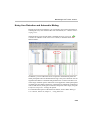
The Participant’s Queue Window ..............................................8-33
Listing Participants in the Participants Queue Window .............8-34
Using Participants Queue Filters .........................................8-36
The Attended Participants Dialog Box .......................................8-41
Attended Participants Management ...................................................8-53
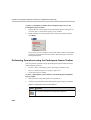
Performing Operations using the Right-Click Menu .................8-55
Moving a Participant to the Operator Conference ...............8-55
Moving a Participant to the Home Conference ....................8-56
Placing a Participant On Hold .............................................8-59
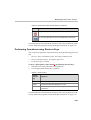
Performing Operations using the Participants Queue Toolbar ...8-60
Performing Operations using Shortcut Keys ..............................8-61
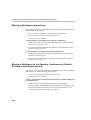
Moving a Participant Interactively .............................................8-62
Moving a Participant to the Operator Conference by
Double-Clicking the Participant’s Icon ......................................8-62
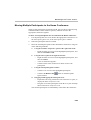
Moving Multiple Participants to the Home Conference ............8-63
Conference Reservations . . . . . . . . . . . . . . . . . . . . . . . . . . . 9-1
Defining a New Reservation ................................................................9-3
Completing the Reservation Definition .................................9-7
vii
Table of Contents
Listing the Current Reservations ......................................................... 9-8
Reservations Icons ....................................................................... 9-8
Deleting a Reservation ...................................................................... 9-10
Rescheduling Reservations ............................................................... 9-11
Scheduling a Conference Reservation from a Reservation Template
(Database) .......................................................................................... 9-13
Recurrent Reservations ...................................................................... 9-17
Defining the Reservation Recurrence Properties ....................... 9-17
Deleting Recurring Reservations from the Reservations List ... 9-22
Lecture and Presentation Options . . . . . . . . . . . . . . . . . . . 10-1
Lecture Mode .................................................................................... 10-1
Lecture Mode Definition ........................................................... 10-2
Lecture Mode Monitoring .......................................................... 10-5
Presentation Mode ............................................................................. 10-9
Setting the Presentation Mode for a Conference ..................... 10-10
Presentation Mode Monitoring ................................................ 10-12
Enabling the Presentation Mode during an On Going
Conference ............................................................................... 10-13
Lecture Show ................................................................................... 10-14
Lecture Show Definition .......................................................... 10-14
Lecture Show Monitoring ........................................................ 10-16
Click&View . . . . . . . . . . . . . . . . . . . . . . . . . . . . . . . . . . . . . . . 11-1
Enabling the Click&View Application ............................................. 11-2
Enabling the Click&View Application for a Conference .......... 11-8
Using the Click&View Application ............................................... 11-11
Click&View Menu Options ............................................................ 11-13
Conference Layout (Chairperson Only) Options ..................... 11-15
Personal Layout Options .......................................................... 11-18
Returning to the Conference Layout ........................................ 11-22
Getting Help ............................................................................. 11-23
Returning to the Previous Screen ............................................ 11-24
Requesting Operator Assistance .............................................. 11-25
viii
MGC Manager User’s Guide - Volume I
Appendix A: Disconnection Causes . . . . . . . . . . . . . . . . . . . A-1
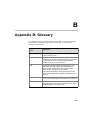
Appendix B: Glossary . . . . . . . . . . . . . . . . . . . . . . . . . . . . . . B-1
ix
Table of Contents
x
1
Before You Begin
The MGC Manager application is designed to set up and monitor multipoint
video conferences, and to perform system configuration activities for the
MGC Multipoint Control Units (MCUs) to which it connects. MGC
Manager is consists of a user-provided PC workstation, equipped with a
Windows 98®, Windows NT®, Windows 2000® or Windows XP® operating
system, and of the MGC Manager software. The PC can connect to the
MGC unit via LAN, Internet, dial-up modem or RS-232 interface.
System Requirements
The MGC Manager application can be installed in an environment that
meets the following requirements:
•
IBM PC compatible computer Pentium II, 400 MHz CPU or higher
•
Minimum 64 MB RAM (recommended 64 MB)
•
Windows 98®, Windows ME®, Windows NT®, Windows 2000® or
Windows XP® operating system
•
Modem (optional)
•
Network capabilities - TCP/IP
Prerequisites
This manual assumes the user has the following knowledge:
•
Familiarity with Windows 98®, Windows NT®, Windows 2000®, or
Windows XP operating systems and interface
•
Basic knowledge of video conferencing concepts and terminology
1-1
Chapter 1 - Before You Begin
About the MGC Manager User’s Guides
The MGC Manager User Guides documentation set includes the following
volumes:
•
MGC Manager User’s Guide - Volume I
•
MGC Manager User’s Guide - Volume II
•
MGC Manager User’s Guide - VoicePlus Edition
The content of these volumes is listed below.
The VoicePlus Edition includes information required to use the MGC
VoicePlus bridge and Audio Only conferencing features.
In addition to the User’s Guides, the MGC kit includes:
MGC Administrator’s Guide, MGC-50/100 Getting Started Guide, MGC-25
Getting Started Guide, MGC+ Getting Started Guide, MGC-50/100 Hardware
and Installation Manual and MGC+ Hardware and Installation Manual.
Listed below are chapters and topics included in the volumes of the current
user guides.
MGC Manager User’s Guide - Volume I
Chapter 1 - Before You Begin
Provides a general description of MGC unit system requirements and
prerequisites. Lists and briefly describes the chapters that comprise the MGC
Manager User’s Guides.
Chapter 2 - MGC Manager Overview
Provides a general description of the MGC unit and its main features.
Chapter 3 - MGC Manager Basics
Contains introductory information about the MGC Manager application and
describes the application's main window, menus, and toolbars. Includes stepby-step instructions for connecting to an MCU.
Chapter 4 - Setting up Conferences
Includes a general description of video conference types, functions and
parameters. Describes participant roles and parameters. Provides step-by-step
instructions for setting up and starting an On Going Conference, as well as
instructions for defining new participants.
Chapter 5 - Monitoring Conferences
Describes options available during On Going Conferences for general
monitoring, conference level monitoring and participant monitoring.
1-2
MGC Manager User’s Guide - Volume I
Chapter 6 - Operations Performed During On Going Conferences
A description of operations that can be performed during an On Going
Conference.
Chapter 7 - Meet Me per Conferences and Meeting Rooms
Describes the methods for reservation-less conferencing and how to define
Meet Me conferences. Describes how to monitor On Going Meet Me
conferences and how to set up and monitor Meeting Room conferences.
Chapter 8 - Entry Queues, Operator Conferences and Attended
Conferencing
Describes Entry Queues and Operator conferences. Includes step-by-step
instructions for setting up Entry Queues and Operator conferences. Lists all
the Attended Conferencing options.
Chapter 9 - Conference Reservations
Describes how to define and schedule conference Reservations and recurring
conferences.
Chapter 10 - Lecture Mode and Presentation Options
Describes and includes step-by-step instructions for setting up and monitoring
Lecture Mode, Presentation Mode and Lecture Show conferences.
Chapter 11 - Click&View
Describes how to activate and use the Click&View application.
Appendix A - Disconnection Causes
Lists the various disconnection causes according to the Q.931 standard.
Appendix B - Glossary
Lists and describes terms frequently used in the MGC Manager User’s Guides
and terms related to video conferencing.
MGC Manager User’s Guide - Volume II
Chapter 1 - Advanced Conference Settings
Describes advanced video conferencing features. Includes step-by-step
instructions for setting up large Video Switching conferences, auto detection
of participant line rate, LSD – Far End Camera Control (FECC), simple and
Star Cascading conferences, Dual Stream modes, encryption, automatic
extension of conference duration and more.
Chapter 2 - IVR and Entry Queue Services
Describes how to define IVR Message Services and Entry Queue Services,
how to download voice messages to the Audio+ card and how to check the
status of messages in the MCU memory.
1-3
Chapter 1 - Before You Begin
Chapter 3 - Ad Hoc Conferencing and External Database Authentication
Describes Ad Hoc conferencing and external database authentication,
including different scenarios and authentication procedures. Includes
instructions on how to define Profiles and set up Entry Queues for Ad Hoc
conferencing.
Chapter 4 - AV Message Services and Greet and Guide Conferences
Describes the Greet and Guide mode and options. Includes step-by-step
instructions for setting up AV Message Services and Greet and Guide
conferences, and their monitoring and management.
Chapter 5 - H.243 Conferences
Includes step-by-step instructions for setting up and monitoring Cascading
conferences according to H.243. In addition, this chapter describes how to set
up and monitor the H.243 Chair Control (a part of the H.243 standard).
Chapter 6 - Using a Database
Describes the database file which must be registered in the ODBC of the
operator’s workstation during the installation procedure. Includes a
description of the registration procedure for both Access and SQL databases;
how to log into the Database Manager application; how to define and modify
databases and participant and general system defaults; how to set up
permissions and users.
Chapter 7 - Database Templates
Describes how to use the database tables and how to define conference and
participant templates.
Chapter 8 - Templates Handling
Describes the operations that can be performed using conference and
participant templates.
Chapter 9 - Recording
Describes how to record using the ReadiRecorder, the RSS2000 and the
Prairie Systems recording systems.
Chapter 10 - Call Detail Records (CDR) Utility
Contains the information required to view conference details. Describes how
to retrieve and archive the conference records.
Appendix A - CDR - Unformatted File Fields
Contains details of the events, fields and values that can be found in CDR
unformatted files.
1-4
MGC Manager User’s Guide - Volume I
MGC Manager User’s Guide - VoicePlus Edition
Chapter 1 - Overview
Provides a general description of the MGC unit’s main audio features, system
requirements and prerequisites.
Chapter 2 - Defining Standard Audio Only Conferences and
Reservations
Includes step-by-step instructions for setting up On Going Audio Only
Conferences and Reservations, and for defining Audio Only participants.
Chapter 3 - Monitoring Audio Only Conferences
Describes the information provided by the MGC Manager when monitoring
an On Going Audio Only conference.
Chapter 4 - Operations Performed During On Going Conferences
Describes the operations that can be performed during an On Going Audio
Only conference.
Chapter 5 - Meeting Rooms and Entry Queues
Includes step-by-step instructions for setting up Audio Only Meeting Rooms
and Entry Queues.
Chapter 6 - IVR and Entry Queue Services
Provides a general description of IVR and Entry Queue Service usage.
Includes step-by-step instructions for defining new IVR and Entry Queue
Services, downloading the voice message files to the Audio+ card and
printing the DTMF codes defined in the IVR Message Service.
Chapter 7 - Attended Conferencing
Describes Operator conferences and Attended Participant Management.
1-5
Chapter 1 - Before You Begin
Conventions
When learning the MGC Manager application, it is important for you to
correctly interpret the terms and conventions used in this Guide:
•
“Choose” or “Double-click” is used when you need to activate a menu
command or a command button in the dialog box.
•
“Select” or “Click” is used to highlight a part of the window, dialog box
or menu that you want to be changed with your next action.
•
“Right-click” is used when you press and release the right mouse button
to open a pop-up menu.
•
“Choose OK” means that you can either click the OK button with the
mouse, or press the <Enter> key on the keyboard.
•
Keyboard keys appear in capital letters, between these two symbols < >.
For example, the Shift key appears as <Shift>.
•
The plus sign (+) between two key names indicates that you must press
and hold down one key while pressing down the second key. For
example, “press <Alt>+<P>” means that you press and hold down the
Alt key while you press the P key.
•
Bold type appearing in the text or in a procedure indicates the word or
the character that you should type into a text box. Bold type is also used
to indicate the name of a menu item or command that you should select.
•
Italic type appearing in the text or in a procedure indicates the name of
an icon, a menu, a dialog box or a field from which an option should be
selected or into which parameters should be entered.
•
Tips and notes are indicated by an icon and appear in a special format on
a gray background. For example:
This is an example of the type of note that you encounter in this User Guide.
1-6
2
MGC Manager Overview
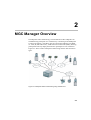
In multipoint video conferencing, several audio and video endpoints can
simultaneously participate in a conference by connecting to the Multipoint
Control Unit (MCU). The MGC unit can connect the endpoints via ISDN,
T1-CAS, IP (SIP and H.323), ATM and serial connections (MPI), allowing
participants from any deployed network to participate in one conference.
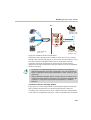
Figure 2-1 shows a basic multipoint conferencing scheme and connection
types.
Figure 2-1: Multipoint Video Conferencing using an MGC unit
2-1
Chapter 2 - MGC Manager Overview
MCU Management
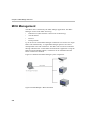
The MGC unit is controlled by the MGC Manager application. The MGC
Manager connect to the MGC unit using:
•
Ethernet LAN (other than the LAN used for conferencing)
•
TCP/IP Internet
•
RS-232
•
Dial-up modem
Up to 30 local or remote MGC Manager workstations can connect to a single
MGC unit simultaneously. A single MGC Manager operator can control
multiple MGC units and conferences. The MGC unit can also be controlled
through a Web browser via the MGC WebCommander application. Using the
MGC Personal Scheduler add-on, conferences can be scheduled from the
MCU in Microsoft’s Outlook.
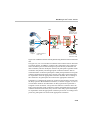
Figure 2-2 illustrates the MGC Manager system components.
Figure 2-2: MGC Manager - MCU Connection
2-2
MGC Manager User’s Guide - Volume I
MGC System Main Features
The MGC main features are:
•
Universal Transcoding
•
Dynamic Continuous Presence
•
Multiple Switching Modes
•
IVR-Enabled Conferencing
•
Encryption
•
Single-dial Entry Queues
Universal Transcoding
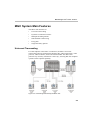
For each endpoint connected to a conference, the MGC's Universal
Transcoding gateway automatically identifies the: audio compression, video
protocol, video resolution, frame rate and bandwidth. The MCU then
performs any necessary translations “on the fly”, ensuring that each endpoint
operates at their optimal capability.
Figure 2-3: Transcoding Performed by the MGC Unit
2-3
Chapter 2 - MGC Manager Overview
Dynamic Continuous Presence (CP)
The dynamic Continuous Presence capability of the MGC system offers
multiple viewing options and window layouts for video conferencing.
Continuous Presence (CP) for video conferencing is available in three modes:
•
Classic
•
Quad Views
•
Software
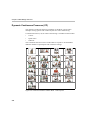
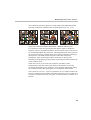
The Continuous Presence Classic mode offers 21 layouts to accommodate
different numbers of participants and conference settings.
Figure 2-4: Continuous Presence Classic Mode - Video Layouts
2-4
MGC Manager User’s Guide - Volume I
The Continuous Presence Quad Views mode offers three additional layouts
for larger conferences with more than 10 participants (4x4, 2+8, 1+12).
Figure 2-5: Continuous Presence Quad Views - Additional Video Layouts
For conferences with more participants than display squares, the MGC's
dynamic video mix capability allows the site mix (which sites can be seen) to
be modified throughout the conference. The displayed layout can be preset in
the reservation stage or changed during an On Going conference, allowing a
participant to view different screen layouts of the other conference
participants. These layout options allow conferences to have greater
flexibility when displaying a large number of participants and maximizes the
screen’s effectiveness.
When Auto Layout is set for the CP conference, the MGC system
automatically selects the video layout based on the number of currently
connected participants in the conference, and it changes dynamically during
the conference when video participants are connected or disconnected.
The Continuous Presence - Software (Software CP) is a software solution for
IP only conferences that resembles Continuous Presence but saves video card
resources. In Software CP, only two types of video layouts are available: 2x1
and 2x2.
2-5
Chapter 2 - MGC Manager Overview
Multiple Switching Modes
Switching between video participants can be performed using these features:
•
Voice activation
•
Operator-force via the MGC Manager to and/or the MGC
WebCommander
•
Selecting certain participant display windows as fixed and others as
voice-activated
•
Lecture Mode - The lecturer is viewed in full screen by all conference
participants, while the audience is “scanned” for the speaker’s view.
•
Presentation Mode - When the speaker’s presentation extends beyond a
predefined time, that speaker becomes the lecturer and the conference
switches to Lecture Mode.
IVR-Enabled Conferencing
The Interactive Voice Response (IVR) is a software module that automates
the connection process to the conference and lets participants and
chairpersons perform various operations during the On Going Conference. By
combining the input of the caller with the menu-driven scripts (DTMF codes),
participants can call the conference dial-in number and use a touch-tone
telephone or the endpoint’s remote control to interact with the conferencing
system.
Using IVR and DTMF codes, participants and chairpersons can perform
various management operations during a conference, for example:
2-6
•
Request personal assistance
•
Request assistance for conference (Chairperson)
•
Lock or unlock conferences to dial- in participants (Chairperson)
•
Adjust the participant’s broadcasting and listening audio volume (All)
•
Mute or unmute the participant’s audio channel (All)
•
Mute all participants except the requesting participant (Chairperson)
•
Cancel the Exclusive Speaker mode (Chairperson)
•
Mute “Meet Me” dial-in participants upon their connection to the
conference (Chairperson)
MGC Manager User’s Guide - Volume I
•
Change the conference password (Chairperson)
•
Place the conference on-hold (Chairperson)
•
Reinstate an on-hold conference (Chairperson)
•
Manage a Question-and-Answer session (Chairperson)
•
Conduct a Voting session (Chairperson)
•
Play the Help menu
•
Enable or disable the Roll Call feature (Chairperson)
•
Request a Roll Call and stop the Roll Call names review (Chairperson)
•
End (manually terminate) the Conference (Chairperson)
The IVR software module requires the installation of the Audio+ card in the
MCU. For a detailed description of the IVR module, refer to the MGC
Manager User’s Guide Volume II, Chapter 2.
Attended Conferencing
By using the MGC Manager, system operators can manage the participant
connection to the conference and perform the following operations:
•
Personally guide individual participants to the conference
•
Monitor all participants who are currently waiting in the Entry Queue
and IVR Queue regardless of their conference association
•
Assist participants in the Entry Queue, IVR queue, or during the
conference
•
Conduct Voting sessions
•
Control Question and Answer sessions
Encryption
Encryption is available at the MCU conference and participant level, based on
AES 128 Media Encryption and DH 1024 Key Exchange standards.
Encryption is supported in all types of audio and video conferences with
ISDN and IP participants.
2-7
Chapter 2 - MGC Manager Overview
Single Dial Entry Queue
An Entry Queue is a special routing lobby to which one or several dial-in
numbers are assigned. When callers dial this number, they access this Entry
Queue where they wait to be routed and connected to the conference.
Additional Video Features
The following features and enhancements are also available with the MGC
(Video+ card is required):
2-8
•
H.264 video protocol for high quality transmission in addition to H.263
and H.261
•
Conference On Port (COP) mode - Continuous Presence video layouts
may be viewed by all participants while using only one video port,
increasing the number of participants in a video conference
•
Click&View application - an endpoint application that lets participants
select their personal video layout from their endpoints via DTMF codes
•
Choice of a personal video layout for participant
•
Visual effects for video display (background color, window border color
and speaker indication color)
•
Enhanced video quality through the use of 4CIF video resolution
•
H.230/People+Content - the ability for a video conference participant to
introduce content from a laptop, PC or Macintosh into the call so that all
participants can see the Content and the speaker at the same time.
•
Video Invite - enables participants (usually the Chairperson), from any
endpoint (H.323, H.320, SIP, MPI), in a video conference to invite H.323
participants into the conference.
•
Visual Indication - Visual (Text and/or Icon) indications can be displayed
on the endpoint’s screen when a participant joins or leaves the
conference or when the conference is about to end.
MGC Manager User’s Guide - Volume I
Conferencing Capabilities and Options
Conference Reservations Features
MGC Manager provides the following options:
•
Conferences can be reserved and scheduled ahead of time (Reservations)
or set up to start immediately (On Going Conferences)
•
Conference resources are defined and reserved during conference setup
•
Recurrent conferences can be scheduled in advance (a reservation can
include recurrent conferences)
•
The central reservations database is easily accessed
•
MGC Manager displays all the defined reservations for multiple MCUs
•
Reservation-less features: Ad Hoc conferencing and Meeting Rooms
Conference Setup Features
The following options are available when setting up conferences:
•
Dial-in for undefined participants
•
Dial-in with automatic line rate detection for defined participants
•
Meet Me per Conference
•
Meeting Rooms
•
Dial-out (manual or automatic)
•
Automatic line rate detection for undefined dial-out participants
•
On-demand conferencing
•
Entry Queue access (using one dial-in number for all conferences)
•
Interactive Voice Response (IVR) software module for moderated
conference access
•
Greet and Guide with manual or automatic guidance to conferences
2-9
Chapter 2 - MGC Manager Overview
Conference Management and Monitoring Features
MGC Manager provides capabilities for management and monitoring of
participants and conferences, including the following:
2-10
•
Lecture Mode, Lecture Show or Presentation Mode in Continuous
Presence conferences
•
Far End Camera Control (FECC/LSD) in video conferences
•
H.243 Cascading conferences
•
H.243 Chair Control for video conferences
•
Streaming of video and data according to endpoint type (Dual Stream)
•
Management and monitoring of Voting and Q&A sessions
•
Automatic termination of idle (no participants) conferences
•
Automatic extension of conference duration
•
Control of listening and broadcasting audio volume for individual
participants
•
Automatic detection and muting of noisy line participants (SilenceIT)
•
Auto Gain Control (AGC) noise and audio volume regulation for
individual participants
•
Advanced control and greetings for attended conferences
•
Conference control via DTMF codes from user’s endpoint or telephone
•
Entry, exit and end-of-conference alert indications
•
Media encryption
•
Modification of certain conference properties
•
Option to add and invite new participants during conference
•
Display of all defined reservations for multiple MCUs
•
Easily accessed Call Detail Records (CDR)
•
Cut, copy & paste and/or multiple drag & drop of participants
•
Active display of all system resources
•
Active display of all conferences and participants from multiple MCUs
•
Real-time monitoring of each participant’s connection status and
properties
MGC Manager User’s Guide - Volume I
MGC Hardware Enhancements
The MGC unit provides the following features and enhancements:
Connectivity
The MGC unit enables multi-network conferences by connecting to the
following networks:
•
•
•
•
•
•
ISDN T1/E1
Leased E1/T1
T1-CAS
ATM (FVC) 25 & 155 Mbit/s
IP Networks H.323 and SIP
MPI V.35/RS-449/EIA-530
Scalable Architecture
You can increase capacities of the MGC unit by adding ports as needed, with
no performance degradation. All MGC ports are centrally controlled, as a
result, system management is simplified and resources can be used efficiently
and at a lower cost.
Reliability
The powerful telecom architecture allows the MGC unit to ensure continuous
multipoint service for all calls, even in the most rigorous conferencing
environments. The MGC architecture includes:
•
•
•
Automatic resource allocation
Redundant power supplies (in the MGC-100 & MGC+100 only). The
MGC-100 can be equipped with up to three load-sharing, redundant
power supplies.
Front-accessible hardware cards for ease of maintenance (MGC-100/
MGC-50 & MGC+100/MGC+50)
2-11
Chapter 2 - MGC Manager Overview
Maintenance
The MGC unit offers the following advanced maintenance features that
minimize downtime and the need for human intervention:
2-12
•
On-line diagnostics that continuously monitor system and network
failures
•
Universal slot architecture that allows all cards to fit into any slot (MGC100/MGC-50 & MGC+100/MGC+50)
•
Front-accessible cards
•
Hot-swappable cards (MGC-100/MGC-50 & MGC+100/MGC+50)
•
Self-configuring cards
•
LED status lights on the front panel of all cards (MGC-100/MGC-50 &
MGC+100/MGC+50), or status indications on the LCD window
(MGC-25)
•
Notifications to the MGC Manager to ensure fast problem isolation and
resolution
•
Software updates via the Internet or intranet
3
MGC Manager Basics
The MGC Manager is a Windows-based, operator controlled interface,
installed on a user-provided PC.
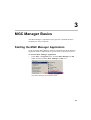
Starting the MGC Manager Application
At the end of the MGC Manager software installation, the MGC Manager
application folder is added to the Programs menu, under the Start menu.
To start the MGC Manager Application:
•
In the Start -> Programs menu, click the MGC Manager ver 8.0
folder, and then click the MGC Manager ver 8.0 icon.
The MGC Manager main window opens.
3-1
Chapter 3 - MGC Manager Basics
The MGC Manager Main Window
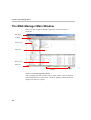
When you open the MGC Manager application, the main window is
displayed.
Main Menu
Toolbars
Browser pane
Status pane
Monitor pane
Status bar
Memory
Indicators
Port Indicator
Figure 3-1: MGC Manager Main Window
You can display the main window and any other window (such as template
lists and databases) in various ways. The MGC Manager maintains the last
display each time it is opened.
3-2
MGC Manager User’s Guide - Volume I
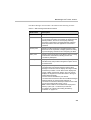
The MGC Manager main window is divided into the following sections:
Table 3-1: MGC Manager Main Window Details
Window Item
Description
Main Menu bar
Displays titles of available menus.
Toolbars
The MGC Manager has several toolbars for quick access
to commonly used tasks. The toolbars are displayed in the
default positions, but can be moved (drag and drop)
anywhere in the window. The MGC Manager maintains
their last positions when the application is closed and
restarted.
Browser pane
Displays the MCUs defined in the MGC Manager. Each
MCU tree can be expanded, to display options for setting
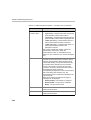
up and managing conferences and configuring the MCU.
Status pane
Displays status information for the MCU’s cards, On Going
Conferences, Reservations, Meeting Rooms and
conference participants.
Monitor pane
Displays details of several conferences and participants
simultaneously and provides management options for the
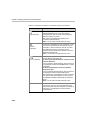
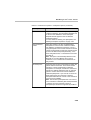
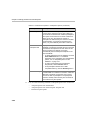
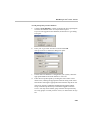
monitored items.
Status bar
Displays the memory utilization indicators and the
communication port between the MCU and the MGC
Manager. The P. Mem column displays the usage of RAM,
measured by Partition. The R. Mem column displays the
usage of RAM, measured by Region. The Frag column
displays the largest free consecutive buffer in the region
where MCMS is loaded.
The Port column identifies the port used for
communication between the MCU and the MGC Manager/
WebCommander to which the MGC Manager is
connected. Port 80 is the default port and Port 443 is used
for secured communication (SSL or TLS).
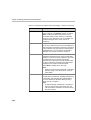
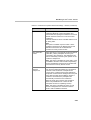
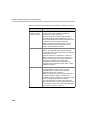
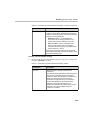
Note: These indicators are enabled if the Display MCU
Memory option (File -> Preferences) is selected.
For details, see “Showing and Hiding the Memory
Indicators” on page 3-10.
3-3
Chapter 3 - MGC Manager Basics
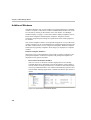
Additional Windows
The MGC Manager uses several windows to present information. If multiple
windows are open at a time and a window is hidden behind another one, it can
be accessed by clicking on the Window menu. For details, see “Multiple
Window Display” on page 3-12. Several windows display Templates, such as:
Reservation Templates and Participant Templates. Templates contain
conference and participant settings for repeated use when similar properties
are needed.
The various template windows can be placed alongside or on top of the main
window, allowing you to work simultaneously with the template windows and
the main window. There are two categories of templates: database templates
and Polycom proprietary templates. Each category is displayed in a separate
window.
Database Template Windows
Microsoft Access or SQL databases can be used to organize conference and
participant templates. Conference templates and participant templates are
displayed in two separate windows.
•
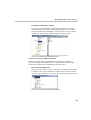
Reservations in Database Window
The Reservations in Database window displays the list of currently
available Reservation Templates stored in the database. This window is
used to initiate On Going Conferences or conferences that automatically
start at a predetermined time. This window automatically opens the first
time the MGC Manager application is started and remains open until it is
closed.
Figure 3-2: Reservations in Database Window
3-4
MGC Manager User’s Guide - Volume I
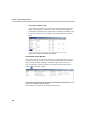
•
Participants in Database Window
The Participants in Database window displays the list of currently
available Participant Templates stored in the database. This window is
used to add participant definitions to a Reservation or to an On Going
Conference. You open this window from the Database menu.
Figure 3-3: Participants in Database Window
Polycom Proprietary Template Windows
Polycom template files store participant and conference Templates in
proprietary format. The templates files are organized into two file types:
Reservation templates files and Participant templates files.
•
Reservation Templates File
The Reservation templates file is a repository of templates that are used
to initiate an On Going Conference or a Reservation. The Reservation
Templates (ResTemplates) File window opens from the Templates menu.
Figure 3-4: Reservation Templates File Window
3-5
Chapter 3 - MGC Manager Basics
•
Participant Templates File
The Participant templates file contains all the information required to
define a participant in a conference, and is used to add participants to
conferences without having to define their parameters individually. The
Participant template (Party Templates) file opens from the Templates
menu.
Figure 3-5: Participant Templates File Window
Participants Queue Window
The Participants Queue window contains a list of the participants who are
waiting for operator assistance. This window automatically opens the first
time you start the MGC Manager, and remains open until you close it.
You can open this window manually by clicking the Participants Queue
button
on the Main toolbar.
Figure 3-6: Participants Queue Window
This window is used mainly in attended conferencing.
3-6
MGC Manager User’s Guide - Volume I
MGC Main Window View Modes
You can select the View mode of the MGC Manager Main window and
whether or not to show or hide various components of the Main window.
Selecting the View Mode
You can change the view of the MGC Manager Main window by toggling
between the horizontal and the vertical view. When switching between the
views, you are required to restart the MGC Manager application. The default
window layout setting is the Vertical View.
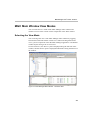
In Horizontal View, the Browser pane is displayed along the left side of the
window, and the Monitor pane is displayed underneath it along the bottom of
the window.
Figure 3-7: MGC Manager Main Window - Horizontal View
3-7
Chapter 3 - MGC Manager Basics
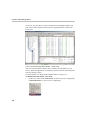
In Vertical View, the Browser pane is displayed in full-length along the left
side of the window and the Monitor pane is displayed beside it, below the
Status pane.
Figure 3-8: MGC Manager Main Window - Vertical View
You can resize the Main window panes to display the information as you
choose. When the application is restarted, the panes retain the selected layout
until you change it again.
For more details, see “Resizing the Window Panes” on page 3-11.
To modify the main window view mode:
1. On the View menu, click Vertical View (if Horizontal View is displayed)
or Horizontal View (if Vertical View is displayed).
3-8
MGC Manager User’s Guide - Volume I
Alternatively, on the toolbar, click the Change View Mode icon
.
A warning message is displayed, indicating that the MGC Manager
application must be restarted.
2.
Click OK to restart the MGC Manager application.
When you restart the MGC Manager application, you may be required to
log on depending on your application settings if a logon record is
created. See “Connecting to an MCU” on page 3-21.
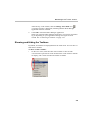
Showing and Hiding the Toolbars
By default, all toolbars are displayed below the main menu. You can show or
hide them as needed.
To show or hide a toolbar:
•
On the View menu, click the name of the toolbar to show or hide.
A check mark is placed next to the toolbar name on the menu to indicate
its display, and is removed when the toolbar is hidden.
3-9
Chapter 3 - MGC Manager Basics
Showing and Hiding the Status Bar
The Status bar is displayed along the bottom of the Main window by default.
To show or hide the Status bar:
•
On the View menu, click Status Bar. If the Status Bar is not currently
displayed, a check mark is placed next to Status Bar on the View menu
and the Status Bar is displayed. If the Status Bar is currently displayed,
the check mark next to Status Bar on the View menu is removed, and the
Status Bar disappears.
Showing and Hiding the Memory Indicators
The Memory Indicators are displayed in the Status bar at the bottom of the
Main window.
To show or hide the Memory Indicators:
•
3-10
On the File menu, select Preferences, and then select Display MCU
Memory. If the Memory Indicators are not currently displayed, a check
mark is placed next to the Display MCU Memory option and the Memory
Indicators are displayed. If the Memory Indicators are currently
displayed, the check mark next to the Display MCU Memory option is
removed, and the Memory Indicators disappear.
MGC Manager User’s Guide - Volume I
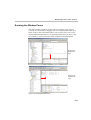
Resizing the Window Panes
The main window is made up of three panes. Each pane can be resized
vertically or horizontally by dragging one of its sizing handles either up or
down or side to side. This feature allows you to set the pane’s size to best
display additional information. It is especially useful when you have a long
list of MCUs or when you monitor many conferences and participants.
Dragging the
Monitor pane
edge
Dragging the
Browser pane
edge
Figure 3-9: Resizing Window Panes
3-11
Chapter 3 - MGC Manager Basics
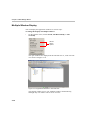
Multiple Window Display
You can display the application windows in various ways.
To change the display of multiple windows:
•
On the Window menu, click Cascade, Tile Horizontally, or Tile
Vertically.
Window
Display
Options
The open windows are displayed in the selected view as, in the Cascade
view shown in Figure 3-10:
Figure 3-10: Application Windows in Cascade View
This display enables you to view multiple windows simultaneously,
although only one window can be active at a time.
3-12
MGC Manager User’s Guide - Volume I
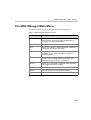
The MGC Manager Main Menu
The MGC Manager main menu bar provides the following options:
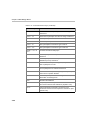
Table 3-2: MGC Manager Main Menu Options
Menu Name
Description
File
For creating or clearing a Login Record, downloading the
MCU software, displaying or hiding the MCU Memory
Indicators and exiting the application.
Edit
Used to Cut or Copy participants data.
View
Allows you to display or hide the status bar, toolbars and
change the main window View mode.
Template
Allows you to create new conference or participant
templates, or open existing templates in Polycom’s
proprietary format.
Database
Provides options for logging into the Database Manager
module and for handling conference templates and
participant templates stored in the database.
Directory
Allows you to open Public or Personal LDAP directories,
and configure the Directory setting.
Options
For defining the general system parameters and defaults.
Window
For managing the currently opened window(s).
Help
To access help.
3-13
Chapter 3 - MGC Manager Basics
The MGC Manager Toolbars
The MGC Manager uses several toolbars to provide quick access to functions.
These are the Main, Conference, Participant, Participants Queue, Participant
Queue Filter and Q&A toolbars.
You can hide/display each toolbar and can move each one anywhere on the
screen, even outside the MGC Manager window. For details, see “Showing
and Hiding the Toolbars” on page 3-9.
To move a toolbar to a different location:
•
Click the edge of the desired toolbar and drag it to the new location
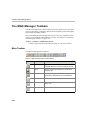
Main Toolbar
The Main toolbar appears as follows:
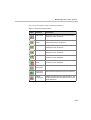
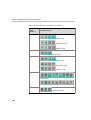
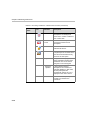
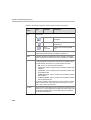
Table 3-3: MGC Manager Main Toolbar Buttons
Button
3-14
Function
Description
New
Creates a new Participant or Reservation
Template file in the Polycom proprietary format.
Open
Opens an existing Participant or Reservation
Template file.
Save
Saves the changes made to a Participant or
Reservation Template file or to the database.
-
Not in use.
-
Not in use.
-
Not in use.
MGC Manager User’s Guide - Volume I
Table 3-3: MGC Manager Main Toolbar Buttons (Continued)
Button
Function
Description
Refresh
Refreshes the database to reflect all the changes
made to the database User Tables by all the
connected workstations.
-
Not in use.
About
Opens the MGC Manager About window.
-
Not in use.
Indications log
window
Opens the Indications Log (Event Collector)
window that displays the events collected by the
system when the Event Indication option is
enabled.
Indications
configuration
Opens the Indications Configuration window
letting you configure the events that the system
displays.
Viewing
modes
Toggles between Vertical and Horizontal display
view modes of the main window.
Participants
Queue
Opens the Participants Queue window.
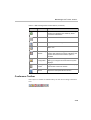
Conference Toolbar
The Conference toolbar is enabled when you click an On Going Conference
icon.
3-15
Chapter 3 - MGC Manager Basics
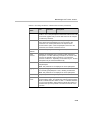
The Conference toolbar contains the following buttons:
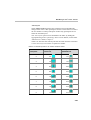
Table 3-4: Conference Toolbar Buttons
Button
Function
Description
Add New
Participant
Adds a new participant to the conference.
Lock/Unlock
Conference
Locks or unlocks the conference to dial-in
participants.
Place/Cancel
Conference
on Hold
Places a conference on hold or reinstates a
conference that was placed on hold.
Start/stop
Voting
Starts/stops a voting session.
Terminate the
Conference
Terminates the conference.
Start
Recording
Starts a recording session.
Stop
Recording
Stops a recording session.
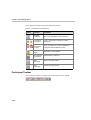
Participant Toolbar
The Participant toolbar is enabled when a Participant icon is clicked.
3-16
MGC Manager User’s Guide - Volume I
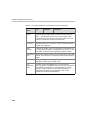
The Participant toolbar contains the following buttons:
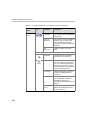
Table 3-5: Participant Toolbar Buttons
Button
Function
Description
Mute Audio
Mutes the audio channel transmission from the
participant to the conference.
Unmute
Audio
Unmutes the audio channel transmission from
the participant to the conference.
Mute Video
Stops the video channel transmission from the
participant to the conference.
Unmute Video Restarts the video channel transmission from the
participant to the conference.
Block Audio
Blocks the audio channel transmission from the
conference to the participant.
Unblock
Audio
Restarts the audio channel transmission from the
conference to the participant.
Connect
Participant
Connects the participant to the conference.
Disconnect
Participant
Disconnects the participant from the conference.
Delete
Participant
Deletes the participant from the conference. The
conference resources are released for the use of
other participants.
3-17
Chapter 3 - MGC Manager Basics
Participants Queue Toolbar
The Participants Queue toolbar is enabled when an Operator conference is
running and a Participant icon is selected.
The Participants Queue toolbar contains the following buttons:
Table 3-6: Participants Queue Toolbar Buttons
Button
Function
Description
Attend Participant
Moves the participant to the Operator
conference for operator’s assistance.
Place Participant on
Hold
Places the attended participant on Hold.
The participant hears an IVR message while
on hold.
Move to Home
Conference
Moves the participant to the Home
(destination) conference.
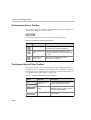
Participant Queue Filter Toolbar
The Participant Queue Filter toolbar options enable displaying the list of
participants who are waiting to be connected to the conference, according to
selected criteria. For instructions about defining a new filter see Chapter 8,
”Using Participants Queue Filters” on page 8-36.
Table 3-7: Participant Queue Filter Toolbar Buttons
Button
3-18
Function
Description
Participant Queue
Filter List
Lists the Participant Queue filters
currently defined in the system.
Participant Queue
Filter
Opens the Participants Queue Filter
dialog box where you define a new
Participants Queue Filter.
Delete Filter
Deletes the selected Participant
Queue Filters.
MGC Manager User’s Guide - Volume I
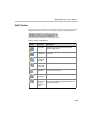
Q&A Toolbar
The Q&A toolbar is enabled when you click an icon of a participant in an On
Going Conference or the icon of a participant waiting in the Q&A queue.
The Q&A toolbar contains the following buttons:
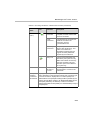
Table 3-8: Q&A Toolbar Buttons
Button
Function
Description
Clear QA
Clears all participants from the Question &
Answer (Q&A) queue.
Next
Questioner
Lets the next participant in the Q&A queue ask
questions.
Add
Participant
to Q&A
Adds a participant to the Q&A queue.
Remove
Participant
from Q&A
Removes a participant from the Q&A queue.
Ask
Question
Lets the participant ask a question, even if he or
she is not next in queue.
Stop
Questioner
Stops the current questioner.
Move
Participant
to First
Position in
Q&A
Moves the participant to the first place in the
Q&A queue (enabling this participant to become
the next questioner).
3-19
Chapter 3 - MGC Manager Basics
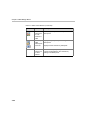
Table 3-8: Q&A Toolbar Buttons (Continued)
Button
2/10
3-20
Function
Description
Move
Participant
to Last
Position in
Q&A
Moves the participant to the last place of the
Q&A queue.
View Only
Q&A
Participants
/View All
Displays only the participants waiting in the
Q&A queue.
Q&A
Parties out
of Total
Parties
The number of participants (out of the total
number of participants in the conference)
waiting in the Q&A queue.
Displays all the conference participants.
MGC Manager User’s Guide - Volume I
Connecting to an MCU
Once an MCU is defined (for details, see the MGC Administrator’s Guide,
Chapter 2), the MGC Manager can be connected to all the defined MCUs
simultaneously. This allows you to set up conferences, make reservations,
monitor On Going Conferences and perform other activities on several
MCUs.
To connect the MGC Manager to an MCU:
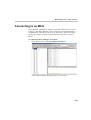
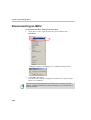
1. In the Browser pane, expand the MCUs Network list.
A list of MCUs appears below the MCUs Network icon.
3-21
Chapter 3 - MGC Manager Basics
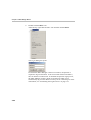
2.
Double-click the MCU icon.
Alternatively, right-click the MCU icon and then click Connect.
The Logon dialog box opens.
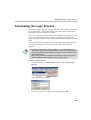
Each time the MGC Manager connects to an MCU, the operator is
required to log into the MCU. In an environment with several MCUs,
this can become a tedious task. To facilitate the operator login process,
the MGC Manager creates a login record that can enable you to
automatically log in to the MCU to which you are connecting. For more
information, see “Automating the Login Process” on page 3-37.
3-22
MGC Manager User’s Guide - Volume I
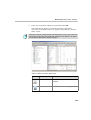
3.
Enter your Login name and Password, and then click OK.
The connection to the MCU is initiated. The status of the MCU
connection, as detailed in Table 3-9, appears in parentheses next to the
MCU’s name.
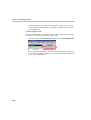
Each MCU is initially configured with a default operator whose Login Name and
Password are both POLYCOM. Additional operators can be defined. For details,
see the MGC Administrator’s Guide, Chapter 6.
.
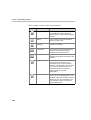
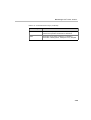
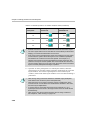
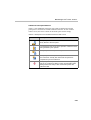
Table 3-9: MCU Connection Status Icons
Icon
Status indication
Description
Disconnected
The MGC Manager is disconnected from
the MCU.
Connecting
Connection to the MCU in progress.
(Gray)
3-23
Chapter 3 - MGC Manager Basics
Table 3-9: MCU Connection Status Icons (Continued)
Icon
3-24
Status indication
Description
Normal
The connection is OK and the MCU is in
the Normal state. When connected
(Normal status), a green LED in the MCU
icon is lit.
Startup
The connection is OK and the MCU is
starting up (after reset).
Resetting
The MCU is resetting.
Low Memory
The system has used up all its memory
resources. Disconnect all running
conferences and reset the MCU.
Bad Connection
The connection between the MGC
Manager and the MCU is lost due to LAN
problems.
Major
A major error occurred, such as a card
was removed from the MCU. The
exclamation point on the icon initially
appears in red and blinks. After the Fault
file is viewed to identify the error, the
exclamation point color changes to
yellow. Consult your system
administrator.
Minor
A minor error occurred. The exclamation
point on the icon initially appears in red
and blinks. After the Fault file is viewed to
identify the error, the exclamation point
color changes to yellow. Consult your
system administrator.
MGC Manager User’s Guide - Volume I
Using Default Templates to Start a Conference
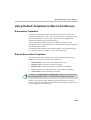
Reservation Templates
A Reservation template includes the conference parameters, such as the
conference media (audio, video), video session, line rate, video protocol and
other video parameters, IVR and more. The Reservation Template may
include the conference participant parameters.
Using a Reservation template, you can schedule a conference to start
immediately (On Going Conference), or to start automatically at a predefined
date and time (Reservation).
For information on defining a Reservation template, see the MGC Manager
User’s Guide, Volume II, Chapter 7, Reservation Templates”.
Default Reservation Templates
Five default Reservation templates are installed with the MGC Manager
database, to enable you to quickly start conferences:
•
Default-Audio: Audio Only with Default IVR Service
•
Default_COP: Conference On Port at 384 Kbps
•
Default_Video: Continuous Presence Conference at 384 Kbps
•
SW CP: Software Continuous Presence (H.323 only) at 384 Kbps
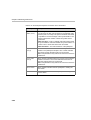
•
Video-Switch: Video Switching at 384 Kbps
In order to run a Default_Video or Default_COP conference, the Video+ card
and the MGC Manager version 5.6 or later must be installed in your system.
When you first start the MGC Manager application, the Reservations in
Database window automatically opens listing the Default group. However, if
you are logged out, you must log in.
3-25
Chapter 3 - MGC Manager Basics
For a detailed description of the login process, see MGC Manager User’s
Guide, Volume II, Chapter 7, “Logging into the User Tables of the Database.”
Figure 3-11: Reservations in Database Window
To start an On Going Conference from a Reservation template:
1. Connect to an MCU.
If the Reservations in Database window is hidden behind other
windows, display it on top of the MGC Manager Main window on the
Window menu, click Reservations in <database name>.
If the database window is closed, on the DataBase menu, click Open
D.B. Reservation Template and then select the database storing the
Reservation template.
3-26
MGC Manager User’s Guide - Volume I
The Reservations in Database window is displayed.
2.
If required, expand the Groups hierarchy until you locate the desired
Reservation template. By default, the Default Group is expanded and this
step may be skipped.
3.
Right-click the icon of the Reservation template you want to use to start
the conference, and then click Start Immediately.
If there are several MCUs connected to the same MGC Manager, you
also need to select the MCU to host the conference.
An On Going Conference is created and added to the list of On Going
Conferences. You can monitor the status of the conference and its
participants as described in Chapter 5.
•
When starting an On Going Conference, the system checks if the
participants assigned to this conference are already included in any other On
Going Conference or Reservation that is scheduled to start at the same time.
If such participants are found, the Duplicate Booking dialog box opens listing
the conflicting participants. For more details, see Chapter 4, “Resolving
Scheduling Conflicts” on page 4-66..
•
If the MCU does not have enough resources to run the conference, an
appropriate error message is displayed.
You can add participants to the conference, or dial-in participants can
now connect to the conference. For more information about participants
connection to the conference, see Chapter 4, ”Connecting to an On
Going Conference” on page 4-69. For more information about adding
participants to the On Going Conference, see Chapter 4, “Conference
Properties - Participants Options” on page 4-47.
3-27
Chapter 3 - MGC Manager Basics
To schedule a conference to start later (a Reservation):
1. Right-click the Reservation Template icon and then click Start.
The Conference Properties - Schedule dialog box opens.
2.
Select the conference Starting Date and Time.
3.
Click OK.
The conference is added to the Reservations list.
3-28
MGC Manager User’s Guide - Volume I
Viewing Conference Lists
Each MCU has three conference lists assigned to it. All conferences that are
currently running are detailed in the On Going Conferences list. All
conference reservations defined on the MCU are detailed in the Reservations
list. “Passive” conferences, which are activated when the first participant
connects to the conference, are listed under Meeting Rooms, Entry Queues &
SIP Factories.
Before performing the following procedures, connect to the MCU whose
conference lists you want to display.
To view an MCU’s list of On Going Conferences:
1. In the Browser pane, expand the MCU tree to display its options.
2.
Expand the On Going Conferences tree.
All currently running conferences are listed below the On Going
Conferences icon. Each conference is identified by an icon and a name.
On first entry, or if no conferences are running, the On Going
Conferences list is empty.
To view an MCU’s list of reserved conferences:
1. In the Browser pane, expand the MCU tree to display its options.
2.
Expand the Reservations tree.
A list of reserved conferences is displayed below the Reservations icon.
Each reservation is identified by an icon and a name. For recurrent
3-29
Chapter 3 - MGC Manager Basics
reservations, the name is followed by a number identifying the
reservation occurrence.
To view an MCU’s list of Meeting Rooms, Entry Queues and SIP
Factories:
1. In the Browser pane, expand the MCU tree.
2.
Expand the Meeting Rooms, Entry Queues & SIP Factories tree.
A list of Meeting Rooms, Entry Queues and SIP Factories is displayed
below the Meeting Rooms icon. Each Meeting Room, Entry Queue or
SIP Factory is identified by an icon and a name.
If no Meeting Rooms, Entry Queues or SIP factories were defined, the
list is empty.
3-30
MGC Manager User’s Guide - Volume I
Loading the User Defined Default Set to the MGC
Manager Application
User Defined fields in the Conference Properties and Participant Properties
dialog boxes allow you to add general information about the conference or the
participant. These fields are also included in the CDR file, which is used for
reporting and billing purposes. You can define the titles of the User Defined
fields in the MGC Database Manager -> User Defined Defaults. For more
details, see the MGC Manager User’s Guide, Volume II, Chapter 6, “Defining
User Defined Defaults”.
To view/hide the User Defined fields and their titles in the Conference and
Participant Properties dialog boxes, you must load the Defaults to the MGC
Manager.
To load the User Defined Defaults to the MGC Manager:
1. In the MGC Manager window, on the Database menu, click Load
Defaults from DB and then click Load Global Defaults to load the
Defaults, or Load Private Defaults to load the set designated for
personal usage.
2.
If Load Private Defaults is selected, the Database Login window opens.
3-31
Chapter 3 - MGC Manager Basics
Enter your Login Name and Password and click OK.
The Global Defaults or Private Defaults set is now loaded and active in
the MGC Manager and a check mark appears next to the selected option
in the Load Defaults from Database menu.
3-32
MGC Manager User’s Guide - Volume I
Commands Shortcut Keys
Shortcut keys can be configured to quickly accomplish tasks you perform
frequently. For example, pressing <CTRL> + <D> terminates an On Going
Conference. The following table lists the default shortcut keys available in the
MGC Manager application. For more details, see the MGC Administrator’s
Guide, Chapter 5.
Table 3-10: Command Shortcut Keys
Shortcut Keys
Function
<Alt> + <C>
Clears the participants listed in the Q&A queue.
<Ctrl> + <N>
Creates a new Participant or Reservation Template file.
<Ctrl> + <O>
Opens a Participant or Reservation Template file.
<Ctrl> + <S>
Saves a Participant or Reservation Template file, or saves
changes to the database.
<Ctrl> + <C>
Copies the On Going Conference, Reservation, Entry
Queue or Meeting Room properties to the clipboard or
copies the participant’s properties to the clipboard.
<Ctrl> + <X>
Copies the conference or participant properties to the
clipboard while deleting the original item.
<Ctrl> + <V>
Pastes participant properties from the clipboard into an On
Going Conference, Reservation, Conference Template
(template file or database) or Participant Template
(template file or database).
Pastes Conference properties from the clipboard to On
Going Conferences list, Reservations list, Entry Queue list,
Meeting Room list or Reservations database.
<Ctrl> + <P>
Pastes participant properties from the clipboard into an On
Going Conference, Reservation or Conference Template,
while opening the Participant Properties dialog box for
modification of the participant’s settings.
Pastes conference properties from the clipboard to On
Going Conferences list, Reservations list, Entry Queue list,
Meeting Room list or Reservations database or Template
file, while opening the Conference Properties dialog box
for modification of the conference settings.
3-33
Chapter 3 - MGC Manager Basics
Table 3-10: Command Shortcut Keys (Continued)
3-34
Shortcut Keys
Function
<Ctrl> + <R>
Connects/reconnects a participant to an On Going
Conference.
<Ctrl> + <T>
Disconnects a participant from the On Going Conference.
<Ctrl> + <M>
Mutes a participant audio channel.
<Ctrl> + <U>
Unmutes a participant audio channel.
<Ctrl> + <I>
Sets a participant’s Connection Type to dial-in.
<Ctrl> + <A>
Sets a participant’s Connection Type to dial-out.
<Shift> + <F1> or
<F1>
Accesses the relevant Help topic.
<F2>
Moves a participant to the Operator conference for
assistance.
<F3>
Moves a participant from the Operator conference to the
destination (Home) conference.
<F4>
In the Attended Participant dialog box, the operator can
place a participant on hold.
<F5>
In the Attended Participant dialog box, the operator can
move a participant to a selected conference.
<F6>
In the Attended Participant dialog box, places a participant
next in line for operator attention.
<F8>
Adds a new participant to an On Going Conference,
Reservation or Meeting Room.
<F9>
Refreshes the database.
<F10>
Temporarily moves the Operator to the conference for
short announcements and assistance. (Operator Join)
<F11>
Ends the Operator’s temporary connection to the
conference and returns to the Operator conference. (End
Operator Join)
MGC Manager User’s Guide - Volume I
Table 3-10: Command Shortcut Keys (Continued)
Shortcut Keys
Function
<F12>
Moves the next participant in line from the Participants
Queue to the Operator conference for assistance.
<Del>
Terminates an On Going Conference, or deletes a
Reservation, Meeting Room, Participant or any template.
3-35
Chapter 3 - MGC Manager Basics
Disconnecting an MCU
To disconnect the MGC Manager from an MCU:
1. In the Browser pane, right-click the MCU icon and then click
Disconnect.
A dialog box appears prompting you to confirm the disconnection.
2.
Click OK to disconnect.
The MCU status indicator disappears from the Browser pane, and the
MCU icon is disabled.
Disconnecting the MGC Manager from an MCU does not change any MCU
settings - it merely terminates your access to the MCU, so you cannot view or
affect its contents.
3-36
MGC Manager User’s Guide - Volume I
Automating the Login Process
Each time the MGC Manager connects to an MCU, the operator is required to
log in to the MCU. This becomes tedious when the operator connects and
disconnects from several MCUs regularly.
The Create Login Record option allows you to define your Login Name and
Password. The definition remains in place until the Clear Login Record
option is selected. Using the Login Record, automatically connects you to the
MCU.
The Clear Login Record option deletes the last login record. The next time
you connect to an MCU you will be required to enter your name and
password
•
The same Login Record is used for all MCUs. If you have different login
names and/or passwords on different MCUs, you may need to use the Clear
Login Record option before attempting a connection using a different login
name and password.
•
When Strong Password is enabled for the MCU, the Create Login Record
option is disabled, and the operator must login each session.
To create a login record:
1. On the File menu, click Preferences, and then click Create Login
Record.
The Logon dialog box appears.
2.
Enter your Login name and Password, and then click OK.
3-37
Chapter 3 - MGC Manager Basics
From this time on, you will not be prompted to supply your user Login
Name and Password whenever you connect to an MCU until you clear
the Login Record.
To clear a login record:
You may need to disable your login record in order to maintain site security,
for instance, when you go home after a day’s work.
•
In the File menu, click Preferences, and then click Clear Login Record.
The Login Record is cleared. You will now be prompted to supply your
Login Name and Password whenever you connect to an MCU unless you
create a new Login Record.
3-38
4
Defining Conferences and
Participants
Defining new conferences is one of the major tasks to perform in the MGC
Manager. The system allows you to set up any type of Audio Only or video
conference. This chapter describes the process of defining Standard On
Going video conferences and adding participants to the Conference. For
information about Audio Only conferences, see the MGC Manager User’s
Guide, VoicePlus Edition.
About Conferences
MGC Manager provides several methods to initiate and schedule
conferences to suit many different needs. The following methods are
available:
•
Scheduled conferences for setting up individual conferences that start
immediately (On Going Conferences) or later (Reservations).
•
On-demand (reservation-less) conferences, that are set up once and
used many times (Meeting Rooms and Entry Queues)
Each method is represented in the MCU tree by an appropriate entry or icon.
The scheduling method is also reflected in the selection of the conference
type. The following conference types are available:
•
Standard - a scheduled On Going Conference or Reservation that runs
once and is deleted from the system once it ends.
•
Meeting Room - a conference that is defined once and used many
times for unscheduled ad hoc conferencing.
•
Operator Conference - a special conference designated for operator
usage in attended conferencing.
4-1
Chapter 4 - Defining Conferences and Participants
For each conference you specify whether participants connect to the
conferencing system by dialing in to the conference or by having the
conferencing system (MCU) dial out to the participant. For dial-in
connections, you have to define whether a single dial-in number will be used
for all dial-in connections or a different dial-in number will be assigned to
each conference or each participant.
In addition to the dialing method, you must define whether the conference is
operator Attended or Unattended.
When defining a conference, you select the media resources (Audio Only or
Video & Audio), the parameters which determine the quality of the media
transmission, and the operations that can be performed during the conference.
Scheduled Conferences
Standard conferences can be arranged ahead of time and are scheduled to start
immediately or later. Scheduling involves the definition of all the conference
parameters, including the conference type, attended/unattended mode, line
rate, media quality, and the conference participants (optional). Reservation
Templates containing conference parameters can be used to schedule
conferences saving the need to repeatedly define new similar conferences
(with the same parameters). Different templates can be defined for specific
conference settings.
Conferences can be scheduled via the MGC Manager, the browser based
WebCommander application, or via Microsoft Outlook using the MGC
Personal Scheduler Add-on.
On Going Conferences
An On Going Conference is a conference that starts immediately or when the
scheduled reservation date and time is reached. An On Going Conference can
be started in one of the following ways:
4-2
•
From the On Going Conferences — New Conference definition
•
From a Reservation Template (immediately)
•
When the starting date and time scheduled in a Reservation is reached
MGC Manager User’s Guide - Volume I
Reservations
Reservations are conferences scheduled to start in the future. You can
schedule Reservations in using of the following methods:
•
From Reservations — New Reservation definition
•
From a Reservation Template (Start)
For a detailed description, see Chapter 9, “Conference Reservations”.
On-demand (Reservation-less) Conferencing
Reservation-less conferencing enables participants to immediately start an On
Going Conference from their endpoint, with no advanced scheduling. The
MGC Manager offers two methods for Reservation-less conferencing:
•
Ad Hoc Conferencing
•
Meeting Rooms
Ad Hoc Conferencing
In Ad Hoc conferencing, participants connect to an Ad Hoc-enabled Entry
Queue. The participants are prompted for the destination conference Numeric
ID. If no conference with a matching Numeric ID is running, and the
participant is authorized to create a conference, the system creates a new On
Going Conference based on the conference parameters defined in the Profile
assigned to the Entry Queue. All other participants connect directly to the
newly created conference. In this method, the conference Profile is created
once and is used repeatedly to create numerous conferences.
This conferencing method is often used to eliminate the need to define
individual conferences for all employees in an organization and it enables
them to start On Going Conferences from their endpoints, on the fly.
Meeting Rooms
Meeting Rooms are unscheduled conferences that are created once and can be
activated as many times as required. A Meeting Room remains in MCU
memory in passive mode until the first participant connects to it and activates
the conference. The Meeting Room owner informs the participants of the
conference start date and time, dial-in number and the Numeric ID so they
can join the conference. When the conference ends, the Meeting Room
reverts to passive mode until the next activation and it can be modified
between activations from the Meeting Rooms list.
4-3
Chapter 4 - Defining Conferences and Participants
Using this method, a separate Meeting Room must be defined for each
employee in the organization, which may be problematic in very large
organizations, where the number of required Meeting Rooms may exceed the
limit of 2000 conferences stored in the MCU memory.
Meeting Rooms can be defined only if the appropriate Customer Permission
defined in the “system.cfg” is installed in the MGC Manager application. For
more details, refer to the MGC Administrator’s Guide Chapter 5, “Edit
“system.cfg”, CUSTOMER_PERMISSION.”
Conference Types
Depending on the scheduling method required, the following conference
types are available:
•
Standard - An individual conference that is scheduled once, and when
the conference ends, it is automatically deleted from the MCU. You can
schedule an On Going Conference, a Reservation or a recurring
Reservation. For a detailed description of regular and recurring
Reservations, see Chapter 9.
•
Meeting Room - A conference without resource allocation or starting
date and time, that is defined once, but can be activated many times. A
Meeting Room remains in a passive state between activations until the
first participant connects to it and activates the conference. When
activated, it becomes an On Going Conference. This is one of the
reservation-less methods used for on-demand conferencing. For a
detailed description of Meeting Rooms, see Chapter 7.
•
Operator - A special conference used to assist participants in Attended
conferences. It enables the operator to have a private, one-on-one
conversation with one participant at a time without disturbing the On
Going Conferences or being heard by other participants. For a detailed
description of attended conferencing, see Chapter 8.
The conference general and media parameters are defined in the same way for
all these conference types.
4-4
MGC Manager User’s Guide - Volume I
Single-dial Entry Queue
An Entry Queue is a special routing lobby to which one or several dial-in
numbers are assigned.Once connected to the Entry Queue, participants are
routed to their destination conference according to the conference Numeric
ID or password (depending on the MCU configuration). A different Entry
Queue may be defined for Video and for Audio Only participants, or the same
Video Entry Queue can be used by all participants provided that the audio
algorithm is set to G.711 (telephone standard).
For a detailed description of Entry Queues, see Chapter 8.
Attended and Unattended Conferences
Audio Only and Video conferences can be managed by an operator or run
unattended in which case the participants manage the conference themselves
with the meeting organizer optionally having additional privileges.
In unattended conferencing, no operator is available for assistance during the
connection process or during the On Going Conference. Participant
connection to the conference is guided by voice prompts and participants or
meeting organizers can control certain aspects of the conference.
In attended conferencing, an operator controls the connection process of
participants and the On Going Conference. An attended conference is a
service designed usually for large conferences that require the personal touch.
There may be configurations where the MGC system is set to unattended
mode, but operator assistance is available upon request.
The conferencing attended/unattended mode is set in the IVR module, either
at the Entry Queue level (in the Entry Queue Service) or the conference level
(in the IVR Service).
Operator Attended Conferences
In many attended conferences, the operator manages and controls participants
connection to the conference. Usually, the name and the telephone numbers of
each dial-out participant are given to the operator at the time the reservation is
made and the connection process can be initiated by the operator via the MGC
system. Dial-in participants can also be greeted and guided to the appropriate
conference by the operator. Once the conference has begun, operator
assistance continues to be available upon request, and the operator can
perform various operations, such as manage Question-and-Answer and voting
sessions, connect and disconnect participants, mute/unmute participants, start
4-5
Chapter 4 - Defining Conferences and Participants
a lecturing session, place the conference on hold and lock/unlock the
conference to dial-in participants.
Participants Queue
The Participants Queue is a list of all participants in all conferences that are
waiting for the operator’s assistance or who are on hold. The Participants
Queue is intended mainly for attended conferences. The Participants Queue
special toolbars, command buttons and options provided in the Participants
Queue window, enable the operator to manage and control participant
connection to the destination conference.
Greet and Guide conference (Welcome Queue)
An Attended conferencing method using an AV Message Service (instead of
an IVR Service) intended for MGC unit with the standard Audio and Video
cards. In MCUs with Audio+ and Video+ cards, attended conferencing is
performed with the IVR module. For a detailed description, see the MGC
Manager User’s Guide Volume II, Chapter 2, “AV Message Services and
Greet and Guide Conferences”.
Unattended Conference
An unattended conference is usually a reservation-less conference that is
started by participants from their endpoint. In an unattended conference, it is
the conference chairperson who controls all features and functions of the
conference either via the touch-tone telephone, a DTMF input device such as
a remote control or via the Internet. Conference participants can perform
simple operations (such as muting or unmuting their line or modifying their
volume) from their touch-tone telephone or DTMF input device. This type of
configuration requires the installation of the Audio+ card in the MCU.
Although an operator is not needed for unattended conferences, one can be on
hand to help participants during the on going conference, via the MGC
Manager or WeBcommander applications.
IVR enabled conferences and conferences accessed via the Entry Queue
require the installation of the Audio+ card in the MCU.
4-6
MGC Manager User’s Guide - Volume I
Conference Media Types
Conferences can be of two media categories: Audio Only and Video and
Audio.
Audio Only Conferences
Audio Only conferences include only Audio participants and enable the use
of the IVR module capabilities. In an Audio Only conference, participants can
connect to the conference using different network connections: PSTN/ISDN
or T1-CAS lines, cellular phones, or VoIP (H.323 or SIP). VTX 1000 users
can connect to conferences as audio only participants, while enjoying
wideband, high quality audio.
The IVR module offers chairperson “dial-out” inviting participants to join the
On Going Conference, chairperson and participant control of the conference
via touch-tone commands (DTMF codes), voting and Question and Answer
sessions, and many more. For detailed information about the Audio Only
conferences and features, see the MGC Manager User’s Guide, VoicePlus
Edition.
Video Conferences
Video Conferences can include both Video and Audio as well as Audio Only
participants. Participants can connect to the video conference using different
network connections: ISDN, IP (H.323 and SIP), ATM and MPI (serial
connection). Various parameters affect the video display and quality.These
parameters are affected by the Video Session type, the conference line rate
and the video quality parameters such as video protocol, video resolution, etc.
Video Conference Settings
When defining a new video conference, you select the parameters that
determine the video display on the participant’s endpoint and the qualify of
the video.
Video Session Types
The video session type determines the video display options (full screen or
split screen with all participants viewed simultaneously) and the method in
which the video is processed by the MCU (with or without using the MCU’s
video resources). The Session Types are: Video Switching, Transcoding and
Continuous Presence.
4-7
Chapter 4 - Defining Conferences and Participants
Video Switching (VSW)
A conference in which all participants see the same video picture (full screen)
and does not use the MCU video resources. The current speaker is displayed
in full screen on all the participants' endpoints, while the speaker sees the
previous speaker. Switching between participants is voice-activated;
whenever a participant starts to speak, he or she becomes the conference
speaker and is viewed on all screens. All conference participants must use the
same line rate and video parameters such as video protocol, frame rate,
annexes and interlaced video mode as no video processing is performed.
However, the Highest Common Mechanism can be enabled for the video
parameters, allowing the system to select the best video parameters that can
be supported by all the endpoints currently connected to the system, and to
dynamically change them when a new endpoint joins or leaves the
conference. It improves the connectivity between endpoints, eliminates
Secondary connections, and facilitates Entry Queue Access and participant’s
moves during conferences. The Highest Common mechanism is available
with both H.320 and H.323 endpoints, but is not available with SIP endpoints.
The Highest Common mechanism is not supported in Cascading conferences,
and in conferences set to H.264*/H.264L video protocols (only the standard
H.264 is supported) or Dual Stream Mode - People & Content V0 and Visual
Concert PC & FX.
Transcoding
A conference in which all participants see the same video picture (full screen)
but participants can use the endpoint’s highest video and audio capabilities to
achieve the best video quality display. Because each video participant is
connected using the endpoint’s highest possible video quality, this conference
type requires appropriate video card resources for processing different inputs
from the endpoints. Transcoding is performed between different line rates,
audio algorithms, video formats, video frame rates, aggregation modes
(Bonding/H.221) and data rates.
Continuous Presence (CP)
A conference in which several participants can be viewed simultaneously and
each connected endpoint uses its highest video, audio and data capabilities.
Therefore, this conference type requires appropriate video card resources for
processing different inputs from the endpoints. You can select the
arrangement of the video windows (Video Layout) when several participants
are viewed simultaneously. The video layout can be selected from the
following categories: Classic, Quad Views and Software.
4-8
MGC Manager User’s Guide - Volume I
In Classic Continuous Presence conferences there are 21 layout options to
display participants, depending on the number of connected participants. As
each participant uses a different video port on the video card, full Transcoding
per participant and Personal Layout (selection of video layout per participant)
are available during the conference.
In Continuous Presence-Quad Views sessions, layouts intended for large
conferences (10+ participants) are available for selection. This mode is
available only with the Video+ card.
Continuous Presence-Software (Software CP) conference is a software
solution for IP Only conferences that use fewer video card resources. In this
mode, only two types of video layouts are available for selection: 2x1 and
2x2. If the conference includes fewer participants than windows, the empty
layout windows are grayed. For a detailed description of Software CP
conferences, see the MGC Manager User's Guide, Volume II, Chapter 1.
Video Quality Parameters
The main parameters that define the quality of a video conference are:
•
Line Rate - The transfer rate of video and audio streams. The higher the
line rate, the better video quality that can be viewed. In Video Switching
conferences, all conference participants must connect using the same line
rate, therefore the participant with the lowest line rate connection
determines the line rate for the conference. For more information, see
“Conference Properties - Settings Parameters” on page 4-28.
•
Audio Algorithm - The audio compression algorithm determines the
quality of the conference audio. For more information, see “Conference
Properties - Settings Parameters” on page 4-28.
•
Video protocol, video format, frame rate, annexes, and interlaced
video mode - These parameters define the quality of the video images.
Setting the video protocol to H.263 results in a better image quality than
using H.261, and H.264 protocol provides better compression of video
images in line rates lower than 384 Kbps. However, not all endpoints
support H.263, or H.264, therefore in a Video Switching session which
requires that all participants use the same video protocol, video format
and frame rate, it is the endpoint that supports the lowest video quality
that dictates the video settings for the conference. For more information,
see “Conference Properties - Settings Parameters” on page 4-28.
•
Encryption is available at the conference and participant level, based on
AES 128 Media Encryption and DH 102 Key Exchange standards.
4-9
Chapter 4 - Defining Conferences and Participants
For more information on encryption, see the MGC Manager User’s
Guide Volume II, Chapter 1, “Media Encryption”.
Additional Video Conference Types
Video conferences can include additional features, for example to increase the
number of participants in a single conference or to allow application sharing
during the conference.
Conference On Port (COP)
In a Conference On Port, all participants use a single video port for the
conference. This enables the selection of a video layout for the conference but
all the participants, including the speaker, view the same layout and the same
participants. Personal layout selection is not available in COP and the video
quality is determined by the highest common video parameters and by the
video line rate. In order to maintain a minimum video quality for a
Conference On Port, there is a minimum threshold line rate that participants
must support in order to connect with video. This minimum threshold line
rate is determined according to the conference Line Rate. Participants
attempting to connect at rates below the minimum threshold are connected as
Secondary (Audio Only). For example, if the conference Line Rate is 768
Kbps, participants must connect with a minimum line rate of 384 Kbps. If
they connect at a lower rate (128 or 256 Kbps) they will connect as Secondary
(Audio Only).
Table 4-1 lists the minimum line rates necessary to connect to a Conference
On Port.
Table 4-1: Conference On Port Line Rate - Minimum Thresholds
Defined Conference
Line Rate (in Kbps)
4-10
Minimum Participant Line Rate Necessary for
Video Connection (in Kbps)
128
Participants will connect with video if a video session
can be established.
256
128
384
128
512
256
768
384
1920
768
MGC Manager User’s Guide - Volume I
Conference On Port setting is suitable for large Continuous Presence
conferences (up to 128 participants for a single video card) for which you do
not have enough available video resources or if several Continuous Presence
conferences are running on the MCU at the same time and you do not have
enough video resources to run all of them simultaneously.
Conference On Port guidelines:
•
Limited to 128 participants with a single video card
•
Available only with the Video+ card
•
Lecture Show function is disabled
•
Not available with Cascading conferences
Dual Stream Mode
In this mode, the endpoint sends two separate video streams: video and data.
The data streams are treated differently by the endpoint, and may be shown on
separate screens. Depending on the endpoints that send and receive the video
streams, the following dual stream modes are available:
•
H.239/People+Content
•
People and Content V0
•
Polycom Visual Concert (PC/FX)
•
Duo Video
For a detailed description of Dual Stream Mode video conferences, see the
MGC Manager User’s Guide, Volume II, Chapter 1, “Advanced Conference
Settings”.
Lecture Mode
Lecture Mode allows you to designate one participant as the lecturer. The
lecturer is the only one seen by all the other participants throughout the
conference, in full screen. Lecture Mode enables automatic switching
between the conference participants in the speaker window, allowing the
conference speaker to see all the other conference participants (one
participant after the other or all of them in a Continuous Presence layout).
For a detailed description of Lecture options that can be set in a video
conference, see Chapter 10, “Lecture and Presentation Options”.
4-11
Chapter 4 - Defining Conferences and Participants
Cascading
Cascading enables users to run conferences that are distributed among two or
more conferences and MCUs. A participant who dials from one MCU to
another establishes the link between the conferences.
The conferences that are part of a cascading conference may be run:
•
•
on the same MCU, to overcome the maximum number of participants per
conference
on separate MCUs, to utilize additional resources or connect participants
to their local MCU
In addition, you can enable H.239 People+Content dual stream mode
conferences with H.323 cascading.
The Highest Common mechanism is disabled in Cascading conferences.
When defining a Cascading conference, all the cascaded conferences must be
set to the same video protocol.
For a detailed description of Cascading conference options, see “Defining
Cascading Conferences” in the MGC Manager User’s Guide, Volume II,
Chapter 1, “Advanced Conference Settings”.
For information about H.243 and MIH Cascading conferencing, see the MGC
Manager User’s Guide, Volume II, Chapter 5.
T.120 Conference
The MGC Manager enables you to define conferences using the T.120
standard that contains a series of protocols and specifications for application
sharing in multi point data communications. The following options are
available, depending on the participant equipment and software:
•
Application sharing allowing two or more conference participants to
work on the same document/application even if only one participant has
the application. In application sharing, one participant launches the
application and it runs simultaneously on all the other computers.
•
File transfer to all conference participants.
•
Chat or “Whiteboard” in which participants communicate with each
other by writing.
In all these modes, the participants can view and hear each other.
For more information on advanced video settings, see the MGC Manager
User’s Guide, Volume II, Chapter 1, “Advanced Conference Settings”.
4-12
MGC Manager User’s Guide - Volume I
Conference Types by Media
Table 4-2 details the conference and session types according to Audio and
Video media options.
Table 4-2: Conference Types by Media
Media
Conf Type
Network
Session Type
Availability
Audio
Standard and
Meeting
Room
All:
ISDN, ATM,
MPI, T1- CAS,
IP
Audio Only
Available for ISDN
and IP.
Requires an MGC
unit equipped with
an Audio+ card.
IP only
Audio Only
All:
ISDN, ATM,
MPI, T1- CAS,
IP
Audio Only
IP only
Audio Only
All:
ISDN, ATM,
MPI, T1- CAS,
IP
• Video
IP only
• Video
Operator
Video
Standard and
Meeting
Room
Switching
• Transcoding
• Continuous
Presence
— Classic
— Quad
Views
Switching
• Transcoding
• Continuous
Presence
— Classic
— Quad
Views
— Software
Operator
All:
ISDN, ATM,
MPI, T1- CAS,
IP
Transcoding
IP only
Transcoding
Video conferences
connect T1-CAS
endpoints as Audio
Only.
Software CP is
available for IP only
conferences.
Video conferences
connect T1-CAS
endpoints as Audio
Only.
4-13
Chapter 4 - Defining Conferences and Participants
Conference Media Type According to MCU Configuration
The functional modules installed in the MCU determine the conferences that
can be run by the MCU.
Table 4-3 lists the currently available conference types and functionalities as
applicable to specific MCU configurations.
Table 4-3: Conference Types According to MCU Configuration
MCU Configuration
• Audio+
• Net-2/4/8 ISDN
Available
Conference
Types
Functionality
Audio Only
• Enables Standard/Meeting Rooms/
card
• IP card (optional)
• Audio+
• Net-2/4/8 ISDN
card
• Net-2/4/8 T1-CAS
card (optional)
• IP card (optional)
•
•
•
•
Audio Only
• Enables Standard/Meeting Rooms/
•
•
•
•
4-14
Meet Me Per Conference Audio Only
conferences
IVR enabled features
Entry Queues
Enables ISDN and PSTN participants
Enables VoIP (H.323) participants
if an IP card is installed (SIP
participants require installation of an
IP+ card)
Meet Me Per Conference Audio Only
conferences
Enables IVR features
Entry Queues
Enables ISDN,T1-CAS and PSTN
participants
Enables VoIP (H.323) participants if
an IP card is installed
(SIP participants require installation
of an IP+ card)
MGC Manager User’s Guide - Volume I
Table 4-3: Conference Types According to MCU Configuration (Continued)
MCU Configuration
• Audio
• Video
• Net-2/4/8 ISDN
Available
Conference
Types
Functionality
Video and Audio
• Enables Standard/Meeting Rooms/
•
•
card
• IP card
• MUX card
•
•
•
•
• Audio+
• Video+
• Net-2/4/8 ISDN
Audio Only
Video and Audio
• Audio+
• Video+
• Net-2/4/8 ISDN
card
• IP+ card
• MUX+ card
• Enables Standard/Meeting Rooms/
•
card
• IP card
• MUX card
•
•
•
•
•
Audio Only
Video and Audio
Meet Me Per Conference Video
conferences
Enables ISDN and PSTN participants
Enables VoIP (H.323) participants
(SIP participants require installation
of an IP+ card)
No IVR-enabled features
No Entry Queues
No Video+ capabilities
No encryption capabilities
Meet Me Per Conference Video
conferences
Enables VoIP (H.323) participants
(SIP participants require installation
of an IP+ card)
IVR-enabled features
Audio Only and Video Entry Queues
COP conferences
Video+ capabilities
No encryption capabilities
• Enables Standard/Meeting Rooms/
•
•
•
•
•
•
•
Meet Me Per Conference Video
conferences
Enables VoIP (H.323) participants
Enables SIP participants
IVR-enabled features
Audio Only and Video Entry Queues
COP conferences
Video+ Capabilities
Encryption capabilities
4-15
Chapter 4 - Defining Conferences and Participants
Configuration Guidelines
•
IVR-enabled Video conferences and Entry Queue Access conferences
require the installation of the Audio+ card in the MCU.
4-16
•
Video Continuous Presence conferences are routed to the Standard Video
card when the MCU includes both Video and Video+ cards. The operator
can change this selection manually when setting up the conference, in the
Conference Properties - Resource Force dialog box. See “Optional. To
modify the automatic card selection by the MCU:” on page 4-62.
•
Video Continuous Presence conferences set to Quad Views, COP
conferences, or Continuous Presence with visual effects, are all routed to
the Video+ card.
•
Video conferences are routed to the Standard Audio card when the MCU
includes both the Standard Audio and the Audio+ cards. When an IVR
Service is used, the conference is run on the Audio+ card.
•
Video Switching conferences run on the Standard Audio card allow up to
16 participants (12 video and 4 audio-only) to connect to the conference.
The operator can increase the number of participants up to 30, by setting
the audio bridge component of the standard Audio card to 1/30 in the
“system.cfg”. For more details, see the MGC Manager User’s Guide,
Volume II, Chapter 1, “Advanced Conference Settings”.
•
Video Switching conferences run on the Audio+ card allow up to 100
participants at 128 Kbps to connect to the conference without special
configuration.
•
Audio Only conferences are automatically routed to the Audio+ card, to
enable the IVR functionality.
•
Only Audio+ 12/24, 24/48 and 48/96 cards support T1-CAS participants.
•
Video conferences that run on MCUs with a Video+ card, have
additional features such as Quad Views, Visual Effects, and activation of
the Click&View application on the participant endpoint’s screen.
•
Operator conferences can run on both Standard Audio and Audio+ cards
depending on the type of conference that is managed by the operator.
IVR-enabled conferences use the Audio+ card while AV (Welcome/
Attended) conferences use the Standard Audio card. The Operator
conference should be set according to the installed card capabilities.
•
Encrypted conferences require MUX+ cards.
MGC Manager User’s Guide - Volume I
About Participants
Participants are people using personal endpoints or endpoints in Meeting
Rooms used by many people. When defining participants you are actually
defining the connection parameters of the endpoint to be used by the person
participating in the conference. Participants may dial to the conference
(dial-in) or the conferencing system may dial to the participant (dial-out).
Participant Roles
Conference participants can have different roles: a standard participant, a
chairperson, lecturer or an operator. Each role is represented by an
appropriate icon.
•
Standard participant - takes part in the conference, performing
operations via the telephone or via the endpoint’s remote control using
touch-tone signals (DTMF codes). Participants can control their
broadcasting and listening volume, mute or unmute their line, request
operator’s assistance, invite new participants to the conference, vote and
ask questions.
•
Chairperson - takes part in the conference but is also the meeting’s
organizer. The chairperson can control the conference using a Web
browser or via DTMF codes. Chairpersons perform all the functions of
the standard participant but have additional privileges. They can start a
voting session, designate himself/herself as the conference speaker while
muting all other participants and place the conference on hold and more.
•
Lecturer - A standard participant or chairperson who is designated as
the conference lecturer and is seen by all conference participants in full
screen.
•
Operator - can perform all the standard and chairperson’s functions and
additional operator-specific functions. Using the MGC Manager or the
MGC WebCommander applications, the operator can control and
monitor all On Going Conferences simultaneously, perform general
MCU configuration and maintenance operations. The operator does not
have to participate in a conference in order to control it, however, in
attended conferencing the operator can participate in the conference to
manage it. During On Going Conferences, the operator can move
participants between conferences, assist participants who need help and
terminate the conference before its scheduled time.
4-17
Chapter 4 - Defining Conferences and Participants
Participant Connection Types
Conference participants can call the conference (dial-in) or be called by the
system (dial-out) at the conference start or during the On Going Conference.
The method which participants use to connect to the conference influences
the definition of the conference and the required caller information.
A conference can include only dial-in participants, only dial-out participants
or both dial-in and dial-out participants.
Dial-out Participant
In a conference that includes only dial-out participants, each participant can
be called individually by the conferencing system and connected directly to
the conference, usually without interaction with the IVR system. The
connection process can be initiated manually or automatically. In the manual
mode, the operator or meeting organizer instructs the conferencing system to
call the participant. In the automatic mode the system calls all the participants
(blast dial-out) one after the other. Dial-out participants must be defined
(mainly their name and telephone number) in the MGC Manager or
WebCommander by the meeting organizer/operator.
Dial-in Participant
In a conference that includes dial-in participants, the participants can be
defined in advance and they are identified by their Calling Line Identifier
(CLI) number (ISDN) or IP address/alias (IP) once they connect to the
conference. The conference can include “anonymous”, undefined
participants. These participants were not defined by the operator/meeting
organizer prior to the conference start and they connect to the conference by
dialing the conference dial-in number and have entered the appropriate
password (if one was assigned to the conference). Conferences that include
“undefined” dial-in participants must be defined as Meet Me Per Conference,
Meeting Room or a standard conference that is accessed via an Entry Queue.
4-18
MGC Manager User’s Guide - Volume I
Defining On Going Conferences
You can reserve a conference in advance (for details, see Chapter 9) or
request to start a conference as soon as possible. In addition to the Standard
conference definition that is described here, the following conference types
may be defined:
•
Meet Me per Conferences. For details, see Chapter 7
•
Meeting Rooms. For details, see Chapter 7.
•
Entry Queues. For details, see Chapter 8.
•
Operator conferences. For details, see Chapter 8.
Preparatory Tasks
Before you start setting up a new conference, it is recommended to check the
dial-in numbers defined in the ISDN Network Service, the IP Service Prefix
defined in the IP Network Service (for H.323 dial in) and the participants’
endpoint connection parameters (dial number and video capabilities).
Defining a New Audio Only Conference
For the description of the Audio Only conferences definition, see the MGC
Manager User’s Guide, VoicePlus Edition, Chapter 2, “Defining Standard
Audio Only Conferences and Reservations”.
If the Audio Look and Feel mode is set for the system, the conference properties
and defaults are automatically set to Audio Only and the video parameters are
hidden. The Audio Look and Feel mode is set in the MGC Manager Options
menu. For more details, refer to the MGC Administrator’s Guide, Chapter 5.
4-19
Chapter 4 - Defining Conferences and Participants
Defining a New On Going Video Conference
To define a new On Going video conference:
1. Connect to an MCU and expand its options tree. For details, see
Chapter 3, “MGC Manager Basics”.
2.
Right-click the On Going Conferences icon, and then click New
Conference.
The Conference Properties - General dialog box opens.
4-20
MGC Manager User’s Guide - Volume I
The conference properties are logically grouped in the following tabs:
— General—lets you define the basic conference parameters, such as
name, duration, password and type of access. Here you also define
the conference type, media, network and type of video session.
— Settings—lets you define the conference video options, such as COP,
FECC, Encryption, cascading and more, as well as the media
technical parameters, such as line rate, audio algorithms, and video
options.
— Participants—lets you set options for participant connections, and
add participants from the Participants database/templates, or define
new participants.
— Video Sources—lets you select the preferred video display and
layout when the video session is Continuous Presence (not
applicable with other types of video session) and to enable the
Lecture Mode (not applicable with Continuous Presence-Software).
— Resource Force—lets you view and select the Audio and Video
resources to run the conference according to the available MCU
resources. If your MCU contains both standard Audio and Audio+
cards and standard Video and/or Video+ cards, you can select the
Audio card type and/or the Video card type to run the conference.
— Recording—lets you define recording options for the current
conference.
— Meet Me per Conference—lets you define Meeting Rooms and Meet
Me Per Conference reservation templates. Enabled only when the
Meet Me Per Conf option is selected in the General properties.
To define the conference General parameters:
The options in Properties-General tab allow the setup of different types of
conferences according to their general properties. Selections made in this
dialog box affect the other On Going Conference parameters, and enable
other tabs.
4-21
Chapter 4 - Defining Conferences and Participants
3.
Define the following parameters:
Table 4-4: Conference Properties - General
4-22
Field/Option
Description
Name
(Mandatory) Enter a unique conference name, using up to
80 characters.
Note: If the name is already used by another conference,
Meeting Room, Entry Queue, or Reservation in the same
or partially overlapping time frame, an error message is
displayed, requesting you to enter a different name.
Duration
Define the duration of the conference using the format
HH:MM (default 2:00, maximum 99:59).
For example, to define a duration of 30 minutes, enter
0:30. For duration of 90 minutes, enter 01:30.
Billing
Enter the conference billing code (if one is defined). The
billing code can be assigned to the conference by your
reservation system or it can be allocated by the
conference chairperson or contact person.
MCU
Displays the name of the MCU to which you are currently
connected (read-only).
Conf. Entry
Password
Enter a numeric password that participants will use to
access the conference. If left blank, the MCU automatically
assigns a password to the conference once the
conference definition is completed (provided the MCU is
configured to automatically assign passwords).
For more details about the MCU configuration, see the
MGC Administrator’s Guide, Chapter 5, “Edit system.cfg”.
Note: This field is applicable only to IVR-enabled
conferences which are configured to prompt for the entry
password, or to conferences accessed from an Entry
Queue that use passwords as the routing method.
Web/Chairperson
Password
Enter a numeric password that participants will use to
identify themselves as the conference chairperson. This
password is only required in IVR-enabled conferences that
are configured to prompt for the chairperson password.
Note: In Video conferences without IVR, this password is
required only for accessing the conference properties from
the WebCommander application.
MGC Manager User’s Guide - Volume I
Table 4-4: Conference Properties - General (Continued)
Field/Option
Description
Numeric ID
Each conference must be assigned a unique identification
number. Numeric IDs (NID) are required for routing
purposes when accessing the conference from the Entry
Queue (when the selected routing method is numeric ID)
and for dialing to the conference from an H.323 endpoint,
as part of the dialing string. NID can be assigned manually
or automatically.
To manually assign the NID, enter a number in the length
(the number of digits) defined in the “system.cfg” file. If the
Numeric ID is already in use in another Entry Queue or
conference, an error message will be displayed.
If you do not assign the Numeric ID, the MCU
automatically assigns one when the conference is saved
on the MCU.
Note: If the MCU is configured to support only automatic
assignment of Numeric IDs, then this field is disabled and
the system automatically assigns a Numeric ID after you
save the conference on the MCU.
Entry Queue
Access
Select this option to force participants to access the
conference via a single-dial Entry Queue by dialing the
Entry Queue dial number. Once the participants are
connected to the Entry Queue, they enter the destination
conference Numeric ID or password (depending on the
MCU configuration) to join the conference.
Meet Me Per Conf
Select this option to enable the Meet Me Per Conference
tab. Meet Me Per conference allows “undefined”
participants to connect to a conference by dialing a predefined dial-in number. “Undefined” participants are not
defined prior to the conference start.
Note: If Meet Me Per Conf is selected in addition to Entry
Queue Access for the conference, a dial-in number is
assigned to the conference, which participants can use to
connect to the conference directly (not via an Entry
Queue). If you do not require the direct dialing to the
conference and to save dial-in numbers, select either the
Meet Me Per Conf option or the Entry Queue Access
option.
4-23
Chapter 4 - Defining Conferences and Participants
Table 4-4: Conference Properties - General (Continued)
Field/Option
Description
User Defined 1-3
The User Defined fields enable you to enter general
information for the conference, such as the company
name, the contact person name, E-mail or telephone
number, or any other required information.
Note: s
• The User Defined fields are displayed only if the Show
User Defined Fields in Conference Parameters option
is selected in the Database Manager -> Defaults
->User Defined Defaults.
•
Conference Type
The titles of the User Defined fields can be modified in
the Database Manager -> Defaults -> User Defined
Defaults and loaded to the MGC Manager application.
For details of defining the titles see the MGC Manager
User’s Guide, Volume II, Chapter 6. For a description
on how to load the user defined default titles, see
Chapter 3, “Loading the User Defined Default Set to
the MGC Manager Application” on page 3-31.
Select the type of conference you are defining:
Standard - Select this option if you are defining an
On Going Conference with its required MCU
resources. When this conference ends it is deleted
from the MCU.
•
4-24
•
Meeting Room - Select this option to define a new
Meeting Room. A Meeting Room is a passive
conference that is reserved once, without resource
allocation and is activated many times when the first
participant dials in and joins the conference. For more
details see Chapter 7, “Meet Me per Conferences and
Meeting Rooms”.
•
Operator - Select this option to define an Operator
conference, to enable the attended conferencing
mode, and to enable the operator’s assistance for
Entry Queues and IVR-enabled conferences as well as
Greet and Guide Video conferences. For more details
see Chapter 8, “Entry Queues, Operator Conferences,
and Attended Conferencing”.
MGC Manager User’s Guide - Volume I
Table 4-4: Conference Properties - General (Continued)
Field/Option
Description
Media
Select Audio to define an Audio Only conference with
VoicePlus capabilities such as IVR Service, Roll Call etc.
For a detailed description, refer to the MGC Manager
User’s Guide, VoicePlus Edition.
Select Video, Audio for video conferences that can
include Audio Only and video participants.
Supported
Network
Select the network to be used by participants to connect to
this conference.
• IP - Select this option if only IP participants will connect
to the conference. In addition to Classic and Quad
Views, the Software option is enabled in the Video
Session > Continuous Presence list.
•
Video Session
IP / ISDN / ATM / MPI - Select this option to let
participants join this conference using all types of
network connections.
Select the Video Session type for the conference:
• Video Switching - To set a conference in which all the
participants use the same line rate and video and audio
parameters, by setting the communication parameters
to the common capabilities. This conference type does
not use the MCU video resources. The conference
speaker is displayed in full screen on all endpoints.
In Video Switching conferences, the highest common
mechanism is enabled, allowing the system to select
the best video parameters that can be supported by all
the endpoints currently connected to the system, and
dynamically change them when a new endpoint joins
or leaves the conference.
•
Transcoding - To set a conference in which
participants use different line rates, video, audio and
data parameters, up to the maximum line rate defined
for the conference, thus maintaining the best video and
audio capability that each participant endpoint can
achieve with the current conference settings. As in a
Video Switching session, the current speaker is
displayed on all screens and switching between
participants is audio activated. This conference type
requires MCU video resources.
4-25
Chapter 4 - Defining Conferences and Participants
Table 4-4: Conference Properties - General (Continued)
Field/Option
Description
Video Session
(cont.)
•
Continuous Presence - To set a conference in which
several participants can be viewed simultaneously in
video layout windows. In this conference type, each
participant endpoint’s capabilities are used, to maintain
the highest possible video, audio and data quality
according to the conference settings.Hence, this
conference type requires MCU video resources.
Once Continuous Presence is selected, the categories
of video layout arrangements are available:
— Classic - participants can be displayed in up to 9
video windows arranged in 21 video layouts that
can be used with all types of Video card.
— Quad Views - This mode should be selected when
the conference includes 10 participants or more
that can be arranged in three different layouts.
Five additional layouts are also available for
selection. This conference type uses Video+ card
resources.
— Software (SWCP) - a software solution that
resembles the Continuous Presence functionality,
but does not use video card resources. Offers only
two video layouts: 2x1 and 2x2. Implemented in IP
only conferences.
Continuous Presence conferences can also be defined
as Conference On Port (COP), to save video
resources. For more details, see the MGC Manager
User’s Guide Volume II, Chapter 1 “Advanced
Conference Settings”.
For more details on Video Session options, see “Video
Session Types” on page 4-7.
Remarks
4-26
Using up to 300 characters you can enter text such as any
useful information, to be viewed by other operators or the
conference chairperson (via the WebCommander
application). Remarks entered at the reservation stage
(conference setup) are included with conference
properties and in the records that are saved to the CDR
file. During an On Going conference, you can add a new
entry and save it using the Update Remark button.
MGC Manager User’s Guide - Volume I
Table 4-4: Conference Properties - General (Continued)
Field/Option
Description
Remarks History
Displays all remarks that were entered and/or updated for
this conference by operators and were saved to the CDR
file. This field can be read during the conference but not at
the reservation stage. Entries are shown in ascending
order (latest entry showing at top of list).
4.
Click the Settings tab to define the conference technical parameters.
The Properties - Settings dialog box opens.
Parameters in the Conference Properties - Settings dialog box are
grouped in two main areas: General Settings and Media Settings. By
default only the Basic settings are displayed when you first open the
dialog box. You can click the Advanced >> button to view and modify
the additional settings. The Advanced options remain on display, until
4-27
Chapter 4 - Defining Conferences and Participants
closed by clicking the <<Basic button. In most conference definitions
you do not need to modify the Advanced parameters because the MGC
Manager uses the optimal parameters (Highest Common), based on the
Video Session type, conference line rate and the endpoint’s capabilities.
However, if you do want to force the use of a specific video parameter,
such as the H.264 video protocol, or to use various conferencing options
such as FECC or COP, click the Advanced button. Advanced settings are
described in detail in the MGC Manager User’s Guide, Volume II,
Chapter 1, “Advanced Conference Settings”.
All the fields in the Settings dialog box display the default values defined
in the MGC Database Manager - Conference Defaults according to the
conference type selected in the Properties - General dialog box.
For more details on the Conference Defaults definition, see the MGC
Manager User’s Guide, Volume II, Chapter 6, “Defining Conference
Defaults”.
To define the conference media and additional settings:
5. Define the following parameters:
Table 4-5: Conference Properties - Settings Parameters
4-28
Option/Field
Description
Restricted
Select this option if all participants use restricted lines
whose line rate for each channel is 56 Kbps instead of
64 Kbps. If only some of the participants use restricted
lines, do not select this option. Instead, select the
restricted option when setting the parameters of the
relevant participants and set the conference video
session type to Transcoding.
Note: This option is relevant only to ISDN lines,
therefore it is disabled for IP only conferences.
Line Rate
Select the conference transmission rate according to
the type of video session you selected.
The highest transmission rate in Transcoding and
Continuous Presence sessions is 1920 Kbps (E1).
High line rates may require more MCU resources.
The H.264 video protocol is supported at line rates of
up to 384 Kbps.
MGC Manager User’s Guide - Volume I
Table 4-5: Conference Properties - Settings Parameters (Continued)
Option/Field
Description
Line Rate (cont.)
For a Video Switching conference, select the
highest line rate common to all participants. For
example, if two participants can connect at a transfer
rate of 384 Kbps and one participant can connect at a
rate of 128 Kbps, set the line rate to 128 Kbps. In a
conference with participants from mixed networks
(ISDN and IP), the line rate defined for ISDN
participants is also used for IP participants.
For Transcoding and Continuous Presence
conferences, define the maximum rate for the
conference. The actual line rate for individual
connection is defined at the participant level. If the
participant’s Line Rate is set to Auto, the endpoint
connects to the conference using the highest line rate
possible by the endpoint up to the line rate defined for
the conference (in this field). In such a case, set the
conference line rate to the highest transmission rate
that can be used by the participants in the conference.
For Software Continuous Presence conferences,
the line rate is set at the conference level and
represents the transmission rate from the MCU to the
endpoint (combined video rate and audio rate). For
more details regarding the line rate settings for
Software CP conferences, see the MGC Manager
User’s Guide, Volume II, Chapter 1, “Software
Continuous Presence Settings”.
For Conference On Port conferences, select the
estimated highest transmission rate common to all
participants. In order to maintain a minimum video
quality for a Conference On Port, there is a minimum
threshold line rate that participants must support in
order to connect with video. This minimum threshold
line rate is determined according to the conference
Line Rate. For more details, see “Conference On Port
(COP)” on page 4-10.
4-29
Chapter 4 - Defining Conferences and Participants
Table 4-5: Conference Properties - Settings Parameters (Continued)
Option/Field
Line Rate (cont.)
Description
Notes:
A high line rate transmission is enabled with the
Standard Video card version 1.43 and higher, or
with the Video+ card.
•
•
The MGC unit can automatically detect the line
rate of incoming ISDN/IP calls. In such a case, the
conference line rate is the maximum rate for the
participant connection.
•
The line rate of a conference with ATM participants
can be either 2B, or 256 Kbps and up to 1152
Kbps, including H0 (depending on the participant's
endpoint capabilities).
Video Rate
In/Out
Applicable to Software Continuous Presence only.
Displays the ratio between the incoming video rate of
a single endpoint and the video rate of the outgoing
stream (4 times the incoming video rate of a single
endpoint). For more details, see the MGC Manager
User’s Guide Volume II, Chapter 1, “Software
Continuous Presence Settings”.
Message
Service Type
In conferences with Message Services, participants
are greeted upon their connection to the MCU and are
guided to their destination conferences either by an
operator (attended conferences) or by menu prompts
and voice messages (unattended conferences). In
addition, IVR Message Services enable participants to
control their connection to the conference, and
chairpersons to control the conference and perform
various operations. Select the type of Message
Service for the conference:
• None - (default) to indicate a standard conference,
without any message services.
•
4-30
Welcome (No Wait) - for a Greet and Guide
unattended conference run on a standard Audio
card. Participants are greeted by a Welcome video
slide and audio messages and, after a predefined
period, are automatically connected to the
appropriate conference. For more details, see the
MGC Manager User’s Guide Volume II, Chapter 4.
MGC Manager User’s Guide - Volume I
Table 4-5: Conference Properties - Settings Parameters (Continued)
Option/Field
Description
Message
Service Type
(cont.)
•
Attended (Wait) - for a Greet and Guide Attended
conference run on a standard Audio card.
Participants are greeted by a Welcome video slide
and audio messages, and wait for the operator to
connect them to the appropriate conference. For
more details, see the MGC Manager User’s Guide,
Volume II, Chapter 4.
•
IVR - to create an IVR-enabled conference, in
which participants are guided through their
connection process by an automated voice
system. For a detailed description, see the MGC
Manager User’s Guide Volume II, Chapter 2.
Note: The Greet and Guide options (Welcome (No
Wait) and Attended (Wait)) should be selected only if
Standard Audio cards and no Audio+ cards are
installed in your MCU. If an Audio+ card is installed in
your MCU, select the IVR option for attended and
voice guided connections to the conference.
Message
Service Name
If you have selected a Message Service type other
than None, select the name of an IVR Service for an
IVR-enabled conference, or the name of the AV
Message Service for Welcome (No Wait) or Welcome
(Wait) conference.
Note: If left blank, the system automatically selects
the default IVR or AV Message Service (depending on
the attended conference type).
Conference On
Port (COP)
Select this option to enable to run a video conference
using only one video resource for the entire
conference (instead of one video resource per
participant). This option is available if Continuous
Presence (Classic & Quad Views) is selected in the
Conference Properties - General tab. For more details,
see “Conference On Port (COP)” on page 4-10.
For a COP session, select the estimated highest
transfer rate that can be used by the conference
participants. In this mode all conference participants
must use the same video parameters.
4-31
Chapter 4 - Defining Conferences and Participants
Table 4-5: Conference Properties - Settings Parameters (Continued)
4-32
Option/Field
Description
Encryption
Select this check box to enable encryption for this
conference. ISDN and IP encrypted participants
require more resources than non-encrypted
participants. Whether the participant’s connection to a
conference is encrypted or non-encrypted depends on
the encryption setting of the conference or the Entry
Queue as well as on the participant’s own encryption
setting. For more information, see the MGC Manager
User’s Guide Volume II, Chapter 1, “Media
Encryption”.
SilenceIT
Select this check box to enable automatic muting of
noisy lines for Audio Only participants taking part in a
video conference. SilenceIT must be enabled in the
IVR Service to be enabled for new conferences. If you
enable this option while an IVR Service you assigned
to the conference is not SilenceIT-enabled, the
conference definition will be rejected.
See the MGC Manager User’s Guide, Volume II,
Chapter 2, “Using SilenceIT”.
VTX 1000
Select this check box to enable VTX 1000 users to
connect by a phone line to unified or Audio Only
conferences, with wideband, high quality audio.
Undefined participants connecting directly to
VTX 1000-enabled conferences are initially assigned
wideband resources. If the endpoint is not identified as
VTX 1000, the wideband resources are subsequently
released.
All defined participants in VTX 1000-enabled
conferences are allocated wideband resources.
Note: This option is enabled if the VTX 1000 option is
enabled for the MCU in the system.cfg file and if the
the Audio+12/24, 24/48 or 48/96 card is installed in the
MCU.
Audio Alg
Select the preferred audio algorithm for the type of
conference you define. This parameter represents the
compression ratio. Very high compression ratio may
require more resources.
MGC Manager User’s Guide - Volume I
Table 4-5: Conference Properties - Settings Parameters (Continued)
Option/Field
Audio Alg (cont.)
Description
The available audio algorithms are:
Auto
•
•
•
•
•
•
•
•
8 (G.729/G.723.1)
16 (Siren7/G.728)
24 (Siren14/G.722.1/Siren7)
32 (Siren14/G.722.1/Siren7)
48 (Siren14/G.722/G.711)
56 (G.722/G.711)
56 (G.711)
Audio Algorithm 8 (G.729/G.723.1) is the most
compressed audio and 56 (G.711) is without audio
compression. If set to Auto, the system tries to
connect the participants using the best possible audio
algorithm for the conference.
Notes:
• 8 (G.729/G.723.1) is available only for IP Only
conferences and the Audio+12/24, 24/48 or
48/96 card is installed in the MCU.
•
In Video Switching conferences, all participants
must use the same audio algorithm as this
influences the video bandwidth. Participants with
endpoints that do not support the algorithm
selected for the conference, are connected as
Secondary (Audio only).
•
If the conference line rate is set to 2B or 128 Kbps,
to achieve the best audio and video quality, select
the most compressed audio algorithm for all
participants in the following order: G.728, G.722,
G.711. When Siren7 (16, 24 or 32 bit) is available,
select the audio algorithm in the following order:
Siren 7 (16), G.728, G.722 and G.711. Siren7 16 bit
and G.728 algorithms are interchangeable, and a
participant using either one is fully connected
when one of them is selected as the audio
algorithm.
4-33
Chapter 4 - Defining Conferences and Participants
Table 4-5: Conference Properties - Settings Parameters (Continued)
Option/Field
Description
Audio Alg (cont.)
•
If the conference line rate is higher than 128 Kbps,
to achieve the best audio and video quality, select
the audio algorithm in the following order: G.722.1
(32), G.722.1 (24), G.722 / G711. When Siren7 (16,
24 or 32 bit) is available, select the audio algorithm
in the following order: G.722.1 (32), Siren7 (32),
G.722.1 (24), Siren7 (24), G.722, Siren7 (16),
G.711.
•
Siren 14 is available only when it is enabled in the
system configuration file. It should be used with
conference rates higher than 128 Kbps, only when
all endpoints support this algorithm.
In Transcoding or Continuous Presence conferences,
you can select any of the available audio algorithms. If
set to Auto, the system tries to connect the
participants using the best possible audio algorithm
according to the line rate set for the conference.
Dual Stream
Mode
In this mode, the endpoint sends two video streams:
Video and data. The Video is based on the principle, “I
see you and you see me”, while data implies “we both
see the same content”. The video streams are
handled differently by the receiving endpoint. The
different streams may be shown on separate screens
during the video session.
• None - The Dual Stream mode is unavailable.
In such a case, the Video Protocol parameter is set
to Auto.
•
4-34
H.239/P+C - Enables sending two alternating
video streams, People and Content for most
Polycom endpoints. P+C is the Polycom
proprietary protocol while H.239 is the industry
standard. Select the bitrate for the Contents
stream according to the required Content quality:
•
•
Graphics - for standard graphics
•
Live Video - for video clips or live video display
Hi-res Graphics - for high quality display or
highly detailed graphics
MGC Manager User’s Guide - Volume I
Table 4-5: Conference Properties - Settings Parameters (Continued)
Option/Field
Description
Dual Stream
Mode (cont.)
•
People and Content V0 - Polycom proprietary
technology, mainly intended for PictureTel and
other older endpoints. For this mode, Annex N,
Annex P and Annex F are selected by default.
Available only when the conference is set to Video
Switching.
•
Visual Concert PC and FX - Available with
Polycom Viewstation or Viewstation FX endpoints
and only when the conference is set to Video
Switching.
•
DuoVideo - Available with Tandberg endpoints in
which one conference is set as the video
conference and the other as the presentation
conference. Select this option when defining
presentation conferences. This option is available
only when the conference is set to Video
Switching.
For a detailed description of Dual Stream options, see
the MGC Manager User’s Guide, Volume II,
Chapter 1, “Dual Stream Modes”.
Defining Advanced Conference Settings
6. In the General Settings pane, click the Advanced >> button.
7.
Define the following parameters:
Table 4-6: Conference Properties Advanced Settings - General
Option/Field
Description
Chair Control
Select Auto to enable one endpoint (chairperson’s)
to control the conference and other conference
participants.
Select None to disable this option.
This option is enabled when the Cascade field is set
to None. For more details, see the MGC Manager
User’s Guide, Volume II, Chapter 5.
4-35
Chapter 4 - Defining Conferences and Participants
Table 4-6: Conference Properties Advanced Settings - General (Continued)
4-36
Option/Field
Description
Cascade
Cascading enables you to run one large conference
that is made up of one Master and one or several
Slave conferences (these conferences are not
connected directly to each other) run on different
MCUs or on the same MCU. For more details, see
the MGC Manager User’s Guide, Volume II,
Chapter 5.
Master Name
This option is enabled when the Cascade option is
set to Slave. Select the name of the participant that
acts as the link to the Master conference. This option
can be selected only when the link is defined in the
Participants tab. For more details, see the MGC
Manager User’s Guide, Volume II, Chapter 5.
T120 Rate
Select the T.120 data transfer rate, if the Data card is
installed in the MCU and you want to include data
sharing in T.120 format in the conference. The lower
the rate the slower the transfer rate and the
response time. The same T.120 rate must be used
by all the conference participants, therefore select
the highest rate common to all participants.
Select None to disable the T.120 mode.
Note:
• When the conference line rate is 2B or 128 Kbps,
selecting a high T.120 rate results in a loss of
video quality.
FECC/LSD Rate
LSD channel is used to transfer the Far End Camera
Control (FECC) commands, enabling participants to
control other video cameras from their endpoints.
For more details, see the MGC Manager User’s
Guide Volume II, Chapter 1.
Note:
• In Video Switching conferences, if an endpoint
does not support FECC and cannot open the
LSD channel, the participant connects as Audio
Only (Secondary).
MGC Manager User’s Guide - Volume I
Table 4-6: Conference Properties Advanced Settings - General (Continued)
Option/Field
Description
Conference Lock
Select this option to lock the conference to
undefined (“Meet Me”) dial-in participants and
prevent them from joining the conference once it has
started. Clear this check box to unlock a locked
conference.
A locked conference can be unlocked while it is in an
On Going state.
Note:
This option is enabled only if the Audio+ card is
installed in the MCU and for Meeting Rooms and
Standard conferences set as Meet-Me-PerConference or Entry Queue Access.
Mute “Meet Me”
Parties
Select this option to automatically mute all undefined
(“Meet Me “) dial-in participants once they are
connected to the conference. The participants can
then be individually unmuted by the operator or the
conference chairperson.
Note: This option is enabled only if the Audio+ card
is installed in the MCU and for Audio Only Meeting
Rooms and Standard conferences set as Meet-MePer-Conference or Entry Queue Access.
Start Conf.
Requires
Chairperson
Select this option to allow the conference to start
only when the participant defined as a chairperson
connects to the conference. Participants who
connect to the conference before the chairperson
are placed on hold and hear background music (and
see a Welcome slide when available). Once the
conference is activated, the participants are
automatically connected to the conference.
When the check box is cleared, the conference
starts at its predefined time or when the first
participant connects to it (Meeting Rooms).
Note: This option is enabled only when an IVR
Service is assigned to the conference and the
Audio+ card is installed in the MCU.
4-37
Chapter 4 - Defining Conferences and Participants
Table 4-6: Conference Properties Advanced Settings - General (Continued)
4-38
Option/Field
Description
Terminate
Conference after
Chairperson Exits
Select this option to automatically terminate the
conference once the conference chairperson
disconnects from the conference.
When the check box is cleared, the conference
automatically ends at the predefined end time, or
when all the participants have disconnected from the
conference (if Auto Terminate is selected).
Note: This option is enabled only when an IVR
Service is assigned to the conference and the
Audio+ card is installed in the MCU.
On Hold
Select this option to place the conference on hold.
While in On Hold state, all the participants hear
background music (if an external device is attached
to the Audio+ IO card).
Clear this check box to reinstate the conference.
Note: A conference on hold can be released and
placed on hold during an On Going Conference.
This option is enabled only for Audio Only
conferences and only when an IVR Service is
assigned to the conference and the Audio+ card is
installed in the MCU.
Enable Invite
Select this option to enable the Invite functionality in
an IVR-enabled conference. When selected,
participants in the conference can invite new
participants during the conference.
Note: This option can only be activated during the
conference definition stage. It is valid only for
conferences with an IVR service in which the Enable
Invite messages and prompts are enabled.
For more information on Audio Invite, refer to the
MGC Manager User’s Guide, VoicePlus Edition. For
more details on Video Invite, see the MGC Manager
User’s Guide, Volume II, Chapter 1.
MGC Manager User’s Guide - Volume I
Table 4-6: Conference Properties Advanced Settings - General (Continued)
Option/Field
Description
Auto Termination
Select this option to automatically end the
conference by the MCU and define the termination
condition and the time period (in minutes) before the
conference is considered idle:
• Before First Join — No participant has
connected to an On Going Conference for n
minutes after it started. Default is 5 minutes.
•
After Last Quit — All the participants have
disconnected from the conference and the
conference is idle (empty) for a predefined time
period. Default is 1 minute.
Since empty conferences still use resources that
were reserved for them, this option is useful to save
resources and billing costs.
Defining Advanced Media Settings
8. TIn the Media Settings area of the Conference Properties - Settings tab,
click the Advanced >> button.
Table 4-7: Conference Properties Advanced Settings - Media
Field/Option
Description
Roll Call
Click this option to enable Roll Call for the
conference.
Roll Call records the participant’s name and plays it
back when the participant enters and leaves a
conference. When the chairperson requests a roll
call, the recorded names of all conference
participants are played back to the conference.
If Roll Call is disabled for the conference but
enabled in an assigned IVR Service, the
particpants names are recorded as they enter the
conference, and can be played during the
conference if enabled.
4-39
Chapter 4 - Defining Conferences and Participants
Table 4-7: Conference Properties Advanced Settings - Media (Continued)
4-40
Field/Option
Description
Roll Call (cont.)
Note:
• This option is available only for IVR-enabled
conferences, and only when the Roll Call option
is selected in the definition of the IVR Service
assigned to the conference. It requires the
installation of the Audio+ card in the MCU.
•
If Entry Tone and Exit Tone are enabled for the
conference, the participant name is played
back to the conference when the participant
enters or leaves the conference.
•
If the Roll Call option is disabled for the
conference but enabled in the assigned IVR
Service, Roll Call cannot be requested during
the On Going Conference. However, the
participant name is recorded as the Roll Call
option can be enabled during the On Going
Conference.
Entry Tone/Roll Call
Announcement
Select this option to enable an audio tone to be
played when a participant (audio or video)
connects to the conference. This tone is heard by
all the participants currently connected to the
conference (but not by the connecting participant).
The tone is embedded in the MCU software.
Note: If Roll Call is enabled for the conference, the
Entry Tone is replaced by a playback of the
recorded participant name.
End Time Alert Tone
Select this option to enable the End of Conference
reminder tone to be played once, to all the
connected participants, n minutes before the end of
the conference. This tone is unique and is
embedded in the MCU's software.
Note: If the automatic extension of the conference
is enabled for the MCU in the “confer.cfg” file,
selecting this option also enables the automatic
extension of the conference duration for this
conference. For more details see the MGC
Administrator’s Guide, Chapter 5, “MCU Utilities”.
MGC Manager User’s Guide - Volume I
Table 4-7: Conference Properties Advanced Settings - Media (Continued)
Field/Option
Description
Exit Tone/Roll Call
Announcement
Select this option to enable an Exit Tone, to be
heard by all connected participants when a
participant leaves the conference. This tone is
unique and is embedded in the MCU's software.
Note: If Roll Call is enabled for the conference, the
Entry Tone is replaced by a playback of the
recorded participant name.
Talk Hold Time
Indicate the minimum period, in seconds, that a
participant has to speak to become the main
speaker. During this period, no other participant is
allowed to become the main speaker. This
parameter is designed to prevent participants from
becoming the main speakers when coughing/
laughing or to prevent fast and frequent changes of
the main speakers.
Audio Mix Depth
Indicate how many of the loudest voices speaking
at the same time are heard. The value 3 indicates
that the three loudest participants speaking at the
same time are heard. The maximum number of
participants that can be mixed is 5.
Pro-Motion
(Interlaced Video
Mode)
This encoding mechanism improves the video
quality in Video Switching conferences, that are set
to NTSC or to PAL resolution. Select one of the
available options:
• Auto
•
•
•
PAL (50 fields)
NTSC (60 fields)
None (default)
Note:
• Select Auto to enable the Highest Common
mechanism. The Highest Common mechanism
is used when an endpoint using a Pro-Motion/
NTSC format enters a conference in which all
endpoints are set to Pro-Motion/PAL Interlaced
Video, or vice versa.
4-41
Chapter 4 - Defining Conferences and Participants
Table 4-7: Conference Properties Advanced Settings - Media (Continued)
4-42
Field/Option
Description
Pro-Motion (cont.))
•
Video Protocol
The Video Protocol parameter determines the
video compression standard used by the
endpoints. The Video Protocol together with the
Video Format, Frame Rate and ProMotion
determine the overall video quality of the
conference. In Continuous Presence conferences,
the system selects the best video protocol for the
endpoint according to its capabilities.
In Video Switching conferences, select Auto to let
the system select the appropriate compression
algorithm and enables its dynamic adjustment by
the Highest Common mechanism.
Selecting one of the available protocols forces the
endpoints to use only this protocol (disabling the
Highest Common mechanism). Hence, endpoints
that do not support the selected protocol will
connect as Secondary (Audio Only).
Select one of the available protocols:
• Auto - this option lets the system automatically
select the compression algorithm and enables
the Highest Common mechanism in Video
Switching conferences. This setting overrides
the Video Protocol settings in the Participants
Properties - Advanced dialog box.
When a conference is set to PAL or NTSC,
then the endpoints sending unsupported ProMotion video (for example, NTSC instead of
PAL or vice versa) or that do not support ProMotion resolution, will connect as Secondary
(audio only).
•
H261 - the video compression algorithm
mandatory to all endpoints.
•
H263 - a video compression algorithm that
provides a better video quality than H.261. This
standard is not supported by all endpoints.
MGC Manager User’s Guide - Volume I
Table 4-7: Conference Properties Advanced Settings - Media (Continued)
Field/Option
Description
Video Protocol
(cont.)
•
H.264 - a video compression standard that
improves video quality at a line rate lower than
384 Kbps. When H.239/P+C option is selected,
H.264 is supported in the People channel in the
same way as in a standard VSW conference
and the Content channel only uses H.263.
•
H264* - a Polycom proprietary version of the
H.264 standard. H.264* is supported by
Polycom’s iPower endpoint.
Note: The Highest Common mechanism supports
only H.263 with 30 frames per second in CIF
format. All other H.263 capabilities are disabled.
Video Format
This parameter specifies the resolution and is
enabled only in Video Switching mode and when
the video protocol is set to H.261 or H.263. When
forcing the conference resolution by selecting CIF
or QCIF, if a participant's endpoint does not support
this format, the participant is connected as
Secondary (audio only). In all other instances, and
in Continuous Presence conferences, this
parameters is set to Auto, letting the system select
the best resolution for the conference according to
the endpoints capabilities.
For H.261, the following options are available:
• QCIF (Quarter Common Intermediate Format) Resolution: 144 lines/176 pixels per line (onefourth the resolution of CIF).
•
CIF - A video format that supports both NTSC
and PAL signals. Resolution: 288 lines/352
pixels per line. Data rate up to 30 frames per
second.
For the H.263 protocol, you can select additional
options. These options are important for displaying
content when selecting the H.239/People+Content
Dual Stream mode. Typically, the People resolution
is CIF of up to 30 fps, while the Content resolution
is VGA, SVGA, XGA or NTSC.
4-43
Chapter 4 - Defining Conferences and Participants
Table 4-7: Conference Properties Advanced Settings - Media (Continued)
Field/Option
Description
Video Format
(cont.)
The following resolutions are available:
• 4CIF - Resolution: 576 pixels per line. Data rate
up to 30 frames per second. 4CIF is enabled in
the system.cfg file and requires the installation
of the Video+ card in the MCU.
Available in Video Switching conferences when
the following conditions are met:
•
•
•
•
•
•
The endpoint can receive 4CIF.
•
The appropriate layout is selected for the
conference: layout is 1x1 (full screen and
the video input stream is 4CIF), 2x2 or 3x3.
The conference line rate is set to 512 Kbps
or higher. The minimum line rate for 4CIF
selection is defined in the system.cfg file.
VGA - Resolution: 640 x 480 pixels
SVGA - Resolution: 800 x 600 pixels
XGA - Resolution: 1024 x 768 pixels
NTSC - Resolution: 525 lines per frame, up to
16 million colors.
Note: When a video format is selected, its frame
rate is displayed and, for H.263 formats, the
annexes are enabled.
Frame Rate
This parameter defines the number of frames per
second and is enabled only in the Video Switching
mode and when the video protocol is NOT set to
Auto. A higher frame rate ensures better video
quality on the endpoint’s screen. Auto is the only
setting when Video Format is set to Auto.
If required, select:
• 7.5; 10; 15; 30 pic/sec - the number of frames
per second that determines the video quality.
•
4-44
Auto - to enable the automatic selection of the
highest frame rate common to all endpoints
currently connected to the conference.
MGC Manager User’s Guide - Volume I
Table 4-7: Conference Properties Advanced Settings - Media (Continued)
Field/Option
Description
Quality
When 4CIF is enabled for MCU (in the
configuration file), you can define the video quality
for the 4CIF transmission.
Select the appropriate option according to the type
of video display:
• Auto - to allow the system to automatically
select the optimal 4CIF video quality per
endpoint, based on the endpoint’s capability.
•
Motion - to optimize the video display for
motion, for example when displaying a sporting
event or when showing people or objects in
movement.
•
Sharpness - to optimize the video display for
details, for example when displaying still
objects, or video conference presenters or
lecturers.
Note: Quality options are enabled only for CP
Classic and Quad Views conferences set to H.263.
Annexes
In Video Switching conferences set to the H.263
protocol, Annexes can be activated to improve
specific aspects of video display quality.
When the Video Format is set to Auto, the system
selects the appropriate annexes according to the
endpoint's capabilities.
Annexes are required for the Dual Stream mode,
but can also be selected independently.
You can select an the following annexes:
• Annex F - Advanced Prediction Mode.
It enables the transmitting encoder to use four
motion vectors for every macro block (one
motion vector per block). A macro block is a
piece of the picture that contains four blocks.
Without this annex, the transmitting encoder
can only choose one motion vector for optimal
prediction of the macro block.
4-45
Chapter 4 - Defining Conferences and Participants
Table 4-7: Conference Properties Advanced Settings - Media (Continued)
Field/Option
Description
Annexes (cont.)
•
Annex N - Reference Picture Selection Mode.
It enables the conference to recover efficiently
after transmission errors have occurred in the
macro blocks, and were reported via a relevant
message to the speaker encoder.
•
Annex P - Reference Picture Resampling. It
enables the transmitting encoder to apply a
resampling process to the previous decoded
reference picture in order to generate a warped
picture, for use in predicting the current picture.
The main purpose of this annex is to support
the relationship of the current picture to a
previous picture, which had a different source
format, such as CIF, QCIF or 4CIF.
To add participants to the conference:
You can add participants to the conference either by selecting the participants
from the Participant database or a Participant Template file, or by defining
them directly during the On Going Conference.
9.
4-46
Click the Participants tab to add participants to the On Going
Conference.
MGC Manager User’s Guide - Volume I
The Conference Properties - Participants dialog box opens.
10. Add participants to the conference using the following options:
Table 4-8: Conference Properties - Participants Options
Field/Option
Description
Pre-Defined
Participants
Lists the names of participants defined in the
Participant database, User template file or in the
LDAP directory, depending on the selected
Predefined Participant File. The list is empty if no
participant source file was selected, or if the file is
empty.
Conference
Participants
Lists the names of participants who were added to
the conference.
4-47
Chapter 4 - Defining Conferences and Participants
Table 4-8: Conference Properties - Participants Options (Continued)
Field/Option
Add Participant
Remove
Participant
Delete Participant
Search
4-48
Description
To add a participant to the conference from the
selected participant’s list, in the Pre-Defined
Participants list, click the name of the participant,
and then click the >> button.
The name of the participant is added to the
Conference Participants list,
Note: You can select several names at a time.
To remove a participant from the conference, in the
Conference Participants list, click the name of the
participant to remove and then click the << button.
The participant’s name is removed from the
Conference Participants list but remains in the PreDefined Participants list.
Note: You can select several names at a time.
Removes participants from the conference or from
the Pre-defined Participants list.
To remove a participant from the conference only
(same as Remove):
In the Conference Participants list, click the name of
the participant and then click the Del button. Confirm
the deletion.
To delete a participant from the Pre-defined
Participants File:
In the Pre-defined Participants list, click the name of
the participant and then click the Del button.
After confirmation, the participant’s name is removed
from the Pre-defined Participant File list, and from
the selected Participant Template file or Database
Group.
Note: You can select several names at a time.
Use this option to search for a name when the
source list is very long. Those participants whose
names match the character string that you specify in
this text box, are displayed in the Pre-Defined
Participants list.
MGC Manager User’s Guide - Volume I
Table 4-8: Conference Properties - Participants Options (Continued)
Field/Option
Description
New
Click this button to define a new participant during
conference definition. The participant’s definition can
be saved in the database or in the Participant
Template file that appears in the Pre-Defined
Participants file box.
For more details on defining new participants, see
“Defining Participant Properties” on page 4-84.
Allow Undefined
Parties
Select this check box to allow undefined dial-in
participants to connect to the conference without
prior definition of participant properties. In such a
case, participants connect to the conference until the
number of participants exceeds the conference limit
(as set in the Max Participants parameter), or the
MCU configuration limit, or until the MCU resources
are used up.
Note: This option is automatically selected for the
Meet Me per Conf and Meeting Room type of
conference, or for conferences accessed from an
Entry Queue.
Min Participants
Define the total number of participants for which the
system reserves resources. This number should
include the number of defined and undefined
participants. For example, enter 5 if the conference
includes two defined participants and you want the
system to reserve resources for three additional
undefined participants. If you enter 0, no resources
will be reserved for the conference. However,
participants will be able to connect to the conference
if resources are available.
Note: The number of participants who can connect
to the conference is limited by Max Participants limit
- if defined, or by the maximum number of
participants per conference supported by the MCU.
4-49
Chapter 4 - Defining Conferences and Participants
Table 4-8: Conference Properties - Participants Options (Continued)
Field/Option
Description
Max Participants
Define the total number of participants who can
connect to the conference at one time, taking into
account both the defined and undefined participants.
This option saves resources for other conferences.
When set to Auto, the maximum number of
participants is determined by the maximum number
of participants in a conference supported by the
MCU, or by the availability of the MCU resources.
Pre-Defined
Participants File
Displays the full path and file name of the selected
database or Participant Template file from which the
Pre-Defined Participants list is read. When the On
Going Conference is defined, the system
automatically lists the Participant templates in the
last used list/file.
• To select participants from the database, click the
From Database button. For a detailed
description of the participants from the database
options, see “To add participants from the
database:” on page 4-51.
Dial-Out Manually
•
To select a participants from a Participant
Template file, click the Browse button.
•
To list participants defined in an LDAP
compatible directory, click the Directory button.
Select this option to designate an operatorcontrolled dial-out conference connection. If Dial-Out
Manually is checked, the operator must connect
each of the dial-out participants. The participants
remain in standby state until they are connected to
the conference by the operator.
11. Use one of the following methods to add participants to the conference:
Add participants from the database
— Add participants from the Participant Template file
— Define new participants
—
4-50
MGC Manager User’s Guide - Volume I
To add participants from the database:
a.
Click the From database... button to display the list of participants
stored in the database in the Pre-Defined Participants.
If you are not logged into the database, the Database Login dialog
box opens.
b.
Enter your Login Name and Password and click OK.
The Open Parties in Database dialog box opens.
c.
If more than one database is configured in your system, select the
appropriate database from the Database Name list.
d.
Filter the list of participants by clicking the Name and/or Label
check boxes, entering the appropriate character string in the Name
field and/or selecting the appropriate label from the drop-down list.
The Group option is enabled by default, displaying the highest
Group in the Groups hierarchy to which the logged-in user has
access. You may select another group from the Groups hierarchy
list. Only groups to which you have access, are listed in the Groups
list.
4-51
Chapter 4 - Defining Conferences and Participants
e.
Click OK. The list of all the participants in the filtered category is
displayed in the Pre-Defined Participants list, and the name of the
participant’s Group is displayed in the Pre-Defined Participants File
You can now add names from this list to the Conference Participants
f.
In the Pre-defined Participants list, select the participants to add to
the conference and click the Add
button.
To add participants from the user template file:
a.
Click the Browse button to list the files stored on your computer.
The Open dialog box opens letting you select the Participant
Template file (.usr).
b.
Using standard windows conventions, select the Participant
Template file and click Open.
The participants in the Participant Template file are listed in the Predefined Participants list.
c.
In the Pre-defined Participants list, select the participants to add to
the conference and click the Add
button.
If you are defining a conference that allows undefined parties, that is with dial-in
participants who have not been defined before the conference start (“undefined”
participants), for example an Entry Queue conference or Meet Me Per
Conference, the Allow Undefined Participants option is selected by default in
this dialog box.
To add participants to the conference by defining new participants:
•
4-52
Click the New button to define a new participant.
The Participant Properties - Identification dialog box opens.
Defining participant properties is described in detail in “Defining
Participant Properties” on page 4-84.
MGC Manager User’s Guide - Volume I
To define the Video Sources settings:
12. Click the Video Sources tab to select the Video Layout and add visual
queues to the video display of the conference.
The Conference Properties - Video Sources dialog box opens.
Video Sources comprise these groups of parameters:
— Video Session is a read-only area which indicates which video
session type and Continuous Presence mode you selected in the
Conference Properties - General dialog box.
— Visual Effects determine the look of the layout windows. Using
these options you can modify the colors of the window background,
borders and speaker indication. These effects are applicable only to
Continuous Presence conferences, and only if a Video+ card is
installed in the MCU.
4-53
Chapter 4 - Defining Conferences and Participants
Audio Muted Participants -The Unforced Participant and AudioMuted Participant options are active only during the On Going
Conference, see “Muting Audio for a Conference” on page 6-52.
— Video Layout determines the number and the arrangement of video
windows displayed on the endpoint screens and if required, select
the participants to be displayed in the layout windows (video
forcing). Video layout selection is applicable only to Continuous
Presence conferences.
— Lecture Mode enables you to set the conference to one of the
lecturing modes. For a detailed description of all Lecture/
Presentation options, see Chapter 10, “Lecture and Presentation
Modes”.
—
•
The Video Sources dialog box is hidden when defining an Audio Only
conference or when the MGC Manager is configured to Audio Look & Feel
mode.
13. Optional. Select the Same Layout check box to impose identical video
layout settings to all participants. In Video Switching and Transcoding
conferences, select this option if you want the speaker to view him/
herself instead of the previous speaker.
This option can only be selected during the conference definition stage
but not when the conference is running.
14. For Continuous Presence conferences, select the video layout by either
clicking the Auto Layout check box to let the system automatically
select the video layout according to the number of participants connected
to the conference or select the Video Layout:
a.
Determine the number of windows to appear on the screen by
clicking the arrow next to the numbered layout icon.
A pop up menu opens displaying the available layouts for the
selected number of windows according to the selected Continuous
Presence mode.
Classic video sessions can have up to nine windows. If there are 10
or more participants, voice activated switching occurs.
Quad Views video sessions can have up to 16 windows. If the
conference includes more than 16 participants, voice activated
switching occurs.
4-54
MGC Manager User’s Guide - Volume I
Software Continuous Presence has only two layout options: two and
four video windows.
Table 4-9 lists the layouts available for each type of Continuous
Presence video session.
Table 4-9: Conference Properties - Video Sources - CP Layout Menus
CP Video
View
Video Layout Menu
Classic
Quad Views
Software
(IP only
conferences)
b.
In the Video Layout pop-up menu, click the thumbnail of the desired
layout.
The selected layout appears in the Video Layout pane.
Table 4-10 lists the available layouts for the selected number of
windows in each Continuous Presence mode.
Table 4-10: Video Windows Layout Options
Number of
Video
Windows
Available Layouts
1
Classic mode
Quad Views mode
4-55
Chapter 4 - Defining Conferences and Participants
Table 4-10: Video Windows Layout Options (Continued)
Number of
Video
Windows
Available Layouts
2
Classic mode
Quad Views mode
Software mode
3
Classic mode
4
Classic mode
Quad Views mode
Software mode
5+
Classic mode
Quad Views mode
10+
Quad Views mode
4-56
MGC Manager User’s Guide - Volume I
Auto Layout
When Auto Layout is selected, the conference layout automatically
changes when a new video participant connects or disconnects to reflect
the new number of video participants. Audio Only participants do not
affect the selected layout.
The Auto Layout option can be disabled for the MCU by adding the
appropriate flag to the “system.cfg” file. For more details, see the MGC
Administrator’s Guide, Chapter 5.
Table 4-11 describes the video layouts that are used when the conference
is set to Auto Layout in Classic or Quad View modes.
Table 4-11: Default Layouts for CP Classic and Quad Views
Number of Video
Participants
Auto Layout for
Classic CP
Auto Layout for
Quad Mode CP
2
1x1
1x1
3
1x2
1x2
4
2x2
2x2
5
2x2
2x2
6
1+5
2x2
7
1+5
2+8
8
1+7
2+8
9
1+7
2+8
4-57
Chapter 4 - Defining Conferences and Participants
Table 4-11: Default Layouts for CP Classic and Quad Views (Continued)
Number of Video
Participants
•
•
•
Auto Layout for
Classic CP
Auto Layout for
Quad Mode CP
10
1+7
2+8
11
1+7
2+8
12+
1+7
4x4
Software Continuous Presence conferences cannot be set to Auto Layout.
The Auto Layout feature can be used with the Lecture Mode (for the lecturer
display), but cannot be enabled with Lecture Show.
Auto Layout can be used with Same Layout and Conference On Port (COP).
In this mode, the system selects the layout as if one additional participant
was added to the conference to show the speaker. For example, in a
standard CP conference with five participants the system shows only four
windows in the layout and the speaker cannot view himself. But when Auto
Layout is used in Same Layout or COP mode, the system shows a 5-window
layout for all five participants including the speaker.
15. Optional. To force participants to a video layout window, select the
participant to be viewed by all the conference participants for a specific
layout window. You can force participants to a few of the Layout
windows, while in the other layout windows voice activated switching is
performed.
4-58
•
Video forcing during conference definition is available only if participants
were added to the conference (in the Participants tab).
•
When the Same Layout option is selected, forcing is enabled only at the
conference level. Lecture Mode and Click&View are disabled. In this mode,
self view may be implemented.
•
In screens with an asymmetric window layout (for example 5+1, 8+1),
a participant cannot be forced to the large window and to the small window
simultaneously.
•
Video Forcing can also be performed during the On Going Conference.
See Chapter 6, “Video Forcing” on page 6-37.
MGC Manager User’s Guide - Volume I
To set the video layout visual effects:
If the Continuous Presence conference is handled by a Video+ card, you can
add visual effects, such as borders and colors, to the video layouts display on
the endpoints. You can also modify the visual effects when the conference is
running. The following modification options are available:
•
Background Color - the color displayed when a video window is empty,
for example when the video layout contains more windows than
connected participants.
•
Layout Border - you can add a frame around video layout windows
displayed on the participant’s endpoint. The thickness of the border and
its 3-D effect are fixed, but the color can be changed.
•
Speaker Notation - you can change the color of the border around the
window of the speaker to highlight it on the endpoint display.
The visual effects are illustrated in the Polycom ViaVideo window.
Layout
Border
Speaker Notation
Background Color
4-59
Chapter 4 - Defining Conferences and Participants
Background color
16. Click the arrow next to the Background color box. The Color dialog box
opens.
You can select a color from the Basic Colors swatches or mix a new
color to apply to the background.
To use a color from the predefined palette, in the Basic Colors pane
click the color to apply to the background and click OK. The
Background color box in the Video Sources tab shows the new
color.
— To mix a custom color, click the Define Custom Colors button to
expand the dialog box.
—
4-60
MGC Manager User’s Guide - Volume I
The color matrix and color parameters are displayed.
Matrix cursor
Color slider
Color values
Selected color
a.
Using the cursor, click any color on the matrix. Use the color slider
to adjust the color luminosity. The selected color shows in the
Color/ Solid box. Numerical values are displayed according to RedGreen-Blue color model, and the Hue-Saturation-Luminance color
model. You can also select a custom color by modifying the
numerical values.
b.
Click the Add to Custom Colors button to add the new color to the
list of custom colors.
c.
In the Custom Colors pane, click the custom color that you defined.
d.
Click OK to apply the settings.
The Color dialog box closes. The selected color is displayed as the
current Background color in the Conference Properties - Video
Sources dialog box.
Layout borders and speaker notation are added and modified in the same way.
Layout border and/or the speaker notation
17. Select the Layout Border check box to add borders to the video
windows, or select the Speaker Notation check box to highlight the
speaker’s window in the video layout.
18. To apply a new color to the border and/or speaker notation:
4-61
Chapter 4 - Defining Conferences and Participants
To modify the color of the border (default color is black) of all
windows in a video layout, click the arrow next to the Layout
Border color box.
— To modify the color used to highlight the window, click the arrow
next to the Speaker Notation color box.
The Color dialog box opens.
19. Select a color for the Layout Border and/or the Speaker Notation, using
one of the methods described in step 16 on page 4-60.
—
Click OK to apply the settings.
The Color dialog box closes. The selected colors are displayed in the
Conference Properties - Video Sources dialog box.
Default Colors
Modified Colors
Optional. To modify the automatic card selection by the MCU:
The system automatically selects the cards that will run the conference
according to the conference type and MCU configuration. If you do not need
to change the system automatic selection, skip the following step.
However, when running conferences on MCU with mixed generation of card
types (Standard Audio and Audio+, Standard Video and Video+) you may
want to override the system selection of cards that tries to maximize the use of
the available resources as follows:
4-62
•
Audio Only conferences are always run on the Audio+ card.
•
IVR-enabled Video conferences are run on the Audio+ card. If the Video
Services are enabled in the IVR Service, the conference will also run on
the Video+ card.
•
Standard Video conferences (Video Switching and Continuous Presence
- Classic) are run on the Standard Audio card and Standard Video card
(Continuous Presence - Classic). If Continuous Presence - Quad Views is
selected, the conference will run on the Audio+ and Video+ cards.
MGC Manager User’s Guide - Volume I
Manually selecting the cards that will handle the conference allows you to
overcome fragmentation in the standard Audio and Video cards. For example,
the MCU includes two video cards (six participants each), and you want to
schedule four conferences; two conferences with two participants and two
conferences with four participants. When running these conferences, the
system assigns the first two conferences (with two participants each) to the
same Video card, while the third conference (with four participants) is
assigned to another video card. This results in insufficient resources for the
fourth conference, since the same card must handle all four participants.
Using the Resource Force tab, you can place the first two conferences (with
two participants each) on different video cards, saving the resources for the
other two conferences (with four participants each).
20. Click the Resource Force tab.
The Conference Properties - Resource Force dialog box opens.
21. In the Audio area, select the type of Audio card to use for the conference
and the specific card to use by selecting the MCU slot in which the card
is installed. Select Auto to enable the automatic selection of the resource.
4-63
Chapter 4 - Defining Conferences and Participants
22. In the Video area, select the type of Video card to use for the conference
and the specific card to use by selecting the MCU slot in which the card
is installed. Select Auto to enable the automatic selection of the resource.
23. In the Data area, select the specific card to use for the conference by
selecting the MCU slot in which the card is installed. Select Auto to
enable the automatic selection of the resource.
Meet Me Per Conference
The Meet Me Per Conference tab is enabled if the Meet Me Per Conference
option was selected in the On Going Conference Properties - General dialog
box, or if you are defining a Meeting Room. In this tab, you can assign the
dial-in numbers to the conference for ISDN and IP participant connections.
Callers wishing to participate in a Meet Me Per Conference conference or
Meeting Room must dial one of the dial-in numbers, and are automatically
connected to the appropriate conference.
For a description of the Meet Me Per Conference and Meeting Room options,
see Chapter 7, “Meet Me per Conferences and Meeting Rooms”.
4-64
MGC Manager User’s Guide - Volume I
Recording
24. Click the Recording tab to define recording parameters.
The Conference Properties - Recording dialog box opens.
25. If required, configure recording for the conference, using the following
parameters:
Table 4-12: Conference Properties - Recording
Field/Option
Description
Enable Recording
Select this option to enable recording.
Recording Link
Name
Select the recording link from the list.
Start recording
Select when to start recording the conference:
• Immediately
•
Upon Request
4-65
Chapter 4 - Defining Conferences and Participants
Completing the Conference Definition
26. Click OK in any of the Conference Properties tabs to complete the
conference definition.
The Conference Properties dialog box closes.
If all the requirements are met and the properties are configured
correctly, the new conference is added to the On Going Conferences list
below the on Going Conferences icon and starts immediately. You can
click the conference icon to view its status in the Status pane of the MGC
Manager main window. For information on monitoring On Going
conferences, see Chapter 5. For information on operations that can be
performed during the conference, see Chapter 6.
Resolving Scheduling Conflicts
Upon completion of scheduling a Reservation or an On Going Conference,
the system checks for scheduling conflicts for individual participants.
A scheduling conflict for a participant results when two or more conferences
are set up to occur at the same time or at overlapping times and contain one of
the following parameters:
•
Participants with the same name
•
Participants with the same ISDN/T1-CAS phone numbers
•
Participants with the same IP address/Alias
Depending on the connection type that was defined for the participant, MGC
Manager looks for specific conflict criteria to determine if the participant is
double-booked. Table 4-13 lists these criteria:
Table 4-13: Scheduling Conflict Criteria by Connection Type
Connection Type
Conflict Criteria
Dial-out H.320
•
Name or Phone Number(s)
Dial-out IP
•
•
Name and IP address or Alias
•
Name or Phone Number
Dial-in
4-66
IP address and Alias (when both provided)
MGC Manager User’s Guide - Volume I
If a conflict is detected in the Reservation or in an On Going Conference, the
Participants Scheduling Conflicts window opens, listing the found data.
The following information is displayed:
Table 4-14: Participants Scheduling Conflicts window
Field/Option
Description
Requested
Participants
Lists the names of conflicting participants requested to join
the conference currently being created.
Reserved
Participants
Lists the names of participants already scheduled in
previously created conferences whose parameters match
those of the newly requested participant.
Phone/IP
Lists the phone numbers or IP addresses of listed
participants.
Alias
Lists the aliases of listed participants.
Conn. Type
Indicates the participant’s connection type:
•
•
Conf. Name
Dial-in
Dial-out
Lists the names of the conferences in which each participant
is defined.
4-67
Chapter 4 - Defining Conferences and Participants
Table 4-14: Participants Scheduling Conflicts window (Continued)
Field/Option
Description
Conf. Type
Indicates the conference type:
•
•
Res. — Reservation
Conf. — On Going Conference
Start Time
Date and start time of each conference.
End Time
Date and termination time of each conference.
The MGC Manager application checks for conflicts on the MCU on which the
conference is being scheduled, while the WebCommander application checks
for conflicts on multiple MCUs.
To resolve a scheduling conflict:
1. In the Participants scheduling conflicts table, select an action:
2.
a.
Select the check boxes of non-conflicting participants in the
Requested Participants column, to retain these participants in the
currently scheduled conference,
or
b.
Clear the check boxes of conflicting participants in the Requested
Participants column, to exclude these participants from the
currently scheduled conference.
Click one of the following option buttons:
•
•
•
4-68
Include selected participants and schedule - Select this option to
allow the system to ignore the found conflict and to schedule the
conference.
Back to reservation - Select this option to return to the current
conference definition without scheduling the conference and to
redefine the conference parameters.
Cancel scheduling - Select this option to cancel the current
conference definition without defining a new On Going Conference.
MGC Manager User’s Guide - Volume I
Connecting to an On Going Conference
Defined dial-in participants can connect directly to the conference. Undefined
participants can connect to a Standard conference via an Entry Queue, or
directly if the conference is defined as a “Meet Me Per Conference” or as a
Meeting Room.
Defined ISDN Participants Dial-in
Defined ISDN participants can dial in to a conference directly. For direct
dial-in, the participant’s CLI (dial-in number) is added to the participant
definition and the participants are given the MCU dial-in number. When they
dial the MCU number, the system recognizes their CLI number and routes
them to their conference accordingly.
When defined participants connect to a “Meet Me per Conference” the system
behaves in the same way as with undefined participants.For more details, see
“Conference Access for Undefined Dial-in Participants” on page 4-74.
You can add defined participants during an On Going Conference. For more
details, see Chapter 6, “Adding New Participants to a Conference”.
For detailed information about Entry Queues, see Chapter 8, “Entry Queues,
Operator Conferences, and Attended Conferencing”. For information about
defining an Audio Only Entry Queue, see the MGC Manager User’s Guide,
VoicePlus Edition, Chapter 5, “Meeting Rooms and Entry Queues”.
4-69
Chapter 4 - Defining Conferences and Participants
Defined H.323 Participants Dial-in
Simple Dial-In Settings (No Gatekeeper)
In simple dial-in, no gatekeeper is required if the participant uses the IP
address of the card to dial-in. The participant is provided with the IP address
of the IP card installed in the MCU. The participant enters this IP address
when dialing to the conference. When connecting, the participant is routed to
the appropriate IP card according to the specified IP address. The system
determines the target conference according to the participant’s IP address
entered during the participant properties definition.
Endpoint IP:
196.123.38.129
Endpoint IP:
196.123.38.146
MCU
IP:172.22.138.146
IP:172.22.138.146
IP:172.22.138.146
Conference1
MG323
module A
LAN
Conference2
MG323
module B
IP:172.22.138.148
IP:172.22.138.148
Endpoint IP:
196.123.12.89
Figure 4-1: H.323 Participant Simple Dial-in (No Gatekeeper)
In simple dial-in, the MGC Manager operator must manage the system
resources by giving the appropriate IP address of the IP card to each of the
participants.
In this mode, resource sharing between IP cards is unavailable. If eleven ports
are taken by currently defined participants, it will be impossible to add a twelfth
participant who requires two ports, even if another card has enough ports to
allocate to that participant.
4-70
MGC Manager User’s Guide - Volume I
Simple Dial-In Settings (With Gatekeeper)
When using an H.323 alias to dial in to the MCU, a gatekeeper is required to
provide address translation and routing to the IP card. When the participant
connects to the conference, the participant enters the alias of the IP card as the
dialing string. The Gatekeeper routes the call to the appropriate IP card
according to the dialed alias. MGC Manager determines the conference to
which the participant is assigned according to the participant’s defined alias
or IP address. The aliases for the participant and the card must be defined in
the E.164 format, that is, using digits 0-9, * and #.
Endpoint IP:
196.123.38.129
Alias: 259
Endpoint IP:
196.123.38.146
Alias: 256
MCU
IP:172.22.138.146
Alias: 146
Dials 146
Dials 146
Conference1
MG323
module A
Gatekeeper
LAN
146
148
Conference2
MG323
module B
IP:172.22.138.148
Alias: 148
Dials 148
Endpoint IP:
172.123.12.89
Alias: 268
Figure 4-2: H.323 Participant Simple Dial-in (with Gatekeeper)
4-71
Chapter 4 - Defining Conferences and Participants
Advanced Dial-In
In advanced dial-in, one IP Network Service is defined for all the IP cards
installed in the system. This IP Network Service is registered in the
gatekeeper using a prefix (which is defined in the E.164 format, that is, using
digits 0-9, * and #). This IP Network Service Prefix is also entered in the IP
Network Service Properties - H.323 dialog box and is given to the participants
as the dial-in number.
Endpoint IP:
196.123.38.129
Alias: 259
Endpoint IP:
196.123.38.146
Alias: 256
MCU
Participant 1 alias: 256
Participant 2 alias: 259
Participant 3 alias: 378
Endpoint
dials 45
Endpoint
dials 45
Conference1
Conference1
IP card A
Gatekeeper
LAN
Conference2
Participant 1 alias: 268
Participant 2 alias: 281
Participant 3 alias: 224
Network
Service
Prefix=45
Conference2
IP card B
Dials 148
Endpoint IP:
172.123.12.89
Alias: 268
Figure 4-3: Advanced Dial-in H.323 Participant
When the participants dial in, the call arrives at the gatekeeper. The
gatekeeper locates the MCU and tries to allocate a port from the first free IP
card. If the resource is available, the participant is connected and routed to the
appropriate conference according to the IP address/alias as defined in the
Participant Properties dialog box. If the resour