1
TOUGHSwitch™ PoE User Guide
Chapter 7: VLANs Tab
The VLANs tab configures Virtual Local Area Networks
(VLANs), so you can assign ports to various VLANs for
more convenient switching.
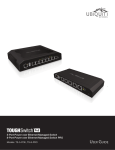
The TOUGHSwitch image displays the active LEDs and
connections. See “Hardware Overview” on page 1
for more information.
Total Throughput for TX and RX are also displayed.
Place your mouse over a port to view its PoE status,
Speed setting, duplex mode, and statistics for TX and RX
throughput.
Save Changes To immediately save your changes, click
Save Changes.
Chapter 7: VLANs Tab
VLANs
All ports belong to VLAN1, which is enabled as a
management VLAN by default. A port can belong to more
than one VLAN.
Add Create a new Virtual Local Area Network (VLAN).
• Enabled Check the box to enable the VLAN.
• Management Create the VLAN before you select this
option. Ensure that you have access via the new VLAN
before you choose to manage through this VLAN.
Note: If you configure a new VLAN as Management,
then VLAN 1 is no longer the management VLAN.
If you cannot access the new management VLAN,
then you are locked out of the Configuration
Interface. (If you are locked out, you can reset the
TOUGHSwitch to its factory defaults.)
• VLAN ID Enter a unique VLAN ID from 2 to 4095.
• Comment Enter a description of this VLAN.
Revert Changes To cancel your changes, click Revert
Changes.
Ubiquiti Networks, Inc.
26