1
Overview of controls
Overview of controls
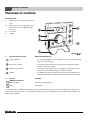
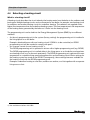
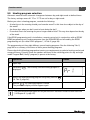
Key to diagram:
1
Flap; pull the recessed grip on the left to
open
2
Rotary selector for changing values and
temperatures or for navigating through
the menus
3
Pin button
4
Display
5
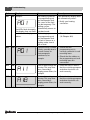
Keys for basic functions:
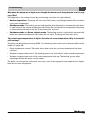
When the LED lights up,
“AUT” (automatic)
•
the switching program is active (automatic switchover between day and
night room temperatures).
“Day mode” (manual)
•
the heating system operates at the set day room temperature. DHW
heating is on (factory setting).
“Night mode” (manual)
•
the heating system operates at the set night room temperature. Frost
protection is active. DHW heating is off (factory setting).
“DHW”
•
the DHW temperature has fallen below its set value. Pushing this key
means DHW will be heated up again (the LED flashes during heat-up).
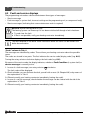
6
Keys for
Function:
additional functions:
“Prog” (program)
Selecting a heating program
“Time”
Set the time
In automatic mode, an additional LED lights up with the “AUT” LED to indicate the current operating status (“day mode” or
“night mode”). Exception: in the case of boilers with UBA, only the “AUT” LED illuminates. The “DHW” LED on boilers with
UBA will not illuminate.
2
Logamatic EMS RC25 programming unit - Subject to technical modifications