1
HOW SPOT WORKS
SECTION 1: WELCOME
1
Welcome to the SPOT Family! SPOT devices provide satellite-based
messaging capability so everyone who enjoys the great outdoors
can communicate from remote locations around the globe, beyond
the reach of cell phones. Pretty cool, huh?
GPS satellites provide signals.
2 SPOT determines your GPS location and sends
your location and pre-programmed message to
communication satellites.
satellites relay your message to
3 Communication
specific satellite antennas around the world.
HERE ARE A FEW IMPORTANT THINGS
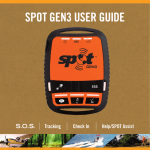
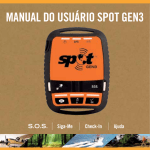
TO REMEMBER ABOUT YOUR SPOT GEN3
antennas and a global network route your
4 Satellite
location and message to the appropriate network.
SPOT needs a clear view of the sky to obtain a GPS signal to provide the most accurate
location information. SPOT is not as reliable at the bottom of a deep canyon, in a cave, or in
very dense woods. Sunshine is more fun anyway!
5 Your location and messages are delivered
according to your instructions via email, text
message, or emergency notification to the
GEOS International Emergency Response
Coordination Center.
Orienting SPOT so that the SPOT logo is facing up toward the sky will improve performance
as the antenna is located directly under the logo. The coolest adventurers place SPOT on
their backpacks.
In order to ensure best performance, do not use SPOT immediately adjacent to other GPS devices.
Powered by Google Maps™
When SPOT sends a text or email message to
one of your contacts or to GEOS, it includes your
GPS coordinates and a web link (email only) to
view your location using Google Maps™.
2
To begin using SPOT, we recommend you spend a few minutes reading through this User Guide,
then visit FindMeSPOT.com to select a service plan and activate your SPOT device.
3