1
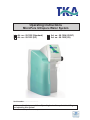
MicroPure
Ultrapure water system
12. System control
General information
Your MicroPure ultrapure water system MicroPure offers the following operating modes:
- „NONSTOP“
- „INTERVAL“
- „Disinfection“
NONSTOP:
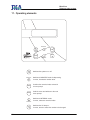
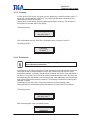
A press on the “ON/OFF”-key causes the system to run in the "NONSTOP" operating mode. In
this mode you can dispense treated water via the dispensing valve/sterile filter. The conductivity
and the temperature of the ultrapure water, and the operating mode, are permanently shown in
the display.
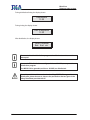
When the "NONSTOP"-key is now pressed, the system switches to the "NONSTOP" mode, the
pump is started and the solenoid rinsing valve opens for the set rinsing time. "NONSTOP"
operation can be stopped by pressing the "INTERVAL"-key. After a wait of 2-hours, the system
switches itself to the "INTERVAL" mode.
A press on the "UV"-key brings "UV on" in the display. The UV-lamp is only switched on when
the system is in the "NONSTOP" mode, however. The UV-lamp switches itself off when the
"NONSTOP" mode is ended.
INTERVAL:
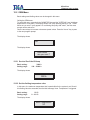
In this mode, the treated water is re-circulated after a certain given time to prevent possible reionization of the treated water.
The "INTERVAL" mode is automatically started every 0.5 hours for the period of the interval
pump time to ensure maintenance of the quality of the ultrapure water.
Disinfection:
See the „Disinfection“ section.
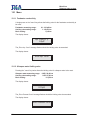
User menu
In this menu, all measured values, operating times and limiting values that are user-relevant can
be set and read.
To reach this menu, press the "menu"-key (2 sec). To reach the next menu prompt, press the
"menu"-key again.
Settings can be changed using the arrow-keys. When the entry has been confirmed with "enter",
then the next menu prompt appears.
21