1
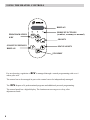
KEYS FUCTIONS:
To switch off the display
Key
(manual mode) can manage the temperature of your device to the application without
special programming:
manual (blue LED lit)
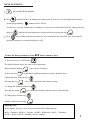
You lower or raise the temperature according to your presence and rhythm of life by simply pressing
the keys
Keys
until the desired temperature, then confirm by pressing the key
.
: by pressing both buttons pedant 2s, you can activate the child lock (key lock) and off
(possible function even when the display is off).
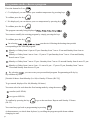
To enter the basic parameters of the
RCV (hours, minutes, day):
1) Press the key On / Off Heating
The digital display shows the time or the temperature.
By pressing the button
2) Press the key
, you swap the 2 displays.
to inform the different parameters (hours, minutes, day)
Change the time using the keys
Pressing the key
you validate the hours and minutes setting.
3) Change the minutes to the keys
Pressing the button
you validate the minutes and proceed to setting the day.
4) Change day wih the keys
Finally confirm by pressing
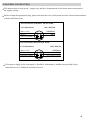
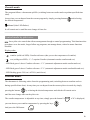
IMPORTANT:
In the display, the days of the week are shown in the following way:
dd Lu = Monday / dd MA = Tuesday / dd ME = Wednesday / dd JE = Thursday /
dd UE = Friday / dd SA = Saturday / dd di = Sunday