Transcript
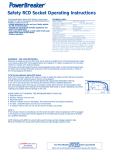
Safety RCD Plug Operating Instructions
PLEASE CARRY OUT THIS SIMPLE TEST
PROCEDURE PRIOR TO USE
STEP ONE
1. Insert your PowerBreaker Safety RCD Plug into
a 13amp mains socket.
2. Switch on power at socket if applicable.
3. Indicator is clear(white).
STEP TWO
1. Firmly press the button beyond the click and
release, red bars will appear in the indicator window.
2. Lightly press button again. The indicator window
turns clear (white).
CONNECTING AND OPERATING
INSTRUCTIONS
STEP ONE
1. Connect your appliance to the PowerBreaker
Safety RCD plug.
2. To wire your PowerBreaker Safety RCD Plug,
undo the cover screw, and slide the cover
down.
3. Thread the cable (BS6500) through the cable
clamp, and connect to terminals following the
wiring diagram below.
IMPORTANT - FOR YOUR PROTECTION
Electricity is dangerous and an RCD must not be used as a substitute for
normal precautionary measures. Always unplug from mains supply when
not in use.
Do not allow children to tamper with electrical devices. Should your
PowerBreaker Safety RCD Plug repeatedly trip with an appliance
connected or fail to trip when tested, seek advice immediately from a
qualified electrician, or return to place of purchase.
This device does not protect against electric shock due to contact with
both conductors or a fault in the wiring supplying this device. Care must
be taken not to subject your plug to abnormal pollution by smoke,
chemicals or flammable fumes, salt-laden spray, prolonged periods of high
humidity, immersion, repeated dropping or other abnormal conditions.
If red bars do not
disappear,
DO NOT USE and
return to the place
of purchase with
your receipt.
3. You have now
tested your
PowerBreaker
Safety RCD Plug.
When using cable with an overall diameter of
6mm or less, reverse the cable clamp, so as to
clamp the cable correctly. Please ensure that
the live, neutral and earth wires are connected
to the correct terminals. If you are in any
doubt, please consult a qualified electrician.
Slide on the cover and tighten the cover screw.
STEP TWO
1. Insert your PowerBreaker Safety RCD Plug
into a 13amp mains socket.
2. Firmly press the button down to turn on, the
red bars will appear in the indicator window.
NOTE
Should your RCD instantly trip (the indicator
window turns clear/white) check the appliance
immediately for an earth leakage fault. Please
also test the fuse, as a blown fuse will cause
the unit to trip.
Please keep these instructions safe for future reference.