1
GB
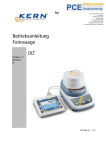
KERN DLT
Version 1.1 04/2013
Operating instructions
Electronic Moisture Analyser
Contents
1
2
3
T E C HNIC AL DAT A ......................................................................................... 4
INS T R UME NT OV E R V IE W ............................................................................. 6
B AS IC INS T R UC T IONS .................................................................................. 7
3.1
3.2
3.3
3.4
Proper use ................................................................................................................................. 7
Improper Use ............................................................................................................................ 7
Warranty .................................................................................................................................... 7
Monitoring of Test Resources ................................................................................................. 7
4
B AS IC S AF E T Y P R E C AUT IONS .................................................................... 8
4.1
4.2
4.3
Pay attention to the instructions in the Operation Manual .................................................. 8
Personnel training .................................................................................................................... 8
Danger Information .................................................................................................................. 8
5
T R ANS P OR T AND S T OR AG E ..................................................................... 10
5.1
5.2
Testing upon acceptance ...................................................................................................... 10
Packaging / return transport ................................................................................................. 10
6
UNP AC K ING , S E T UP AND C OMMIS S IONING ............................................ 10
6.1
6.2
6.3
6.4
6.5
6.6
6.6.1
6.7
6.8
Installation Site, Location of Use .......................................................................................... 10
Unpacking and placing .......................................................................................................... 12
Scope of delivery / serial accessories.................................................................................. 13
Connections ............................................................................................................................ 14
Connect terminal to drying unit ............................................................................................ 16
Turning On the Power ............................................................................................................ 17
Commissioning ......................................................................................................................... 17
Connecting peripheral instruments ...................................................................................... 17
Adjustment .............................................................................................................................. 17
7
OP E R AT ING E L E ME NT S ............................................................................. 18
7.1
7.2
7.2.1
7.2.2
Drying unit ............................................................................................................................... 18
Terminal ................................................................................................................................... 18
Keyboard overview ................................................................................................................... 19
Touchscreen ............................................................................................................................. 20
8
9
S ING L E WE IG HING / T AR E ......................................................................... 24
S E T UP ME NU ............................................................................................... 25
9.1
9.2
9.3
9.3.1
9.4
9.4.1
9.4.2
9.4.3
9.4.4
9.4.5
9.5
Language ................................................................................................................................. 26
How to set date/time............................................................................................................... 27
User profile .............................................................................................................................. 28
Alphanumeric entry window ..................................................................................................... 29
Display default settings ......................................................................................................... 30
Brightness ................................................................................................................................. 31
Setting touch screen alignment ................................................................................................ 32
Colour scheme ......................................................................................................................... 33
Beep tone on key pressure ...................................................................................................... 34
Status of non-contact sensors .................................................................................................. 35
Balance settings ..................................................................................................................... 36
2
DLT-BA-e-1311