1
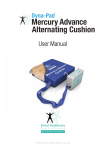
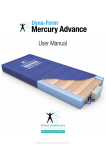
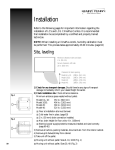
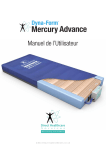
User Manual DIRECTHEALTHCARESERVICES.CO.UK D Y N A - PA D M E R C U R Y A D VA N C E C U S H I O N The Dyna-Pad Mercury Advance is a Very High Risk dynamic replacement seating system, combined with the benefits of modern foam technology. Offering high levels of patient comfort, this unique system has the facility to “step up” to that of a dynamic cushion when clinically required. Similarly, the cushion‘s function can be downgraded as the patient’s condition improves. A higher maximum weight capacity, up to 24 stone / 152kg, allows the product to meet the modern challenges of those heavier clients. The outer cover comprising a high frequency welded, multi stretch and vapour permeable fabric satisfies the strictest infection control policies. Designed using the latest medical grade cell technology to create greater postural management and pressure relief, this product is specifi cally made for users considered to be at ‘Very High Risk’ of pressure ulcer development and those with minor postural issues. Contents 1. Introduction ...........................................................................................................................3 2. Quick Reference Guide & Frequently Used Functions.................................................................3 3. Troubleshooting.....................................................................................................................4 4. Installation ��������������������������������������������������������������������������������������������������������������������������� 5 5. Operation ����������������������������������������������������������������������������������������������������������������������������� 6 6. Transportation����������������������������������������������������������������������������������������������������������������������� 6 7. Audible Warnings������������������������������������������������������������������������������������������������������������������� 7 8. Maintenance Procedures ������������������������������������������������������������������������������������������������������� 7 9. Technical Data����������������������������������������������������������������������������������������������������������������������� 8 10. Optimum Conditions for Use������������������������������������������������������������������������������������������������� 8 11. Symbols Guide & Contraindications for Use........................................................................8 – 9 12. Detachable / Removable Parts����������������������������������������������������������������������������������������������� 9 13. Disposal������������������������������������������������������������������������������������������������������������������������������ 9 2 DIRECTHEALTHCARESERVICES.CO.UK USER MANUAL 1. Introduction The cushion consists of a foam head cell and series of 4 transverse air cells, each containing a unique foam profiled insert, which are in turn held within a foam base, all protected by a vapour permeable waterproof cover. The transverse cells are arranged to alternate in a sequence to increase and decrease pressure over the thighs, coccyx and ischial areas. The digitally controlled Power Unit controls a pump that allows air to flow into, or out of the air cells as required according to the operating mode selected. It also maintains the air pressure within the cushion at the required level and controls the action of the audible/visual Audible Warning system in the event of mains supply failure or over or under inflation pressure. 2. Quick Reference Guide (Frequently used functions) This is a quick reference guide for the Dyna-Form Mercury Advance Cushion Product Code CUSH/ADV/ALT/46/46/10 Power Switch Audible Warning Reset The power switch simply switches the mains power to the pump on and off. When the pump detects an Audible Warning condition, this can be silenced as below and reset by switching the pump off and then back on again. Pump Connector Please ensure that the Pump connector is always placed fully home, prior to inflating the cushion. NB: The cushion will NOT inflate properly should this not be the case. DIRECTHEALTHCARESERVICES.CO.UK 3 D Y N A - PA D M E R C U R Y A D VA N C E C U S H I O N LED Mode Settings This symbol when illuminated (The blue indicator light) is not used to indicate that the equipment is on or ready for use. When a patient requires a true dynamic function or indeed more pressure in the cells, as they may be uncomfortable or feel as though the cushion surface if too soft or unstable, then please select a “Hi” setting (pressure 26mmHg). This must only be used by a trained clinician as often too high pressures can further agitate certain patients conditions. When a patient requires less pressure in the cells, as they may be uncomfortable or indeed hyper sensitive to cell movement or indeed if the patient is still reddening further, then please select a “Lo” setting. This must only be used by a trained clinician. This function is used to silence the Audible Warning. The LED will remain lit if the Audible Warning has been silenced previously, however a fault is still detected. Refer to the power switch (as above) in order to re-set fully. If the Audible Warning continues to sound repeatedly, along with an illuminated light, then an engineer must be called. Power On / Off True Dynamic /Firmer Setting Lo I Comfort Pressure Setting Silence Audible Warning This symbol indicates an “Audible Warning Failure”. Please see trouble shooting guide below for how to re-set. For shut down procedure, see 4.2 Power Unit (Pump) section. Audible Warning Failure 3. Troubleshooting Symptoms Problems / Cause Points to check Low Pressure The cushion is set to a mode that is too SOFT. Change the mode button to standard (from Lo to High(+) a firmer pressure setting) as required. If the cushion is still too soft after a short period of 5 to 10 minutes, then please call an engineer. Check all tubing is not kinked within the cushion. The pump connector is not fully home. High Pressure There may be a leak in the cushion. Ensure that the tubing within the cushion is fully connected. The cushion is excessively firm on a constant basis. Set cushion to a softer setting as clinically required. Evaluate that the cushion is of a ‘less firm’ state after a short period of 5 to 10 minutes. If this is not achieved, then please follow the task as below before calling an engineer for assistance. Note: Check all tubing is not kinked within the cushion. 4 DIRECTHEALTHCARESERVICES.CO.UK USER MANUAL 4. Installation 4.1. Cushion (This is the applied part type BF) Place the Dyna-Form® Mercury Advance Cushion directly on to the chair ensuring that the Blue multi-stretch waterproof cover is on top and that the umbilical hose is located at the left hand front corner of the chair. Note: Do not place any other cover on top of the cushion as this will reduce the cushion’s pressure reducing characteristics. Static Cushion Use The Dyna-Form® Mercury Advance Cushion can be used as a pressure reducing cushion for patients at risk of pressure ulcer damage without the need to attach the pump. Alternating Cushion Use If / When required, the Dyna-Form® Mercury Advance Cushion can be used as an alternating cushion by attaching the Dyna-Form® Mercury Advance pump system. No other system should be attached to the cushion as the design settings and internal air pressure properties of the Dyna-Form® Mercury Advance pump are specific to this cushion only. The startup time from static to dynamic mode is immediate. 4.2. Power Unit (Pump) Hang the Power Unit (Pump) on the chair or place safely on the floor. The mounting hooks swivel to suit the thickness. Connecting the Umbilical Hose to the Power Unit (Pump), place the 3-pin electrical plug into the wall outlet and switch on: Attach the Blue Umbilical Hose to the Power Unit (Pump) by connecting the air connector at the end of the Umbilical Hose to the air inlet connector at the bottom left hand side of the pump. DIRECTHEALTHCARESERVICES.CO.UK 5 D Y N A - PA D M E R C U R Y A D VA N C E C U S H I O N 5. Operation Attach the mains cable to the pump by inserting the “kettle” type connector into the recess located on the left hand side of the pump. The mains cable has been designed specifically as a removable part to aid in easy replacement should it become damaged in use. The mains plug should be turned off and removed from wall socket as a means of isolation. Plug the mains cable into a suitable 230v mains socket and switch on the Power Unit using the on/off switch. After the pump has been turned on both the “Hi “and the “Lo” lights will flash together intermittently until the pump has attained its initial operating pressure. Once the pump has attained its initial operating pressure the “Lo” light will stay on constantly and the cushion is ready for use. 5.1. Lo / Hi Settings The Dyna-Form® Mercury Advance Cushion, in Alternating Mode, has two pressure settings. The initial setting that the pump will revert to upon set up is “Lo”. The “Lo” comfort setting is ideal for the lighter patient or those who feel discomfort when on a normal alternating air type cushion. However, for patients with existing pressure damage or those at Very High Risk, it is recommended that dependant on the clinical judgement of the clinician, the “Hi” setting is activated by pressing the +/- button once, which is located on top of the pump. In “Hi” Mode the pump attains more of the characteristics of an alternating air cushion whilst still utilising the advantages of the static foam inserts. Repeatedly pressing the ‘mode’ button enables the Lo & Hi modes to be selected in turn. 5.2. Deflation The deflation system consists of a manually operated button located on the Air Inlet connector attached to the pump. By pressing the Red Button, which will release the connector locking system, the user can remove the connector unit which will deflate the cushion air system back to that of a static foam cushion. Note: After a short period as the cushion deflates the ‘Low Pressure’ Audible Warning is activated and can be cancelled by switching the Power Unit off. 5.3. Troubleshooting For assistance (if needed) in setting up, using or maintaining the Mercury Advance Cushion, or to report unexpected operation or events, please contact Direct Healthcare Services on the contact details on the reverse of this manual. 6. Transportation To change the location of the cushion, remove the Umbilical cord and allow the cushion to return to its Static cushion form. Switch off the Power Unit (Pump) using the on/off switch and disconnect the electrical supply cable from the mains socket. The cushion can now be moved to a new location where it must immediately be reconnected to the mains electrical supply and the Power Unit (Pump) switched back on. Once the cushion has been refilled, the ‘Alternating’ mode will automatically revert back to the Lo setting and should be reselected to Hi should this be desired by the clinician. Warning: The cushion will not ‘alternate’ when disconnected from the Power Unit (Pump) and /or the mains electrical. Also refer to environmental conditions section at rear of this manual. 6 DIRECTHEALTHCARESERVICES.CO.UK USER MANUAL 7. Audible Warnings Audible Warning conditions are indicated by a flashing red display accompanied by an audible warning. In each case the user should respond by turning the Power Unit’s switch off and investigating the cause. 7.1. High Pressure Audible Warning This condition could be caused, for example by a kinked Umbilical Hose or visitors, and others, sitting suddenly on the cushion. 7.2. Low Pressure Audible Warning This condition could be caused, for example, by incorrect fitting of the air inlet connector, opening of the Pump Connector or a leak in the cushion due to a cut or puncture. 7.3. Mains Failure Audible Warning If mains power is lost the all Mode lights will turn off. This Audible Warning condition will only be audible. The red Audible Warning light will not flash. 8. Maintenance procedures 8.3. Warning – Cleaning the Cushion 1. Cleaning should take place after use or between patients. 2. With cover left on the cushion disconnect the cushion from the Power Unit (Pump). 3. Clean the surface of the wash down table with Hypochlorite solution or equivalent disinfectant. 4. Wash cushion top using hot water (60 degrees C) containing detergent – dry with a paper towel. 5. For heavy contamination use a Hypochlorite solution 1,000 parts per million available chlorine. 6. Using suitable brush, hot water, detergent or Hypochlorite solution, 8.1.1 Servicing clean Umbilical Hose and CPR Valve. Dry with paper towel. Direct Healthcare Services (DHS) recommend that the 7. If required, the cushion Cover may be removed and Power Unit (Pump) should be serviced every year. The unit machine-washed at a temperature of 80 degrees C, for not contains no user serviceable parts and should only be carried out less than 10 minutes. The individual Air Cells can be wiped by persons as described in section 8.1. DHS will make available down with established disinfectants. on request service manuals, component parts lists and other information necessary for any suitably qualified person (As in 8.1) 8. To avoid shrinkage of the cover line dry in an indoor clean environment or tumble dry on a low heat setting not exceeding to carry out repair or service the system. For Service, maintenance 40 degrees C and not for longer than 10 minutes. Covers must and any questions regarding this please contact DHS. be thoroughly dried before re-fitting to the cushion. 8.2. Cleaning Procedures 8.4. Warning – Cleaning the Power Unit (Pump) Warning: Before cleaning the System make sure that the Power The Power Unit can be cleaned by wiping with a cloth Unit (Pump) is disconnected from the mains electricity supply. dampened with a detergent solution or Hypochlorite solution. Do not immerse the Power Unit (Pump) in water or other fluids. Also refer to symbol chart. Do not autoclave, nor use phenol for cleaning. Do wash hands before commencing the cleaning process. 8.4.1 Warning Wear appropriate protective clothing such as gloves, Ensure the Mercury Advance cushion is not exposed to: apron and a mask. 1. Excessive heat sources e.g. fires, radiators etc Ensure all work surfaces are cleaned before and after contact 2. Water, particularly immersion of the pump. with the cushion. 7 8.1. Safety Warning Only qualified technicians trained or formally approved by Direct Healthcare Services Ltd. in the operation and maintenance of Direct Healthcare Services products may carry out maintenance, modification or repair work on the equipment. Unqualified personnel attempting to work on Direct Healthcare Services Power Units risk serious injury to themselves and others and possibly death by electrocution. Inlet fuse NOT to be replaced by operator or patient, to be replaced by service personnel only. Warning – Do not modify this equipment without authorisation of Direct Healthcare Services. DIRECTHEALTHCARESERVICES.CO.UK D Y N A - PA D M E R C U R Y A D VA N C E C U S H I O N 9. Technical data 11. Symbols Guide 9.1. Power Unit (Pump) Serial Number.............................As per label on rear of pump Electrical Supply.....................................220-240 volt, 50 Hz Power Consumption................................................10 watts Fuses.................................................................TA1H 250V Protection against shock............................................Class 2 Noise Level................................................Approx. 30 dB (A) Dimensions............................................235 x 180 x 80 mm Weight...................................................................... 1.7 kg Service Interval....................................................12 months Expected life.............................................................5 years Shelf life of parts.......................................................5 years 9.2 Cushion Serial Number....................... Label on inside of cushion cover Number of Air Cells...................5 Air Cells / 1 Static Foam Cell Dimensions............................460 x 460 x 100mm (Nominal) Weight.........................................................................3 kg Expected life of cushion..............................................5 years Shelf life of cushion parts...........................................5 years Cushion Symbols 10. Optimum conditions (Applies to Cushion and Pump) 10.1 Environment Conditions for Use Transport................................................... -25˚C – +70˚C Storage..................................................... -25˚C – +70˚C Usage........................................................ +5˚C – +40˚C Humidity........................................................... 10% – 93% Atmospheric Pressure............................ 700hPa – 1060hPa Operational Altitude............................................... ≤ 2000m 10.2 Exposure Exposure to direct sunlight, dust, lint and general debris is not considered to be an issue with the Mercury Advance Cushion. WASH AT 80˚ TUMBLE DRY ON LOW DO NOT DRY CLEAN WASH AT 80˚ WASH AT 80˚ TUMBLE DRY ON LOW TUMBLE DRY ON LOW DO NOT DRY CLEAN DO NOT DRY CLEAN REFER TO USER MANUAL REFER TO REFER TO USER MANUAL USER MANUAL 0843 0843 0843 TYPE BF APPLIED PART TYPE BF TYPE BF APPLIED PART APPLIED PART DO NOT BLEACH DO NOT IRON NO SMOKING DO NOT BLEACH DO NOT BLEACH DO NOT IRON DO NOT IRON NO SMOKING NO SMOKING DO NOT USE DO NOT USE MAXIMUM USER SHARP INSTRUMENTS PHENOL WEIGHT LIMIT 152 KG / 24 STONES DO NOT USE DO NOT USE MAXIMUM USER DO NOT USE DO PHENOL NOT USE MAXIMUM SHARP INSTRUMENTS WEIGHT USER LIMIT PHENOL WEIGHT 152 KG / 24LIMIT STONES WARNING SHARP INSTRUMENTS CAUTION 152 KG / 24 STONES THIS IS A STATEMENT THAT THIS IS A STATEMENT THAT CAUTION ALERTSWARNING THE USER TO THE ALERTS THE USER TO THE CAUTION WARNING POSSIBILITY OF SERIOUS INJURY POSSIBILITY OF A PROBLEM THIS IS A STATEMENT THAT THIS IS A STATEMENT THAT OR OTHERWISE ADVERSE WITH THE ASSOCIATED THIS IS A STATEMENT THAT THIS IS ASYSTEM STATEMENT THAT ALERTS THE USER TO THE ALERTS THE USER TO THE REACTIONS WITH THE USE WITH ITS USE MISUSE ALERTS THE TO THE ALERTS THE USER TO THE POSSIBILITY OFOR A PROBLEM POSSIBILITY OFUSER SERIOUS INJURY OR THE DEVICE POSSIBILITY OF OF SERIOUS INJURY POSSIBILITY OF A ASSOCIATED PROBLEM WITH THE SYSTEM ORMISUSE OTHERWISE ADVERSE OR OTHERWISE ADVERSE WITHWITH THE ITS SYSTEM ASSOCIATED USE OR MISUSE REACTIONS WITH THE USE REACTIONS WITH THE USE WITH ITS USE OR MISUSE OR MISUSE OF THE DEVICE OR MISUSE OF THE DEVICE General Symbols CAUTION CAUTION CAUTION HUMIDITY LIMITATION HUMIDITY HUMIDITY LIMITATION LIMITATION PROTECT FROM HEAT AND RADIOACTIVE SOURCES PROTECT FROM HEAT PROTECT FROM SOURCES HEAT AND RADIOACTIVE AND RADIOACTIVE SOURCES ATMOSPHERIC PRESSURE LIMITATION ATMOSPHERIC PRESSURE ATMOSPHERIC PRESSURE LIMITATION LIMITATION Pump (Unit) Symbols KEEP DRY KEEP DRY KEEP DRY DOUBLE INSULATED CLASS II DOUBLE INSULATED DOUBLE INSULATED CLASS II CLASS II 8 TEMPERATURE LIMITATION TEMPERATURE TEMPERATURE LIMITATION LIMITATION DIRECTHEALTHCARESERVICES.CO.UK REFER TO USER MANUAL REFER TO REFER TO USER MANUAL USER MANUAL 0843 0843 0843 DO NOT DISPOSE OF WITH HOUSEHOLD WASTE. PLEASE TO DHS OF WEBSITE DOREFER NOT DISPOSE DO HOUSEHOLD NOT DISPOSEWASTE. OF WITH WITH HOUSEHOLD WASTE. PLEASE REFER TO DHS WEBSITE PLEASE REFER TO DHS WEBSITE USER MANUAL Contraindications For Use (Warning) The Mercury Advance Cushion should not be used for patients with unstable fractures, gross oedema, burns, or intolerance to motion. General Information (Caution) (Warning) • There are no special skills required to operate the system. •The Medical Professional is responsible for applying his/her best medical judgment when using the system. •The electricity supply is of the type indicated on the Power Unit (pump) •Correct fuse rating MUST be used. Failure to do so could result in the risk of a fire. •The cushion should be cleaned after use or between patients. Refer to Cleaning section. •All internal and external hoses must be free of twists, kinks. The external hose should also be properly connected and positioned so that the risk of obstruction or injury is eliminated. •Do not use bleach, phenol s. Chlorine based products which exceed 1000ppm. Solvents or alcohol based cleaners. •Check the mains lead is free from damage and is positioned so as not to cause an obstruction, or injury. E.g. Strangulation •All the above warnings and cautions together with safety considerations should be observed at ALL times during of a child or trip hazard. its use. •Ensure the mains lead cannot become trapped or crushed, e.g. within the mechanism of the chair, footstool or another object. •The power unit (pump) must only be used with a suitably approved power cord and plug set as supplied by DHS. •The system is not to be used in the presence of flammable anaesthetics. • Suitable for continuous use. • Not suitable for sterilisation. •Do not position the power unit to make it difficult to disconnect the power supply or plug. • Do not place the System on or close to a source of heat. • Do not use with hot water bottles or electric blankets. •Select correct setting ‘Hi’ or ‘Low’ as required. Care should be taken not to accidently change settings once set. This may affect the desired requirement of the therapy. This could also be caused by pets, pests or children. 12. Detachable/Removable Parts 1.Cushion (Detached from the pump by removing the CPR connector). Part No. CUSH/ADV/ALT/46/46/10 (or variants of for the size) 2.Electric power cable. (Removed from the pump by pulling the cable away from the mains inlet on the side of the pump). Part No. DHS/ADV/MLEAD N.B. The battery is an integral part of the Rotor PCB and is not removable or changeable. •DHS strongly advise against smoking whilst the Power Unit Caution (pump) is in use. This is to prevent accidental secondary ignition of items which may be flammable e.g. bed linen. The Use of detachable parts not listed is not recommended by Direct Healthcare Services. materials used in the manufacture of the Mercury Advance Cushion comply with the required fire safety regulations. •Do not use sharp objects on or near the cushion system as this will cause damage. • Do not store in damp conditions. • Do not use in an oxygen enriched environment. 13 Disposal Please refer to DHS website for recommendations and responsibilities for disposal within the UK WEEE guidelines. • Not suitable for use in an Outdoor Environment. •Intended for both Home Healthcare and Professional Healthcare environments. • Do not connect to any other medical device or equipment. DIRECTHEALTHCARESERVICES.CO.UK 9 D Y N A - PA D M E R C U R Y A D VA N C E C U S H I O N EMI/EMC Statement and Manufacturer’s Declaration This equipment has been tested and found to comply with the limits of EN 60601-1-2 2007. These limits are designed to provide reasonable protection against harmful interference in both a medical and residential environment. This equipment generates, uses and can radiate radio frequency energy and, if not used in accordance with manufacturer’s instructions, may cause harmful interference to radio communications. However, there is no guarantee that interference will not occur in a particular installation. If this equipment does cause harmful interference to radio or television reception or other equipment, which can be determined by turning the equipment off and on, the user is encouraged to try to correct the interference by one of the following measures: • Reorient or relocate the receiving antenna. • Increase the separation between the equipment. • Connect the equipment to an outlet on a circuit different from that to which the receiver or equipment was connected. The equipment having been tested to operate within the limits of electromagnetic compatibility. (Immunity to interference from nearby sources radiating radio frequency energy). Sources exceeding these limits may give rise to operation faults. Where possible the system will sense the interference and if it is of short duration transparently take countermeasures whilst operating near normally, or failing this will issue a warning and take measures for the continued safely of the user. Further increased levels of energy may cause the system to stop operating, continuously generate random faults or continuous resets. Try to ascertain the source of the interference by turning nearby or suspect equipment off, and see if the interference effects stop. In any such event the user is encouraged to try to correct the interference by one of the following measures: • Have the interfering equipment repaired or replaced. • Reorient or relocate the interfering equipment. • Increase the separation between the equipment and the possible source of the interference. • Connect the equipment to an outlet on a circuit different from that to which the interfering equipment was connected. Information regarding Electro Magnetic Compatibility (EMC) according to IEC60601-1-2:2007, clause 6.8 With the increased number of electronic devices such as PC’s and mobile telephones, medical devices in use may be susceptible to electromagnetic interference from other devices. The EMC (Electro Magnetic Compatibility) standard IEC60601-1-2 defines the levels of immunity to these electromagnetic interferences. From the other hand, medical devices must not interfere with other devices. IEC60601-1-2 also defines the maximum levels of emissions for these medical devices. 10 DIRECTHEALTHCARESERVICES.CO.UK USER MANUAL Sales Offices UK & Europe Direct Healthcare Services Ltd. 6 – 10 Withey Court Western Industrial Estate Lon-y-Llyn, Caerphilly, CF83 1BF UK T: +44 (0) 845 459 9831 [email protected] Asia Pacific Direct Healthcare Services PTY Ltd. PO Box 562 Wembley Western Australia 6913 T: +61 (0) 423 852 810 [email protected] Issue 2 Date: June 2015 DIRECTHEALTHCARESERVICES.CO.UK