1
Contents
Page
4 What’s included?
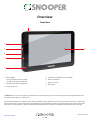
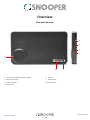
5Overview
7Registering
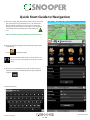
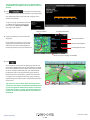
8 Quick Start Guide to Navigation
10 Start Up
System Requirements and Downloading
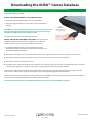
11 Downloading the AURA™ Camera Database
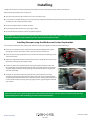
12 Installing Snooper
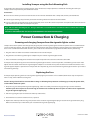
13 Power Connection & Charging
14 Charging the internal battery
Powering Snooper using the built-in battery
16 Satelite Navigation
Easy Setup
Screen Settings
19Volume
20 Setting Vehicle Parameters Ventura
Setting Vehicle Parameters Snooper
21 Environmental Settings
22 Setting Vehicle Parameters Truckmate
23 Setting Vehicle Parameters Bus & Coach
24 Planning a Route
By Full Postcode
25 Find by City
26 Home
27Office
Recent Route or Clear Route
28Multi-route
32 Find by Favourites
Recent Destinations
33 Find by Points of Interest (POI)
34 Find by Nearest POI
36 User POI
40 Find by Map
41 Find by coordinate
42 Re-Route
Avoid by Road Name
Avoid by Range
43 Avoid by TMC
Clear Avoided Road
44 Your Route
45Route Description
46 TMC
48 Campsite Search (Ventura ONLY)
50 My Favourite Menu
Favourites
51Recent Destination
52 Home
53Office
54 Configure Menu
Caravan/Motorhome
Car
57 Truck
58 Bus & Coach
59 Brightness Control
60 Volume Control
Change Language
Setup
612D/3D/North
Speed/Time
MPH/KMH
Arrival Time/Remaining Time
62 Map Text Size
Car Icon
Page
63 Lane Guidance
Junction Number
Display Cameras
64 Alert Sound
School
Touch Tone
65Route Alert
Auto Scale
My Speed
66 My Speed XL (Syrius ONLY)
Sharp Curve Alert
67Telematics
GPS Status
Change Map Colour
68 Qwerty Keyboard
69TMC
70 System Security Code
Configuration Security Code
71 FM Transmitter
Route Timer
72 Version (Hardware & Software)
Show POI
73 Route Option
Shortest Time
Shortest Distance
Avoid Tollway
Avoid Motorway
74 Navigate Avoiding Road
Avoid by Road Name
Avoid by Range
75 Clear Avoided Road
Navigate via Location
76 Change Start Position
Summary Screen
77 Quick Access Menu
Volume
Scroll Map
Day or Night Settings
78 Camera Alerts
Magnify or Reduce Function
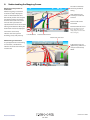
79 Understanding the Mapping Screen
80Bluetooth
81 Bluetooth Main Menu
82 Call Record
Incoming Call
Settings
83 Music
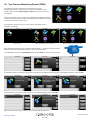
84 Tyre Pressure Monitoring System (TPMS)
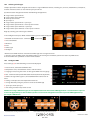
85 Selecting Vehicle Type
Configure TPMS
86 Pairing the Sensors
87Installing Sensors
90 Bluetooth Interface Installation
91Settings
92 Minimise TPMS
Alerts
93 Low Battery
94 Combinations
95 Updating Maps
97 Troubleshooting Snooper Downloads
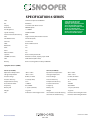
100Specification
102Accessories
103 Service Under Warranty
3 • EN
6 series V110.14 EN