1
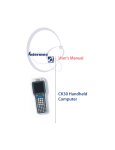
User's Manual
CK30 Handheld
Computer
Intermec Technologies Corporation
Corporate Headquarters
6001 36th Ave. W.
Everett, WA 98203
U.S.A.
www.intermec.com
The information contained herein is proprietary and is provided solely for the purpose of
allowing customers to operate and service Intermec-manufactured equipment and is not to be
released, reproduced, or used for any other purpose without written permission of Intermec.
Information and specifications contained in this document are subject to change without prior
notice and do not represent a commitment on the part of Intermec Technologies Corporation.
© 2003-2005 by Intermec Technologies Corporation. All rights reserved.
The word Intermec, the Intermec logo, Norand, ArciTech, Beverage Routebook, CrossBar,
dcBrowser, Duratherm, EasyADC, EasyCoder, EasySet, Fingerprint, INCA (under license), igistics, Intellitag, Intellitag Gen2, JANUS, LabelShop, MobileLAN, Picolink, Ready-to-Work,
RoutePower, Sabre, ScanPlus, ShopScan, Smart Mobile Computing, SmartSystems, TE 2000,
Trakker Antares, and Vista Powered are either trademarks or registered trademarks of Intermec
Technologies Corporation.
Throughout this manual, trademarked names may be used. Rather than put a trademark (™ or
®) symbol in every occurrence of a trademarked name, we state that we are using the names
only in an editorial fashion, and to the benefit of the trademark owner, with no intention of
infringement.
ii
CK30 Handheld Computer User’s Manual
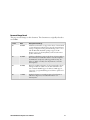
Document Change Record
This page records changes to this document. The document was originally released as
version 001.
Version
Date
Description of Change
002
04/2004
Added new information to support the release of Service Pack
1. New information includes remote upgrade using Intermec
Settings, configuration using Intermec Settings one-to-one or
with the Wavelink Avalanche package, support for IE
Browser, support for the EasyADC system and other minor
updates and revisions.
003
07/2004
Added an addendum to support the release of Service Pack 2.
New information includes the addition of CCX compliance,
the EAN.UCC Composite symbology, Funk security, the
ability to disable or modify some key functions, and other
minor updates.
004
01/2005
Revised to include information for the Service Pack 3 release.
Changes include the addition of the SP2 addendum to the
user’s manual, CK30C support for iBrowse, VPN support,
support for a programmable keypad, and minor updates and
corrections.
005
11/2005
Updated information on Funk security and configuration,
added new diagnostics, and added information on
SmartSystems.
CK30 Handheld Computer User’s Manual
iii
iv
CK30 Handheld Computer User’s Manual
Contents
Contents
Before You Begin.......................................................................................................xi
Safety Icons .................................................................................................xi
Global Services and Support .......................................................................xii
Who Should Read This Document? ..........................................................xiii
Related Documents ................................................................................... xiv
Patent Information .................................................................................... xiv
Other Copyright Information.................................................................... xiv
1
Using the CK30 Handheld Computer .................................................. 1
Introducing the CK30 Handheld Computer.............................................................. 2
What’s New? ............................................................................................................. 4
Using the Battery....................................................................................................... 5
Charging and Installing the Battery ............................................................. 6
Maximizing Battery Life .............................................................................. 7
Checking the Battery Status......................................................................... 8
Using the Keypad ...................................................................................................... 8
The 42-Key Large Numeric and Function Keypad ...................................... 9
The 50-Key Full Alphanumeric Keypad .................................................... 10
The 52-Key Full Alphanumeric Keypad .................................................... 11
Using the Color-Coded Keys..................................................................... 12
Capitalizing All Characters ........................................................................ 13
Using the Alpha Key on the 42-Key Keypad.............................................. 13
Using the Power (I) Key........................................................................... 14
Disabling or Modifying Keypad Functions ................................................ 14
Using the Screen...................................................................................................... 15
Understanding the Screen Icons ................................................................ 16
Using the Mouse Pointer........................................................................... 17
Repositioning a Window ........................................................................... 19
Understanding the Status Lights .............................................................................. 19
Understanding the Beeps ......................................................................................... 21
CK30 Handheld Computer User’s Manual
v
Contents
Scanning Bar Codes................................................................................................. 22
Scanning With the Integrated Laser Scanner or 1D Linear Imager............. 23
Scanning With the 2D Area Imager........................................................... 24
Attaching a Tethered Scanner.................................................................... 25
Using Energy Saving Mode With Your 1551E or 1553 Scanner ................ 27
Attaching a Scanner to the Serial Port........................................................ 27
Installing an SD Card .............................................................................................. 29
2
Configuring the CK30 .................................................................................... 31
How to Configure the CK30 Parameters ................................................................. 32
Configuring the CK30 With the Setup Assistant ....................................... 33
Configuring the CK30 With the Configuration Utility ............................. 34
Configuring the CK30 With SmartSystems Console ................................. 38
Configuring the CK30 by Scanning Bar Codes.......................................... 39
Configuring the CK30 Through the Network ........................................... 40
Synchronizing the CK30 System Time With a Time Server....................... 43
Configuring the CK30 for Your Network ................................................................ 44
Configuring Serial Communications ......................................................... 44
Configuring 802.11b/g Radio Communications........................................ 46
Configuring Ethernet Communications .................................................... 49
Configuring Bluetooth Radio Communications ........................................ 51
Configuring Security ............................................................................................... 53
Choosing Between Funk and Microsoft Security ....................................... 53
Configuring WPA Security........................................................................ 55
Configuring 802.1x Security...................................................................... 61
Configuring LEAP Security ....................................................................... 64
Configuring Static WEP Security .............................................................. 65
Loading a Certificate ................................................................................. 67
Disabling Security ..................................................................................... 70
Configuring a VPN ................................................................................... 70
3
vi
Developing and Installing Applications ......................................... 73
Developing Applications for the CK30 .................................................................... 74
Developing a New Application for the CK30 ............................................ 74
Developing a Web-Based Application........................................................ 75
Converting a Trakker Antares Application to a CK30 Application............. 79
CK30 Handheld Computer User’s Manual
Contents
Installing Applications on the CK30 ........................................................................ 80
Installing Applications Using ActiveSync ................................................... 81
Installing Applications Using Your SD Card.............................................. 85
Installing Applications Using the FTP Server............................................. 85
Installing Applications Using Wavelink Avalanche..................................... 86
Installing Applications Using SmartSystems Console ................................. 86
Launching Your Application Automatically ............................................................. 87
Customizing How Applications Load on the CK30 ................................................. 87
4
Managing the CK30 ......................................................................................... 89
Accessing the System Main Menu............................................................................ 90
Managing Files on the CK30 ................................................................................... 91
Running an Application From File Manager.............................................. 91
Deleting a File With File Manager............................................................. 92
Copying a File With File Manager............................................................. 93
Viewing the Properties of a File With File Manager................................... 93
Managing Applications on the CK30....................................................................... 94
Viewing All Applications Currently Running on the CK30 ....................... 94
Closing an Application .............................................................................. 95
Switching Between Applications ................................................................ 96
Viewing the Properties of an Application................................................... 96
Setting or Changing the System Main Menu Password ............................................ 96
Backing Up Your Files ............................................................................................. 98
Upgrading Your CK30 ............................................................................................ 99
Upgrading the Operating System Using an SD Card ................................. 99
Upgrading Your CK30 Using SmartSystems Console .............................. 101
5
Running Diagnostics .................................................................................... 103
Using Diagnostics on the CK30............................................................................. 104
Understanding the Diagnostics Screens.................................................................. 105
Battery Information................................................................................. 105
Bluetooth Console................................................................................... 106
Bootcode Version .................................................................................... 107
CK30 Handheld Computer User’s Manual
vii
Contents
Contrast Test .......................................................................................... 107
CPU Monitor.......................................................................................... 108
Display Test ............................................................................................ 109
Hardware Configuration Table................................................................ 109
Installed Fonts......................................................................................... 110
Intermec Value Add Information............................................................. 110
Keypad Test ............................................................................................ 111
LED Test ................................................................................................ 111
Memory Information .............................................................................. 112
Network Connection Test ....................................................................... 112
Network Interface Information................................................................ 113
Operating System Version ....................................................................... 114
Ping Utility ............................................................................................. 114
Radio Driver Version .............................................................................. 115
Radio Information................................................................................... 115
RAM Monitor......................................................................................... 116
Read CPU Registers ................................................................................ 116
Security Information ............................................................................... 117
Sound Test.............................................................................................. 118
6
Troubleshooting and Maintaining the CK30............................. 119
Troubleshooting the CK30 .................................................................................... 120
Calling Product Support.......................................................................... 120
Problems and Solutions ........................................................................... 121
Problems While Operating the CK30...................................................... 121
Problems While Configuring Security ..................................................... 122
Problems With Wireless Connectivity ..................................................... 124
Problems Transmitting Data Through the Serial Port.............................. 125
Problems While Scanning Bar Codes....................................................... 126
Booting the CK30 ................................................................................................. 128
Warm Booting the CK30 ........................................................................ 128
Cold Booting the CK30 .......................................................................... 129
Cleaning the Scanner Window and CK30 Screen .................................................. 130
A
Specifications ..................................................................................................... 131
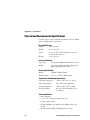
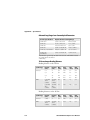
Physical and Environmental Specifications............................................................. 132
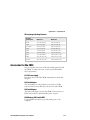
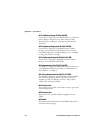
Accessories for the CK30 ....................................................................................... 135
viii
CK30 Handheld Computer User’s Manual
Contents
Typing Characters Not Printed on the Keypad ...................................................... 138
Pin Assignments for the Serial Port ........................................................................ 141
B
C
Default Settings ............................................................................................... 143
I
Index ......................................................................................................................... 171
Default Configuration Settings .............................................................................. 144
Reprogrammable Keypad ........................................................................ 151
Reprogramming the Keypad .................................................................................. 152
Changing the Functionality of Keypad Keys or Key Combinations.......... 152
Creating Keypad Macros ......................................................................... 164
CK30 Handheld Computer User’s Manual
ix
Contents
x
CK30 Handheld Computer User’s Manual
Before You Begin
Before You Begin
This section provides you with safety information, technical
support information, and sources for additional product
information.
Safety Icons
This section explains how to identify and understand warnings,
cautions, and notes that are in this document.
A warning alerts you of an operating procedure, practice,
condition, or statement that must be strictly observed to
avoid death or serious injury to the persons working on
the equipment.
Avertissement: Un avertissement vous avertit d’une
procédure de fonctionnement, d’une méthode, d’un état
ou d’un rapport qui doit être strictement respecté pour
éviter l’occurrence de mort ou de blessures graves aux
personnes manipulant l’équipement.
A caution alerts you to an operating procedure, practice,
condition, or statement that must be strictly observed to
prevent equipment damage or destruction, or corruption
or loss of data.
Attention: Une précaution vous avertit d’une procédure de
fonctionnement, d’une méthode, d’un état ou d’un rapport
qui doit être strictement respecté pour empêcher
l’endommagement ou la destruction de l’équipement, ou
l’altération ou la perte de données.
Note: Notes either provide extra information about a topic or
contain special instructions for handling a particular condition
or set of circumstances.
CK30 Handheld Computer User’s Manual
xi
Before You Begin
Global Services and Support
Warranty Information
To understand the warranty for your Intermec product, visit the
Intermec web site at www.intermec.com and click Service &
Support > Service & Support. The Intermec Global Sales &
Service page appears. From the Service & Support menu, move
your pointer over Support, and then click Warranty.
Disclaimer of warranties: The sample code included in this
document is presented for reference only. The code does not
necessarily represent complete, tested programs. The code is
provided “as is with all faults.” All warranties are expressly
disclaimed, including the implied warranties of merchantability
and fitness for a particular purpose.
Web Support
Visit the Intermec web site at www.intermec.com to download
our current documents (in PDF). To order printed versions of
the Intermec manuals, contact your local Intermec representative
or distributor.
Visit the Intermec technical knowledge base (Knowledge
Central) at intermec.custhelp.com to review technical
information or to request technical support for your Intermec
product.
xii
CK30 Handheld Computer User’s Manual
Before You Begin
Telephone Support
These services are available from Intermec by calling
1-800-755-5505 and choosing an option.
In the U.S.A. and
Canada, choose
this option
Service
Description
Factory Repair
and On-site
Repair
Request a return authorization
number for authorized service
center repair, or request an onsite repair technician.
1
Technical
Support
Get technical support on your
Intermec product.
2
Service
Contract Status
Inquire about an existing
contract, renew a contract, or
ask invoicing questions.
3
Schedule Site
Surveys or
Installations
Schedule a site survey, or
request a product or system
installation.
4
Ordering
Products
Talk to sales administration,
place an order, or check the
status of your order.
5
Outside the U.S.A. and Canada, contact your local Intermec
representative. To search for your local representative, from the
Intermec web site, click Contact.
Who Should Read This Document?
The CK30 Handheld Computer User’s Manual provides you with
information about the features of the CK30 and how to install,
operate, maintain, and troubleshoot the CK30. Before you
install and configure the CK30, you should be familiar with
your network and general networking terms, such as IP address.
The Intermec Computer Command Reference Manual (P/N
073529) is included with this manual on a CD or is available as
a download from the Intermec web site. Please refer to this
manual for help configuring your CK30. The reference manual
contains information about all of the CK30 commands and
contains pages of bar codes that you can print and scan when
configuring supported commands.
CK30 Handheld Computer User’s Manual
xiii
Before You Begin
Related Documents
The Intermec web site contains Intermec documents (in PDF)
that you can download for free.
To download documents
1 Visit the Intermec web site at www.intermec.com.
2 Click Service & Support > Manuals.
3 In the Select a Product field, choose the product whose
documentation you want to download.
To order printed versions of the Intermec manuals, contact your
local Intermec representative or distributor.
Patent Information
Product is covered by one or more of the following patents:
4,455,523; 5,627,360; 4,553,081; 5,657,317; 4,709,202; 5,671,436;
4,845,419; 5,684,290; 4,961,043; 5,777,309; 5,195,183; 5,793,604;
5,216,233; 5,805,807; 5,218,187; 5,818,027; 5,218,188; 5,821,523;
5,227,614; 5,828,052; 5,241,488; 5,831,819; 5,278,487; 5,834,753;
5,322,991; 5,841,121; 5,331,136; 5,844,222; 5,331,580; 5,883,492;
5,349,678; 5,883,493; 5,397,885; 5,886,338; 5,371,858; 5,889,386;
5,373,478; 5,898,162; 5,410,141; 5,969,328; 5,488,575; 5,986,435;
5,500,516; 6,075,340; 5,504,367; 6,109,528; 5,508,599; 6,158,661;
5,530,619; 6,234,395; 5,567,925; 6,244,512; 5,568,645; 6,330,975;
5,592,512; 6,431,451; 5,598,007, 6,497,368; 5,617,343; 6,538,413.
There may be other U.S. and foreign patents pending.
Other Copyright Information
Microsoft, Windows, and the Windows logo are registered
trademarks of Microsoft Corporation in the United States
and/or other countries.
Bluetooth is a trademark of Bluetooth SIG, Inc., U.S.A.
Wi-Fi is a registered certification mark of the Wi-Fi Alliance.
This product includes software developed by the OpenSSL
Project for use in the OpenSSL Toolkit.
(http://www.openssl.org/)
xiv
CK30 Handheld Computer User’s Manual
Before You Begin
This product includes cryptographic software written by Eric
Young. ([email protected])
This product uses Regex++, Index software during its
operational phases. The owner of Regex++ has granted use of the
software to anyone provided such use is accompanied by the
following copyright and permission notice:
Regex++, Index. (Version 3.31, 16th Dec 2001)
Copyright © 1998-2001 Dr John Maddock.
Permission to use, copy, modify, distribute and sell this software
and its documentation for any purpose is hereby granted
without fee, provided that the above copyright notice appear in
all copies and that both that copyright notice and this
permission notice appear in supporting documentation. Dr John
Maddock makes no representations about the suitability of this
software for any purpose. It is provided “as is” without express or
implied warranty.
CK30 Handheld Computer User’s Manual
xv
Before You Begin
xvi
CK30 Handheld Computer User’s Manual
1
Using the CK30 Handheld
Computer
Use this chapter to familiarize yourself with the CK30 Handheld
Computer. In this chapter you will find these sections:
• Introducing the CK30 Handheld Computer
• What’s New?
• Using the Battery
• Using the Keypad
• Using the Screen
• Understanding the Status Lights
• Understanding the Beeps
• Scanning Bar Codes
• Using the SD Card
CK30 Handheld Computer User’s Manual
1
Chapter 1 — Using the CK30 Handheld Computer
Introducing the CK30 Handheld Computer
The Intermec CK30 is an ergonomically designed handheld
computer built on the Microsoft® Windows® CE .NET
operating system. It is a lightweight, easy-to-use, reliable
computer that runs client/server applications, terminal
emulation applications, as well as browser-based applications.
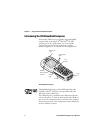
Good read
light
User-defined
lights
Scan
button
Intermec
Ready-to-Work
Indicator
Serial
port
Battery
light
Battery
CK30 Handheld Computer
CK30 Handheld Computers with an IEEE 802.11b/g radio
installed are Wi-Fi® certified for interoperability with other
802.11b/g wireless LAN devices.
The CK30 computer is available in three different models that
offer several options. To find out which model of the CK30 you
have, locate the configuration label on the back of the computer.
The first five characters of the configuration number indicate the
model of CK30 you ordered.
2
CK30 Handheld Computer User’s Manual
Chapter 1 — Using the CK30 Handheld Computer
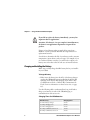
CK30AA0301000
CK
30A
A03
0100
0
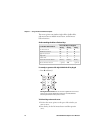
Configuration
number
Configuration Label: The label in this illustration is for a CK30 Model A
(CK30A).
Features Included With the Different Models of the CK30
Feature
CK30A
Ethernet (optional)
9
802.11b/g radio
*Bluetooth (optional)
9
CCX v2.0 compliance
CK30B
9
9
9
9
9
9
9
9
.NET Compact Framework
9
Pocket Internet Explorer
9
Internet Explorer 6, SQL Server CE
9
iBrowse
9
9
9
Color Display
32MB RAM/32MB Flash Memory
9
9
9
64MB RAM/64MB Flash Memory
200 MHz Processor
400 MHz Processor
9
9
IE Browser
Monochrome Display
CK30C
9
9
9
*Bluetooth is a trademark owned by Bluetooth SIG, Inc., USA.
CK30 Handheld Computer User’s Manual
3
Chapter 1 — Using the CK30 Handheld Computer
These options are available for the CK30B and CK30C:
• TE 2000 terminal emulation application including 3270,
5250, and VT/ANSI as well as third-party TE applications
• 1D linear imager, standard, or advanced long-range scanner
• Data Collection Browser (dcBrowser™) application
This option is only available for the CK30C:
• 2D area imager
Use this manual to understand how to use the features and
options available on the CK30. For additional help using
terminal emulation, see the TE 2000 Terminal Emulation
Programmer’s Guide (P/N 977-055-008).
For additional help using dcBrowser, see the documentation that
ships with the dcBrowser gateway software or the Data Collection
Browser Client User’s Guide (P/N 070011).
iBrowse is a locked-down web browser for Intermec devices that
is compatible with Microsoft’s Internet Explorer but does not
allow the user to exit out of the browser or key in a URL to
access a non-work related web site. For help using iBrowse, see
the iBrowse User’s Guide (P/N 961-055-015). For help using IE
Browser, see “Developing a Web-Based Application” on page
75.
What’s New?
This revision of the user’s manual supports these new features of
operating system build 3.00.xx.xxxx or higher and Intermec
Value Add (IVA) build 4.01.xx.xxxx or higher:
• The CK30 now ships with the SmartSystems™ client that
enables you to use SmartSystems Console to configure, install
applications, and upgrade your CK30s. For more
information, see “Configuring the CK30 With SmartSystems
Console” on page 38, “Installing Applications Using
SmartSystems Console” on page 86, or “Upgrading Your
CK30 Using SmartSystems Console” on page 101.
• Funk is the new default for security. For help, see
“Configuring Security” on page 53. With the addition of
CCX v2.0 compliance, the CK30 now supports WPA2.
4
CK30 Handheld Computer User’s Manual
Chapter 1 — Using the CK30 Handheld Computer
• New diagnostics for CPU and RAM monitoring. For more
information, see chapter 5, “Running Diagnostics.”
Using the Battery
The CK30 uses a model AB1G (P/N 318-020-XXX) lithiumion battery as its main power source. You must fully charge the
main battery before you can use the CK30. When you change
the battery, a backup battery maintains your status, memory,
and real-time clock for at least 10 minutes.
If the Battery light blinks or turns on solid, you cannot restore
factory defaults or perform a warm or cold boot on your CK30
using the I key. You must replace the battery with a fully
charged battery before you can perform either function.
Removing the main battery when the backup battery low or
critically low icon displays on the taskbar may cause your
CK30 to cold boot and you may lose data.
Attention: L’enlèvement de la batterie principale quand le
bas de secours de batterie ou les affichages en critique bas
d’icône sur le taskbar peut causer votre CK30 à la botte
froide et de vous peut perdre des données.
The lithium-ion battery pack that is used in this device may
present a fire or chemical burn hazard if it is mistreated. Do
not disassemble it, heat it above 100°C (212°F) or incinerate
it.
Avertissement: Le paquet de piles d’ions de lithium qui est
utilisé dans cet appareil peut presenter un risque feu ou un
risque chimique de brûlure s’il est maltraité. Il ne faut pas le
désassembler, le réchauffer à une température plus élevée que
100°C (212°F) ou l’incinérer.
CK30 Handheld Computer User’s Manual
5
Chapter 1 — Using the CK30 Handheld Computer
If you fail to replace the battery immediately, you may lose
important data or applications.
Attention: Si la batterie n’est pas remplacée immédiatement,
des données ou applications importantes risquent d’être
perdues.
Dispose of used battery packs promptly. Keep away from
children. Contact your local Intermec sales representative for
replacement batteries.
Several factors determine the life of your battery such as extreme
temperatures, input devices, and your usage. For example, if you
use a tethered scanner every day, you will need to replace your
battery more often than someone who uses an internal scanner.
Charging and Installing the Battery
Make sure you fully charge the AB1 battery before you install it
in your CK30.
To charge the battery
• Either insert the battery into the AC1 4-slot battery charger
or place the CK30 with battery installed in the AC2 4-Bay
Charging Dock, AC3 8-Bay Charging Dock, AD1 1-Bay
Communications Dock, or AD2 4-Bay Communications
Dock. For more information on these accessories, see page
135.
Use the following table to understand how long it will take to
charge your batteries in each of the CK30 charging or
communications dock accessories.
Charging Times for CK30 Batteries
6
CK30 Accessory
Charging Time
AC1 4-Slot Battery Charger
5 hours
AC2 4-Bay Charging Dock
5 hours
AC3 8-Slot Charging Dock
5 hours
AD1 1-Bay Communications Dock
3 hours
AD2 4-Bay Communications Dock
5 hours
CK30 Handheld Computer User’s Manual
Chapter 1 — Using the CK30 Handheld Computer
To install the battery
• Insert the tabs on the bottom of the charged battery into the
CK30 and snap the battery into place.
AB1
battery
Maximizing Battery Life
There are several things that you can do to prolong the life of
your fully charged battery.
1 Verify that Radio Power Management is enabled (Fast PSP).
Enabling radio power management allows your radio to
switch between awake and sleep modes based on network
traffic. If you use the default setting of disabled (CAM), you
will have the best network performance (data throughput) but
it will draw the most power from your battery.
2 Verify that the backlight timeout is set to 15 seconds.
3 Verify that Power Management has an automatic shutoff time
of 3 minutes.
You can use the Configuration Utility to easily make all of these
configuration changes. For help, see “Configuring the CK30
With the Configuration Utility” on page 34.
CK30 Handheld Computer User’s Manual
7
Chapter 1 — Using the CK30 Handheld Computer
Checking the Battery Status
The easiest way to tell the status of your battery is to look at the
battery icon on the taskbar of your CK30.
Battery Icon Status
Icon
Status
Battery has a medium charge. You should be able to work for
several more hours before changing batteries.
Battery is low. You need to replace the battery soon.
Battery is critically low. You need to replace the battery now.
You can also check the battery status by looking at the Battery
light on the front of the CK30 or by using the battery
diagnostics screen. For help using the Battery light, see
“Understanding the Status Lights” on page 19 for more
information. For help using the Battery Information diagnostic
screen, see “Battery Information” on page 105.
Using the Keypad
Your CK30 has one of the following keypad overlay options:
• 42-key large numeric and function
• 50-key full alphanumeric
• 52-key full alphanumeric
You can order all versions of the CK30 keypad with an
international overlay. The international overlay supports English
and many Western European languages, such as French,
German, Italian, Portuguese, and Spanish. You enter all of the
characters and functions printed above the keys just like you
would on a standard keypad.
Note: There are several hidden characters (such as { and }) on
each CK30 keypad that require using the color-coded keys to
access them. For more information on accessing these hidden
characters, refer to “Typing Characters Not Printed on the
Keypad” on page 138.
8
CK30 Handheld Computer User’s Manual
Chapter 1 — Using the CK30 Handheld Computer
The CK30 supports TE 2000 VT100/220/320/340 and ANSI,
TE 2000 5250, and TE 2000 3270. When you order the CK30
with a TE 2000 application, you must order the corresponding
keypad overlay. Use the TE 2000 keypad overlays to enter the
same keys that you can enter on a VT/ANSI keyboard, an IBM
5250 keyboard, or an IBM 3270 keyboard. The terminal
emulation keypads also come with the same color-coded keys
that are on the standard overlay.
For more help using TE 2000 terminal emulation, see the TE
2000 Terminal Emulation Programmer’s Guide (P/N 977-055008).
The 42-Key Large Numeric and Function Keypad
*
Scan
button
Backlight
key
Tab
Enter
Enter
Orange
key
Green
key
Ins
\
/
CAPS
Shift
Esc
A
Home C
B
&
*8
7
D
?
E
$
4
%
G
5
H
2
)
[
K
M
F2
,
.
F4
Y
Alt
Alpha
PROG
F8
V
F11
X
Ctl
3
F7
F10
F9
#
R
U
T
W
6
F3
F6
F5
^
N
Q
P
S
0
]
L
F1
O
.
J
Del
9
I
1
!
(
F
F12
Z
Sp
Sp
Power
key
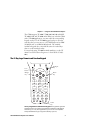
42-Key Large Numeric and Function Keypad: This keypad is designed for
applications that enter mainly numeric data (0-9) and that need dedicated
function keys (F1- F12). This keypad also lets you enter the entire alphabet
and special characters by pressing color-coded key sequences.
CK30 Handheld Computer User’s Manual
9
Chapter 1 — Using the CK30 Handheld Computer
The 50-Key Full Alphanumeric Keypad
*
Backlight
key
Power
key
\
+
¦
{
[
‘
“
.
?
/
Del
F7
F8
F9
F4
F5
F6
F1
F2
F3
Ins
Alt
Esc key
}
]
CAPS
Home
Green
key
Orange
key
Space
F10
PROG
50-Key Full Alphanumeric Keypad: This keypad is designed for
applications that enter mainly numeric data (0-9) and that may need to enter
the entire alphabet. The keypad also provides shifted function keys (F1-F9)
and special characters, symbols, and functions by pressing color-coded key
sequences.
Note: The 50-key keypad does not have a scan key, because it
was designed to work with the required AH1 handle that has a
built-in scanner trigger.
10
CK30 Handheld Computer User’s Manual
Chapter 1 — Using the CK30 Handheld Computer
The 52-Key Full Alphanumeric Keypad
Scan
button
Backlight
key
Tab
Orange
key
Green
key
7
8
9
F1
4
5
6
F3
F2
1
2
3
F4
0
.
Esc
Alt
A
B
C
D
E
F
G
H
I
J
K
L
M
N
O
P
Q
R
S
T
I/O
W
U
V
Y
Power
key
52-Key Full Alphanumeric Keypad: This keypad is designed for
applications that enter mainly numeric data (0-9) and that may need to enter
the entire alphabet. The keypad also provides function keys (F1-F24) and
special characters, symbols, and functions by pressing color-coded key
sequences.
CK30 Handheld Computer User’s Manual
11
Chapter 1 — Using the CK30 Handheld Computer
Using the Color-Coded Keys
Each keypad available for the CK30 provides color-coded keys
to let you access additional characters, symbols, and functions
printed on the keypad overlay. Once you understand how to use
the color-coded keys and key sequences, you will know how to
access all of the additional features printed on the keypad
overlay. There are two color-coded modifier keys on the CK30:
the orange B key and the green C key.
You press and release the first key and then press and release the
second key to access the color-coded character or function
printed above a key.
Using the Color-Coded Keys
You Want To:
Press:
Example
Use an orange character or
function printed above a key
B key and then the key with
character or function printed
above it
Press B and then 2 to type
the @ character on the 52-key
keypad.
Use a green character or function
printed above a key
C key and then the key with
character or function printed
above it
Press C and then J to type
the } character on the 50-key
keypad.
Use a blue character printed on a
key (42-key and 50-key keypads
only)
Shift key and then the key
Press Shift and then 4 to type
the $ character on the 42-key
keypad.
Lock the orange, green, Ctl, Alt,
or Shift key to stay on
B , C, Ctl, Alt, or Shift key
twice
Press C twice and the
appears in the taskbar.
Unlock a green, orange, Ctl, Alt,
or Shift key
B , C, Ctl, Alt, or Shift key
once
Note: There are several hidden characters (such as { and }) on
each CK30 keypad that require using the color-coded keys to
access them. For more information on accessing these hidden
characters, refer to “Typing Characters Not Printed on the
Keypad” on page 138.
12
CK30 Handheld Computer User’s Manual
Chapter 1 — Using the CK30 Handheld Computer
Capitalizing All Characters
To type all alphabetic characters as uppercase letters, you can
enable the Caps Lock feature on the CK30 keypad.
To enable Caps Lock
1 Press the orange B key. The B icon appears on the taskbar.
2 Press one of these keys:
• On the 52-key keypad, press A.
• On the 42-key and 50-key keypad, press Shift.
The Caps Lock icon (
) appears on the taskbar.
3 Type an alphanumeric character. The letter appears as an
uppercase character on the CK30 screen.
To disable Caps Lock
• Press the same key sequence you used to enable it.
Using the Alpha Key on the 42-Key Keypad
The 42-key keypad provides an Alpha key to allow you to enter
alpha characters when necessary.
To enable the Alpha key
1 On the 42-key keypad, press the Alpha key. The Alpha icon
( ) appears on the taskbar.
2 Press a function or numeric key. The corresponding orange
alpha letter appears on the screen.
To disable the Alpha key
• Press B or C.
CK30 Handheld Computer User’s Manual
13
Chapter 1 — Using the CK30 Handheld Computer
Using the Power (I) Key
When you press the I key to turn off the CK30, you actually
put the CK30 in Suspend mode. In Suspend mode, the CK30
continues to supply power to all memory, but turns off power to
most hardware. This power-saving feature is designed to prolong
battery life.
When you press the I key to turn the CK30 back on, your
computer resumes where it was when you turned it off.
If you are using WPA2, WPA, or 802.1x security, the computer
may need to reauthenticate before it starts your application.
If the Battery light flashes and your CK30 does not resume after
pressing I, your battery may be too low to supply power.
Replace the battery. If replacing the battery does not solve the
problem, see “Booting the CK30” on page 128.
Disabling or Modifying Keypad Functions
You can disable the functionality of several keys on the keypad if
you want to restrict the ability to perform adjustments made
from the keypad, such as changing the contrast.
You can disable these keypad functions:
• Beeper volume
• Task Manager (opened by pressing Alt and then Tab)
Note: When you disable Alt Tab, you also disable the Alt Esc
key sequence.
You can modify this keypad function:
• The behavior of the I key. You can configure the boot
functionality to either warm or cold boot when you press and
hold the I key for five seconds.
To disable keypad functions
1 Press C and then B. The System Main Menu appears.
2 Select the Configuration Utility.
14
CK30 Handheld Computer User’s Manual
Chapter 1 — Using the CK30 Handheld Computer
3 Select Device Settings > Keypad. The Keypad settings screen
appears:
4 Choose the function you want to disable from the Keypad
menu, select Disable from the function dialog box, and then
press Enter.
5 Exit the Configuration Utility.
To change the I key functionality
1 Press C and then B. The System Main Menu appears.
2 Select the Configuration Utility.
3 Select Device Settings > Keypad.
4 From the Keypad menu, select Configure Boot
Functionality.
5 Choose Warm Boot or Cold Boot and then press Enter.
6 Exit the Configuration Utility.
Using the Screen
The CK30 can have either a color or monochrome display
depending on the model. Both screens are 160 x 160 pixels. The
desktop is 160 x 140 pixels and the taskbar is 160 x 20 pixels. In
addition, the screens support Unicode characters, userprogrammable fonts, and bitmap graphics.
CK30 Handheld Computer User’s Manual
15
Chapter 1 — Using the CK30 Handheld Computer
Desktop
Taskbar
CK30 Start Screen
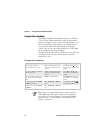
Understanding the Screen Icons
Use the screen icons on the taskbar to see the battery status,
network connections, and special keys or functions you may be
using.
CK30 Screen Icons
Icon
Description
Battery is half full. You should be able to work for several more
hours before changing batteries.
Battery is low. You need to replace the battery soon.
Battery is critically low. You need to replace the battery now.
Backup battery is low.
Strong signal strength with the access point and security is enabled.*
Medium signal strength with the access point and security is
enabled.*
Weak signal strength with the access point and security is enabled.*
Strong signal strength with the access point, but security is not
configured correctly.
Medium signal strength with the access point, but security is not
configured correctly.
Weak signal strength with the access point and security is not
configured correctly.
No connection to the access point. For help, see “Problems With
Wireless Connectivity” on page 124.
* If you are using static WEP and you cannot send information wirelessly,
make sure your WEP key setting is correct.
16
CK30 Handheld Computer User’s Manual
Chapter 1 — Using the CK30 Handheld Computer
CK30 Screen Icons (continued)
Icon
Description
Mouse pointer is turned on.
Ethernet connection.
No Ethernet connection.
Orange key is enabled.
Green key is enabled.
Green key is locked.
Orange key is locked.
Ctrl key is enabled.
Alt key is enabled.
Shift key is enabled.
Caps Lock key is enabled.
Alpha key is enabled (locked).
The window positioning feature is turned on.
The CK30 is buffering (storing) data.
You are in the password-protected area of the CK30.
The CK30 is connected using ActiveSync.
UDP Plus is connected.
UDP Plus is transferring data.
No UDP Plus connection.
The CPU monitor is enabled.
The RAM monitor is enabled.
Using the Mouse Pointer
If you need to use a mouse to perform an action, you can use the
mouse pointer on your CK30.
To turn on the mouse pointer
• Press Alt and then b. The mouse screen icon (
your taskbar.
CK30 Handheld Computer User’s Manual
) appears in
17
Chapter 1 — Using the CK30 Handheld Computer
The mouse pointer can simulate single-clicks, double-clicks,
right mouse button, middle mouse button, and left mouse
button functions.
Understanding the Mouse Pointer Keys
To Simulate This Function:
Press This Key on a Keypad:
42-key
50-key
52-key
Left mouse button
F2
X
B
Middle mouse button
F3
Y
C
Right mouse button
F4
Z
D
Single-click
5
5
5
Double-click
s
s
s
Press down on mouse button
0 (zero)
0 (zero)
0 (zero)
Release the mouse button
. (period)
Tab
. (period)
For example, to generate a left single-click with the 52-key keypad
• Press B and then 5.
Moving the Mouse Pointer: Use the numeric keypad to move the mouse
pointer by pressing the appropriate number key associated with the
direction you want the mouse pointer to move.
To click and drag an item on the screen
1 Position the mouse pointer on the part of the window you
want to move.
2 Press the key for the left mouse button and then press 0
(zero).
18
CK30 Handheld Computer User’s Manual
Chapter 1 — Using the CK30 Handheld Computer
3 Use the directional keys to drag the mouse pointer.
4 Release the mouse pointer by pressing .(period) or Tab
depending on your keypad.
To turn off the mouse pointer
• Press Alt and then b.
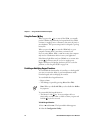
Repositioning a Window
If you need to move a window to see more of a screen, you can
reposition the window without having to use the mouse pointer.
When you turn on the positioning feature, the focus is on the
top window. You can change the focus to another window by
using the Task Manager to select a different task. See “Managing
Applications on the CK30” on page 94.
To reposition a window
1 Press Alt and then E. An icon (
) appears on the taskbar.
2 Use the numeric keypad to move the window. See page 18 for
an illustration of the numeric keypad and how to use the
number keys as directional keys.
To recenter the window in the CK30 screen
• Press 5.
To turn off the repositioning feature
• Press Alt and then E.
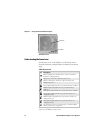
Understanding the Status Lights
The status lights on the CK30 turn on to indicate the status of
the battery, a successful decode of a bar code, or a user-defined
function.
CK30 Handheld Computer User’s Manual
19
Chapter 1 — Using the CK30 Handheld Computer
Good Read
light (green)
Battery
light
Ready-to-Work
indicator (blue)
User-defined
lights
CK30 Status Lights
The Battery light and the battery screen icons work with each
other to alert you to the status of your battery. If the Battery
light comes on, check the taskbar to see which battery icon
appears on it. Use the CK30 Screen Icons table on page 16 to
help determine when you need to replace your battery.
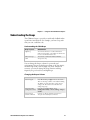
Understanding the CK30 Status Lights
Light Name
Light
Description
User-Defined
Use the Intermec resource kits to program these lights to
turn on and off for any task or error within your
application. The resource kits are part of the Intermec
Developer Library (IDL), which is available from the
Intermec web site at www.intermec.com/idl.
Battery
Light Status
What It Means
Off
The battery is charged.
On
Good Read
Ready-to-Work™ indicator
Battery is critically low. You need to
replace the battery now.
This green light comes on when the CK30 successfully
decodes a bar code.
This blue light indicates when the CK30 is ready to use TE
2000.
Light Status
What It Means
Off
TE 2000 has not loaded
successfully.
The CK30 is not connected to the
host.
A connection to the server has been
established and all network
connections are active. You can use
TE 2000.
Blinking
On
20
CK30 Handheld Computer User’s Manual
Chapter 1 — Using the CK30 Handheld Computer
Understanding the Beeps
The CK30 uses beeps to provide you with audio feedback when
it performs some functions. For example, you hear a beep each
time you scan a valid bar code.
Understanding the CK30 Beeps
Beep Sequence
What It Means
High beep
You entered valid data or a valid command, the
CK30 decoded a label, or the CK30 decoded the last
row of a two-dimensional bar code.
Three low beeps
You entered or scanned an invalid command.
Click
You pressed a key.
You can change the beeper volume for your needs and
environment. You can set the beeper volume to off, low (quiet),
medium, high (loud), and very high (very loud - default). If
necessary, you can also change the beep duration and beep
frequency for good read, low, and high beeps.
Changing the Beeper Volume
Method
Procedure
Use the keypad.
Press C and then press E to increase the volume.
There are five beep volumes on the CK30 including
off. When you reach the loudest setting, the next
setting is off. The volume starts with the lowest
setting and goes up.
Use the Intermec
Configuration menu.
From the System Main Menu, choose
Configuration Utility > Device Settings > Beeper >
Volume.
Use the Beeper
Volume command.
For help, see “Beeper Volume” in the Intermec
Computer Command Reference Manual.
CK30 Handheld Computer User’s Manual
21
Chapter 1 — Using the CK30 Handheld Computer
Scanning Bar Codes
Do not look directly into the window area or at a reflection
of the laser beam while the laser is scanning. Long-term
exposure to the laser beam can damage your vision.
Avertissement: Ne regardez pas directement la réflexion d’un
rayon laser ou dans la fenêtre du laser lorsque celui-ci est en
opération. Si vous regardez trop longtemps un rayon laser,
cela peut endommager votre vue.
Use the scanner to scan and enter bar code data. The type of
scanner you are using and the type of bar code you are decoding
determines the way you scan the bar code. The CK30 supports
the scanning of 1D linear bar codes and 2D images depending
on your model of CK30. Plus, if you are using an integrated
handle or a tethered scanner, the way you scan bar codes is
different.
When you unpack the CK30, these bar code symbologies are
enabled:
• Code 39
• Code 128
• Datamatrix (if supported)
• PDF417
• UPC/EAN
If you are using bar code labels that are encoded in a different
symbology, you need to enable the symbology on the computer.
Use the Configuration Utility to enable and disable symbologies
for your scanner. For help understanding how to use the
Configuration Utility, see “Configuring the CK30 With the
Configuration Utility” on page 34.
The next sections describe how to scan a bar code label with the
integrated laser scanner, 1D linear imager, 2D area imager,
tethered scanner, or scanner attached to the serial port.
22
CK30 Handheld Computer User’s Manual
Chapter 1 — Using the CK30 Handheld Computer
Scanning With the Integrated Laser Scanner or 1D Linear Imager
If the CK30 has a laser scanner or 1D linear imager, use the
following procedure to practice how to scan a bar code. The
linear imager can decode PDF417 bar codes as well as bar codes
with high-density, wide-density, and poor quality in any lighting
conditions.
To scan a bar code label with the laser scanner or 1D linear imager
1 Press I to turn on the CK30.
2 Point the scanner window at the bar code label and hold the
computer at a slight angle six to ten inches from the label.
Note: If you have an advanced long-range scanner, you may
need to hold the computer further away from the label.
3 Press the Scan button on the keypad or pull the trigger on a
handle and direct the red beam so that it falls across all bars in
the bar code label.
Good Read light (green)
*C
EM
RE
TN
I*
Scan button
Scanning: Using the integrated laser scanner or 1D linear imager to scan a bar
code label.
CK30 Handheld Computer User’s Manual
23
Chapter 1 — Using the CK30 Handheld Computer
When the CK30 successfully reads a bar code label, you hear
a high beep and the green Good Read light turns on briefly.
4 Release the Scan button.
Scanning With the 2D Area Imager
The CK30C may have the 2D area imager option instead of the
1D linear imager or laser scanner. The 2D imager provides the
ability to scan 2D bar code symbologies and supports omnidirectional (360°) scanning. Omni-directional scanning means
that you can position the CK30 in any orientation to scan a bar
code label. Using the 2D area imager is very similar to taking a
picture with a digital camera.
To scan a bar code label with the 2D area imager
1 Press I to turn on the CK30.
2 Point the scanner window at the bar code label and hold the
CK30 steady a few inches from the label.
3 Press the Scan button on the keypad or pull the trigger on a
handle and center the red aiming beam over the bar code
label.
Good Read light (green)
*C
EM
RE
TN
I
*
Scan button
Scanning: Using the 2D imager to scan a bar code label.
24
CK30 Handheld Computer User’s Manual
Chapter 1 — Using the CK30 Handheld Computer
The imager flashes repeatedly while it is trying to read a bar
code. The aiming beam is smaller when the imager is closer to
the bar code and larger when it is further away.
When the CK30 successfully reads a bar code label, you hear
a high beep and the green Good Read light turns on briefly.
4 Release the Scan button or the trigger.
If you have problems scanning a bar code with the 2D imager,
try following some of these tips to improve the performance of
your imager:
• Set Lighting mode to Illum LED Priority.
• Keep your hand as steady as possible while scanning a label.
• Make sure that Aimer LED Duration is set to zero.
• Position the imager as close to the bar code as possible while
still being able to capture the entire bar code.
• Enable only the bar codes that you need to use every day.
Use Intermec Settings to configure these imager commands. For
help using Intermec Settings, see “Configuring the CK30 With
SmartSystems Console” on page 38. For more information on
the commands and their parameters, see the Intermec Computer
Command Reference Manual (P/N 073529). The Intermec
Computer Command Reference Manual is available from the
Intermec web site or from the CD that ships on the inside front
cover of this user’s manual.
Attaching a Tethered Scanner
You can use a tethered scanner with the CK30 if you ordered it
with a 10-pin tethered scanner port in place of the integrated
scanner. The following devices are currently supported by the
CK30:
Supported Device
Required Cable
1550C
068419-001
1551E
3-606034-02
1553
3-606034-02
128X wand
069444-002
ASCII
3-606034-02
CK30 Handheld Computer User’s Manual
25
Chapter 1 — Using the CK30 Handheld Computer
Supported 1550C01 series scanners include: 1550C0100,
1550C0102, 1550C0104, and 1550C0105.
To attach a tethered scanner
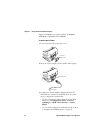
1 Locate and remove the scanner port cover.
Scanner
port cover
2 Insert the scanner 10-pin connector until it locks in place.
Scanner port
To scanner
3 Configure the Scanner Model command and select the
tethered device connected to the CK30. There are several
ways to configure the scanner model:
• Use the Configuration Utility. From the System Main
Menu, choose Configuration Utility > Scanners,
Symbologies > CK30 Tethered Scanner > Scanner
Model.
• Use one of the configuration methods discussed in “How
to Configure the CK30 Parameters” on page 32.
26
CK30 Handheld Computer User’s Manual
Chapter 1 — Using the CK30 Handheld Computer
4 Modify any scanner commands necessary to meet your needs.
Use the Configuration Utility or one of the configuration
methods discussed on page 32.
Using Energy Saving Mode With Your 1551E or 1553 Scanner
Use Energy Saver mode with your 1551E or 1553 scanner to
save battery power on your CK30. When you use Energy Saver
mode, the scanner is active while you are pressing the trigger and
goes into Standby mode after a good read. With Energy Saver
mode enabled, the current consumption drops to zero during
standby. Full energy is restored when you scan the next label.
To use Energy Saver mode, you need:
• An energy saver cable. On a 10-pin scanner port, cable
P/N 3-606034-02 is required.
• Firmware version 2.13 or later on the scanner.
For help using the Configuration Utility, see “Configuring the
CK30 With the Configuration Utility” on page 34.
To enable Energy Saver mode
1 From the Configuration Utility, choose Dock Tethered
Scanner > Scanner Settings > Energy saver mode.
2 Select Enable and press Enter.
3 Press Esc until you exit the Configuration Utility.
Attaching a Scanner to the Serial Port
You can attach a scanner to the serial port of the CK30 if you
order a serial adapter or a required cable. There are two serial
adapters available to support decoded and undecoded scanners:
• Undecoded serial adapter (P/N 075509)
• Decoded serial adapter (P/N 075510) or AA2 cable
Use these tables to locate the serial adapter and the required
cable you need for your scanner.
CK30 Handheld Computer User’s Manual
27
Chapter 1 — Using the CK30 Handheld Computer
Undecoded Serial Adapter and Required Cables
Scanner
Serial
Adapter
Required Cable
128X wands
075509
069444-005
1550C05XX*
075509
068424 or 068425
*Supported 1550C05 series scanners include: 1550C0500, 1150C0502, and
1550C0504.
Decoded Serial Adapter or AA2 Cable and Required Cables
Scanner
Serial
Adapter
Required Cable
1400
075510 or AA2
3-604032-03, 3-604032-05, or 3-604032-06
1551E
075510 or AA2
3-604032-03, 3-604032-05, or 3-604032-06
1553E
075510 or AA2
3-604032-03, 3-604032-05, or 3-604032-06
1800
075510 or AA2
3-606032-03
To attach a scanner to the serial port
1 Connect a scanner to the DB9 connector on the serial adapter
or cable.
2 Hook the serial adapter into the battery on the CK30 and
then snap it into place. If you are using the AA2 serial
adapter, attach the 26-pin connector to the serial port.
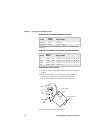
Serial adapter
DB9 connector
Battery
3 Attach the scanner to the serial adapter.
28
CK30 Handheld Computer User’s Manual
Chapter 1 — Using the CK30 Handheld Computer
4 Refresh Intermec Settings.
If you attach the undecoded serial adapter, the default scanner
is the 1550C05XX If you attach the decoded serial adapter,
the default scanner is the 1551E.
5 Use Intermec Settings to select your scanner model and
configure the serial port. For help using Intermec Settings, see
“Configuring the CK30 With SmartSystems Console” on
page 38.
Note: When you attach an undecoded serial adapter to the
CK30, the internal scanner does not work.
Installing an SD Card
You can use a Secure Digital (SD) card to increase file storage
and install software. The CK30 currently supports SD cards that
hold up to 1 gigabyte of information. The SD card slot is
located on the top of the CK30 just above the laser scanner
window.
To insert an SD card
1 Press I to turn off the CK30.
2 Remove the two screws on the SD card slot door and remove
the door.
3 Gently insert the SD card into the CK30 with the printed
side facing the keypad and screen side of the CK30.
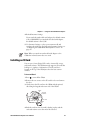
CK30
SD card
retainer
SD card
4 Push the card into the slot until it latches in place and the
steel card retainer covers the end of the SD card.
CK30 Handheld Computer User’s Manual
29
Chapter 1 — Using the CK30 Handheld Computer
5 Replace the door, making sure to insert the door catch into
the slot above the steel card retainer.
Door
Screw
(2 places)
SD card
retainer
Door
catch
6 Replace the two screws.
7 Press I to turn on the CK30.
To remove the SD card
1 Press I to turn off the CK30.
2 Remove the two screws on the SD card slot door and remove
the door.
3 Push in on the SD card until you hear it unlatch. The card
should eject far enough that you can easily remove it from the
CK30.
If the card does not eject easily, you can use the door catch to
remove it by turning the door upside down and using the
catch to pull out the SD card.
SD card
Door
catch
4 Remove the SD card from the CK30.
30
CK30 Handheld Computer User’s Manual
2
Configuring the CK30
Use this chapter to understand how to configure the CK30 to
communicate in your network. In this chapter, you will find
these sections:
• How to Configure the CK30 Parameters
• Configuring the CK30 for Your Network
• Configuring Security
CK30 Handheld Computer User’s Manual
31
Chapter 2 — Configuring the CK30
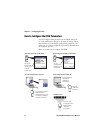
How to Configure the CK30 Parameters
You can configure many parameters on the CK30, such as the
bar code symbologies it decodes or the network settings. These
characteristics are controlled by configuration parameters. The
values you set for these configuration parameters determine how
the computer operates.
There are several ways to configure the CK30:
Use Setup Assistant on the CK30
Use Configuration Utility on the CK30
Use the
Configuration
Utility to set all
parameters.
Use Setup
Assistant to
quickly enter
network
parameters.
Use the SmartSystems Console
Use Configuration Commands
Send commands
through the
network to
your CK30s.
Ethernet
or Wireless
Network
Use Intermec Settings
from within the
SmartSystems Console
to remotely configure
network parameters.
Scan Bar Codes
Scan bar codes
to configure basic
CK30 and data
collection
parameters.
32
CK30 Handheld Computer User’s Manual
Chapter 2 — Configuring the CK30
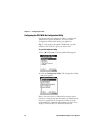
Configuring the CK30 With the Setup Assistant
When first setting up the CK30, use the Setup Assistant to set or
enable basic network parameters and connect your CK30 to the
network. The Setup Assistant guides you through setting the
following basic network parameters:
• Date and time
• 802.11 radio
• WEP security
• DHCP server or IP address, subnet mask, and default router
• Device name
Note: If you are using the CK30 in an EasyADC system, enable
the ION client. Your CK30 configures the security parameters,
reboots, and launches the TE 2000 application. When the CK30
connects to its host, the Intermec Ready-to-Work Indicator
turns on solid blue.
To set other parameters, use the Configuration Utility or
another configuration method. The Setup Assistant runs on the
CK30 the first time you turn on the computer.
The Setup Assistant Start Screen
After you complete the Setup Assistant, the CK30 should be
communicating with your network.
CK30 Handheld Computer User’s Manual
33
Chapter 2 — Configuring the CK30
Configuring the CK30 With the Configuration Utility
Use the menu-driven Configuration Utility to configure the
CK30 and view system information. You can access the
Configuration Utility while running any application.
Tip: To easily navigate through the CK30 menus, press the
numbers to the left of the option you want to select.
To open the Configuration Utility
1 Press C and then B. The System Main Menu appears.
2 Select the Configuration Utility. The Configuration Utility
main menu appears.
Refer to the next sections to understand your menu options,
learn how to navigate and enter information, and learn how the
menus are organized in the Configuration Utility. For help
understanding the commands and parameters, see the Intermec
Computer Command Reference Manual (P/N 073529).
34
CK30 Handheld Computer User’s Manual
Chapter 2 — Configuring the CK30
When using the Configuration Utility, you may not see a
parameter until you enable or disable a value for another key
field. For example, you will not see IP Settings unless you disable
DHCP. You may also not see a parameter if your computer does
not support a particular feature.
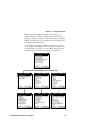
Use the following diagram to find the commands you need to
use to configure your CK30s. These screens do not represent the
exact information you will see on your CK30. They have been
modified to show you how the information is structured.
Configuration Utility Menus at a Glance
CK30 Handheld Computer User’s Manual
35
Chapter 2 — Configuring the CK30
Configuration Utility Menu Options
Menu Option
Description
Data Collection
Configure scanner settings and bar code
symbologies.
Communications
Set up network settings including the
802.11b/g radio and the Bluetooth radio.
Device Settings
Configure settings specific to the CK30
such as the date, time, beeper volume, and
backlight timeout.
SmartSystems Information
Add information specific to the
SmartSystems application such as identity,
administrator, and location.
ION Configuration
Configure settings specific to the Instant
On (ION) application.
Restore Defaults
Restore factory default settings on your
CK30.
Use this table to understand how to navigate and enter
information in the Configuration Utility.
Navigating in the Configuration Utility
36
To Do This:
Press:
Select an option
• The number associated with the option
• a or b to select an option and then
press Enter
• Tab to select an option and then press
Enter
Save a setting
Enter key
Exit or return to a previous
screen
Esc until you exit the application or return
to a previous screen
Delete a character
C key, Backspace () key
Delete all characters in a field
when highlighted
Backspace () key
Return to the Configuration
Utility main menu (Home)
On the 42-key and 52-key keypads:
• Press C and then 8
On the 50-key keypad:
• Press C and then H
CK30 Handheld Computer User’s Manual
Chapter 2 — Configuring the CK30
Restoring Default Settings
You can restore the CK30 to factory default settings from the
Configuration Utility. For a complete list of the default settings,
see “Default Configuration Settings” on page 144.
Note: Using the Restore Defaults option resets all network
parameters. As a result, you may lose network communications.
This option should only be used by network administrators or
by Intermec support personnel.
To restore factory default settings
1 From the Configuration Utility menu, select Restore
Defaults.
2 Press Enter to select Restore Defaults. The following Restore
Defaults dialog box appears.
3 Press Enter to restore factory defaults.
Your CK30 performs a cold boot and returns all of your
settings to the factory default settings.
4 If you have CAB files loaded on your CK30, you will see a
Confirm File Replace dialog box. Select Yes to All and then
press Enter. The CK30 installs your CAB files.
When the CK30 is done booting, the Start Screen or the
Setup Assistant appears depending on your settings.
Note: You may need to reinstall some applications after
restoring the default settings because any settings that were
modified for your application will be reset.
CK30 Handheld Computer User’s Manual
37
Chapter 2 — Configuring the CK30
Exiting the Configuration Utility
You can exit the Configuration Utility at any time by pressing
the Esc key. If you have made changes to your configuration,
they will automatically be saved to flash if you save your
changes.
To exit the Configuration Utility
1 Press Esc until you return to the System Main Menu. If you
have made any changes to your configuration, the Save
Changes dialog box appears.
2 If you want to save your configuration, select Save changes.
If you do not want to save your configuration changes, select
Discard changes.
Configuring the CK30 With SmartSystems Console
The SmartSystems™ Console lets you manage all your
SmartSystems-enabled devices at the same time from a central
host PC. The CK30 ships with a SmartSystems™ Client, which
means it is SmartSystems-enabled. The SmartSystems Console
displays all of the CK30s in your network. In the console, you
can right-click a CK30 and a menu appears. To configure the
CK30, choose Intermec Settings from the menu.
The console is part of SmartSystems Foundation and is available
from the Intermec web site. To download SmartSystems
Foundation, go to www.intermec.com/smartsystems. For
information on how to use the SmartSystems Console, see the
online manual available from the Help menu in the console.
38
CK30 Handheld Computer User’s Manual
Chapter 2 — Configuring the CK30
Configuring the CK30 by Scanning Bar Codes
You can change some of the configuration parameters of the
CK30 by scanning Code 39 or Code 93 bar code labels
containing configuration commands. This method is a fast and
easy way to change just a few configuration parameters on a
single CK30.
You can only change some of the configuration parameters by
scanning bar codes. To configure all of the configuration
parameters, use the Configuration Utility or send commands
through the network to your CK30.
You can print and scan the bar code labels from the Intermec
Computer Command Reference Manual or you can create your
own bar code labels. For help, see the Intermec Computer
Command Reference Manual.
You can also use Intermec’s EasySet software to print
configuration labels you can scan to change your configuration
settings. For more information, see the EasySet online help.
EasySet is available from the Intermec Data Capture web site.
There are some limitations on using EasySet labels to change
symbology configuration settings. Please use an alternate method
of configuration for setting up symbologies.
For example, you can use the Beeper Volume configuration
command to adjust the beep volume of the CK30. Scan this bar
code label to set the volume to the lowest (quietest) level:
Beeper Volume Low
*$+BV1*
*$+BV1*
When you scan bar code configuration commands, the CK30
emits a series of beeps unless the volume is turned off. There are
two beep sequences:
• One high beep means you scanned a valid configuration
command.
• Three low beeps means you scanned an invalid configuration
command.
CK30 Handheld Computer User’s Manual
39
Chapter 2 — Configuring the CK30
Configuring the CK30 Through the Network
You can change the configuration parameters of the CK30 by
sending commands through a host computer or through the
network. If you are using a network, you can configure one or
more CK30s at a time. You can remotely configure the wireless
or Ethernet CK30 by sending a command from an application
on the host computer. You cannot set all parameters through the
network. You can only set those commands that have a syntax in
the Intermec Computer Command Reference Manual.
Note: You can continue running an application on the CK30
while configuring it from the host.
Configuring the CK30 in a UDP Plus Network
You can use the host computer to configure a CK30 in your
wireless or Ethernet network. To send and receive configuration
data or files, you need to write a host application that can
communicate with the Intermec Application Server.
For help, see the appropriate Intermec Application Server user’s
manual. You use the Terminal Message Format (TMF) protocol
to send and receive transactions between the host application
and the CK30.
To set up the Intermec Application Server
• Configure a peer-to-peer destination name for the host
application. Create a transaction ID, $NGCFGRSP, that will
be routed to this destination name. The Intermec Application
Server uses the transaction ID to route responses from the
CK30 back to the host application. $NGCFGRSP is a special
transaction ID that the server uses to forward configuration
response data from a CK30.
All configuration responses are routed with the
$NGCFGRSP transaction ID. The Intermec Application
Server cannot keep track of multiple applications sending
reader or configuration commands. If you have two host
applications sending reader or configuration commands, they
must both be configured to receive the $NGCFGRSP
transactions, and therefore both will receive all responses from
all CK30s.
40
CK30 Handheld Computer User’s Manual
Chapter 2 — Configuring the CK30
To set up the host computer
• Verify that the host computer can communicate with the
Intermec Application Server.
To set up the application
• Prepare and write a host application that can communicate
with the Intermec Application Server and send transactions to
and receive transactions from the CK30 in this format:
transaction header
TMF field
commands
where:
transaction
header
is a 96-byte field containing the message
number, date and time, source application ID,
destinations application ID, transaction ID,
and other information. You must set the system
message (SYS$MSG) flag to E in the
transaction header. For help, see the Intermec
Application Server user’s manual.
TMF field
is a 2-byte field containing one of these values:
commands
CG
Configuration Get request sent from the
host application.
Cg
Configuration Get response sent from
the CK30 to the host.
CS
Configuration Set request sent from the
host application.
Cs
Configuration Set response sent from
the CK30 to the host.
are the reader and configuration commands
that you want to set on the CK30 or the
current value you want to retrieve from the
CK30. To save configuration changes in flash
memory, send the reader command .+1 as the
last command.
For a list of all supported commands, see the
Intermec Computer Command Reference Manual.
CK30 Handheld Computer User’s Manual
41
Chapter 2 — Configuring the CK30
To see an example of the host application transaction, see the
example on page 43.
Configuring the CK30 in a TCP/IP Direct Connect Network
You can use the host computer to configure a wireless or
Ethernet CK30 in your TCP/IP network. To send and receive
configuration data, you need to write a host application that can
communicate with the CK30 directly through an access point or
through the Ethernet network. Use the Terminal Message
Format (TMF) protocol to send and receive transactions
between the host application and the CK30.
To set up the host computer
• Verify that you can communicate with the CK30.
To set up the application
• Prepare and write a host application that can communicate
with the CK30. Send message transactions to and receive
transactions from the CK30 on the network port using this
format:
TMF field
commands
where:
TMF field
is a 2-byte field containing one of these values:
CG Configuration Get request sent from the
host application.
Cg
Configuration Get response sent from the
CK30 to the host.
CS Configuration Set request sent from the
host application.
Cs
commands
42
Configuration Set response sent from the
CK30 to the host.
are the reader and configuration commands
that you want to set on the CK30 or the
current value you want to retrieve from the
CK30. To save configuration changes in flash
memory, send the reader command .+1 as the
last command.
CK30 Handheld Computer User’s Manual
Chapter 2 — Configuring the CK30
For a list of all commands, see the Intermec Computer Command
Reference Manual.
Example
In the host application, you want to get the current values of
two configuration commands from the CK30. Send this
transaction from the host application:
CG$+NABV
Note: The transaction header is not shown in this example. You
do not need a transaction header for a host application in a
TCP/IP network, but you do for a UDP Plus network.
where:
CG
is a TMF Configuration Get request.
$+
is the Change Configuration reader command.
BV
is the Beeper Volume configuration command.
The CK30 returns this transaction to the host application.
Cg$+BV4
where:
Cg
is a TMF Configuration Get response.
$+
is the Change Configuration reader command.
BV4
means the Beep Volume configuration command is
currently set to a value of 4, which is a very high beeper
volume.
Synchronizing the CK30 System Time With a Time Server
It is important that the time on all of your CK30s be
synchronized with a network time server to ensure real-time
communications and updates. Network time servers acquire
Coordinated Universal Time (UTC) from an outside source
such as the U.S. Naval Observatory (USNO). The CK30 uses
Simple Network Time Protocol (SNTP) to synchronize with a
network time server.
CK30 Handheld Computer User’s Manual
43
Chapter 2 — Configuring the CK30
The default reference time server is the USNO
(tock.usno.navy.mil). To synchronize the time on your CK30
with this time server, you must have a valid connection to the
Internet. You can also synchronize the CK30 system time with a
corporate network server within your firewall that is SNTP
capable. To use an internal corporate network server, you need
to set the domain name in the registry.
Configuring the CK30 for Your Network
The CK30 is a versatile handheld computer that you can easily
add to your wired or wireless data collection network. You can
connect your CK30 to your network using:
•
•
•
•
Serial communications
802.11b/g radio communications
Ethernet communications
Bluetooth™ radio communications
Configuring Serial Communications
The CK30 has a serial port to transfer data to and receive data
from another device via RS-232 communications. You can also
insert the CK30 into a communications dock to transmit data to
and receive data from a host computer or PC using RS-232
communications. The serial cable and the communications dock
are sold separately. For more information on accessories and
how to order them, see page 135.
44
CK30 Handheld Computer User’s Manual
Chapter 2 — Configuring the CK30
Host
Ethernet
Serial cable
PC
CK30
CK30 in a Serial Network
To use serial communications with your CK30
1 Turn off the CK30.
2 Connect the CK30 to the serial port of another device. You
can do this in one of the following ways:
• Connect the CK30 serial port to the serial port of the other
device using the AA1 (26-pin to DB9-pin) serial cable
adapter and a female-to-female null modem RS-232 cable.
• Connect the AD1 or AD2 communications dock to the
serial port of the other device using a DB9-pin to DB9-pin
serial adapter cable. Insert the CK30 into the dock.
3 Turn on the CK30.
CK30 Handheld Computer User’s Manual
45
Chapter 2 — Configuring the CK30
Configuring 802.11b/g Radio Communications
Make sure all components with antennas are at least 30 cm
(1 ft) apart when power is applied. Failure to comply could
result in equipment damage.
Attention: Assurez-vous que la distance entre tous les
éléments avec antennes soit d’au moins 30 centimètres (un
pied) avant de faire la connexion avec l’alimentation
électrique, faute de quoi vous risquez d’endommager votre
installation.
The wireless CK30 has an internal 802.11b/g radio to transfer
data using wireless communications. This section of the manual
assumes that you have already set up your wireless
communications network including your access points. If you
are using a UDP Plus network, you also need to have your
Intermec Application Server communicating with a host
computer.
Your CK30 supports these network protocols:
• TCP/IP
• UDP Plus
The next sections explain the parameters you need to configure
for the CK30 to work in your wireless network.
Configuring the Network Parameters for a TCP/IP Network
In a TCP/IP network, the CK30 communicates with a host
computer directly using TCP/IP. The access point acts as a
bridge to allow communications between the wired network and
the wireless network.
46
CK30 Handheld Computer User’s Manual
Chapter 2 — Configuring the CK30
Host
TCP/IP
Direct Connect
Ethernet
Access point
CK30s
CK30s in a TCP/IP Direct Connect Network
To use wireless communications in a TCP/IP network
1 Configure these network parameters on each CK30 in the
network:
• Network Name (SSID)
• IP Settings (if not using DHCP)
2 Make sure that your CK30 is talking to the network and that
the network can see your CK30.
3 Configure security. For help, see “Configuring Security” on
page 53.
CK30 Handheld Computer User’s Manual
47
Chapter 2 — Configuring the CK30
The easiest way to configure the network parameters on the
CK30 is to use the Configuration Utility. For help, see
“Configuring the CK30 With the Configuration Utility” on
page 34.
Configuring the Network Parameters for a UDP Plus Network
In a UDP Plus network, the CK30 communicates with a host
computer through the Intermec Application Server.
Host
UDP Plus
Ethernet
Intermec Application Server
Access point
CK30s
CK30s in a UDP Plus Network
48
CK30 Handheld Computer User’s Manual
Chapter 2 — Configuring the CK30
The Intermec Application Server translate UDP Plus packets on
the wireless network into TCP/IP packets on the wired network
and vice versa. The access point acts as a bridge to allow
communications between the wired network and the wireless
network.
To use wireless communications in a UDP Plus network
1 Configure these network parameters on each CK30 in the
network:
• Network Name (SSID)
• Controller IP Address
• IP Settings (if not using DHCP)
• Network Port
2 Configure the security. For help, see “Configuring Security”
on page 53.
You can configure the network parameters on the CK30 with
the Configuration Utility. For help, see “Configuring the CK30
With the Configuration Utility” on page 34.
Configuring Ethernet Communications
You can use the CK30 directly in an Ethernet network if you
have ordered the Ethernet option on your CK30A and you
insert it into an AD1 or AD2 Communications Dock. The
communications dock has an Ethernet connector that makes it
possible for the CK30 to communicate with your Ethernet
network.
CK30 Handheld Computer User’s Manual
49
Chapter 2 — Configuring the CK30
Host
Ethernet
CK30A
CK30A
CK30A
CK30s in an Ethernet Network
To use the CK30 in an Ethernet network
1 Configure these network parameters on each CK30:
• If you have a DHCP server, enable DHCP.
• If you do not have a DHCP server, set these parameters:
a IP address
b Subnet mask
c Default router
2 If required for your network, you may also need to set these
parameters on each CK30:
• Primary and secondary DNS Servers
• Primary and Secondary WINS Servers
3 Make sure that your CK30 is talking to the network and that
the network can see your CK30.
50
CK30 Handheld Computer User’s Manual
Chapter 2 — Configuring the CK30
Configuring Bluetooth Radio Communications
You can send and receive information to printers wirelessly using
the Bluetooth module by Socket Communications. The
Bluetooth technology uses short-range radio links and allows for
communications over a 5-meter (16.4 ft) range.
To configure the CK30 for wireless printing
1 Go to Configuration Utility > Communications >
Bluetooth. The Bluetooth menu appears:
2 Set these Bluetooth parameters:
Parameter
Setting
Power
On
Discoverable
Enable
Connectable
Enable
3 Save your changes and exit the Configuration Utility.
4 From File Manager, go to Program Files > Intermec >
Network > Bluetooth.
5 Select wp_quickset_l.exe. The Run dialog box appears.
6 Select Run and press Enter to start the Bluetooth device
discovery. A list of discovered devices appears in the Devices
dialog box.
CK30 Handheld Computer User’s Manual
51
Chapter 2 — Configuring the CK30
7 Select the device you want to use from the list and press
Enter.
You are now ready to send information to the selected device.
If devices are discovered, but your device is not displayed in the
box, make sure your device and radio are turned on and try
device discovery again.
Use this table to understand the commands you see in the
Bluetooth menu.
Bluetooth Commands
Command
Description
Device Address
Displays the network address of your CK30.
Discoverable
Allows other Bluetooth devices to be able to discover
your CK30 during a device discovery.
Connectable
Allows other Bluetooth devices to connect to your
CK30.
Class of Device
Determines how the device appears to other devices
during discovery.
Power
Set and view whether the Bluetooth radio is on or off.
IBT
Displays the version of the Intermec Bluetooth Library
Radio
Displays the version of the Bluetooth Radio Hardware.
For more information on using Bluetooth communications, see
the Bluetooth Resource Kit. The resource kit is part of the
Intermec Developer Library (IDL), which is available as a
download from the Intermec web site at www.intermec.com/idl.
52
CK30 Handheld Computer User’s Manual
Chapter 2 — Configuring the CK30
Configuring Security
The CK30 provides four types of security for your wireless
network:
• Wi-Fi Protected Access 2 (WPA2)
• Wi-Fi Protected Access (WPA)
• 802.1x
• WEP
This section explains how to configure security on your wireless
CK30. If you choose not to use security, see “Disabling
Security” on page 70. Intermec always recommends that you
implement security.
You must choose to use either Funk or Microsoft security to
implement your security solution. For details, see the next
section, “Choosing Between Funk and Microsoft Security.”
If you want to extend the connectivity of your WLAN to remote
servers, you can configure a virtual private network (VPN) to
communicate through a dedicated server to a corporate network
over the internet. For help setting up a VPN, see “Configuring a
VPN” on page 70.
If you are using WPA-802.1x, WPA2-802.1x, or 802.1x
security, this section also assumes that your authentication server
and authenticators are properly configured. For more
information on 802.1x security, see the MobileLAN™ secure
802.1x Security Solution Installation Guide (P/N 073134)
available at www.intermec.com.
Note: Your security choice does not depend on your
authentication server. For example, you can choose Funk
security if you use Microsoft Internet Authentication Service
(IAS) to issue certificates.
Choosing Between Funk and Microsoft Security
The CK30 provides both Funk and Microsoft security choices.
Funk security is the default setting. Use the following sections to
set security using either Funk or Microsoft as your security
choice.
CK30 Handheld Computer User’s Manual
53
Chapter 2 — Configuring the CK30
Both Funk and Microsoft offer similar features, but Funk
security also offers these features:
• CCX v2.0 compliance
• Support for LEAP and TTLS
• Configuration of up to four profiles
If you want to use the default Funk security, you need to select a
profile. For help, see the next section, “Selecting a Profile for
Funk Security.”
If you want to use Microsoft security, you need to select it as
your security choice. For help, see “Selecting Microsoft as Your
Security Choice” on page 55.
Selecting a Profile for Funk Security
You can define up to four profiles for Funk security. Different
profiles let your CK30 communicate in different networks
without having to change all of your security settings. For
example, you may want to set up one profile for the
manufacturing floor and one for the warehouse.
By default, the active profile is Profile 1.
To select a profile for Funk security
1 Press C and then B. The System Main Menu appears.
2 Select the Configuration Utility.
3 Select Communications > 802.11 Radio > Funk Security.
4 Select Active Profile, choose a profile from the list, and press
Enter.
5 Select the active profile to expand it.
6 (Optional) Give your profile a meaningful name:
a Select Profile Label and a dialog box appears.
b Select the text in the box, type a meaningful name, and
press Enter.
7 Configure your security settings.
8 (Optional) Repeat this process for each profile you want to
define.
54
CK30 Handheld Computer User’s Manual
Chapter 2 — Configuring the CK30
9 Select one profile as the active profile by selecting Active
Profile and choosing a profile from the list.
10 Save your settings.
Selecting Microsoft as Your Security Choice
The default security setting is Funk. If you want to use
Microsoft security, you need to select it as your security choice.
To select Microsoft security as your security choice
1 Press C and then B. The System Main Menu appears.
2 Select the Configuration Utility.
3 Select Communications > 802.11 Radio > Security Choice.
4 From the Security Choice list, select Microsoft Security.
5 Press Enter. An alert box appears telling you that you must
save your settings and warm boot the CK30 for your new
security choice to take effect.
6 Select Yes and press Enter.
Your CK30 warm boots and your new security choice is
Microsoft security.
Configuring WPA Security
Wi-Fi Protected Access (WPA) is a strongly enhanced,
interoperable Wi-Fi security that addresses many of the
vulnerabilities of Wired Equivalent Privacy (WEP). Instead of
WEP, WPA uses Temporal Key Integrity Protocol (TKIP) for
its data encryption method.
Currently, WPA satisfies some of the requirements in the IEEE
802.11i draft standard. When the standard is finalized, WPA
will maintain forward compatibility.
WPA runs in Enterprise (802.1x) mode or PSK (Pre-Shared
Key) mode:
• In Enterprise mode, WPA provides user authentication using
802.1x and the Extensible Authentication Protocol (EAP).
That is, an authentication server (such as a RADIUS server)
must authenticate each device before the device can
communicate with the wireless network.
CK30 Handheld Computer User’s Manual
55
Chapter 2 — Configuring the CK30
• In PSK mode, WPA provides user authentication using a
shared key between the access point and the CK30. WPAPSK is a good solution for small offices or home offices that
do not want to use an authentication server.
To use WPA security, you need:
• an authentication server (Enterprise mode only).
• an access point with an 802.11b/g radio that supports WPA.
• a CK30 with the 802.11b/g radio and the 802.1x/WPA
security option.
The CK30 also supports Wi-Fi Protected Access 2 (WPA2) if
you are using Funk security. WPA2 is a product certification
available through the Wi-Fi Alliance that certifies wireless
equipment is compatible with the 802.11i standard. WPA2 uses
the Advanced Encryption Standard (AES) for data encryption.
WPA2 runs in 802.1x (Enterprise) mode or PSK (Pre-Shared
Key) mode:
• For WPA2-802.1x mode, WPA2 requires authentication in
two phases; the first is an open system authentication and the
second uses 802.1x and an Extensible Authentication
Protocol (EAP) authentication method.
• In PSK mode, WPA2 provides user authentication using a
shared key between the authenticator and the CK30. WPA2PSK is a good solution for small offices or home offices that
do not want to use an authentication server.
Configuring WPA Security With Funk Security
Use these procedures to set WPA-802.1x, WPA2-802.1x, WPAPSK, or WPA2-PSK security on your CK30 with Funk security.
To configure WPA-802.1x or WPA2-802.1x with Funk security
1 Make sure you have configured the communications and
radio parameters on your CK30.
2 Make sure you have selected Funk as your security choice.
3 Press C and then B to open the System Main Menu.
4 Choose Configuration Utility > Communications > 802.11
Radio > Funk Security > Profile.
56
CK30 Handheld Computer User’s Manual
Chapter 2 — Configuring the CK30
5 For Association, choose WPA or WPA2 and press Enter.
Encryption automatically defaults to TKIP if you are using
WPA. Encryption automatically defaults to AES if you are
using WPA2.
6 For 8021x, choose TTLS, PEAP, or TLS and press Enter.
If you choose TTLS or PEAP:
a Select Prompt for Credentials, choose Enter credentials
now and press Enter.
Note: You can use Prompt for credentials to troubleshoot
your connection to the network if you have problems.
b Select User Name, type a user name, and then press Enter.
c Select User Password, type a user password, and then
press Enter.
d Select Validate Server Certificate, choose Yes, and then
press Enter.
Note: You must have the date on the CK30 set correctly
when you enable Validate Server Certificate.
If you choose TLS:
a Load a user and root certificate on your CK30. For help,
see “Loading Certificates” on page 67 for help.
b Select Validate Server Certificate, choose Yes, and then
press Enter.
c You must enter a User Name and Subject Name. You can
also enter a Server Common Name if you want to increase
your level of security.
7 Exit the Configuration Utility.
CK30 Handheld Computer User’s Manual
57
Chapter 2 — Configuring the CK30
To enable WPA-PSK or WPA2-PSK with Funk security
1 Make sure you have configured the communications and
radio parameters on your CK30.
2 Make sure you have selected Funk as your security choice.
3 Press C and then B to open the System Main Menu.
4 Choose Configuration Utility > Communications > 802.11
Radio > Funk Security > Profile.
5 For Association, choose WPA or WPA2 and press Enter.
6 For 802.1x, choose None and press Enter.
7 For Pre-Shared Key, enter the pre-shared key or the
passphrase.
The pre-shared key must be a value of 32 hex pairs preceded
by 0x for a total of 66 characters. The value must match the
key value on the access point. The passphrase must be from 8
to 63 characters. After you enter a passphrase, the CK30
internally converts it to a pre-shared key. .
This value must match the passphrase on the authenticator.
8 Exit the Configuration Utility.
Configuring WPA Security With Microsoft Security
Use these procedures to set WPA-802.1x and WPA-PSK
security on your CK30 with Microsoft security.
To enable WPA security on your CK30 with Microsoft security
1 Make sure you have configured the communications and
radio parameters on your CK30.
2 Press C and then B to open the System Main Menu.
3 Choose Configuration Utility > Communications > 802.11
Radio > Microsoft Security.
4 For Infrastructure Mode, choose Infrastructure and press
Enter.
5 For Network Authentication, choose WPA and press Enter.
Data Encryption automatically defaults to TKIP.
58
CK30 Handheld Computer User’s Manual
Chapter 2 — Configuring the CK30
6 For 802.1x Authentication, choose either TLS or PEAP and
press Enter.
If you choose TLS:
a Select Properties. The Auth. Settings dialog box appears.
b Choose the Select button.
c Select your certificate from the list and press Enter. The
User Logon dialog box appears.
d Enter a User Name and a Domain.
e Press Enter.
If you choose PEAP:
a Select Properties. The Auth. Settings dialog box appears.
b Make sure the Validate Server check box is selected.
c Press Enter. Once the radio starts to authenticate, the
Network Password dialog box appears.
CK30 Handheld Computer User’s Manual
59
Chapter 2 — Configuring the CK30
d Enter the User Name, Password, and select the Save
password check box.
e (Optional) In the Domain field, enter the Active Directory
domain associated with the user account.
f Press Enter. You return to the Communications menu.
7 Exit the Configuration Utility.
To enable WPA-PSK With Microsoft Security
1 Make sure you have configured the communications and
radio parameters on your CK30.
2 Press C and then B to open the System Main Menu.
3 Choose Configuration Utility > Communications > 802.11
Radio > Microsoft Security.
4 For Infrastructure Mode, choose Infrastructure.
5 For Network Authentication, choose WPA-PSK. Data
Encryption automatically defaults to TKIP.
6 For Pre-Shared Key, enter a pre-shared key or the
passphrase.
The pre-shared key must be a value of 32 hex pairs preceded
by 0x for a total of 66 characters. The value must match the
key value on the authenticator. The passphrase must be from
8 to 63 characters. After you enter a passphrase, the CK30
internally converts it to a pre-shared key.
This value must match the passphrase on the authenticator.
7 Exit the Configuration Utility.
60
CK30 Handheld Computer User’s Manual
Chapter 2 — Configuring the CK30
Configuring 802.1x Security
802.1x security provides centralized user authentication using an
authentication server, authenticators (access points), and
supplicants. These components communicate using an EAP
authentication type, such as TLS (Transport Layer Security) or
PEAP (Protected Extensible Authentication Protocol). 802.1x
security provides data encryption using dynamic WEP key
management.
To use 802.1x security, you need:
• an authentication server.
Note: You can also use a MobileLAN access point with
software release 1.80 or later as an authentication server. For
help, see the system manual for your access point.
• an access point with an 802.11b/g radio.
• a CK30 with an 802.11b/g radio and the 802.1x/WPA
security option.
Configuring 802.1x Security With Funk Security
1 Make sure you have configured the communications and
radio parameters on your CK30.
2 Make sure you have selected Funk as your security choice.
3 Press C and then B to open the System Main Menu.
4 Choose Configuration Utility > Communications > 802.11
Radio > Funk Security > Profile.
5 For Association, choose Open and then press Enter.
6 For Encryption, choose WEP and then press Enter.
7 For Authentication, choose TTLS, PEAP, or TLS and then
press Enter.
If you choose TTLS or PEAP:
a Select Prompt for Credentials, choose Enter credentials
now and press Enter.
CK30 Handheld Computer User’s Manual
61
Chapter 2 — Configuring the CK30
Note: You can use Prompt for credentials to troubleshoot
your connection to the network if you have problems.
b Select User Name, type a user name, and then press Enter.
c Select User Password, type a user password, and then
press Enter.
d Select Validate Server Certificate, choose Yes, and then
press Enter.
Note: You must have the date on the CK30 set correctly
when you enable Validate Server Certificate.
If you choose TLS:
a Load a user and root certificate on your CK30. For help,
see “Loading Certificates” on page 67 for help.
b Select Validate Server Certificate, choose Yes, and then
press Enter.
c You must enter a User Name and Subject Name. You can
also enter a Server Common Name if you want to increase
your level of security.
8 Exit the Configuration Utility.
Configuring 802.1X Security With Microsoft Security
Use this procedure to configure 802.1x security on your CK30
with Microsoft security.
To enable 802.1x security on your CK30
1 Make sure you have configured the communications and
radio parameters on your CK30.
2 Press C and then B to open the System Main Menu.
3 Choose Configuration Utility > Communications > 802.11
Radio > Microsoft Security.
4 For Infrastructure Mode, choose Infrastructure.
5 For Network Authentication, choose Open.
6 For Data Encryption, choose WEP.
62
CK30 Handheld Computer User’s Manual
Chapter 2 — Configuring the CK30
7 For 802.1X Authentication, choose TLS or PEAP.
If you choose TLS:
a Select Properties. The Auth. Settings dialog box appears.
b Choose the Select button.
c Select your certificate from the list and press Enter. The
User Logon dialog box appears.
d Enter a User Name and a Domain.
e Press Enter.
If you choose PEAP:
a Select Properties. The Auth. Settings dialog box appears.
b Make sure the Validate Server check box is selected.
c Press Enter. Once the radio starts to authenticate, the
Network Password dialog box appears.
CK30 Handheld Computer User’s Manual
63
Chapter 2 — Configuring the CK30
d Enter the User Name, Password, and select the Save
password check box.
e (Optional) In the Domain field, enter the Active Directory
domain associated with the user account.
f Press Enter. You return to the Communications menu.
8 Exit the Configuration Utility.
Configuring LEAP Security
Lightweight Extensible Authentication Protocol (LEAP), also
known as Cisco-Wireless EAP, provides username/passwordbased authentication between a wireless client and a RADIUS
server. In the 802.1x framework, traffic cannot pass through an
Ethernet hub or wireless network access point until it
successfully authenticates itself.
The station must identify itself and prove that it is an authorized
user before it is actually allowed to use the LAN. LEAP also
delivers a session key to the authenticated station, so that future
frames can be encrypted with a key that is different than keys
used by others sessions
To use LEAP security, you need:
• a RADIUS server.
• Cisco access points.
LEAP security is not supported with Microsoft security.
To enable LEAP security on your CK30
1 Make sure you have selected Funk as your security choice.
64
CK30 Handheld Computer User’s Manual
Chapter 2 — Configuring the CK30
2 Make sure you have configured the communications and
radio parameters on your CK30.
3 Choose Configuration Utility > Communications > 802.11
Radio > Funk Security > Profile.
4 For 8021x, choose LEAP and then press Enter.
5 For Association, choose Open, WPA, WPA2, or Network
EAP and then press Enter. Encryption automatically defaults
to TKIP if you choose WPA, to AES if you choose WPA2,
and to WEP if you choose Open or Network EAP.
6 Select Prompt for Credentials, choose Enter credentials
now, and then press Enter.
7 Select User name, type your user name, and then press
Enter.
8 Select User Password, type a user password, and then press
Enter.
9 Exit the Configuration Utility.
Configuring Static WEP Security
The CK30 uses the Wired Equivalent Privacy (WEP) protocol
to add security to your wireless network based on the 802.11b
standard.
To use WEP security, you need:
• a CK30 handheld computer with an 802.11b/g radio.
• an access point with an 802.11b/g radio.
Configuring Static WEP Security With Funk Security
1 Make sure you have selected Funk as your security choice.
2 Make sure you have configured the communications and
radio parameters on your CK30.
3 Press C and then B to open the System Main Menu.
4 Choose Configuration Utility > Communications > 802.11
Radio > Funk Security > Profile.
5 For Association, choose Open and then press Enter.
6 For Encryption, choose WEP and then press Enter.
CK30 Handheld Computer User’s Manual
65
Chapter 2 — Configuring the CK30
7 For 8021x, choose None and then press Enter.
8 Define a value for the keys you want to use. You can define
up to four keys (Key 1 through Key 4).
Enter an ASCII key or a hex key that is either 5 bytes or 13
bytes long depending on the capability of the radio. Set a 5byte value for 64-bit WEP or a 13-byte value for 128-bit
WEP. Hex keys must be preceded by 0x and contain 5 or 13
hex pairs.
9 For Transmit key, choose the key you want to use for
transmitting data.
10 Exit the Configuration Utility.
Configuring Static WEP Security With Microsoft Security
1 Make sure you have configured the communications and
radio parameters on your CK30.
2 Press C and then B to open the System Main Menu.
3 Choose Configuration Utility > Communications > 802.11
Radio > Funk Security > Profile.
4 For Network Authentication, choose Open.
5 For Data Encryption, choose WEP.
6 For Network Key Setting, choose Enter Key and Index.
7 For Network Key Value, enter an ASCII key or a hex key
that is either 5 bytes or 13 bytes long depending on the
capability of the radio.
Set a 5-byte value for 64-bit WEP or a 13-byte value for 128bit WEP. Hex keys must be preceded by 0x and contain 5 or
13 hex pairs.
8 For Network Key Index, select the key you want to use for
data transmission.
9 Exit the Configuration Utility.
66
CK30 Handheld Computer User’s Manual
Chapter 2 — Configuring the CK30
Loading a Certificate
If you choose to use transport layer security (TLS) with WPA or
802.1x security, you need to have a unique client certificate on
the CK30 and a trusted root certificate authority (CA)
certificate. You can use a third-party CA to issue unique client
certificates and a root certificate.
If you are using Active Directory® to issue certificates, you can
use the Enroll Certificates application to load the certificates. If
you are using another third-party CA, you can use the Import
Root or User Certificates programs to load the certificates.
Note: Do not cold boot the CK30. Cold booting the computer
resets the time and date.
To load certificates on the CK30 if you are using Active Directory
1 Configure the network and radio settings for the CK30 to
communicate with your certificate authority.
2 From the Configuration Utility, Select Communications >
802.11 Radio > Certificates.
3 Select Enroll Certificates. The Enroll Certificates dialog box
appears.
4 In the Enroll Certificates dialog box, enter the User Name,
Password, and Server (IP address) to log into the CA server.
5 Press Enter. A dialog box appears asking if you want to load
the root certificate.
CK30 Handheld Computer User’s Manual
67
Chapter 2 — Configuring the CK30
6 Press Enter for yes. The Enrollment Tool message box
appears telling you that the user certificate has been added.
7 Press Enter to close the Enrollment Tool message box.
8 Configure your CK30 for WPA, WPA2, or 802.1x security.
To load certificates on the CK30 if you are using a third-party CA
1 From the Configuration Utility, select Communications >
802.11 Radio > Certificates.
2 Select Import Root Certificates. The certificates application
appears.
3 Select Import Root Cert. The Import Root Cert dialog box
appears.
4 From the Import Root Cert dialog box, select Pick certificate
and navigate to your root .cer file.
5 Press Enter. The path to your .cer file now appears in the
Certificate Path text box.
6 From the Import Root Cert dialog box, select Import Root
Cert. A dialog box appears asking if you want to add the
certificate to the root store.
68
CK30 Handheld Computer User’s Manual
Chapter 2 — Configuring the CK30
7 Press Enter to add the certificate. A message box appears
telling you that the root certificate has been imported.
8 Press Enter to close the Success message box.
9 Select Import User Cert. The Import User Cert dialog box
appears.
10 From the Import User Cert dialog box, select Pick certificate
and navigate to your user .cer file.
11 Press Enter. The path to your .cer file now appears in the text
box.
12 From the Import User Cert dialog box, select Pick private
key and navigate to your .pvk file.
13 Press Enter. The path to your .pvk file now appears in the
text box.
14 From the Import User Cert dialog box, select Import User
Cert. A dialog box appears telling you that the user certificate
and the associated key were successfully imported.
CK30 Handheld Computer User’s Manual
69
Chapter 2 — Configuring the CK30
15 Press Enter to close the Success message box.
16 Configure your CK30 for WPA, WPA2, or 802.1x security.
Disabling Security
If you choose not to use security with your wireless network, you
can disable it on the CK30. Intermec recommends that you
always set security in your network.
To disable security
1 Press C and then B to open the System Main Menu.
2 Choose Configuration Utility > Communications > 802.11
Radio > Funk Security > Profile.
3 For Association, choose Open.
4 For Encryption, choose None.
Configuring a VPN
A virtual private network (VPN) is a private network that uses a
public network (Internet) to connect remote sites or users
together. These networks use encryption and other security
mechanisms to ensure that only authorized users can access the
network and that data cannot be intercepted. The CK30 uses
the Microsoft CE .NET Remote Access Service (RAS) to set up
the VPN. You can configure the CK30 to use either Point-toPoint Tunneling Protocol (PPTP) or Layer Two Tunneling
Protocol (L2TP).
PPTP is a network protocol that adds a security infrastructure
for the transfer of data from a remote CK30 to a private server,
thus creating a VPN by using TCP/IP-based data networks. Like
PPTP, L2TP also uses Point-to-Point Protocol (PPP) to encrypt
data. L2TP uses Internet Protocol Security Protocol (IPSec) to
enable a more secure VPN client connection from your CK30 to
a remote server.
IPSec supports the following settings:
• Public key certificates
• Pre-shared keys
70
CK30 Handheld Computer User’s Manual
Chapter 2 — Configuring the CK30
Note: If you want to use L2TP and IPSec, they must be
supported by the corporate server.
To configure a VPN
1 From the Configuration Utility, select Communications >
VPN.
2 Select Create New VPN.
3 Select VPN Name, type a VPN name, and then press Enter.
4 Select VPN Type, choose PPTP or P2TP, and then press
Enter.
5 Select Host Name, type a host name, and then press Enter.
6 Select Create the new VPN. A message box appears to tell
you that your new VPN has been created.
7 Press Enter.
8 Select View/Edit VPN.
9 Select TCP/IP Settings and make the settings match those of
your remote server.
10 Select Security and make the settings match those of your
remote server.
11 If you are using L2TP, select IPSEC Setting and make the
settings match those of your remote server.
12 Select Connect Current VPN.
13 Exit the Configuration Utility.
CK30 Handheld Computer User’s Manual
71
Chapter 2 — Configuring the CK30
72
CK30 Handheld Computer User’s Manual
3
Developing and Installing
Applications
In this chapter you will find guidelines for developing
applications and converting existing Trakker Antares
applications. You will also find information on installing
applications and automatically launching them. In this chapter
you will find these sections:
• Developing Applications for the CK30
• Installing Applications on the CK30
• Launching Your Application Automatically
• Customizing How Applications Load on the CK30
CK30 Handheld Computer User’s Manual
73
Chapter 3 — Developing and Installing Applications
Developing Applications for the CK30
The CK30 Handheld Computers run applications programmed
in Microsoft Embedded Visual C++. The CK30C can also run
applications developed for the .NET Compact Framework using
Microsoft C# and Visual Basic.
Use this section to understand what you need to:
• Develop a new application for the CK30.
• Develop a web-based application for the CK30.
• Convert a Trakker Antares application to a CK30 application.
Developing a New Application for the CK30
Use the Intermec resource kits to develop new applications to
run on the CK30. The Intermec resource kits are libraries of
C++ and .NET components grouped by functionality that you
can use to create applications for the CK30. The resource kits
are part of the Intermec Developer Library (IDL), which is
available as a download from the Intermec web site at
www.intermec.com/idl.
You need these hardware and software components to use the
Intermec resource kits:
• Pentium PC, 400 MHz or higher
• Windows 2000 (Service Pack 2 or later) or Windows XP
(Home, Professional, or Server)
• For native C++ development, Microsoft eMbedded Visual
C++ version 4.0
• For .NET Development and Compact Framework (C# and
VB.NET), Microsoft Visual Studio .NET 2003
• 128MB RAM (196MB recommended)
• 360MB Hard drive space for minimum installation (720MB
for complete)
• CD-ROM drive compatible with multimedia PC
specification
74
CK30 Handheld Computer User’s Manual
Chapter 3 — Developing and Installing Applications
• VGA or higher-resolution monitor (Super VGA
recommended)
• Microsoft Mouse or compatible pointing device
Developing a Web-Based Application
You can develop web-based data collection applications for use
on the CK30. For help, see any HTML source book. The CK30
ships with iBrowse or IE Browser (CK30C only).
To open iBrowse or IE Browser
1 Press C and then B. The System Main Menu appears.
2 Select Programs. The Programs menu appears.
3 Select either iBrowse or IE Browser. If you selected IE
Browser, the default browser window appears.
For help using IE Browser, press F1. For help using iBrowse, see
the iBrowse User’s Guide (P/N 961-055-015).
Note: iBrowse does not support the use of tethered scanners
with the CK30.
CK30 Handheld Computer User’s Manual
75
Chapter 3 — Developing and Installing Applications
Using the IE Browser Application
IE Browser is an IE 6.0 compatible web interface that allows you
to run web-based applications on the CK30. IE Browser
provides the ability to customize the way function keys work.
You can use default Windows functions, allow your application
to control the functions, or program the function keys to go to a
URL. To increase the amount of usable screen real estate,
elements of a typical browser such as the address bar and scroll
bars have been removed.
Use this table to understand what keys to press to perform basic
functions in IE Browser.
To use the IE Browser shortcut keys
1 Set Use F1-F5 as URL keys to Default Windows.
2 Set Pass Function Keys to Browser to Function Keys to
URLs.
IE Browser Shortcuts
You Want to:
Press These Keys:
Access Help, exit Help
F1
Make the font smaller
F3
Make the font larger
F4
Refresh the browser
F5
Exit IE Browser
Ctl and then C
Hide the taskbar
Ctl and then X
Go to the home page
Ctl and then H
Edit the URL
Ctl and then O, Alt and then M
Scroll up or down a page
U and D keys
Move to the next hyperlink
Tab
Go back a page
Alt and then L
Go forward a page
Alt and then R
Stop loading
Esc
Use the following procedures to program the basic functionality
of IE Browser.
76
CK30 Handheld Computer User’s Manual
Chapter 3 — Developing and Installing Applications
Setting the Start Page
Use the Start Page command to set the default application
address for IE Browser. The Start Page is the first page a user
sees when they turn on the CK30 and select IE Browser.
To set the start page
1 From the Configuration Utility main menu, select Device
Settings > IE Browser > General > Start Page.
2 In the Start Page dialog box, enter the address for the
application you want to use for your default application.
3 Press Enter to save your changes.
Using Windows Default Function Keys
IE Browser provides the capability of being able to use the
default Windows functions for F1-F5, such as F1 for Help.
To use Windows default function keys for F1 to F5
1 From the Configuration Utility main menu, select Device
Settings > IE Browser > Use F1-F5 as URL Keys.
2 In the Use F1-F5 as URL Keys dialog box, select Default
Windows and press Enter.
3 From the IE Browser menu, select Pass Function Keys to
Browser.
4 In the Pass Function Keys to Browser dialog box, select
Function Keys to URLs and press Enter.
Using Web-Based Application Settings for Function Keys
If your web-based application always uses F1-F5 to perform the
same functions, you can set up IE Browser so that it recognizes
and uses your web application function keys.
To program function keys to use the web-based application settings
1 From the Configuration Utility main menu, select Device
Settings > IE Browser > Use F1-F5 as URL Keys.
2 In the Use F1-F5 as URL Keys dialog box, select URL
Shortcuts and press Enter.
CK30 Handheld Computer User’s Manual
77
Chapter 3 — Developing and Installing Applications
3 From the IE Browser menu, select Pass Function Keys to
Browser.
4 In the Pass Function Keys to Browser dialog box, select
Function Keys to HTML and press Enter.
Setting the URLs for the Function Keys
You can program all of the available function keys on the CK30
to launch a URL. You can also control whether the URLs will
have open or restricted access.
To set the URLs for the function keys
1 From the Configuration Utility main menu, select Device
Settings > IE Browser > Set URL’s for F1-F5.
You can select to set the URLs for F1-F5, F6-F10, F11-F15,
F16-F20, or F21-F24. This procedure uses F1-F5 as an
example.
2 Select F1 URL.
3 In the F1 URL dialog box, enter the URL you want to
correspond to the F1 key and press Enter.
4 (Optional) If you want to restrict access to the URL, select F1
Access to bring up the F1 Access dialog box.
5 (Optional) In the F1 Access dialog box, select Restricted
Access and press Enter.
6 Complete Steps 1 through 5 as many times as necessary to
program all of the function keys you need.
Programming the Function Keys to Go to a URL
If you want your function keys to open URLs when you press
them, you need to program IE Browser to recognize that it
should open a URL when you select a function key.
To program function keys to go to a URL
1 From the Configuration Utility main menu, select Device
Settings > IE Browser > Use F1-F5 as URL Key.
2 In the Use F1-F5 as URL Keys dialog box, select URL
Shortcuts and press Enter.
78
CK30 Handheld Computer User’s Manual
Chapter 3 — Developing and Installing Applications
3 From the IE Browser menu, select Pass Function Keys to
Browser.
4 In the Pass Function Keys to Browser dialog box, select
Function Keys to URLs and press Enter.
5 Set the URLs for the function keys you want to use. For help,
see the previous procedure on how to set the URLs.
Programming IE Browser Applications for the CK30 Screen
Since the CK30 screen is small, you may want to use a few of the
programming tips in this table to more efficiently use your
screen space.
To Do This:
Use These Attributes in Your Tags:
Remove scroll bars
<body scroll=no> </body>
Remove top and left margins
<body topmargin=0 leftmargin=0> </body>
Use a small font
<basefont face=”Lucida Console” size=1>…</font>
Remove spacing between cells in a table
<table class=MenuItem cellspacing=0
cellpadding=0>…</table>
Set the font size for entries in a table
<tbody style=”font:7pt Lucida Console>…</tbody>
Tip: You can also use this attribute with theader and tfooter
tags.
Create a shorter text edit box that
stretches across the screen
<input type=”text” name=”barcode1” tabindex=”1”
style=”font-size:6pt; width:160px”/>
Control the order of controls the tab key
jumps to
<input type=”text” name=”barcode1” tabindex=”1”/>
Converting a Trakker Antares Application to a CK30 Application
If you have an existing Trakker Antares application that you
would like to run on the CK30, you can use the Antares
Migration Resource Kit to convert it. The Antares Migration
Resource Kit is a set of libraries and tools that you use to convert
your existing Trakker Antares C applications into C++
applications for use on the CK30.
The CK30 does not support all Trakker Antares PSK functions.
You may need to rewrite parts of your application when
converting it for use on the CK30. See the resource kit for a list
of functions that are not supported.
CK30 Handheld Computer User’s Manual
79
Chapter 3 — Developing and Installing Applications
You need these hardware and software components to use the
resource kit:
• PC with at least 1MB of free disk space running Microsoft
Windows 2000/XP
• Microsoft eMbedded Visual C++ version 4.0 with Service
Pack 2
• Antares Migration Resource Kit
The resource kit is part of the Intermec Developer Library
(IDL), which is available from the Intermec web site at
www.intermec.com/idl.
Installing Applications on the CK30
There are several ways you can package applications to install on
the CK30:
• You can package your application as a cabinet (CAB) file.
• If you have a simple application, you may only need to deliver
the EXE file.
• You can copy a directory structure that contains the
application, supporting files, DLLs, images, sound files, and
data files.
Intermec recommends using CAB files to install your
applications. The CK30 uses standard Windows CE CAB files
and will install third-party CAB files. Before the CK30 executes
a CAB file, it marks the file as read-only so that it will not be
deleted after installation. After the CAB file is extracted, the
CK30 automatically saves any RAM-based changes you have
made to the registry or file system so that they will persist
through a cold boot. This process means that you will not have
to reinstall your applications when your battery goes dead or you
perform a cold boot.
You can have your CAB files place your application in any of
these memory locations on the CK30:
• The RAM-based file store (anywhere in the root \ directory)
• The Flash File System (the CK_FFS folder)
• On the SD card (SDMMC folder)
80
CK30 Handheld Computer User’s Manual
Chapter 3 — Developing and Installing Applications
Unless your application and additional data files are very large,
you can place them in the RAM of the unit. They will
automatically be backed up to the Flash File System
(\CK_FFS\Persistent Copy folder). These files will be preserved
through a cold boot, or a complete battery drain and
accompanying cold boot. However, Intermec recommends that
you place your applications files in the CK_FFS or SDMMC
Disk folder.
If you have an SD card inserted in your CK30, it appears as the
SDMMC Disk folder. This folder is the recommended location
for placing your application install files.
There are several ways you can install files and applications on
the CK30:
• ActiveSync
• SD Card
• FTP Server
• Wavelink Avalanche
• SmartSystems Console
The following sections explain how to use each one of these
processes to install your application on the CK30.
Installing Applications Using ActiveSync
You can use ActiveSync to establish a connection between your
PC and the CK30. ActiveSync allows you to transfer files,
synchronize files, perform remote debugging, and other device
management activities. ActiveSync is a free application available
from the Microsoft web site.
To establish a partnership between your PC and the CK30, you
will need:
• A USB cable or a female-to-female null modem serial cable.
• An AD1 communications dock.
• ActiveSync version 3.7.1 or later.
CK30 Handheld Computer User’s Manual
81
Chapter 3 — Developing and Installing Applications
Installing ActiveSync and Establishing a Partnership
You can use either a USB cable or a serial cable to establish your
initial partnership between the CK30 and your PC.
To install ActiveSync and establish a partnership
1 Download ActiveSync from the Microsoft web site and follow
the onscreen instructions for installing it on your PC. When
the installation process is complete, the Get Connected dialog
box appears.
2 Connect the AD1 to your PC with the USB or serial cable.
3 If you are using a serial cable, from the CK30 System Main
Menu, select Programs > ActiveSync Serial.
The default setting for ActiveSync on the CK30 is USB.
4 Click Next in the Get Connected dialog box. ActiveSync
detects a device on the USB or serial port and prompts you to
set up a new partnership.
5 In the Set Up a Partnership dialog box, click Next.
6 In the Select Number of Partnerships dialog box, select Yes, I
want to synchronize with only this computer and then
click Next.
82
CK30 Handheld Computer User’s Manual
Chapter 3 — Developing and Installing Applications
7 In the Select Synchronization Settings dialog box, check the
items you want to synchronize and click Next.
8 In the Setup Complete dialog box, click Finish.
When the partnership has been established, the following screen
appears on your PC showing the device name of your CK30 and
the Connected status.
The Microsoft ActiveSync Screen
An ActiveSync icon ( ) also appears on the CK30 taskbar
indicating that it has established an ActiveSync partnership with
your PC.
Note: If ActiveSync does not establish a partnership on the first
try, the Get Connected dialog box appears on your PC with the
message “Your device was not detected.” Make sure all of your
cables are securely connected and click Next on the Get
Connected dialog box until your device is detected.
Now that the partnership has been established, ActiveSync
initiates all future connections. To connect to your PC using
ActiveSync in the future, simply place a CK30 in the AD1
communications dock, connect the CK30 serially to your PC, or
turn on the CK30.
CK30 Handheld Computer User’s Manual
83
Chapter 3 — Developing and Installing Applications
Using ActiveSync to Copy Files and Install Applications
You can use ActiveSync to copy files to the CK30 and to install
applications. Use the following procedures to learn how to copy
files and install applications on the CK30 using ActiveSync.
To install an application on the CK30 using ActiveSync
1 Connect the CK30 to your PC using ActiveSync. For help,
see the previous section, “Installing ActiveSync and
Establishing a Partnership.”
2 In the Microsoft ActiveSync screen, click Explore. Windows
Explorer opens the Mobile Device window of your CK30.
3 In Windows Explorer on your PC, browse to the file that you
want to copy to your CK30.
4 Right-click the file and click Copy.
5 Place the cursor in the SDMMC Disk or CK_FFS\Factory
Defaults (recommended) folder of your CK30, right-click,
and click Paste.
84
CK30 Handheld Computer User’s Manual
Chapter 3 — Developing and Installing Applications
The file has now been copied to the CK30 and you can see it
using the CK30 File Manager.
6 Navigate to your application file and run it.
After your application is installed, you can run it from the
Programs menu in the System Main Menu.
Installing Applications Using Your SD Card
If you have an SD card for your CK30, this is the best place for
you to install applications.
To install applications using the SD card
1 If you are using an SD card reader, remove the SD card from
the CK30 and place it in the reader. For help, see “Using the
SD Card” on page 29.
2 Copy your application file to the SD card.
If you are using ActiveSync, an FTP server, or Wavelink
Avalanche to copy the files to the SD card, place the
application in the SDMMC Disk folder on the CK30.
3 If you are using an SD card reader, insert the SD card back
into the CK30.
4 Navigate to the SDMMC Disk folder and run your
application.
After your application is installed, you can run it from the
Programs menu in the System Main Menu.
Installing Applications Using the FTP Server
The CK30 has a built-in FTP server that connects to a network
through the 802.11b/g radio or Ethernet. You can use the server
to transfer your application file to the CK30. Another benefit of
using the FTP server is that you can create FTP scripts to
automate the process of copying your files to the CK30. This
option is useful when you need to send files to a large number of
CK30s.
CK30 Handheld Computer User’s Manual
85
Chapter 3 — Developing and Installing Applications
If you want to disable the FTP server, use a CAB file or another
method to modify the registry key
HKEY_LOCAL_MACHINE\COMM\FTPD. You need to set
the value IsEnabled (a REG_DWORD) to zero (0). If you set
the value to zero, the Web server will not accept connections
from the network, even from the local host.
Installing Applications Using Wavelink Avalanche
You can use the Wavelink Avalanche™ device management
system to install applications on all of your wireless CK30s. The
CK30 ships with the Avalanche Enabler already loaded on it.
Each time the Avalanche Enabler is activated (typically on a
warm boot), the CK30 attempts to connect to the Avalanche
Agent. When the CK30 connects to the agent, the Agent
determines whether an update is available and immediately starts
the software upgrade, file transfer, or configuration update.
To use Avalanche to remotely manage the CK30
1 Install software packages and updates for the CK30 using the
Avalanche Administrative Console.
2 Schedule the CK30 updates or manually initiate an update
using the Avalanche Administrative Console.
For more information on using Wavelink Avalanche, contact
your local Intermec representative or visit the Wavelink web site
at www.wavelink.com.
Installing Applications Using SmartSystems Console
You can use the SmartSystems Console to drag-and-drop
Intermec applications onto your CK30s. The CK30 ships with
the SmartSystems Client loaded on it. The console is part of
SmartSystems Foundation and is available from the Intermec
web site. To download SmartSystems Foundation, go to
www.intermec.com/smartsystems.
86
CK30 Handheld Computer User’s Manual
Chapter 3 — Developing and Installing Applications
To use SmartSystems Console to install an application
1 Download your application file from the Intermec web site
and unzip it on your desktop.
2 From the SmartSystems Console, drag-and-drop the
application onto each CK30 discovered in your network.
For more information on using the SmartSystems Console, see
the online help.
Launching Your Application Automatically
To launch your application automatically on the CK30 every
time you perform a warm or cold boot, make sure your CAB file
places a shortcut to your application in the \Windows\StartUp
folder.
Customizing How Applications Load on the CK30
If you have several processes that you need to have run in a
specific order as the CK30 turns on, you can use the AutoRun
system to customize the way applications load. For compatibility
with other Intermec computers, you can place a copy of
AutoRun.exe in the same folder as your AutoRun.dat file but it
is not required.
To create and install the AutoRun.dat file on your CK30
1 On the CK30, create a subfolder called 2577 on the
SDMMC Disk or the CK_FFS folder.
2 On your PC, open Notepad.
3 Write commands for AutoRun.dat using these supported
script commands:
CK30 Handheld Computer User’s Manual
87
Chapter 3 — Developing and Installing Applications
Script Command
Description
EXEC
Launches a specified program and waits (up to
10 minutes) for it to complete.
CALL
Processes a specified file of commands and
returns. When you use the CALL command, the
execution of the current file pauses while a new
file that follows the same set of commands
executes. Once the new file completes executing,
AutoRun.exe continues processing the current
file.
CHAIN
Processes a specified file of commands and does
not return. This command allows you to call
another file that follows the same set of
commands and stop processing the current file.
RUN
Loads a specified program and executes it.
Specifies the show window attribute so the user
interface is visible when the application
launches.
LOAD
Loads a specified program and executes it.
Specifies the hide window attribute so the user
interface is hidden initially.
4 Save this Notepad file as AutoRun.dat.
5 Copy the AutoRun.dat file to the \2577 folder on your
CK30.
During every boot, the system scans for AutoRun.dat in the
\2577 folder on first the SDMMC Disk and then the CK_FFS
folder. The CK30 executes the first AutoRun.dat file that it
finds.
Here is a sample AutoRun.dat file that runs a dialer application,
connects to a VPN, and establishes a TE 2000 session:
EXEC “\Program Files\My Dialer\Dialer.exe” 348-2600
EXEC “\Program Files\My VPN\Connect.exe” MyDomain
RUN “\Program Files\TE2000\TE2000.exe” MyServer
88
CK30 Handheld Computer User’s Manual
4
Managing the CK30
Use this chapter to understand how to manage information on
the CK30. In this chapter, you will find these sections:
• Accessing the System Main Menu
• Managing Files on the CK30
• Managing Applications on the CK30
• Setting or Changing the System Main Menu Password
• Backing Up Your Files
• Upgrading Your CK30
CK30 Handheld Computer User’s Manual
89
Chapter 4 — Managing the CK30
Accessing the System Main Menu
You need to access the System Main Menu to be able to use
most of the tools for managing the CK30, such as File Manager
and the Configuration Utility. You can set a password to protect
access to the System Main Menu. For help setting the password,
see “Setting or Changing the System Main Menu Password” on
page 96.
To access the System Main Menu
1 From the CK30 start screen, press C and then B.
2 If you have set a password, enter it in the System Menu
Access screen and press Enter. The System Main Menu
appears.
Note: If you have set a password to restrict access to the
System Main Menu, an icon ( ) appears on the taskbar
indicating that you are using the password-protected area of
the CK30.
To exit the System Main Menu
1 If you are running a task that you do not want an
unauthorized user to access, make sure you close it.
2 From the System Main Menu, press Esc.
3 When the Exit Main Menu screen appears, press Enter.
90
CK30 Handheld Computer User’s Manual
Chapter 4 — Managing the CK30
Managing Files on the CK30
You use File Manager to manage files on the CK30. File
Manager not only lets you view all of the folders and files located
on your CK30, it also lets you:
• Run an application.
• Delete a file.
• Copy a file.
• View the properties of a file.
To open File Manager
• From the System Main Menu, select File Manager. The File
Manager screen appears.
Running an Application From File Manager
You can run an application in File Manager by selecting a file
and using the Run command or by using the Command Line
prompt.
To run an application using the Run command
1 Navigate to the folder containing the application file.
2 Select the file by pressing the number before the file or by
scrolling to it with the arrow keys and pressing Enter.
CK30 Handheld Computer User’s Manual
91
Chapter 4 — Managing the CK30
The following dialog box appears.
3 Select Run and press Enter. Your application runs.
To run an application from the Command Line
1 From any screen in the File Manager, press F3. The
command line dialog box appears.
2 Type the path to the application and press Enter. Your
application runs.
Note: You can also include parameters following the
application name.
Deleting a File With File Manager
You can use the File Manager to delete files from your CK30.
To delete a file
1 Navigate to the folder containing the file you want to delete.
2 Select the file by pressing the number before the file or by
scrolling to it and pressing Enter.
3 From the dialog box, select Delete and press Enter.
4 When the screen asks for confirmation that you want to
delete the file, press Enter.
92
CK30 Handheld Computer User’s Manual
Chapter 4 — Managing the CK30
The file is deleted and you remain in the selected folder.
Copying a File With File Manager
You can use File Manager to make a copy of a file and place it in
a different folder.
To copy a file
1 Navigate to the folder containing the file you want to copy.
2 Select the file by pressing the number before the file or by
scrolling to it and pressing Enter.
3 From the dialog box, select Copy. The following dialog box
appears.
4 Type the path to the folder where you want to copy the file
and press Enter.
Viewing the Properties of a File With File Manager
You can use the File Manager to view properties about a file
including the name, size, dated created, and date accessed.
To view the properties of a file
1 Navigate to the folder containing the file you want to view.
2 Select the file by pressing its associated number or by scrolling
to it and pressing Enter.
3 From the dialog box, select Properties and press Enter. A
screen appears showing you the details of the file.
CK30 Handheld Computer User’s Manual
93
Chapter 4 — Managing the CK30
For example, you should see something similar to the
following message box.
4 Press any key to return to the File Manager.
Managing Applications on the CK30
Task Manager provides information about applications running
on the CK30. You do not need to use the System Main Menu to
access Task Manager – you can access Task Manager at any
time. If you have set a password to protect using the System
Main Menu, you will not be able to close an application or view
the properties of an application without logging in. Use Task
Manager to perform these tasks:
• View all applications currently running on the CK30
• Close an application
• Switch between applications
• View the properties of an application
Viewing All Applications Currently Running on the CK30
If you want to close down an application while you are using a
different application, or if you want to make sure that you have
all applications closed before you close the System Main Menu,
you can use the Task Manager to view all applications that are
currently running on the CK30.
To view applications currently running on the CK30
• Press Alt and then Tab.
94
CK30 Handheld Computer User’s Manual
Chapter 4 — Managing the CK30
The Task Manager dialog box appears with the active
application or task selected.
Closing an Application
You can use the Task Manager to close an application at any
time. You can close the application you are currently using or
another application that is running in the background.
To close an application
1 Select the application you want to close. A list box similar to
the following appears.
2 Scroll to End Task and press Enter.
The application closes and you return to the System Main
Menu.
CK30 Handheld Computer User’s Manual
95
Chapter 4 — Managing the CK30
Switching Between Applications
You can use the Task Manager to switch between applications
without having to close down your current application.
To switch between applications
1 Select the application you want to switch to.
2 Select Switch To and press Enter.
The application you selected now appears on the screen.
Viewing the Properties of an Application
You can use the Task Manager to view two important properties
of an application: the process ID and the file path to the
application.
To view the properties of an application
1 Select the application you want to view.
2 Select Properties and press Enter. The Task Properties dialog
box appears.
3 Press Enter to close the Task Properties dialog box.
Setting or Changing the System Main Menu Password
When you initially start the CK30, there is no password to
protect access to the System Main Menu. Anyone can view and
use powerful tools such as the Configuration Utility, File
Manager, and Diagnostics. You may want to set a password to
restrict access to the System Main Menu.
96
CK30 Handheld Computer User’s Manual
Chapter 4 — Managing the CK30
Setting a password does not restrict access to the Task Manager.
However, if you have set a password, users who have not logged
in will not be able to close an application or view the properties
of an application.
To set a password
1 Press C and then B. The System Main Menu appears.
2 From the System Main Menu, select Main Menu Password.
The Set Menu Password dialog box appears.
3 Press Tab to move to the New Password field.
4 Type your new password, and then press Tab to move to the
Retype New field.
5 Type your new password in again.
6 Press Enter. The screen displays a message reading “Password
successfully changed.”
7 Press Enter to clear the screen and return to the System Main
Menu.
To change your password
1 Press C and then B.
2 In the Password field, type your password and press Enter.
3 From the System Main Menu, select Main Menu Password.
The Set Main Menu dialog box appears.
4 Type your existing password in the Old Password field and
press Tab.
5 Type your new password in the New Password field and then
press Tab.
CK30 Handheld Computer User’s Manual
97
Chapter 4 — Managing the CK30
6 Type your new password again in the Retype New field.
7 Press Enter. The screen displays a message reading “Password
successfully changed.”
8 Press Enter to clear the screen and return to the System Main
Menu.
To remove password protection
1 Press C and then B.
2 In the Password field, type your password and press Enter.
3 From the System Main Menu, select Main Menu Password.
The Set Main Menu dialog box appears.
4 Type your existing password in the Old Password field and
press Tab.
5 Leave the New Password field blank and then press Tab.
6 Leave the Retype New field blank and press Enter. The
screen displays a message reading “Password successfully
changed.”
7 Press Enter to clear the screen and return to the System Main
Menu.
Backing Up Your Files
The CK30 makes it easy for you to make a backup copy of all
files you have installed or modified on the computer that are not
already located in the SDMMC Disk or CK_FFS folders. When
you make a backup copy of the file system, the CK30 saves the
file system to a folder called Persistent Copy. This folder and all
of the files and subfolders it contains, are automatically restored
when the CK30 cold boots.
You should back up your files any time you want to make
permanent changes to the files in the Persistent Copy folder.
You also need to back up the files when you want to
permanently delete a file. When you install a CAB file, the
CK30 automatically performs this backup process.
98
CK30 Handheld Computer User’s Manual
Chapter 4 — Managing the CK30
To back up your files
1 Press C and then B. The System Main Menu appears.
2 From the System Main Menu, go to Configuration Utility >
File Backup.
3 Select Backup Files Location and choose the location where
you want your files to be backed up.
4 Press Enter to save your selection.
5 Select Backup the File System.
A copy of all your files is saved to the \Persistent Copy folder
in your desired location.
6 Press Esc until you exit the menu system.
Upgrading Your CK30
There are two ways to upgrade your CK30:
• You can upgrade your computer using an SD card.
• You can upgrade your computer using SmartSystems
Console.
When you remotely upgrade your computer, you are updating
the operating system and the embedded Intermec Value Add
(IVA) files.
Upgrading the Operating System Using an SD Card
To upgrade the operating system, you need:
• an SD card
• an SD card reader (optional)
• the latest upgrade file. This file is available from the Intermec
web site at www.intermec.com. Go to Service & Support >
Downloads. Make sure the file you select is for your
language.
You can use any file transfer method (ActiveSync, FTP server,
and so on) to copy the upgrade files to your SD card. Intermec
recommends using an SD card reader.
CK30 Handheld Computer User’s Manual
99
Chapter 4 — Managing the CK30
Note: If you are using an SD card reader to copy files to your
SD card, see “Installing an SD Card” on page 29 for
information on how to remove and insert the SD card.
When you upgrade the operating system, you erase the current
configuration and replace it with the new default configuration.
You will need to set the network communications parameters on
the CK30 to reestablish communications with the other devices
in the wireless network.
To upgrade the operating system
1 Download the latest upgrade (.exe) file from the Intermec
web site to your desktop PC.
2 Double-click the .exe file on your desktop PC. An
InstallShield application starts and walks you through the
process of extracting the upgrade files. You can designate the
folder where you want the files to unzip.
If you do not have SmartSystems Console installed, the
default location that the files are extracted to is:
Program Files\Intermec\CK3x OS vx.xx.xx.xxxx
where
x.xx.xx.xxxx is the operating system upgrade version.
If you have SmartSystems Console installed, the default
location the files are extracted to is:
Program files\Intermec\SmartSystem\Ss_Lib\Software\ CK3x
OS vx.xx.xx.xxxx
where
x.xx.xx.xxxx is the operating system upgrade version.
3 If you are using an SD card reader, remove the SD card from
the CK30 and place it in the reader.
4 Copy all of the files in Program Files\Intermec\CK3x OS
vx.xx.xx.xxxx to your SD card.
If you are using ActiveSync or an FTP server to copy the files
to your CK30, place the files in the SDMMC Disk folder.
100
CK30 Handheld Computer User’s Manual
Chapter 4 — Managing the CK30
5 If you are using an SD card reader, insert the SD card into
the CK30.
6 Perform a cold boot on the CK30. For help, see “Cold
Booting the CK30” on page 129.
Note: Make sure the CK30 has completely loaded all of the
upgrade files before you remove the SD card.
Upgrading Your CK30 Using SmartSystems Console
You can use the SmartSystems Console to upgrade the operating
system on your CK30. The console is part of SmartSystems
Foundation.
Before you can upgrade your computer, you need:
• SmartSystems Foundation. To download SmartSystems
Foundation, go to www.intermec.com/smartsystems.
• the device upgrade .exe file. This file is available from the
Intermec web site at www.intermec.com. Go to Service &
Support > Downloads. Make sure the file you select is for
your language.
To upgrade a CK30 using SmartSystems Console
1 Install SmartSystems Foundation on your desktop PC and
open the console.
2 Make sure the console and the CK30s are on the same
subnet.
3 Make sure your CK30s are either in a communications dock
or charging dock or that power management is disabled.
4 Download the device upgrade .exe file to your desktop PC.
5 Double-click the .exe file on your desktop PC. An
InstallShield application starts and walks you through the
process of extracting the upgrade files in the default location.
Note: Do not change the default location where InstallShield
extracts the files. SmartSystems Console requires that the files
be located in the default directory.
CK30 Handheld Computer User’s Manual
101
Chapter 4 — Managing the CK30
6 From within the SmartSystems Console, locate the device
upgrade you want to install.
7 Drag-and-drop the device upgrade onto each CK30 you want
to upgrade. SmartSystems Console will tell you that it is
installing the upgrade on your CK30.
Once the upgrade is done downloading to your CK30, your
CK30 replaces the operating system and then automatically cold
boots. Progress messages appear on the CK30 screen.
The SmartSystems Console will show your CK30 as being
offline until the CK30 reboots and reconnects to the system.
102
CK30 Handheld Computer User’s Manual
5
Running Diagnostics
The CK30 provides these diagnostics for troubleshooting.
Diagnostic Test
Battery Information
Bluetooth Console
Bootcode Version
Contrast Test
CPU Monitor
Display Test
Hardware Configuration Table
Installed Fonts
Intermec Value Add Information
Keypad Test
LED Test
Memory Information
Network Connection Test
Network Interface Information
Operating System Version
Ping Utility
Radio Driver Version
Radio Information
RAM Monitor
Read CPU Registers
Security Information
Sound Test
CK30 Handheld Computer User’s Manual
Page Number
105
106
107
107
108
109
109
110
110
111
111
112
112
113
114
114
115
115
116
116
117
118
103
Chapter 5 — Running Diagnostics
Using Diagnostics on the CK30
You can access the System Main Menu and select Diagnostics at
any time while running an application. The Diagnostics menu
contains these options:
• Hardware Diagnostics
• Software Diagnostics
• System Diagnostics
Use the Hardware Diagnostics menu to run tests on the CK30
or view system information. For example, you can run an LED
test to determine if your CK30 lights are working correctly or
you can view how much of a charge you have left in your main
battery.
Use the Software Diagnostics menu to view the version of your
operating system, the bootcode version, and Intermec Value Add
(IVA) information.
Use the System Diagnostics menu to help analyze network,
system, or applications problems on the CK30. For example,
you can run diagnostics to check the network communications.
To open the diagnostics menu
1 Press C and then B.
2 If you have set a password, enter it in the System Menu
Access screen and press Enter. The System Main Menu
appears.
3 Select Diagnostics.
4 Choose the diagnostics menu you want to use.
104
CK30 Handheld Computer User’s Manual
Chapter 5 — Running Diagnostics
To close the Diagnostics menu
1 Press Esc until you return to the System Main Menu.
2 From the System Main Menu, press Esc.
3 When the Exit Main Menu screen appears, press Enter.
When you exit the System Main Menu, the CK30 resumes the
application you were running when you opened the diagnostics
menu.
Understanding the Diagnostics Screens
This section lists all of the diagnostics screens in alphabetical
order. You will see the following information for each
diagnostics screen:
• Description, purpose, and definition
• Location of diagnostic in the System Main Menu
• A sample diagnostics screen
Battery Information
Use this diagnostic to view information on the main battery and
backup battery. The Main Battery section displays the voltage of
the AB1G battery. You can continue using the battery until the
CK30 indicates that the battery is low: the battery light turns on
and the low battery icon ( ) appears on the taskbar.
The Backup Battery (Supercap) section indicates the voltage of
the supercap. The main battery continually charges the supercap
unless the main battery is critically low or removed. If the
supercap is low, install a fully charged battery or place the CK30
in a charger. It should take approximately 15 minutes for the
supercap to charge up to 2.4V. It is safe to change the battery
when the supercap shows a voltage greater than 2V.
Battery Status
Main Battery Voltage
Percentage of Battery
High
> 8000 mV
> 75%
Medium
7600 to 7999 mV
50 to 75%
Low
7200 to 7599 mV
25 to 50%
Critically low
< 7199 mV
< 25%
CK30 Handheld Computer User’s Manual
105
Chapter 5 — Running Diagnostics
To open the Battery Information diagnostic
• Go to Diagnostics > Hardware Diagnostics > Battery Info.
Sample Screen
Bluetooth Console
The Bluetooth Console is a tool that helps to debug the
Bluetooth driver.
You can use the Bluetooth Console to perform several Bluetooth
diagnostics, such as deciding whether Bluetooth hardware was
recognized and initialized correctly, setting a PIN, and
establishing an L2CAP connection between two Bluetooth
devices. For more information on using the Bluetooth Console
(or BDTC), visit the Microsoft web site.
To open the Bluetooth Console diagnostic
• Go to Diagnostics > System Diagnostics > Bluetooth
Console.
Sample Screen
106
CK30 Handheld Computer User’s Manual
Chapter 5 — Running Diagnostics
Bootcode Version
The Bootcode Version diagnostic displays the version of boot
code loaded on your CK30.
To open the Bootcode Version diagnostic
• Go to Diagnostics > Software Diagnostics > Bootcode
Version.
Sample Screen
Contrast Test
Use the Contrast Test to make sure the different contrast
settings are working correctly on your CK30. The test will run
through all of the settings and return you to your original
setting.
When you start the contrast test, the screen gradually gets darker
until it is almost black and then it goes to the lightest setting
which is almost white. The contrast test should take you through
eight different levels of contrast. If your CK30 does not step
through multiple levels of contrast, you may have a problem
with your display. For help, contact your local Intermec
representative.
To open the Contrast Test diagnostic
• Go to Diagnostics > Hardware Diagnostics > Contrast
Test.
CK30 Handheld Computer User’s Manual
107
Chapter 5 — Running Diagnostics
Sample Screen
CPU Monitor
The CPU Monitor displays the activity of the CPU by using
bars in a graphical icon. The bars in the icon represent the
percentage of CPU cycles available.
Number of Bars
Percentage of CPU Cycles Available
One
80 to 100%
Two
60 to 80 %
Three
40 to 60%
Four
20 to 40%
Five
0 to 20%
If you see five bars, you may notice that the device seems slow
and unresponsive.
To open the CPU Monitor diagnostic
• Go to Diagnostics > System Diagnostics > CPU Monitor.
The CPU Monitor icon (
) appears on the taskbar.
To close the CPU Monitor diagnostic
1 Go to Diagnostics > System Diagnostics > CPU Monitor.
A dialog box appears asking if you want to stop the CPU
Monitor.
2 Press Enter.
108
CK30 Handheld Computer User’s Manual
Chapter 5 — Running Diagnostics
Display Test
Use the Display Test to make sure that every pixel on the CK30
screen is working correctly. For example, you may want to test
the screen if you do not see complete characters on the screen.
The Display Test turns all pixels on, displays horizontal stripes,
displays vertical stripes, and then turns all pixels off. If you have
a color screen, the display test also changes your screen to blue,
red, and then green.
To open the Display Test diagnostic
• Go to Diagnostics > Hardware Diagnostics > Display Test.
Sample Screen
Hardware Configuration Table
Use the HW Config Table to view important information about
your CK30 such as the serial number, configuration number,
model, software options, and the scanner type.
You can use this information to tell the Intermec representative
information on the hardware and software that were installed at
the Intermec factory.
To open the HW Config diagnostic
• Go to Diagnostics > Hardware Diagnostics > HW Config
Table.
CK30 Handheld Computer User’s Manual
109
Chapter 5 — Running Diagnostics
Sample Screen
Installed Fonts
Use this screen to view all of the fonts installed on your CK30.
To open the Installed Fonts diagnostic
• Go to Diagnostics > Software Diagnostics > Installed
Fonts.
Sample Screen
Intermec Value Add Information
Use this screen to see the versions of Intermec Value Add (IVA)
products on your CK30.
To open the IVA Info diagnostic
• Go to Diagnostics > Software Diagnostics > IVA Info.
110
CK30 Handheld Computer User’s Manual
Chapter 5 — Running Diagnostics
Sample Screen
Keypad Test
A developer can use the Keypad Test to quickly find the hex
value for any key on the keypad. You can also test to make sure
the keypad is operating correctly.
To open the Keypad Test diagnostic
• Go to Diagnostics > Hardware Diagnostics > Keypad Test.
Sample Screen
LED Test
Use the LED Test to make sure that your LEDs (lights) are
operating correctly. The LED Test turns all of the lights on the
CK30 on in this sequence: Good Read light, the user-defined
lights, and then the Intermec Ready-to-Work Indicator light.
The lights blink one time each and then they blink five times
each.
CK30 Handheld Computer User’s Manual
111
Chapter 5 — Running Diagnostics
To open the LED Test diagnostic
1 Go to Diagnostics > Hardware Diagnostics > LED Test. A
warning appears telling you that running the LED test
disables the blue light until you perform a warm or cold boot.
2 Press Enter.
Memory Information
Use the Memory Info diagnostic to see how much RAM and
flash memory is available on the CK30. You can also see the
Flash Part ID.
To open the Memory Info diagnostic
• Go to Diagnostics > Hardware Diagnostics > Memory
Info.
Sample Screen
Network Connection Test
Use the Net Connect Test to test the network interface
connection if you are using DHCP. The Net Connect Test
searches for a DHCP server first. When the test finds a server,
press Enter to send the Ping command. If you do not have
DHCP enabled, you need to enter the IP address of the host to
ping and then press Enter. If you have DNS enabled, you can
either enter the name of the host or an IP address.
The test sends the ping command four times and displays the
results.
For help troubleshooting your network connection, see
“Problems With Wireless Connectivity” on page 124.
112
CK30 Handheld Computer User’s Manual
Chapter 5 — Running Diagnostics
To open the Net Connect Test diagnostic
• Go to Diagnostics > System Diagnostics > Net Connect
Test.
Sample Screen
Network Interface Information
Use the Net Interface Information diagnostic screen to view the
DHCP server IP address, the CK30 device address, and the
MAC address.
To open the Net Interface Info diagnostic
• Go to Diagnostics > System Diagnostics > Net Interface
Info.
Sample Screen
CK30 Handheld Computer User’s Manual
113
Chapter 5 — Running Diagnostics
Operating System Version
Use the OS Version diagnostic screen to view the operating
system software version and whether you have the Standard or
Premium version loaded on the CK30.
To open the OS Version diagnostic
• Go to Diagnostics > Software Diagnostics > OS Version.
Sample Screen
Ping Utility
Use the Ping Utility to test the network interface connection. If
you do not have DHCP enabled, you need to enter the IP
address of the host to ping and then press Enter. If you have
DNS enabled, you can enter the host name or an IP address and
then press Enter. The test sends the ping command four times
and displays the results.
For help troubleshooting your network connection, see
“Problems With Wireless Connectivity” on page 124.
To open the Ping Utility diagnostic
• Go to Diagnostics > System Diagnostics > Ping Utility.
114
CK30 Handheld Computer User’s Manual
Chapter 5 — Running Diagnostics
Sample Screen
Radio Driver Version
Use the Radio Driver Version diagnostic screen to view the
driver version of the wireless radio in your CK30.
To open the Radio Driver Version diagnostic
• Go to Diagnostics > Software Diagnostics > Radio Driver
Version.
Sample Screen
Radio Information
The radio information utility displays the radio signal quality
being received by the CK30. You can use this diagnostic tool to
perform a site survey and determine the best locations for
placing access points.
To open the Radio Info diagnostic
• Go to Diagnostics > System Diagnostics > Radio Info.
CK30 Handheld Computer User’s Manual
115
Chapter 5 — Running Diagnostics
Sample Screen
RAM Monitor
Use the RAM Monitor to see a graphical representation of RAM
usage. There are two columns in the RAM Monitor icon. The
left column indicates the amount of storage available. The right
column indicates the amount of program memory available. The
fewer bars you have in either column the more memory you
have left.
To open the RAM Monitor diagnostic
• Go to Diagnostics > System Diagnostics> RAM Monitor.
The RAM Monitor icon (
) appears on the taskbar.
To close the RAM Monitor diagnostic
1 From the Start menu, tap Programs > Intermec Diagnostics
> System > RAM Monitor. A dialog box appears asking if
you want to stop the RAM Monitor.
2 Press Enter.
Read CPU Registers
The Read CPU Registers diagnostic reads every register in the xscale processor chip and displays the values.
To open the Read CPU Registers diagnostic
• Go to Diagnostics > Hardware Diagnostics > Read CPU
Registers.
116
CK30 Handheld Computer User’s Manual
Chapter 5 — Running Diagnostics
Sample Screen
Security Information
Use the Security Information diagnostic to troubleshoot security
authentication. The Security Information diagnostic displays
security events as they occur on the CK30. This diagnostic
works with both Microsoft and Funk security choices.
To open the Security Info diagnostic
• Go to Diagnostics > System Diagnostics > Security Info.
Sample Screen
CK30 Handheld Computer User’s Manual
117
Chapter 5 — Running Diagnostics
Sound Test
Use the Sound Test to make sure the entire beeper volume range
and beep frequency range are available and working correctly.
The Sound Test can also help you choose a beeper volume and
frequency that you can hear in your working environment.
When you select the test, the CK30 sounds a series of beeps
from the default beep through the entire range of quiet to loud
beeps. After it sounds the beeper volume, it cycles through the
beeps starting with low frequency up through the highest
frequency supported.
To open the Sound Test diagnostic
• Go to Diagnostics > Hardware Diagnostics > Sound Test.
118
CK30 Handheld Computer User’s Manual
6
Troubleshooting and
Maintaining the CK30
Use this chapter to solve problems you may encounter while
using the CK30. You will also find information on booting the
computer and routine maintenance.
If you have any problems using the CK30, look in this chapter
to find a possible solution. This chapter consists of the following
sections:
Sections
Page
Calling Product Support
120
Problems While Operating the CK30
121
Problems While Configuring Security
122
Problems With Wireless Connectivity
124
Problems Transmitting Data Through the Serial Port
125
Problems While Scanning Bar Codes
126
Booting the CK30
128
Cleaning the Scanner Window and CK30 Screen
130
CK30 Handheld Computer User’s Manual
119
Chapter 6 — Troubleshooting and Maintaining the CK30
Troubleshooting the CK30
Use this chapter to troubleshoot some common problems you
may experience with your CK30. If you cannot find the answer
to your problem in the “Problems and Solutions” section, you
may need to call Product Support.
Calling Product Support
To talk to an Intermec Product Support representative, call:
1-800-755-5505
Before you call Intermec Product Support, make sure you have
the following information ready:
• Operating system version
• Configuration number
• If you are using security, know the type (Funk or Microsoft)
and the full set of parameters
• Power management settings
• If you are using terminal emulation (TE), know the version
and protocol
• If you are not using TE, know the language your custom
application was written in and the tools you used to create it
You can find most of the information listed above in Intermec
Diagnostics or the Configuration Utility. Consult your
application developer for information on your custom
application.
To find your operating system version
1 From the System Main Menu, go to Diagnostics > Software
Diagnostics > OS Version.
2 Press Esc to exit.
To find your configuration number
1 From the System Main Menu, go to Diagnostics >
Hardware Diagnostics > HW Config Table.
2 Press Esc to exit.
120
CK30 Handheld Computer User’s Manual
Chapter 6 — Troubleshooting and Maintaining the CK30
To open the Configuration Utility
• From the System Main Menu, select Configuration Utility.
Problems and Solutions
You can also use the CK30 diagnostics to help analyze and solve
problems. For help, see Chapter 5, “Running Diagnostics,” on
page 103.
If you send the CK30 in for service, it is your responsibility to
save the computer data and configuration. Intermec is
responsible only for ensuring that the keypad and other
hardware features match the original configuration when
repairing or replacing your computer.
Problems While Operating the CK30
Problem
Solution
You press I to turn on the CK30 and
nothing happens.
• Make sure the contrast is not set all the way to the darkest
or lightest setting. Press B and then E repeatedly until
you reach the desired contrast level. If you have a CK30
with a color screen, make sure the backlight is on by
pressing E.
• Make sure you have a charged battery installed correctly.
For help, see “Charging and Installing the Battery” on
page 6.
• The battery may be discharged. Replace the battery with a
spare charged battery, or charge the battery and try again.
The Battery light is on.
The battery charge is low. You have a few minutes of power
left. Immediately replace the battery with a spare charged
battery, or charge the battery.
You scan a configuration
command, such as Beeper Volume,
and you hear three low beeps.
If you are working in the System Main Menu, you cannot
scan configuration commands. Use the Configuration
Utility to change the CK30 configuration, or exit the
system menu to scan configuration commands.
You scan or enter an option for the
Scanner Model configuration
command and you hear three low
beeps.
You may have scanned or entered a Scanner Model
command that does not apply to the type of scanner that
you have installed. Try scanning or entering the Scanner
Model command again and select an option for the type of
device you are using.
A Windows dialog box covers the
screen and you cannot close it.
Enable the mouse pointer by pressing Alt and then b.
Center the dialog box, and then close it. For help, see page
17.
CK30 Handheld Computer User’s Manual
121
Chapter 6 — Troubleshooting and Maintaining the CK30
Problems While Operating the CK30 (continued)
Problem
Solution
The computer appears to be locked
up and you cannot enter data.
• (CK30 with an 802.11b/g radio only) Wait at least 10
seconds and try again. If the CK30 is still connecting to
the Intermec Application Server or the host, it ignores any
input from the keypad or scanner.
• Press I to turn off the CK30 and then press I again to
turn on the CK30.
• Press and hold the I button for five seconds to warm boot
the CK30.
• Perform a cold boot on the CK30. For help, see “Cold
Booting the CK30” on page 129.
• Try reloading the firmware. For help, see “Upgrading
Your CK30” on page 99.
• If the CK30 will not boot or reset, contact your local
Intermec service representative for help.
You cannot type a character on the
keypad or you can only type
uppercase or lowercase letters.
You may have accidentally locked a modifier key on the
keypad. Check the CK30 status bar to see if it contains an
icon with a locked symbol. Press the necessary key sequence
to unlock the key. For help, see “Using the Keypad” on
page 8.
Problems While Configuring Security
If you have trouble configuring the computer for security, check
these problems and possible solutions.
Problems While Configuring Security
Problem
Solution
The CK30 indicates that it is
authenticated, but it does not
communicate with the host.
Make sure that the CK30 IP address, host IP address, subnet
mask, and default router are properly configured for your
network.
You receive a message saying “The
server certificate has expired or your
system date is incorrect” after you
cold boot the CK30.
Set the date and time on the CK30 and save your settings.
122
CK30 Handheld Computer User’s Manual
Chapter 6 — Troubleshooting and Maintaining the CK30
Problems While Configuring Security (continued)
Problem
Solution
You are setting up multiple access
points in a network, with different
SSIDs, and the connection fails.
The CK30 does not save WEP key values when you change
the SSID. Re-enter the WEP key value after you change the
SSID and save your changes. You should now be able to
connect to the different access points.
The CK30 does not appear to be
authenticating and a network
connection icon does not appear on
the taskbar.
• The CK30 may not be communicating with your access
point. Make sure the network name on the CK30 is the
same as the network name (SSID) of the access point that
you are trying to communicate with. The default network
name is “INTERMEC.”
• The 802.1x security network may not be active. Make sure
that the server software is properly loaded and configured
on the server PC. For help, see the documentation that
shipped with your server software.
• The CK30 may not be communicating with the access
point that you want it to communicate with. Make sure
that the network name on the CK30 is the same as the
network name of the access point that you are trying to
communicate with. The default network name is
“INTERMEC.”
• The access point that you are trying to communicate with
may not be communicating with the server. Make sure
your access point is turned on, properly configured, and
has 802.1x security enabled.
• Make sure your authentication server is active and that it
can communicate with your access point. You can use the
PING utility to determine communications. Go to
Diagnostics > System Diagnostics > Ping Utility.
Make sure that you are using the correct static WEP key.
Sometimes you can see the strong signal strength and security
enabled icon (
) even though you have the WEP key set
incorrectly.
A network connection icon appears in
the taskbar, but it disappears.
You are using static WEP keys and
you have a strong connection to the
access point, but you cannot
communicate with it.
CK30 Handheld Computer User’s Manual
123
Chapter 6 — Troubleshooting and Maintaining the CK30
Problems While Configuring Security (continued)
Problem
Solution
The CK30 indicates that it is not
authenticated.
Make sure that:
• The User Name and Password parameters on your CK30
match the user name and password on your authentication
server. You may need to re-enter the password on both
your CK30 and the authentication server.
• On your authentication server, the user and group are
allowed and the group policy is allowed to log in to the
server. For help, see the documentation that shipped with
your authentication server software.
• The IP address and secret key for your access point must
match the IP address and secret key on your authentication
server. You may need to re-enter the IP address and secret
key on both your access point and authentication server.
• Your authentication server is active and that it can
communicate with your access point. You can use the
PING utility to determine communications. Go to
Diagnostics > System Diagnostics > Ping Utility.
• The authentication server software is running on the server
PC.
Problems With Wireless Connectivity
Problem
Solution
When you turn on the CK30 after it was
suspended for a while (10-15 minutes or
longer), it can no longer send or receive
messages over the network.
The host may have deactivated or lost your current
terminal emulation session. In a TCP/IP direct connect
network, you need to turn off the “Keep Alive” message
(if possible) from the host so that the TCP session is
maintained while a CK30 is suspended.
The network connection icon is in the
taskbar, but the host computer is not
receiving any data from the CK30.
In a UDP Plus network, there may be a problem with
the connection between the Intermec Application
Server and the host computer. Check with your
network administrator or see the user’s manual for the
Intermec Application Server.
In a TCP/IP network, there may be a problem with the
connection between the access point and the host
computer. Check with your network administrator or
use your access point user’s manual.
124
CK30 Handheld Computer User’s Manual
Chapter 6 — Troubleshooting and Maintaining the CK30
Problems With Wireless Connectivity (continued)
Problem
Solution
The CK30 is connected to the Intermec
Application Server or host computer and
you move to a new site to collect data.
The network connection icon was visible
but now the no network connection icon
) is visible.
(
You may have gone out of range of an access point. Try
moving closer to an access point or to a different
location to re-establish communications. Once you are
in range again, the network connection icon appears
again. Any data you collected while out of range is
transmitted over the network.
The no network connection icon
)appears on the taskbar.The CK30
(
is not communicating with the access
point.
• The CK30 is not connected to the access point.
Make sure the access point is turned on and
operating. You may also be using the CK30 out of
range of an access point. Try moving closer to an
access point to re-establish communications.
• Make sure the CK30 is configured correctly for
your network. The radio parameters on the CK30
must match the values set for all access points the
CK30 may communicate with. For help, see
“Configuring 802.11b/g Radio Communications”
on page 46.
• If you have an 802.11b radio, the radio
initialization process may have failed. Try resetting
the CK30. See “Booting the CK30” on page 128.
• If you have tried these possible solutions and the no
network connection icon still appears, you may have
a defective radio card. For help, contact your local
Intermec service representative.
There may be a problem with the host computer, a
problem with the connection between the Intermec
Application Server and the host computer, or a
problem with the connection between the access point
and the host computer. Check with your network
administrator to make sure the host is running and
allowing users to login to the system.
The network connection icon is in the
taskbar, but you cannot establish a
terminal emulation session with the host
computer.
Problems Transmitting Data Through the Serial Port
If you are having problems sending or receiving data through the
integrated serial port on the CK30, check these possible
problems:
• Make sure the CK30 is connected to the PC, host computer,
or RS-232 serial device using the appropriate cable adapter
and null modem cable.
CK30 Handheld Computer User’s Manual
125
Chapter 6 — Troubleshooting and Maintaining the CK30
• If the CK30 is in a communications dock, make sure that the
communications dock is connected to the serial device using
the appropriate cable.
For more information on using the serial port, see “Configuring
Serial Communications” on page 44.
Problems While Scanning Bar Codes
Problem
Solution
You cannot see a red beam of light from
the scanner when you press the Scan
button and aim the scanner at a bar code
label.
There are two possible problems:
• You may be too far away from the bar code label.
Try moving closer to the bar code label and scan it
again.
• You may be scanning the bar code label “straight
on.” Change the scanning angle and try again.
You can test the effective range of the scanner. Move
within 2 feet of a wall and test the scanner. You need to
be within the scanning range to scan bar code labels.
For help scanning bar codes, see “Scanning Bar Codes”
on page 22.
When you release the Scan button or
handle trigger, the Good Read light does
not turn off.
The Good Read light will remain on if you configure
the CK30 to use continuous/edge triggering. If you
configure the CK30 for level triggering and the Good
Read light remains on, there may be a problem. Press
the Scan button or pull the trigger again without
scanning a bar code label. If the light is still on, contact
your local Intermec service representative.
You have an input device attached to the
CK30 and it cannot read any bar codes.
You may not be using an input device that is supported
with the CK30. Make sure you are using one of the
supported input devices and that you have selected the
correct scanner model using the Configuration Utility.
See page 25 for a list of supported input devices.
The input device attached to the
computer does not appear to work well
or read bar code labels very quickly.
Try setting the Scanner Model command to the
specific input device you have attached. Check the bar
code symbologies you have enabled on the CK30.
Enable only the symbologies that you are using.
Your 1551E or 1553 scanner was
working fine, but after changing the port
setting you cannot change the
configuration.
The 1551E or 1553 scanner must be using the correct
RS-232 settings to allow configuration from the
Configuration Utility. Try disabling and then enabling
the scanner port state.
126
CK30 Handheld Computer User’s Manual
Chapter 6 — Troubleshooting and Maintaining the CK30
Problems While Scanning Bar Codes (continued)
Problem
Solution
The scanner will not read the bar code
label.
• Make sure you aim the scanner beam so it crosses
the entire bar code label in one pass.
• The angle you are scanning the bar code label may
not be working well, or you may be scanning the
label “straight on.” Try scanning the bar code label
again, but vary the scanning angle.
• The bar code label print quality may be poor or
unreadable. To check the quality of the bar code
label, try scanning a bar code label that you know
will scan. Compare the two bar code labels to see if
the bar code quality is too low. You may need to
replace the label that you cannot scan.
• Make sure the bar code symbology you are scanning
is enabled. Use the Configuration Utility to check
the symbologies. On the Symbologies Menu, each
symbology that is enabled has a check mark (9)
next to the name of the symbology. If your bar code
symbology is disabled, enable it and then try
scanning the bar code label again.
• Make sure that the application you are running on
the computer is expecting input from a bar code.
You may need to type this information instead of
scanning it.
The scanner does not read the bar code
labels quickly, or the scanning beam
seems to be faint or obscured.
The scanner window may be dirty. Clean the window
with a solution of ammonia and water. Wipe dry. Do
not allow abrasive material to touch the window.
You scan a valid bar code label to enter
data for your application. The data
decoded by the scan module does not
match the data encoded in the bar code
label.
• The computer may have decoded the bar code label
in a symbology other than the label’s actual
symbology. Try scanning the bar code label again.
Make sure you scan the entire label.
• To operate the computer quickly and efficiently,
you should enable only the bar code symbologies
that you are going to scan.
You receive a message reading “Scanner
Communication Failure” when trying to
connect a 1551E or 1553 decoded
scanner.
Make sure that:
• You are using the correct cable (P/N 3-606034-02).
• Try enabling the scanner port. Go to Data
Collection > Dock Tethered Scanner > Enable
Scanner Port.
• Try upgrading the scanner firmware.
• Select ASCII as the scanner model.
CK30 Handheld Computer User’s Manual
127
Chapter 6 — Troubleshooting and Maintaining the CK30
Problems While Scanning Bar Codes (continued)
Problem
Solution
The configuration settings in the
Configuration Utility do not match the
settings on your 1551E or 1553.
Try disabling and then enabling the scanner port state to
synchronize the CK30 settings with the scanner.
You receive an error when changing the
scanner model with a serial adapter
attached.
Try these steps in order:
1 Check to make sure the serial adapter is attached to
the CK30.
2 Disconnect and then reconnect the serial adapter to
the CK30. The green Good Read light flashes to
indicate that the software is auto-detecting the
adapter and loading the software.
3 Warm boot the CK30.
Booting the CK30
You seldom need to warm or cold boot the CK30. The CK30
uses the configuration currently saved in flash memory during
the boot process.
You need to boot the CK30 when an application is locked up
and will not respond, when you upgrade the firmware, or when
you reflash the computer. The next instructions explain how you
warm and cold boot the CK30.
Warm Booting the CK30
If your charged CK30 does not resume after pressing I, or if the
computer or an application is locked up, you may need to warm
boot it.
To warm boot the CK30
• Press and hold I for 5 seconds. The CK30 tells you it is
performing a warm boot and the screen comes back up to the
start screen.
128
CK30 Handheld Computer User’s Manual
Chapter 6 — Troubleshooting and Maintaining the CK30
Cold Booting the CK30
If the CK30 or application is locked up and does not respond to
a warm boot, follow this procedure to perform a cold boot.
When you perform a cold boot, all data in your RAM storage is
deleted. To make a backup copy of everything in your RAMbased storage system, see “Backing Up Your Files” on page 98.
To cold boot the CK30
1 Remove the battery.
2 Using a small pointed object (such as the end of a paper clip
CK
30A
A03
0100
0
or pen), press the reset switch on the backside of the CK30.
Reset
switch
Do not use force or a sharp object when pressing the reset
switch. You may damage the reset switch.
Attention: N’employez pas la force ou un objet pointu
quand appuyant sur le remettez à zéro le bouton . Vous
pouvez endommager le remettez à zéro le bouton.
3 Replace the battery.
The battery light on the CK30 blinks three times and the CK30
starts the power on sequence.
CK30 Handheld Computer User’s Manual
129
Chapter 6 — Troubleshooting and Maintaining the CK30
Note: Date and time settings are not saved through a cold boot.
You will need to reset the time and date.
Cleaning the Scanner Window and CK30 Screen
To keep the computer in good working order, you may need to
perform these minor maintenance tasks:
• Clean the scanner window.
• Clean the CK30 screen.
Clean the scanner window and CK30 screen as often as needed
for the environment in which you are using the computer. To
clean the CK30, use a solution of ammonia and water.
There are no user-serviceable parts inside the CK30.
Opening the unit will void the warranty and may cause
damage to the internal components.
Attention: Le CK30 ne contient pas de pièces réparables par
l’utilisateur. Le fait d’ouvrir l’unité annule la garantie et peut
endommager les pièces internes.
To clean the scanner window and computer screen
1 Press I to turn off the CK30.
2 Dip a clean towel or rag in the ammonia solution and wring
out the excess. Wipe off the scanner window and screen. Do
not allow any abrasive material to touch these surfaces.
3 Wipe dry.
130
CK30 Handheld Computer User’s Manual
A
Specifications
CK30 Handheld Computer User’s Manual
131
Appendix A — Specifications
Physical and Environmental Specifications
Use this section to locate technical information about the CK30
and its available features and options.
Physical Dimensions
Length:
20.3 cm (8.0 in)
Width:
8.9 cm (3.5 in)
Depth:
5.5 cm (2.15 in) with standard case, 6.2 cm
(2.45 in) with wide case
Weight:
476 g (16.8 oz)
Power Specifications
Operating:
Rechargeable 2400 mAh lithium-ion battery
Backup:
Super Cap supplies 10 minutes bridge time
while replacing the main battery
Electrical Specifications
Models:
CK30A, CK30B, CK30C
Electrical rating:
x 7,4 to 12 VDC; 500 mA peak
Temperature and Humidity Specifications
Operating temperature:
-10°C to 50°C (14°F to 122°F)
Operating humidity:
10 to 90% non-condensing
Storage temperature:
-20°C to 60°C (-4°F to 140°F)
Storage humidity:
0 to 95% relative humidity, noncondensing
Screen Specifications
• 160 x 160 pixels
• 7.9 cm (3.12 in) diagonal square active area
• Contrast: eight settings
• CK30A, CK30B: electroluminescent backlight with on/off
control
• CK30C: LED backlight with high and low settings
132
CK30 Handheld Computer User’s Manual
Appendix A — Specifications
Keypad Options
• 42-key large numeric and function keypad, available with
programmable, international, 3270 TE/5250 TE, and
VT/ANSI TE overlays
• 50-key full alphanumeric keypad, available with
programmable, international, 3270 TE/5250 TE, and
VT/ANSI TE overlays
• 52-key full alphanumeric keypad, available with
programmable, international, 3270 TE/5250 TE, and
VT/ANSI TE overlays
Bar Code Symbologies
AustraliaPost, Aztec, BPO, Codabar, Codablock, Code 11, Code
2 of 5, Code 39, Code 93, Code 128, DataMatrix, DutchPost,
EAN.UCC Composite, Interleaved 2 of 5, JapanPost, Maxicode,
Matrix 2 of 5, Micro PDF417, MSI, PDF417, Planet, Plessey,
Postnet, QR Code, RSS, Telepen, TLC 39, UPC/EAN
Standard Range Laser Scanner Optical Parameters
Bar Code Specification
Depth of Field / Scanning Range
5.0 mil code
9.4 to 15.7 cm
3.7 to 6.2 in
10 mil code
7.4 to 30.5 cm
2.9 to 12.0 in
20 mil code
10.2 to 63.5 cm
4.0 to 25.0 in
30 mil code
10.2 to 86.4 cm
4.0 to 34.0 in
40 mil code
12.7 to 99.0 cm
5.0 to 39.0 in
55 mil code
19.1 to 126 cm
7.5 to 49.0 in
55 mil code, retroreflective
105 to 151 cm
41.0 to 59.0 in
100 mil code, retroreflective
113 to 227 cm
44.0 to 89.0 in
CK30 Handheld Computer User’s Manual
133
Appendix A — Specifications
Advanced Long-Range Laser Scanner Optical Parameters
Bar Code Specification
Depth of Field / Scanning Range
13 mil code**
73.66 to 99.06 cm
2.42 to 3.25 ft
15 mil code
60.96 to 114.3 cm
2.0 to 3.75 ft
30 mil code
106.68 to 228.6 cm
3.5 to 7.5 ft
55 mil code
65.58* to 256.54 cm
2.25* to 8.42 ft
70 mil code, retroreflective
289.56* to 584.2 cm
9.5* to 19.17 ft
100 mil code,
retroreflective
317.5* to 822.96 cm
10.42* to 27 ft
*Near fields are governed by the width of the bar code. This number is based
on a single digit Code 39 label.
**UPC only.
1D Linear Imager Reading Distances
Reading distance on the 1D line
Symbology
Density
(mm)
Density
(mil)
Min
(mm)
Max
(mm)
Min
(inch)
Max
(inch)
Code 39
0.1
4
95
136
3.7
5.4
0.3
12
45
240
1.8
9.4
0.5
20
44
300
1.7
11.8
EAN
1
39
120
400
4.7
15.7
0,33 mm/
100%
contrast
13 mils/
100%
contrast
45
240
1.8
9.4
0,33 mm/
25%
contrast
13 mils/
25%
contrast
61
157
2.4
6.2
Reading distances on the 2D line
134
Symbology
Density
(mm)
Density
(mil)
Min
(mm)
Max
(mm)
Min
(inch)
Max
(inch)
Code 39
0.125
5
95
146
3.7
5.7
EAN
0,33 mm/
100%
contrast
13 mils/
100%
contrast
60
205
2.4
8.1
CK30 Handheld Computer User’s Manual
Appendix A — Specifications
2D Area Imager Reading Distances
Bar Code
Specification
Minimum
Maximum
7.5 mil
10.2 cm (4.00 in)
21.6 cm (8.50 in)
10 mil
5.7 cm (2.25 in)
24.8 cm (9.75 in)
100% UPC
4.4 cm (1.75 in)
34.9 cm (13.75 in)
15 mil
3.8 cm (1.50 in)
39.4 cm (15.5 in)
20 mil
3.8 cm (1.50 in)
48.3 cm (19.00 in)
40 mil
8.3 cm (3.25 in)
84.5 cm (33.25 in)
55 mil
10.8 cm (4.25 in)
104.1 cm (41.00 in)
70 mil
30.5 cm (12.00 in)
182.9 cm (72.00 in)
100 mil*
45.7 cm (18.00 in)
213.4 cm (84.00 in)
*Code 39 retroreflective
Accessories for the CK30
You can use these accessories (sold and ordered separately) with
the CK30. To order accessories, contact your local Intermec
sales representative.
073573 Power Supply
Provides power to all of the CK30 communication docks and
chargers.
AA1 Serial Adapter
The serial adapter is a 26-pin dual-row connector to DB-9
connector that connects directly to the bottom of the CK30.
AA2 Serial Adapter
The AA2 serial adapter converts the CK30 serial connector to a
DB 9 serial connector which includes power on pin 9.
AB1G Battery (P/N 318-020-XXX)
Use the lithium-ion battery to provide main power to the
computer.
CK30 Handheld Computer User’s Manual
135
Appendix A — Specifications
AC1 4-Slot Battery Charger (P/N 852-904-XXX)
Use the AC1 to charge up to four AB1G batteries at a time. The
battery charger is designed to sense when a battery is fully
charged and not overcharge it, ensuring long and consistent
battery life.
AC2 4-Bay Battery Charging Dock (P/N 852-905-XXX)
Use the AC2 to charge up to four AB1G batteries without
having to remove them from the CK30. You can insert up to
four CK30s with batteries installed making it easy to remember
to charge your batteries overnight.
AC3 8-Slot Battery Charging Dock (P/N 852-906-XXX)
Use the AC3 to charge up to eight AB1G batteries without
having to remove them from the CK30.
AD1 Communications Dock (P/N 225-709-XXX)
Use the AD1 to charge your AB1G battery and provide power to
your CK30 while still having the ability to communicate via a
serial, Ethernet, or USB port.
AD2 4-Bay Communications Dock (P/N 225-710-XXX)
Use the AD2 to hold up to four CK30s with a battery installed.
The AD2 dock charges the batteries, provides power to the
computer, provides one Ethernet connector, and provides a
serial port for each inserted CK30.
AG1 Protective Case
The protective case provides a clear vinyl covering to protect the
screen and keypad area.
AG2 Protective Boot
The protective boot provides additional ruggedness for the
CK30.
AH1 Handle
The handle works with all models of the CK30 and provides a
convenient scanning trigger.
136
CK30 Handheld Computer User’s Manual
Appendix A — Specifications
AL1 Holster and Belt
The holster and belt provide an easy way for you to carry the
CK30 while not using it. The holster and belt support either
right or left-handed use and you can use it to carry a CK30 with
or without a handle. You can only use this accessory with a
CK30 that has either the 1D linear imager or the 2D imager.
AL2 Handstrap
The removable and adjustable handstrap make it easy for you to
hold and use the CK30 without tiring your hand.
AL3 Swiveling Belt Clip
Use the swiveling belt clip to store your CK30 while not in use.
Once you have attached the belt clip, it is easy to insert and
remove the CK30 as necessary.
AV1 Vehicle Cradle
Use the AV1 vehicle to attach your CK30 to a vehicle, such as a
forklift. The vehicle cradle provides protection from vibrations
that exceed the level the CK30 can withstand alone.
Decoded Serial Adapter (P/N 075510)
The decoded serial adapter converts the 26-pin serial port on the
CK31 into a DB9 (9-pin) male serial connector that you can
connect to a decoded scanner.
Undecoded Serial Adapter (P/N 075509)
The undecoded serial adapter converts the 26-pin serial port on
the CK31 into a DB9 (9-pin) male serial connector that you can
connect to an undecoded scanner.
CK30 Handheld Computer User’s Manual
137
Appendix A — Specifications
Typing Characters Not Printed on the Keypad
All of the keypads use hidden key sequences to access characters
not printed on the keypad overlay. Use the following tables to
understand how to access these hidden characters on the
different keypads.
Typing Hidden Characters on the Standard Keypads
138
To Type:
Press This Key Sequence on One of the Keypads:
42-Key
52-Key
$
Not hidden
C and then 6
`
C and then F9
C and then G
!
Not hidden
C and then I
“
C and then F6
C and then K
'
C and then F7
C and then L
{
C and then F11
C and then N
}
C and then F12
C and then O
:
C and then F3
C and then P
;
C and then F4
C and then Q
|
C and then F8
C and then R
?
Not hidden
C and then S
~
C and then F10
C and then T
Y
C and then Alpha
Not hidden
,
C and then Right Enter
Not hidden
CK30 Handheld Computer User’s Manual
Appendix A — Specifications
Typing Hidden Characters on the International Keypads
To
Type:
Press This Key Sequence on One of the Keypads:
42-Key
50-Key
52-Key
$
Not hidden
{
B and then a
C and then S
C and then 9
}
B and then b
C and then T
C and then 0
<
B and then _
Not hidden
Not hidden
>
B and then `
Not hidden
Not hidden
]
C and then 9
Not hidden
Not hidden
[
C and then Tab
Not hidden
Not hidden
,
C and then Right Enter
Not hidden
Not hidden
Not hidden
C and then 6
Typing Hidden Characters on the 3270/5250 TE Keypads
To
Type:
Press This Key Sequence on One of the Keypads:
42-Key
52-Key
$
Not hidden
C and then 6
<
B and then _
Not hidden
>
B and then `
Not hidden
]
C and then Alpha
Not hidden
[
C and then Tab
Not hidden
`
Not applicable
C and then G
!
Not hidden
C and then I
“
Not applicable
C and then K
‘
Not applicable
C and then L
{
B and then a
C and then N
}
B and then b
C key and then O
:
Not applicable
C and then P
;
Not applicable
C and then Q
?
Not hidden
C and then R
~
Not applicable
C and then T
,
C and then Right Enter
Not hidden
CK30 Handheld Computer User’s Manual
139
Appendix A — Specifications
Typing Hidden Characters on the VT/ANSI TE Keypads
To Type:
140
Press This Key Sequence on One of the Keypads:
42-Key
52-Key
$
Not hidden
C and then 6
`
Not applicable
C and then G
!
Not hidden
C and then I
«
Not applicable
C and then K
‘
Not applicable
C and then L
{
B and then c
C and then N
}
B and then d
C key and then O
:
Not applicable
C and then P
?
C and then 5
C and then R
]
C and then Alpha
Not hidden
[
C and then Tab
Not hidden
<
B and then _
Not hidden
>
B and then `
Not hidden
,
C and then Right Enter
Not hidden
CK30 Handheld Computer User’s Manual
Appendix A — Specifications
Pin Assignments for the Serial Port
Use the following table to understand the pinouts on the 26-pin
serial port of the CK30.
Pin Assignments for the Serial Port
Pin
Number
Signal Name
1
GND
I/O to
Terminal
Description
Ground
2
VCC_EXT (5V)
O
External 5V @ 500 mA maximum output
3
TXD
O
RS-232 TXD
4
RTS
O
RS-232 RTS
5
DTR
O
RS-232 DTR
6
RXD
I
RS-232 RXD
7
CD
I
RS-232 DCD (ActiveSync wakeup)
8
CTS
I
RS-232 CTS
9
DSR
I
RS-232 DSR
10
VIDEO
I
DBP from tethered undecoded scanner
11
SOS
I
Start of scan from tethered undecoded scanner
12
TETH_SCAN
I
Active low input used to indicate an external scanner
connection
13
GND
Ground
14
GND
Ground
15
TRIGGER
I
Trigger input from tethered undecoded scanner
16
LASEN
O
Laser enable output to tethered undecoded scanners
17
BEEP
O
Beep output to tethered undecoded scanner
18
GOODREAD
O
Good Read output to tethered undecoded scanners
19
VBUS
I
USB Wake-up (5V power from USB host)
20
UDC-
I/O
USB DATA – (Client)
21
UDC+
I/O
USB DATA + (Client)
22
TX+
O
Ethernet TPETXP
23
TX-
O
Ethernet TPETXN
24
RX+
I
Ethernet TPERXP
25
RX-
I
Ethernet TPERXN
26
GND
CK30 Handheld Computer User’s Manual
Ground
141
Appendix A — Specifications
142
CK30 Handheld Computer User’s Manual
B
Default Settings
CK30 Handheld Computer User’s Manual
143
Appendix B — Default Settings
Default Configuration Settings
Use the following tables to see the default configuration settings
of the CK30. If you restore the CK30 to factory default settings,
it will use these values. The tables are organized according to the
options in the Configuration Utility. The options you see on
your CK30 depend on which decode algorithm you have
enabled. See the Intermec Computer Command Reference Manual
for more information.
Default Scanner Configuration
144
Symbology
Default Value
AustraliaPost
Disabled
Aztec
Disabled
BPO
Disabled
Disabled
Disabled
Codabar
Disabled
Codablock
Disabled
Code 11
Disabled
Code 2 of 5
Disabled
Code 39
Enabled
Code 93
Disabled
Code 128
Enabled
DataMatrix
Enabled
DutchPost
Disabled
EAN.UCC Composite
Disabled
Interleaved 2 of 5
Disabled
JapanPost
Disabled
Matrix 2 of 5
Disabled
Maxicode
Disabled
Micro PDF417
Disabled
MSI
Disabled
PDF417
Enabled
Planet
Disabled
Plessey
Disabled
CK30 Handheld Computer User’s Manual
Appendix B — Default Settings
Default Scanner Configuration (continued)
Symbology
Default Value
Postnet
Disabled
QR Code
Disabled
RSS
Disabled
Telepen
Disabled
TLC 39
Disabled
UPC/EAN
Enabled
Symbology Options
Default Value
Preamble
No characters (disabled)
Postamble
No characters (disabled)
Global Symbology ID
Disable
Scanner Model
Default Value
Depends on internal
scanner option or tethered
scanner
Depends on internal scanner option or
tethered scanner
Scanner Settings
Default Value
Triggering Mode
Level
Hardware Trigger
Enable
Turn Off After Good Read
Enable/One-shot
Scanner Port Settings
Default Value
Baud Rate
9600 bps
Data Bits
7 bits
Parity
Even
Stop Bits
2 stop bit
CK30 Handheld Computer User’s Manual
145
Appendix B — Default Settings
Default Scanner Configuration (continued)
Imager Settings
Default Value
1D Omni-directional Decode Enable
Enable
Lighting Mode
Illum LED Priority
Lighting Goal
60
Image Dimension
Bottom Position
Top Position
479
0
Aimer LED Duration
0 ms
Sticky Aimer LED Duration
0 ms
Decode Security Settings
Default Value
Consecutive Data Validation
0
Identical Consecutive Timeout
300 ms
Different Consecutive Timeout
0 ms
Virtual Wedge Settings
Default Value
Virtual Wedge Enable
Enable
Grid
Null
Default Communications Configuration
146
Communication Settings
Default Value
Device Name
WindowsCE
802.11 Radio Settings
Default Value
Security Choice
Funk Security
Funk Security
Active Profile
Profile Label
Network Type
Channel
SSID
Power Mode
8021x
Association
Encryption
Pre-Shared Key
Profile 1
Profile_1
Infrastructure
3
INTERMEC
Disabled (CAM)
None
Open
None
Null
CK30 Handheld Computer User’s Manual
Appendix B — Default Settings
Default Communications Configuration (continued)
802.11 Radio Settings
Default Value
IP Settings
DHCP
DHCP Client Identifier
Primary DNS
Secondary DNS
Primary WINS
Secondary WINS
Enabled
Null
0.0.0.0
0.0.0.0
0.0.0.0
0.0.0.0
Bluetooth Settings
Default Value
Power
On
Class of Device
Unavailable
IBT
0.16
Radio
Unavailable
Device Address
Text string
PSK Settings
Default Value
Protocol Selection
TCP/IP
Remote Connection
Host IP
Host Port
Controller IP
Controller Port
0.0.0.0
5555
0.0.0.0
5555
Serial Port
Baud Rate
Parity
Data Bits
Stop Bits
Flow Control
Protocol
EOM1
EOM2
SOM
Reader Command
LRC
Handshake
115200 bps
Even
7 bits
1 stop bit
None
Configurable
0x03
No characters
0x02
Enabled without TMF
Disable
0x00 - Disable
CK30 Handheld Computer User’s Manual
147
Appendix B — Default Settings
Default Communications Configuration (continued)
UDP Plus Settings
Default Value
UDP Plus Activate
Disable
Controller IP
0.0.0.0
Controller Port
5555
Ack Delay Upper Limit
5000 ms
Ack Delay Lower Limit
300 ms
Retries
7
Send Timer
20 s
Receive Timer
45 s
Default Device Settings Configuration
Device Settings
Default Value
Date and Time
Date
Time
Select Time Zone
Adjust for Daylight Time
Beeper Volume
Number of Good Read Beeps
Beeper Duration
Good Read Beep
Low Beep
High beep
Beeper Frequency
Good Read Beep
Low Beep
High beep
Display
Backlight Timeout
Max. Backlight Level
Backlight Level High
Backlight Level Low
Backlight Level
Backlight on Good Read
Display Contrast
Screen Rotation
148
January 1, 2015
Time of current update
GMT-8 Pacific US
Enable
Very high
One
80 ms
100 ms
150 ms
1950 Hz
512 Hz
1950 Hz
15 seconds
Low
High
High
High
Off
Depends on display type
Disable
CK30 Handheld Computer User’s Manual
Appendix B — Default Settings
Default Device Settings Configuration (continued)
Device Settings
Default Value
Keypad
Adjust Beeper Volume
Task Manager (Alt-Tab)
Configure Boot Functionality
Auto Shutoff
Backup Files Location
Start Page
Use F1-F5 as URL Keys
Pass Function Keys to Browser
Set URL’s for Function Keys
Enable
Enable
Warm boot
3 minutes
Flash File System
\windows\itcbrowserCK30.htm
URL Shortcuts
Function Keys to HTML
N/A
Default ION Configuration
ION Configuration
Default Value
Run ION Client
ION Server
ION List File
Off
1
SSCK30.cab
CK30 Handheld Computer User’s Manual
149
Appendix B — Default Settings
150
CK30 Handheld Computer User’s Manual
C
Reprogrammable Keypad
CK30 Handheld Computer User’s Manual
151
Appendix C — Reprogrammable Keypad
Reprogramming the Keypad
You can use the reprogrammable keypad utility of the CK30 to:
• Change the functionality of keypad keys or key combinations
• Create keypad macros
Use this table to understand how to navigate through the
reprogrammable keypad utility.
To Do This:
Press This Key:
Accept changes and advance to next dialog box
Enter
Cancel a procedure
Esc
Move between fields
Tab
Move backward a field
Shift Tab
Select or clear a radio button or check box
Space
Move up or down selections within a box
U or D
Changing the Functionality of Keypad Keys or Key Combinations
Use the reprogrammable keypad utility to change the
functionality of keypad keys or key combinations. The
reprogrammable keypad utility enables you to:
• Program any Unicode character to any key or modified key
combination.
• Program any Virtual Key/Unicode character to any key or
modified keystroke.
• Use any key as a function key such as backlight and contrast.
• Launch an application from a key or key combination.
• Remap hardware scan codes.
Note: The only key you cannot reprogram is the I key.
152
CK30 Handheld Computer User’s Manual
Appendix C — Reprogrammable Keypad
Starting the Reprogrammable Keypad Utility
Before you can reprogram any key, you need to enable the
reprogrammable keypad utility.
To enable the reprogrammable keypad utility
1 Open File Manager.
2 From the \Windows directory, select FilterKeysToggle.exe
and press Enter.
3 From the dialog box, select Run and then press Enter. The
Key Program Feature dialog box appears.
4 Select Yes and press Enter.
5 Press Ctl Alt Shift U. The reprogrammable keypad utility
appears.
Programming a Unicode Character
You can program any Unicode character to any key or modified
key combination.
To program a Unicode character
1 Start the reprogrammable keypad utility.
2 Press the key you want to reprogram twice. The hexadecimal
scan code for the key appears in both fields.
3 Press Enter. The select modifiers dialog box appears.
CK30 Handheld Computer User’s Manual
153
Appendix C — Reprogrammable Keypad
4 Select the modifier or function keys that you want to press
before you access the key you are modifying. For example, if
you want to press Shift to access the reprogrammed key, you
select Shift. You do not need to select a modifier or function
key.
5 Press Enter. The Key Response dialog box appears.
6 Select Unicode Character and press Enter. The Unicode
dialog box appears.
154
CK30 Handheld Computer User’s Manual
Appendix C — Reprogrammable Keypad
7 Select the Entry Mode for the Unicode character.
Entry Mode
Description
Literal
You enter the actual character that the key combination
produces.
Hex
You enter a hex string. The hex string must be preceded
by 0x. The range is from 0x0 to 0xFFFF.
Decimal
You enter a decimal string. The range is from 0 to
65535.
8 Press Tab to select the Enter New Character text field.
9 Type the new character or string and press Enter. A dialog
box appears asking if you want to commit your new entry to
permanent storage.
10 Select Yes or No and press Enter.
Programming a Virtual Key or Unicode Character
You can program any Virtual Key or Unicode character to any
key or modified key combination.
To program a Virtual Key or Unicode character
1 Start the reprogrammable keypad utility.
2 Press the key you want to reprogram twice. The hexadecimal
scan code for the key appears in both fields.
3 Press Enter. The select modifiers dialog box appears.
CK30 Handheld Computer User’s Manual
155
Appendix C — Reprogrammable Keypad
4 Select the modifier or function keys that you want to press
before you access the key you are modifying. For example, if
you want to press Shift to access the reprogrammed key, you
select Shift. You do not need to select a modifier or function
key.
5 Press Enter. The Key Response dialog box appears.
6 Select Reprogram VKEY and press Enter. The Virtual Key
(VKEY) dialog box appears.
7 Select the Entry Mode for the VKEY character.
Entry Mode
Description
Hex
You enter a hex string. The hex string must be preceded
by 0x. The range is from 0x0 to 0xFFFF.
Decimal
You enter a decimal string. The range is from 0 to
65535.
8 Press Tab to select the first VKEY text field.
9 Type the Vkey string and press Tab.
156
CK30 Handheld Computer User’s Manual
Appendix C — Reprogrammable Keypad
10 Type the Unicode string and press Enter. A dialog box
appears asking if you want to commit your new entry to
permanent storage.
11 Select Yes or No and press Enter.
Programming Any Key as a Function Key
You can program any key to work as a function key. You can
choose for your function key to behave as:
• Scanner Trigger
• Backlight Key
• Contrast Key
• Volume Key
• Mouse Key Toggle
• Rotate Display
• Insert VKey
• LWIN VKey (Menu launch on CK30)
• Delete VKey
• Backtab VKey
• Pan Mode Toggle
• High Contrast Toggle (Accessibility changes to system colors)
• Contrast Lighter
• Contrast Darker
• Reprogram Key (key sequence to launch the reprogrammable
keypad utility)
• Reprogram Key Delete (deletes the key sequence to launch
the reprogrammable keypad utility)
• Record MACRO (record a new key sequence to launch the
Macro Utility)
• Delete MACRO (deletes the key sequence to launch the
Macro Utility)
CK30 Handheld Computer User’s Manual
157
Appendix C — Reprogrammable Keypad
To program any key as a function key
1 Start the reprogrammable keypad utility.
2 Press the key you want to reprogram twice. The hexadecimal
scan code for the key appears in both fields.
3 Press Enter. The select modifiers dialog box appears.
4 Select the modifier or function keys that you want to press
before you access the key you are modifying. For example, if
you want to press Shift to access the reprogrammed key, you
select Shift. You do not need to select a modifier or function
key.
5 Press Enter. The Key Response dialog box appears.
6 Select Keyboard Command and press Enter. The Keyboard
Command Select dialog box appears.
158
CK30 Handheld Computer User’s Manual
Appendix C — Reprogrammable Keypad
7 Select the desired function from the list and press Enter. A
dialog box appears asking if you want to commit your new
entry to permanent storage.
8 Select Yes or No and press Enter.
Launching an Application From a Key or Key Combination
You can program any key or key combination to launch an
application.
To program a key or key combination to launch an application
1 Start the reprogrammable keypad utility.
2 Press the key you want to reprogram twice. The hexadecimal
scan code for the key appears in both fields.
3 Press Enter. The select modifiers dialog box appears.
CK30 Handheld Computer User’s Manual
159
Appendix C — Reprogrammable Keypad
4 Select the modifier or function keys that you want to press
before you access the key you are modifying. For example, if
you want to press Shift to access the reprogrammed key, you
select Shift. You do not need to select a modifier or function
key.
5 Press Enter. The Key Response dialog box appears.
6 Select Run Program and press Enter. The application dialog
box appears.
7 In the Application to run text box, type the location of the
application you want to launch or click Browse to locate the
application.
8 (Optional) Enter any command line parameters you want to
use.
9 Press Enter. A dialog box appears asking if you want to
commit your new entry to permanent storage.
10 Select Yes or No and press Enter.
160
CK30 Handheld Computer User’s Manual
Appendix C — Reprogrammable Keypad
Remapping a Hardware Scan Code
You can remap the keys on the keypad to function the way you
want them to function for your work environment. For example,
you can remap the left Enter key to function as the right Enter
key on a 52-key keypad. This remapping is useful for a lefthanded person. When you remap a key, it ignores the select
modifiers dialog box.
To remap a key
1 Start the reprogrammable keypad utility.
2 Press the key you want to reprogram twice. The hexadecimal
scan code for the key appears in both fields.
3 Press Enter. The select modifiers dialog box appears.
4 Press Enter. The Key Response dialog box appears.
5 Select Modify Scan code and press Enter. The Press Key to
Translate dialog box appears.
CK30 Handheld Computer User’s Manual
161
Appendix C — Reprogrammable Keypad
6 Press the new key you want the scan code remapped to twice.
7 Press Enter. A dialog box appears asking if you want to
commit your new entry to permanent storage.
8 Select Yes or No and press Enter.
Removing One or All Reprogramming Modifications
You can remove all reprogramming modifications you made or
pick a specific modification to remove. Another way you can
remove all modifications is by choosing to restore defaults. For
help restoring defaults, see “Restoring Default Settings” on page
37.
To remove all reprogramming modifications
1 Press Ctl Alt Shift D. The Remove all keypad modifications
dialog box appears.
2 Select Yes and press Enter. A dialog box appears asking if you
want to remove the entry from permanent storage.
3 Select Yes or No and press Enter. You will hear a beep when
your changes are successful.
162
CK30 Handheld Computer User’s Manual
Appendix C — Reprogrammable Keypad
To remove one reprogramming modification
1 Press Ctl Alt Shift D. The Remove all keypad modifications
dialog box appears.
2 Select No and press Enter. The next dialog box appears.
3 Press the key containing the modification you want to remove
twice and press Enter. The select modifiers dialog box
appears.
4 Select the modifiers that you have assigned to the key and
press Enter. You will hear a beep when your changes are
successful.
Finding the Registry Entries for Keypad Changes
The CK30 provides registry files for each keypad change you
make. These files are located at:
\CK_FFS\KeypadMods\KeypadModxxxx.reg
Each modification has its own entry. To combine entries, copy
all the keys into a single registry file and combine identical keys
to contain the data from both files.
CK30 Handheld Computer User’s Manual
163
Appendix C — Reprogrammable Keypad
For example if one .reg file contains:
[HKEY_LOCAL_MACINE\HARDWARE\DEVICEMAP\KEYBD]
"ScancodeFilterArray"=hex:\
0a,00,00,00,04,00,00,00,00,00
And the other .reg contains:
[HKEY_LOCAL_MACINE\HARDWARE\DEVICEMAP\KEYBD]
"ScancodeFilterArray"=hex:\
11,00,01,00,03,00,00,00,00,00
"KeyFilterProcess0x111"="\Windows\cmd.exe"
"KeyFilterCmd0x111"="test"
Your combined reg file should look like this:
[HKEY_LOCAL_MACINE\HARDWARE\DEVICEMAP\KEYBD]
"ScancodeFilterArray"=hex:\
11,00,01,00,03,00,00,00,00,00,
0a,00,00,00,04,00,00,00,00,00
"KeyFilterProcess0x111"="\Windows\cmd.exe"
"KeyFilterCmd0x111"="test"
Creating Keypad Macros
A keypad macro is a sequence of keys mapped to a single key or
key combination. Keep the following considerations in mind
when programming with macros:
• You can only use one macro at a time.
• Do not use scan triggers in macros because they are timing
dependent.
• Avoid using key sequences that launch applications because of
timing issues.
• The best use of macros is as a tool for repetitive data entry.
Use this table to understand the macro icons that appear in the
status bar.
Icon
Description
You are recording a macro.
You are deleting the macro.
You are playing the macro.
164
CK30 Handheld Computer User’s Manual
Appendix C — Reprogrammable Keypad
Starting the Keypad Macro Utility
Before you can record a macro, you need to enable the keypad
macro utility.
To enable the keypad macro utility
1 Open File Manager.
2 From the \Windows directory, select FilterKeysToggle.exe
and press Enter.
3 From the dialog box, select Run and then press Enter. The
Key Program Feature dialog box appears.
4 Select Yes and press Enter.
5 Press Ctl Alt Shift B. The keypad macro utility appears.
Recording a Keypad Macro
The best use of a macro is for entering repetitive data. However,
you can also record a series of steps in a procedure.
To record a keypad macro
1 Start the keypad macro utility.
2 Press the key you want to activate the macro twice. The
hexadecimal scan code for the key appears in both fields.
3 Press Enter. The select modifiers dialog box appears.
CK30 Handheld Computer User’s Manual
165
Appendix C — Reprogrammable Keypad
4 Select the modifier or function keys that you want to press
before you activate the macro. For example, if you want to
press Shift to activate the macro key, you select Shift. You do
not need to select a modifier or function key.
5 Press Enter. The select timing dialog box appears.
6 Select Timed or Manual for Key Down Delay and Key Up
Delay. If you select Timed, the key response delay matches
the timing of the key press. If you select Manual, you need to
enter the time for the delay.
7 Press Enter. The macro entry dialog box appears.
166
CK30 Handheld Computer User’s Manual
Appendix C — Reprogrammable Keypad
8 Select Yes to launch Pocket Word if you want to enter data
for the macro. Select No to use the Shell for recording your
macro.
9 Either enter data in Pocket Word or perform a process in the
Shell.
10 Press Ctl Alt Shift B to stop recording the macro. The
reprogram key dialog box appears.
11 Select Yes to accept your macro. A dialog box appears asking
if you want to commit your macro to permanent storage.
12 Select Yes or No and press Enter.
Removing All or One Keypad Macro
You can remove all macros or pick a specific macro to remove.
To remove all macros
1 Press Ctl Alt Shift C. The Remove all keypad macros dialog
box appears.
2 Select Yes and press Enter. A dialog box appears asking if you
want to remove the entry from permanent storage.
CK30 Handheld Computer User’s Manual
167
Appendix C — Reprogrammable Keypad
3 Select Yes or No and press Enter. You will hear a beep when
your changes are successful.
To remove one macro
1 Press Ctl Alt Shift C. The Remove all keypad modifications
dialog box appears.
2 Select No and press Enter. The next dialog box appears.
3 Press the key that activates the macro twice and press Enter.
The select modifiers dialog box appears.
4 Select the modifiers that you have assigned to the macro key
and press Enter. You will hear a beep when your changes are
successful.
Finding the Registry Entries for Keypad Macros
Registry files for each keypad macro are provided for you. These
files are located at:
\CK_FFS\KeypadMods\KeypadModxxxx.reg
168
CK30 Handheld Computer User’s Manual
Appendix C — Reprogrammable Keypad
Each macro has its own entry. To combine entries, copy all the
keys into a single registry file and combine identical keys to
contain the data from both files.
For example if one .reg file contains:
[HKEY_LOCAL_MACINE\HARDWARE\DEVICEMAP\KEYBD]
"ScancodeFilterArray"=hex:\
08,00,0d,00,06,00,06,00,00,00
"KeyMacro0xd08"=hex:\
08,00,00,00,00,00,00,00,\
08,f0,00,00,7a,00,00,00,\
10,00,00,00,19,00,00,00,\
10,f0,00,00,01,00,00,00,\
18,00,00,00,19,00,00,00,\
18,f0,00,00,6e,00,00,00
And the other .reg contains:
[HKEY_LOCAL_MACINE\HARDWARE\DEVICEMAP\KEYBD]
"ScancodeFilterArray"=hex:\
0d,00,05,00,06,00,06,00,00,00
"KeyMacro0x50d"=hex:\
0a,00,00,00,00,00,00,00,\
0a,f0,00,00,a0,00,00,00,\
11,00,00,00,19,00,00,00,\
11,f0,00,00,6c,00,00,00,\
19,00,00,00,19,00,00,00,\
19,f0,00,00,6b,00,00,00
Your combined reg file should look like this:
"ScancodeFilterArray"=hex:\
08,00,0d,00,06,00,06,00,00,00,
0d,00,05,00,06,00,06,00,00,00
"KeyMacro0xd08"=hex:\
08,00,00,00,00,00,00,00,\
08,f0,00,00,7a,00,00,00,\
10,00,00,00,19,00,00,00,\
10,f0,00,00,01,00,00,00,\
18,00,00,00,19,00,00,00,\
18,f0,00,00,6e,00,00,00
"KeyMacro0x50d"=hex:\
0a,00,00,00,00,00,00,00,\
0a,f0,00,00,a0,00,00,00,\
11,00,00,00,19,00,00,00,\
11,f0,00,00,6c,00,00,00,\
19,00,00,00,19,00,00,00,\
19,f0,00,00,6b,00,00,00
CK30 Handheld Computer User’s Manual
169
Appendix C — Reprogrammable Keypad
170
CK30 Handheld Computer User’s Manual
I
Index
CK30 Handheld Computer User’s Manual
171
Index
Symbols and Numbers
C key. See green key
B key. See orange key
I key
modifying functionality, 15
using, 14
073573 power supply, described, 135
128X wand, attaching, 26
1550, attaching scanner, 26
1551 or 1553 scanner
energy saver mode, 27
attaching scanner, 26
1D linear imager
reading distances, 134
scanning, 23
26-pin serial port assignments, 141
2D area imager
reading distances, 135
scanning, 24
tips for improving performance, 25
3270/5250 TE keypads, typing hidden
characters, 139
42-key keypad
Alpha key, 13
illustration, 9
4-bay
battery charging dock, AC2
accessory, 136
communications dock, AD2
accessory, 136
4-slot battery charger , AC1 accessory, 136
50-key keypad, illustration, 10
52-key keypad, illustration, 11
802.11b/g radio
default configuration, 146
communications, configuring, 46
802.1x security
configuring
Funk, 61
Microsoft, 62
troubleshooting, 122–124
A
AA1 serial adapter accessory,
described, 135
172
AA2 serial adapter accessory
attaching, 27
described, 135
AB1G battery
described, 135
using, 5
AC1 4-slot battery charger accessory,
described, 136
AC2 4-bay battery charging dock
accessory, described, 136
access points, determining best
locations, 116
accessing, System Main Menu, 90
accessories, described, 135
Active Directory, using to issue
certificates, 67
ActiveSync
installing and establishing a
partnership, 82
using to copy and install files, 84
using to install applications, 81
using to upgrade operating system, 99
AD1 communications dock,
described, 136
AD2 4-bay communications dock,
described, 136
advanced long range laser scanner
parameters, 134
AG1 protective case, described, 136
AG2 protective boot, described, 136
AH1 handle, described, 136
AL1 holster and belt, described, 137
AL2 handstrap, described, 137
AL3 swiveling belt clip, described, 137
Alpha key, using on the 42-key keypad, 13
Antares, Trakker, applications,
converting, 79
application
closing, 95
converting a Trakker Antares, 79
customizing how they load, 87
developing a web-based, 75
installing using Avalanche, 86
CK30 Handheld Computer User’s Manual
Index
application (continued)
installing with ActiveSync, 81
installing with FTP server, 85
installing with SD card, 85
installing with SmartSystems
Console, 86
launching automatically, 87
launching from a key or key
combination, 159
managing, 94
running from File Manager, 91
running from the Command Line, 92
switching between, 96
viewing all currently running, 94
viewing properties, 96
area imager, scanning, 24
ASCII, attaching scanner, 26
audio feedback. See beeps
authentication, troubleshooting 802.1x
security, 122–124
automatically launching your
application, 87
AutoRun system, using to customize how
applications load, 87
AutoRun.dat file
sample file, 88
writing commands, 87
AutoRun.exe, 87
AV1 vehicle cradle, described, 137
Avalanche, using to remotely manage the
CK30, 86
B
backing up files, to Persistent Copy
folder, 98
backup battery, understanding, 105
bar codes
scanning, 22
scanning to configure the CK30, 39
scanning, troubleshooting, 126
supported symbologies, 133
symbologies, default, 22
battery
AB1G accessory, 135
blinking light or on solid, 5
charger, AC1 accessory, 136
charging times, 6
CK30 Handheld Computer User’s Manual
checking status, 8
information, diagnostics screen, 105
installing, 7
light, illustrated, 20
low icon, understanding, 105
maximizing life, 7
status icons, 8
using, 5
voltage, understanding, 105
beeper volume
changing, 21
disabling keypad, 14
beeps
testing, 118
understanding, 21
belt clip, AL3 swiveling, accessory, 137
blue light, 20
See Intermec Ready-to-Work Indicator
Bluetooth
commands, described, 52
Console, diagnostics tool, 106
default configuration, 147
wireless printing, configuring, 51
boot, protective, AG2, 136
Bootcode Version, diagnostic screen, 107
booting
changing I key functionality, 15
CK30, 128
cold, 129
warm, 128
C
CAB file, using to install applications, 80
cables
serial adapters, 27
supported scanner, 25
calling Product Support, 120
capitalizing characters, 13
Caps Lock, using, 13
card, SD
inserting or removing, 29
using to install applications, 85
using to store applications, 81
certificates
loading for security, 67
loading using a third-party CA, 68
loading using Active Directory, 67
173
Index
certificates (continued)
using Enroll Certificates application to
load, 67
using Import Root Certificate and User
Certificate applications to load,
68
changing your password, 97
characters not printed on keypad,
typing, 138
charging dock, 4-bay battery, 136
charging times, battery, 6
CK_FFS folder, using to store
applications, 81
CK30
Command Reference Manual, described,
xiii
default configuration settings, 144
description, 2
model features, 3
troubleshooting, guide to, 119
cleaning
scanner window, 130
screen, 130
click and drag, with mouse pointer, 18
closing an application, 95
cold boot, 129
configuring I key to perform, 15
preserving files through, 98
color-coded keys, using, 12
Command Line, using to run an
application, 92
Command Reference Manual, Intermec
Computer, described, xiii
communications
configuration menu option, 36
default configuration, 146
communications dock
AD1 accessory, 136
AD2 accessory, 136
configuration, default settings, 144
configuration commands
bar codes, scanning to configure, 39
definitions. See Intermec Computer
Command Reference Manual
sending through the network, 40
troubleshooting, 121
174
configuration number
finding, 120
finding with Hardware Configuration
Table diagnostic, 109
locating on the configuration label, 2
Configuration Utility
exiting, 38
menu options, described, 36
menu structure, illustrated, 35
navigating within, 36
opening, 34
configuring
802.11b/g radio communications, 46
802.1x security, 61
troubleshooting, 122–24
Bluetooth wireless printing, 51
by scanning bar codes, 39
Ethernet communications, 49
example, through the network, 43
LEAP security, 64
parameters, 26, 27, 32
security, 53
serial communications, 44
static WEP security, 65
TCP/IP network parameters, 46
through the network, 40
UDP Plus network parameters, 48
using EasySet configuration labels, 39
using Setup Assistant, 33
using SmartSystems, 38
using the Configuration Utility, 34
VPN, 70
WPA security, 55
contacting Intermec by phone, xiii
Contrast Test, diagnostic screen, 107
converting a Trakker Antares
application, 79
copy files
to CK30 using ActiveSync, 84
using File Manager, 93
copyright information, xiv
CPU Monitor, diagnostics screen, 108
CPU Register, reading, 116
customizing how applications load on the
CK30, 87
CK30 Handheld Computer User’s Manual
Index
D
Data Collection configuration menu
option, 36
dcBrowser documentation, 4
decoded serial adapter
attaching, 27
cables, 28
described, 137
default configuration
restoring, 37
scanner, 144
settings, 144
deleting a file, 92
device IP address, viewing, 113
device settings
configuration menu option, 36
default configuration, 148
DHCP server IP address, viewing, 113
diagnostics
Battery Information, 105
Bluetooth Console, 106
Bootcode Version, 107
Contrast Test, 107
CPU Monitor, 108
Display Test, 109
Hardware Configuration Table, 109
Installed Fonts, 110
IVA Versions, 110
Keypad Test, 111
LED Test, 111
Memory Information, 112
Net Connect Test, 112
Net Interface Information, 113
Operating System Version, 114
Ping Utility, 114
Radio Driver Version, 115
Radio Information, 115
RAM Monitor, 116
Read CPU Registers, 116
Security Information, 117
Sound Test, 118
using, 104
diagram, Configuration Utility, 35
dimensions, physical, 132
disabling security, 70
Display Test, diagnostics screen, 109
CK30 Handheld Computer User’s Manual
dock
AD1 communications, 136
AD2 4-bay communications, 136
downloading manuals from web, xiv
E
EasySet, using to print configuration bar
codes, 39
electrical specifications, 132
energy saver mode, using, 27
Enroll Certificates application, using to
load certificates, 67
environmental specifications, 132
Ethernet
communications, configuring, 49
icons, defined, 16
network diagram, 50
exiting
Configuration Utility, 38
System Main Menu, 90
F
factory default settings
cannot restore, 5
restoring, 37
features, CK30, 3
File Manager
opening, 91
using to copy a file, 93
using to delete a file, 92
using to run an application, 91
using to view file properties, 93
files
backing up, 98
copying with File Manager, 93
deleting with File Manager, 92
managing, 91
viewing the properties, 93
flash file system, 80
fonts, viewing installed, 110
FTP server
using to install applications, 85
using to upgrade operating system, 99
function keys
programming any key to be, 157
using, 12
175
Index
Funk security
configuring
WPA2-802.1x security, 56
WPA2-PSK security, 58
WPA-802.1x security, 56
WPA-PSK security, 58
802.1x, 61
WEP, 65
selecting a profile, 55
G
Good Read light
described, 20
illustrated, 20
troubleshooting, 126
green key, using, 12
gun. See CK30
H
handle, AH1 accessory, 136
handstrap, AL2 accessory, 137
Hardware
Configuration Table, diagnostics
screen, 109
Diagnostics menu, 104
scan code, remapping, 161
hidden characters, typing, 138
holster and belt, AL1 accessory, 137
host computer not receiving data,
troubleshooting, 124
humidity, specifications, 132
I
iBrowse
described, 4
opening, 75
icons
battery status, 8
understanding macro, 164
understanding screen, 16
IE Browser
opening, 75
programming function keys to go to a
URL, 78
programming function keys to use webbased application settings, 77
programming tips, 79
setting a start page, 77
176
setting URLs for function keys, 78
shortcut keys, 75
using Windows default function
keys, 77
imager
1D linear reading distances, 134
2D area reading distances, 135
default configuration, 146
scanning with 1D linear, 23
scanning with 2D area, 24
Import
Root Certificate application, using to
load certificates, 68
User Certificate application, using to
load certificates, 68
inserting, SD card, 29
Installed Fonts, diagnostics screen, 110
installing
ActiveSync, 82
applications, 80
using SmartSystems Console, 86
using the FTP server, 85
using the SD card, 85
with Avalanche, 86
battery, 7
Intermec
Computer Command Reference Manual,
xiii
Developer Library (IDL), 74, 80
Ready-toWork Indicator
illustrated, 20
description, 20
SDK, 74
Settings, opening on the CK31, 121
Value Add (IVA) build version
supported, 4
international keypads
typing hidden characters, 139
using, 8
ION configuration
default settings, 149
menu option, 36
IPSec, described, 70
IVA
build version, supported, 4
Versions, diagnostics screen, 110
CK30 Handheld Computer User’s Manual
Index
K
keypad
42-key, illustration, 9
50-key, illustration, 10
52-key, illustration, 11
disabling or modifying key
functions, 14
international, 8
keys, changing the functionality, 152
locating the changes registry files, 163
locating the keypad macro registry
files, 168
macro utility, enabling, 165
macro, recording, 165
macros, creating, 152, 164
options, 133
programming any key to work as a
function key, 157
programming to launch an
application, 159
remapping keys, 161
removing all reprogramming, 162
removing macros, 167
reprogramming, 152
reprogramming for Unicode
characters, 153
reprogramming for Virtual Keys, 155
terminal emulation, 9
Test, diagnostic screen, 111
typing hidden characters, 138
using color-coded keys, 12
L
L2TP, described, 70
laser scanner
advanced long range parameters, 134
scanning bar codes, 23
standard range parameters, 133
launching applications
automatically, 87
from a key or key combination, 159
Layer Two Tunneling Protocol (L2TP), 70
LEAP security, configuring, 64
LED Test, diagnostics screen, 111
CK30 Handheld Computer User’s Manual
lights
status, 20
testing, 111
Lightweight Extensible Authentication
Protocol (LEAP), described, 64
loading
applications, customizing, 87
certificates for security, 67
locking a key, 12
M
MAC address, viewing, 113
macros
creating keypad, 152, 164
enabling the keypad utility, 165
recording, 165
removing, 167
stop recording, 167
understanding icons, 164
main menu
accessing, 90
exiting, 90
managing
applications using Task Manager, 94
files with File Manager, 91
manuals, downloading from the web, xiv
maximizing battery life, 7
Memory
Information, diagnostics screen, 112
storage, 80
usage, viewing in taskbar, 116
viewing available, 112
menu structure, Configuration Utility, 35
Microsoft security
configuring
802.1x security, 62
WEP, 66
WPA security, 58
WPA-PSK security, 60
models, CK30, 3
mouse
moving a window, 19
using, 17
moving a window, 19
177
Index
N
navigating in the Configuration Utility, 36
Net
Connect Test, diagnostics screen, 112
Interface Information, diagnostics
screen, 113
network
connection, testing, 112, 114
protocols supported, 46
using to send configuration
commands, 40
New operating system features, 4
no network connection icon,
troubleshooting, 125
O
Operating System Version,
build version supported, 4
diagnostics screen, 114
operating the CK30
humidity range, 132
temperature range, 132
troubleshooting, 121, 122
optical parameters
advanced long range laser scanner, 134
standard range laser scanner, 133
options
CK30, 4
keypad, 133
orange key, using, 12
P
parameters, configuring CK30, 32
passphrase
setting for Funk WPA-PSK, 58
setting for Microsoft WPA-PSK, 60
password
changing the System Main Menu, 97
removing, 98
setting System Main Menu, 96
patent information, xiv
Persistent Copy folder, backing up files, 98
physical
dimensions, 132
specifications, 132
pin assignments, serial port, 141
178
Ping
command, using to test network
connection, 112
Utility, 114
pointer, mouse, 17
port, serial scanner, attaching, 27
Power
key. See I key
specifications, 132
supply
accessory, 135
controller utility, 115
PPTP, described, 70
printing, configuring Bluetooth
wireless, 51
problems
See troubleshooting
finding and solving, 121
Product Support, calling, 120
profile, selecting for Funk security, 55
programmer’s guide, TE 2000 Terminal
Emulation, 4
programming keys, 152
properties
viewing applications, 96
viewing file, 93
Protected Extensible Authentication
Protocol (PEAP), described, 61
protective boot, AG2 accessory, 136
protective case, AG1 accessory, 136
PSK
default configuration, 147
using to convert Trakker Antares
applications, 79
R
radio
configuring 802.11b/g, 46
configuring Bluetooth, 51
default configuration, 147
communications, configuring, 46
Driver Version, diagnostics screen, 115
Information, diagnostic screen, 115
signal, using to place access points, 116
RAM Monitor, diagnostics screen, 116
Read CPU Registers, diagnostics s
creen, 116
CK30 Handheld Computer User’s Manual
Index
reading distances
1D linear imager, 134
2D area imager, 135
Ready-to-Work indicator, 20
recording a macro, 165
stopping, 167
register, displaying values, 116
registry
entries, combining, 164, 169
files
keypad changes, 163
keypad macros, 168
remapping keys, 161
remotely managing the CK30, using
Avalanche, 86
removing
keypad macros, 167
password protection, 98
programming modifications from
keys, 162
SD card, 30
repositioning a window, 19
reprogrammable keypad utility
enabling, 153
navigating within, 152
reprogramming the keypad, 152
reset switch, 129
Restore Defaults configuration menu
option, 36
restoring default settings, 37
RS-232 communications, configuring, 44
Run command, using to run an
application, 91
running applications from File
Manager, 91
S
safety,icons, xi
scan button
location, 9, 11
troubleshooting, 126
scan code, hardware, remapping, 161
scanner
attaching a tethered, 25
default configuration settings, 144
CK30 Handheld Computer User’s Manual
energy saver mode, 27
list of supported devices and cables, 25
troubleshooting, 126
trigger, programming any key to
be, 157
window, cleaning, 130
scanning
1D linear imager, 23
2D area imager, 24
bar codes, 22
bar codes to configure the CK30, 39
laser scanner, 23
tips for improving 2D area imager
performance, 25
screen
cleaning, 130
icons, understanding, 16
specifications, 132
understanding icons, 16
using, 15
SD card
inserting or removing, 29
using to install applications, 85
using to store applications, 81
SDMMC disk, using to store
applications, 81
security
configuring, 53
802.1x, 61
LEAP, 64
WEP, 65
WPA, 55
WPA2-802.1x, 56
decode, default configuration, 146
disabling, 70
Information, diagnostics screen, 117
loading certificates, 67
sending configuration commands through
the network, 40
serial adapter
AA1 accessory, 135
AA2 accessory, 135
attaching, 27
decoded, 137
undecoded, 137
179
Index
serial communications
configuring, 44
network diagram, 45
troubleshooting, 125
serial port
pin assignments, 141
problems transmitting data
through, 125
scanner, attaching, 27
setting a password, System Main Menu, 96
settings, restoring default, 37
Setup Assistant, using to configure CK30,
33
site survey, using Radio Information to
perform, 115
SmartSystems
Console
using to configure the CK30, 38
using to install applications, 86
using to upgrade the CK30, 101
Foundation, downloading, 38
Information configuration menu
option, 36
SNTP, using to synchronize system
time, 43
software
Diagnostics menu, 104
version, viewing, 114, 120
sound test, 118
specifications
electrical, 132
humidity, 132
power, 132
screen, 132
temperature, 132
standard range laser scanner
parameters, 133
start screen, 16
status
bar, described, 15
beeps, 21
troubleshooting, 121
checking battery, 8
lights, understanding, 19
supercap. See backup battery
support, contacting Intermec, xiii, 120
180
switch, reset, 129
switching applications, 96
symbologies, bar code
default, 22
supported, 133
synchronizing time on CK31, 43
System
Diagnostics menu, 104
Main Menu
accessing, 90
changing the password, 97
exiting, 90
removing password, 98
setting a password to protect, 96
power, information on, 115
T
task manager
disabling from keypad, 14
Task Manager, using to
close an application, 95
manage applications, 94
switch applications, 96
view all applications running, 94
view application properties, 96
TCP/IP
network diagram, 47
network, configuring parameters, 46
TE 2000
connection status, 20
Terminal Emulation Programmer’s
Guide, 4
telephone support, xiii
temperature, specifications, 132
terminal emulation
keypad options, 9
keypads, typing hidden characters, 139
session, problems establishing, 125
terminal message format (TMF), 40
testing
contrast, 107
display, 109
keypad, 111
LEDs, 111
network connection, 112, 114
sound, 118
tethered scanner, attaching, 25
CK30 Handheld Computer User’s Manual
Index
Third-party CA, using to issue
certificates, 68
time
server
corporate network server, 44
default, 44
synchronizing with time server, 43
TKIP, using with WPA, 55
TMF field, defined, 41, 42
Trakker Antares application,
converting, 79
transaction
header, defined, 41
ID, creating, 40
Transport Layer Security (TLS),
described, 61
troubleshooting
bar code symbologies, 127
configuring 802.1x security, 122
guide to finding solutions, 119
input device, 126
lost network connection after
suspend, 124
operating the CK30, 121, 122
preventive maintenance, 130
scanning bar codes, 126
serial communications, 125
wireless connectivity, 125
typing characters not printed on
keypad, 138
U
UDP Plus
default configuration, 148
network diagram, 48
network, configuring parameters, 48
undecoded serial adapter
attaching, 27
cables, 28
described, 137
understanding
screen icons, 16
status lights, 19
Unicode character
program to any key or key
combination, 153
selecting an entry mode, 155
CK30 Handheld Computer User’s Manual
upgrading operating system with an SD
card, 99
uppercase letters, typing, 13
user-defined lights, description, 20
using
battery, 5
Caps Lock, 13
diagnostics, 104
green key, 12
I key, 14
mouse pointer, 17
orange key, 12
programmable lights, 20
screen, 15
V
vehicle cradle, AV1 accessory, 137
version, finding operating system, 120
Virtual Key (Vkey)
program to any key or key
combination, 155
selecting an entry mode, 156
Virtual Private Network (VPN),
configuring, 70
virtual wedge, default configuration, 146
volume, changing, 21
VT/ANSI keypad, typing hidden
characters, 140
W
warm booting, 128
chaning I function to cold booting, 15
problems using the I key, 5
warranty information, xii
web-based application, developing, 75
WEP security
configuring, 65
configuring with Funk, 65
What’s new, 4
Wi-Fi
certified information, 2
Protected Access (WPA), 55
window, repositioning, 19
wireless
communications
configuring, 46
troubleshooting, 124–125
printing, configuring, 51
181
Index
work area of screen, 15
WPA2-802.1x security, configuring, 56
WPA2-PSK security, configuring, 58
WPA-802.1x security
configuring
Funk, 56
182
Microsoft, 58
WPA-PSK security
configuring
Funk, 58
Microsoft, 60
WPA-PSK security, configuring, 55
CK30 Handheld Computer User’s Manual
Corporate Headquarters
6001 36th Avenue West
Everett, Washington 98203
U.S.A.
tel 425.348.2600
fax 425.355.9551
www.intermec.com
CK30 Handheld Computer User's Manual
*073528-005*
P/N 073528-005