1
6.2. General
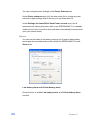
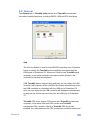
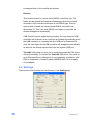
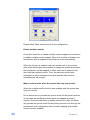
The General tab in Touchkit utility shows all of TouchKit touchscreen
controllers installed as below, including RS232, USB and PS2 interfaces.
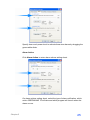
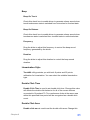
Add
The function button is used for serial RS232 controllers only. Press this
button to search the TouchKit serial controllers connected with the
COM ports of Greenland 70. Whenever it finds a new TouchKit serial
controller, a new serial controller icon object will be shown in the
controller list window automatically.
USB TouchKit device supports plug and play, the icon object for USB
controller will be shown in the controller list window automatically when
the USB controller is connected with the USB port of Greenland 70.
And, the icon object for the USB controller will disappear automatically
as soon as the device was removed from the USB port of Greenland
70.
TouchKit PS2 driver support PS2 mouse and TouchKit touchscreen
controller. It can works with both PS2 mouse and TouchKit
touchscreen PS2 controller. After the TouchKit PS2 driver was
installed, this utility assumes the PS2 touchscreen controller exists and
Chapter 6
29