1
DJ-1800 version 3.2
User Manual
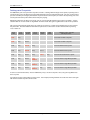
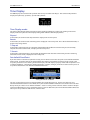
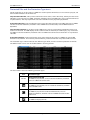
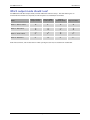
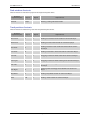
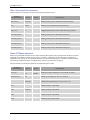
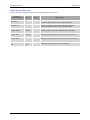
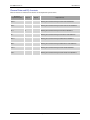
Crossfader control shortcuts
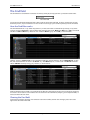
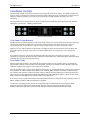
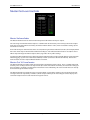
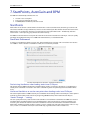
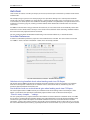
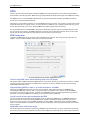
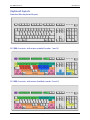
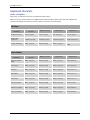
These shortcuts are indicated in cyan on the keyboard layouts above.
Name on
keyboard layout
CF m.lft
CF m.rgt
Key #1
Comma &
number
keys 1 to 4
Period &
number
keys 1 to 4
Key #2
Equivalent to
Clicking on Crossfade Assign buttons 1 to 4 on left-hand
side of Crossfader
Clicking on Crossfade Assign buttons 1 to 4 on righthand side of Crossfader
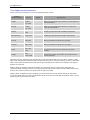
CF Zero
/ (forward
slash)
Resetting Crossfader knob to middle of Crossfader
Crossfade Zero
Numpad 0
Resetting Crossfader knob to middle of Crossfader
CF <left
Left arrow
Moving Crossfader knob left on Crossfader
CF right>
Right arrow
Moving Crossfader knob right on Crossfader
CF left
Shift + Up
arrow
CF right
Shift +
Down arrow
Moving Crossfader knob far left on Crossfader (releasing
the up arrow returns the crossfader to its previous
position)
Moving Crossfader knob far right on Crossfader
(releasing the down arrow returns the crossfader to its
previous position)
Note that pressing “Shift-left arrow” will move the Crossfader to the far left and leave it there. Likewise, “Shiftright arrow” will move the Crossfader to the far right and leave it there. Pressing “Shift-up arrow” or “Shift-down
arrow” moves the Crossfader to the far left and far right respectively, but returns the Crossfader to its original
position once released.
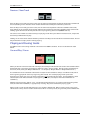
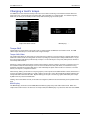
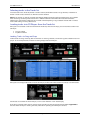
Holding down the Command key when clicking on a Crossfader channel assign button will toggle the
assignment for that CD Player channel, and change the other three channels on that side of the Crossfader to
be the same. (This is useful to “turn all channels on / off” in one click).
Holding down the Option key when clicking on a Crossfader channel assign button will turn on Crossfader
assignment for that channel, and turn off all other channels on the same side of the Crossfader. (This is useful
to turn on just one channel in one click.)
Page 60 of 62