1
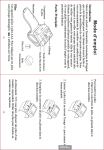
To insert the batteries:
1. Remove the battery cover by sliding it in the direction
shown.
2. Insert 2 AAA batteries following the +/- picture for
polarity.
Setting the Time and Date
Setting the time and date allows measurements to be stored
with the correct date details. This can be useful for
monitoring how your blood pressure changes over a period
of time.
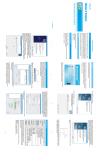
1. Hold the Memory button for approximately 3 seconds.
The year will begin to flash on the screen.
2. Press the Start Stop button to adjust the year, holding the
button will quickly adjust the year.
3. Press the Memory button again and the month will begin
to flash on the screen.
4. Repeat steps 2 and 3 to set the month, day, hour and
minutes.
5. After setting the minutes, pressing the Memory button
again will save your settings and turn the device off.
Attaching the Device to your Wrist
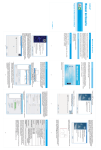
1. Uncover your wrist from clothing and jewellery.
-3-
2. Fasten the cuff around your wrist roughly 1.5cm above the
joint with the monitor palm side.
English
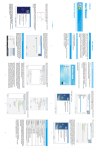
3. Replace the battery cover by sliding it in the direction
shown.
Caution: Please dispose of batteries responsibly, burning
used batteries can result in accident or explosion.
-2-