1
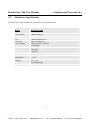
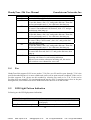
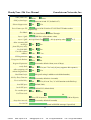
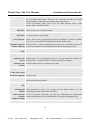
This contains the password to access the Web Configuration Menu. This field is
case sensitive with max. 25 characters
End User
Password
Web
Port
HandyTone
is the
device’s internal HTTP serverGrandstream
port. Default is 80.Networks, Inc.
-286This
User
Manual
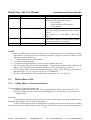
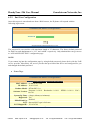
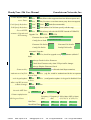
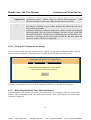
There are 2 modes under which the IP phone can operate:
IP Address
- If DHCP mode is enabled, then all the field for the Static IP mode are not
used (even though they are still saved in the Flash memory) and the IP phone
will acquire its IP address from the DHCP server in the network.
To use PPPoE feature please set the PPPoE account settings if the HT-286 is
connected directly to a DSL modem. The HT-286 will attempt to establish a
PPPoE session if any of the PPPoE fields is set.
- If Static IP mode is selected, then the IP address, Subnet Mask, Default
Router IP address, DNS Server 1 (mandatory), DNS Server 2 (optional) fields
will need to be configured.
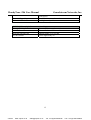
DHCP hostname
This option specifies the name of the client. This field is optional but may be
required by some Internet Service Providers. Default is blank.
DHCP domain
This option specifies the domain name that client should use when resolving
hostnames via the Domain Name System. Default is blank.
DHCP vendor class This option is used by clients and servers to exchange vendor-specific
information. Default is blank.
ID
PPPoE account ID
PPPoE username. Fill this field if your ISP requires you to use a PPPoE (Point
to Point Protocol over Ethernet) connection.
PPPoE password
PPPoE account password.
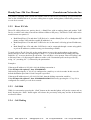
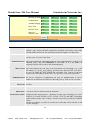
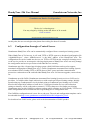
Time Zone
This parameter controls how date/time is displayed according to the specified
time zone.
Daylight
Time
VoIPon
Savings This parameter controls whether the displayed time will be daylight savings
time or not. If set to “Yes” and the Optional Rule is empty, then the displayed
time will be 1 hour ahead of normal time. The “Automatic Daylight Saving
Time Rule” shall have the following syntax:
start-time;end-time;saving
Both start-time and end-time have the same syntax:
month,day,weekday,hour,minute
month: 1,2,3,..,12 (for Jan, Feb, .., Dec)
day: [+|-]1,2,3,..,31
weekday: 1, 2, 3, .., 7 (for Mon, Tue, .., Sun), or 0 which means the daylight
saving rule is not based on week days but based on the day of the month.
hour: hour (0-23),
minute: minute (0-59)
If “weekday” is 0, it means the date to start or end daylight saving is at exactly
the given date. In that case, the “day” value must not be negative. If “weekday”
is not zero and “day” is positive, then the daylight saving starts on the first
“day” the iteration of the weekday (1st Sunday, 3rd Tuesday etc).
If “weekday” is not zero and “day” is negative, then the daylight saving starts
on the last “day”th iteration of the weekday (last Sunday, 3rd last Tuesday etc).
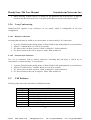
The saving is in the unit of 21
minutes. The saving time may also be preceded by a
negative (-) sign if subtraction is desired instead of addition.
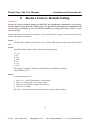
The default value for “Automatic Daylight Saving Time Rule” shall be set to
“04,01,7,02,00;10,-1,7,02,00;60” which is the rule for US.
l
www.voipon.co.uk
[email protected]
Tel: +44 (0)1245 808195
Fax: +44 (0)1245 600030