1
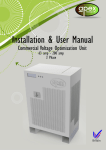
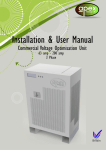
INSTALLATION & USER MANUAL
Domestic Voltage Optimisation Unit
Designed, developed and manufactured in the UK
Apex Energy UK
St. Johns Road
Meadowfield Ind. Est.
Durham
DH7 8RJ
Domestic Voltage Optimisation Unit
Table of Contents
Introduction................................................................................................................... 3
Purpose ............................................................................................................................ 5
Important Points .............................................................................................................. 5
WARNINGS AND CAUTIONS ........................................................................................ 6
Installation ..................................................................................................................... 7
Operation .................................................................................................................... 13
Under Voltage............................................................................................................... 13
Over Current ................................................................................................................. 14
Over Temperature ........................................................................................................ 14
Bypass Mode ................................................................................................................. 14
MCB trip ......................................................................................................................... 14
Status Indications .......................................................................................................... 15
Troubleshooting .......................................................................................................... 15
Technical Specification............................................................................................. 16
Warranty ...................................................................................................................... 16
Document Revision
Revision No.
Date
Reason for revision
1.2
November 2012
Third issued version
Version 1.2 - November 2012
Page 2 of 16
Domestic Voltage Optimisation Unit
Introduction
This Installation & User Manual covers the installation and use of the Apex Domestic
Voltage Optimisation Unit.
The incoming voltage to a property will vary around the country but by law it can be
between 216V and 253V, according to current European Legislation ESQCR 2002.
However, sudden voltage surges can damage electronic equipment such as
computers, washing machine controllers and motion detectors such as passive
infrared (PIR).
All domestic electrical equipment is designed to work within a range of 207V and
253V if it complies with European Conformity CE But, critically; the optimum and most
efficient supply voltage for these appliances is 220V.
When the supply voltage exceeds 220V wasted power can be generated, as both
heat and vibration; this could significantly reduce the life span and efficiency of the
equipment.
Household loads that will deliver energy savings are those that are known as
“voltage dependent” loads. Appliances that will benefit from Voltage optimisation
are typically:
•
•
•
•
•
•
Fridge and Freezer motors;
Washing machine and dishwasher motors;
Garage door motors;
Central heating and Gas Boiler pump motors;
Vacuum cleaner motors;
Open loop resistive circuits such as hairdryers;
•
•
LCD TV’s;
Games consoles;
•
•
•
Audio systems;
Microwave cookers;
Incandescent lamps, Compact Fluorescent lamps, Fluorescent tubes,
Halogen Lighting Indoor and outdoor.
Savings may vary between manufacturers.
In addition to energy saving, the Apex VO unit will also protect your appliances from
harmful over voltages and spikes that can significantly reduce the electrical life of
sensitive electronic equipment.
Version 1.2 - November 2012
Page 3 of 16
Domestic Voltage Optimisation Unit
The Voltage Optimiser has a dedicated
electronic control unit (ECU) which
intelligently and constantly monitors all the
parameters, such as incoming and
outgoing supply voltage, load, current,
temperature, even its own performance,
ensuring the unit always delivers the
optimum performance to the premises.
The voltage optimiser will switch in and out
of circuit depending on the algorithm of
conditions.
LED Indicator lights in the top right corner of the VO unit will Indicate when the unit is
in “ Save “ mode.
Incorporating the latest sine wave sampling (SWS) and active sine wave mapping
(ASWM) technology enables the unit to monitor and control three critical
performance and safety functions.
Low voltage threshold (LVT) eliminates the risk of the optimised voltage falling below
a minimum value voltage. When this happens the VO unit will automatically revert
back to mains voltage preventing a potential “ Brown out “ condition. When it
detects the voltage has recovered and stabilised it automatically switches back to
'save' mode;
High current threshold (HCT) protects against over current. The unit will automatically
detect and protect against two possible over current conditions. The Voltage
Optimiser has a continuous rated current of 40A. In addition to this it will withstand a
load up to 60A for approx 30mins. If the load current Increases above 60A the
Voltage optimiser will automatically revert to a bypass condition so as not to
damage the transformer until such time as the current reduces below 60A.
Optimum switching threshold (OST) by constantly mapping the sine wave, the
Voltage Optimiser will only switch at the optimum point, which eliminates any
interruption to the supply voltage. It also eliminates spikes and transients.
Bypass Mode The Voltage Optimiser has a maximum rated current carrying capacity
of 100A in Bypass mode.
The Voltage Optimiser reduces the Incoming supply voltage down by a fixed
reduction ratio.
Version 1.2 - November 2012
Page 4 of 16
Domestic Voltage Optimisation Unit
Purpose
The purpose of the Voltage Optimiser is as follows:
•
Reduces energy waste and carbon footprint by reducing the power
consumed by appliances;
•
Contributes to Government funded targets on carbon reduction;
•
Customer savings start immediately;
•
Substantially extends the life of appliances and lighting;
•
Protects sensitive electrical devices from damage.
Important Points
•
Familiarise yourself with this manual and the Voltage Optimiser before
installing and operating the unit.
•
In particular, ensure that you have read the WARNINGS AND CAUTIONS
section.
•
Contact your electrical supplier before breaking any main fuse seals during
the installation of this product. If necessary, ask the supplier to install an
isolator switch.
Version 1.2 - November 2012
Page 5 of 16
Domestic Voltage Optimisation Unit
WARNINGS AND CAUTIONS
These warnings and cautions must be observed when installing/operating the
Domestic Voltage Optimisation Unit.
WARNING 1
ELECTRICITY CAN KILL. INSTALLING THIS EQUIPMENT WITHOUT ISOLATING THE SUPPLY IS
NOT ONLY DANGEROUS BUT CONTRAVENES THE ELECTRICITY AT WORK REGULATIONS
1989.
WARNING 2
MAKE SURE THAT MAXIMUM CONDUCTIVE CABLE SURFACE IS IN CONTACT WITH
TERMINALS AND THAT THEY ARE SECURE. LOOSE CONNECTIONS CAN CAUSE ARCING
THAT MAY RESULTS IN HEAT DAMAGE TO COMPONENTS AND ULTIMATELY FIRE.
WARNING 3
THIS WORK MUST BE CARRIED OUT BY A REGISTERED ELECTRICIAN.
CAUTIONS
•
Do not mount with the transformer lowermost, as heat will rise from it into the unit.
Allow a minimum of 100mm clearance around the unit for ventilation. Failure to
observe these requirements may result in overheating and possible damage to
some of its components.
•
Make sure the installation location is clean, dry and ventilated to prevent any
current leakage.
•
The unit must never be covered.
•
The Voltage Optimiser is compatible with Solar PV Installations however the
electrical connection method MUST be in accordance with figure 2 on page 8.
•
The maximum load current the Voltage Optimiser will with stand is 100A in
Bypass. Precautions must be taken to ensure the Voltage Optimiser will not see a
load above 100A. If the load current Increases above 100A the voltage optimiser
will trip out in order to protect itself and all power to the dwelling will be lost. The
unit can be manually reset by carefully following the reset procedures ( page ?)
Version 1.2 - November 2012
Page 6 of 16
Domestic Voltage Optimisation Unit
Installation
The configuration of a typical domestic installation is illustrated in Figure 1. The
configuration when integrated with a typical domestic PV installation is illustrated in
Figure 2.
Figure 1: Typical domestic installation
Note: Before commencing with the installation:
•
Make sure that you have the correct thickness and length of tails. Add
together the total maximum design current of the circuits to be supplied by
the optimiser. Calculate the size of the cable required; refer to Appendix 6 of
the BS7671 On Site Guide;
•
Establish how isolation is to be achieved if an isolation switch is not installed;
check if there is an isolation facility on the meter. At the last resort, remove the
supply fuse, usually a BS88 or BS371 cartridge type. If seals are fitted, notify the
supplier and ask permission before you remove them;
•
Make sure the unit is clean and undamaged prior to installation.
•
Make sure all electrical connections are secure, retighten if necessary.
Version 1.2 - November 2012
Page 7 of 16
Domestic Voltage Optimisation Unit
Figure 2: Typical installation with domestic PV solar power system
Version 1.2 - November 2012
Page 8 of 16
Domestic Voltage Optimisation Unit
1. Remove the cover of the Domestic Voltage Optimisation Unit, which is
loosely positioned in the box. The four cover screws will be loosely installed in
their locations in the base frame.
2. Record the serial numbers of the main unit and the electronic circuit board
on the warranty card that accompanies the unit.
3. Carry out visual wiring checks :
a. Yellow PTC wire from the transformer must be connected to white
socket on electronic board labelled JP2
b. All neutral, live and earth terminations secured ( pull test ).
c. Earth terminal block must not be touching the Transformer case.
4. Secure the base to the wall as follows:
a. Choose a location for the base unit of the Domestic Voltage
Optimisation Unit, either horizontally or vertically on a solid surface in a
convenient position for access and in a well-ventilated and dry
location. Ensure the unit has a minimum 100mm clearance all around
for ventilation.
If the unit is to be installed vertically, the transformer must be positioned uppermost.
b. Measure and mark positions of four or five securing screws, according
to whether the unit is to be mounted horizontally or vertically. The
dimensions of the hole centres are given in Figure 3
c. Drill appropriate size hole for either direct fixing into wood or the
correct type of wall plugs for plasterboard, brick etc.
d. Use M8 screws with wall plugs if appropriate. Leave the heads of the
screws protruding sufficiently to locate in their relative location holes in
the base unit.
e. Locate the base unit on the four M8 screws; if necessary, tighten the
screws to prevent any movement of the base unit but do not tighten
fully, as it should be made possible for the unit to slide in and out of
position.
Version 1.2 - November 2012
Page 9 of 16
Domestic Voltage Optimisation Unit
Figure 3: Dimensions of mounting hole centres
5. Isolate the supply to the premises at the isolation switch, meter, or by
removing the supply fuse as applicable. If the supply fuse is removed, make
sure that the fuse holder is covered with insulation material to prevent any
possible contact with live terminals.
6. Remove the tails from the consumer unit, and connect directly to the
Domestic Voltage Optimisation Unit or, if not possible due to inconvenient
lengths, cut or use new longer tails. If it is necessary to connect longer tails to
the meter, ask permission before you remove any seals at the meter. If
applicable; connect the tails to the meter; make sure that the connection is
in accordance with BS7671 Chapter 13 of the Wiring Regulations 17th Edition
i.e:
•
That all the terminal screw is in contact with the conductive part of the
cable.
•
The positive cable is coloured brown and the neutral blue at terminals.
•
There is no excess conductor exposed.
7. Connect the cable tails from the meter to the Domestic Voltage
Optimisation Unit and the output cables as follows:
If installing with 16mm csa cables cut the grommet and refer to Figure 4 &
Figure 5.
If using 25mm csa cables they will be installed in the cut out. Refer to
Figure 6.
Figure 4: Grommet Preparation for a 16mm csa cable installation
Version 1.2 - November 2012
Page 10 of 16
Domestic Voltage Optimisation Unit
Note: Armoured cable can be connected to the base unit by removing grommets
and installing glands.
Connect the cables from the meter to the terminals of the double pole isolator at the
Domestic Voltage Optimisation Unit. Ensure the Incoming supply cables are connected to the
correct supply labelled connections. Connect the output cables from optimiser at the din rail
connectors. Ensure the load cables are connected to the correctly labelled connections.
Refer to
Figure 5 for 16mm² cable installations,
Figure 6 for 25mm² cable installations.
Figure 5: 16mm csa installation
Figure 6: 25mm csa cable installation
a. Connect the correct size earth bonding cable (refer to Chapter 4 of
the BS7671 On Site Guide) between the main earth terminal and the
chassis of the Domestic Voltage Optimisation Unit, using a terminal lug
crimped to the earth cable.
Note: Leave the main earth conductor (usually 16mm csa) connected between the
main earth terminal and the consumer unit.
Version 1.2 - November 2012
Page 11 of 16
Domestic Voltage Optimisation Unit
b. Carry out the following dead checks:
•
Continuity of all cables
•
Polarity of the live and neutral.
•
Insulation between phase and earth.
c. Carry out the following live checks:
•
Earth Loop Impedance, check it is within limits (max Zs) for the
protective devices installed within the Domestic Voltage Optimisation
Unit, refer to BS7671 17th edition chapter 4.
•
Prospective fault current if not obtained by enquiry, make sure this
does not exceed the breaking current of the unit.
•
Input Voltage
•
Output Voltage.
d. Record results obtained in steps b and c on, and include an installation
certificate, refer to Appendix 7 BS7671 OSG.
e. If 25mm cable has been used, cut the “notch” in the cover at the
cable location. Replace the cover and secure with the four screws;
refer to Figure 7.
f.
Re-instate the supply and turn on the Voltage Optimiser, ensure that all
Miniature circuit Breaker ( MCB ) and 2 pole Isolator are in the “ ON”
position. Wait until the VO unit goes through its self-setting procedure.
Figure 7: Cover securing screw locations
Version 1.2 - November 2012
Page 12 of 16
Domestic Voltage Optimisation Unit
Operation
The Apex Domestic Voltage Optimisation Unit constantly monitors the input supply
voltage and current and will automatically control the supply within the parameters
of the product. The incoming supply will fluctuate constantly; the Voltage Optimiser
will react as follows. A “click” noise may be heard from the unit as it changes state;
this is normal. The Transformer used to reduce the Incoming voltage can get hot
during “ save mode” this is normal, and you may feel convected warm air coming
from the upper air vents.
There are 2 LED lights, ( see fig 8 ) one green and one red that can be seen through
the clear perspex window. These lights in conjunction with page 15 of this user guide
will explain what state the voltage optimiser is in.
All operations will occur automatically, determined by the voltage optimiser ECU.
Figure 8
Figure 8: Optimiser status indicator LED's
Under Voltage
The Incoming supply will fluctuate constantly; where a risk of under voltage exists,
e.g. when the outgoing voltage goes below 216V the Voltage Optimiser will
automatically revert back to mains voltage. Once the Voltage has recovered the
VO unit will automatically revert back to save mode. The LED status will be a flashing
Green light.
Version 1.2 - November 2012
Page 13 of 16
Domestic Voltage Optimisation Unit
Over Current
Should the demand exceed the 40A continuous rating of the Voltage Optimiser, the
transformer is rated to allow an over current for approximately 30 minutes up to 60A
after which time if the over current has not returned to its rated level the device will
automatically revert to bypass. The LED status will be a RED flashing light.
Over Temperature
Depending on the load conditions and the ambient temperature the voltage
optimiser contains several over temperature protection devices. These are designed
to prevent the unit being damaged. Should this occur the unit will automatically
switch into bypass mode until the unit has cooled sufficiently to automatically revert
back to save mode. The LED status will be a RED flashing light.
Bypass Mode
This mode is automatically selected by the Voltage Optimiser for reasons, either of
savings or for reasons of protection. This mode means that the supply voltage to the
house will continue and will not be interrupted; however the Voltage optimiser is not
reducing the voltage at this time. The LED status will be a Green flashing light.
MCB trip
The MCB on the front of the VO unit may trip in order to protect the VO unit from
damage. If the MCB has tripped the re set procedure must be carried out as follows.
1) Reset the MCB on the front of the unit to the ON position
2) Switch OFF the 2 pole Isolator switch ( Note this will temporarily cut the supply
voltage )
3) Switch the 2 pole Isolator switch ON again – wait for the unit to run through a
reset procedure – Green LED light should be displayed.
4) If the red LED is still showing, repeat steps 1 to 3 again ( leave a slight delay
between switching the unit OFF before switching it back ON again )
The Voltage Optimiser will intelligently decide when is the optimum time for it to
switch into and out of “ Save Mode” there is no need to be concerned if the flashing
green light is on; it merely Indicates that not all the correct conditions have been
met to warrant the Voltage Optimiser being in “ save “ mode.
Version 1.2 - November 2012
Page 14 of 16
Domestic Voltage Optimisation Unit
Status Indications
The status indicated by the LEDs is described in the following table.
Green
LED
Red LED
Red LED
Description
Constant
Off
Off
The unit is working normally and in Save
Mode.
Flashing
Single
Flashing
Single
Flashing
The unit is conducting internal tests (this
will typically occur following a power
outage). The unit will revert to “Save
Mode” once completed.
Flashing
Off
Off
The unit has reverted to Bypass Mode”
due to parameters outside the normal
operation of the unit. The unit will
automatically revert to save mode once
all the correct conditions have been met.
Off
Continuous
Flashing
Continuous
Flashing
The unit has detected a high ambient
temperature OR high transformer
temperature and has gone into Bypass
condition. There may be a time delay
before the unit will reset if it tripped due to
over temperature.
Troubleshooting
WARNING 4
ELECTRICITY CAN KILL. TROUBLESHOOTING THIS EQUIPMENT WITHOUT ISOLATING THE
SUPPLY IS NOT ONLY DANGEROUS BUT CONTRAVENES THE ELECTRICITY AT WORK
REGULATIONS 1989.
WARNING 5
TROUBLESHOOTING THAT REQUIRES THE REMOVING OF INSULATING COVERS MUST
ONLY BE PERFORMED BY A QUALIFIED ELECTRICIAN.
CAUTION
Removing the cover of the Domestic Voltage Optimisation Unit will expose LIVE parts
and should only be done by a qualified person. Do not attempt to replace or repair
any parts as this will invalidate your warranty.
Loss Of Power
Both LED’s not lit on Optimiser
Circuit
Breaker
If the Circuit Breaker on the front of the Voltage Optimiser
has tripped this can be caused by an over current condition
( >100A ). To reset the unit, reset the tripped circuit breaker
Version 1.2 - November 2012
Page 15 of 16
Domestic Voltage Optimisation Unit
Tripped
then switch OFF the ON again the 2 pole Isolator.
Visual Check
Check visually cable from meter to optimiser only qualified
electricians should carry out further checks or attempt to
reconnect cables.
Energy
Supplier
Consult supplier to check if supply power has been cut.
Technical Specification
Incoming Voltage
232V – 253V
Outgoing Voltage
214V – 235V
Frequency
50 / 60Hz
Humidity
85%
Ambient Temperature
-10 to +40°C
Efficiency
>99%
Insulation Class
BS2757 120 degree maximum
Cooling
Case is naturally ventilated
Voltage Surge
3.3kv
Breaking Current
10kA
Operating Current
Continuous Maximum current = 40A
Limited Maximum Current = 60A
Maximum By-Pass Current = 100A
Dimensions
H = 210mm W = 410mm D = 140mm
Weight
12kg
Designed, developed and manufactured in the UK
Warranty
The Domestic Voltage Optimisation Unit is guaranteed for one year from the date of
purchase. The installer will record the serial numbers of the Voltage Optimiser and
the circuit board on the warranty card that you must send to Apex to increase your
warranty to three years.
Apex Energy UK
St. Johns Road
Meadowfield Ind. Est.
Durham
DH7 8RJ
Version 1.2 - November 2012
Page 16 of 16