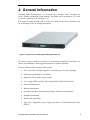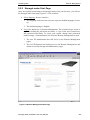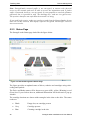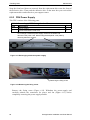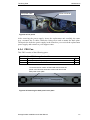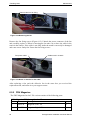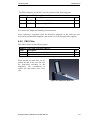
1
TANDBERG DATA StorageLoaderTM INSTALLATION AND USER MANUAL TANDBERG DATA ASA P.O. Box 134 Kjelsås N-0411 OSLO, NORWAY Phone + 47 22 18 90 90 Telefax + 47 22 18 95 50 © Tandberg Data ASA Part No. 433061-02 June 2005 Related publications available from Tandberg Data ASA: Part No. Title 432980 Tandberg Data StorageLoader SCSI Interface Functional Specifications. 433060 Tandberg Data StorageLoader Quick Installation Guide This publication may describe designs for which patents are granted or pending. By publishing this information, Tandberg Data ASA conveys no license under any patent or any other rights. Every effort has been made to avoid errors in text and diagrams. However, Tandberg Data ASA assumes no responsibility for any errors, which may appear in this publication. It is the policy of Tandberg Data ASA to improve products as new techniques and components become available. Tandberg Data ASA therefore reserves the right to change specifications at any time. We would appreciate any comments on this publication. Table of Contents 1. About This Manual...................................................................................... 1 2. General Information.................................................................................... 3 2.1 2.2 Models............................................................................................ 4 2.1.1 Capacity ............................................................................. 4 2.1.2 Data Transfer Rates ........................................................... 4 Product Description........................................................................ 5 2.2.1 Front Panel ........................................................................ 5 2.2.2 Internal Components .......................................................... 6 2.2.3 Rear Panel.......................................................................... 8 3. Installation.................................................................................................. 11 3.1 Performing the Installation........................................................... 11 4. Operation and Configuration ................................................................... 21 4.1 4.2 4.3 4.4 4.5 4.6 4.7 4.8 4.9 System Power-On......................................................................... 21 Front Panel Display Modes .......................................................... 23 4.2.1 Menus ............................................................................... 24 4.2.2 Dialogs ............................................................................. 26 4.2.3 Messages .......................................................................... 27 4.2.4 Status and Information ..................................................... 28 Main Menu ................................................................................... 29 Setup Menu .................................................................................. 30 4.4.1 StorageLoader setup ........................................................ 30 4.4.2 SCSI Setup ........................................................................ 30 4.4.3 Remote Management setup............................................... 31 View Data Menu .......................................................................... 31 4.5.1 StorageLoader Info .......................................................... 32 4.5.2 Drive Info ......................................................................... 33 4.5.3 Remote Management Info................................................. 33 4.5.4 Statistics ........................................................................... 33 Utilities Menu............................................................................... 34 4.6.1 The Maintenance Menus .................................................. 34 4.6.2 The Diagnostics Menu...................................................... 34 4.6.3 Set Password .................................................................... 35 Cartridge Handling....................................................................... 35 4.7.1 Cartridge Slot Numbers ................................................... 35 4.7.2 Moving Cartridges to and from the Drive........................ 35 Magazine Handling ...................................................................... 36 4.8.1 Removing the Magazine from the Unit............................. 36 4.8.2 Inserting Cartridges into the Magazine ........................... 38 4.8.3 Removing Cartridges from the Magazine ........................ 38 4.8.4 Inserting a Magazine into the Unit .................................. 39 4.8.5 Manual/Emergency Release of Magazines ...................... 39 Standby Functionality .................................................................. 40 5. Remote Management................................................................................. 43 5.1 Remote management configuration ............................................. 43 5.1.1 Quick start guide .............................................................. 43 StorageLoader Installation and User Manual iii Tandberg Data 5.2 Contents 5.1.2 Enabling the RMI without rebooting ................................43 Remote management web pages ...................................................44 5.2.1 Information Boxes .............................................................44 5.2.2 StorageLoader Start Page.................................................45 5.2.3 Status Page........................................................................46 5.2.4 Settings Pages ...................................................................47 5.2.5 Command Page .................................................................47 5.2.6 Maintenance Pages ...........................................................48 6. Maintenance ................................................................................................51 6.1 6.2 6.3 6.4 6.5 Using the Cleaning Cartridge........................................................51 6.1.1 Running an Installed Cleaning Cartridge.........................51 6.1.2 Removing the Cleaning Cartridge ....................................52 Installing Firmware Upgrades.......................................................52 6.2.1 Firmware Upgrade via SCSI.............................................52 6.2.2 Possible Upgrade Problems..............................................54 Embedded Diagnostics..................................................................54 Reinstalling the Transport Lock....................................................54 6.4.1 Transport Lock Installation Procedure.............................54 Field Replaceable Units (FRUs) ...................................................55 6.5.1 FRU Drive Tray Assy DLT VS160 SCSI ...........................55 6.5.2 FRU Drive Tray Assy 420LTO..........................................58 6.5.3 FRU Power Supply............................................................60 6.5.4 FRU Fan............................................................................61 6.5.5 FRU Magazine ..................................................................62 6.5.6 FRU Filter.........................................................................63 7. Troubleshooting ..........................................................................................65 7.1 7.2 7.3 7.4 7.5 How to take memory dumps .........................................................65 “Dead” StorageLoader ..................................................................65 Bar code reader failure ..................................................................65 The Error Screen ..........................................................................66 Error Codes ...................................................................................68 Appendix A A.1 A.2 A.3 A.4 A.5 A.6 A.7 A.8 Mechanical Dimensions and Weight ............................................69 Power Requirements .....................................................................70 Vibration Specifications................................................................71 Mechanical Shock Specifications .................................................72 Drop...............................................................................................72 Climatic Specifications .................................................................73 Noise Specification .......................................................................73 Product Reliability ........................................................................73 Appendix B iv – Specifications .......................................................................69 – Spare parts/Accessories ......................................................75 StorageLoader Installation and User Manual Tandberg Data Contents Table of Figures Figure 2.1 Overview of Tandberg Data StorageLoader 1U ............................3 Figure 2.2 Front panel of the StorageLoader ..................................................5 Figure 2.3 Internal components of the StorageLoader....................................7 Figure 2.4 Cartridge magazines ......................................................................8 Figure 2.5 Rear panel of the StorageLoader ...................................................8 Figure 3.1 Rack Mounting kit .......................................................................13 Figure 3.2 Rack mount rail............................................................................14 Figure 3.3 Mounting the Rack mounting kit to a rack ..................................15 Figure 3.4 Rack mounting kit mounted in rack.............................................15 Figure 3.5 Slide the StorageLoader in from the front ...................................16 Figure 3.6 Fasten the front of the StorageLoader to the rack........................16 Figure 3.7 Fasten the rear of the StorageLoader to the rails. ........................16 Figure 3.8 Power switch, fuse holder and power cord connection ...............17 Figure 3.9 Magazine lock marked with red plastic tab .................................17 Figure 3.10 SCSI cable and SCSI terminator connection .............................19 Figure 3.11 Positioning of bar code label for LTO cartridges. .....................20 Figure 3.12 Positioning of bar code label for DLT cartridges. .....................20 Figure 4.1 Power-on Screen ..........................................................................21 Figure 4.2 Snapshot while running Inventory...............................................21 Figure 4.3 The Default screen .......................................................................22 Figure 4.4 Standard Menu Layout ................................................................24 Figure 4.5 The Complete Menu Tree ............................................................25 Figure 4.6 Standard Dialog Layout. ..............................................................26 Figure 4.7 Dialog layout, entering discrete values........................................26 Figure 4.8 Slot dialog layout.........................................................................27 Figure 4.9 Predefined options, showed one at the time. ...............................27 Figure 4.10 A default screen. ........................................................................28 Figure 4.11 Load to Drive .............................................................................35 Figure 4.12 Load to Drive .............................................................................36 Figure 4.13 Empty Drive Message................................................................36 Figure 4.14 Removing magazine ..................................................................37 Figure 4.15 Magazine eject ...........................................................................37 Figure 4.16 Removing the magazine from the loader...................................38 Figure 4.17 Gently push the cartridge into the magazine slot.......................38 Figure 4.18 Push the release knob towards the cartridge to eject .................39 Figure 4.19 Cartridge position after manual release from magazine slot .....39 Figure 4.20 Push magazine until it clicks into place.....................................39 Figure 4.21 Pointing out hole used to insert release tool ..............................40 Figure 4.22 Magazine release tool in use......................................................40 Figure 5.1 Navigation Menu .........................................................................44 Figure 5.2 Remote Management Start Page..................................................45 Figure 5.3 Remote Management Status Page................................................46 Figure 5.4 Remote Management Command Page.........................................48 Figure 6.1 Transport lock marked with red plastic tab ................................54 Figure 6.2 Field Replaceable Units...............................................................55 Figure 6.3 Replacing the tape drive ..............................................................56 Figure 6.4 Rear of the tape drive...................................................................56 Figure 6.5 Releasing the tape drive..............................................................57 Figure 6.6 Guide cartridge mounting ............................................................57 StorageLoader Installation and User Manual v Tandberg Data Contents Figure 6.7 Correct position of Guide cartridge mounting.............................58 Figure 6.8 Replacing the tape drive ..............................................................58 Figure 6.9 Rear of the tape drive...................................................................59 Figure 6.10 Releasing the tape drive.............................................................59 Figure 6.11 Exchanging a defective power supply .......................................60 Figure 6.12 Removing the fixing screw........................................................60 Figure 6.13 Fan power ..................................................................................61 Figure 6.14 Removing the back panel cover plate........................................61 Figure 6.15 Removing the fan.......................................................................62 Figure 6.16 Notch in chassis for fan cable....................................................62 Figure 6.17 Replacing dust filter...................................................................63 Figure 7.1 Error Code Page...........................................................................66 Figure 7.2 Example of detailed information .................................................66 Figure 7.3 Example of further detailed information .....................................66 Figure 7.4 Example of action ........................................................................67 Figure 7.5 Warning message concerning reboot...........................................67 vi StorageLoader Installation and User Manual Tandberg Data Contents Table of Tables Table 2-1 Table 2-2 Table 4-1 Table 4-2 Data Storage Capacity..........................................................4 Data Transfer Rates..............................................................4 Robot Operation Status......................................................22 Drive Operation Status ......................................................23 Table A - 1 Table A - 2 Table A - 3 Table A - 4 Table A - 5 Table A - 6 Table A - 7 Table A - 8 Table A – 9 Table A – 10 StorageLoader Mechanical Dimensions and Weight .........69 StorageLoader Power Requirements..................................70 StorageLoader sine sweep levels .......................................71 StorageLoader random vibration levels .............................71 StorageLoader mechanical shock levels ............................72 StorageLoader drop test .....................................................72 StorageLoader temperature specification...........................73 StorageLoader humidity specification ...............................73 StorageLoader altitude specification..................................73 StorageLoader noise specification .....................................73 Table B - 1 List of spare parts and accessories .....................................75 StorageLoader Installation and User Manual vii 1. About This Manual This manual describes how to install and use the Tandberg Data StorageLoader for 420LTO and DLT VS160 tape drives. It is intended for use by anyone who would install, use and maintain the device. Chapter 2: General Information StorageLoader. gives a product description of the Chapter 3: Installation describes how to install the device. Chapter 4: Operating and Configuration describes how to use the local interface, how to configures the device, and how to handle the cartridges and magazines. Chapter 5: Remote Management describes the functionality of the Remote Management via the Ethernet. Chapter 6: Maintenance describes cleaning and upgrading procedures, and how to prepare the StorageLoader for shipping. Chapter 7: Troubleshooting lists possible areas to investigate if you are having problems with the StorageLoader. Appendix A: Specifications lists the specification data for the Tandberg Data StorageLoader 1U. Appendix B: Spare parts and Accessories lists all accessories and spare parts with part number. Related Publications • Tandberg Data StorageLoader, SCSI Interface Functional Specifications (432980) provides the SCSI interface specification for the Tandberg Data StorageLoader. • Tandberg Data DLT VS160 Tape Drive Reference Manual (432679) provides a description of the tape drive built into the DLT version of the Tandberg Data StorageLoader. • Tandberg 420LTO Installation and user manual (433280) provides a description of the drive built into the LTO version of the Tandberg Data StorageLoader. StorageLoader Installation and User Manual 1 Tandberg Data About This Manual This Page Intentionally Left Blank 2 StorageLoader Installation and User Manual 2. General Information Tandberg Data StorageLoader is a compact tape cartridge loader designed for secure, reliable, unattended system backup. The loader can be mounted in a 19” rack or used as a tabletop unit. Its height is 1U. The loader is equipped with a DLT VS160 or a 420LTO tape drive, and has room for 8 cartridges in two 4-cartridge magazines. Figure 2.1 Overview of Tandberg Data StorageLoader 1U The entire system is under host control via an industry-standard SCSI interface. Its robotic tape handling is both rugged and simple for utmost reliability The key features of the StorageLoader include: • Two removable cartridge magazines, each with space for four cartridges • Optional Integrated Bar Code Reader • Magazine release under system control • Low Voltage Differential (LVD) / Single-Ended (SE) SCSI Interface • On-board Diagnostics • Remote management • Operators interface with front panel display and four control buttons • Standby functionality • Replaceable dust filters • Tape drive, magazines, power supply and fans are Field Replaceable Units (FRUs) StorageLoader Installation and User Manual 3 Tandberg Data General Information *** IMPORTANT *** Review the READ ME FIRST caution at the beginning of Chapter. 3 before you power up the unit for the first time. 2.1 Models For additional specification information for this model, refer to Appendix A. 2.1.1 Capacity StorageLoader Model Cartridge Capacity (Native) Cartridge Capacity (Comp 2:1) Magazine Capacity (Native) Magazine Capacity (Comp 2:1) Tandberg Data StorageLoader 1U LTO2 200GB 400GB 1.6TB 3.2TB Tandberg Data StorageLoader 1U DLTVS160 80GB 160GB 640GB 1.28TB Table 2-1 Data Storage Capacity 2.1.2 Data Transfer Rates StorageLoader Model Maximum Sustained Rate, Native Maximum Sustained Rate, Compressed Tandberg Data StorageLoader 1U LTO2 24MB/s 86.4GB/hr 48MB/s 172.8GB/hr Tandberg Data StorageLoader 1U DLTVS160 8MB/s 28.8GB/hr 16MB/s 57.6GB/hr Table 2-2 4 Data Transfer Rates StorageLoader Installation and User Manual Tandberg Data General Information 2.2 Product Description The StorageLoader has several features designed to increase the ease of use and utility of the product, such as: • Two removable magazines allow for easy management of data sets or archival storage. For the StorageLoader each magazine has room for four cartridges. • A menu-driven operator control panel interface with backlit LCD provides easy control for configuration and diagnostic activities. • An Ethernet connection allows for management by an operator with a standard web browser on a remote computer. The remote operator can do most of the operations that can be done through the front panel, such as monitoring the loader’s status and downloading statistical and diagnostic information. For information on the installed tape drive; see the tape drive manuals referred to in chapter 1. 2.2.1 Front Panel The Front Panel includes the User Control Panel with LCD display, four Control Buttons, two LED indicators and a Standby switch. The bezels of the two magazines are also visible from the front. Magazine LED front indicator bezel s Standby switch LCD Control display buttons Magazine front bezel Figure 2.2 Front panel of the StorageLoader LCD – liquid crystal display The display is a backlit 122 x 32, dot-matrix graphical display that can show four lines of 20 characters. In various modes of operation, the display panel screens and control buttons allow you to do the following: • Enter settings for StorageLoader configuration • Issue operational commands StorageLoader Installation and User Manual 5 Tandberg Data General Information • View StorageLoader status and information • Test StorageLoader functionality Control Buttons The labels for the four control buttons are displayed in the corners of the LCD. All buttons have “soft labeling” for different modes of operation (i.e., the functions and labels of the buttons change during different activities). The actual soft label for each button for any activity is always visible on the display. LED Indicators The two LED indicators are green and amber. They indicate the StorageLoader activity as follows: • Green LED on: The StorageLoader is either running or ready for operation. • Green LED blinking: Short blinks followed by long intervals indicate that the loader is in low power standby mode. • Amber LED on: Fault LED, the StorageLoader has encountered an electrical or mechanical failure. • Both LED’s off: The StorageLoader is offline. This is the case while the loader is initializing, after power-on, and when a magazine is removed. Standby Switch A switch on the front panel provides a Loader Standby. If the switch is pushed when the loader is active, the loader will complete the current operation and go off line and enter standby mode, see more details in chapter 4.9, Standby Functionality. Magazine Front Bezel The front bezel of the magazines is visible from the front. All magazine handling is described in detail in chapter 4.8, Magazine Handling. 2.2.2 Internal Components The StorageLoader features the main internal components shown in the figure below. 6 StorageLoader Installation and User Manual Tandberg Data General Information Drive Slot 4 Slot 3 Slot 2 Slot 1 Power Supply Cartridges Slot 8 Robotics module Slot 7 Slot 6 Left magazine Slot 5 Front panel Right magazine Figure 2.3 Internal components of the StorageLoader Tape Drive The StorageLoader is equipped with one tape drive, which is located in the centre at the back of the loader. The drive is a field-replaceable unit (FRU) that can be removed/replaced while the loader is mounted in a rack. See section 6.5.1, FRU Drive Tray Assy DLT VS160 SCSI and section 6.5.2, FRU Drive Tray Assy 420LTO. Robotics Module The robotic cartridge handling mechanism moves cartridges between the cartridge slots in the two magazines and the tape drive. Optional Barcode Reader A barcode reader is an optional part. When mounted, it is integrated in the Robotics Module. Please note that StorageLoader specific bar code labels need to be used to achieve correct operation of the bar code reader. Cartridge Magazines There are two removable magazines (FRUs), each holding four tape cartridges, see figure 2.4. The magazine includes design features to ensure that cartridges are always inserted correctly and stay securely seated. All magazine handling is described in detail in section 4.8, Magazine Handling. The Cartridge Slots in the magazines are numbered as shown in figure 2.3 StorageLoader Installation and User Manual 7 Tandberg Data General Information Figure 2.4 Cartridge magazines Power Supply The power supply regulates the electrical power supplied to the device. It is easily removable (FRU) for quick field service; see section 6.5.3, FRU Power Supply. 2.2.3 Rear Panel The figure below shows the rear panel of the StorageLoader. Power Fuse switch Power Fan cord connection Back panel cover plate Fan SCSI connector s Etherne t port Figure 2.5 Rear panel of the StorageLoader Two Integrated Cooling Fans The rear panel contains two forced-air cooling fans, which draw air inward through the front and expel it out in the back. The fans will start whenever the drive is operating or when the internal temperature in the StorageLoader gets too high. The cooling fans are field replaceable units, see section 6.5.4, FRU Fan. Main Power Switch/ Fuse/Power cord connection The main power switch is found on the rear of the loader on the power supply 8 StorageLoader Installation and User Manual Tandberg Data General Information bracket. The power switch, the fuse holder (with a 250V 2A (H) fuse) and the AC power cord connection are combined in one common unit. SCSI Interface Connectors The StorageLoader has two shielded 68-pin VHDCI SCSI connectors on the rear panel. The connectors are used for connecting the tape drive and the StorageLoader to a SCSI bus. These connectors can link to the following: • A shielded male VHDCI SCSI cable • A shielded male VHDCI SCSI terminator. Ethernet Port This port is for the Remote Management system and allows you to connect the StorageLoader to a 10/100 BaseT Ethernet network. Back Panel Cover Plate Removing the Back Panel Cover Plate gives you access to all the field-replaceable units located at the back of the StorageLoader. StorageLoader Installation and User Manual 9 Tandberg Data General Information This page intentionally left blank 10 StorageLoader Installation and User Manual 3. Installation This chapter provides step-by-step instructions on how to properly prepare and install the Tandberg Data StorageLoader. READ ME FIRST CAUTION! ! YOU MUST REMOVE THE ROBOT TRANSPORT LOCK WHEN POWERING UP THE UNIT FOR THE FIRST TIME OR IT WILL NOT OPERATE. SEE THE PROCEDURE ON THE FOLLOWING PAGES. 3.1 Performing the Installation To install the StorageLoader, complete the following steps. Step 1. Unpacking the StorageLoader Carefully unpack the unit from the shipping container. Save the container and packing materials in case you need to transport the StorageLoader in the future. The packaging is specifically designed for the loader to ensure it is not damaged during transportation. Review the contents of the shipping container to be sure that all parts were included in the shipment. A standard package for the StorageLoader consists of the following items: • A factory-assembled magazines. • A Standard Accessory Kit containing: StorageLoader unit containing two cartridge - 1 The Tandberg Data StorageLoader CD containing all manuals - 1 Printed copy of the Quick Installation Guide - 1 Warranty/Registration Card - Rack Mount Hardware Kit - 2 Line Power Cords: one for USA/Japan and one for European power outlets StorageLoader Installation and User Manual 11 Tandberg Data Operation and Configuration - 1 VHDCI SCSI Interface Cable - 1 68-pin VHDCI LVD/SE SCSI Terminator. - 1 Ethernet cable - Tool for Emergency Magazine Release - 30 StorageLoader specific Bar code labels There will be variations of this list. Please refer to your Quick Installation guide shipped with the StorageLoader. Note: The StorageLoader contains no cartridges before shipment. Step 2. Installing the StorageLoader in a Rack The StorageLoader 1U is designed for use in 19” rack system using 1U of rack space. The length of the power cord and the SCSI cable may restrict the placement. Attention: The StorageLoader is designed to operate in a horizontal position. Do not attempt to operate the StorageLoader in any other position than horizontally. Also make sure that: • The airflow around the front and back of the StorageLoader is not obstructed. • There is a minimum of 60cm free space in front of the unit to allow the operator to safely remove the magazines. • The display and operator controls are easily accessed. • The StorageLoader is away from the floor , and in a clean environment with temperature within specification, see Appendix A. The Rack Mounting Kit includes the following items: • Rail Left Assembly • Rail Right Assembly • Screw M6x12 (6 pieces) • Screw M5x8 (2 pieces) Recommended mounting tools: 12 • Folding rule or tape measure • Screwdriver • 7 mm open-end wrench StorageLoader Installation and User Manual Tandberg Data Operation and Configuration Note: The rails are mounted to the loader during transportation. Before mounting the rails into the rack, dismount the rails from the loader and remove the spacers between the rails and the loader. Back Rail Right Assembly Rail Left Assembly Front Figure 3.1 Rack Mounting kit Installing the Rack Mounting Kit • Determine the proper position of the rails in the rack. Caution: Consider rack stability when deciding where to place the StorageLoader, hazardous conditions can be the result of uneven mechanical loading of a rack. StorageLoader Installation and User Manual 13 Tandberg Data Operation and Configuration StorageLoader 1U uses 1U of vertical rack space. The rails must be installed in a full U position (The bottom of the rails must be aligned with the bottom of a U), see figure 3.2. Figure 3.2 Rack mount rail Installing the “Rail Left Assembly” 1. Measure the length between the rear rack mount rails and the front rack mount rails. If the measurement is shorter than the StorageLoader, move the two sets of screws M4x12, washers and nuts shown in Figure 3.3. 2. Adjust the “Rail Left Assembly” to fit the measurement in step 1. 3. Use a 7 mm open-end wrench together with the screwdriver to tighten the two M4x12 screws to fix the rail length. Note: Using more than two screws will increase the stability of the Rack Mounting Kit. 4. Place the “Rail Left Assembly” on the left side of the rack, between the rear rack mount rail and the front rack mount rail. 5. Mount the “Rail Left Assembly” at desired height using one M6x12 screw in front (upper hole in rail only) and two M6x12 screws at the backside. See figure 3.4. Installing the “Rail Right Assembly” Follow the instruction for left side only using the “Rail Right Assembly” on the right side of the rack. 14 StorageLoader Installation and User Manual Tandberg Data Operation and Configuration Use these holes if rack depth is equal or longer than the StorageLoader Rear Rack Mount Rail Step 5 (Screw M6x12) Step 1 Holes to be used if rack depth is shorter than the StorageLoader Step 1 Front Rack Mount Rail Step 3 (Screw M4x12, nut and washer) Step 2 Step 5 (Screw M6x12) Figure 3.3 Mounting the Rack mounting kit to a rack Figure 3.4 description: shows step 5 in the Rack mounting kit mounted in rack with one screw M6x12 in upper hole on both left and right side. On the rear side two screws must be used on both left and right side. Totally six screws are used to install the “rack mounting kit” to the rack. Figure 3.4 Rack mounting kit mounted in rack Mounting the StorageLoader to the Rack Make sure that all the screws in the Rack Mounting Kit are tightened properly before installing the StorageLoader in the rack. Slide the StorageLoader on the rails from the front of the rack, as shown in figure 3.5. Then fix the StorageLoader using one M6x12 screw in front of the rack on both left and right side (see figure 3.6) and one M5x8 on the backside of the Rack Mounting Kit on both left and right side (see figure 3.7). StorageLoader Installation and User Manual 15 Tandberg Data Operation and Configuration Figure 3.5 Slide the StorageLoader in from the front Figure 3.6 Fasten the front of the StorageLoader to the rack Use one M5x8 screw on both left and right side (M5-thread) to fasten the StorageLoader to the rails’ backside. Figure 3.7 Fasten the rear of the StorageLoader to the rails. How to dismount the StorageLoader from the rack Make sure that you have disconnected all the cables before you start dismounting the StorageLoader from the rack. Unscrew the M5x8 screws at the back of the rack mounting kit. (See figure 3.7) Unscrew the M6x12 screw at the front of the rack. Note that you only unscrew the lowest screw. (See figures 3.5 and 3.6) Slide the StorageLoader gently out of the rack. Note that the StorageLoader’s weight is 14.6kg! Step 3. Connecting Power Cable Before connecting the StorageLoader to your host computer system you should run the self-diagnostic of the unit. This preparation requires power to the StorageLoader. Go through the following steps to perform this test: 1. Use the power cables from the accessories included in the shipment. Make sure you select the power cord suited for your power system. 2. Plug the power cable into the rear of the StorageLoader (see figure 3.8). Plug the other end of the cable into a properly grounded electrical outlet. 16 StorageLoader Installation and User Manual Tandberg Data Operation and Configuration Note: Reliable earthing depends on earthing in the AC electrical outlet, in which the StorageLoader’s power cable is connected. Adding the StorageLoader to an existing rack installation can cause a leaking current fault condition because of the summation of the leaking currents. For security, a 250V 2A (H) fuse is located near the power switch. 3. Turn on the StorageLoader by switching the Power Switch to “1”. If the transport lock is present the loader will detect this and instruct the user to remove it, see next step. Figure 3.8 Power switch, fuse holder and power cord connection Step 4. Removing the Transport Lock The robot mechanism is protected from damage during shipment with a screw holding the robotics in a locked position. This locking screw is marked with a red plastic tab protruding between the right magazine and the front panel assembly. This locking screw must be removed before the StorageLoader can operate normally. Figure 3.9 Magazine lock marked with red plastic tab The locking screw will be detected when the StorageLoader is powered on. The display will show a message indicating the locking screw has been detected. The display will instruct the user to remove the magazine to gain access to the locking screw. Remove the screw and reinsert the magazine. The loader will now continue its power on sequence, see next step. For manual/emergency release of the magazine, see section 4.8.5. Note: Keep the screw in a safe place. You will need it to lock the robot if you need to return your StorageLoader to the supplier for service or repair. Important: The warranty does not cover damage to the loader, shipped without the StorageLoader Installation and User Manual 17 Tandberg Data Operation and Configuration locking screw properly installed. See section 6.4, Reinstalling the Transport Lock , on how to re-install the transport lock. Step 5. Running Power-On Selftest After the transport lock is removed, the loader will continue running it’s power-on selftest and doing an inventory of its cartridges. The word Idle and the cartridge map will appear on the default display screen. If the self-diagnostics and the inventory sequence are successfully completed, the green LED will illuminate. The StorageLoader is now ready to be installed in the system. If a problem occurs during the power-on sequence, the StorageLoader will display an error message on the display. Refer to chapter 7, Troubleshooting, to learn the procedures for resolving the problem. Step 6. Setting the SCSI Address The SCSI address is a unique address that identifies the unit connected to the SCSI bus. The StorageLoader uses two SCSI addresses or Id’s. One is for the loader robotics controller and the other is for the tape drive. The SCSI addresses can be configured through the operator buttons and the display on the front panel. In most cases the default addresses can be used. The default SCSI address for the StorageLoader robotics is 4 and the tape drive has SCSI address set to 5. To set the SCSI addresses for the StorageLoader and the built in tape drive, refer to section 4.4.2, SCSI Setup for more information. You may also wish to reserve a magazine slot for a cleaning cartridge, and set a security password at this time. Once some settings are changed, the StorageLoader and the drive may, if required, automatically reboot. Step 7. Connecting the SCSI Bus Cable Guidelines before connecting the SCSI cable: A) Before the SCSI bus cable is connected to the StorageLoader, turn the StorageLoader power switch off. B) Make sure that your host system is in a state were a new SCSI device can be safely connected to the SCSI bus. C) Do not exceed SCSI bus length restrictions. 1. Add the length of all external and internal SCSI cables on the bus 2. Add 80 cm (31.5 inch) for the internal cable length in the StorageLoader. 3. The maximum allowed length of an LVD SCSI bus is 12 m (39 ft) if the number of SCSI devices exceeds two. 4. For an SE SCSI bus, be very careful regarding bus length. The normal combination has a SE bus transfer speed of 160 Mbyte/s with a maximum bus length of 3 m (9.8ft) and up to 4 SCSI devices connected. If your SE system operates with a different transfer speed or have more than 4 SCSI 18 StorageLoader Installation and User Manual Tandberg Data Operation and Configuration devices, we refer to the actual SCSI standard for complete bus length restrictions. D) Before the StorageLoader is powered on and the system is restarted, make sure that the SCSI bus is properly terminated. If the StorageLoader terminates the SCSI bus, it is recommended to connect the terminator from the accessory kit box on the lower SCSI connector on the back plane. See figure 3.10. To connect the SCSI bus cable: 1. On the rear of the StorageLoader, attach the device connector of the SCSI cable to the upper SCSI connector, see figure 3.10. 2. Secure the cable with the thumbscrews on the connector. 3. Connect the other end of the SCSI cable to the appropriate SCSI adapter on your system and fasten it with the thumbscrews. 4. If the StorageLoader is the last device on the SCSI bus, install a SCSI bus terminator to the free SCSI connector on the StorageLoader. Make sure that the terminator is of the correct type for your SCSI system. 5. It is possible to daisy chain several SCSI devices on the SCSI bus. If you do, the terminator must be connected to the last device on the bus. Note that there are limitations to the SCSI cable length. Figure 3.10 SCSI cable and SCSI terminator connection Step 8. Connecting the Ethernet Connector To connect the StorageLoader to the Ethernet, use the provided cable from the accessory kit box. 1. Insert one end of the cable into the StorageLoader Ethernet port. Push until it snaps into place. The open port in figure 3.10 is for Ethernet connection. 2. Connect the other end to a normal 10/100 BaseT Ethernet outlet. The Ethernet-based Remote management system is described in chapter 5, Remote Management. StorageLoader Installation and User Manual 19 Tandberg Data Operation and Configuration Step 9. Restarting Your System It is recommended that all external SCSI devices, including the StorageLoader are powered on before the computer system is re-started. After restarting your system, including the StorageLoader, the StorageLoader will run a power up Self-test (like in step 5 above). When the display reports that the StorageLoader is in the “Idle“ state and the green LED is on, the StorageLoader is ready for further configuration and operation (described in chapter 4, Operation and Configuration). Note: The tape drive needs up to 40 seconds from power on until it’s active on the SCSI bus. It is recommended to turn on the power at least 40 seconds before the computer system is started. Step 10. BCR: Labeling of cartridges If your loader is equipped with a bar code reader and you want to use this functionality, you need to attach bar code labels to the cartridges. Note: You need to use StorageLoader specific bar code labels to ensure reliable functionality of the bar code reader. The bar code labels for LTO and DLT cartridges differ. Cartridge labels must be oriented on the cartridges as shown in the figures below for LTO cartridges and DLT cartridges respectively. Figure 3.11 Positioning of bar code label for LTO cartridges. Figure 3.12 Positioning of bar code label for DLT cartridges. 20 StorageLoader Installation and User Manual Tandberg Data Operation and Configuration 4. Operation and Configuration The Local User Interface (LUI) consists of a small LCD panel capable of displaying four lines of 20 characters each, and four control buttons, one near each corner of the display. The buttons have soft labels in the corners of the display. The figure below shows the power-on screen on the panel. Figure 4.1 Power-on Screen 4.1 System Power-On With mechanical installation and electrical connection complete, turn on the AC power switch. At power-on, for the first few seconds, the unit performs a sequence of diagnostic tests called Power-On Self Tests (POST). POST also includes a loop back test of the robot cabling. As the tests are completed, the control panel displays a sign-on message, see figure 4.1. After successful completion of the POST sequence, the loader will respond to SCSI selections. Then the system starts a series of initialization functions, a process that consists of robot calibration operation and cartridge inventory of magazines and drive. If a barcode reader is installed and enabled, the barcode labels on the cartridges will be read when running inventory. During these operations the loader will continuously show the map status on the screen, see figure 4.2. The status of all magazine slots and the drive are initially unknown, and a ‘?’ is displayed for each slot. As the robot searches the magazine slots for cartridges during Inventory, the display is updated. Cartridge Inventory Status Taking Inventory Map: ?????_ 7 _ Figure 4.2 Snapshot while running Inventory Once the unit has completed the initialization processes, the Default screen, see figure 4.3 appears and the loader is ready for SCSI commands. The Map of the cartridges has the following symbols: StorageLoader Installation and User Manual 21 Tandberg Data Operation and Configuration 1. A “?” when status is unknown and Inventory is still running. 2. A number indicates a slot occupied by a cartridge (figure 2.3 shows how the cartridge slots are numbered in the magazines) 3. Underscore line indicates an empty slot 4. ‘C’ indicates that a Cleaning Cartridge occupies the slot. The line below the map on the default screen gives the drive status. The drive status displayed is drive dependent. Robot operation status Idle Line 2 Menu button Soft Label Menu Map: __ 3 _ 5 _ 7 _ Drive Empty Line 3 Figure 4.3 The Default screen The robot operation status has the following options: 1 Idle The loader is idle 2 Fetching The loader is moving a cartridge from a magazine slot or from the drive to the robot. 3 Stowing The loader is moving a cartridge from the robot to a magazine slot or to the drive. 4 Moving The loader is moving the robot. Table 4-1 Robot Operation Statuses 22 StorageLoader Installation and User Manual Tandberg Data Operation and Configuration The Drive Status line (line 3) can show the following status: 1 Drive Empty There is no cartridge in the drive 2 Drive Loaded A Cartridge is Loaded. 3 Drive Idle A Cartridge is loaded and the drive is ready to use it 4 Drive Rewinding The Drive is rewinding the tape 5 Drive Seeking The drive is searching for specific data on the tape 6 Drive Reading The drive is reading data for transfer to a host via the SCSI interface 7 Drive Writing The drive is writing data received from a host to the tape 8 Drive Erasing The drive is erasing data from parts of or the whole of the tape. 9 Drive Cleaning A Cleaning Tape has been inserted in the Drive and the drive is using it to clean the relevant mechanical parts 10 Drive Loading A tape has been inserted in the drive. The drive is in the process of mechanically loading it 11 Drive Unloading The drive is in the process of mechanically unloading the tape 12 Drive Update Ready The Drive has completed an internal update. 13 Drive Updating The drive is in the process of an internal FW update 14 Drive Calibrating A data tape ha been inserted and loaded into the drive. The drive is in the process of measuring its physical properties. Table 4-2 Drive Operation Statuses 4.2 Front Panel Display Modes The front panel displays three types of screens for different purposes: the Menus, the StorageLoader Installation and User Manual 23 Tandberg Data Operation and Configuration Dialogs and the Messages. 4.2.1 Menus The major contributor is the MENU. It is used to select operations to perform by enabling the operator to navigate a menu tree using the control buttons. Due to the size of the display, only one menu item is shown at a time. See figure 4.4 for a standard menu layout and figure 4.5 for a complete menu tree. ▲ EXIT Menu Entry. ▼ SELECT Figure 4.4 Standard Menu Layout The two filled arrows on the left are used to show the next (down arrow) and previous (up arrow) entries on the current menu level. The Exit button on the right is used to ascend to the menu level above, while the Select button is used to descend to the submenu designated by the Menu Text, or to activate the function selected if the Menu Entry describes a function. 24 StorageLoader Installation and User Manual Tandberg Data Operation and Configuration Figure 4.5 The Complete Menu Tree StorageLoader Installation and User Manual 25 Tandberg Data Operation and Configuration 4.2.2 Dialogs A dialog is a screen type used to get detailed input from the operator, for example a SCSI ID, a name or a password. See Figure 4.6. ▲ Ok Main Dialog text Dialog Entry value 4 ▼ Figure 4.6 Standard Dialog Layout. The dialogs come in several forms, but there are only a few main types. Dialogs, Discrete Values The dialog in Figure 4.7 is used to enter discrete values. It handles one character or digit at a time. The digit or character being manipulated is said to be in focus. The digit or character in focus is shown in inverse video. As the character map on the screen used restricts the flexibility of the inverse display of the character, some digits and characters may appear to be mutilated when inverted. For example, the “0” digit appears as an open rectangle when inverted. The Up and Down arrows on the left are used to increment (up arrow) or decrement (down arrow) the value of the character or digit in focus. If increment is selected and the value of the character of digit in focus is at its highest legal value, it wraps to its lowest legal value and vice versa. ▲ Ok Fixed IP address 00.000.000.000 4 ▼ Figure 4.7 Dialog layout, entering discrete values The Right arrow (on the right) is used to shift the focus one place to the right. If the focus is already at the rightmost position, the focus wraps to the leftmost position. The Ok button is used to accept the value displayed. If the value was changed, the selected and original values will then be displayed as messages. The operator may then accept or reject the change. The discrete value type of dialog does a running check of the validity of what the user enters, and changes it if needed. Examples: 26 If the value “0” or “1” is selected in the Fixed IP address dialog above, the user is allowed to select values between “0” and “9” as the next two digits. (The maximum value allowed in this dialog is “255” within each group.) If, however, “2” is selected, only values between “0” and ”5” are available in the second digit. If a value between “0” StorageLoader Installation and User Manual Tandberg Data Operation and Configuration and “4” is selected for the second digit, “0” to “9” is available for the third, but if “5” is selected for the second digit, only “0” to “5” is available for the third one. Or the user selects the value “199” in one group in the above dialog, then presses the “Next Digit” button until the “1” in “199” is selected, and increments it to “2,” so the group shows “299.” Since this is an illegal value, when the user selects the “Next Digit” or the Ok to leave the group, the value is changed to “255” and the focus is repositioned to the “2” in the first position of the group. Dialogs, Predefined Options The second form of dialog allows the operator to select between a predefined set of options, which can be shown on-screen simultaneously, as when selecting a magazine slot No, see Figure 4.8. To select a cartridge and move it from a magazine slot to the drive or vice versa, a slightly different dialog is used: Ok Cancel Load to drive From Slot: 135 3 4 Figure 4.8 Slot dialog layout. Here, the right and left arrows select the digit to load from. Ok accepts the cartridge selected, and Cancel aborts the operation. Figure 4.9 shows the third form, where the operator can select predefined options that can be shown only one at a time. Ok Cancel Barcode scan Enabled 3 4 Figure 4.9 Predefined options, showed one at the time. Here, the user can scroll through a set of options one at a time by using the left and right arrow buttons. Only one option is shown at a time. In the example above, the user can select either “Enabled” or “Disabled” mode. This kind of menu also has a Cancel function. 4.2.3 Messages Messages may inform the operator about situations that arise during operation, like error conditions and situations where a process requires operator approval or intervention to continue. StorageLoader Installation and User Manual 27 Tandberg Data Operation and Configuration An example of the latter is when the Loader detects a wrong type of magazine. The loader will eject that magazine and show the message “Left (or right) magazine is the wrong type”. This message is removed by inserting a correct type magazine. 4.2.4 Status and Information Some of the menus, dialogs and messages provide status and information in the form of one or two word messages that appear within the display. An example is the default screen shown in Figure 4.10. It has a navigation button Menu, but it displays the cartridge map (Map: __3_5_7_ ) as the major menu text and the robot’s and drive’s status (Idle, Empty). Idle Menu Map: __ 3 _ 5 _ 7 _ Drive empty Figure 4.10 A default screen. Another example is the Message being displayed while a Diagnostics self-test is running. This message shows the progress of the self-test in the form of a loop counter, and also shows the robot status. 28 StorageLoader Installation and User Manual Tandberg Data Operation and Configuration 4.3 Main Menu The Main menu contains a set of frequently used functions and links to a set of sub menus. Item name Description Load to Drive Loads a cartridge from a selected magazine slot into the drive. When Select is pressed on this menu item, a magazine slot selection dialog is displayed. The operator has to scroll to the wanted slot and press Ok to start the operation. The progress of the operation is displayed, and when the loader part of the operation is completed, the main menu is displayed. The loader must be idle to make this function selectable. See chapter: To load a cartridge to the drive: for more details Unload from Drive Unloads a cartridge from the drive and stores it in a selected magazine slot. When Select is pressed on this menu item, a magazine slot selection dialog is displayed. The operator has to scroll to the wanted destination slot and press Ok to start the operation. The progress of the operation is displayed, and when the operation is completed, the main menu is displayed. The loader must be idle to make this function selectable. See chapter: To unload a cartridge from drive: for more details. Eject Magazine Ejects one or both of the two magazines. When Select is pressed on this item, a magazine selection menu is displayed. The operator has to choose left, right or both magazines and press Ok to start the operation. The progress of the operation is displayed, and when the operation is completed, a status informing the operator that one or both magazines are not in place is displayed. The loader must be idle to make this function selectable. See chapter Magazine Handling for more details. Setup Selects the loader and drive setup functions. The loader must be idle to make this function selectable. See chapter Setup Menu for more details. View Data Selects the access to loader and drive system data. This is the only menu entry which is selectable when the loader is not idle. See chapter View Data Menu for more details. Utilities Selects a set of the loader and drive maintenance and diagnostic functions. The loader must be idle to make this entry selectable. See chapter Utilities Menu for more details. The Main menu can be selected even if the loader is not in the idle state. While in the main menu, the loader will accept and execute SCSI commands. When any of the main menu entries except the View Data entry is selected, the loader will go to it’s busy state and SCSI commands will be terminated with Check Condition and Not Ready status. StorageLoader Installation and User Manual 29 Tandberg Data Operation and Configuration 4.4 Setup Menu To enter this menu, scroll to the Setup item in the Main Menu and press the Select button. The loader enters the busy state when this menu is selected. Item name Description StorageLoader setup This menu item gives access to the StorageLoader setup menu. SCSI setup This menu item gives access to the SCSI bus setup menu. Both the StorageLoader and the Drive SCSI bus setup are available here. Remote Management setup This menu item gives access to the Remote Management setup menu. It allows the operator to enable, disable and configure the Loader Web interface. 4.4.1 StorageLoader setup The number of selectable values for each StorageLoader setting are listed in the following table. * Item name Legal values. Default value Cleaning Slot Legal Slot ID 1..8 or 0 = not selected. 0 = not selected Barcode scan* Enabled, Disabled Enabled Audible Alarm Enabled, Disabled Disabled Set Language English English Can be enabled only if a barcode scanner is installed. The barcode of the cartridge in each occupied magazine slot and in the drive (if any) will then be scanned during the Inventory process. 4.4.2 SCSI Setup The SCSI setup menu allows selection of SCSI addresses for both the Loader and its internal drive. In addition, the SCSI bus Parity can be enabled or disabled. Because of the SCSI protocol, the values selected will only take effect after the next Reset of the Loader and Drive. 30 StorageLoader Installation and User Manual Tandberg Data Operation and Configuration Item name Legal values. Default value Loader SCSI ID Legal SCSI ID: 00..15 04 Drive SCSI ID Legal SCSI ID: 00..15 05 Loader Parity Enabled, Disabled Disabled Loader Personality VS160 : AT1280-1R VS160 LTO : AT1280-1R VS160 AT3200-1R LTO2 StorageLoader VS160 : AT1280-1R VS160 4.4.3 Remote Management setup The Remote management setup menu allows enabling, configuration and access control to the Loader via the Loader’s Remote Management Web interface. The loader may either obtain an IP address, the network mask, and default gateway from a DHCP server, or they can be set manually. Item name Legal values. Default value IP Address assignment Static mode, DHCP mode DHCP mode Static IP address * Legal IP address range: 000.000.000.000 to 255.255.255.255 255.255.255.255 Network mask * Legal IP address range: 000.000.000.000 to 255.255.255.255 255.255.255.255 Default Gateway * Legal IP address range: 000.000.000.000 to 255.255.255.255 255.255.255.255 Remote Management access control This menu gives access to dialogs that enables remote management and remote FW upgrading of the Loader (see table below). * Used only while the IP address assignment is in Static mode. 4.4.3.1. Remote Management Access Control Item name Legal values. Default value Allow Remote Management Allowed, Not allowed Allowed Allow Remote FW download Allowed, Not allowed Not allowed 4.5 View Data Menu To enter this menu, scroll to the View Data item in the main menu and press the Select button. The loader will remain in its ready state when this menu is selected. StorageLoader Installation and User Manual 31 Tandberg Data Operation and Configuration The View Data menu contains the values assigned during device setup (see Setup Menu) but also statistical data related to the drive and the robotics. The view-only fields display data that can be changed from the Setup menu only. If you select the Change button and the robot is idle, a dialog appears where the value may be changed. This requires entry of password if the Loader Password system is enabled. Item name Description StorageLoader info This menu item gives access to the StorageLoader view menu. SCSI info This menu item gives access to the SCSI bus view menu. Both the StorageLoader and the Drive SCSI bus parameters are available here. Remote Management info This menu gives access to the Selected IP addresses and masks. This menu also shows the MAC address of the unit. Statistics This menu item gives access to the Loaders view menus internal count and statistics values. 4.5.1 StorageLoader Info An overview of the possible values for each StorageLoader setting is listed in the following table. Item name Legal values. Default value Cleaning Slot Defined cleaning slot, Disabled Disabled Barcode Reader * Enabled, Disabled Enabled if installed, else Disabled Loader Serial No. Loader Serial number. --- Loader FW revision StorageLoader FW id and revision xx.yy Loader Vendor ID Current Inquiry Vendor Id “TANDBERG” Loader Product ID Current HW/FW Product Id AT1280-1R VS160 or AT3200-1R LTO2 Loader SCSI ID SCSI Id 0 to SCSI Id 15 SCSI ID = 4 Loader Parity Disabled, Enabled Enabled Loader Slots State View status for each loader slot Not applicable Loader personality VS160 : AT1280-1R VS160 LTO : AT1280-1R VS160 AT3200-1R LTO2 StorageLoader VS160 : AT1280-1R VS160 Audible Alarm Enabled, Disabled Disabled * Can only be enabled if a barcode scanner is installed. 32 StorageLoader Installation and User Manual Tandberg Data Operation and Configuration 4.5.2 Drive Info The different drive types used in the StorageLoader may not provide all the information listed below. If an unavailable entry is selected, the string “Data Unavailable is displayed. Item name Legal values Default value Drive Product ID Drive Inquiry Product Id Drive dependent Drive Vendor ID Drive Inquiry Vendor Id Drive dependent Drive FW Revision Drive Firmware Revision Drive dependent Drive Serial No. Drive Serial Number Drive dependent Drive SCSI Id SCSI Id 0 to SCSI Id 15 SCSI ID = 5 4.5.3 Remote Management Info The Remote Management (RMM) setup is shown in the choices listed below. This menu three is the place to find the currently allocated dynamic IP address, default gateway and network mask when running in DHCP mode. The MAC address of the Loader is also shown here. Item name Legal values Default value IP address mode Static mode, DHCP mode DHCP mode Static IP address 0.0.0.0 to 255.255.255.255 0.0.0.0 Static netmask 0.0.0.0 to 255.255.255.255 0.0.0.0 Static default gateway 0.0.0.0 to 255.255.255.255 0.0.0.0 Dynamic IP address 0.0.0.0 to 255.255.255.255 Not applicable Dynamic netmask 0.0.0.0 to 255.255.255.255 Not applicable Dynamic default gateway 0.0.0.0 to 255.255.255.255 Not applicable MAC-address Value is fixed Value is fixed 4.5.4 Statistics Item name Description Fetch Statistics When selected, the operator can scroll through the fetch count and fetch retries for the drive and all magazine slots. Stow Statistics When selected, the operator can scroll through the stow count and stow retries for the drive and all magazine slots. Power On Time Displays Power On Hours for the loader Time since clean If available from the drive, this entry displays number of hours since the drive was last cleaned. StorageLoader Installation and User Manual 33 Tandberg Data Operation and Configuration 4.6 Utilities Menu Option Description Maintenance Displays a set of maintenance functions Diagnostics Displays a list of exercise test programs Access control Set Password 4.6.1 The Maintenance Menus Item name Description Prepare to Ship When selected the robotics will be positioned for installation of the locking screw. It will eject the Right magazine to facilitate the installation. It will also eject the left magazine if it contains one or more cartridges. The Loader cannot be safely shipped with cartridges in the magazines This option must be executed before the loader is prepared for transport by inserting the Locking Pin. (See chapters 3.1, Performing the Installation and 6.4, Reinstalling the Transport Lock.) Clean Drive Performs a drive clean provided a slot is reserved for a cleaning tape and a cleaning tape is present Restore default Sets the loader settings to their factory default values. Clear Web Password Deletes the web passwords. This is useful when the password is lost. Reboot Performs a hard reset of the loader. 4.6.2 The Diagnostics Menu 34 Item name Description System test Starts a test where cartridges are moved randomly between magazine slots and between the drive and the magazines. Move medium test Starts a test where cartridges are moved randomly between magazine slots. The drive is excluded. Drive test Starts a drive self test. (Only when supported by the installed tape drive.) Hardware test Runs a test of the loader hardware, including the Loader internal cabling. StorageLoader Installation and User Manual Tandberg Data Operation and Configuration 4.6.3 Set Password Item name Description Set Password Allows the operator to set a four-digit password protection for the menu system. The default password is <0000>, meaning the password is disabled. WARNING: If you set a password, make sure you do not forget it. If you do, it can only be cleared with assistance from Tandberg Data technical support or by a qualified service technician. 4.7 Cartridge Handling 4.7.1 Cartridge Slot Numbers The cartridge slots have been given numbers as follow: (see also Figure 2.3 Internal components of the StorageLoader) Left magazine: Slot 1, Slot 2, Slot 3 and Slot 4 (lowest number closest to the front) Right magazine: Slot 5, Slot 6, Slot 7 and Slot 8 (lowest number closest to the front) 4.7.2 Moving Cartridges to and from the Drive The normal operations of the unit are controlled by the host software application. When you must load or unload a specific cartridge using the control buttons on the front panel, do the following: To load a cartridge to the drive: 1. From the default display press the menu button and select Load to Drive from the main menu. A screen picture like figure 4.11 will be displayed. If a Barcode reader is implemented, the selected cartridge’s barcode is displayed in the bottom line. Ok Cancel Load to drive From Slot: 135 3 4 Figure 4.11 Load to Drive 2. Select the slot number of your choice. The system ignores empty slots. Press the 4 button to increment and the 3 button to decrement. 3. Press the Ok button. The robot removes the cartridge from the selected magazine slot and moves it to the drive. StorageLoader Installation and User Manual 35 Tandberg Data Operation and Configuration To unload a cartridge from drive: 1. From the default display, press the menu button and select Unload from Drive from the main menu. A screen picture like figure 4.12 will be displaying the available slots. Ok Cancel Unload from drive To Slot: 24678 3 4 Figure 4.12 Load to Drive 2. Select the cartridge slot number of your choice. Press the 4 button to increment and the 3 button to decrement. 3. Press the Ok button. The robot removes the cartridge from the drive and moves it to the selected magazine slot. If the drive is empty, a screen picture like the next figure is displayed. No cartridge in the drive to unload OK Figure 4.13 Empty Drive Message 4.8 Magazine Handling You must remove the magazine from the unit in order to insert or remove cartridges. When inserting cartridges, be sure that the slot you intend to use is not already reserved by the software application for a cartridge in the drive. The best way to avoid conflicts is to unload the cartridge from the drive; either through your software application or by using the Unload from drive option in the main menu. 4.8.1 Removing the Magazine from the Unit The following illustration shows the correct way to remove the magazine from its bay. Note: You cannot remove the magazine if the unit is password protected or locked by host software through a Prevent Medium Removal SCSI command. Before you can remove a magazine, the loader must be idle. When the loader is idle, press the Menu button and select the Eject Magazine option from the Main Menu. 36 StorageLoader Installation and User Manual Tandberg Data Operation and Configuration The following screen, figure 4.14, appears, identifying the magazine: ▲ Exit Eject both mags. ▼ Select Figure 4.14 Removing magazine Scroll to the correct magazine (Both, Left or Right magazine) and press Select. The selected magazine will pop out 2 to 3 cm, See next figure. The display will show a message telling that the magazine or magazines is/are ejected. If only one magazine is ejected, the display indicates a button to push to eject the other magazine. Figure 4.15 Magazine eject With one hand, grip the handle on the outer side of the magazine bezel and hold the other hand under the magazine. Pull the magazine carefully out and keep it in level with the loader. Use the hand under the magazine to prevent the back of the magazine to fall down when it leaves the magazine bay. See illustration below. StorageLoader Installation and User Manual 37 Tandberg Data Operation and Configuration Figure 4.16 Removing the magazine from the loader 4.8.2 Inserting Cartridges into the Magazine When inserting cartridges the access door of the cartridge must face the magazine. Push it carefully into the magazine until it locks in place. The rear side of the cartridge with the Write Protect switch and the barcode label must face out. Make sure the cartridges latches properly. Figure 4.17 Gently push the cartridge into the magazine slot 4.8.3 Removing Cartridges from the Magazine Press the cartridge release tab towards the cartridge until the cartridge is released. The cartridge is spring loaded so it is important to prevent the cartridge from popping all the way out. If the cartridge falls down, it may be damaged and data may be lost. Pull the cartridge carefully out of the magazine slot. 38 StorageLoader Installation and User Manual Tandberg Data Figure 4.18 Push the release knob towards the cartridge to eject Operation and Configuration Figure 4.19 Cartridge position after manual release from magazine slot 4.8.4 Inserting a Magazine into the Unit The right and left magazines are mirrored and can only be inserted into the correct left or right magazine bay. See figure 4.20. 1. Enter the back of the magazine into the correct magazine bay. Make sure it is in level with the loader. 2. Slide the magazine carefully in until the eject spring engages. 3. Push the magazine further in against the spring until the magazine is latched. Figure 4.20 Push magazine until it clicks into place 4.8.5 Manual/Emergency Release of Magazines In case of failure situations either in the loader itself, a power loss, or if you want to manually release the magazines for some other reason, a manual/emergency release is available. To activate the emergency magazine feature, you must use the special StorageLoader Installation and User Manual 39 Tandberg Data Operation and Configuration magazine release tool which is part of the accessory kit shipped together with the StorageLoader. This tool must be entered through the hole marked in figure 4.21. Note: The manual eject must only be used when power is turned off. Enter the release tool in hole four from the center Figure 4.21 Pointing out hole used to insert release tool Figure 4.22 shows the release tool inserted into the correct hole on the right hand side magazine bezel. Figure 4.22 Magazine release tool in use 4.9 Standby Functionality On the front panel a standby button is available. To activate Standby mode, press the button for a minimum of 2 second, the StorageLoader will then enter a standby mode in a controlled manner. The following takes place before the StorageLoader goes into standby mode. 1. Finish possible StorageLoader activity. 2. Controlled aborting of tape drive activity; buffered data is flushed to tape; cartridge is unloaded from drive but not ejected. 3. The display is turned off. 4. No StorageLoader activity is allowed until standby button is pressed again. 5. While in standby mode, the attached server/host can see the two SCSI 40 StorageLoader Installation and User Manual Tandberg Data Operation and Configuration devices in the StorageLoader, but the SCSI status will be “not ready.” 6. The green LED on the front will blink with short blinks- long intervals. 7. To leave the standby mode, press the standby button for 2 second. The StorageLoader will then restart and perform a full inventory. StorageLoader Installation and User Manual 41 Tandberg Data Operation and Configuration This page intentionally left blank. 42 StorageLoader Installation and User Manual 5. Remote Management In order to facilitate Remote Management, the StorageLoader is equipped with an Ethernet interface and a built in web server. The Remote Management Interface (RMI) can be accessed with a standard web browser, such as Internet Explorer, Mozilla or Opera. 5.1 Remote management configuration To be able to start the StorageLoader Remote Management Interface, the StorageLoader must obtain a valid IP address. By default, the StorageLoader will connect to a DHCP server to dynamically configure its network interface. If a DHCP server is available, the loader will get an IP address automatically after booting. If no DHCP server is available, select Static mode and enter a legal IP-address, netmask and default gateway with the buttons. In the browser’s address field, enter the IP address of your StorageLoader. See section 4.4.3, Remote Management setup for details. 5.1.1 Quick start guide The following is intended to help you get a new StorageLoader online as quickly as possible. If you need to enable the RMI to perform a memory dump of a faulty StorageLoader, please see section 5.1.2, Enabling the RMI without rebooting instead. 1. Connect the StorageLoader to the network and reboot it. 2. From the front panel, check the dynamic IP address by accessing View data → Remote management info → Dyn IP addr. state. 2.1. If the response is a valid IP address, the remote management interface is ready and can be accessed at the URL http://IP-address/, e.g. http://192.168.0.5/. 2.2. If the response is 0.0.0.0, enable remote management from the front panel by setting Setup → Remote management setup → Allow remote management to Allowed. Check the network cable and the DHCP server and reboot. 5.1.2 Enabling the RMI without rebooting 1. Connect the StorageLoader to the network. 2. Configure network: 2.1. If you want to use a static IP address, use the front panel to enter a valid static IP configuration, see section 4.4.3, Remote Management setup. 2.2. If you want to configure the network subsystem dynamically, from the front StorageLoader Installation and User Manual 43 Tandberg Data Remote Management panel set Setup → Remote management setup → IP address mode to DHCP mode. 3. Via the front panel, first set Setup → Remote management setup → Access control → Allow remote management to Not allowed and select OK. Then set the same value to Allowed and select OK. This will restart the networking subsystem. Getting a new IP address may take some time if the StorageLoader is in DHCP mode. 4. Check the IP address via the front panel by accessing either View Data → Remote management info → Sta IP addr. state or View Data → Remote management info → Dyn IP addr. state depending on whether the StorageLoader is in static or dynamic IP address mode. 5.2 Remote management web pages Most of the operations you can perform from the front panel can also be performed remotely using Web Administration. The Remote Management interface provides access to loader and drive status and statistical operation information. The Web pages include a navigation menu making it easy to use, see figure 5.1. Status Settings Personalization Network SCSI-ID Cleaning options Command Maintenance Diagnostics Debugging Figure 5.1 Navigation Menu 5.2.1 Information Boxes All the Remote Management web pages show StorageLoader and drive information. This information includes: 44 • StorageLoader information containing model, serial number, firmware version, cumulative power-on time and present activity of the loader. • Drive information containing technology, serial number, firmware version and activity. StorageLoader Installation and User Manual Tandberg Data Remote Management 5.2.2 StorageLoader Start Page After successfully connecting to the StorageLoader from your browser, you will see the StorageLoader Start page, figure 5.2. This contains: • Select language for user-interface. 1. The language used last time will come up as the default language at startup. 2. The default language is English. • Log in for further use of Remote Management. The system has two levels of login. By default the passwords are blank, i.e. type in the user ID and leave the password field blank. To secure your system, change both passwords under Settings > Personalization, the first time Remote Management is used. 1. The user ID Administrator has full access to the Remote Management pages. 2. The user ID Operator has limited access to the Remote Management, and cannot access the Settings and Maintenance pages. Figure 5.2 Remote Management Start Page StorageLoader Installation and User Manual 45 Tandberg Data Remote Management Note: StorageLoader network traffic is not encrypted, so anyone with physical access to the network path will be able to access the information with a packet sniffer. Passwords, however, are encrypted. It is not possible to reach the plaintext password, but it is possible to sniff “the challenge key” and use it to gain access. The system is therefore not safer than the network it is using. If you need high security, make sure packets to and from the StorageLoader do not leave the secure network, and employ separate encryption when traffic traverses insecure networks. 5.2.3 Status Page The StorageLoader Status page looks like the figure below. Figure 5.3 Remote Management Status Page The figure provides an updated status of drives, robotics and cartridges using colorcoding and symbols. The Drive and Robot status will be shown as a green (OK), yellow (Warning) or red (Error) dot. If you click on the text, additional information will be shown in a pop up window. The cartridge locations are shown with rectangles in the slots or the drive. The status codes are: 46 • Black Empty slot, no cartridge present • Grey Cartridge present • Blue Cleaning cartridge in the slot StorageLoader Installation and User Manual Tandberg Data Remote Management • Yellow Warning • Red Error If you click on a slot, additional cartridge information will be shown in a pop up window. This information includes the cartridge barcode (if label and barcode reader is installed) and the error code. 5.2.4 Settings Pages On the setting pages, you can change the StorageLoader configuration. These pages can only be accessed by someone who is logged in as Administrator. Personalization On this page you can change the Remote Management passwords. To secure your system, change both the passwords the first time you use the system. It is possible to clear the remote management passwords via the front panel, please see section 4.6.1 The Maintenance Menus. Here you may also turn on email event notification. When event notification is enabled, the StorageLoader will send warnings and errors by email to the recipient’s e-mail address. Network On this page it is possible to change the IP configuration. See details in chapter Remote Management setup. The new configuration will take effect at next system reset. Warning: Please verify that the chosen settings are correct and consistent before resetting the loader. Any mistakes will have to be corrected via the front panel. SCSI-ID On this page it is possible to change the SCSI-ID on your drive and loader. See details in section 4.4.2, SCSI Setup. Cleaning Options By defining a cleaning slot, the StorageLoader will regard the cartidge in this slot as the cleaning cartridge unless: 1. another cartridge has previously been reported to be a cleaning cartridge by the drive, or 2. the loader contains a cartridge with a bar code label indicating that it is a cleaning cartridge. 5.2.5 Command Page On this page it is possible to move cartridges between magazine slots and drive. All cartridges in the StorageLoader will be found in a pull-down list sorted by location. StorageLoader Installation and User Manual 47 Tandberg Data Remote Management The other pull-down list shows the empty locations where it is possible to move the cartridge to. Figure 5.4 Remote Management Command Page 5.2.6 Maintenance Pages On these pages it is possible to select predefined tests and actions in order to check the reliability of the StorageLoader. Diagnostics • Clean the drive by importing a cleaning cartridge. • If you choose Identify loader, the front panel display light will toggle on and off for 15 seconds. This makes it easy to verify that you are connected to the correct loader if several loaders are stacked. • Test robotics by moving cartridges. • Test robotics without moving cartridges. Debugging • 48 Memory dump will download a snapshot of the system memory of the loader to a file that can be sent to Tandberg Data’s service for diagnostic purposes. StorageLoader Installation and User Manual Tandberg Data Remote Management • Perform a system reset. • Media log displays a log of all cartridge movements and a map of the current cartridge locations. StorageLoader Installation and User Manual 49 Tandberg Data Remote Management This page intentionally left blank 50 StorageLoader Installation and User Manual 6. Maintenance 6.1 Using the Cleaning Cartridge The cleaning cartridge is similar in size and shape to the regular DLT/LTO data cartridge. If your Storage Loader has a barcode reader, put a cleaning cartridge barcode label on the cartridge before using it. Important: This label has a six-digit ID, where the three first digits are “CLN”. A cleaning occurs whenever a cleaning cartridge is loaded into the drive. Before cleaning, you must install the cartridge into the magazine correctly. The cleaning cartridge may be inserted in any magazine slot. NOTE: The only absolute authority on Cleaning Tapes is the drive. The drive will start a cleaning operation whenever a tape recognized as a cleaning tape is inserted. The Loader have no way of, by itself, recognizing a cleaning tape. It may be misleaded by a wrong label on a data tape, by a data tape inserted in a designated Cleaning Slot, or by the operator. 6.1.1 Running an Installed Cleaning Cartridge 1. Install a cleaning cartridge in a magazine slot in the loader. If a Cleaning Slot is defined this slot should be used. 2. Select Clean Drive from the Maintenance section of the Utilities menu. This will cause the loader to search for a cleaning cartridge in the following sequence: a. a cartridge reported to be a cleaning cartridge by the drive b. a cartridge with a bar code label indicating that it is a cleaning cartridge c. a cartridge in the slot defined as the cleaning slot. If all of the above fails, the loader will display a dialog asking the operator for the slot to fetch the cleaning cartridge from. 3. While the cleaning operation is on-going, the display shows the drive status “Drive Cleaning”. When the operation is completed the cartridge is automatically moved back to the slot where it was fetched from. If a data tape is erronously inserted via the loader “Clean Now” menu, this is detected by the loader when the drive identifies it as a non-cleaning tape. The cartridge is returned to it’s original slot and an error message is displayed. Some drive families and types have means of checking if the cleaning cartridge is expired. If an expired cleaning cartridge is inserted in such a drive this is detected by the loader and an error message is displayed after the tape has been returned to it’s original slot. Note: All cleaning cartridges wear out. If the drive does not support expiration detection, the operator must keep track of cleaning cycles manually and discard expired cartridges. StorageLoader Installation and User Manual 51 Tandberg Data Maintenance Note: Pressing the standby button while the drive is cleaning will not abort the cleaning operation in the drive. However the cleaning cartridge is left loaded in the drive. When the loader is brought out of standby mode, the drive is reset as part of the initialization process. The drive will re-discover the cleaning cartridge and run another cleaning sequence. The cleaning cartridge is left in the drive and must be unloaded by the operator by using the unload command from the front panel menu. 6.1.2 Removing the Cleaning Cartridge 1. Determine whether a cartridge is loaded into the drive. If so, unload it. 2. Remove the magazine with the cleaning cartridge from the unit. 3. Remove the cleaning cartridge from the magazine. 4. Insert any desired data cartridge into the slot vacated by the cleaning cartridge. Note: The Cleaning Slot must be disabled (set to 0) in the Setup menu to make use of a data cartridge in this slot. 5. Insert the magazine into the unit. 6.2 Installing Firmware Upgrades The loader FW can be upgraded via the SCSI interface. 6.2.1 Firmware Upgrade via SCSI A suitable utility program, FlashIt, and the latest FW image file, can be downloaded from the Tandberg Data web site http://www.tandberg.com/. The program is available for Win XP, Win 2000/2003, Win Nt. Note: Read this entire procedure before you perform an upgrade. 1. Install the FlashIt utility that is designed for your operating system on your computer or server were the loader is connected. 2. Make sure the computer has detected the loader. 3. Some operating systems, like Win NT, may require that all backup services started by the Backup SW be stopped before the FlashIt utility is started. 52 StorageLoader Installation and User Manual Tandberg Data Maintenance 4. The appropriate FW file must be located on the same directory as the FlashIt utility. 5. Start the FlashIt utility and follow the instructions in the program. 6. As the Download Utility begins data transfer, the StorageLoader displays this message: Flash Firmware SCSI Update: Transferring Data 7 When the FW image file has been downloaded, the loader checks the integrity of the FW image while displaying this message: Flash Firmware SCSI Update: Checking ECC 8 Once the code is approved the loader starts the erase and reprogram operation while displaying this message: Flash Firmware SCSI Update Reprogramming Do not interfere! During the Erase part of the reprogramming cycle, the Amber LED is lit to warn against interference. The erase operation takes less than 20 seconds. During the Programming part of the reprogramming cycle, the Green LED flashes in addition to the Amber LED being lit. The programming operation takes less than one minute. 9 When reprogramming is completed, the loader will do a normal reboot If the firmware upgrade operation failes during point 8 due to a power shut-down or similar, the loader may require service. To verify that the FW version in the loader is correct, enter the view data menu. Select the “Autoloader Info” and from there the “Loader Firmware Revision” entry to see the revision number. StorageLoader Installation and User Manual 53 Tandberg Data Maintenance 6.2.2 Possible Upgrade Problems If a power loss or a failure occurs during code download and ECC Checking, the original FW may be intact. It is possible to restart the FW upgrade procedure. However, if the failure occurs during flash erase or programming, the firmware will be corrupted and a special procedure must be used to load a new code. Contact your Technical Support Representative for assistance. 6.3 Embedded Diagnostics The StorageLoader includes two levels of diagnostics: • The Power-On Self Test (POST) — Performs several verification and memory tests when you power on the unit. • User Diagnostics — Selectable from the front panel 6.4 Reinstalling the Transport Lock Before the StorageLoader is shipped over a distance, the transport lock must be installed. The transport lock will prevent damage to the robotics during transport and handling. Note: Damage to the robotics during shipping will not be covered by warranty unless the transport lock is installed. Figure 6.1 Transport lock marked with red plastic tab 6.4.1 Transport Lock Installation Procedure To insert the locking screw do the following: 1. If there is a cartridge in the drive, unload the drive first. 2. When the loader is powered on and idle, push the Menu button and go to the Prepare to Ship menu entry (see section 4.6.1, The Maintenance Menus). 3. If there are any cartridges in the magazines, the loader will eject those magazines and a descriptive message will be shown. Empty the magazines, and put the magazines back in place. 4. If the magazines are empty, only the right magazine will be ejected and a descriptive message will be shown. 5. Turn the main power off at the back of the loader. 54 StorageLoader Installation and User Manual Tandberg Data Maintenance 6. Remove the magazine and insert the locking screw. The red plastic tab shall protrude from the front of the loader. 7. Insert the magazine and push it in till it locks in place. 6.5 Field Replaceable Units (FRUs) Tape drives, magazines, power supply, fans and dust filters are Field Replaceable Units (FRUs), see figure below. They can easily be removed/replaced for quick field service while the loader is mounted in a rack. Figure 6.2 Field Replaceable Units 6.5.1 FRU Drive Tray Assy DLT VS160 SCSI This VS160 drive FRU consists of the following parts: 006978 StorageLoader FRU Drive Tray Assy DLT VS160 Item Part no Description Qty 1 2 1 1 006957 433308 DLT VS160 Bare Drive Quick Installation guide FRU Drive Tray Assy DLT VS160 For replacing the tape-drive, switch off the loader, disconnect the power cord and remove these two screws and the back-panel cover plate. StorageLoader Installation and User Manual 55 Tandberg Data Maintenance Figure 6.3 Replacing the tape drive You now have access to the rear of the tape-drive and can dismount the SCSI cable, the ADI cable and the power cable. SCSI cable ADI Cable Power connector Figure 6.4 Rear of the tape drive 56 StorageLoader Installation and User Manual Tandberg Data Maintenance Release the tape-drive by pushing the spring against the gripper-plate and pulling the drive carefully backwards. Figure 6.5 Releasing the tape drive After removing the defective drive, the drive mounting brackets on both sides of the drive must be removed from the drive, since these will be used for mounting the replacement-drive. The drive mounting brackets are fastened with two screws each. The replacement drive comes with a front bezel which is snapped onto the front of the drive. Remove the front bezel and keep it for use when returning the defective drive. Fasten the drive mounting brackets to the replacement-drive with two screws each. The drive mounting bracket on the drive’s left side has a Guide cartridge mounting (figure 6.6) for guiding the cartridge in and out of the drive. Guide Cartridge Mounting Figure 6.6 Guide cartridge mounting Make sure that the Guide cartridge mounting is mounted in flush with the inner left wall of the drive, as indicated in figure 6.7. The two screws shown in figure 6.6 can be loosened for adjusting the position of the Guide cartridge mounting. Remember to fasten the screws again afterwards. StorageLoader Installation and User Manual 57 Tandberg Data Maintenance Figure 6.7 Correct position of Guide cartridge mounting Insert the replacement drive carefully into the loader the same way it was removed, reconnect the 3 cables (the ADI cable is mounted closest towards the SCSI cable) and re-mount the back plate. Snap the front bezel that was removed from the replacement-drive onto the front of the defective drive. Then pack the defective drive in the same box you received the replacement-drive and return it to your support center. 6.5.2 FRU Drive Tray Assy 420LTO The 420LTO drive FRU consists of the following parts: 006979 StorageLoader FRU Drive Tray Assy 420LTO Item Description 1 420LTO Bare Drive SCSI 2 Quick Installation guide FRU Drive Tray Assy 420LTO Qty 1 1 For replacing the tape-drive, switch off the loader, disconnect the power cord and remove these two screws and the back-panel cover plate. Figure 6.8 Replacing the tape drive You now have access to the rear of the tape-drive and can dismount the SCSI cable, the ADI cable and the power cable. 58 StorageLoader Installation and User Manual Tandberg Data Power cable Maintenance ADI cable SCSI cable Figure 6.9 Rear of the tape drive Release the tape-drive by pushing the spring (see arrow) against the gripper-plate and pulling the drive carefully backwards. Figure 6.10 Releasing the tape drive After removing the defective drive, the drive mounting brackets on both sides of the drive must be removed from the drive, since these will be used for mounting the replacement-drive. The drive mounting brackets are fastened with two screws each. The replacement drive comes with a front bezel which is snapped onto the front of the drive. Remove the front bezel and keep it for use when returning the defective drive. When fastening the drive mounting brackets to the replacement drive, have the drive and the brackets laying on a level surface to ensure the brackets are aligned with the bottom of the drive. Fasten the brackets with two screws each. Insert the replacement drive carefully into the loader the same way it was removed, reconnect the 3 cables (the ADI cable is mounted closest towards the SCSI cable) and re-mount the back plate. StorageLoader Installation and User Manual 59 Tandberg Data Maintenance Snap the front bezel that was removed from the replacement-drive onto the front of the defective drive. Then pack the defective drive in the same box you received the replacement-drive and return it to your support center. 6.5.3 FRU Power Supply This FRU consists of the following parts: S808696 Power Supply FRU StorageLoader 1U Item Description 1 Power supply 2 Quick Installation Guide Fan Qty 1 1 To exchange a defective power-supply switch off the loader and disconnect the power cord. Dismounting the backpanel cover plate by removing these two screws: Figure 6.11 Exchanging a defective power supply Removing the fixing screw Figure 6.12 Removing the fixing screw Remove the fixing screw (Figure 6.12). Withdraw the power-supply and carefully unhook the connectors for power and fan (Figure 6.13) before completely removing the power-supply module. 60 StorageLoader Installation and User Manual Tandberg Data Maintenance Fan power cable Power connector Figure 6.13 Fan power After removing the power-supply, insert the replacement unit carefully the same way, reconnect the 2 cables, fasten the fixing screw and re-mount the back plate. Then pack the defective power supply in the same box you received the replacement power supply and return it to your support center. 6.5.4 FRU Fan This FRU consists of the following parts: S808740 Item 1 2 Fan FRU StorageLoader 1U Description Fan Quick Installation Guide Fan Qty 1 1 To remove the fan, switch off the loader and remove the power cord. Remove these two screws and remove the back-panel cover plate Figure 6.14 Removing the back panel cover plate StorageLoader Installation and User Manual 61 Tandberg Data Maintenance Remove the four fan fixing Figure 6.15 Removing the fan Remove the fan fixing screws (Figure 6.15). Unhook the power connector of the fan and carefully replace it. When re-inserting the fan take care to have the cable in the notch in the chassis. If the cable is not fully inside the notch it can easily be damaged and cause a new faulty fan. Fasten the fan fixing screws. Fan power cable Cable notch in chassis Figure 6.16 Notch in chassis for fan cable After replacing a fan, pack the defective fan in the same box you received the replacement fan, and return it to your support center. 6.5.5 FRU Magazine The FRU Magazine for the LTO version consists of the following parts: 62 LTO Magazine FRU StorageLoader 1U Item Part no Description Qty 1 S808738 Magazine Left LTO 1 2 S808739 Magazine Right LTO 1 StorageLoader Installation and User Manual Tandberg Data Maintenance The FRU Magazine for the DLT version consists of the following parts: DLT Magazine FRU StorageLoader 1U Item Part no Description Qty 1 S808731 Magazine Left DLT 1 2 S808732 Magazine Right DLT 1 See section 4.8, Magazine Handling for instructions. After replacing a magazine, pack the defective magazine in the same box you received the replacement magazine, and return it to your StorageLoader supplier. 6.5.6 FRU Filter This FRU consists of the following parts: S808741 Item 1 2 Filter FRU StorageLoader 1U Description Filter Quick Installation Guide Filter Qty 1 1 When needed, the dust filter can be pulled out and a new one slid into the front-bezel assembly of the magazines. We recommend to replace the dust filters once every year. Figure 6.17 Replacing dust filter StorageLoader Installation and User Manual 63 Tandberg Data Maintenance This Page Intentionally Left Blank 64 StorageLoader Installation and User Manual 7. Troubleshooting 7.1 How to take memory dumps 1. Log in to the remote management interface as Administrator. 2. Navigate to Maintenance → Debugging. 3. Click Memory dump. 4. Select “Save to disk” in the file download dialog box. 5. Use a zip utility to compress the downloaded memory image. 6. Send the zipped memory image as an email attachment to technical support. Note that the memory image contains the passwords for the StorageLoader. If you do not want to compromise them, please clear them first by changing them to nothing or some harmless value, see section 5.2.4 or section 4.6.1. 7.2 “Dead” StorageLoader If the StorageLoader appears to be dead: - Check if the power cord to the main power is properly connected. Check if the fuse located beside the main connector on the StorageLoader is OK (replace fuse if blown). Remove back-panel cover plate (Figure 6.3) and check if cables are connected properly (see Figure 6.4 and Figure 6.9). If still not OK, contact your support center. 7.3 Bar code reader failure If the bar code reader functionality fails to read a BCR label: - make sure the label is mounted properly (see the Installation chapter, Step 10. BCR: Labeling of cartridges) - make sure there are no wrinkles on the label - make sure that StorageLoader specific bar code label is used - If both of the above are OK, replace the label with a new one. StorageLoader Installation and User Manual 65 Tandberg Data Troubleshooting 7.4 The Error Screen When the StorageLoader detects an error condition, the red/amber Fault LED is illuminated and one of the error screens appears on the control panel. Figure 7.1 below illustrates how the StorageLoader reports error conditions on the front panel display: Error : 1109–6A0133 Failed to stow at slot 9 (Drive) Details Actions Figure 7.1 Error Code Page The top line shows an Error code in the following format: XXXX-YYRRVV The XXXX is the error number, while the YY is the internal loader error code. The RRVV is the FW revision numbers, where RR is the major revision and VV is the minor revision. The next two lines give more detailed error information. There are two option buttons, “Details” and “Actions”. Pressing the Details button gives access to a multipage error description text. Pressing Action gives access to a set of actions that can be taken to recover from the error. An example of pressing “Details” and continuing with pressing “More” is given in figures 7.2 and 7.3. Reboot the Loader and retry the operation. More Back Figure 7.2 Example of detailed information If the problem persists please call technical support. Back Figure 7.3 Example of further detailed information In this example, pressing “Back” twice will get you back to the Error Code Page (figure 7.1) where you can press “Actions” to get to the actions meny. An example of pressing “Actions” is given in figure 7.4. Pressing the buttons next to the up/down arrows on the screen will give you access to other action options. 66 StorageLoader Installation and User Manual Tandberg Data Maintenance ▲ Exit Reboot ▼ Select Figure 7.4 Example of action In the example above, you have been prompted to reboot the Loader. Pressing “Select” will result in the warning message shown in figure 7.5. Press “Ok” to execute the reboot. You are about to reboot the loader AND the drive ! Cancel Ok Figure 7.5 Warning message concerning reboot When an error condition occurs, identify the problem using the displayed error codes and follow the suggested actions. The error codes are listed in the next section. StorageLoader Installation and User Manual 67 Tandberg Data Troubleshooting 7.5 Error Codes The error codes are listed in numerical sequence by their Fault Symptom Code (FSC) in the tables that follow. If a persistent error condition prompts you to call your Technical Support representative, be sure to supply the code information to help identify the problem. Error Code Display Message 01ZZ Diagnostic number ZZ failed. The diagnostics number ZZ failed. Reboot the loader and retry the operation. (This error code is reserved for future use) 0200 Initialization of the robotics failed. The robotics failed to complete the calibration, or the inventory sequence. Reboot the loader and retry the operation. Cartridge blocked, faulty robotics 1001 Failed moving the robotics. The robotics was not able to move. Reboot the loader and retry the operation. Cartridge blocked, faulty robotics 11ZZ Failed to stow at slot ZZ The robotics is not able to stow the cartridge. Reboot the loader and retry the operation. Defective robotics, defective magazine 12ZZ Failed to fetch at slot ZZ The robotics is not able to fetch the requested cartridge. Reboot the loader and retry the operation. Defective robotics, defective magazine 2000 Drive not found Communication error between the loader and the drive. Reboot the loader and retry the operation. Remove back-panel cover plate and check cabling. SCSI and signal cables, power cables; defective power supply; defective drive. 2001 Drive hardware fault detected. The drive has reported a hardware fault. Reboot the loader and retry the operation. If the problem persists replace the drive. Defective drive 68 Description Suggested Action Most likely cause (for guidance only) StorageLoader Installation and User Manual Appendix A – Specifications A.1 Mechanical Dimensions and Weight The Tandberg Data StorageLoader 1U is designed as a rack mount unit. The StorageLoader can also be used as a tabletop unit. Dimensions: Length 740 mm (29.13 in) ±0.5 mm from front rail to rear of unit Width 446.6 mm (17.58 in) ±0.5 mm Height 43.6 (1.72 in) ±0.5 mm Weight 14.6 kg (32.2 lb) without cartridges Table A - 1 StorageLoader Mechanical Dimensions and Weight StorageLoader Installation and User Manual 69 Tandberg Data Specifications A.2 Power Requirements Input voltage 90 VAC – 264VAC Input Frequency 47 Hz – 63 Hz Inrush Current (Cold Start) Less than 30 A, 115VAC Less than 60 A, 230 VAC Power consumption average 35W Power consumption peak* 70W* * Maximum peak length, less than 10ms Table A - 2 70 StorageLoader Power Requirements StorageLoader Installation and User Manual Tandberg Data Specifications A.3 Vibration Specifications Sinusoidal sweep Sweep Rates Axes Duration 1 octave/minute X, Y and Z 2 hours Frequency Range (Hz) Operating 5 24.2 24.2 500 Non-Operating (Storage) 5 27.1 27.1 500 Transport 5 200 Table A - 3 Level 0.01 in p-p 0.3g 0.02 in p-p 0.75g 0.5g StorageLoader sine sweep levels Random Crest factor Axes Duration Operating Total Non Operating/Storage Total Transport Total level Table A - 4 3 X, Y, Z 30 min/axis Frequency (Hz) 5 17 150 200 500 0.27grms 5 500 1.07grms 5 8 40 45 70 200 1.03grms Level (g2/Hz) 2.0E-5 3.0E-4 3.0E-4 8.0E-5 8.0E-5 2.3E-3 2.3E-3 0.03 0.03 0.003 0.01 0.01 0.001 StorageLoader random vibration levels StorageLoader Installation and User Manual 71 Tandberg Data Specifications A.4 Mechanical Shock Specifications Mechanical Bump/Shock Axes Directions Pulse interval X, Y, Z Positive and negative 3 seconds Pulse shape Pulse duration Half sine 5ms Half sine 8ms Half sine 8ms Operating Storage (X,Z) Storage (Y) Table A - 5 Pulse Level Pulses/axis/direction 3g 20g 15g 1000 3 3 StorageLoader mechanical shock levels A.5 Drop Drop test Standard Drop sequence Drop height Table A - 6 72 ASTM D-4169 10 drops, 1 corner, 3 edges, 6 faces 30 inches StorageLoader drop test StorageLoader Installation and User Manual Tandberg Data Specifications A.6 Climatic Specifications Temperature Operating Range Gradient Range Gradient Non-Operating Table A - 7 +10°C to +35°C 10°C/hour -35°C to +60°C 20°C/hour StorageLoader temperature specification Installing the equipment in a closed or multi-unit rack assembly, the operating ambient temperature of the rack environment may be greater than room ambient. Humidity Operating Range Gradient Range Gradient Non-Operating Table A - 8 20%Rh to 80%Rh 10%Rh/hour 10%Rh to 90%Rh 20%Rh /hour StorageLoader humidity specification Altitude Operating Non-Operating Table A - 9 Range Range -500 to 10000 ft -500 to 40000 ft StorageLoader altitude specification A.7 Noise Specification Acoustic Idle (LwA) Operating (LwA) 60 dBA 65 dBA Table A - 10 StorageLoader noise specification A.8 Product Reliability MTBF: 250.000 hours for StorageLoader electronics MSBF: 500.000 Mean cartridge swaps between failures StorageLoader Installation and User Manual 73 Appendix B – Spare parts/Accessories Type Spare parts Accessories Table B - 1 Description FRU drive tray assy 420LTO P/N 006979 FRU drive tray assy VS160 006978 Magazine Left LTO S808738 Magazine Right LTO S808739 Magazine Left DLT S808731 Magazine Right DLT S808732 FRU Fan FRU Power Supply FRU Filter Rackmount Rail Kit 1U Accessory kit DLT Accessory kit LTO Quick Installation Guide S808740 S808696 S808741 S808703 800246 870157 433060 List of spare parts and accessories StorageLoader Installation and User Manual 75