1
KASPERSKY LAB
Kaspersky® Anti-Virus 6.0 SOS
USER GUIDE
KASPERSKY ANTI-VIRUS 6.0 SOS
User Guide
© Kaspersky Lab
http://www.kaspersky.com
Revision date: July 2007
Table of Contents
CHAPTER 1. THREATS TO COMPUTER SECURITY................................................. 8
1.1. Sources of Threats ................................................................................................ 8
1.2. How threats spread ............................................................................................... 9
1.3. Types of Threats.................................................................................................. 10
1.4. Signs of Infection ................................................................................................. 13
1.5. What to do if you suspect infection ..................................................................... 14
1.6. Preventing Infection............................................................................................. 15
CHAPTER 2. KASPERSKY ANTI-VIRUS 6.0 SOS..................................................... 17
2.1. What’s new in Kaspersky Anti-Virus 6.0 SOS.................................................... 17
2.2. Components of Kaspersky Anti-Virus 6.0 SOS.................................................. 18
2.2.1. Virus scan tasks............................................................................................ 19
2.2.2. Program tools................................................................................................ 19
2.3. Hardware and software system requirements ................................................... 20
2.4. Software packages.............................................................................................. 21
2.5. Support for registered users................................................................................ 22
CHAPTER 3. INSTALLING KASPERSKY ANTI-VIRUS 6.0 SOS.............................. 24
3.1. Installation procedure using the Installation Wizard........................................... 25
3.2. Setup Wizard ....................................................................................................... 28
3.2.1. Activating the program.................................................................................. 28
3.2.1.1. Selecting a program activation method................................................. 29
3.2.1.2. Entering the activation code .................................................................. 29
3.2.1.3. Obtaining a key file................................................................................. 30
3.2.1.4. Selecting a license key file..................................................................... 30
3.2.1.5. Completing program activation.............................................................. 30
3.2.2. Configuring update settings.......................................................................... 31
3.2.3. Configuring a virus scan schedule ............................................................... 31
3.2.4. Restricting program access.......................................................................... 32
3.2.5. Finishing the Setup Wizard .......................................................................... 32
3.3. Installing the program from the command prompt ............................................. 33
3.4. Procedure for installing the Group Policy Object................................................ 33
4
Kaspersky Anti-Virus 6.0 SOS
3.4.1. Installing the program ................................................................................... 33
3.4.2. Upgrading the program ................................................................................ 34
3.4.3. Uninstalling the program............................................................................... 35
3.5. Upgrading from 5.0 to 6.0 ................................................................................... 35
CHAPTER 4. PROGRAM INTERFACE ....................................................................... 36
4.1. System tray icon .................................................................................................. 36
4.2. The context menu................................................................................................ 37
4.3. Main program window......................................................................................... 38
4.4. Program settings window.................................................................................... 40
CHAPTER 5. GETTING STARTED.............................................................................. 41
5.1. How to scan your computer for viruses .............................................................. 41
5.2. How to scan critical areas of the computer......................................................... 42
5.3. How to scan a file, folder or disk for viruses ....................................................... 42
5.4. How to update the program ................................................................................ 43
CHAPTER 6. APPLICATION MANAGEMENT ............................................................ 45
6.1. Disabling/ Enabling Application........................................................................... 45
6.2. Types of malicious programs to be monitored ................................................... 45
6.3. Creating a trusted zone....................................................................................... 46
6.4. Starting tasks under another profile.................................................................... 51
6.5. Configuring Scheduled Tasks and Notifications................................................. 53
6.6. Power options...................................................................................................... 54
CHAPTER 7. SCANNING FOR VIRUSES ON THE COMPUTER............................. 56
7.1. Managing virus scan tasks.................................................................................. 57
7.2. Creating a list of objects to scan ......................................................................... 57
7.3. Creating virus scan tasks .................................................................................... 59
7.4. Configuring virus scan tasks ............................................................................... 60
7.4.1. Selecting a security level .............................................................................. 60
7.4.2. Specifying the types of objects to scan........................................................ 61
7.4.3. Restoring default scan settings .................................................................... 64
7.4.4. Selecting actions for objects......................................................................... 64
7.4.5. Additional virus scan settings ....................................................................... 67
7.4.6. Setting up global scan settings for all tasks ................................................. 68
CHAPTER 8. TESTING KASPERSKY ANTI-VIRUS 6.0 SOS FEATURES .............. 70
Table of Contents
5
8.1. The EICAR test virus and its variations .............................................................. 70
8.2. Testing Virus scan tasks ..................................................................................... 72
CHAPTER 9. PROGRAM UPDATES........................................................................... 74
9.1. Starting the Updater ............................................................................................ 75
9.2. Rolling back to the previous update.................................................................... 76
9.3. Creating update tasks ......................................................................................... 76
9.4. Configuring update settings ................................................................................ 77
9.4.1. Selecting an update source.......................................................................... 78
9.4.2. Selecting an update method and what to update........................................ 80
9.4.3. Configuring connection settings ................................................................... 82
9.4.4. Update distribution........................................................................................ 83
9.4.5. Actions after updating the program.............................................................. 85
CHAPTER 10. ADVANCED OPTIONS ........................................................................ 86
10.1. Quarantine for potentially infected objects........................................................ 87
10.1.1. Actions with quarantined objects................................................................ 88
10.1.2. Setting up Quarantine................................................................................. 90
10.2. Backup copies of dangerous objects................................................................ 91
10.2.1. Actions with backup copies ........................................................................ 91
10.2.2. Configuring Backup settings ...................................................................... 93
10.3. Reports .............................................................................................................. 93
10.3.1. Configuring report settings ......................................................................... 95
10.3.2. The Detected tab ........................................................................................ 96
10.3.3. The Events tab............................................................................................ 97
10.3.4. The Statistics tab ........................................................................................ 98
10.3.5. The Settings tab.......................................................................................... 98
10.4. General information about the program ........................................................... 99
10.5. Managing licenses........................................................................................... 100
10.6. Technical Support ........................................................................................... 102
10.7. Configuring the Kaspersky Anti-Virus 6.0 SOS interface............................... 103
10.8. Notification of Kaspersky Anti-Virus 6.0 SOS Events .................................... 105
10.8.1.1. Types of events and notification delivery methods........................... 106
10.8.1.2. Configuring email notification ............................................................ 108
10.8.1.3. Configuring event log settings ........................................................... 109
10.8.2. Restricting Application Access ................................................................. 110
10.9. Importing and exporting Kaspersky Anti-Virus 6.0 SOS settings .................. 111
6
Kaspersky Anti-Virus 6.0 SOS
10.10. Resetting to default settings.......................................................................... 112
CHAPTER 11. WORKING WITH THE PROGRAM FROM THE COMMAND
PROMPT .................................................................................................................. 113
11.1. Activating the application................................................................................. 114
11.2. Managing Tasks.............................................................................................. 115
11.3. Anti-virus scans ............................................................................................... 117
11.4. Program updates............................................................................................. 120
11.5. Rollback settings ............................................................................................. 121
11.6. Exporting settings ............................................................................................ 122
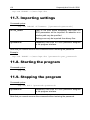
11.7. Importing settings ............................................................................................ 123
11.8. Starting the program........................................................................................ 123
11.9. Stopping the program...................................................................................... 123
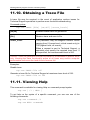
11.10. Obtaining a Trace File................................................................................... 124
11.11. Viewing Help.................................................................................................. 124
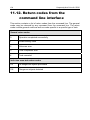
11.12. Return codes from the command line interface ........................................... 125
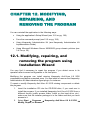
CHAPTER 12. MODIFYING, REPAIRING, AND REMOVING THE PROGRAM .... 126
12.1. Modifying, repairing, and removing the program using Installation Wizard... 126
12.2. Uninstalling the program from the command prompt..................................... 128
CHAPTER 13. ADMINISTERING THE PROGRAM WITH KASPERSKY
ADMINISTRATION KIT............................................................................................ 129
13.1. Administering the application .......................................................................... 132
13.1.1. Starting/stopping the application .............................................................. 133
13.1.2. Configuring application settings ............................................................... 134
13.1.3. Configuring specific settings..................................................................... 136
13.2. Managing tasks ............................................................................................... 137
13.2.1. Starting and stopping tasks...................................................................... 138
13.2.2. Creating tasks........................................................................................... 139
13.2.2.1. Creating local tasks............................................................................ 139
13.2.2.2. Creating group tasks.......................................................................... 141
13.2.2.3. Creating global tasks ......................................................................... 141
13.2.3. Configuring specific task settings............................................................. 142
13.3. Managing policies............................................................................................ 143
13.3.1. Creating policies ....................................................................................... 143
13.3.2. Viewing and editing policy settings .......................................................... 145
Table of Contents
7
CHAPTER 14. FREQUENTLY ASKED QUESTIONS............................................... 147
APPENDIX A. REFERENCE INFORMATION........................................................... 149
A.1. List of files scanned by extension..................................................................... 149
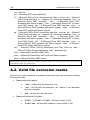
A.2. Valid file exclusion masks................................................................................. 151
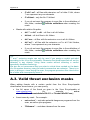
A.3. Valid threat exclusion masks ............................................................................ 152
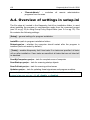
A.4. Overview of settings in setup.ini ....................................................................... 153
APPENDIX B. KASPERSKY LAB............................................................................... 154
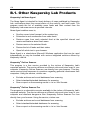
B.1. Other Kaspersky Lab Products ........................................................................ 155
B.2. Contact Us......................................................................................................... 165
APPENDIX C. LICENSE AGREEMENT .................................................................... 166
CHAPTER 1. THREATS TO
COMPUTER SECURITY
As information technology has rapidly developed and penetrated many aspects
of human existence, so the number and range of crimes aimed at breaching
information security has grown.
Cyber criminals have shown great interest in the activities of both state structures
and commercial enterprises. They attempt to steal or disclose confidential
information, which damages business reputations, disrupts business continuity,
and may impair an organization's information resources. These acts can do
extensive damage to assets, both tangible and intangible.
It is not only big companies who are at risk; individual users can also be
attacked. Criminals can gain access to personal data (for instance, bank account
and credit card numbers and passwords), or cause a computer to malfunction.
Some types of attacks can give hackers complete access to a computer, which
can then be used as part of a “zombie network” of infected computers to attack
servers, send out spam, harvest confidential information, and spread new viruses
and Trojans.
In today’s world, it is widely acknowledged that information is a valuable asset
that should be protected. At the same time, information must be accessible to
those who legitimately require it (for instance, employees, clients and partners of
a business). Hence, the need to create a comprehensive information security
system, which must take account of all possible sources of threats, whether
human, man-made, or natural disasters, and use a complete array of defensive
measures, at the physical, administrative and software levels.
1.1. Sources of Threats
A person, a group of people, or phenomena unrelated to human activity can
threaten information security. Following from this, all threat sources can be put
into one of three groups:
•
The human factor. This group of threats concerns the actions of people
with authorized or unauthorized access to information. Threats in this
group can be divided into:
•
External, including cyber criminals, hackers, internet scams,
unprincipled partners, and criminal organisations.
Threats to Computer Security
•
9
Internal, including the actions of company staff and users of
home PCs. Actions taken by this group could be deliberate or
accidental.
•
The technological factor. This threat group is connected with technical
problems – use of obsolete or poor-quality software and hardware to
process information. This can lead to equipment failure and often to data
loss.
•
The natural-disaster factor. This threat group includes the whole range
of events caused by nature and independent of human activity.
All three threat sources must be accounted for when developing a data security
protection system. This User Guide focuses on the area that is directly tied to
Kaspersky Lab’s expertise – external threats involving human activity.
1.2. How threats spread
As modern computer technology and communications tools develop, hackers
have more opportunities for spreading threats. Let’s take a closer look at them:
The Internet
The Internet is unique, since it is no one’s property and has no
geographical borders. In many ways, this has promoted the development
of web resources and the exchange of information. Today, anyone can
access data on the Internet or create their own webpage.
However, these very features of the worldwide web give hackers the
ability to commit crimes on the Internet, and make the hackers difficult to
detect and punish.
Hackers place viruses and other malicious programs on Internet sites and
disguise them as useful freeware. Furthermore, scripts that run
automatically when you open certain webpages can execute dangerous
actions on your computer, including modifying the system registry,
stealing personal data, and installing malicious software.
By using network technologies, hackers can attack remote PCs and
company servers. These attacks can cause parts of your system to
malfunction, or could provide hackers with complete access to your
system and thereby to the information stored on it. They can also use it
as part of a zombie network.
Lastly, since it became possible to use credit cards and e-money through
the Internet in online stores, auctions, and bank homepages, online
scams have become increasingly common.
Intranet
10
Kaspersky Anti-Virus 6.0 SOS
Your intranet is your internal network, specially designed for handling
information within a company or a home network. An intranet is a unified
space for storing, exchanging, and accessing information for all the
computers on the network. This means that if one computer on the
network is infected, the others are at great risk of infection. To avoid such
situations, both the network perimeter and each individual computer must
be protected.
Email
Since the overwhelming majority of computers have email client programs
installed, and since malicious programs exploit the contents of electronic
address books, conditions are usually right for spreading malicious
programs. The user of an infected computer might unknowingly send
infected emails to friends or coworkers who in turn send more infected
emails. For example, it is common for infected file documents to go
undetected when distributed with business information via a company’s
internal email system. When this occurs, more than a handful of people
are infected. It might be hundreds or thousands of company workers,
together with potentially tens of thousands of subscribers.
Beyond the threat of malicious programs lies the problem of electronic
junk email, or spam. Although not a direct threat to a computer, spam
increases the load on email servers, eats up bandwidth, clogs up the
user’s mailbox, and wastes working hours, thereby incurring financial
harm.
In addition, hackers have begun using mass mailing programs and social
engineering methods to convince users to open emails, or click on a link
to certain websites. It follows that spam filtration capabilities are valuable
for several purposes: to stop junk email; to counteract new types of online
scans, such as phishing; to stop the spread of malicious programs.
Removable storage media
Removable media (floppies, CD-ROMs, and USB flash drives) are widely
used for storing and transmitting information.
Opening a file that contains malicious code and is stored on a removable
storage device can damage data stored on the local computer and spread
the virus to the computer’s other drives or other computers on the
network.
1.3. Types of Threats
There are a vast number of threats to computer security today. This section will
review the threats that are blocked by Kaspersky Anti-Virus 6.0 SOS.
Threats to Computer Security
11
Worms
This category of malicious programs spreads itself largely by exploiting
vulnerabilities in computer operating systems. The class was named for
the way that worms crawl from computer to computer, using networks and
email. This feature allows worms to spread themselves very rapidly.
When a worm penetrates a computer, it scans for the network addresses
of other computers that are locally accessible, and sends a burst of selfmade copies to these addresses. In addition, worms often utilize data
from email client address books. Some of these malicious programs
occasionally create working files on system disks, but they can run
without any system resources except RAM.
Viruses
Viruses are programs that infect other files, adding their own code to them
to gain control of the infected files when they are opened. This simple
definition explains the fundamental action performed by a virus –
infection.
Trojans
Trojans are programs that carry out unauthorized actions on computers,
such as deleting information on drives, making the system hang, stealing
confidential information, and so on. This class of malicious program is not
a virus in the traditional sense of the word, because it does not infect
other computers or data. Trojans cannot break into computers on their
own. They are spread by hackers, who disguise them as regular software.
The damage that they inflict can greatly exceed that done by traditional
virus attacks.
Recently, worms have been the commonest type of malicious program damaging
computer data, followed by viruses and Trojans. Some malicious programs
combine features of two or even three of these classes.
Adware
Adware comprises programs that are included in software, unknown to
the user, which is designed to display advertisements. Adware is usually
built into software that is distributed free. The advertisement is situated in
the program interface. These programs also frequently collect personal
data on the user and send it back to their developer, change browser
settings (start page and search pages, security levels, etc.) and create
traffic that the user cannot control. This can lead to a security breach and
to direct financial losses.
Spyware
12
Kaspersky Anti-Virus 6.0 SOS
This software collects information about a particular user or organization
without their knowledge. Spyware often escapes detection entirely. In
general, the goal of spyware is to:
•
Trace user actions on a computer;
•
Gather information on the contents of your hard drive; in such
cases, this usually involves scanning several directories and the
system registry to compile a list of software installed on the
computer;
•
Gather information on the quality of the connection, bandwidth,
modem speed, etc.
Riskware
Riskware includes software that has not malicious features but could form
part of the development environment for malicious programs or could be
used by hackers as auxiliary components for malicious programs. This
program category includes programs with backdoors and vulnerabilities,
as well as some remote administration utilities, keyboard layout togglers,
IRC clients, FTP servers, and all-purpose utilities for stopping processes
or hiding their operation.
Another type of malicious program that is similar to adware, spyware, and
riskware are programs that plug into your web browser and redirect traffic. The
web browser will open different web sites than those intended.
Jokes
Joke software does not do any direct damage, but displays messages
stating that damage has already been done or will be under certain
conditions. These programs often warn the user of non-existent dangers,
such as messages that warn of formatting the hard drive (although no
formatting actually takes place) or detecting viruses in uninfected files.
Rootkits
These are utilities that are used to conceal malicious activity. They mask
malicious programs to keep anti-virus programs from detecting them.
Rootkits modify basic functions of the computer’s operating system to
hide both their own existence and actions that the hacker undertakes on
the infected computer.
Other dangerous programs
These are programs created to, for instance, set up denial of service
(DoS) attacks on remote servers, hack into other computers, and
programs that are part of the development environment for malicious
programs. These programs include hack tools, virus builders, vulnerability
Threats to Computer Security
13
scanners, password-cracking programs, and other types of programs for
cracking network resources or penetrating a system.
Kaspersky Anti-Virus 6.0 SOS detects and blocks these threat types reactively, i.
e. malicious objects are detected using a threat signature database that is
regularly updated. At least one virus infection is necessary to implement this
method – in order to add threat signature to the database and distribute
database update.
Warning:
From this point forward, we will use the term "virus" to refer to malicious and
dangerous programs. The type of malicious programs will only be emphasized
where necessary.
1.4. Signs of Infection
There are a number of signs that a computer is infected. The following events
are good indicators that a computer is infected with a virus:
•
Unexpected messages or images appear on the screen, or unusual
sounds are played;
•
The CD/DVD-ROM tray opens and closes unexpectedly;
•
The computer arbitrarily launches a program without your assistance;
•
Warnings pop up on the screen about a program attempting to access the
Internet, even though you initiated no such action;
There are also several typical traits of a virus infection through email:
•
Friends or acquaintances tell you about messages from you that you
never sent;
•
Your inbox houses a large number of messages without return addresses
or headers.
It must be noted that these signs can arise from causes other than viruses. For
example, in the case of email, infected messages can be sent with your return
address but not from your computer.
There are also indirect indications that your computer is infected:
•
Your computer freezes or crashes frequently;
•
Your computer loads programs slowly;
•
You cannot boot up the operating system;
•
Files and folders disappear or their contents are distorted;
14
Kaspersky Anti-Virus 6.0 SOS
•
The hard drive is frequently accessed (the light blinks);
•
The web browser program (e.g., Microsoft Internet Explorer) freezes or
behaves unexpectedly (for example, you cannot close the program
window).
In 90% of cases, these indirect systems are caused by malfunctions in hardware
or software. Despite the fact that such symptoms rarely indicate infection, we
recommend that, upon detecting them, you are recommended to run a complete
scan of your computer (see 5.1 on pg. 41).
1.5. What to do if you suspect
infection
If you notice that your computer is behaving suspiciously…
Don’t panic! This is the golden rule: it could save you from losing important data.
Disconnect your computer from the Internet or local network, if it is on one.
If the computer will not boot from the hard drive (the computer displays an error
message when you turn it on), try booting in safe mode or with the emergency
operating system boot disk that you created when you installed the operating
system.
Before doing anything else, back up your work on removable storage media
(floppy, CD/DVD, flash drive, etc.).
Install Kaspersky Anti-Virus 6.0 SOS, if you have not done so already.
Update the program’s threat signatures and application modules (see 5.4 on pg.
43). If possible, download the updates off the Internet from a different, uninfected
,computer, for instance at a friend’s, an Internet café, or work. It is better to use a
different computer since, when you connect an infected computer to the Internet,
there is a chance that the virus will send important information to hackers or
spread the virus to the addresses in your address book. That is why if you
suspect that your computer has a virus, you should immediately disconnect from
the Internet. You can also get threat signature updates on floppy disk from
Kaspersky Lab or its distributors and update your signatures using the disk.
Select the security level recommended by the experts at Kaspersky Lab.
Start a full computer scan (see 5.1 on pg. 41).
Threats to Computer Security
15
1.6. Preventing Infection
Not even the most reliable and deliberate measures can provide 100% protection
against computer viruses and Trojans, but following such a set of rules
significantly lowers the likelihood of virus attacks and the level of potential
damage.
One of the basic methods of battling viruses is, as in medicine, well-timed
prevention. Computer prophylactics involve a rather small number of rules that, if
complied with, can significantly lower the likelihood of being infected with a virus
and losing data.
Basic safety rules are given below. If these are followed, the likelihood of virus
attacks will be reduced significantly. However, it must be kept in mind that
Kaspersky Anti-Virus 6.0 SOS does not provide continuous computer security.
Rule No. 1: Use anti-virus software and Internet security programs. To do so:
•
Install Kaspersky Anti-Virus 6.0 SOS as soon as possible.
•
Regularly update the program’s threat signatures (see 5.4 on pg. 43). You
should update the signatures several times per day during virus
outbreaks. In such situations, the threat signatures on Kaspersky Lab’s
update servers are updated immediately.
•
Select the settings for a complete scan recommended by Kaspersky Lab,
and schedule scans for at least once per week.
Rule No. 2: Use caution when copying new data to your computer:
•
Scan all removable storage drives, for example floppies, CDs/DVDs, and
flash drives, for viruses before using them (see 5.3 on pg. 42).
•
Treat emails with caution. Do not open any files attached to emails unless
you are certain that you were intended to receive them, even if they were
sent by people you know.
•
Be careful with information obtained through the Internet. If any web site
suggests that you install a new program, be certain that it has a security
certificate.
•
If you are copying an executable file from the Internet or local network, be
sure to scan it with Kaspersky Anti-Virus 6.0 SOS.
•
Use discretion when visiting web sites. Many sites are infected with
dangerous script viruses or Internet worms.
Rule No. 3: Pay close attention to information from Kaspersky Lab.
16
Kaspersky Anti-Virus 6.0 SOS
In most cases, Kaspersky Lab announces a new outbreak long before it
reaches its peak. The likelihood of the infection in such a case is low, and
once you download the threat signature updates, you will have plenty of
time to protect yourself against the new virus.
Rule No. 4: Do not trust virus hoaxes, such as prank programs and emails about
infection threats.
Rule No. 5: Use the Windows Update tool and regularly install Windows
operating system updates.
Rule No. 6: Buy legitimate copies of software from official distributors.
Rule No. 7: Limit the number of people who are allowed to use your computer.
Rule No. 8: Lower the risk of unpleasant consequences of a potential infection
by backing data up in a timely manner. If you lose your data, the system can
fairly quickly be restored if you have backup copies. Store distribution
floppies, CDs, flash drives, and other storage media with software and
valuable information in a safe place.
Rule No. 9: Regularly inspect the list of programs installed on your computer. To
do so, open Install/Remove Programs in the Control Panel, or open the
Program Files directory. You may discover software here that was installed
on your computer without your knowledge, for example, while you were
using the Internet or installing a different program. Programs like these are
almost always potentially dangerous.
CHAPTER 2. KASPERSKY ANTIVIRUS 6.0 SOS
Kaspersky Anti-Virus 6.0 SOS heralds a new generation of data security
products.
What really sets Kaspersky Anti-Virus 6.0 SOS apart from other software is that
this application is a supplemental anti-virus facility providing on-demand
scanning functionality. Kaspersky Anti-Virus 6.0 SOS can co-exist with other antivirus solutions without any conflict.
Kaspersky Anti-Virus 6.0 SOS does not provide continuous anti-virus security!
2.1. What’s new in Kaspersky AntiVirus 6.0 SOS
This section provides a detailed description of new features in Kaspersky AntiVirus 6.0 SOS.
New Virus Scan Features
•
File scanning technology has been improved to lower the CPU load and
increase the speed of file scans. This is achieved through the use of
iChecker™ technology (see . By operating this way, the program rules out
scanning files twice.
•
The scan process now runs as a background task, enabling the user to
continue using the computer. If there is a competition for system
resources, the virus scan will pause until the user’s operation is
completed and then resumes at the point where it left off.
•
Critical areas of the computer, which if infected would seriously affect
data quality or security, are given their own separate task. This task can
be configured to run automatically every time the system is started.
•
The user notification function has been expanded for certain events that
arise during program operation. You can select the method of notification
yourselves for each of these event types: e-mails, sound notifications,
pop-up messages.
18
Kaspersky Anti-Virus 6.0 SOS
•
Now the protection system has the option of centralized remote
administration, using an added administration interfaced under Kaspersky
Administration Kit.
New Program Interface Features
•
The new Kaspersky Anti-Virus 6.0 SOS interface makes the program’s
functions clear and easy to use. You can also change the program’s
appearance by using your own graphics and color schemes.
•
The program regularly provides you with tips as you use it: Kaspersky
Anti-Virus 6.0 SOS displays advisories on virus scan and update status,
provides runtime hints and tips, and a thorough Help section.
New Program Update Features
•
This version of the program debuts our improved update procedure:
Kaspersky Anti-Virus 6.0 SOS automatically checks the update source for
updates. If it finds new updates, Anti-Virus downloads them and installs
them on the computer.
•
The program downloads updates incrementally, ignoring files that have
already been downloaded. This lowers the download traffic for updates by
up to 10 times.
•
Updates are downloaded from from the most efficient source.
•
You can choose not to use a proxy server, by downloading program
updates from a local source. This noticeably reduces the traffic on the
proxy server.
•
The program has an update rollback feature that can return to the
previous version of the signatures, if the threat signatures are damaged or
there is an error in copying.
•
A tool has been added to Updater that copies updates to a local folder to
give other computers on the network access to them. This cuts down on
Internet traffic.
2.2. Components of Kaspersky AntiVirus 6.0 SOS
Kaspersky Anti-Virus 6.0 SOS includes:
•
Virus Scan Tasks (see 2.2.1 on pg. 19) that virus-check the computer’s
memory and file system, as individual files, folders, disks, or regions.
Kaspersky Anti-Virus 6.0 SOS
•
19
Support Tools (see 2.2.2 on pg. 19) that provide threat signature updates
and support for the program, as well as extend its functionality.
2.2.1. Virus scan tasks
It is extremely important periodically to scan your computer for viruses.
Therefore, Kaspersky Anti-Virus 6.0 SOS comprises the following virus scan
tasks:
Critical Areas
Scans all critical areas of the computer for viruses. This includes system
memory, programs loaded on startup, boot sectors on the hard drive, and
the Microsoft Windows system directories. The task aims to detect active
viruses quickly without fully scanning the computer.
My Computer
Scans for viruses on your computer with a thorough inspection of all disk
drives, memory, and files.
Startup Objects
Scans for viruses in all programs that are loaded automatically on startup,
plus RAM and boot sectors on hard drives.
There is also the option to create other virus-scan tasks and create a schedule
for them. For example, you can create a scan task for email databases once per
week, or a virus scan task for the My Documents folder.
2.2.2. Program tools
Kaspersky Anti-Virus 6.0 SOS includes a number of support tools, which are
designed to provide real-time software support, expanding the capabilities of the
program and assisting you as you go.
Update
In order to be prepared for a hacker attack, or to delete a virus or some
other dangerous program, Kaspersky Anti-Virus 6.0 SOS needs to be
kept up-to-date. The Updater component is designed to do exactly that. It
is responsible for updating the Kaspersky Anti-Virus 6.0 SOS threat
signatures and program modules.
The update distribution feature can save threat signature and application
module updates retrieved from Kaspersky Lab update servers in a local
folder. It then grants other computers on the network access to them to
conserve on Internet bandwidth.
20
Kaspersky Anti-Virus 6.0 SOS
Data Files
At application runtime, a report is generated for virus scan and application
update tasks. The reports contain information on completed operations
and their results. By using the Reports feature, you will remain up-to-date
on the execution of any task. Should problems arise, the reports can be
sent to Kaspersky Lab, allowing our specialists to study the situation in
greater depth and help you as quickly as possible.
Kaspersky Anti-Virus 6.0 SOS sends all files suspected of being
dangerous to a special Quarantine area, where they are stored in
encrypted form to avoid infecting the computer. You can scan these
objects for viruses, restore them to their previous locations, delete them,
or manually add files to Quarantine. Files that are found not to be infected
upon completion of the virus scan are automatically restored to their
former locations.
The Backup area holds copies of files disinfected and deleted by the
program. These copies are created in case you either need to restore the
files, or want information about their infection. These backup copies are
also stored in an encrypted form to avoid further infection.
You can manually restore a file from Backup to the original location and
delete the copy.
Support
All registered Kaspersky Anti-Virus 6.0 SOS users can take advantage of
our technical support service. To learn where exactly you can get
technical support, use the Support feature.
Using these links, you can go to a Kaspersky Lab user forum and a list of
frequently asked questions that may help you resolve your issue.. In
addition, by completing the form on the site, you can send Technical
Support a message on the error or failure in the operation of the
application.
You will also be able to access Technical Support on-line, and, of course,
our employees will always be ready to assist you with Kaspersky AntiVirus 6.0 SOS by phone.
2.3. Hardware and software system
requirements
For Kaspersky Anti-Virus 6.0 SOS to run properly, your computer must meet
these minimum requirements:
Kaspersky Anti-Virus 6.0 SOS
21
General Requirements:
•
50 MB of free hard drive space
•
CD-ROM drive (for installing Kaspersky Anti-Virus 6.0 SOS from an
installation CD)
•
Microsoft Internet Explorer 5.5 or higher (for updating threat signatures
and program modules through the Internet)
•
Microsoft Windows Installer 2.0
Microsoft Windows 98, Microsoft Windows Me, Microsoft Windows NT
Workstation 4.0 (Service Pack 6a):
•
Intel Pentium 300 MHz processor or faster (or compatible)
•
64 MB of RAM
Microsoft Windows 2000 Professional (Service Pack 4 or higher), Microsoft
Windows XP Home Edition, Microsoft Windows XP Professional (Service Pack 1
or higher), Microsoft Windows XP Professional x64 Edition:
•
Intel Pentium 300 MHz processor or compatible
•
128 MB of RAM
Microsoft Windows Vista, Microsoft Windows Vista x64:
•
Intel Pentium 800 MHz 32-bit (x86)/ 64-bit (x64) or faster (or compatible)
•
512 MB of RAM
2.4. Software packages
You can purchase the boxed version of Kaspersky Anti-Virus 6.0 SOS from our
resellers, or download it from Internet shops, including the eStore section of
www.kaspersky.com.
If you buy the boxed version of the program, the package will include:
•
A sealed envelope with an installation CD containing the program files
•
A license key, included with the installation package or on a special
diskette, or an application activation code on the CD slip.
•
A User Guide
•
The end-user license agreement (EULA)
Before breaking the seal on the installation disk envelope, carefully read
through the EULA.
22
Kaspersky Anti-Virus 6.0 SOS
If you buy Kaspersky Anti-Virus 6.0 SOS from an online store, you copy the
product from the Kaspersky Lab website (Downloads → Product Downloads).
You can download the User Guide from the Downloads → Documentation
section.
You will be sent a license key or activation code by email after your payment has
been received.
The End-User License Agreement is a legal agreement between you and
Kaspersky Lab that specifies the terms on which you may use the software you
have purchased.
Read the EULA through carefully.
If you do not agree with the terms of the EULA, you can return your boxed
product to the reseller from whom you purchased it and be reimbursed for the
amount you paid for the program. If you do so, the sealed envelope for the
installation disk must still be sealed.
By opening the sealed installation disk, you accept all the terms of the EULA.
2.5. Support for registered users
Kaspersky Lab provides its registered users with an array of services to make
Kaspersky Anti-Virus 6.0 SOS more effective.
When the program has been activated, you become a registered user and will
have the following services available until the license expires:
•
New versions of the program free of charge
•
Consultation on questions regarding installation, configuration, and
operation of the program, by phone and email
•
Notifications on new Kaspersky Lab product releases and new viruses
(this services is for users that subscribe to Kaspersky Lab news mailings)
Kaspersky Lab does not provide technical support for operating system use and
operation, or for any products other than its own.
CHAPTER 3. INSTALLING
KASPERSKY ANTI-VIRUS
6.0 SOS
Kaspersky Anti-Virus 6.0 SOS can be collocated with other third-party and
Kaspersky Lab anti-virus applications. This does not create any conflict with
other anti-virus applications with the exception of:
•
Kaspersky Anti-Virus 6.0 and 7.0;
•
Kaspersky Internet Security 6.0 and 7.0;
•
Kaspersky Anti-Virus 6.0 for Windows Workstation;
•
Kaspersky Anti-Virus 6.0 for Windows Servers.
Kaspersky Anti-Virus 6.0 SOS does not provide real-time computer security and
is a supplemental anti-virus application!
There are several ways to install Kaspersky Anti-Virus 6.0 SOS:
•
•
Local Installation: install the application on a single host. Direct access to
the host in question is required to run and complete the install. A local
install may be performed in one of the two modes below:
•
an interactive install using the application Installation Wizard
(see 3.1 on p. 25); this mode requires user input for the install to
proceed;
•
a non-interactive install run from the command line and not
requiring any user input for the install to proceed (see 3.3 on
p. 33).
Remote Installation: install the application to networked computers
remotely from an administrator workstation using:
•
the Kaspersky Administration Kit software suite (see Kaspersky
Administration Kit Deployment Guide);
•
Microsoft Windows Server 2000/2003 group domain policies
(see 3.4 on 33).
Before installing Kaspersky Anti-Virus 6.0 SOS, we recommend closing all other
applications (this also applies to installation using Kaspersky Administration Kit).
24
Kaspersky Anti-Virus 6.0 SOS
3.1. Installation procedure using the
Installation Wizard
To install Kaspersky Anti-Virus 6.0 SOS on your computer, open the Windows
Installer file on the installation CD.
Note:
Installing the program with an installer package downloaded from the Internet is
identical to installing it from an installation CD.
An installation wizard will open for the program. Each window contains a set of
buttons for navigating through the installation process. Here is a brief explanation
of their functions:
•
Next – accepts an action and moves forward to the next step of
installation.
•
Back – goes back to the previous step of installation.
•
Cancel – cancels product installation.
•
Finish – completes the program installation procedure.
Let’s take a closer look at the steps of the installation procedure.
Step 1. Checking for the necessary system conditions to
install Kaspersky Anti-Virus 6.0 SOS
Before the program is installed on your computer, the installer checks your
computer for the operating system and service packs necessary to install
Kaspersky Anti-Virus 6.0 SOS. It also checks your computer for other necessary
programs and verifies that your user rights allow you to install software.
If any of these requirements is not met, the program will display a message
informing you of the fault. You are advised to install any necessary service packs
through Windows Update, and any other necessary programs, before installing
Kaspersky Anti-Virus 6.0 SOS.
Step 2. Installation Welcome window
If your system fully meets all requirements, an installation window will appear
when you open the installer file with information on beginning the installation of
Kaspersky Anti-Virus 6.0 SOS.
To continue installation, click the Next button. You may cancel installation by
clicking Cancel.
Installing Kaspersky Anti-Virus 6.0 SOS
25
Step 3. Viewing the End-User License Agreement
The next window contains the End-User License Agreement which is made
between you and Kaspersky Lab. Carefully read through it, and if you agree to all
the terms of the agreement, select
I accept the terms of the License
Agreement and click the Next button. Installation will continue.
To cancel the installation, press the Cancel button.
Step 4. Selecting an installation folder
The next stage of Kaspersky Anti-Virus 6.0 SOS installation determines where
the program will be installed on your computer. The default path is:
•
<drive> → Program Files → Kaspersky Lab → Kaspersky Anti-Virus
6.0 SOS – for 32-bit systems.
•
<drive> → Program Files (х86) → Kaspersky Lab → Kaspersky AntiVirus 6.0 SOS – for 64-bit systems.
You can specify a different folder by clicking the Browse button and selecting it
in the folder selection window, or by entering the path to the folder in the field
available.
Remember that if you enter the full path to the installation folder manually, its
length must not exceed 200 characters or contain special characters..
To continue installation, click the Next button.
Step 5. Searching for other anti-virus programs
In this stage, the installer searches for other anti-virus products installed on your
computer.
If another anti-virus application is detected, Kaspersky Anti-Virus 6.0 SOS will
proceed with the installation. Otherwise, a warning will be displayed to the effect
that the application does not provide full computer anti-virus security.
To continue installation, click the Next button.
Step 6. Finishing installing your program
In this stage, the program will ask you to finish installing the program on your
computer. You can decide if you want to use the settings and threat signatures
from a previous version of Kaspersky Anti-Virus SOS (for example, if you
installed the beta version and now you are installing the commercial version).
Let’s take a closer look at how to use the options described above.
26
Kaspersky Anti-Virus 6.0 SOS
If you have previously installed another version or build of Kaspersky Anti-Virus
SOS on your computer and you saved its threat signatures when you uninstalled
Threat signatures.
it, you can use it in the current version. To do so, check
The threat signatures included with the program installation will not be copied to
your computer.
To use application settings that you configured and saved from a previous
version, check
Application settings.
To continue installation, click the Next button.
Step 7. Selecting Installation Type
In this stage, you select how much of the program you want to install on your
computer. You have three options:
Complete. If you select this option, all Kaspersky Anti-Virus 6.0 SOS
components will be installed. The installation will recommence with Step
5.
Custom. If you select this option, you can select the program components
that you want to install. For more, see Step 8.
To select a setup type, click the appropriate button.
Step 8. Selecting Program Components to Install
This step occurs only if you select the Custom setup type.
If you selected Custom installation, you can select the components of Kaspersky
Anti-Virus 6.0 SOS that you want to install. By default, the virus scan component
and the Administration Agent plug-in for remote administration using Kaspersky
Administration Kit.
To select the components you want to install, left-click the icon alongside a
component name and select Will be installed on local hard drive from the
menu. More information on selected component’s functionality and the amount of
disk space required for its installation is available at the bottom of the program
installation window.
If you do not want to install a component, select Entire feature will be
unavailable item from the context menu. Remember that by choosing not to
install a component you deprive yourself of protection against a wide range of
dangerous programs.
After you have selected the components you want to install, click Next. To return
the list to the default programs to be installed, click Reset.
Click Install in the next window.
Installing Kaspersky Anti-Virus 6.0 SOS
27
Step 9. Completing the installation procedure
The Complete Installation window contains information on finishing the
Kaspersky Anti-Virus 6.0 SOS installation process.
To start the setup wizard, click Next (see 3.2 on page 28).
If installation is completed successfully, you will need to restart your computer,
and a message on the screen will tell you so.
3.2. Setup Wizard
The Kaspersky Anti-Virus 6.0 SOS Setup Wizard starts after the installation has
been finished. It is designed to help you configure the initial program settings to
conform to the features and uses of your computer.
The Setup Wizard interface is designed like a standard Windows Wizard and
consists of a series of steps that you can move between using the Back and
Next buttons, or complete using the Finish button. The Cancel button will stop
the Wizard at any point.
You can skip this initial settings stage when installing the program by closing the
Wizard window. In the future, you can run it again from the program interface if
you restore the default settings for Kaspersky Anti-Virus 6.0 SOS (see 10.10 on
page 112).
3.2.1. Activating the program
Before activating the program, make sure that the computer's system date
settings match the actual date and time.
You can activate the program by installing a license key. Kaspersky Anti-Virus
6.0 SOS check the key for a license agreement and to determine rights for using
application and its expiration date.
The license key contains system information necessary for all the program’s
features to operate, and other information:
•
Support information (who provides program support and where you can
obtain it)
•
Name, number, and expiration date of your license
28
Kaspersky Anti-Virus 6.0 SOS
3.2.1.1. Selecting a program activation method
Depending on whether you have a key for Kaspersky Anti-Virus or need to obtain
one from the Kaspersky Lab server, you have several options for activating the
program:
Activate using the activation code. Select this activation option if you
have purchased the full version of the program and were provided with
an activation code. Using this activation code you will obtain a key file
providing access to the application's full functionality throughout the
effective term of the license agreement.
Activate trial version. Select this activation option if you want to install
the trail version of the program before making the decision to buy a
commercial version. You will be given a free key valid for a term
specified in the trial version license agreement.
Apply existing license key. Activate the application using a Kaspersky
Anti-Virus 6.0 license key file.
Activate later. If you choose this option, you will skip the activation
stage. Kaspersky Anti-Virus 6.0 SOS will be installed on your computer
and you will have access to all program features except updates (you
can only update the threat signatures once after installing the program).
The first two activation options use a Kaspersky Lab web server, which requires
an Internet connection. Before activating, make sure to edit your network settings
(see 9.4.3 on p. 82) in the window that opens when you click LAN settings (if
necessary). For more in-depth information on configuring network settings,
contact your system administrator or ISP.
If you have no Internet connection when installing the program you can activate
the application later (see 10.5 on p. 100) using its interface or you can use
Internet access of another computer to register at Kaspersky Lab Technical
Support website and get the key using activation code.
3.2.1.2. Entering the activation code
You must enter an activation code to activate the program. If you purchase the
program through the Internet, you will receive the activation code by e-mail. If
you purchase a boxed version of the program, you will find the activation code on
the installation CD-ROM envelope.
The activation code is a sequence of numbers and letters separated by dashes
into four sections of five characters each, no spaces. For example, 11AA111AAA-1AA11-1A111. Note that the code must be entered in Latin characters.
Installing Kaspersky Anti-Virus 6.0 SOS
29
Enter your contact information in the lower part of the window: full name, e-mail
address, and country and city of residence. This information might be requested
to identify a registered user if, for example, a key is lost or stolen. If that were to
happen, your contact information will enable you to obtain a new license key.
3.2.1.3. Obtaining a key file
The Settings Wizard connects to Kaspersky Lab servers and sends them your
registration data (the activation code and personal information), which are
inspected on the server.
If the activation code passes inspection, the Wizard receives a key file. If you
install the demo version of the program, the Settings Wizard will receive a trial
key file without an activation code.
The file received will be installed automatically to use the program and you will
see an activation completion window with detailed information on the key being
used.
If the activation code does not pass inspection, you will see a corresponding
message on the screen. If this occurs, contact the software vendors from whom
you purchased the program for information.
3.2.1.4. Selecting a license key file
If you have a license key file for Kaspersky Anti-Virus 6.0 SOS, the Wizard will
ask if you want to install it. If you do, use the Browse button and select the file
path for the key file with the .key extension in the file selection window.
After you have successfully installed the key, you will see information about the
license in the lower part of the window: name of the person to whom the software
is registered, license number, license type (full, beta-testing, demo, etc.), and the
key expiration date.
3.2.1.5. Completing program activation
The Setup Wizard will inform you that the program has been successfully
activated. It will also display information on the license key installed: name of the
person to whom the software is registered, license number, license type (full,
beta-testing, demo, etc.), and the expiration date for the key.
30
Kaspersky Anti-Virus 6.0 SOS
3.2.2. Configuring update settings
The efficiency of virus scan tasks on your computer depends directly on updating
the threat signatures and program modules regularly. In this window, the Setup
Wizard asks you to select a mode for program updates, and to configure a
schedule.
Automatically. Kaspersky Anti-Virus 6.0 SOS checks the update source for
updates at specified intervals. During virus outbreaks, the check frequency may
increase, and decrease when they are gone. If it finds new updates, Anti-Virus
downloads them and installs them on the computer. This is the default setting.
Every 2 hours.Updates will run automatically according to the schedule
created. You can configure the schedule by clicking Edit.
Manually. If you choose this option, you will run program updates yourself.
Note that the threat signatures and program modules included with the software
may be outdated by the time you install the program. That is why we recommend
downloading the latest program updates. To do so, click Update now. Then
Kaspersky Anti-Virus 6.0 SOS will download the necessary updates from the
update servers and will install them on your computer.
If you want to configure updates (set up network properties, select the resource
from which updates will be downloaded, set up running task under a certain
account or enable update distribution option), click Settings.
3.2.3. Configuring a virus scan schedule
Scanning selected areas of your computer for malicious objects is one of the key
steps in protecting your computer.
When you install Kaspersky Anti-Virus 6.0 SOS, three default virus scan tasks
are created. In this window, the Setup Wizard asks you to choose a scan task
setting:
Startup objects
By default, Kaspersky Anti-Virus 6.0 SOS automatically scans Startup
objects when it starts up. You can edit the schedule properties in another
window by clicking Change.
Critical Areas
To automatically scan critical areas of your computer (system memory,
Startup objects, boot sectors, Windows system folders) for viruses, check
the appropriate box. You can configure the schedule by clicking Change.
The default setting for this automatic scan is disabled.
Installing Kaspersky Anti-Virus 6.0 SOS
31
My Computer
For a full virus scan of your computer to run automatically, check the
appropriate box. You can configure the schedule by clicking Change.
The default setting, for scheduled running of this task, is disabled.
However, we recommend running a full virus scan of your computer
immediately after installing the program.
3.2.4. Restricting program access
Kaspersky Anti-Virus 6.0 SOS gives you the option of password-protecting the
program, since several people with different levels of computer literacy may use
the same computer, and since malicious programs could potentially attempt to
disable protection. Using a password can protect the program from unauthorized
attempts to disable protecting or change settings.
To enable password protection, check
Enable password protection and
complete the New Password and Confirm password fields. If you are using a
password already and wish to change it, complete the Old Password field as
well.
Select the area below that you want password protection to apply to:
All operations (other than warning notifications). Request password if the
user attempts any action with the program, except for responses to
notifications on detection of dangerous objects.
Selected operations:
Saving program settings – request password when a user attempts to
save changes to program settings.
Exiting the program – request password if a user attempts to exit the
program.
Stopping / pausing virus scan tasks – request password if user
attempts to pause or completely disable any virus scan task.
3.2.5. Finishing the Setup Wizard
In the final window, check
Launch Application as needed and click Finish.
32
Kaspersky Anti-Virus 6.0 SOS
3.3. Installing the program from the
command prompt
To install Kaspersky Anti-Virus 6.0 SOS, enter this at the command prompt:
msiexec / i <package_name>
The Installation Wizard will start (see 3.1 on pg. 25).
To install the application non-interactively (without running the Installation
Wizard), enter:
msiexec /i <package_name> /qn
To install the application with an uninstall password, enter:
msiexec /i <package_name> KLUNINSTPASSWD=******, when
performing an interactive installation;
msiexec /i <package_name> KLUNINSTPASSWD=******
/qn, when performing a non-interactive installation without system
reboot;
If you install Kaspersky Anti-Virus in noninteractive mode, you can access the file
setup.ini, which contains the general settings for application installation (see A.4
on pg. 153), the configuration install.cfg (see 11.7 on p. 123) and the license key
file. Note that these files must be located in the same folder as the Kaspersky
Anti-Virus installer package.
3.4. Procedure for installing the
Group Policy Object
This feature is supported on computers running Microsoft Windows 2000 Server
or higher.
Using Group Policy Object Editor, you can install, update, and uninstall
Kaspersky Anti-Virus on enterprise workstations within the domain without using
Kaspersky Administration Kit.
3.4.1. Installing the program
To install Kaspersky Anti-Virus:
1.
Create a shared folder on the computer that is the domain controller
and copy the Kaspersky Anti-Virus .msi installer package to it.
Installing Kaspersky Anti-Virus 6.0 SOS
33
You can also copy in the file setup.ini, which contains the general
settings for application installation (see A.4 on pg. 153), the
configuration install.cfg (see 11.7 on p. 123), and the license key file.
2.
Open the Group Policy Object Editor via ММС (for more detailed
information on using Group Policy Object, consult help in Microsoft
Windows Server).
3.
Create a new package. To do so, from the console tree, select Group
Policy Object/ Computer Configuration/ Software Settings/
Software installation and use the command New/ Package from the
context menu.
In the window that opens, specify the path to the shared folder with the
Anti-Virus installer (see 1). Select Assign from the Select Deployment
Method dialog box and click OK.
The group policy will be enforced on each workstation the next time the computer
is registered in the domain. Kaspersky Anti-Virus will then be installed on all
computers.
3.4.2. Upgrading the program
To upgrade Kaspersky Anti-Virus:
1.
Copy the installer package containing the Kaspersky Anti-Virus update
in .msi format to the shared folder.
2.
Open Group Policy Object Editor and created a new package using
the steps given above.
3.
Select the new package and select the Properties command from the
context menu. In the package properties window, go to the Upgrades
tab and specify the package that contains the installer for the previous
version of Kaspersky Anti-Virus. To install the Kaspersky Anti-Virus
upgrade and keep your protection settings, select a variant of upgrading
the previous version.
The group policy will be enforced on each workstation the next time the computer
is registered in the domain.
Note that Kaspersky Anti-Virus on computers running Microsoft Windows 2000
Server cannot be upgraded using Group Policy Object Editor.
34
Kaspersky Anti-Virus 6.0 SOS
3.4.3. Uninstalling the program
To uninstall Kaspersky Anti-Virus:
1.
Open Group Policy Object Editor.
2.
To do so, from the console tree, select Group Policy Object/
Computer Configuration/ Software Settings/ Software installation.
Select the Kaspersky Anti-Virus package from the list. Open the
context menu and select the command All Tasks/ Remove.
In the Remove Software dialog box, select Immediately uninstall the
software from users and computers for Kaspersky Anti-Virus to be
uninstalled the next time a computer restarts.
3.5. Upgrading from 5.0 to 6.0
If Kaspersky Anti-Virus 5.0 SOS is installed on your computer, you can upgrade
it to Kaspersky Anti-Virus 6.0 SOS.
After you start the Kaspersky Anti-Virus 6.0 SOS installation program, you will be
given the choice of first uninstalling the already installed version 5.0. Once the
uninstall process is complete, you must restart your computer, after which
version 6.0 installation will run.
Warning!
When you upgrade Kaspersky Anti-Virus SOS 5.0 to 6.0 from a passwordprotected network folder, version 5.0 will be uninstalled without then installing
version 6.0 of the application. This is because the installer program does not
have access privileges to the network folder. To resolve this problem, only run
the installer from a local folder.
CHAPTER 4. PROGRAM
INTERFACE
Kaspersky Anti-Virus 6.0 SOS has a straightforward, user-friendly interface. This
chapter will discuss its basic features:
•
System tray icon (see 4.1 on pg. 36)
•
Context menu (see 4.2 on pg. 37)
•
Main window (see 4.3 on pg. 38)
•
Program settings window (see 4.4 on pg. 40)
In addition to the main program interface, there is an extension (plug-in) for
Microsoft Windows Explorer (see 7.2 on pg. 57). The plug-in extends the
functionality of Microsoft Windows Explorer by providing the capability to manage
Kaspersky Anti-Virus 6.0 SOS out of its interface.
4.1. System tray icon
As soon as you install Kaspersky Anti-Virus 6.0 SOS, its icon will appear in the
system tray.
The icon is an indicator for Kaspersky Anti-Virus 6.0 SOS functions. It reflects a
number of basic functions performed by the program. If the
icon shows up in
the system tray, this is an indication that Kaspersky Anti-Virus 6.0 SOS is active.
The Kaspersky Anti-Virus 6.0 SOS icon changes in relation to the operation
being performed:
A file is being scanned.
Kaspersky Anti-Virus 6.0 SOS threat signatures and program
modules are being updated.
An error has occurred in Kaspersky Anti-Virus 6.0 SOS.
The icon also provides access to the basics of the program interface: the context
menu (see 4.2 on pg. 37) and the main window (see 4.3 on pg. 38).
To open the context menu, right-click on the program icon.
36
Kaspersky Anti-Virus 6.0 SOS
To open the Kaspersky Anti-Virus 6.0 SOS main window to the Virus Scan
section (this is the default first screen when you open the program), double-click
the program icon. If you single-click the icon, the main window will open at the
section that was active when you last closed it.
4.2. The context menu
You can perform basic protection tasks from the context menu (see Figure 1).
The Kaspersky Anti-Virus 6.0 SOS menu contains the following items:
Scan My Computer – launches a complete scan of your computer for
dangerous objects. The files on all drives, including removable storage
media, will be scanned.
Virus scan… – selects objects and starts virus scan. The default list
contains a number of files, such as the My Documents folder, the
Startup folder, email databases, all the drives on your computer, etc.
You can add to the list, select files to be scanned, and start virus scans.
Figure 1. The context menu
Update – starts program modules and threat signatures update and installs
them on your computer.
Activate… – activate the program. You must activate your version of
Kaspersky Internet Security to obtain registered user status which
provides access to the full functionality of the application and Technical
Support. This menu item is only available if the program is not activated.
Settings… – view and configure settings for Kaspersky Anti-Virus 6.0 SOS.
Open Kaspersky Anti-Virus – open the main program window (see 4.3 on
pg. 38).
Exit – close Kaspersky Anti-Virus 6.0 SOS (when this option is selected, the
application will be unloaded from the computer’s RAM).
If a virus search task is running, the context menu will display its name with a
percentage progress meter. By selecting the task, you can open the report
window to view current performance results.
37
Program interface
4.3. Main program window
The Kaspersky Anti-Virus 6.0 SOS main window (see Figure 2) can be logically
divided into two parts:
•
the left part of the window, the navigation panel, guides you quickly and
easily to any update and virus scan task or the program’s support tools;
•
the right part of the window, the information panel, presents the tools to
carry out virus scans, work with quarantined files and backup copies,
manage license keys, and so on.
Figure 2. Kaspersky Anti-Virus 6.0 SOS
After selecting a section in the left part of the window, you will find information in
the right-hand part that matches your selection.
We will now examine the elements in the main window’s navigation panel in
greater detail.
38
Kaspersky Anti-Virus 6.0 SOS
Main Window Section
Purpose
To scan your computer for
malicious files or programs,
use the special Scan section in
the main window.
This section contains a list of objects that can
be scanned for viruses.
The Service section includes
additional Kaspersky Anti-Virus
6.0 SOS.
Here you can update the program, view virus
scan reports, work with quarantined objects and
backup copies, review technical support
information, and manage license keys.
The Comments and tips
section accompanies you as
you use the application.
This section offers tips on raising the security
level of your computer. You will also find
comments on the application’s current
performance and its settings. The links in this
section guide you to take the actions
recommended for a particular section or to view
information in more detail.
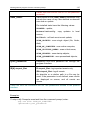
The commonest and most important tasks are
included in the section. These include virus
scan tasks for critical areas, for startup
programs, and a full computer scan.
Each element of the navigation panel is accompanied by a special context menu.
The menu contains points for tools that help the user quickly configure them,
manage them, and view reports. There is an additional menu item for virus scan
and update tasks that allows you to create your own task, by modifying a copy of
an existing task.
You can change the appearance of the program by creating and using your own
graphics and color schemes.
39
Program interface
4.4. Program settings window
You can open the Kaspersky Anti-Virus 6.0 SOS settings window from the main
window (see 4.3 on pg. 38). To do so, click Settings in the upper part of it.
The settings window (see Figure 3) is similar in layout to the main window:
•
the left part of the window gives you quick and easy access to the settings
for update and virus scan tasks and program tools;
•
the right part of the window contains a detailed list of settings for the item
selected in the left part of the window.
When you select any section or task in the left part of the settings window, the
right part will display its basic settings. To configure advanced settings, you can
open second and third level settings windows. You can find a detailed
description of program settings in the appropriate sections hereof.
Figure 3. Kaspersky Anti-Virus 6.0 SOS settings window
CHAPTER 5. GETTING STARTED
One of Kaspersky Lab’s main goals in creating Kaspersky Anti-Virus 6.0 SOS
was to provide optimum configuration for each of the program’s options. This
makes it possible for a user with any level of computer literacy to quickly protect
their computer straight after installation.
However, configuration details for your computer, or the jobs you use it for, can
have their own specific requirements. That is why we recommend performing a
preliminary configuration to achieve the most flexible, personalized protection of
your computer.
To make getting started easier, we have combined all the preliminary
configuration stages in one Setup Wizard (see 3.2 on pg. 28) that starts as soon
as the program is installed. By following the Wizard’s instructions, you can
activate the program, configure settings for updates and virus scans, passwordprotect access to the program, etc.
After installing and starting the program, we recommend that you take the
following steps:
•
Update the program (see 5.4 on pg. 43) if the Settings Wizard did not do
so automatically after installing the program.
•
Scan the computer (see 5.1 on pg. 41) for viruses.
5.1. How to scan your computer for
viruses
After installation, the application will without fail inform you with a special notice
in the lower left-hand part of the application window that the computer has not
yet been scanned and will recommend that you scan it for viruses immediately.
Kaspersky Anti-Virus 6.0 SOS includes a task for a computer virus scan located
in the Scan section of the program’s main window.
After you select the task My Computer, you will be able to see the following:
statistics for the most recent computer scan; task settings; what level of security
is selected, and what actions will be taken for dangerous objects.
To scan your computer for malicious programs,
1.
Open main program window and select the task My computer in the
Scan section.
Getting started
2.
41
Click the Scan button.
As a result, the program will start scanning your computer, and the details will be
shown in a special window. When you click the Close button, the progress
window will be hidden, but the scan will not stop.
5.2. How to scan critical areas of
the computer
There are areas on your computer that are critical from a security perspective.
These are targeted by malicious programs which aim to damage your computer’s
hardware, including operating system, processor, memory, etc.
It is extremely important to protect these critical areas so that your computer
keeps running. There is a special virus scan task for these areas, which is
located in the program’s main window in the Scan section.
After selecting the task Critical Areas, you will be able to see the following:
statistics for the most recent scan of these areas; task settings; what level of
protection was selected, and what actions are applied to security threats. Here
you can also select which critical areas you want to scan, and immediately scan
those areas.
To scan critical areas of your computer for malicious programs,
1.
Open main program window and select the task My computer in the
Scan section.
2.
Click the Scan button.
When you do this, a scan of the selected areas will begin, and the details will be
shown in a special window. When you click the Close button, the progress
window will be hidden, but the scan will not stop.
5.3. How to scan a file, folder or disk
for viruses
There are situations when it is necessary to scan individual objects for viruses
but not the entire computer. For example, one of the hard drives, on which your
programs and games, e-mail databases brought home from work, and archived
files that came with e-mail are located, etc. You can select an object for scan
with the standard tools of the Microsoft Windows operating system (for example,
in the Explorer program window or on your Desktop, etc.).
42
Kaspersky Anti-Virus 6.0 SOS
To scan an object,
Place the cursor over the name of the selected object, open the Windows
context menu by right-clicking, and select Scan for viruses (see Figure
4).
Figure 4. Scanning an object selected using
a standard Windows context-sensitive menu
A scan of the selected object will then begin, and the details will be shown in a
special window. When you click the Close button, the progress window will be
hidden, but the scan will not stop.
5.4. How to update the program
Kaspersky Lab updates the threats signatures and modules for Kaspersky AntiVirus 6.0 SOS using dedicated update servers.
Kaspersky Lab’s update servers are the Kaspersky Lab Internet sites where the
program updates are stored.
Warning!
You will need a connection to the Internet to update Kaspersky Anti-Virus 6.0
SOS.
By default, Kaspersky Anti-Virus 6.0 SOS automatically checks for updates on
the Kaspersky Lab servers. If the server has the latest updates, Kaspersky AntiVirus 6.0 SOS will download and install them in the silent mode.
To update Kaspersky Anti-Virus 6.0 SOS manually,
select the Update component in the Service section of the main program
window and click the Update now! button in the right-hand part of the
window.
Getting started
43
As a result, Kaspersky Anti-Virus 6.0 SOS will begin the update process, and
display the details of the process in a special window.
CHAPTER 6. APPLICATION
MANAGEMENT
Kaspersky Anti-Virus
management:
6.0
SOS
lets
you
multi-task
computer
security
•
Enable/ disable (see 6.1 on pg. 45) the program
•
Define the types of dangerous programs (see 6.2 on pg. 45) against
which Kaspersky Anti-Virus 6.0 SOS will protect your computer
•
Create an exclusion list (see 6.3 on pg. 46) for protection
•
Create your own virus scan and update tasks (see 6.4 on pg. 51).
•
Configure a virus scan schedule (see 6.5 on pg. 53).
•
Configure productivity settings (see 6.6 on pg. 54) for antivirus protection
6.1. Disabling/ Enabling Application
By default, Kaspersky Anti-Virus boots at startup and protects your computer the
entire time you are using it.
If you have to shut down Kaspersky Anti-Virus 6.0 SOS, select Exit from the
program's context menu (see 4.2 on pg. 37). This will unload the application from
RAM.
After closing the program, you can enable computer protection again by opening
Kaspersky Anti-Virus 6.0 SOS (Start→ All Programs → Kaspersky Anti-Virus
6.0 SOS → Kaspersky Anti-Virus 6.0 SOS).
The application may be launched automatically at operating system reboot. To
enable this feature, select the Protection section in the program settings window
and check
Launch Kaspersky Anti-Virus at startup.
6.2. Types of malicious programs to
be monitored
Kaspersky Anti-Virus 6.0 SOS searches for various types of malicious programs.
Regardless of your settings, the program always protects your computer against
Application Management
45
the most dangerous types of malicious programs such as viruses, Trojans, and
hack tools. These programs can do significant damage to your computer. To
make your computer more secure, you can expand the list of threats that the
program will detect by making it monitor additional types of dangerous
programs.
To choose what malicious programs Kaspersky Anti-Virus 6.0 SOS will protect
you from, select the Protection section in the program settings window (see 4.4
on pg. 40).
The Malware categories box contains threat types (see 1.1 on pg. 8):
Viruses, worms, Trojans, hack tools. This group combines the most
common and dangerous categories of malicious programs. This is the
minimum admissible security level. Per recommendations of Kaspersky Lab
experts, Kaspersky Anti-Virus 6.0 SOS always monitors this category of
malicious programs.
Spyware, adware, dialers. This group includes potentially dangerous
software that may inconvenience the user or incur serious damage.
Potentially dangerous software (riskware). This group includes programs
that are not malicious or dangerous. However, under certain circumstances
they could be used to cause harm to your computer.
The above groups control what part of the threat signatures is to be utilized when
scanning for viruses on your computer.
If all groups are selected, Kaspersky Anti-Virus 6.0 SOS provides the fullest
possible virus scan of your computer. If the second and third groups are
disabled, the program will only scan for the most common malicious objects. This
does not include potentially dangerous programs and others that could be
installed on your computer and could damage your files, steal your money, or
take up your time.
Kaspersky Lab does not recommend disabling monitoring for the second group.
When situations arise when Kaspersky Anti-Virus 6.0 SOS classifies a program
as potentially dangerous that you feel is not, we recommend configure an
exclusion for it (see 6.3 on pg. 46).
6.3. Creating a trusted zone
A trusted zone is a list of objects created by the user, that Kaspersky Anti-Virus
6.0 SOS does not scan. In other words, it is a set of programs excluded from
scans.
The user creates a protected zone based on the properties of the files he uses
and the programs installed on his computer.
46
Kaspersky Anti-Virus 6.0 SOS
You can exclude files of certain formats from the scan, use a file mask, or
exclude a certain area (for example, a folder or a program), or objects according
to Virus Encyclopedia classification (the status that the program assigns to
objects during a scan).
Warning!
An exclusion object is not scanned when the disk or folder where it is located is
scanned. However, if you select that object specifically, the exclusion rule will not
be applied.
In order to create an exclusion list,
1.
Open the application settings window and select the Protection
section.
2.
Click the Trusted Zone button in the General section.
3.
Configure exclusion rules for objects (see Figure 5).
Figure 5. Creating a trusted zone
Exclusion rules are sets of conditions that Kaspersky Anti-Virus 6.0 SOS uses to
determine not to scan an object.
Application Management
47
You can exclude files of certain formats from the scan, use a file mask, or
exclude a certain area, such as a folder, or objects according to their verdict.
The verdict is the status that Kaspersky Anti-Virus 6.0 SOS assigns to an object
during the scan. A verdict is based on the classification of malicious and
potentially dangerous programs found in the Kaspersky Lab Virus Encyclopedia.
Potentially dangerous software does not have a malicious function but can be
used as an auxiliary component for a malicious code, since it contains holes and
errors. This category includes, for example, remote administration programs, IRC
clients, FTP servers, all-purpose utilities for stopping or hiding processes,
keyloggers, password macros, autodialers, etc. These programs are not
classified as viruses. They can be divided into several types, e.g. Adware, Jokes,
Riskware, etc. (for more information on potentially dangerous programs detected
by Kaspersky Anti-Virus 6.0 SOS, see the Virus Encyclopedia at
www.viruslist.com). After the scan, these programs may be blocked. Since
several of them are very common, you have the option of excluding them from
the scan. To do so, you must add the name or threat mask of the object to the
trusted zone using the Virus Encyclopedia classification.
For example, imagine you use a Remote Administrator program frequently in
your work. This is a remote access system with which you can work from a
remote computer. Kaspersky Anti-Virus 6.0 SOS views this sort of application
activity as potentially dangerous and may block it. To keep the application from
being blocked, you must create an exclusion rule that specifies not-avirus:RemoteAdmin.Win32.RAdmin.22 as a verdict.
When you add an exclusion, a rule is created which is used by virus scan tasks.
You can create exclusion rules in a special window that you can open from the
program settings window, from the notice about detecting the object, and from
the report window.
To add exclusions on the Exclusion Rule tab:
1.
Click on the Add button in the Exclusion mask tab.
2.
In the window that opens (see Figure 6), click the exclusion type in the
Properties section:
Object – exclusion of a certain object, directory, or files that match a
certain mask from scans.
Verdict – excluding an object from the scan based on its status from
the Virus Encyclopedia classification.
48
Kaspersky Anti-Virus 6.0 SOS
Figure 6. Creating an exclusion rule
If you check both boxes at once, a rule will be created for that object with
a certain status according to Virus Encyclopedia classification. In such a
case, the following rules apply:
3.
•
If you specify a certain file as the Object and a certain status in
the Verdict section, the file specified will only be excluded if it is
classified as the threat selected during the scan.
•
If you select an area or folder as the Object and the status (or
verdict mask) as the Verdict, then objects with that status will
only be excluded when that area or folder is scanned.
Assign values to the selected exclusion types. To do so, left-click in the
Rule description section on the specify link located next to the
exclusion type:
•
For the Object type, enter its name in the window that opens
(this can be a file, a particular folder, or a file mask (see A.2 on
Include subfolders for the object (file, file
pg. 152). Check
mask, folder) to be recursively excluded from the scan. For
example, if you assign C:\Program Files\winword.exe as an
exclusion and checked the scan nested folders option, the file
winword.exe will be excluded from the scan if found in any
folder under C:\Program Files.
•
Enter the full name of the threat that you want to exclude from
scans as given in the Virus Encyclopedia or use a mask
(see A.3 on pg. 152) for the Verdict.
For some verdicts, you can assign advanced conditions for
applying rules in the Advanced settings field. You can specify
name, mask or full path to the object as an additional
parameter. In most cases this field is automatically filled in after
Application Management
49
adding an exclusion rule from the alert which informs about
found dangerous object.
To create an exclusion rule from a program notice stating that it has detected a
dangerous object:
1.
Use the Add to trusted zone link in the notification window (see Figure
7).
2.
In the window that opens, be sure that all the exclusion rule settings
match your needs. The program will fill in the object name and threat
type automatically, based on information from the notification. To create
the rule, click OK.
Figure 7. Dangerous object detection notification
To create an exclusion rule from the report window:
1.
Select the object in the report that you want to add to the exclusions.
2.
Open the context menu and select Add to Trusted zone (see Figure
8).
50
Kaspersky Anti-Virus 6.0 SOS
Figure 8. Creating an exclusion rule from a report
3.
The exclusion settings window will then open. Be sure that all the
exclusion rule settings match your needs. The program will fill in the
object name and threat type automatically based on the information
from the report. To create the rule, click OK.
6.4. Starting tasks under another
profile
Kaspersky Anti-Virus 6.0 SOS has a feature that can start scan tasks under
another user profile. This feature is by default disabled, and tasks are run under
the profile under which you are logged into the system.
The feature is useful if for example, you need access rights to a certain object
during a scan. By using this feature, you can configure tasks to run under a user
that has the necessary privileges.
Note that this option is not available under Microsoft Windows 98/МЕ.
Program updates may be made from a source to which you do not have access
(for example, the network update folder) or authorized user rights for a proxy
server. You can use this feature to run the Updater with another profile that has
those rights.
Application Management
51
To configure a scan task that starts under a different user profile:
1.
Select the task name in the Scan section (for virus scans) or the
Service section (for tasks) of the main window and use the Settings link
to open the task settings window.
2.
Click the Customize button in the task settings window and go to the
Additional tab in the window that opens (see Figure 9).
Run this task as. Enter the data for the login
To enable this feature, check
that you want to start the task as below: user name and password.
Note that if you do not run the task as a user with appropriate privileges, the
scheduled update will be run with the privileges of the current user account. If no
users are currently logged into the computer, running updates under another
user account has not been configured, and updates run automatically, they will
run with the SYSTEM privileges.
Figure 9. Configuring an update task from another profile
52
Kaspersky Anti-Virus 6.0 SOS
6.5. Configuring Scheduled Tasks
and Notifications
Schedule settings are identical for virus scan tasks, application updates, and
Kaspersky Anti-Virus event notifications.
By default, the virus scan tasks created at application install are disabled. Startup
objects are the exception since they are scanned every time Kaspersky AntiVirus is started. Updates are configured to occur automatically by default as
updates become available on Kaspersky Lab update servers.
In the event that you are not satisfied with these settings, you may reconfigure
the scheduling. Select a task by name under Scan (for virus scan tasks) or
Service (for updates and update distribution) and open the related settings
window by clicking Settings.
To have tasks start according to a schedule, check the automatic task start box
in the Run Mode section. You can edit the times for starting the scan task in the
Schedule window (see Figure 10), that opens when you click Change.
Figure 10. Configuring a task schedule
The primary setting to define is the frequency of an event (task execution or
notification). Select the desired option under Frequency (see Figure 10). Then,
settings for the selected option are to be specified under Schedule Settings. The
following options are available:
Minutely. The time interval between scans or sending notifications will be a
number of minutes, not greater than 59. Specify the number of minutes
between scans in the schedule settings.
Application Management
53
Hourly. The interval between scans or sending notifications is calculated in
hours. Enter the number of hours in the schedule settings: Every n-th hour
and enter the value for n. For example, enter Every 1 hour if you want the
task to run hourly.
Daily – the period between scans is calculated in days. Specify how often the
scan should run in the schedule settings:
•
Select the Every n-th day option and enter a value for n if you want to
run the scan every other day.
•
Select item Every weekday if you want the scan to run daily, Monday
through Friday.
•
Select item Every weekend for the task to run on Saturdays and
Sundays only.
In addition to the frequency, in the Time field specify what time of day or
night the scan task will run.
Weekly – the scan or sending notofocation task will run on certain days of
the week. If you select this option, put checkmarks next to the days of the
week that on which you want the task to run in the schedule settings. Also
enter the time at which the task will run in the Time field.
Monthly – the task or sending notification will run once per month, at the
specified day and time.
At a specified time. The task or sending notification will run once on the day
and at the time that you specify.
On program startup. Run task or send notification every time Kaspersky
Anti-Virus starts. A time delay may also be specified relative to the start of the
application for a task to be run.
After each update. The task starts after each threat signature update (this
only applies to virus scan tasks).
If a scan task is unavailable for any reason (for example, mail client was not
installed the computer was not on at that time), you can configure the task to
start automatically as soon as it becomes possible. To do so, check
Run task
if skipped in the schedule window.
6.6. Power options
To conserve the battery of your laptop computer, and to reduce the load on the
central processor and disk subsystems, you can postpone virus scans:
54
Kaspersky Anti-Virus 6.0 SOS
•
Since virus scans and program updates sometimes require a fair amount
of resources and can take up time, you are advised to disable schedules
for these tasks, which will help you to save battery life. If necessary, you
can manually update the program yourself (see 5.4 on pg. 43) or start a
virus scan (see 5.1 on pg. 41). To use the battery-saving feature, check
Disable scheduled scans while running on battery power box.
•
Virus scans increase the load on the central processor and disk
subsystems, thereby slowing down other programs. By default, if such a
situation arises, the program pauses virus scans and frees up system
resources for user applications.
However, there are a number of programs that can be launched as soon
as the processor’s resources are freed and run in background mode. For
virus scans not to depend on the operation of such programs, uncheck
Consede resources to other applications.
Note that this setting can be configured individually for every virus scan
task. If you choose to do this, the configuration for a specific task has a
higher priority.
Figure 11. Configuring power settings
To configure power settings for virus scan tasks:
Select the Protection section of the main program window and click
Settings. Configure power settings in the Additional box (see Figure 11).
CHAPTER 7. SCANNING FOR
VIRUSES ON THE
COMPUTER
Kaspersky Anti-Virus 6.0 SOS can scan individual items – files, folders, disks,
plug-and-play devices – or the entire computer. Scanning for viruses stops
malicious code which has gone undetected by protection components from
spreading.
Kaspersky Anti-Virus 6.0 SOS includes the following default scan tasks:
Critical Areas
Scans all critical areas of the computer for viruses, including: system
memory, programs loaded on startup, boot sectors on the hard drive, and
the Windows and system32 system directories. The task aims to detect
active viruses quickly on the system without fully scanning the computer.
My Computer
Scans for viruses on your computer with a thorough inspection of all disk
drives, memory, and files.
Startup Objects
Scans for viruses all programs loaded when the operating system boots.
The default settings for these tasks are the recommended ones. You can edit
these settings (see 7.4 on pg. 60) or create a schedule (see 6.5 on pg. 53) for
running tasks.
You also have the option of creating your own tasks (see 7.3 on pg. 59) and
creating a schedule for them. For example, you can schedule a scan task for
email databases once per week, or a virus scan task for the My Documents
folder.
In addition, you can scan any object for viruses (for example, the hard drive
where programs and games are, e-mail databases that you've brought home
from work, an archive attached to an e-mail, etc.) without creating a special scan
task. You can select an object to scan from the Kaspersky Anti-Virus 6.0 SOS
interface, or with the standard tools of the Windows operating system (for
example, in the Explorer program window or on your Desktop).
You can view a complete list of virus scan tasks for your computer by clicking on
Scan in the left-hand pane of the main application window.
56
Kaspersky Anti-Virus 6.0 SOS
7.1. Managing virus scan tasks
You can run a virus scan task manually or automatically using a schedule
(see 6.5 on pg. 53).
To start a virus scan task manually:
Check the box beside the task name in the Scan section of the main
program window, and click the button on the status bar.
The tasks currently being performed (including tasks created through
Kaspersky Administration Kit) are displayed in the context menu by rightclicking on the system tray icon
To pause a scan task:
button on the status bar. The task status will change to
Click the
paused. This will pause the scan until you start the task again manually or
it starts again automatically according to the schedule.
To stop a scan task:
button on the status bar. The task status will change to
Click the
stopped. This will stop the scan until you start the task again manually or
it starts again automatically according to the schedule. The next time you
run the task, the program will ask if you would like to continue the task
where it stopped or begin it over.
7.2. Creating a list of objects to
scan
To view a list of objects to be scanned for a particular task, select the task name
(for example, My computer) in the Scan section of main program window. The
list of objects will be displayed in the right-hand part of the window under the
status bar (see Figure 12).
Figure 12. List of objects to scan
Scanning for viruses on the computer
57
Object scan lists are already made for default tasks created when you install the
program. When you create your own tasks or select an object for a virus scan
task, you can create a list of objects.
You can add to or edit an object scan list using the buttons to the right of the list.
To add a new scan object to the list, click the Add button, and in the window that
opens select the object to be scanned.
For the user’s convenience, you can add categories to a scan area such as user
mailboxes, RAM, startup objects, operating system backup, and files in the
Kaspersky Anti-Virus 6.0 SOS Quarantine folder.
In addition, when you add a folder that contains embedded objects to a scan
area, you can edit the recursion To do so, select an object in the corresponding
list, open its context menu and use Include Subfolders option.
To delete an object, select it from the list (when you do so, the name of the
object will be highlighted in gray) and click the Delete button. You can
temporarily disable scanning for individual objects for any task without deleting
them from the list. To do so, uncheck the box beside the object that you do not
want scanned.
To start a scan task, click the Scan button, or select Start from the menu that
opens when you click the Actions button.
In addition, you can select an object to be scanned with the standard tools of the
Windows operating system (for example, in the Explorer program window or on
your Desktop, etc.) (see Figure 13). To do so, select the object, open the
Windows context menu by right-clicking, and select Scan for Viruses.
Figure 13. Scanning objects from the Windows context menu
58
Kaspersky Anti-Virus 6.0 SOS
7.3. Creating virus scan tasks
To scan objects on your computer for viruses, you can use built-in scan tasks
included with the program and create your own tasks. New scan tasks are
created using existing tasks that a template.
To create a new virus scan task:
1.
Select the task with the settings closest to those you need, in the Scan
section of the main program window.
2.
Open the context menu by right-clicking on the task name, or click the
Actions button to the right of the scan object list, and select Save as....
3.
Enter the name for the new task in the window that opens and click OK.
A task with that name will then appear in the list of tasks in the Scan
section of the main program window.
Warning!
There is a limit to the number of tasks that the user can create. The maximum is
four tasks.
The new task is a copy of the one it was based on. You need to continue setting
it up by creating an scan object list (see 7.2 on pg. 57), setting up properties that
govern the task (see 7.4 on pg. 60), and, if necessary, configuring a schedule
(see 6.5 on pg. 53) for running the task automatically.
To rename a created task:
Select the task in the Scan section of the main program window. Rightclick on the task’s name to open the context menu, or click the Actions
button on the right of the list of scan objects, and select Rename.
Enter the new name for the task in the window that opens and click OK. The task
name will also be changed in the Scan section.
To delete a created task:
Select the task in the Scan section of the main program window. Rightclick on the task’s name to open the context menu, or click the Actions
button on the right of the list of scan objects, and select Delete.
You will be asked to confirm that that you want to delete the task. The task will
then be deleted from the list of tasks in the Scan section.
Warning!
You can only rename and delete tasks that you have created.
Scanning for viruses on the computer
59
7.4. Configuring virus scan tasks
The methods are used to scan objects on your computer are determined by the
properties assigned for each task.
To configure task settings:
open application settings window and select the task name in the Scan
section.
You can use the settings window for each task to:
•
Select the security level that the task will use (see 7.4.1 on pg. 60)
•
Edit advanced settings:
•
define what file types are to be scanned for viruses (see 7.4.2
on pg. 61)
•
configure task start using a different user profile (see 6.4 on
pg. 51)
•
configure advanced scan settings (see 7.4.5 on pg. 67)
•
restore default scan settings (see 7.4.3 on pg. 64)
•
select an action that the program will apply when it detects an infected or
suspicious object (see 7.4.4 on pg. 64)
•
create a schedule (see 6.5 on pg. 53) to automatically run tasks.
•
In addition, you can configure global settings (see 7.4.6 on pg. 68) for
running all tasks.
The following sections examine the task settings listed above in detail.
7.4.1. Selecting a security level
Each virus scan task can be assigned a security level (see Figure 14):
High – the most complete scan of the entire computer or individual disks, folders,
or files. You are advised to use this level if you suspect that a virus has
infected your computer.
Recommended – Kaspersky Lab experts recommend this level. The same files
will be scanned as for the High setting, except for email databases.
Low – level with settings that let you comfortably use resource-intensive
applications, since the scope of files scanned is reduced.
60
Kaspersky Anti-Virus 6.0 SOS
Figure 14. Selecting a virus scan security level
By default, file scanning level is set to Recommended.
You can raise or lower the scan security level by selecting the level you want or
changing the settings for the current level.
To edit the security level:
Adjust the sliders. By adjusting the security level, you define the ratio of
scan speed to the total number of files scanned: the fewer files are
scanned for viruses, the higher the scan speed.
If none of the file security levels listed meet your needs, you can customize the
scan settings. To do so, select the level that is closest to what you need as a
starting point and edit its settings. If you do so, the level will be renamed as
Custom.
To modify the settings for a security level:
click the Settings button in the task settings window.
settings in the window that opens and click OK.
Edit the scan
As a result, a fourth security level will be created, Custom settings,
which contains the scan settings that you configured.
7.4.2. Specifying the types of objects to
scan
By specifying the types of objects to scan, you establish which file formats, files
sizes, and drives will be scanned for viruses when this task runs.
The file types scanned are defined in the File types section (see Figure 15).
Select one of the three options:
Scan all files. With this option, all objects will be scanned without exception.
Scan programs and documents (by content). If you select this group of
programs, only potentially infected files will be scanned – files into which a
virus could imbed itself.
Scanning for viruses on the computer
61
Note:
There are files in which viruses cannot insert themselves, since the
contents of such files does not contain anything for the virus to hook onto.
An example would be .txt files.
And vice versa, there are file formats that contain or can contain
executable code. Examples would be the formats .exe, .dll, or .doc. The
risk of insertion and activation of malicious code in such files is fairly high.
Before searching for viruses in an object, its internal header is analyzed
for the file format (txt, doc, exe, etc.).
Scan programs and documents (by extension). In this case, the program
will only scan potentially infected files, and in doing so, the file format will be
determined by the filename’s extension. Using the link, you can review a list
of file extensions that are scanned with this option (see A.1 on pg. 149).
Tip:
Do not forget that someone could send a virus to your computer with the
extension .txt that is actually an executable file renamed as a .txt file. If you
select the Scan programs and documents (by extension) option, the scan
would skip such a file. If the Scan programs and documents (by contents) is
selected, the program will analyze file headers, discover that the file is an .exe
file, and thoroughly scan it for viruses.
In the Productivity section, you can specify that only new files and those that
have been modified since the previous scan or new files should be scanned for
viruses. This mode noticeably reduces scan time and increases the program’s
Scan only new and changed
performance speed. To do so, you must check
files. This mode extends to simple and compound files.
62
Kaspersky Anti-Virus 6.0 SOS
Figure 15. Configuring scan settings
You can also set time and file size limits for scanning in the Productivity section.
Skip if scan takes longer than... secs. Check this option and enter the
maximum scan time for an object. If this time is exceeded, this object will be
removed from the scan queue.
Skip if object is larger than…MB. Check this option and enter the maximum
size for an object. If this size is exceeded, this object will be removed from
the scan queue.
In the Compound files section, specify which compound files will be analyzed
for viruses:
Scan All/Only New archives – scan .rar, .arj, .zip, .cab, .lha, .jar, and .ice
archives.
Warning!
Kaspersky Anti-Virus 6.0 SOS does not delete compressed file formats that it
does not support (for example, .ha, .uue, .tar) automatically, even if you select
the option of automatically curing or deleting if the objects cannot be cured.
To delete such compressed files, click the Delete archives link in the dangerous
object detection notification. This notification will be displayed on the screen after
the program begins processing objects detected during the scan. You can also
delete infected archives manually.
Scanning for viruses on the computer
63
Scan all/only new embedded OLE objects– scan objects imbedded in files
(for example, Excel spreadsheets or a macro imbedded in a Microsoft Word
file, email attachments, etc.).
You can select and scan all files or only new ones for each type of compound
file. To do so, use the link next to the name of the object. It changes its value
when you left-click on it. If the Productivity section has been set up only to scan
new and modified files, you will not be able to select the type of compound files
to be scanned.
Parse email formats – scan email files and email databases. If this checkbox
is enabled, Kaspersky Anti-Virus 6.0 SOS dissects the mail format file and
analyzes each component of the e-mail (body, attachments, etc.) for viruses.
If this box is not checked, the file format file will be scanned as a single
object.
Please note, when scanning password-protected email databases:
•
Kaspersky Anti-Virus 6.0 SOS detects malicious code in Microsoft Office
Outlook 2000 databases but does not disinfect them;
•
the application does not support scans for malicious code in Microsoft
Office Outlook 2003 protected databases.
Scan password-protected archives – scans password protected archives.
With this feature, a window will request a password before scanned archived
objects. If this box is not checked, password-protected archives will be
skipped.
7.4.3. Restoring default scan settings
When configuring scan task settings, you can always return to the recommended
settings. Kaspersky Lab considers them to be optimal and has combined them in
the Recommended security level.
To restore the default scan settings:
1.
Select the task name in the Scan section of the main window and use
the Settings link to open the task settings window.
2.
Click the Default button in the Security Level section.
7.4.4. Selecting actions for objects
If a file is found to be infected or suspicious during a scan, the program’s next
steps depend on the object status and the action selected.
64
Kaspersky Anti-Virus 6.0 SOS
One of the following statuses can be assigned to the object after the scan:
•
Malicious program status (for example, virus, Trojan).
•
Potentially infected, when the scan cannot determine whether the object
is infected. This means that the code in the file contains a section of code
that resembles a known but modified virus, or is reminiscent of the
structure of a virus sequence.
By default, all infected files are disinfected, and if they are potentially infected,
they are sent to Quarantine.
To edit an action for an object:
select the task name in the Scan of the main program window and use
the Settings link to open the task settings window. The possible
responses are displayed in the appropriate sections (see Figure 16).
Figure 16. Selecting actions for dangerous objects
If the action selected was
When it detects a malicious or
potentially infected object
Prompt for action when the scan
is complete
The program does not process
the objects until the end of the
scan. When the scan is
complete, the statistics window
will pop up with a list of objects
detected, and you will be asked
if you want to process the
objects.
Prompt for action during the
scan
The program will issue a
warning message containing
information
about
what
malicious code has infected or
potentially infected the file, and
gives you the choice of one of
the following actions.
Do not prompt for action
The
program
records
Scanning for viruses on the computer
If the action selected was
65
When it detects a malicious or
potentially infected object
information
about
objects
detected in the report without
processing them or notifying the
user. You are advised not to
use this feature, since infected
and potentially infected objects
stay on your computer and it is
practically impossible to avoid
infection.
Do not prompt for action
Disinfect
Do not prompt for action
Disinfect
Delete if disinfection fails
Do not prompt for action
Disinfect
The program attempts to treat
the object detected without
asking
the
user
for
confirmation. If disinfection fails,
the file will be assigned the
status of potentially infected,
and it will be moved to
Quarantine
(see 10.1
on
pg. 87). Information about this
is recorded in the report
(see 10.3 on pg. 93). Later you
can attempt to disinfect this
object.
The program attempts to treat
the object detected without
asking
the
user
for
confirmation. If the object
cannot be disinfected, it is
deleted.
The program automatically
deletes the object
Delete
Before treating or deleting an object, Kaspersky Anti-Virus 6.0 SOS creates a
backup copy of it, and sends it to Backup (see 10.2 on pg. 91) in case the object
needs to be restored or an opportunity arises later to treat it.
66
Kaspersky Anti-Virus 6.0 SOS
7.4.5. Additional virus scan settings
In addition to configuring the basic virus scan settings, you can also use
advanced settings (see Figure 17):
Enable iChecker technology – uses technology that can increase the scan
speed by excluding certain objects from the scan. An object is excluded from
the scan using a special algorithm that takes into account the release date of
the threat signatures, the date the object was last scanned, and
modifications to scan settings.
For example, you have an archived file that the program scanned and
assigned the status of not infected. The next time, the program will skip this
archive, unless it has been modified or the scan settings have been
changed. If the structure of the archive has changed because a new object
has been added to it, if the scan settings have changed, or if the threat
signatures have been updated, the program will scan the archive again.
There are limitations to iChecker™: it does not work with large files and only
applies to objects with a structure that Kaspersky Anti-Virus 6.0 SOS
recognizes (for example, .exe, .dll, .lnk, .ttf, .inf, .sys, .com, .chm, .zip, .rar).
Scanning for viruses on the computer
67
Figure 17. Advanced scan settings
Record information about dangerous objects to program statistics –
save information about detected dangerous objects to general program
statistics and display a list of threats detected during the scan on the
Detected tab of the report (see 10.3.2 on pg. 96) window. If this option is
disabled the information about dangerous objects will not be displayed in the
report and it will be impossible to process data.
Concede resources to other applications – pause that virus scan task if the
processor is busy with other applications.
7.4.6. Setting up global scan settings for all
tasks
Each scan task is executed according to its own settings. By default, the tasks
created when you install the program on your computer use the settings
recommended by Kaspersky Lab.
68
Kaspersky Anti-Virus 6.0 SOS
You can configure global scan settings for all tasks. You will use a set of
properties used to scan an individual object for viruses as a starting point.
To assign global scan settings for all tasks:
1.
Select the Scan section in the left-hand part of the main program
window and click Settings.
2.
In the settings window that opens, configure the scan settings: Select
the security level (see 7.4.1 on pg. 60), configure advanced level
settings, and select an action (see 7.4.4 on pg. 64) for objects.
3.
To apply these new settings to all tasks, click the Apply button in the
Other task settings section. Confirm the global settings that you have
selected in the popup dialogue box.
CHAPTER 8. TESTING
KASPERSKY ANTI-VIRUS
6.0 SOS FEATURES
After installing and configuring Kaspersky Anti-Virus 6.0 SOS, we recommend
that you verify that settings and program operation are correct using a test virus
and variations of it.
8.1. The EICAR test virus and its
variations
The test virus was specially developed by
(The European Institute for
Computer Antivirus Research) for testing antivirus functionality.
The test virus IS NOT A VIRUS and does not contain program code that could
damage your computer. However, most antivirus programs will identify it as a
virus.
Never use real viruses to test the functionality of an antivirus!
You can download the test virus from
http://www.eicar.org/anti_virus_test_file.htm.
the
official
EICAR
website:
The file that you downloaded from the EICAR website contains the body of a
standard test virus. In the course of a scan it will be detected by Kaspersky AntiVirus 6.0 SOS, classified as a virus, and treated as any other object of the same
type.
To test the reactions of Kaspersky Anti-Virus 6.0 SOS when different types of
objects are detected, you can modify the contents of the standard test virus by
adding one of the prefixes in the table shown here.
Prefix
Test virus status
Corresponding action when the
application
processes
the
object
No
prefix,
standard test
The file contains a test
virus. You cannot disinfect
The application will identify the
object as malicious and not
subject to treatment and will
70
Kaspersky Anti-Virus 6.0 SOS
Prefix
Test virus status
Corresponding action when the
application
processes
the
object
virus
the object.
delete it.
CORR–
Corrupted.
The application could access the
object but could not scan it, since
the object is corrupted (for
example, the file structure is
breached, or it is an invalid file
format).
SUSP–
WARN–
The file contains a test
virus (modification). You
cannot disinfect the object.
This object is a modification of a
known virus or an unknown virus.
At the time of detection, the threat
signature databases do not
contain a description of the
procedure for treating this object.
The application will place the
object in Quarantine to be
processed later with updated
threat signatures.
ERRO–
Processing error.
An
error
occurred
while
processing
the
object:
the
application cannot access the
object being scanned, since the
integrity of the object has been
breached (for example, no end to
a multivolume archive) or there is
no connection to it (if the object is
being scanned on a network
drive).
CURE–
The file contains a test
virus. It can be cured.
The object contains a virus that
can be cured. The application will
scan the object for viruses, after
which it will be fully cured.
The object is subject to
disinfection, and the text of
the body of the virus will
change to CURE.
71
Testing Kaspersky Anti-virus 6.0 SOS features
Prefix
Test virus status
Corresponding action when the
application
processes
the
object
DELE–
The file contains a test
virus. You cannot disinfect
the object.
This object contains a virus that
cannot be disinfected or is a
Trojan. The application deletes
these objects.
The first column of the table contains the prefixes that need to be added to the
beginning of the string for a standard test virus. The second column describes
the status and reaction of Kaspersky Anti-Virus 6.0 SOS to various types of test
virus. The third column contains information on objects with the same status that
the application has processed.
Values in the anti-virus scan settings determine the action taken on each of the
objects.
8.2. Testing Virus scan tasks
To test Virus scan tasks:
1.
Create a folder on a disk, copy to it the test virus downloaded from the
organization's official website (see 8.1 on pg. 70), and the modifications
of the test virus that you created.
2.
Create a new virus scan task (see 7.3 on pg. 59) and select the folder
containing the set of test viruses as the objects to scan (see 7.2 on
pg. 57).
3.
Allow all events to be logged so the report file retains data on corrupted
objects and objects not scanned because of errors. To do so, check
Log non-critical events in the report settings window.
4.
Run the virus scan task (see 7.1 on pg. 57).
When you run a scan, as suspicious or infected objects are detected,
notifications will be displayed on screen will information about the objects,
prompting the user for the next action to take:
72
Kaspersky Anti-Virus 6.0 SOS
This way, by selecting different options for actions, you can test Kaspersky AntiVirus 6.0 SOS reactions to detecting various object types.
You can view details on virus scan task performance in the report on the
component.
CHAPTER 9. PROGRAM
UPDATES
Because new viruses, Trojans, and malicious software emerge daily, it is
important to regularly update the application to make sure you are using the
latest threat signatures.
Updating the application involves the following components being downloaded
and installed on your computer:
•
Threat signatures
Information on your computer is protected using a database containing
threat signatures. They are used by the virus scan task to search for and
disinfect harmful objects on your computer. The signatures are added to
every hour, with records of new threats and methods to combat them.
Therefore, it is recommended that they are updated on a regular basis.
Previous versions of Kaspersky Lab applications have supported
standard and extended database sets. Each database dealt with
protecting your computer against different types of dangerous objects. In
Kaspersky Anti-Virus 6.0 SOS you don’t need to worry about selecting the
appropriate threat signature set. Now our products use an threat
signatures that protect you from malicious and potentially dangerous
objects of various types.
•
Application modules
In addition to the signatures, you can upgrade the modules for Kaspersky
Anti-Virus 6.0 SOS. New application updates appear regularly.
The main update source for Kaspersky Anti-Virus 6.0 SOS is Kaspersky Lab’s
update servers. To download available updates from the update servers, your
computer must be connected to the Internet.
If you do not have access to Kaspersky Lab’s update servers (for example, your
computer is not connected to the Internet), you can call the Kaspersky Lab main
office at +7 (495) 797-87-00, +7 (495) 645-79-39, or +7 (495) 956-70-00 to
request contact information for Kaspersky Lab partners, who can provide you
with zipped updates on floppy disks or CDs.
Updates can be downloaded in one of the following modes:
•
Automatically. Kaspersky Anti-Virus 6.0 SOS checks the update source
for updates at specified intervals. During virus outbreaks, the check
frequency may increase, and decrease when they are gone. If it finds new
74
Kaspersky Anti-Virus 6.0 SOS
updates, Anti-Virus downloads them and installs them on the computer.
This is the default setting..
•
By schedule. Updating is scheduled to start at a specified time.
•
Manually. With this option, you launch the Updater manually.
During updating, the application compares the threat signatures and application
modules on your computer with the versions available on the update server. If
your computer has the latest version of the signatures and application modules,
you will see a notification window confirming that your computer’s threat
signatures and application modules are up-do-date. If the signatures and
modules on your computer differ from those on the update server, only the
missing part of the updates will be downloaded. The Updater does not download
threat signatures and modules that you already have, which significantly
increases download speed and saves Internet traffic.
Before updating threat signatures, Kaspersky Anti-Virus 6.0 SOS creates backup
copies of them, that can be used if a rollback (see 9.2 on pg. 76) is required. If,
for example, the update process corrupts the threat signatures and leaves them
unusable, you can easily roll back to the previous version and try to update the
signatures later.
You can distribute the updates retrieved to a local source while updating the
application (see 9.4.4 on pg. 83). This feature allows you to update databases
and modules used by 6.0 applications on networked computers to conserve
bandwidth.
9.1. Starting the Updater
You can begin the update process at any time. It will run from the update source
that you have selected (see 9.4.1 on pg. 78).
You can start the Updater from:
•
the context menu (see 4.2 on pg. 37).
•
from the program’s main window (see 4.3 on pg. 38)
To start the Updater from the shortcut menu:
1.
Right click the application icon in the system tray to open the shortcut
menu.
2.
Select Update.
To start the Updater from the main program window:
1.
Select Update in the Service section.
Program updates
2.
75
Click the Update now! Button in the right panel of the main window or
use the button on the status bar.
The update progress will be displayed in a special window, which can be hidden
by clicking Close. The update will continue with the window hidden.
Note that updates are distributed to the local source during the update process,
provided that this service is enabled (see 9.4.4 on pg. 83).
9.2. Rolling back to the previous
update
Every time you start the Updater, Kaspersky Anti-Virus 6.0 SOS creates a
backup copy of the current threat signatures before it starts downloading
updates. This way you can return to using the previous version of signatures if an
update fails.
To rollback to the previous version of threat signatures:
1.
Select the Update component in the Service section of the main
program window.
2.
Click the Rollback button in the right panel of the main program
window.
9.3. Creating update tasks
Kaspersky Anti-Virus 6.0 SOS has a built-in update task for updating program
modules and threat signatures. You can also create your own update tasks with
various settings and start schedules.
For example, you installed Kaspersky Anti-Virus 6.0 SOS on a laptop that you
use at home and at your office. At home, you update the program from the
Kaspersky Lab update servers, and at the office, from a local folder that stores
the updates you need. Use two different tasks to avoid having to change update
settings every time you change locations.
To create an advanced update task:
1.
Select Update from the Service section of the main program window,
open the context menu by right-clicking, and select Save as.
2.
Enter the name for the task in the window that opens and click OK. A
task with that name will then appear in the Service section of the main
program window.
76
Kaspersky Anti-Virus 6.0 SOS
Warning!
Kaspersky Anti-Virus 6.0 SOS has a limit to the number of update tasks that the
user can create. The maximum is two tasks.
The new task inherits all the properties of the task it is based on, except for the
schedule settings. The default automatic scan setting for the new task is
disabled.
After creating the task, configuring advanced settings: specify the update source
(see 9.4.1 on pg. 77), network connection settings (see 9.4.3 on pg. 82), and if
necessary, enable tasks under another profile (see 6.4 on pg. 51) and configure
the schedule (see 6.5 on pg. 53).
To rename a task:
Select the task from the Service section of the main program window,
open the context menu by right-clicking, and select Rename.
Enter the new name for the task in the window that opens and click OK. The task
name will then be changed in the Service section.
To delete a task:
Select the task from the Service section of the main program window,
open the context menu by right-clicking, and select Rename.
Confirm that you want to delete the task in the confirmation window. The task will
then be deleted from the list of tasks in the Service section.
Warning!
You can only rename and delete tasks that you have created.
9.4. Configuring update settings
The Updater settings specify the following parameters:
•
The source from which the updates are downloaded and installed
(see 9.4.1 on pg. 78)
•
Application update mode and the specific items updated (cf. Section
9.4.2, p. 80);
•
Update frequency if updates run on schedule (cf. Section 6.5, p. 53);
•
Account under which the update will run (cf. 6.4, Section , p. 51);
•
The requirement to copy downloaded updates to a local directory (cf.
Section 9.4.4, p. 83).
Program updates
•
77
What actions are to be performed after updating is complete (see 9.4.5 on
pg. 85)
The following sections examine these aspects in detail.
9.4.1. Selecting an update source
The update source is some resource, containing updates for the threat
signatures and Kaspersky Anti-Virus 6.0 SOS application modules.
You can use the following as update sources:
•
Administration Server – a centralized update repository located on the
Kaspersky Administration Kit Administration Server (for more details, see
the Administrator User’s Guide for Kaspersky Administration Kit).
•
Kaspersky Lab’s update servers – special web sites containing available
updates for the threat signatures and application modules for all
Kaspersky Lab products.
•
FTP or HTTP server or local or network folder – local server or folder that
contains the latest updates.
If you cannot access Kaspersky Lab’s update servers (for example, you have no
Internet connection), you can call the Kaspersky Lab main office at +7 (495) 79787-00, +7 (495) 645-79-39, or +7 (495) 956-70-00 to request contact information
for Kaspersky Lab partners, who can provide zipped updates on floppy disks or
CDs.
Warning!
When requesting updates on removable media, please specify whether you want
to have the updates for application modules as well.
You can copy the updates from a disk and upload them to a FTP or HTTP site, or
save them in a local or network folder.
Select the update source on the Update source tab (see Figure 18).
By default, the updates are downloaded from Kaspersky Lab’s update servers.
The list of addresses which this item represents cannot be edited. When
updating, Kaspersky Anti-Virus 6.0 SOS calls this list, selects the address of the
first server, and tries to download files from this server. If updates cannot be
downloaded from the first server, the application tries to connect to each of the
servers in turn until it is successful.
To download updates from another FTP or HTTP site:
1.
Click Add.
78
Kaspersky Anti-Virus 6.0 SOS
2.
In the Select Update Source dialog box, select the target FTP or
HTTP site or specify the IP address, character name, or URL
address of this site in the Source field. When an ftp site is selected
as an update source, authentication settings may be entered in the
URL of the server as ftp://user:password@server.
Figure 18. Selecting an update source
Warning!
If you selected a resource outside the LAN for updates, you will need an Internet
connection to retrieve the updates.
To update from a local folder:
1.
Click Add.
2.
In the Select Update Source dialog box, select a folder or specify
the full path to this folder in the Source field.
Kaspersky Anti-Virus 6.0 SOS adds new update sources at the top of the list,
and automatically enables the source, by checking the box beside the source
name.
79
Program updates
If several resources are selected as update sources, the application tries to
connect to them one after another, starting from the top of the list, and retrieves
the updates from the first available source. You can change the order of sources
in the list using the Move up and Move down buttons.
To edit the list, use the Add, Edit and Remove buttons. The only source you
cannot edit or delete is the one labeled Kaspersky Lab’s update servers.
If you use Kaspersky Lab’s update servers as the update source, you can select
the optimal server location for downloading updates. Kaspersky Lab has servers
in several countries. Choosing the Kaspersky Lab update server closest to you
will save you time and download updates faster.
Define region (do not use autodetect)
To choose the closest server, check
and select the country closest to your current location from the dropdown list. If
you check this box, updates will run taking the region selected in the list into
account. This checkbox is deselected by default and information about the
current region from the operating system registry is used.
9.4.2. Selecting an update method and
what to update
When configuring updating settings, it is important to define what will be updated
and what update method will be used.
Update objects (see Figure 19) are the components that will be updated:
•
threat signatures
•
program modules
The threat signatures are always updated, whereas the application modules are
updated only if the corresponding mode is selected.
Figure 19. Selecting update objects
If you want to download and install updates for program modules:
Update program modules in the Update Settings dialog box
Check
of the Update service.
If there is an application module update on the update source, the
application will download the required updates and apply them after the
80
Kaspersky Anti-Virus 6.0 SOS
system is restarted. Downloaded module updates will not be installed until
the computer is restarted.
If the next program update occurs before the computer is restarted and
the previously downloaded application module updates are installed,
threat signatures only will be updated.
Update method (see Figure 20) defines how the Updater is started. You can
select one of these methods in Run mode section:
Automatically. Kaspersky Anti-Virus 6.0 SOS checks the update source for
updates at specified intervals. If it finds new updates, Anti-Virus downloads
them and installs them on the computer. This mode is used by default.
If a network resource is specified as an update source, Kaspersky Anti-Virus
6.0 SOS tries to launch updating after a certain amount of time has elapsed
as specified in the previous update package. If a local folder is selected as
an update source, the application tries to download the updates from the
local folder at a frequency specified in the update package that was
downloaded during the last updating. This option allows Kaspersky Lab to
regulate the updating frequency in case of virus outbreaks and other
potentially dangerous situations. Your application will receive the latest
updates for the threat signatures and software modules in a timely manner,
thus excluding the possibility for malicious software to penetrate your
computer.
Figure 20. Selecting an update run mode
By schedule. Updating is scheduled to start at a specified time. By default,
scheduled updates will occur every 2 hours. To edit the default schedule,
click the Change... button near the mode title and make the necessary
changes in the window that opens (for more details, see 6.5 on pg. 53).
Manually. With this option, you start the Updater manually. Kaspersky AntiVirus 6.0 SOS notifies you when it needs to be updated:
•
A popup message, informing you that updating is required, appears
above the application icon in the system tray (if notices are enabled;
see 10.8 on pg. 105)
•
Secondly, a recommendation, that the application needs updating,
appears in the comments and tips section of the main program window
(see 4.3 on pg. 38)
81
Program updates
9.4.3. Configuring connection settings
If you set up the program to retrieve updates from Kaspersky Lab’s update
servers, or from other FTP or HTTP sites, you are advised to first check your
connection settings.
All settings are grouped on a special tab – LAN Settings(see Figure 21).
Figure 21. Configuring network update settings
Check
Use passive FTP mode if possible if you download the updates from
an FTP server in passive mode (for example, through a firewall). If you are
working in active FTP mode, clear this checkbox.
In the Connection timeout… (sec) field, assign the time allotted for connection
with the update server. If the connection fails, once this time has elapsed the
program will attempt to connect to the next update server. This continues until a
connection is successfully made or until all the available update servers are
attempted.
Use proxy server if you are using a proxy server to access the
Check
Internet and, if necessary, select the following settings:
82
Kaspersky Anti-Virus 6.0 SOS
•
Select the proxy server settings that will be used during updating:
Automatically detect the proxy server settings. If you select this
option, the proxy settings are detected automatically using WPAD
(Web Proxy Auto-Discovery Protocol). If this protocol cannot detect
the address, Kaspersky Anti-Virus 6.0 SOS will use the proxy
server settings specified in Microsoft Internet Explorer.
Use custom proxy settings – Use a proxy that is different from that
specified in the browser connection settings. In the Address field,
enter either the IP address or the symbolic name of the proxy
server, and specify the number of the proxy port in the Port field.
•
Specify whether authentication is required on the proxy server.
Authentication is the process of verifying user registration data for access
control purposes.
If authentication is required to connect to the proxy server, check
Specify authentification data and specify the username and password
in the fields below. In this event, first NTLM authentication and then
BASIC authentication will be attempted.
If this checkbox is not selected or if the data is not entered, NTLM
authentication will be attempted using the user account used to start the
update (see 6.4 on pg. 51).
If the proxy server requires authentication and you did not enter the
username and password or the data specified were not accepted by the
proxy server for some reason, a window will pop up when updates start,
asking for a username and password for authentication. If authentication
is successful, the username and password will be used when the program
is next updated. Otherwise, the authentication settings will be requested
again.
To avoid using a proxy when the update source is a local folder, select the
Bypass proxy server for local addresses.
This feature is unavailable under Windows 9X/NT 4.0. However, the proxy server
is by default not used for local addresses.
9.4.4. Update distribution
The update copying feature makes it possible to optimize the load on your
business’s network. Updates are copied in two stages:
1.
One of the computers on the network retrieves an application and threat
signature update package from the Kaspersky Lab web servers or from
83
Program updates
another web resource hosting a current set of updates. The updates
retrieved are placed in a public access folder.
2.
Other computers on the network access the public access folder to
retrieve application updates.
Update distribution folder
To enable update distribution, select the
checkbox on the Additional tab (see Figure 22), and in the field below, specify
the shared folder where updates retrieved will be placed. You can enter the path
manually or selected in the window that opens when you click Browse. If the
checkbox is selected, updates will automatically be copied to this folder when
they are retrieved.
Figure 22. Copy updates tool settings
Note that Kaspersky Anti-Virus 6.0 SOS only retrieves update packages for v.
6.0 applications from the Kaspersky Lab update servers. We recommend
copying updates for other Kaspersky Lab applications through Kaspersky
Administration Kit.
If you want other computers on the network to update from the folder that
contains updates copied from the Internet, you must take the following steps:
1.
Grant public access to this folder.
2.
Specify the shared folder as the update source on the network
computers in the Updater settings.
84
Kaspersky Anti-Virus 6.0 SOS
9.4.5. Actions after updating the program
Every threat signature update contains new records that protect your computer
from the latest threats.
Kaspersky Lab recommends that you scan quarantined objects and startup
objects each time after the database is updated.
Why these objects should be scanned?
The quarantine area contains objects that have been flagged by the program as
suspicious or possibly infected (see 10.1 on pg. 87). Using the latest version of
the threat signatures, Kaspersky Anti-Virus 6.0 SOS may be able to identify the
threat and eliminate it.
By default, the application scans quarantined objects after each threat signature
update. You are also advised to periodically view the quarantined objects
because their statuses can change after several scans. Some objects can then
be restored to their previous locations, and you will be able to continue working
with them.
To disable scans of quarantined objects, uncheck
Action after update section.
Rescan Quarantine in the
Startup objects are critical for the safety of your computer. If one of them is
infected with a malicious application, this could cause an operating system
startup failure. Kaspersky Anti-Virus 6.0 SOS has a built-in scan task for startup
objects (see Chapter 7 on pg. 56). You are advised to set up a schedule for this
task so that it is launched automatically after each threat signature update
(see 6.5 on pg. 53).
CHAPTER 10. ADVANCED
OPTIONS
Kaspersky Anti-Virus 6.0 SOS has other features that expand its functionality.
The program places some objects in special storage areas, in order to ensure
maximum protection of data with minimum losses.
•
Backup contains copies of objects that Kaspersky Anti-Virus 6.0 SOS has
changed or deleted (see 10.2 on pg. 91). If any object contained
information that was important to you and could not be fully recovered
during anti-virus processing, you can always restore the object from its
backup copy.
•
Quarantine contains potentially infected objects that could not be
processed using the current threat signatures (see 10.1 on pg. 87).
It is recommended that you periodically examine the list of stored objects. Some
of them may already be outdated, and some may have been restored.
The advanced options include a number of diverse useful features. For example:
•
Technical Support provides comprehensive assistance with Kaspersky
Anti-Virus 6.0 SOS (see 10.6 on pg. 102). Kaspersky provides you with
several channels for support, including on-line support and a questions
and comments forum for program users.
•
The Notifications feature sets up user notifications about key events for
Kaspersky Anti-Virus 6.0 SOS (see 10.8 on pg. 105). These could be
either events of an informative nature, or critical errors that must be
eliminated immediately.
•
Access Restriction to program use provides protection against external
control of application services and ensures the restriction of rights of other
users on your computer for several actions with Kaspersky Anti-Virus
(see 10.8.2 on pg. 110). For example, changing the level of protection can
significantly influence information security on your computer.
•
License Key Manager can obtain detailed information on the license used,
activate your copy of the program, and manage license key files (see 10.5
on pg. 100).
The program also provides a Help section (see 10.4 on pg. 99) and detailed
reports (see 10.3 on pg. 93) on the operation of all virus scan tasks.
86
Kaspersky Anti-Virus 6.0 SOS
You can also change the appearance of Kaspersky Anti-Virus 6.0 SOS and can
customize the program interface (see 10.7 on pg. 103).
The following sections discuss these features in more detail.
10.1. Quarantine for potentially
infected objects
Quarantine is a special storage area that holds potentially infected objects.
Potentially infected objects are objects that are suspected of being infected
with viruses or modifications of them.
Why potentially infected? This are several reasons why it is not always possible
to determine whether an object is infected:
•
The code of the object scanned resembles a known threat but is partially
modified.
Threat signatures contain threats that have already been studied by
Kaspersky Lab. If a malicious program is modified by a hacker but these
changes have not yet been entered into the signatures, Kaspersky AntiVirus 6.0 SOS classifies the object infected with this changed malicious
program as being potentially infected, and indicates what threat this
infection resembles.
•
The code of the object detected is reminiscent in structure of a malicious
program, although nothing similar is recorded in the threat signatures.
It is quite possible that this is a new type of threat, so Kaspersky AntiVirus 6.0 SOS classifies the object as a potentially infected object.
The heuristic code analyzer detects potential viruses. This mechanism is fairly
effective and very rarely produces false positives.
A potentially infected object can be detected and placed in quarantine in the
course of a virus scan.
You can place an object in quarantine by clicking Quarantine in the notification
that pops up when a potentially infected object is detected.
When you place an object in Quarantine, it is moved, not copied. The object is
deleted from the disk or email and is saved in the Quarantine folder. Files in
Quarantine are saved in a special format and are not dangerous.
Advanced options
87
10.1.1. Actions with quarantined objects
The total number of objects in Quarantine is displayed by selecting the Data files
item in the Service area of the application’s main window. In the right-hand part
of the screen the Quarantine section displays:
•
the number of potentially infected objects detected during Kaspersky AntiVirus 6.0 SOS operation;
•
the current size of Quarantine.
Here you can delete all objects in the quarantine with the Clear button. Note that
in doing so the Backup files and report files will also be deleted.
To access objects in Quarantine:
left-click in any part of the Quarantine section.
You can take the following actions on the Quarantine tab (see Figure 23):
•
Move a file to Quarantine that you suspect is infected but the program did
not detect. To do so, click Add and select the file in the standard selection
window. It will be added to the list with the status added by user.
If a file is quarantined manually and after a subsequent scan turns out to
be uninfected, its status after the scan will not immediately be changed
to OK. This will only occur if the scan took place after a certain amount of
time (at least three days) after quarantining the file.
88
Kaspersky Anti-Virus 6.0 SOS
Figure 23. List of quarantined objects
•
Scan and disinfect all potentially infected objects in Quarantine using the
current threat signatures by clicking, click Scan all.
After scanning and disinfecting any quarantined object, its status may
change to infected, potentially infected, false positive, OK, etc.
The infected status means that the object has been identified as infected
but it could not be treated. You are advised to delete such objects.
All objects marked false positive can be restored, since their former status
as potentially infected was not confirmed by the program once scanned
again.
•
Restore the files to a folder selected by the user or their original folder
prior to Quarantine (default). To restore an object, select it from the list
and click Restore. When restoring objects from archives, email
databases, and email format files placed in Quarantine, you must also
select the directory to restore them to.
89
Advanced options
Tip:
We recommend that you only restore objects with the status false
positive, OK, and disinfected, since restoring other objects could lead to
infecting your computer.
•
Delete any quarantined object or group of selected objects. Only delete
objects that cannot be disinfected. To delete the objects, select them in
the list and click Delete.
10.1.2. Setting up Quarantine
You can configure the settings for the layout and operation of Quarantine,
specifically:
•
Set up automatic scans for objects in Quarantine after each threat
signature update (for more details, see 9.4.4 on pg. 83).
Warning!
The program will not be able to scan quarantined objects immediately
after updating the threat signatures if you are accessing the Quarantine
area.
•
Set the maximum Quarantine storage time.
The default storage time 30 days, at the end of which objects are deleted.
You can change the Quarantine storage time or disable this restriction
altogether.
To do so:
1.
Open the Kaspersky Anti-Virus 6.0 SOS settings window by clicking
Settings in the main program window.
2.
Select Data files from the settings tree.
3.
In the Quarantine & Backup section (see Figure 24), enter the length
of time after which objects in Quarantine will be automatically deleted.
Alternately, uncheck the checkbox to disable automatic deletion.
Figure 24. Configuring the Quarantine storage period
90
Kaspersky Anti-Virus 6.0 SOS
10.2. Backup copies of dangerous
objects
Sometimes when objects are disinfected their integrity is lost. If a disinfected file
contains important information which is partially or fully corrupted, you can
attempt to restore the original object from a backup copy.
A backup copy is a copy of the original dangerous object that is created before
the object is disinfected or deleted. It is saved in Backup.
Backup is a special storage area that contains backup copies of dangerous
objects. Files in backup are saved in a special format and are not dangerous.
10.2.1. Actions with backup copies
The total number of backup copies of objects in Backup is displayed in the Data
files in the Service section of the application’s main window. In the right-hand
part of the screen the Backup section displays:
•
the number of backup copies of objects created by Kaspersky Anti-Virus
6.0 SOS
•
the current size of Backup.
Here you can delete all the copies in Backup with the Clear button. Note that in
doing so the Quarantine objects and report files will also be deleted.
To access dangerous object copies:
left-click in any part of the Backup section.
A list of backup copies is displayed in the Backup tab (see Figure 25). The
following information is displayed for each copy: the path and filename of the
object, the status of the object assigned by the scan, and its size.
91
Advanced options
Figure 25. Backup copies of deleted or disinfected objects
You can restore selected copies using the Restore button. The object is restored
from Backup with the same name that it had prior to disinfection.
If there is an object in the original location with that name (this is possible if a
copy was made of the object being restored prior to disinfection), a warning will
be given. You can change the location of the restored object or rename it.
You are advised to scan backup objects for viruses immediately after restoring
them. It is possible that with updated signatures you will be able to disinfect it
without losing file integrity.
You are advised not to restore backup copies of objects unless absolutely
necessary. This could lead to an infection on your computer.
You are advised to periodically examine the Backup area, and empty it using the
Delete button. You can also set up the program so that it automatically deletes
the oldest copies from Backup (see 10.2.2 on pg. 93).
92
Kaspersky Anti-Virus 6.0 SOS
10.2.2. Configuring Backup settings
You can define the maximum time that backup copes remain in the Backup area.
The default Backup storage time is 30 days, at the end of which backup copies
are deleted. You can change the storage time or remove this restriction
altogether. To do so:
1.
Open the Kaspersky Anti-Virus 6.0 SOS settings window by clicking
Settings in the main program window.
2.
Select Data files from the settings tree.
3.
Set the duration for storing backup copies in the repository in the
Quarantine and Backup section (see Figure 24) on the right-hand part
of the screen. Alternately, uncheck the checkbox to disable automatic
deletion.
10.3. Reports
Every virus task scan and update are recorded in a reports.
The total number of reports created by the program and their total size is
displayed by clicking on Data files in the Service section of the main program
window. The information is displayed in the Reports box.
To view reports:
Left-click anywhere in the Reports box to open the Protection window,
which summarises protection given by the application. The window will
open to the Reports tab.
The Reports tab (see Figure 26 lists the latest reports on virus scan tasks run
during the current session of Kaspersky Anti-Virus 6.0 SOS. The status is listed
beside each task, for example, stopped or complete. If you want to view the full
history of report creation for the current session of the program, check
Show
report history.
To review all the events reported for a task:
Select the name of the task on the Reports tab and click the Details
button.
93
Advanced options
Figure 26. Reports on virus scan task operation
A window will then open that contains detailed information on the performance of
the selected task. The resulting performance statistics are displayed in the upper
part of the window, and detailed information is provided on tabs in the center of
the window.
•
The Detected tab contains a list of dangerous objects detected by a virus
scan task.
•
The Events tab displays task events.
•
The Statistics tab contains detailed statistics for all scanned objects.
•
The Settings tab displays settings used by virus scans or threat signature
updates.
You can export the entire report as a text file. This feature is useful when an error
has occurred which you cannot eliminate on your own, and you need assistance
from Technical Support. If this happens, the report must be sent as a .txt file to
Technical Support to enable our specialists can study the problem in detail and
solve it as soon as possible.
To export a report as a text file:
Click Save as and specify where you want to save the report file.
94
Kaspersky Anti-Virus 6.0 SOS
After you are done working with the report, click Close.
There is an Actions button on all the tabs (except Settings and Statistics)
which you can use to define responses to objects on the list. When you click it, a
context-sensitive menu opens with a selection of these menu items (depending
on the task the report relates to, menu options may change; all possible option
are shown below):
Disinfect – attempts to disinfect a dangerous object. If the object is not
successfully disinfected, you can leave it on this list to scan later with an
updated threat signatures or delete it. You can apply this action either to
one object on the list or to several selected objects.
Discard – delete the record of detecting the object from the list.
Add to trusted zone – exclude the object from protection. A window will
open with an exclusion rule for the object.
Neutralize All – neutralize all objects on the list. Kaspersky Anti-Virus 6.0
SOS will attempt to process the objects using threat signatures.
Discard All – clear the report on detected objects. When you use this
function, all detected dangerous objects remain on your computer.
Go to File – open the folder where the object is located in Windows
Explorer.
Search www.viruslist.com – go to a description of the object in the Virus
Encyclopedia on the Kaspersky Lab website.
Search www.google.com – find information on the object using this search
engine.
Search – enter search terms for objects on the list by name or status.
In addition, you can sort the information displayed in the window in ascending
and descending order for each of the columns, by clicking on the column head.
10.3.1. Configuring report settings
To configure settings for creating and saving reports:
1.
Open the Kaspersky Anti-Virus 6.0 SOS settings window by clicking
Settings in the main program window.
2.
Select Data files from the settings tree.
3.
Edit the settings in the Reports box (see Figure 27) as follows:
•
Allow or disable logging informative events. These events are
generally not important for security. To log events, check
Log non-critical events;
Advanced options
95
•
Choose only to report events that have occurred since the last
time the task was run. This saves disk space by reducing the
Keep only recent events is checked, the
report size. If
report will begin from scratch every time you restart the task.
However, only non-critical information will be overwritten.
•
Set the storage time for reports. By default, the report storage
time is 30 days, at the end of which the reports are deleted. You
can change the maximum storage time or remove this
restriction altogether.
Figure 27. Configuring report settings
10.3.2. The Detected tab
This tab (see Figure 28) contains a list of dangerous objects detected by
Kaspersky Anti-Virus 6.0 SOS. The full filename and path is shown for each
object, with the status assigned to it by the program when it was scanned or
processed.
If you want the list to contain both dangerous objects and successfully
neutralized objects, check
Show neutralized objects.
Figure 28. List of detected dangerous objects
To process dangerous objects detected by Kaspersky Anti-Virus 6.0 SOS, press
the Neutralize button (for one object or a group of selected objects) or
Neutralize all (to process all the objects on the list). After each object is
96
Kaspersky Anti-Virus 6.0 SOS
processed, a message will appear on screen. Here you will have to decide what
to do with them next.
Apply to all in the notification window, the action selected will be
If you check
applied to all objects with the status selected from the list before beginning
processing.
10.3.3. The Events tab
This tab (see Figure 29) provides you with a complete list of all the important
events in virus scans and threat signature.
These events can be:
Critical events are events of a critical importance that point to problems in
program operation or vulnerabilities on your computer. For example,
virus detected, error in operation.
Important events are events that must be investigated, since they reflect
important situations in the operation of the program. For example,
stopped.
Informative messages are reference-type messages which generally do
not contain important information. For example, OK, not processed.
These events are only reflected in the event log if
Show all events is
checked.
Figure 29. Events that take place in component operation
The format for displaying events in the event log may vary with the task. The
following information is given for update tasks:
•
Event name
•
Name of the object involved in the event
97
Advanced options
•
Time when the event occurred
•
Size of the file loaded
For virus scan tasks, the event log contains the name of the object scanned and
the status assigned to it by the scan/processing.
10.3.4. The Statistics tab
This tab (see Figure 30) provides you with detailed statistics on and virus scan
tasks. Here you can learn:
•
How many objects were scanned for dangerous traits as a task was
running. The number of scanned archives, compressed files, and
password protected and corrupted objects is displayed.
•
How many dangerous objects were detected, not disinfected, deleted, or
placed in Quarantine.
Figure 30. Component statistics
10.3.5. The Settings tab
The Settings tab (see Figure 31) displays a complete overview of the settings for
virus scans and program updates. You can find out the current security level for
a virus scan, what actions are being taken with dangerous objects, or what
settings are being used for program updates. Use the Change settings link to
configure the component.
You can configure advanced settings for virus scans:
•
Establish the priority of scan tasks used if the processor is heavily loaded.
Concede resources to other applications checkbox is checked
The
by default. With this feature, the program tracks the load on the processor
98
Kaspersky Anti-Virus 6.0 SOS
and disk subsystems for the activity of other applications. If the load on
the processor increases significantly and prevents the user's applications
from operating normally, the program reduces scanning activity. This
increases scan time and frees up resources for the user's applications.
Figure 31. Component settings
•
Set the computer’s mode of operation for after a virus scan is complete.
You can configure the computer to shut down, restart, or go into standby
or sleep mode. To select an option, left-click on the hyperlink until it
displays the option you need.
You may need this feature if, for example, you start a virus scan at the
end of the work day and do not want to wait for it to finish.
However, to use this feature, you must take the following additional steps:
before launching the scan, you must disable password requests for
objects being scanned, if enabled, and enable automatic processing of
dangerous objects, to disable the program’s interactive features.
10.4. General information about the
program
You can view general information on the program in the Service section of the
main window (see Figure 32).
All the information is broken into three sections:
•
The program version, the date of the last update, and the number of
threats known to date are displayed in the Product info box.
•
Basic information on the operation system installed on your computer is
shown in the System info box.
Advanced options
•
99
Basic information about the license you purchased for Kaspersky AntiVirus 6.0 SOS is contained in the License info box.
You will need all this information when you contact Kaspersky Lab Technical
Support (see 10.6 on pg. 102).
Figure 32. Information on the program, the license, and the system it is installed on
10.5. Managing licenses
Kaspersky Anti-Virus 6.0 SOS needs a license key to operate. You are given the
key when you buy the product and it gives you the right to use the program from
the day you install the key.
Without a license key, unless a trial version of the application has been activated,
Kaspersky Anti-Virus 6.0 SOS will run in one update mode. The program will not
download any new updates.
If a trial version of the program has been activated, after the trial period expires,
Kaspersky Anti-Virus 6.0 SOS will not run.
When a commercial license key expires, the program will continue working,
except that you will not be able to update threat signatures. As before, you will be
100
Kaspersky Anti-Virus 6.0 SOS
able to scan your computer for viruses, but only using the threat signatures that
you had when the license expired. We cannot guarantee that you will be
protected from viruses that surface after your program license expires.
To avoid infecting your computer with new viruses, we recommend extending
your Kaspersky Anti-Virus 6.0 SOS license. The program will notify you two
weeks prior to the expiration of your license, and for the next two weeks it will
display this message every time you open it.
To renew the license, you will need to purchase and install a new application
license key or enter an application activation code. To do so:
Contact your product vendor and purchase an application license key or
application code.
or:
Obtain a license key or activation code directly from Kaspersky Lab by
clicking the Purchase license link in the license key window (see Figure
33). Complete the form on our website. Once payment is made, a link will
be sent to the email address you entered in the order form. This link will
enable you to download an application license key or obtain an activation
code.
Figure 33. License information
Kaspersky Lab regularly has special pricing offers on license extensions for our
products. Check for specials on the Kaspersky Lab website in the Products Æ
Sales and special offers area.
101
Advanced options
Information on the current license key is available in the License info box of the
Service section of the main application window. To go to the license manager
window, left-click anywhere in the box. In the window that opens (see Figure 33),
you can view information on the current key, add a key, or delete one.
When you select a key from the list in the License info box, information will be
displayed on the license number, type, and expiration date. To add a new license
key, click Add and activate the application with the activation wizard (see 3.2.1
on pg. 28). To delete a key from the list, press the Delete button.
To review the terms of the license agreement, click View End User License
Agreement. To obtain a license through the web form on the Kaspersky Lab
website, click Purchase license.
10.6. Technical Support
Kaspersky Anti-Virus 6.0 SOS provides you with a wide range of options for
questions and problems related to program operation. They are all located in
Support (see Figure 34) in the Service section.
Figure 34. Technical support information
102
Kaspersky Anti-Virus 6.0 SOS
Depending on the problem, we provide several technical support services:
User forum. This resource is a dedicated section of the Kaspersky Lab
website with questions, comments, and suggestions by program users.
You can look through the basic topics of the forum and leave a
comment yourself. You also might find the answer to your question.
To access this resource, use the User forum link.
Knowledge Base. This resource is also a dedicated section of the
Kaspersky
Lab
website
and
contains
Technical
Support
recommendations for using Kaspersky Lab software and answers to
frequently asked questions. Try to find an answer to your question or a
solution to your problem with this resource.
To obtain technical support online, click the Knowledge Base link.
Comments on program operation. This service is designed for posting
comments on program operation or describing a problem that surfaced
in program operation. You must fill out a special form on the company’s
website that describes the situation in detail. In order to best deal with
the problem, Kaspersky Lab will need some information about your
computer. You can describe the system configuration on your own or
use the automatic information collector on your computer.
To go to the comment form, use the Submit a bug report or a
suggestion link.
Technical support. If you need help with using Kaspersky Anti-Virus 6.0
SOS, click the link located in the Local Support Service box. The
Kaspersky Lab website will then open with information about how to
contact our specialists.
10.7. Configuring the Kaspersky
Anti-Virus 6.0 SOS interface
Kaspersky Anti-Virus 6.0 SOS gives you the option of changing the appearance
of the program by creating and using skins. You can also configure the use of
active interface elements such as the system tray icon and popup messages.
To configure the program interface, take the following steps:
1.
Open the Kaspersky Anti-Virus 6.0 SOS settings window by clicking the
Settings link in the main window.
2.
Select Appearance in the Service section of the program settings tree
(see Figure 35).
103
Advanced options
In the right-hand part of the settings window, you can determine:
Figure 35. Configuring program appearance settings
•
Whether to use animation in the system tray icon.
Depending on the program operation performed, the system tray icon
changes. For example, if an update is being performed, a small Easrth
icon appears in front of the icon. By default, icon animation is enabled. If
you want to turn off animation, uncheck
Animate tray icon when
processing items. Then the icon will only reflect the protection status of
your computer: if protection is enabled, the icon wil be gray.
•
Degree of transparency of popup messages.
All Kaspersky Anti-Virus 6.0 SOS operations that must immediately reach
you or require you to make a decision are presented as popup messages
above the system tray icon. The message windows are transparent so as
not to interfere with your work. If you move the cursor over the message,
the transparency disappears. You can change the degree of transparency
of such messages. To do so, adjust the Transparency factor scale to the
Enable
desired position. To remove message transparency, uncheck
semi-transparent windows.
This feature is unavailable under Windows 98/NT 4.0/МЕ.
•
Use your own skins for the program interface.
All the colors, fonts, icons, and texts used in the Kaspersky Anti-Virus 6.0
SOS interface can be changed. You can create your own graphics for the
program or can localize it in another language. To use a skin, specify the
directory with its settings in the Directory with skin descriptions field.
Use the Browse button to select the directory.
By default, the system colors and styles are used in the program’s skin.
Use system colors and styles.
You can remove them by deselecting
Then the styles that you specify in the screen theme settings will be used.
104
Kaspersky Anti-Virus 6.0 SOS
Note that changes to Kaspersky Anti-Virus 6.0 SOS interface settings are not
saved if you restore default operation settings or uninstall the program.
10.8. Notification of Kaspersky AntiVirus 6.0 SOS Events
Different kinds of events occur in Kaspersky Anti-Virus 6.0 SOS. They can be of
an advisory nature or contain important information. For example, an event can
inform you that the program has updated successfully.
To receive updates on Kaspersky Anti-Virus 6.0 SOS operation, you can use the
notification feature.
Notices can be delivered in several ways:
•
Popup messages above the program icon in the system tray
•
Sound messages
•
Emails
•
Recording information in the event log
To use this feature, you must:
1.
Open the application settings window by clicking the Settings link in the
main window. Select Service in the settings tree.
2.
Enable notifications in the Interaction with user box (see
Check
Figure 36).
Figure 36. Enabling notifications
3.
Define the event types from Kaspersky Anti-Virus 6.0 SOS for which
you want notifications, and the notification delivery method
(see 10.8.1.1 on pg. 106).
4.
Configure email notification delivery settings, if that is the notification
method that is being used (see 10.8.1.2 on pg. 108).
Advanced options
105
10.8.1.1. Types of events and notification
delivery methods
During Kaspersky Anti-Virus 6.0 SOS operation, the following kinds of events
arise:
Critical notifications are events of a critical importance. Notifications are
highly recommended, since they point to problems in program operation
or vulnerabilities in protection on your computer. For example, threat
signatures corrupt or license expired.
Error notifications – events that lead to the application not working. For
example, no license or threat signatures.
Important notifications are events that must be investigated, since they
reflect important situations in the operation of the program. For
example, computer has not been scanned for viruses for a long time.
Minor notifications are reference-type messages which generally do not
contain important information. For example, all dangerous objects
disinfected.
To specify which events the program should notify you of and how:
1.
Click the Settings link in the program’s main window.
2.
In the program settings window, select Service, check
Enable
notifications, and edit detailed settings by clicking the Advanced
button.
You can configure the following notification methods for the events listed above
in the Notification Settings window that opens (see Figure 37):
106
Kaspersky Anti-Virus 6.0 SOS
Figure 37. Program events and event notification methods
•
Popup messages above the program icon in the system tray that contain
an informative message on the event that occurred.
To use this notification type, check
in the Balloon section across from
the event about which you want to be informed.
•
Sound notification
If you want this notice to be accompanied by a sound file, check
Sound across from the event.
•
Email notification
To use this type of notice, check the
Email column across from the
event about which you want to be informed, and configure settings for
sending notices (see 10.8.1.2 on pg. 108).
•
Recording information in the event log
To record information in the log about events that occur, check
in the
Log column and configure event log settings (see 10.8.1.3 on pg. 109).
107
Advanced options
10.8.1.2. Configuring email notification
After you have selected the events (see 10.8.1.1 on pg. 106) about which you
wish to receive email notifications, you must set up notification delivery. To do
so:
1.
Open the program setup window with the Settings link in the main
window.
2.
Select Service in the settings tree.
3.
Click Advanced in the Interaction with user box (see Figure 36) on
the right-hand part of the screen.
4.
On the Notification settings tab (see Figure 37), select the
checkbox in the E-mail graph for events that should trigger an e-mail
message.
5.
In the window that opens when you click Notification settings,
configure the following settings for sending e-mail notifications:
•
Assign the sending notification setting for From: Email
address.
•
Specify the email address to which notices will be sent in To:
Email address.
•
Assign a email notification delivery method in the Send mode.
If you want the program to send email as soon as the event
Immediately when event occurs. For
occurs, select
notifications about events within a certain period of time, fill out
the schedule for sending informative emails by click Change.
Daily notices are the default.
108
Kaspersky Anti-Virus 6.0 SOS
Figure 38. Configuring email notification settings
10.8.1.3. Configuring event log settings
To configure event log settings:
1.
Open the application settings window with the Settings link in the main
window.
2.
Select Service in the settings tree.
3.
Click Advanced in the Interaction with user section of the right-hand
part of the screen.
In the Notification Settings window, select the option of logging information for
an event and click the Log Settings button.
Kaspersky Anti-Virus 6.0 SOS has the option of recording information about
events that arise while the program is running, either in the MS Windows general
event log (Application) or in a dedicated Kaspersky Anti-Virus 6.0 SOS event
log (Kaspersky Event Log).
Under Microsoft Windows 98/МЕ, you cannot record to the event log. Under
Microsoft Windows NT 4.0, you cannot record to Kaspersky Event Log.
These limitations are because of the features of these operating systems.
Logs can be viewed in the MS Event Viewer, which you can open by going to
Start → Settings → Control Panel → Administration → View Events.
109
Advanced options
10.8.2. Restricting Application Access
Kaspersky Anti-Virus 6.0 SOS ensures your computer’s security against
malicious programs, and because of that , it can itself be the target of malicious
programs that try to block it or delete it from the computer.
Moreover, several people may be using the same computer, all with varying
levels of computer literacy. Leaving access to the program and its settings open
could dramatically lower the security of the computer as a whole.
To ensure the stability of your computer's security system, the application has
been equipped with password protection and a defense mechanism against
remote manipulation.
To restrict application access:
1.
Open the program settings window with the Settings link in the main
window.
2.
Select Service from the settings tree.
3.
Disable external
Under Self-Defense (see Figure 39), check
service control. This will block any attempt to control the application’s
sevices remotely.
If external application control is attempted, a message will appear over
the program icon in the system tray (if the notification service has not
been disabled by the user).
Figure 39. Configuring program defense
To password-protect the program, check
Enable password protection. Click
on the Settings button to open the Password Protection window, and enter the
password and area that the access restriction will cover (see Figure 40). You can
block any program operations, except notifications for dangerous object
detection, or prevent any of the following actions from being performed:
•
Change of program performance settings
•
Close Kaspersky Anti-Virus 6.0 SOS
•
Disable or pause protection on your computer
110
Kaspersky Anti-Virus 6.0 SOS
Each of these actions lowers the level of protection on your computer, so try to
establish which of the users on your computer you trust to take such actions.
Now whenever any user on your computer attempts to perform the actions you
selected, the program will request a password.
Figure 40. Program password protection settings
10.9. Importing and exporting
Kaspersky Anti-Virus 6.0 SOS
settings
Kaspersky Anti-Virus 6.0 SOS allows you to import and export ist own settings.
This feature is useful when, for example, the program is installed both on your
home computer and in your office. You can configure the program the way you
want it at home, save those settings on a disk, and using the import feature, load
them on your computer at work. The settings are saved in a special configuration
file.
To export the current program settings:
1.
Open the Kaspersky Anti-Virus 6.0 SOS main window.
2.
Select the Service section and click Settings.
3.
Click the Save button in the Configuration manager section.
4.
Enter a name for the configuration file and select a save destination.
Advanced options
111
To import settings from a configuration file:
1.
Open the Kaspersky Anti-Virus 6.0 SOS main window.
2.
Select the Service section and click Settings.
3.
Click the Load button and select the file from which you want to import
Kaspersky Anti-Virus 6.0 SOS settings.
10.10. Resetting to default settings
It is always possible to return to the default program settings, which are
considered the optimum and are recommended by Kaspersky Lab. This can be
done using the Setup Wizard.
To reset protection settings:
1.
Select the Service section and click Settings to go to the program
configuration window.
2.
Click the Reset button in the Configuration manager section.
The resulting window prompts you to define which parameters are to be saved
while the recommended security level is being restored.
By default, all custom settings listed are to be saved (they are unchecked). If one
of the settings does not need to be saved, check the box next to it.
Initial Setup Wizard will open (see 3.2 pg. 28). Follow its instructions.
After you are finished with the Setup Wizard, the Recommended security level
will be set for all tasks, except for the settings that you decided to keep. In
addition, settings that you configured with the Setup Wizard will also be applied.
CHAPTER 11. WORKING WITH
THE PROGRAM FROM THE
COMMAND PROMPT
You can use Kaspersky Anti-Virus from the command prompt. You can execute
the following operations:
•
Starting, stopping, pausing and resuming virus scans
•
Obtaining information on the current status of tasks and statistics on them
•
Scanning selected objects
•
Updating threat signatures and program modules
•
Accessing Help for command prompt syntax
•
Accessing Help for command syntax
The command prompt syntax is:
avp.com <command> [settings]
You must access the program from the command prompt from the program
installation folder or by specifying the full path to avp.com.
The following may be used as <commands>:
ADDKEY
Activates application using a license key file (command
can only be executed if the password assigned through the
program interface is entered)
ACTIVATE
Activates the application online using an activation code
START
Starts a task
PAUSE
Pauses a task (command can only be executed if the
password assigned through the program interface is
entered)
RESUME
Resumes a task
STOP
Stops a task (command can only be executed if the
Working with the program from the command prompt
113
password assigned through the program interface is
entered)
STATUS
Displays the current task status on screen
STATISTICS
Displays statistics for the task on screen
HELP
Help with command syntax and the list of commands
SCAN
Scans objects for viruses
UPDATE
Begins program update
ROLLBACK
Rolls back to the last program update made (command
can only be executed if the password assigned through the
program interface is entered)
EXIT
Closes the program (you can only execute this command
with the password assigned in the program interface)
IMPORT
Import Kaspersky Anti-Virus 6.0 SOS settings (command
can only be executed if the password assigned through the
program interface is entered)
EXPORT
Export Kaspersky Anti-Virus 6.0 SOS settings
Each command uses its own parameters.
11.1. Activating the application
There are two ways to activate the application:
•
online using an activation code (ACTIVATE command)
•
using a license key file (ADDKEY command).
Command syntax:
ACTIVATE <activation_code>
ADDKEY <file_name> /password=<your_password>
114
Kaspersky Anti-Virus 6.0 SOS
Parameters:
<file_name>
application key file name with the *.key extension.
<activation_code>
Application activation code provided at purchase.
<your_password>
Kaspersky Anti-Virus password set through the
program interface.
Note that this command will not be accepted without a password.
Example:
avp.com ACTIVATE 11AA1-11AAA-1AA11-1A111
avp.com ADDKEY 1AA111A1.key /password=<your_password>
11.2. Managing Tasks
Command syntax:
avp.com <command> < task_name>
avp.com STOP|PAUSE <task_name>
/password=<your_password> [/R[A]:<report_file>]
Parameters:
<command>
Kaspersky
Anti-Virus
provides
task
and
component management from the command line
using the commands below:
START – start real-time security component or
task.
STOP – stop real-time security component or
task.
PAUSE – pause real-time security component or
task.
RESUME – resume real-time security component
or task.
STATUS – display current real-time security
component or task status.
STATISTICS – display current real-time security
component or task runtime statistics.
Working with the program from the command prompt
115
Please note that PAUSE and STOP are password
protected.
<task_name>
Valid values for the <task_name> parameter may
include the name of any user-defined on-demand
scan task or update.
Pre-installed tasks have the following values:
UPDATER : update;
RetranslationCfg : copy updates to local
source;
Rollback : roll back most recent update;
SCAN_OBJECTS : scan single object (file, folder,
disk);
SCAN_MY_COMPUTER : scan entire computer;
SCAN_CRITICAL_AREAS : scan critical areas;
SCAN_STARTUP : scan startup objects;
SCAN_QUARANTINE : scan quarantined objects;
<your_password>
Kaspersky Anti-Virus password set through the
program interface.
/R[A]:<report_file>
R:<report_file>: log important events only.
/RA:<report_file>: log all events.
An absolute or a relative path to a file may be
used. If the parameter is not defined, scan results
are displayed on screen, and all events are
shown.
Tasks run from the command line will use parameters defined in the product
interface.
Examples:
To stop a My Computer scan task from the command prompt, enter:
avp.com STOP SCAN_MY_COMPUTER
/password=<your_password>
116
Kaspersky Anti-Virus 6.0 SOS
11.3. Anti-virus scans
The syntax for starting a virus scan of a certain area, and processing malicious
objects, from the command prompt generally looks as follows:
avp.com SCAN [<object scanned>] [<action>] [<file types>]
[<exclusions>] [<configuration file>] [<report settings>]
[<advanced settings>]
To scan objects, you can also start one of the tasks created in Kaspersky AntiVirus 6.0 SOS from the command prompt (see 11.1 on pg. 114). The task will be
run with the settings specified in the program interface.
Parameter description.
<object scanned> - this parameter gives the list of objects that will be
scanned for malicious code.
It can include several values from the following list, separated by spaces.
<files>
List of paths to the files and/or folders to be scanned.
You can enter absolute or relative paths. Items in the
list are separated by a space.
Notes:
•
If the object name contains a space, it must be
placed in quotation marks
•
If you select a specific folder, all the files in it
are scanned.
/MEMORY
System memory objects
/STARTUP
Startup objects
/MAIL
Email databases
/REMDRIVES
All removable media drives
/FIXDRIVES
All internal drives
/NETDRIVES
All network drives
/QUARANTINE
Quarantined objects
117
Working with the program from the command prompt
/ALL
Complete scan
/@:<filelist.lst>
Path to a file containing a list of objects and folders to
be included in the scan. The file should be in a text
format and each scan object must start a new line.
You can enter an absolute or relative path to the file.
The path must be placed in quotation marks if it
contains a space.
<action> - this parameter sets responses to malicious objects detected during
the scan. If this parameter is not defined, the default value is /i8.
/i0
take no action on the object;
information about it in the report.
simply
record
/i1
Treat infected objects, and if disinfection fails, skip
/i2
Treat infected objects, and if disinfection fails, delete.
Exceptions: do not delete infected objects from
compound objects; delete compound objects with
executable headers, i.e. sfx archives (default ).
/i3
Treat infected objects, and if disinfection fails, delete.
Also delete all compound objects completely if
infected contents cannot be deleted.
/i4
Delete infected objects, and if disinfection fails,
delete. Also delete all compound objects completely if
infected contents cannot be deleted.
/i8
Prompt the user for action if an infected object is
detected.
/i9
Prompt the user for action at the end of the scan.
<file types> - this parameter defines the file types that will be subject to the
anti-virus scan. If this parameter is not defined, the default value is /fi.
/fe
Scan only potentially infected files by extension
/fi
Scan only potentially infected files by contents
(default)
118
/fa
Kaspersky Anti-Virus 6.0 SOS
Scan all files
<exclusions> - this parameter defines objects that are excluded from the
scan.
It can include several values from the list provided, separated by spaces.
-e:a
Do not scan archives
-e:b
Do not scan email databases
-e:m
Do not scan plain text emails
-e:<filemask>
Do not scan objects by mask
-e:<seconds>
Skip objects that are scanned for longer that the time
specified in the <seconds> parameter.
-es:<size>
Skip files larger (in MB) than the value assigned by
<size>.
<configuration file> - defines the path to the configuration file that
contains the program settings for the scan.
The configuration file is a text file that contains a group of command prompt
settings for antivirus scans.
You can enter an absolute or relative path to the file. If this parameter is not
defined, the values set in the Kaspersky Anti-Virus 6.0 SOS interface are used.
/C:<settings_file>
Use the settings values assigned in the configuration
file <settings_file>
<report settings> - this parameter determines the format of the report on
scan results.
You can use an absolute or relative path to the file. If the parameter is not
defined, the scan results are displayed on screen, and all events are displayed.
/R:<report_file>
Only log important events in this file
/RA:<report_file>
Log all events in this file
Working with the program from the command prompt
119
<Advanced settings> – settings that define use of anti-virus scanning
technologies.
/iChecker=<on|off>
Enable/ disable iChecker
Examples:
Start a scan of RAM, Startup programs, email databases, the directories My
Documents and Program Files, and the file test.exe:
avp.com SCAN /MEMORY /STARTUP /MAIL "C:\Documents and
Settings\All Users\My Documents" "C:\Program Files"
"C:\Downloads\test.exe"
Pause scan of selected objects and start full computer scan, then continue to
scan for viruses within the selected objects:
avp.com PAUSE SCAN_OBJECTS /password=<your_password>
avp.com START SCAN_MY_COMPUTER
avp.com RESUME SCAN_OBJECTS
Scan RAM and the objects listed in the file object2scan.txt. Use the
configuration file scan_setting.txt. After the scan, generate a report in which all
events are recorded:
avp.com SCAN /MEMORY /@:objects2scan.txt
/C:scan_settings.txt /RA:scan.log
11.4. Program updates
The syntax for updating Kaspersky Anti-Virus 6.0 SOS program modules and
threat signatures from the command prompt is as follows:
avp.com UPDATE [<path/URL>] [/R[A]:<report_file>]
[/C:<settings_file>] [/APP=<on|off>]
Parameter description:
[<path/URL>]
HTTP or FTP server or network folder for
downloading updates. If a path is not selected, the
update source will be taken from the Updater
settings.
120
/R[A]:<report_file>
Kaspersky Anti-Virus 6.0 SOS
/R:<report_file> – only log important events in
the report.
/R[A]:<report_file> – log all events in the
report.
You can use an absolute or relative path to the file.
If the parameter is not defined, the scan results are
displayed on screen, and all events are displayed.
/C:<settings_file>
Path to the configuration file with the settings for
program updates.
The configuration file is a text file that contains a
group of command prompt settings for updating the
program.
You can enter an absolute or relative path to the file.
If this parameter is not defined, the values for the
settings in the Kaspersky Anti-Virus 6.0 SOS
interface are used.
/APP=<on|off>
Enable / Disable application module updates
Examples:
Update threat signatures and record all events in the report:
avp.com UPDATE /RA:avbases_upd.txt
Update the Kaspersky Anti-Virus 6.0 SOS program modules by using the
settings in the configuration file updateapp.ini:
avp.com UPDATE /APP=on /C:updateapp.ini
11.5. Rollback settings
Command syntax:
ROLLBACK [/R[A]:<report_file>][/password=<password>]
Working with the program from the command prompt
/R[A]:<report_file>
121
/R:<report_file> – only log important events in the
report.
/R[A]:<report_file> – log all events in the report.
You can use an absolute or relative path to the file.
If the parameter is not defined, the scan results are
displayed on screen, and all events are displayed.
<password>
Password for accessing Kaspersky Anti-Virus 6.0
SOS assigned in the application interface.
Note that you cannot execute this command without entering the password.
Example:
avp.com ROLLBACK /RA:rollback.txt
/password=<your_password>
11.6. Exporting settings
Command syntax:
avp.com EXPORT <profile> <filename>
Parameter description:
<profile>
Task with the settings being exported.
You can use any value for <profile> that is listed in
11.2 on pg. 115.
<filename>
Path to file containing exported Kaspersky AntiVirus 6.0 SOS parameters. An absolute or a relative
path may be specified.
The configuration file is saved in binary format
(.dat), unless another format is specified or if the
format is not assigned, and it can be used later to
import application settings on other computers. The
configuration file can be saved as a text file. To do
so, specify the .txt extension in the file name. Note
that protection settings cannot be imported from a
text file. This file can only be used to specify the
main settings for program operation.
Example:
122
Kaspersky Anti-Virus 6.0 SOS
avp.com EXPORT c:\settings.dat
11.7. Importing settings
Command syntax:
avp.com IMPORT <filename> [/password=<password>]
<file_name>
Path to file from which Kaspersky Anti-Virus 6.0
SOS parameters will be imported. An absolute or a
relative path may be specified.
Settings can only be imported from binary files.
<password>
Kaspersky Anti-Virus 6.0 SOS password assigned
in the program interface.
Note that you cannot execute this command without entering the password.
Example:
avp.com IMPORT c:\settings.dat /password=<your_password>
11.8. Starting the program
Command syntax:
avp.com
11.9. Stopping the program
Command syntax:
avp.com EXIT /password=<password>
<password>
Kaspersky Anti-Virus 6.0 SOS password assigned
in the program interface.
Note that you cannot execute this command without entering the password.
Working with the program from the command prompt
123
11.10. Obtaining a Trace File
A trace file may be required in the event of application runtime issues for
Technical Support specialists to perform more focused troubleshooting.
Command syntax:
avp.com TRACE [file] [on|off] [<trace_level>]
[on|off]
Enable/Disable trace file generation.
[file]
Obtain a trace and save to file.
<trace_level>
This parameter may be assigned numeric values
ranging from 0 (lowest level, critical events only) to
700 (highest level, all events).
When a request is sent to Technical Support, a
specialist must specify the required trace level. If
not specified, the recommended level is 500.
Caution! Trace file generation should be enabled to troubleshoot a specific issue
only. Keeping the trace functionality active at all times may reduce computer
performance and cause the hard drive to become full.
Examples:
Disable trace:
avp.com TRACE file off
Generate a trace file for Technical Support at maximum trace level of 500:
avp.com TRACE file on 500
11.11. Viewing Help
This command is available for viewing Help on command prompt syntax:
avp.com [ /? | HELP ]
To get help on the syntax of a specific command, you can use one of the
following commands:
avp.com <command> /?
avp.com HELP <command>
124
Kaspersky Anti-Virus 6.0 SOS
11.12. Return codes from the
command line interface
This section contains a list of return codes from the command line. The general
codes may be returned by any command from the command line. The return
codes include general codes as well as codes specific to a specific type of task.
General return codes
0
Operation completed successfully
1
Invalid setting value
2
Unknown error
3
Task completion error
4
Task canceled
Anti-virus scan task return codes
101
All dangerous objects processed
102
Dangerous objects detected
CHAPTER 12. MODIFYING,
REPAIRING, AND
REMOVING THE PROGRAM
You can uninstall the application in the following ways:
•
Using the application's Setup Wizard (see 12.2 on pg. 128)
•
From the command prompt (see 12.2 on pg. 128)
•
Using Kaspersky Administration Kit (see Kaspersky Administration Kit
Implementation Guide)
•
Using Microsoft Windows Server 2000/2003 group domain policies (see
3.4.3 on p. 35).
12.1. Modifying, repairing, and
removing the program using
Installation Wizard
You may find it necessary to repair the program if you detect errors in its
operation after incorrect configuration or file corruption.
Modifying the program can install missing Kaspersky Anti-Virus 6.0 SOS
components and delete unwanted ones. You can install or remove the Kaspersky
Administration Kit Administration Agent plugin, for instance.
To repair or modify Kaspersky Anti-Virus 6.0 SOS missing components or delete
the program:
1.
Insert the installation CD into the CD-ROM drive, if you used one to
install the program. If you installed Kaspersky Anti-Virus 6.0 SOS from a
different source (public access folder, folder on the hard drive, etc.),
make sure that the installer package is in the folder and that you have
access to it.
2.
Select Start → Programs → Kaspersky Anti-Virus 6.0 6.0 SOS →
Modify, Repair, or Remove.
126
Kaspersky Anti-Virus 6.0 SOS
An installation wizard then will open for the program. Let’s take a closer took at
the steps of repairing, modifying, or deleting the program.
Step 1. Installation Welcome window
If you take all the steps described above necessary to repair or modify the
program, the Kaspersky Anti-Virus 6.0 SOS installation welcome window will
appear. To continue, click the Next button.
Step 2. Selecting an operation
At this stage, you select which operation you want to run. You can modify the
program components, repair the installed components, remove components or
remove the entire program. To execute the operation you need, click the
appropriate button. The program’s response depends on the operation you
select.
Modifying the program is like custom program installation where you can specify
which components you want to install, and which you want to delete.
Repairing the program depends on the program components installed. All
previously installed files will be updated and the Recommended security level will
be selected.
If you remove the program, you can select which data created and used by the
program you want to save on your computer. To delete all Kaspersky Anti-Virus
6.0 SOS data, select
Complete uninstall. To save data, select
Save
application objects and specify which objects not to delete from this list:
•
Activation data – license key file necessary for the application to operate.
•
Threat signatures – complete set of signatures of dangerous programs,
virus, and other threats current as of the last update.
•
Backup files – backup copies of deleted or disinfected objects. You are
advised to save these, in case they can be restored later.
•
Quarantine files – files that are potentially infected by viruses or
modifications of them. These files contain code that is similar to code of a
known virus but it is difficult to determine if they are malicious. You are
advised to save them, since they could actually not be infected, or they
could be disinfected after the threat signatures are updated.
•
Application runtime settings – runtime configuration values.
To start the operation selected, click the Next button. The program will begin
copying the necessary files to your computer or deleting the selected
components and data.
Modifying, repairing, and removing the program
127
Step 3. Completing program modification, repair, or removal
The modification, repair, or removal process will be displayed on screen, after
which you will be informed of its completion.
Removing the program generally requires you to restart your computer, since this
is necessary to account for modifications to your system. The program will ask if
you want to restart your computer. Click Yes to restart right away. To restart your
computer later, click No.
12.2. Uninstalling the program from
the command prompt
To uninstall Kaspersky Anti-Virus 6.0 6.0 SOS from the command prompt, enter:
msiexec /x <package_name>
The Setup Wizard will open. You can use it to uninstall the application (see
Chapter 12 on pg. 126).
To uninstall the application in the non-interactive without restarting the computer
(the computer should be restarted manually after uninstalling), enter:
msiexec /x <package_name> /qn
To uninstall the application in the non-interactive and then restart the computer,
enter:
msiexec /x <package_name> ALLOWREBOOT=1 /qn
If you opted for password protection against uninstalling the program when you
installed the program, you will need to enter the password protection when
uninstalling the program. Otherwise program cannot be uninstalled.
To remove the application by entering a password as evidence of the removal
privilege, enter:
msiexec /x <package_name> KLUNINSTPASSWD=****** – to
remove application in interactive mode;
msiexec /x <package_name> KLUNINSTPASSWD=****** /qn –
to remove application in non-interactive mode;
CHAPTER 13. ADMINISTERING
THE PROGRAM WITH
KASPERSKY
ADMINISTRATION KIT
Kaspersky Administration Kit is a system for centrally managing the key
administrative tasks in operating a security system for a company network,
based on the applications included in Kaspersky Anti-Virus Business Optimal.
Kaspersky Anti-Virus 6.0 6.0 SOS is one of the Kaspersky Lab products that can
be administered through its own interface, the command line (these methods are
described above in this User Guide) or using Kaspersky Administration Kit (if the
computer is a part of the centralized remote administration system).
Remote application administration is available through Kaspersky Administration
Kit. To control the application remotely:
•
deploy Administration Server on the network; install
Administration Console on the administrator's workstation (for
more details, see the Administrator Guide for installing
Kaspersky Administration Kit 6.0;
•
deploy Kaspersky Anti-Virus 6.0 6.0 SOS and Administration
Agent (included with Kaspersky Administration Kit) to network
clients. For more information on remote installation of
Kaspersky Anti-Virus 6.0 SOS on network computers, see the
Kaspersky Administration Kit 6.0 Rollout Guide.
Note the following particulars of using Kaspersky Anti-Virus through
Kaspersky Administration Kit:
If computers in the network are have Kaspersky Anti-Virus 5.0 installed, you
must take the following steps before upgrading to 6.0 through Kaspersky
Administration Kit:
•
First, stop the previous version of the application (you can do this
remotely through Kaspersky Administration Kit);
•
Close all other application before beginning installation;
•
Install application version 6.0.
Administering the program with Kaspersky Administration Kit
129
Administration Console (see Figure 41) allows you to administer the application
through Kaspersky Administration Kit. It provides a standard MMC-integrated
interface and allows the administrator to perform the following functions:
•
remotely install Kaspersky Anti-Virus 6.0 SOS and Administration Agent
on network computers
•
remotely configure Kaspersky Anti-Virus 6.0 SOS on network computers
•
update Kaspersky Anti-Virus 6.0 SOS threat signatures and modules
•
manage licenses for the application on network computers
•
view information about program operation on client computers
Kaspersky Anti-Virus 6.0 SOS does not provide real-time computer security.
Therefore, a cоmputer with Kaspersky Anti-Virus 6.0 SOS is shown as Critical
in the Kaspersky Administration Kit Administration Console result panel (red
icon next to computer name).
130
Kaspersky Anti-Virus 6.0 SOS
1
Figure 41. Kaspersky Administration Kit Administration Console
When administering the program centrally through Kaspersky Administration Kit,
the administrator determines the settings for policies, tasks, and the application.
Protection is designed around these settings.
Application settings are a set of general settings for task execution, including
general protection settings, Backup settings, etc.
Task is a specific action performed by the application. Tasks for Kaspersky AntiVirus 6.0 SOS are divided by type (license key install tasks, on-demand scan
tasks, anti-virus database update rollback tasks, anti-virus database and
application module update tasks). Each specific task has a set of Kaspersky AntiVirus settings when performed (task settings).
The key feature of centralized administration is grouping remote computers and
managing their settings by creating and configuring group policies.
1
Kaspersky Administration Kit main window may be different depending on the host operating
system.
131
Administering the program with Kaspersky Administration Kit
Policy refers to a collection of settings for Kaspersky Anti-Virus operation within
a network group. The policy may also include restrictions on modifying the
configurations assigned when setting up the application or task.
A policy allows you to manage the complete functionality of the application, since
it contains both application settings and settings for all task types, except for
settings that must be configured directly when a task starts (for example, task
schedules).
13.1. Administering the application
Kaspersky Administration Kit gives you the opportunity
pause Kaspersky Anti-Virus 6.0 SOS on individual client
configuring general settings for the application, such
computer protection, configuring settings for Backup
configuring settings for creating reports.
to remotely start and
computers, as well as
as enabling/disabling
and Quarantine, and
To manage application settings:
1.
Select the group folder that contains the client computer in the Groups
folder (see Figure 41).
2.
In the result pane, select the computer for which you need to modify
application settings. Select the Applications command from the context
menu or the Actions menu.
3.
The Applications tab in the client computer properties window (see
Figure 42) displays a complete list of Kaspersky Lab applications
installed on the client computer. Select Kaspersky Anti-Virus 6.0 SOS.
There are buttons are under the list that you can use to:
•
View a list of events in application operation that have occurred on the
server and were recorded on the administration server
•
View statistical information on application operation
•
Configure the application settings (see 13.1.2 on pg. 134)
132
Kaspersky Anti-Virus 6.0 SOS
Figure 42. List of Kaspersky Lab applications
13.1.1. Starting/stopping the application
You can start or pause Kaspersky Anti-Virus 6.0 SOS on a remote computer
using the commands from the context menu in the Computer name Properties
window (see Figure 42).
You can also do this using the Start/Stop buttons in the settings window on the
General tab (see Figure 43).
In the upper part of the window, you will find the name of the application
installed, information on the version, the install date, its status (whether the
application is running or paused on the local computer), and information about
the threat signature database status.
Administering the program with Kaspersky Administration Kit
133
Figure 43. Configuring Kaspersky Anti-Virus 6.0 SOS settings.
General tab
13.1.2. Configuring application settings
To view or modify application settings:
1.
Open the properties window for the client computer on the
Applications tab (see Figure 42).
2.
Select Kaspersky Anti-Virus 6.0 SOS. Click the Properties button to
open the application settings window (see Figure 44).
All the tabs except for the Properties tab are standard for Kaspersky
Administration Kit. For more on the standard tabs, see the Administrator Guide.
134
Kaspersky Anti-Virus 6.0 SOS
Figure 44. Configuring Kaspersky Anti-Virus 6.0 SOS settings.
Properties tab
If a policy has been created for the application (see 13.3 on pg. 143) that
prevents some settings from being reconfigured, they will not be editable when
configuring the application.
On the Properties tab, you can configure general protection settings, Kaspersky
Anti-Virus 6.0 SOS protection tools settings, and settings for creating and saving
report statistics for the application. To do so, select the needed value from the
dropdown menu in the upper portion of the window and configure settings.
Protection
On the Properties tab in the Protection section, you can:
•
configure automatic startup for the application when the computer is
turned on (see 6.1 on pg. 45);
•
create a trusted zone or an exclusion list (see 6.3 on pg. 46);
•
select the types of malicious programs that the application will monitor
Administering the program with Kaspersky Administration Kit
135
(see 6.2 on pg. 45);
•
configure productivity settings for Kaspersky Anti-Virus 6.0 SOS (see 6.6
on pg. 54).
Service
On the Properties tab in the Service section, you can:
•
Configure notifications for events that occur (see 10.8 on pg. 105)
•
Configure the appearance of Kaspersky Anti-Virus 6.0 SOS (see 10.8.2
on pg. 110)
•
Configure settings for compatibility between Kaspersky Anti-Virus 6.0
SOS and other programs (see 13.1.3 on pg. 136)
Data Files
•
In this window, you can configure settings for logging statistics on
application operation (see 10.3.1 on pg. 95) and specify how long files will
be stored in Backup (see 10.1.2 on pg. 90) and Quarantine (see 10.2.2 on
pg. 93).
13.1.3. Configuring specific settings
When administering Kaspersky Anti-Virus 6.0 SOS through Kaspersky
Administration Kit, you can enable/disable interactivity and edit information on
Technical Support. To do so:
1.
Open the properties window for the client computer on the
Applications tab (see Figure 42). Select Kaspersky Anti-Virus 6.0
SOS and click the Properties button. As a result, an application
settings window will open.
2.
Go to the Settings tab (see Figure 44). Select Service from the
dropdown menu in the upper part of the window.
On the Service tab in the Appearance window, you can enable/disable
Kaspersky Anti-Virus 6.0 SOS interactivity on a remote computer: displaying the
Kaspersky Anti-Virus 6.0 SOS icon in the system tray, issuing notifications on
events that occur in the application (for example, detection of a dangerous
object).
Enable interface interaction is checked, a user working on a remote
If
computer will see the Anti-Virus icon and pop-up messages and will have the
ability to make decisions on the next steps taken in notification windows
136
Kaspersky Anti-Virus 6.0 SOS
regarding events that occur. To disable application interactivity, deselect the
checkbox.
On the Custom support information tab in the window that opens when you
click the Settings button, you can edit the information on user technical support
that is displayed in the Service section of the Support item in Kaspersky AntiVirus 6.0 SOS (see Figure 34).
To change information in the upper field, enter the current text on the support
provided. In the field below, you can edit the hyperlinks that are displayed in the
Web support box that is pulled up when Support is selected in the Service
section.
You can edit the list of sources using the Add, Edit, and Delete buttons.
Kaspersky Anti-Virus 6.0 SOS will add a new link to the top of the list. To change
the order of the links in the list, use the Up/Down buttons.
If the window does not contain any data, the default information on technical
support is not subject to editing.
13.2. Managing tasks
This section lists information on managing tasks for Kaspersky Anti-Virus 6.0
SOS. For more on the concept of managing tasks through Kaspersky
Administration Kit 6.0, see the Administrator Guide for the program.
A list of system tasks is created for each computer when the application is
installed. This list (see 45) includes several virus scan tasks (My Computer,
Startup Objects, Critical Areas), and update tasks (threat signature and
application module updates and update rollbacks).
You can start system tasks and configure settings and schedules for them, but
they cannot be deleted.
In addition, you can create your own tasks, such as virus scans, application
updates and update rollbacks, as well as license key installation tasks
(see 13.2.2 on pg. 139).
To view a list of the tasks created for a client computer:
1.
Select the group folder that contains the client computer in the Groups
folder (see Figure 41).
Administering the program with Kaspersky Administration Kit
137
Figure 45. List of Kaspersky Anti-Virus 6.0 SOS tasks
2.
In the result pane, select the computer for which you want to view a list
of local tasks. Use the Tasks command from the context menu or the
same command on the Action menu. Then in the main window a
window will open displaying the properties of the client computer.
3.
The Tasks tab (see Figure 45) displays a complete list of tasks created
for that client computer.
13.2.1. Starting and stopping tasks
Tasks are started on the client computer only if the corresponding application is
running (see 13.1.1 on pg. 133). If the application is stopped, all tasks started
will be terminated.
Tasks are started and paused automatically, according to a schedule, or
manually using commands from the context menu and from the View Task
Settings window. You can also pause tasks and resume them.
To start/stop/pause/resume a task manually:
138
Kaspersky Anti-Virus 6.0 SOS
Select the necessary task (group or global) from the results pan, open the
context menu, and select Start/Stop/Pause/Resume or use the same
commands on the Action menu.
You can initiate the same operations for all task types from the task settings
window on the General tab (see Figure 46), using the same command buttons.
13.2.2. Creating tasks
When working with Kaspersky Anti-Virus 6.0 SOS through Kaspersky
Administration Kit, you can create:
•
Local tasks, configured for individual computers
•
Group tasks, configured for computers joined in one network group
•
Global tasks, configured for any set of computers from any network group
You can modify task settings, monitor their performance, copy and move tasks
from one group to another, and also delete them using the standard commands
Copy/Paste, Cut/Paste, and Delete from the context menu, or the same
commands from the Action menu.
13.2.2.1. Creating local tasks
To create a local task, take the following steps:
1.
Open the local client properties window on the the Tasks tab (see 45).
2.
Click the Add button to add a new local task. A task creation wizard will
then start up that consists of a series of windows or steps that you can
navigate between using the Back and Next buttons. You complete the
wizard by pressing Finish. The Cancel button will stop the Wizard at
any point.
Step 1. Entering general data on the task
The first master window is introductory: here you must specify the name of the
task (the Name field).
Step 2. Selecting an application and task type
In this step, you must specify the application for which the task is being created
(Kaspersky Anti-Virus 6.0 SOS). You must also select the task type. The
possible tasks for Kaspersky Anti-Virus 6.0 SOS are:
Administering the program with Kaspersky Administration Kit
•
Virus scan – scans for viruses in the areas specified by the user
•
Update – retrieves and applies update packs for the program
•
Update Rollback – rolls back to the last program update made
•
License key install – adds a new license key for using the application
139
Step 1. Configuring settings for the selected task type
Depending on the task type selected in the previous step, the contents of the
following windows can vary:
VIRUS SCAN
The virus scan task configuration window requires you to specify the action
Kaspersky Anti-Virus 6.0 SOS is to take when it detects a dangerous object (see
7.4.4 on pg. 64). You must also create a list of objects to be scanned (see 7.2 on
pg. 57).
UPDATE
For threat signature and application module update tasks, you must specify the
source that will be used to download updates (see 9.4.1 on pg. 78). The default
update source is the Kaspersky Administration Kit update server.
UPDATE ROLLBACK
There are no specific settings for rolling back the most recent update.
INSTALL LICENSE KEY
For license key installation tasks, specify the path to the key file with the Browse
Add as backup key. The
button. To make an added key a backup, check
backup license key will become active when the current license key expires.
Information about the key added (license number, type, and expiration date) is
displayed in the field below.
Step 2. Selecting a user profile
In this step, you are asked to configure tasks to start under a user account with
sufficient privileges to access the object being scanned or update source (for
more details, see 6.4 on pg. 51).
Step 3. Setting up a schedule
After configuring task settings, you will be asked to configure an automatic task
schedule.
140
Kaspersky Anti-Virus 6.0 SOS
To do so, select the frequency for running the task from the dropdown menu and
adjust the schedule settings in the lower part of the window.
Step 4. Finishing creating a task
The last window of the wizard will inform you that you have successfully creating
a task.
13.2.2.2. Creating group tasks
To create a group task for Kaspersky Anti-Virus 6.0 SOS, take the following
steps:
1.
Select the group for which you want to create a task from the console
tree.
2.
Select its Group tasks (see Figure 41) folder, open the context menu,
and select the CreateÆTask command, or use the same command on
the Action menu. The task creation wizard will then start, similar to the
local task create wizard (for more, see 13.2.2.1 on pg. 139). Follow its
instructions.
When the wizard is finished, the task will be added to the Group tasks folder of
that group and all the groups under it, and it will be visible in the results pane.
13.2.2.3. Creating global tasks
To create a global task for Kaspersky Anti-Virus 6.0 SOS, take the following
steps:
1.
Select the Global tasks node from the console tree (see Figure 41),
open the context menu, and select the NewÆTask command, or use
the same command on the Action menu.
2.
The task creation wizard will then start, similar to the local task create
wizard (for more, see 13.2.2.1 on pg. 139). The exception is that there
is a stage for creating a list of client computers from the network for
which the global task is being created.
3.
Select from the network the computers that will run the task. You can
select computers from multiple folders or select an entire folder (for
more details, see the Administrator Guide for Kaspersky Administration
Kit 6.0).
Administering the program with Kaspersky Administration Kit
141
Global tasks are only performed on a selected set of computers. If new client
computers are added to a group with computers for which a remote installation
task has been created, this task will not run for them. You must create a new
task or make corresponding changes to the settings of the existing task.
When the wizard is finished, a global task will be added to the Global tasks
node of the console tree and will be visible in the results pane.
13.2.3. Configuring specific task settings
To view and modify client computer task settings:
1.
Open the properties window for the client computer on the Tasks tab
(see Figure 45).
2.
Select the task from the list and click the Properties button. As a result,
a task settings window will open (see Figure 46).
Figure 46. Configuring task settings
All the tabs except for the Properties tab are standard for Kaspersky
Administration Kit 6.0. They are covered in greater depth in the Administrator
User Guide. The Properties tab contains specific settings for Kaspersky Anti-
142
Kaspersky Anti-Virus 6.0 SOS
Virus 6.0 SOS. The contents of this tab vary depending on the task type
selected.
Configuration of program task settings through the Kaspersky Administration Kit
interface is similar to configuration through the local Kaspersky Anti-Virus 6.0
SOS interface, with the exception of the settings that are configured individually
for each user, such as virus scan task scheduling. See Chapter 7 – Chapter 9 on
pp. 56 – 74 of this user guide for a more in-depth description of configuration of
task settings.
If a policy has been created for the application (see 13.3 on pg. 143) that blocks
some settings from being reconfigured, they will not be editable when configuring
tasks.
13.3. Managing policies
Setting up policies allows you to apply universal application and task settings to
client computers that belong to a single network group.
This section includes information on creating and configuring policies for
Kaspersky Anti-Virus 6.0 SOS. For more on the concept of managing tasks
through Kaspersky Administration Kit 6.0, see the Administrator Guide for the
program.
13.3.1. Creating policies
To create a policy for Kaspersky Anti-Virus 6.0 SOS, take the following steps:
1.
In the Groups folder (see Figure 41), select the group of computers for
which you need to create a policy.
2.
Select Policies folder that belongs to the selected group, open the
context menu, and use the NewÆPolicy command. A Create New
Policy window will appear.
Policies are created in a windows wizard and consists of a series of windows or
steps that you can navigate between using the Back and Next buttons. You
finish the wizard by pressing Finish. The Cancel button will stop the Wizard at
any point.
During each step of creating a policy, the settings entered can be locked with the
button. If the lock on the button is closed, in the future the values assigned by
the policy created will be used when you use the policy on client computers.
Administering the program with Kaspersky Administration Kit
143
Step 1. Entering general data on the policy
The first step of the wizard is introductory. In the first wizard window, you must
specify the name of the policy (Name field). In the second, select Kaspersky
Anti-Virus 6.0 SOS from the Application name dropdown menu. If you want the
policy settings to take effect immediately after creating it, check Make policy
active.
Step 2. Selecting a policy status
This window will ask you to specify the policy status. To do so, move the switch
to the need position: active policy or inactive policy.
Several policies may be created in a group for one application, but only one of
them can be the current (active) policy.
Step 3. Selecting and configuring application
In this stage, you can enable, disable and the configure application settings that
will be used in the policy.
The application is enabled by default. To disable the application, deselect the
Protection checkbox next to its name. To fine-tune the application, select
Protection and click the Configure button.
Step 4. Configuring virus scan settings
In this step, you can configure the settings that will be used by virus scan tasks.
In the Security level section, select one of the preset security options (see 7.4.1
on pg. 60). Click the Customize button to fine-tune the level selected. To
restore the Recommended settings, click the Default button.
In the Action section, specify the action that Anti-Virus should take when a
dangerous object is detected (see 7.4.4 on pg. 64).
Step 5. Configuring update settings
In this window, configure settings for the Kaspersky Anti-Virus 6.0 SOS update
distribution feature.
In the Update settings section, specify what is being updated (see 9.4.2 on pg.
80). In the window that opens when you click the Configure button, assign local
network settings (see 9.4.3 on pg. 82) and specify the update source (see 9.4.1
on pg.77).
144
Kaspersky Anti-Virus 6.0 SOS
In the Actions after update section, enable/disable scanning of Quarantine after
receiving a new update pack (see 9.4.4 on pg. 83).
Step 6. Enforcing the policy
In this step, select a method for policy enforcement on client computers of the
group (for more details, see the Administrator Guide for Kaspersky
Administration Kit 6.0).
Step 7. Finishing creating a policy
The final window of the wizard tells you that you have successfully created a
policy.
Once the wizard is completed, the Kaspersky Anti-Virus policy will be added to
the Policies folder (see Figure 41) for the corresponding group and will be visible
in the results pane.
You can edit the settings of the policy created and set restrictions on modifying
its settings using the
button for each settings group. A user on the client
computer will not be able to change settings if they are locked this way. The
policy will be applied to client computers the first time the clients synchronize
with the server.
You can copy or move policies from one group to another and to delete them
using the standard commands Copy/Paste, Cut/Paste, and Delete from the
context menu and the same commands from the Action menu.
13.3.2. Viewing and editing policy settings
At the editing stage, you can modify the policy and block modification to settings
in nested group policies and in application and task settings.
To view and edit policy settings:
1.
Select the computer group for which settings must be edited from the
console tree in the Groups folder.
2.
Select the Policies folder that belongs to that group (see Figure 41).
When you do so, the results pane will display all the policies created for
the group.
3.
Select the policy you need from the list of policies for Kaspersky AntiVirus 6.0 SOS (the application name is specified in the Application
field).
Administering the program with Kaspersky Administration Kit
4.
145
Select the Properties command from the context menu for the selected
policy. A policy settings window will open for Kaspersky Anti-Virus 6.0
SOS contain several tabs (see Figure 47).
Figure 47. Configuring policy settings
All the tabs except for Settings are standard for Kaspersky Administration Kit
(for more details, see the Administrator Guide for the program).
The Settings tab contains policy settings for Kaspersky Anti-Virus 6.0 SOS.
Policy settings include program settings (see 13.1.2 on pg. 134) and task
settings (see 13.2.3 on pg. 142).
To configure settings, select the needed value from the dropdown menu and
configure the settings.
CHAPTER 14. FREQUENTLY
ASKED QUESTIONS
This chapter is devoted to the most frequently asked questions from users
pertaining to application installation, setup and operation; here we shall try to
answer them here in detail.
Question: Is it possible to use Kaspersky Anti-Virus 6.0 SOS 6.0 with anti-virus
products of other vendors?
Yes, it is. Kaspersky Anti-Virus 6.0 SOS does not conflict with thirdparty anti-virus products.
Question: Kaspersky Anti-Virus 6.0 SOS does not rescan files that have been
scanned earlier. Why?
This is true. Kaspersky Anti-Virus 6.0 SOS does not rescan files that
have not changed since the last scan.
That has become possible due to the new iChecker technology. The
technology is implemented in the program using a database of file
checksums.
Question: Why do I need the license key file? Will Kaspersky Anti-Virus 6.0 SOS
work without it?
Kaspersky Anti-Virus 6.0 SOS will run without a license key, although
you will not be able to access the Updater and Technical Support.
If you still have not decided whether to purchase Kaspersky Anti-Virus
6.0 SOS, we can provide you with a trial license that will work for either
two weeks or a month. Once that time has elapsed, the key will expire.
Question: After the installation of Kaspersky Anti-Virus 6.0 SOS the operating
system started “behaving” strangely (“blue screen of death”, frequent
restarting, etc.) What should I do?
Although rare, it is possible that Kaspersky Anti-Virus 6.0 SOS and
other software installed on your computer will conflict.
In order to restore the functionality of your operating system do the
following:
1.
2.
3.
Press the F8 key repeatedly between the time when the computer
just started loading until the boot menu is displayed.
Select Safe Mode and load the operating system.
Open Kaspersky Anti-Virus 6.0 SOS.
Administering the program with Kaspersky Administration Kit
4.
5.
6.
147
Use the Settings link in the main window and select the Protection
section in the program settings window.
Uncheck Launch Kaspersky Anti-Virus 6.0 at startup and click
OK.
Reboot the operating system in regular mode.
After this contact the Technical Support Service through the Kaspersky
Lab’s corporate website (ServicesÆTechnical Support). Describe in
detail the problem and the circumstances in which this problem occurs.
Make sure that you attach to your question a file containing a complete
dump of Microsoft Windows operating system. In order to create this
file, do the following:
1.
2.
3.
Right-click My computer and select the Properties item in the
shortcut menu that will open.
Select the Advanced tab in the System Properties window and
then press the Settings button in the Startup and Recovery
section.
Select the Complete memory dump option from the drop-down
list in the Write debugging information section of the Startup
and Recovery window.
By default, the dump file will be saved into the system folder as
memory.dmp. You can change the dump storage folder by editing
the folder name in the corresponding field.
4.
5.
Reproduce the problem related to the operation of Kaspersky AntiVirus 6.0 SOS.
Make sure that the complete memory dump file was successfully
saved.
APPENDIX A. REFERENCE
INFORMATION
This appendix contains reference materials on the file formats and extension
masks used in Kaspersky Anti-Virus 6.0 SOS settings, and information is also
provided on settings in the file setup.ini, which is used when installing the
program in hidden mode.
A.1. List of files scanned by
extension
If you select
Scan programs and documents (by extension), the scan will
analyze files with the extensions below in-depth for viruses.
com – executable file for a program
exe – executable file or self-extracting archive
sys – system driver
prg – program text for dBase, Clipper or Microsoft Visual FoxPro, or a
WAVmaker program
bin – binary file
bat – batch file
cmd – command file for Microsoft Windows NT (similar to a .bat file for
DOS), OS/2
dpl – compressed Borland Delphi library
dll – dynamic loading library
scr – Microsoft Windows splash screen
cpl – Microsoft Windows control panel module
ocx – Microsoft OLE (Object Linking and Embedding) object
tsp – program that runs in split-time mode
drv – device driver
vxd – Microsoft Windows virtual device driver
pif – program information file
lnk – Microsoft Windows link file
reg – Microsoft Windows system registry key file
ini – initialization file
Appendix A
149
cla – Java class
vbs – Visual Basic script
vbe – BIOS video extension
js, jse – JavaScript source text
htm – hypertext document
htt – Microsoft Windows hypertext header
hta – hypertext program for Microsoft Internet Explorer
asp – Active Server Pages script
chm – compiled HTML file
pht – HTML with built-in PHP scripts
php – script built into HTML files
wsh – Windows Script Host file
wsf – Microsoft Windows script
the – Microsoft Windows 95 desktop wallpaper
hlp – Win Help file
eml – Microsoft Outlook Express email file
nws – Microsoft Outlook Express new email file
msg – Microsoft Mail email file
plg – email
mbx – extension for saved Microsoft Office Outlook emails
doс* – a Microsoft Word document, such as: doс – a Microsoft Word
document, docx – a Microsoft Word 2007 document with XML suport,
docm – a Microsoft Word 2007 document with Macro support
dot* – a Microsoft Word document template, such as, dot – a Microsoft Word
document template, dotx – a Microsoft Word 2007 document template ,
dotm – a Microsoft Word 2007 document template with Macro support
fpm – database program, start file for Microsoft Visual FoxPro
rtf – Rich Text Format document
shs – Shell Scrap Object Handler fragment
dwg – AutoCAD blueprint database
msi – Microsoft Windows Installer package
otm – VBA project for Microsoft Office Outlook
pdf – Adobe Acrobat document
swf – Shockwave Flash file
jpg, jpeg, png – compressed image graphics format
emf – Enhanced Metafile format Next generation of Microsoft Windows OS
metafiles. EMF files are not supported by 16-bit Microsoft Windows
150
Kaspersky Anti-Virus 6.0 SOS
ico – icon file
ov? – Microsoft DOC executable files
xl* – Microsoft Office Excel documents and files, such as: xla - Microsoft
Office Excel extension, xlc - diagram, xlt - document templates. xlsx – a
Microsoft Excel 2007 workbook , xltm – a Microsoft Excel 2007
workbook with Macro support , xlsb – a Microsoft Excel 2007 in binary
(non-XML) format , xltx – a Microsoft Excel 2007 template , xlsm – a
Microsoft Excel 2007 template with Macro support , xlam – a Microsoft
Excel 2007 plugin with Macro support.
pp* – Microsoft Office Excel documents and files, such as: xla - Microsoft
Office Excel extension, xlc - diagram, xlt - document templates. xlsx – a
Microsoft Excel 2007 workbook , xltm – a Microsoft Excel 2007
workbook with Macro support , xlsb – a Microsoft Excel 2007 in binary
(non-XML) format , xltx – a Microsoft Excel 2007 template , xlsm – a
Microsoft Excel 2007 template with Macro support , xlam – a Microsoft
Excel 2007 plugin with Macro support
md* – Microsoft Office Access documents and files, such as: mda –
Microsoft Office Access work group, mdb – database, etc.
sldx – a Microsoft PowerPoint 2007 slide.
sldm – a Microsoft PowerPoint 2007 slide with Macro support.
thmx – a Microsoft Officе 2007 theme.
Remember that the actual format of a file may not correspond with the format
indicated in the file extension.
A.2. Valid file exclusion masks
Let’s look at some examples of possible masks that you can use when creating
file exclusion lists:
•
•
Masks without file paths:
•
*.exe – all files with the extension .exe
•
*.ex? – all files with the extension .ex?, where ? can represent
any one character
•
test – all files with the name test
Masks with absolute file paths:
•
C:\dir\*.* or C:\dir\* or C:\dir\ – all files in folder C:\dir\
•
C:\dir\*.exe – all files with extension .exe in folder C:\dir\
151
Appendix A
•
•
C:\dir\*.ex? – all files with extension .ex? in folder C:\dir\, where
? can represent any one character
•
C:\dir\test – only the file C:\dir\test
•
If you do not want the program to scan files in the subfolders of
this folder, uncheck
Include subfolders when creating the
mask.
Masks with relative file paths:
•
dir\*.* or dir\* or dir\ – all files in all dir\ folders
•
dir\test – all test files in dir\ folders
•
dir\*.exe – all files with the extension .exe in all dir\ folders
•
dir\*.ex? – all files with the extension .ex? in all C:\dir\ folders,
where ? can represent any one character
•
If you do not want the program to scan files in the subfolders of
Include subfolders when creating the
this folder, uncheck
mask.
Tip:
*.* and * exclusion masks can only be used if you assign a verdict excluded
according to the Virus Encyclopedia. Otherwise the threat specified will not be
detected in any objects. Using these masks without selecting a verdict
essentially disables monitoring.
We also do not recommend that you select a virtual drive created on the basis
of a file system directory using the subst command as an exclusion. There is no
point in doing so, since during the scan, the program perceives this virtual drive
as a folder and consequently scans it.
A.3. Valid threat exclusion masks
When adding threats with a certain verdict from the Virus Encyclopedia
classification as exclusions, you can specify:
•
the full name of the threat as given in the Virus Encyclopedia at
(for
example,
not-awww.viruslist.com
virus:RiskWare.RemoteAdmin.RA.311 or Flooder.Win32.Fuxx);
•
threat name by mask. For example:
•
not-a-virus* – excludes potential dangerous programs from the
scan, as well as joke programs.
•
*Riskware.* – excludes riskware from the scan.
152
Kaspersky Anti-Virus 6.0 SOS
•
*RemoteAdmin.* – excludes
programs from the scan.
all
remote
administration
A.4. Overview of settings in setup.ini
The file setup.ini, located in the Kaspersky Anti-Virus installation folder, is used
when installing the program in noninteractive mode from the command prompt
(see 3.3 on pg. 33) or using Group Policy Object Editor (see 3.4 on pg. 33). The
file contains the following settings :
[Setup] – general settings for program installation.
InstallDir=<path to program installation folder>.
Reboot=yes|no – whether the computer should restart after the program is
installed (does not restart by default).
[Tasks] – enables Kaspersky Anti-Virus tasks If no tasks are specified, all tasks
will run after installation. If any tasks are specified, all tasks that are not listed will
be disabled.
ScanMyComputer=yes|no – task for complete scan of computer
ScanStartup=yes|no – task for scanning startup objects
ScanCritical=yes|no – task for scanning critical areas
Updater=yes|no – task for updating threat signatures and program modules
Instead of the value yes, you can use the values 1, on, enable, or enabled, and
instead of no you can use – 0, off, disable, or disabled .
APPENDIX B. KASPERSKY LAB
Founded in 1997, Kaspersky Lab has become a recognized leader in information
security technologies. It produces a wide range of data security software and
delivers high-performance, comprehensive solutions to protect computers and
networks against all types of malicious programs, unsolicited and unwanted email messages, and hacker attacks.
Kaspersky Lab is an international company. Headquartered in the Russian
Federation, the company has representative offices in the United Kingdom,
France, Germany, Japan, USA (CA), the Benelux countries, China, Poland, and
Romania. A new company department, the European Anti-Virus Research
Centre, has recently been established in France. Kaspersky Lab's partner
network incorporates more than 500 companies worldwide.
Today, Kaspersky Lab employs more than 450 specialists, each of whom is
proficient in anti-virus technologies, with 10 of them holding M.B.A. degrees, 16
holding Ph.Ds, and senior experts holding membership in the Computer AntiVirus Researchers Organization (CARO).
Kaspersky Lab offers best-of-breed security solutions, based on its unique
experience and knowledge, gained in over 14 years of fighting computer viruses.
A thorough analysis of computer virus activities enables the company to deliver
comprehensive protection from current and future threats. Resistance to future
attacks is the basic policy implemented in all Kaspersky Lab's products. The
company’s products consistently remain at least one step ahead of many other
vendors in delivering extensive anti-virus coverage for home users and corporate
customers alike.
Years of hard work have made the company one of the top security software
manufacturers. Kaspersky Lab was one of the first businesses of its kind to
develop the highest standards for anti-virus defense. The company’s flagship
product, Kaspersky Anti-Virus, provides full-scale protection for all tiers of a
network, including workstations, file servers, mail systems, firewalls, Internet
gateways, and hand-held computers. Its convenient and easy-to-use
management tools ensure advanced automation for rapid virus protection across
an enterprise. Many well-known manufacturers use the Kaspersky Anti-Virus
kernel, including Nokia ICG (USA), F-Secure (Finland), Aladdin (Israel), Sybari
(USA), G Data (Germany), Deerfield (USA), Alt-N (USA), Microworld (India) and
BorderWare (Canada).
Kaspersky Lab's customers benefit from a wide range of additional services that
ensure both stable operation of the company's products, and compliance with
specific business requirements. Our databases are updated every hour. The
company provides its customers with a 24-hour technical support service, which
is available in several languages to accommodate its international clientele.
154
Kaspersky Anti-Virus for Windows Servers 6.0
B.1. Other Kaspersky Lab Products
Kaspersky Lab News Agent
The News Agent is intended for timely delivery of news published by Kaspersky
Lab, notifications about the current status of virus activity, and fresh news. The
program reads the list of available news feeds and their content from the
Kaspersky Lab news server at specified intervals.
News Agent enables users to;
•
See the current virus forecast .in the system tray
•
Subscribe to and unsubscribe from news feeds
•
Retrieve news from each selected feed at the specified interval and
receive notifications about fresh news
•
Review news on the selected feeds
•
Review the list of feeds and their status
•
Open full article text in your browser
News Agent is a stand-alone Microsoft Windows application that can be used
independently or may be bundled with various integrated solutions offered by
Kaspersky Lab Ltd.
®
Kaspersky OnLine Scanner
This program is a free service provided to the visitors of Kaspersky Lab's
corporate website. The service delivers an efficient online anti-virus scan of your
computer. Kaspersky OnLine Scanner runs directly from your browser. This way,
users receive quick responses to questions regarding potential infectionson their
computers. Using the service, visitors can:
•
Exclude archives and e-mail databases from scanning
•
Select standard/extended databases for scanning
•
Save a report on the scanning results in .txt or .html formats
Kaspersky® OnLine Scanner Pro
The program is a subscription service available to the visitors of Kaspersky Lab's
corporate website. The service delivers an efficient online anti-virus scan of your
computer and disinfects dangerous files. Kaspersky OnLine Scanner Pro runs
directly from your browser. Using the service, visitors can:
•
Exclude archives and e-mail databases from scanning
•
Select standard/extended databases for scanning
•
Save a report on the scanning results in .txt or .html formats
155
Appendix B
Kaspersky Anti-Virus® 7.0
Kaspersky Anti-Virus 7.0 is designed to safeguard personal computers against
malicious software as an optimal combination of conventional methods of antivirus protection and new proactive technologies.
The program provides for complex anti-virus checks, including:
•
•
•
Anti-virus scanning of e-mail traffic on the level of data transmission
protocol (POP3, IMAP and NNTP for incoming mail and SMTP for
outgoing messages), regardless of the mail client being used, as well as
disinfection of e-mail databases.
Real-time anti-virus scanning of Internet traffic transferred via HTTP.
Anti-virus scanning of individual files, folders, or drives. In addition, a
preset scan task can be used to initiate anti-virus analysis exclusively
for critical areas of the operating system and start-up objects of
Microsoft Windows.
Proactive protection offers the following features:
•
Controls modifications within the file system. The program allows
users to create a list of applications, which it will control on a per
component basis. It helps protect application integrity against the
influence of malicious software.
•
Monitors processes in random-access memory. Kaspersky Anti-Virus
7.0 in a timely manner notifies users whenever it detects dangerous,
suspicious or hidden processes or in case when unauthorized changes in
active processes occur.
•
Monitors changes in OS registry due to internal system registry control.
•
Hidden Processes Monitor helps protect from malicious code concealed
in the operating system using rootkit technologies.
•
Heuristic Analyzer. When scanning a program, the analyzer emulates its
execution and logs all suspicious activity, such as, opening or writing to a
file, interrupt vector intercepts, etc. A decision is made based on this
procedure regarding possible infection of the program with a virus.
Emulation occurs in an isolated virtual environment which reliably protects
the computer of infection.
•
Performs system restore after malware attacks by logging all changes
to the registry and computer file system and rolls them back at user's
discretion.
Kaspersky® Internet Security 7.0
Kaspersky Internet Security 7.0 is an integrated solution for protection of
personal computers against the major information- threats (viruses, hackers,
156
Kaspersky Anti-Virus for Windows Servers 6.0
spam and spyware). A single interface enables fusers to configure and manage
all the program’s components.
The anti-virus protection features include:
•
Anti-virus scanning of e-mail traffic on the level of data transmission
protocol (POP3, IMAP and NNTP for incoming mail and SMTP for
outgoing messages), regardless of the mail client being used. The
program includes plug-ins for popular e-mail clients (such as Microsoft
Office Outlook, Microsoft Outlook Express/Windows Mail, and The Bat!)
and supports disinfection of their e-mail databases.
•
Real-time anti-virus scanning of Internet traffic transferred via HTTP.
•
File system protection: anti-virus scanning of individual files, folders or
drives. In addition, the application can perform anti-virus analysis
exclusively for critical areas of the operating system and Microsoft
Windows start-up objects.
•
Proactive protection: the program constantly monitors application
activity and processes running in random-access memory, preventing
dangerous changes to the file system and registry, and restores the
system after malicious influence.
Protection against Internet-fraud is ensured by recognition of phishing attacks,
thereby preventing confidential data leaks (above all passwords, bank account
and credit card numbers) and blocking execution of dangerous scripts on web
pages, pop-up windows and advertisement banners. The autodialer blocking
feature helps identify software that attempts to use your modem for hidden
unauthorized connections to paid phone services and blocks such activity.
Privacy Control module keeps your confidential information secure from
unauthorized access and transmission. Parental Control is a Kaspersky Internet
Security component that monitors user access to the Internet.
Kaspersky Internet Security 7.0 registers attempts to scan the ports of your
computer, which frequently precede network attacks, and successfully defends
against typical network attacks. The program uses defined rules as a basis for
control over all network transactions tracking all incoming and outgoing data
packets. Stealth Mode (owing to the SmartStealth™ technology) prevents
computer detection from outside. When you switch to Stealth Mode, the
system blocks all network activity except for a few transactions allowed in userdefined rules.
The program employs an all-inclusive approach to anti-spam filtering of incoming
e-mail messages:
•
Verification against black and white lists of recipients (including addresses
of phishing sites)
•
Inspection of phrases in message body
•
Analysis of message text using a learning algorithm
157
Appendix B
•
Recognition of spam sent in image files
Kaspersky Anti-Virus Mobile
®
Kaspersky Anti-Virus Mobile provides antivirus protection for mobile devices
running Symbian OS and Microsoft Windows Mobile. The program provides
comprehensive virus scanning, including:
•
On-demand scans of the mobile device's onboard memory, memory
cards, an individual folder, or a specific file; if an infected file is
detected, it is moved to Quarantine or deleted
•
Real-time scanning – all incoming and outgoing files are automatically
scanned, as well as files when attempts are made to access them
•
Protection from text message spam
Kaspersky Anti-Virus for File Servers
This software package provides reliable protection for file systems on servers
running Microsoft Windows, Novell NetWare, Linux and Samba from all types of
malware. The suite includes the following Kaspersky Lab applications:
•
Kaspersky Administration Kit.
•
Kaspersky Anti-Virus for Windows Server.
•
Kaspersky Anti-Virus for Linux File Server.
•
Kaspersky Anti-Virus for Novell Netware.
•
Kaspersky Anti-Virus for Samba Server.
Features and functionality:
•
Protects server file systems in real time: All server files are scanned when
opened or saved on the server
•
Prevents virus outbreaks;
•
On-demand scans of the entire file system or individual files and folders;
•
Use of optimization technologies when scanning objects in the server file
system;
•
System rollback after virus attacks;
•
Scalability of the software package within the scope of system resources
available;
•
Monitoring of the system load balance;
158
Kaspersky Anti-Virus for Windows Servers 6.0
•
Creating a list of trusted processes whose activity on the server is not
subject to control by the software package;
•
Remote administration of the software package, including centralized
installation, configuration, and administration;
•
Saving backup copies of infected and deleted objects in case you need to
restore them;
•
Quarantining suspicious objects;
•
Send notifications on events in program operation to the system
administrator;
•
Log detailed reports;
•
Automatically update program databases.
Kaspersky Open Space Security
Kaspersky Open Space Security is a software package withal new approach to
security for today's corporate networks of any size, providing centralized
protection information systems and support for remote offices and mobile users.
The suite includes four programs:
•
Kaspersky Work Space Security
•
Kaspersky Business Space Security
•
Kaspersky Enterprise Space Security
•
Kaspersky Total Space Security
Specifics on each program are given below.
Kaspersky WorkSpace Security is a program for centralized protection
of workstations inside and outside of corporate networks from all of
today's Internet threats (viruses, spyware, hacker attacks, and spam).
Features and functionality:
•
Comprehensive protection from viruses, spyware, hacker
attacks, and spam;
•
Proactive Defense from new malicious programs whose
signatures are not yet added to the database;
•
Personal Firewall with intrusion detection system and network
attack warnings;
•
Rollback for malicious system modifications;
•
Protection from phishing attacks and junk mail;
159
Appendix B
•
Dynamic resource redistribution during complete system scans;
•
Remote administration of the software package, including
centralized installation, configuration, and administration;
•
®
Support for Cisco NAC (Network Admission Control);
•
Scanning of e-mail and Internet traffic in real time;
•
Blocking of popup windows and banner ads when on the
Internet;
•
Secure operation in any type of network, including Wi-Fi;
•
Rescue disk creation tools that enable you to restore your
system after a virus outbreak;
•
An extensive reporting system on protection status;
•
Automatic database updates;
•
Full support for 64-bit operating systems;
•
Optimization of program performance on laptops (Intel
Centrino® Duo technology);
•
Remote disinfection capability
Intel® vPro™).
®
(Intel® Active Management,
Kaspersky Business Space Security provides optimal protection of
your company's information resources from today's Internet threats.
Kaspersky Business Space Security protects workstations and file servers
from all types of viruses, Trojans, and worms, prevents virus outbreaks,
and secures information while providing instant access to network
resources for users.
Features and functionality:
•
Remote administration of the software package, including
centralized installation, configuration, and administration;
•
Support for Cisco® NAC (Network Admission Control);
•
Protection of workstations and file servers from all types of
Internet threats;
•
iSwift technology to avoid rescanning files within the network;
•
Distribution of load among server processors;
•
Quarantining suspicious objects from workstations;
•
Rollback for malicious system modifications;
160
Kaspersky Anti-Virus for Windows Servers 6.0
•
scalability of the software package within the scope of system
resources available;
•
Proactive Defense for workstations from new malicious
programs whose signatures are not yet added to the database;
•
Scanning of e-mail and Internet traffic in real time;
•
Personal Firewall with intrusion detection system and network
attack warnings;
•
Protection while using Wi-Fi networks;
•
Self-Defense from malicious programs;
•
Quarantining suspicious objects;
•
automatic database updates.
Kaspersky Enterprise Space Security
This program includes components for protecting linked workstations and
servers from all today's Internet threats. It deletes viruses from e-mail,
keeping information safe while providing secure access to network
resources for users.
Features and functionality:
•
Protection of workstations and file servers from viruses,
Trojans, and worms;
•
Protection of Sendmail, Qmail, Postfix and Exim mail servers;
•
Scanning of all e-mails on Microsoft Exchange Server, including
shared folders;
•
Processing of e-mails, databases, and other objects for Lotus
Domino servers;
•
Protection from phishing attacks and junk mail;
•
preventing mass mailings and virus outbreaks;
•
scalability of the software package within the scope of system
resources available ;
•
Remote administration of the software package, including
centralized installation, configuration, and administration;
•
Support for Cisco ® NAC (Network Admission Control);
•
Proactive Defense for workstations from new malicious
programs whose signatures are not yet added to the database ;
161
Appendix B
•
Personal Firewall with intrusion detection system and network
attack warnings ;
•
Secure operation while using Wi-Fi networks;
•
Scans Internet traffic in real time;
•
Rollback for malicious system modifications;
•
Dynamic resource redistribution during complete system scans;
•
Quarantining suspicious objects ;
•
An extensive reporting system on protection system status;
•
automatic database updates.
Kaspersky Total Space Security
This solution monitors all inbound and outbound data streams (e-mail,
Internet, and all network interactions). It includes components for
protecting workstations and mobile devices, keeps information safe while
providing secure access for users to the company's information resources
and the Internet, and ensures secure e-mail communications.
Features and functionality:
•
Comprehensive protection from viruses, spyware, hacker
attacks, and spam on all levels of the corporate network, from
workstations to Internet gateways;
•
Proactive Defense for workstations from new malicious
programs whose signatures are not yet added to the database ;
•
Protection of mail servers and linked servers;
•
Scans Internet traffic (HTTP/FTP) entering the local area
network in real time;
•
scalability of the software package within the scope of system
resources available ;
•
Blocking access from infected workstations;
•
Prevents virus outbreaks;
•
Centralized reporting on protection status;
•
Remote administration of the software package, including
centralized installation, configuration, and administration;
•
®
Support for Cisco NAC (Network Admission Control);
•
Support for hardware proxy servers;
162
Kaspersky Anti-Virus for Windows Servers 6.0
•
Filters Internet traffic using a trusted server list, object types,
and user groups;
•
iSwift technology to avoid rescanning files within the network ;
•
Dynamic resource redistribution during complete system
scans;
•
Personal Firewall with intrusion detection system and network
attack warnings ;
•
Secure operation for users on any type of network, including
Wi-Fi;
•
Protection from phishing attacks and junk mail;
•
Remote disinfection capability (Intel
Intel® vPro™);
•
Rollback for malicious system modifications;
•
Self-Defense from malicious programs;
•
full support for 64-bit operating systems;
•
automatic database updates.
®
Active Management,
Kaspersky Security for Mail Servers
This program is for protecting mail servers and linked servers from malicious
programs and spam. The program includes application for protecting all standard
mail servers (Microsoft Exchange, Lotus Notes/Domino, Sendmail, Qmail, Postfix
and Exim) and also enables you to configure a dedicated e-mail gateway. The
solution includes:
•
Kaspersky Administration Kit.
•
Kaspersky Mail Gateway.
•
Kaspersky Anti-Virus for Lotus Notes/Domino.
•
Kaspersky Anti-Virus for Microsoft Exchange.
•
Kaspersky Anti-Virus for Linux Mail Server.
Its features include:
•
Reliable protection from malicious or potentially dangerous programs;
•
Junk mail filtering;
•
Scans incoming and outgoing e-mails and attachments;
Appendix B
163
•
Scans all e-mails on Microsoft Exchange Server for viruses, including
shared folders;
•
Processes e-mails, databases, and other objects for Lotus Notes/Domino
servers;
•
Filters e-mails by attachment type;
•
Quarantines suspicious objects;
•
Easy-to-use administration system for the program;
•
Prevents virus outbreaks;
•
Monitors protection system status using notifications;
•
Reporting system for program operation;
•
scalability of the software package within the scope of system resources
available ;
•
automatic database updates.
Kaspersky Security for Internet Gateways
This program provides secure access to the Internet for all an organization's
employees, automatically deleting malware and riskware from the data incoming
on HTTP/FTP. The solution includes:
•
Kaspersky Administration Kit.
•
Kaspersky Anti-Virus for Proxy Server.
•
Kaspersky Anti-Virus for Microsoft ISA Server.
•
Kaspersky Anti-Virus for Check Point FireWall-1.
Its features include:
•
Reliable protection from malicious or potentially dangerous programs;
•
Scans Internet traffic (HTTP/FTP) in real time;
•
Filters Internet traffic using a trusted server list, object types, and user
groups;
•
Quarantines suspicious objects;
•
Easy-to-use administration system;
•
Reporting system for program operation;
•
Support for hardware proxy servers;
164
Kaspersky Anti-Virus for Windows Servers 6.0
•
Scalability of the software package within the scope of system resources
available ;
•
Automatic database updates.
Kaspersky® Anti-Spam
®
Kaspersky Anti-Spam is a cutting-edge software suite designed to help
organizations with small- and medium-sized networks wage war against the
onslaught of unsolicited e-mail messages (spam). The product combines the
revolutionary technology of linguistic analysis with modern methods of e-mail
filtration, including DNS Black Lists and formal letter features. Its unique
combination of services allows users to identify and wipe out up to 95% of
unwanted traffic.
Installed at the entrance to a network, where it monitors incoming e-mail traffic
®
streams for spam, Kaspersky Anti-Spam acts as a barrier to unsolicited e-mail.
The product is compatible with any mail system and can be installed on either an
existing mail server or a dedicated one.
Kaspersky® Anti-Spam’s high performance is ensured by daily updates to the
content filtration database, adding samples provided by the Company’s linguistic
laboratory specialists. Databases are updated every 20 minutes.
Kaspersky Anti-Virus® for MIMESweeper
Kaspersky Anti-Virus® for MIMESweeper provides high-speed scanning of traffic
on servers running Clearswift MIMEsweeper for SMTP / Clearswift
MIMEsweeper for Exchange / Clearswift MIMEsweeper for Web.
The program is a plug-in and scans for viruses and processes inbound and
outbound e-mail traffic in real time.
B.2. Contact Us
If you have any questions, comments, or suggestions, please refer them to one
of our distributors or directly to Kaspersky Lab. We will be glad to assist you in
any matters related to our product by phone or via e-mail. Rest assured that all of
your recommendations and suggestions will be thoroughly reviewed and
considered.
Technical
support
Please find the technical support information at
http://www.kaspersky.com/supportinter.html
Helpdesk: www.kaspersky.com/helpdesk.html
General
information
WWW: http://www.kaspersky.com
http://www.viruslist.com
E-mail: [email protected]
APPENDIX C. LICENSE
AGREEMENT
NOTICE TO ALL USERS: CAREFULLY READ THE FOLLOWING LEGAL
AGREEMENT (“AGREEMENT”), FOR THE LICENSE OF KASPERSKY
Kaspersky Anti-Virus Second Opinion Solution (“SOFTWARE”)
PRODUCED BY KASPERSKY LAB (“KASPERSKY LAB”).
IF THIS SOFTWARE WAS NOT PACKED IN A SLEEVE AND WAS
PURCHASED IN ELECTRONIC FORMAT, BY CLICKING THE ACCEPT
BUTTON, YOU (EITHER AN INDIVIDUAL OR A SINGLE ENTITY) CONSENT
TO BE BOUND BY AND BECOME A PARTY TO THIS AGREEMENT. IF YOU
DO NOT AGREE TO ALL OF THE TERMS OF THIS AGREEMENT, CLICK THE
BUTTON THAT INDICATES THAT YOU DO NOT ACCEPT THE TERMS OF
THIS AGREEMENT AND DO NOT INSTALL THE SOFTWARE.
IF THIS SOFTWARE WAS PURCHASED IN A PHYSICAL MEDIUM AND HAS
BEEN PACKED IN THE SLEEVE, HAVING BROKEN THE CD’S SLEEVE YOU
(EITHER AN INDIVIDUAL OR A SINGLE ENTITY) ARE CONSENTING TO BE
BOUND BY THIS AGREEMENT. IF YOU DO NOT AGREE TO ALL OF THE
TERMS OF THIS AGREEMENT DO NOT BREAK THE CD’s SLEEVE,
DOWNLOAD, INSTALL OR USE THIS SOFTWARE.
IN ACCORDANCE WITH THE LEGISLATION, REGARDING KASPERSKY
SOFTWARE INTENDED FOR INDIVIDUAL CONSUMERS PURCHASED
ONLINE FROM THE KASPERSKY LAB OR ITS PARTNER’S INTERNET WEB
SITE, CUSTOMER SHALL HAVE A PERIOD OF FOURTEEN (14) WORKING
DAYS AS FROM THE DELIVERY OF PRODUCT TO MAKE RETURN OF IT TO
THE MERCHANT FOR EXCHANGE OR REFUND, PROVIDED THE
SOFTWARE IS NOT UNSEALED.
REGARDING THE KASPERSKY SOFTWARE INTENDED FOR INDIVIDUAL
CONSUMERS NOT PURCHASED ONLINE VIA INTERNET, THIS SOFTWARE
NEITHER WILL BE RETURNED NOR EXCHANGED EXCEPT FOR
CONTRARY PROVISIONS FROM THE PARTNER WHO SELLS THE
PRODUCT. IN THIS CASE, KASPERSKY LAB WILL NOT BE HELD BY THE
PARTNER'S CLAUSES.
THE RIGHT TO RETURN AND REFUND EXTENDS ONLY TO THE ORIGINAL
PURCHASER.
1.
License Grant. Subject to the payment of the applicable license fees, and
subject to the terms and CONDITIONS of this Agreement, Kaspersky Lab
hereby grants you the non-exclusive, non-transferable right to use one copy
of the specified version of the Software and the accompanying
166
Kaspersky Anti-Virus for Windows Servers 6.0
documentation (the “Documentation”) for the term of this Agreement solely
for your own internal business purposes.
1.1 Use. The number of computers that User may protect by the
Software is specified in the License Key File and indicated in the
“Service” window. The Software may not be used to protect any
networks with more than this number of computers. The Software
is an additional antivirus application, which does not provide
real-time protection of a computer. The Software is not
intended to be used as the only means of antivirus protection
on a computer.
1.1.1
The Software is “in use” on a computer when it is
loaded into the temporary memory (i.e., randomaccess memory or RAM) or installed into the
permanent memory (e.g., hard disk, CD-ROM, or other
storage device) of that computer. This license
authorizes you to make only as many back-up copies
of the Software as are necessary for its lawful use and
solely for back-up purposes, provided that all such
copies contain all of the Software’s proprietary notices.
You shall maintain records of the number and location
of all copies of the Software and Documentation and
will take all reasonable precautions to protect the
Software from unauthorized copying or use.
1.1.2
The Software protects computer against viruses whose
signatures are contained in the threat signatures
databases which are available on Kaspersky Lab's
update servers.
1.1.3
If you sell the computer on which the Software is
installed, you will ensure that all copies of the Software
have been previously deleted.
1.1.4
You shall not decompile, reverse engineer,
disassemble or otherwise reduce any part of this
Software to a humanly readable form nor permit any
third party to do so. The interface information
necessary to achieve interoperability of the Software
with independently created computer programs will be
provided by Kaspersky Lab by request on payment of
its reasonable costs and expenses for procuring and
supplying such information. In the event that
Kaspersky Lab notifies you that it does not intend to
make such information available for any reason,
including (without limitation) costs, you shall be
permitted to take such steps to achieve
167
Appendix B
interoperability, provided that you only reverse
engineer or decompile the Software to the extent
permitted by law.
2.
1.1.5
You shall not make error corrections to, or otherwise
modify, adapt, or translate the Software, nor create
derivative works of the Software, nor permit any third
party to copy (other than as expressly permitted
herein).
1.1.6
You shall not rent, lease or lend the Software to any
other person, nor transfer or sub-license your license
rights to any other person.
1.1.7
You shall not use this Software in automatic, semiautomatic or manual tools designed to create virus
signatures, virus detection routines, any other data or
code for detecting malicious code or data.
1.1.8
Kaspersky Lab may ask User to install the latest
version of the Software (the latest version and the
latest maintenance pack).
1.1.9
Removal of Potentially Harmful Products. You
acknowledge and agree that, in addition to detecting
harmful and malicious software, the Product may also
identify, remove and/or disable potentially harmful
products, including those that are regarded or
classified as Adware, Riskware, Pornware etc.
Support1.
(i)
(ii)
Kaspersky Lab will provide you with the support services
(“Support Services”) as defined below for a period, specified in
the License Key File and indicated in the "Service" window,
since the moment of purchasing on:
(a)
payment of its then current support charge, and:
(b)
Kaspersky Lab's technical support service is also
entitled to demand from the End User additional
registration for identifier awarding for Support
Services rendering.
(c)
Until Software activation and/or obtaining of the End
User identifier (Customer ID) technical support service
renders assistance in Software activation and
registration of the End User only.
By completion of the Support Services Subscription Form you
consent to the terms of the Kaspersky Lab Privacy Policy,
168
Kaspersky Anti-Virus for Windows Servers 6.0
which is deposited on www.kaspersky.com/privacy, and you
explicitly consent to the transfer of data to other countries
outside your own as set out in the Privacy Policy.
(iii)
Support Services will terminate unless renewed annually by
payment of the then-current annual support charge and by
successful completion of the Support Services Subscription
Form again.
(iv)
“Support Services” means:
(a)Hourly updates of the anti-virus database;
(b)Free software updates, including version upgrades;
(c)Technical support via Internet and hot phone-line provided
by Vendor and/or Reseller;
(d)Virus detection and disinfection updates in 24-hours period
(v)
Support Services are provided only if and when you have the
latest version of the Software (including maintenance packs)
as available on the official Kaspersky Lab website
(www.kaspersky.com) installed on your computer.
3.
Ownership Rights. The Software is protected by copyright laws.
Kaspersky Lab and its suppliers own and retain all rights, titles and
interests in and to the Software, including all copyrights, patents,
trademarks and other intellectual property rights therein. Your possession,
installation, or use of the Software does not transfer any title to the
intellectual property in the Software to you, and you will not acquire any
rights to the Software except as expressly set forth in this Agreement.
4.
Confidentiality. You agree that the Software and the Documentation,
including the specific design and structure of individual programs
constitute confidential proprietary information of Kaspersky Lab. You shall
not disclose, provide, or otherwise make available such confidential
information in any form to any third party without the prior written consent
of Kaspersky Lab. You shall implement reasonable security measures to
protect such confidential information, but without limitation to the foregoing
shall use best endeavours to maintain the security of the activation code.
5.
Limited Warranty.
(i)
Kaspersky Lab warrants that for six (6) months from first
download or installation the Software purchased on a physical
medium will perform substantially in accordance with the
functionality described in the Documentation when operated
properly and in the manner specified in the Documentation.
169
Appendix B
6.
(ii)
You accept all responsibility for the selection of this Software
to meet your requirements. Kaspersky Lab does not warrant
that the Software and/or the Documentation will be suitable for
such requirements nor that any use will be uninterrupted or
error free.
(iii)
Kaspersky Lab does not warrant that this Software identifies all
known viruses, nor that the Software will not occasionally
erroneously report a virus in a title not infected by that virus.
(iv)
Kaspersky Lab does not warrant that this Software provides
protection after expiring date (see section.2 (i)).
(v)
Your sole remedy and the entire liability of Kaspersky Lab for
breach of the warranty at paragraph (i) will be at Kaspersky
Lab option, to repair, replace or refund of the Software if
reported to Kaspersky Lab or its designee during the warranty
period. You shall provide all information as may be reasonably
necessary to assist the Supplier in resolving the defective item.
(vi)
The warranty in (i) shall not apply if you (a) make or cause to
be made any modifications to this Software without the
consent of Kaspersky Lab, (b) use the Software in a manner
for which it was not intended, or (c) use the Software other
than as permitted under this Agreement.
(vii)
The warranties and conditions stated in this Agreement are in
lieu of all other conditions, warranties or other terms
concerning the supply or purported supply of, failure to supply
or delay in supplying the Software or the Documentation which
might but for this paragraph (vi) have effect between the
Kaspersky Lab and your or would otherwise be implied into or
incorporated into this Agreement or any collateral contract,
whether by statute, common law or otherwise, all of which are
hereby excluded (including, without limitation, the implied
conditions, warranties or other terms as to satisfactory quality,
fitness for purpose or as to the use of reasonable skill and
care).
Limitation of Liability.
(i)
Nothing in this Agreement shall exclude or limit Kaspersky
Lab’s liability for (a) the tort of deceit, (b) death or personal
injury caused by its breach of a common law duty of care or
any negligent breach of a term of this Agreement, or (c) any
other liability which cannot be excluded by law.
(ii)
Subject to paragraph (i) above, Kaspersky Lab shall bear no
liability (whether in contract, tort, restitution or otherwise) for
170
Kaspersky Anti-Virus for Windows Servers 6.0
any of the following losses or damage (whether such losses or
damage were foreseen, foreseeable, known or otherwise):
(a)Loss of revenue;
(b)Loss of actual or anticipated profits (including for loss of
profits on contracts);
(c)Loss of the use of money;
(d)Loss of anticipated savings;
(e)Loss of business;
(f)Loss of opportunity;
(g)Loss of goodwill;
(h)Loss of reputation;
(i)Loss of, damage to or corruption of data, or:
(j)
(iii)
7.
1
Any indirect or consequential loss or damage
howsoever caused (including, for the avoidance of
doubt, where such loss or damage is of the type
specified in paragraphs (ii), (a) to (ii), (i).
Subject to paragraph (i), the liability of Kaspersky Lab (whether
in contract, tort, restitution or otherwise) arising out of or in
connection with the supply of the Software shall in no
circumstances exceed a sum equal to the amount equally paid
by you for the Software.
This Agreement contains the entire understanding between the parties
with respect to the subject matter hereof and supersedes all and any prior
understandings, undertakings and promises between you and Kaspersky
Lab, whether oral or in writing, which have been given or may be implied
from anything written or said in negotiations between us or our
representatives prior to this Agreement and all prior agreements between
the parties relating to the matters aforesaid shall cease to have effect as
from the Effective Date.
– When using demo software, you are not entitled to the Technical Support
specified in Clause 2 of this EULA, nor do you have the right to sell the copy in
your possession to other parties.
You are entitled to use the software for demo purposes for the period of time
specified in the license key file starting from the moment of activation (this period
can be viewed in the Service window of the software's GUI).