1
Amazon Virtual Private Cloud User Guide
Amazon VPC Concepts
What is Amazon VPC?
Amazon Virtual Private Cloud (Amazon VPC) enables you to launch Amazon Web Services (AWS)
resources into a virtual network that you've defined. This virtual network closely resembles a traditional
network that you'd operate in your own data center, with the benefits of using the scalable infrastructure
of AWS.
For more information about the benefits of using a VPC, see Benefits of Using a VPC in the Amazon EC2
User Guide for Linux Instances.
Topics
• Amazon VPC Concepts (p. 1)
• How to Get Started with Amazon VPC (p. 5)
• Services that Support Amazon VPC (p. 6)
• Accessing Amazon VPC (p. 6)
• Pricing for Amazon VPC (p. 7)
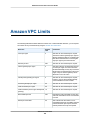
• Amazon VPC Limits (p. 7)
Amazon VPC Concepts
As you get started with Amazon VPC, you should understand the key concepts of this virtual network,
and how it is similar to or different from your own networks. This section provides a brief description of
the key concepts for Amazon VPC.
Amazon VPC is the networking layer for Amazon EC2. If you're new to Amazon EC2, see What is Amazon
EC2? in the Amazon EC2 User Guide for Linux Instances to get a brief overview.
VPCs and Subnets
A virtual private cloud (VPC) is a virtual network dedicated to your AWS account. It is logically isolated
from other virtual networks in the AWS cloud. You can launch your AWS resources, such as Amazon
EC2 instances, into your VPC. You can configure your VPC; you can select its IP address range, create
subnets, and configure route tables, network gateways, and security settings.
A subnet is a range of IP addresses in your VPC. You can launch AWS resources into a subnet that you
select. Use a public subnet for resources that must be connected to the Internet, and a private subnet
API Version 2015-04-15
1